
Best Internal Communications Software in 2026: 8 Tools I'd Actually Recommend

Key facts8 tools compared: Staffbase, Workvivo, Connecteam, Slack, Blink, Simpplr, Workshop…
- 8 tools compared: Staffbase, Workvivo, Connecteam, Slack, Blink, Simpplr, Workshop, ContactMonkey
- Staffbase (best for: Large multi-channel orgs): Custom (~$8-15/employee/yr)
- Workvivo (best for: Culture and engagement): From $20,000/yr (250-2,000 staff)
- Connecteam (best for: Deskless small/mid teams): Free up to 10; from $29/mo
- Slack (best for: Real-time team chat): Free; Pro $7.25/user/mo
Most internal comms tools fail at the same thing: reaching the people who don't sit at a desk. Your office team reads every email and never misses a Slack ping. Your warehouse crew, store staff, drivers, and field techs? They might not even have a company email address. That gap is where engagement quietly dies.
It got worse this year. Meta shut Workplace down for good: read-only in September 2025, then full data deletion in May 2026, which pushed thousands of companies to find a new home mid-planning-cycle. If you're here because your old tool is disappearing, you're not alone.
I spent weeks comparing the tools that matter for top-down, company-wide communication, not just team chat. My top pick overall is Staffbase, because it reaches frontline and desk workers through every channel at once. The right answer, though, depends on your headcount and whether your people carry a laptop or a hard hat. This guide is for internal comms leads, HR teams, and operators choosing a platform they'll live with for years.
Quick comparison
| Tool | Best for | Price | Standout |
|---|---|---|---|
| Staffbase | Large multi-channel orgs | Custom (~$8-15/employee/yr) | Reaches frontline + desk via app, email, SMS |
| Workvivo | Culture and engagement | From $20,000/yr (250-2,000 staff) | Social feed people actually use daily |
| Connecteam | Deskless small/mid teams | Free up to 10; from $29/mo | All-in-one ops + comms app |
| Slack | Real-time team chat | Free; Pro $7.25/user/mo | Best-in-class messaging and integrations |
| Blink | Frontline-first companies | Core $3.75/user/mo | No work email needed to join |
| Simpplr | AI-native modern intranet | Custom | AI search and auto-governance |
| Workshop | Email-led internal comms | From ~$250/mo | Beautiful branded internal newsletters |
| ContactMonkey | Outlook/Gmail-based comms | Custom | Send + track from your inbox |
Staffbase: the most complete platform for reaching everyone
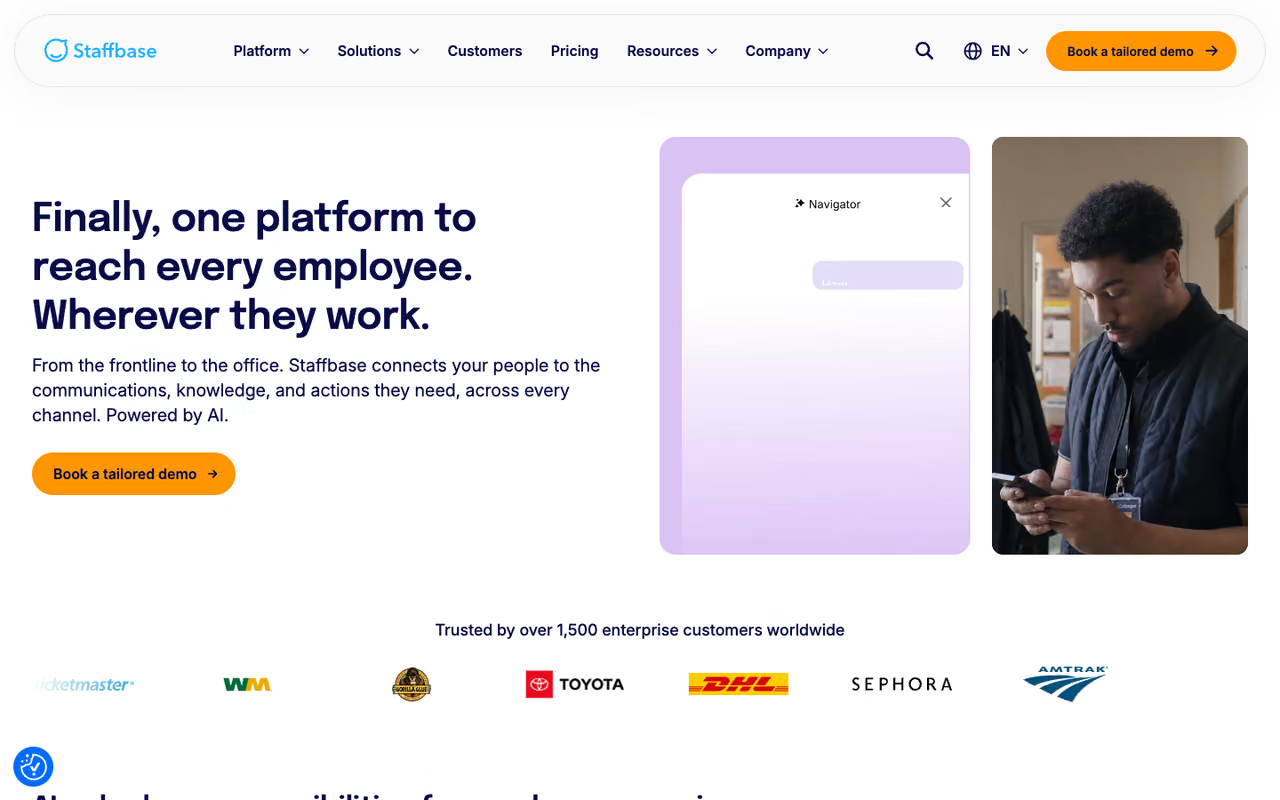
Staffbase is an employee experience platform built around one idea: publish a message once, and it reaches every employee on whatever channel they actually check. That means a branded mobile app for frontline staff, an intranet for desk workers, targeted internal email, SMS, and even digital signage in break rooms.
The most complete option for mid-size and large organizations with a mixed workforce, reaching everyone through app, intranet, email, SMS and signage. There is no public pricing or self-serve tier, and it is overkill for a 40-person startup.
When Workplace shut down, Staffbase was one of the migration paths Meta customers moved to.
Pricing is custom and tied to headcount, deployment, and contract length. Based on aggregated buyer data, organizations in the 2,000-5,000 range typically land around $8-15 per employee per year for the core product. Staffbase claims customers hit 94% monthly active usage versus the 20-30% typical of legacy intranets, which tracks when you meet people on mobile instead of forcing them to a portal.
The standout is the AI layer. Navigator answers employee questions in plain language, content gets auto-tagged for compliance, and you can target messages by role and location without building separate campaigns.
The catch: there's no public pricing and no self-serve tier, so you're booking a demo and negotiating a contract. It's overkill for a 40-person startup, and priced like the enterprise software it is.

Workvivo: the one people open because they want to
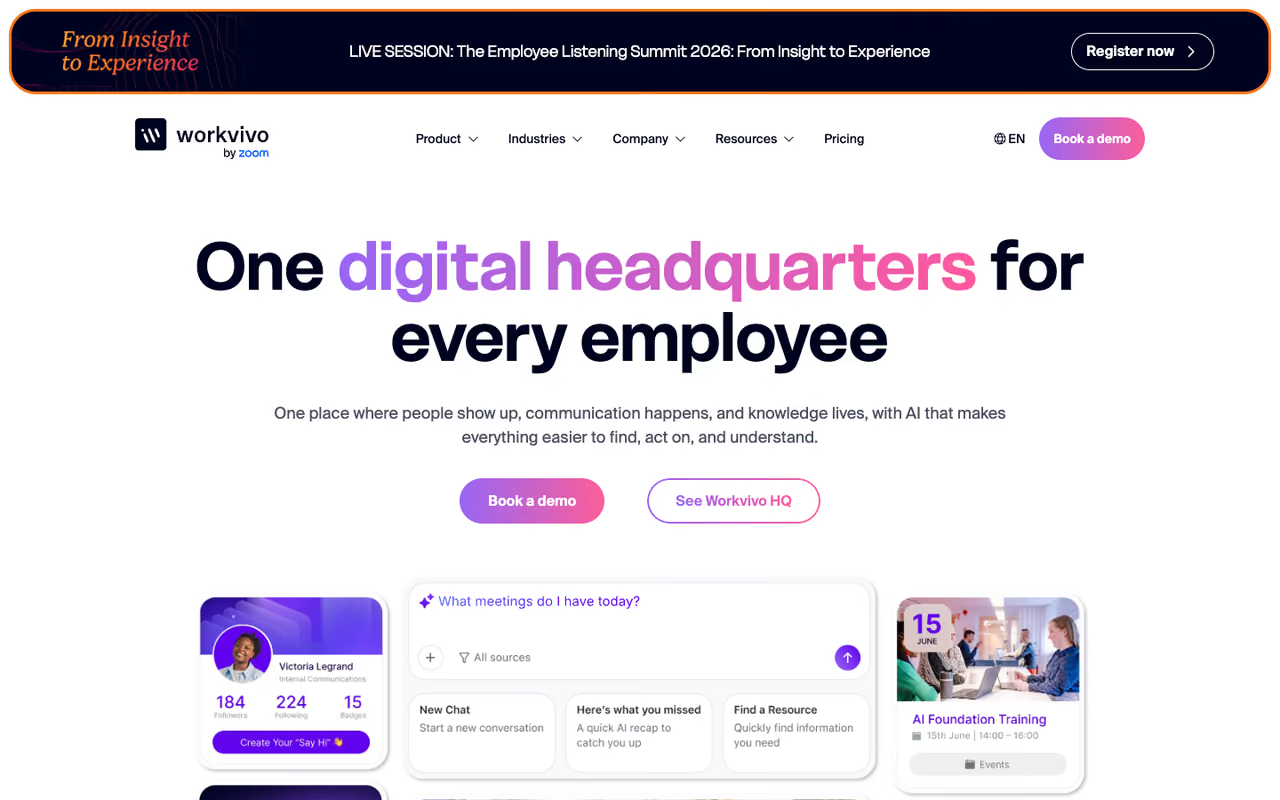
Workvivo, now owned by Zoom, takes a different angle. Instead of a corporate noticeboard, it feels like a private social network for your company: a central feed where people post updates, celebrate wins, react, watch livestreams, and listen to internal podcasts. Meta named it the preferred migration partner for Workplace customers, which tells you where the design DNA comes from.
Choose it for culture and connection, since people open it like a social app rather than a noticeboard. It is lighter on approval workflows and governance than Staffbase, and the $20K floor prices out smaller teams.
If your problem is that people feel disconnected, Workvivo solves a different layer than a pure comms tool.
Pricing starts around $20,000 per year for the Business plan, built for 250 to 2,000 employees, with custom quotes above that. The per-user math lands near $5/month at the low end, but you're buying a platform license, not seats.
The standout is genuine daily engagement. People check Workvivo the way they'd check any social app, which is rare for internal tools.
Where it falls short: it's lighter on structured, compliance-heavy communication than Staffbase. If you need locked-down approval workflows and granular governance, it can feel too casual. And the $20K floor prices out smaller teams.
Connecteam: the best value for deskless small and mid-size teams
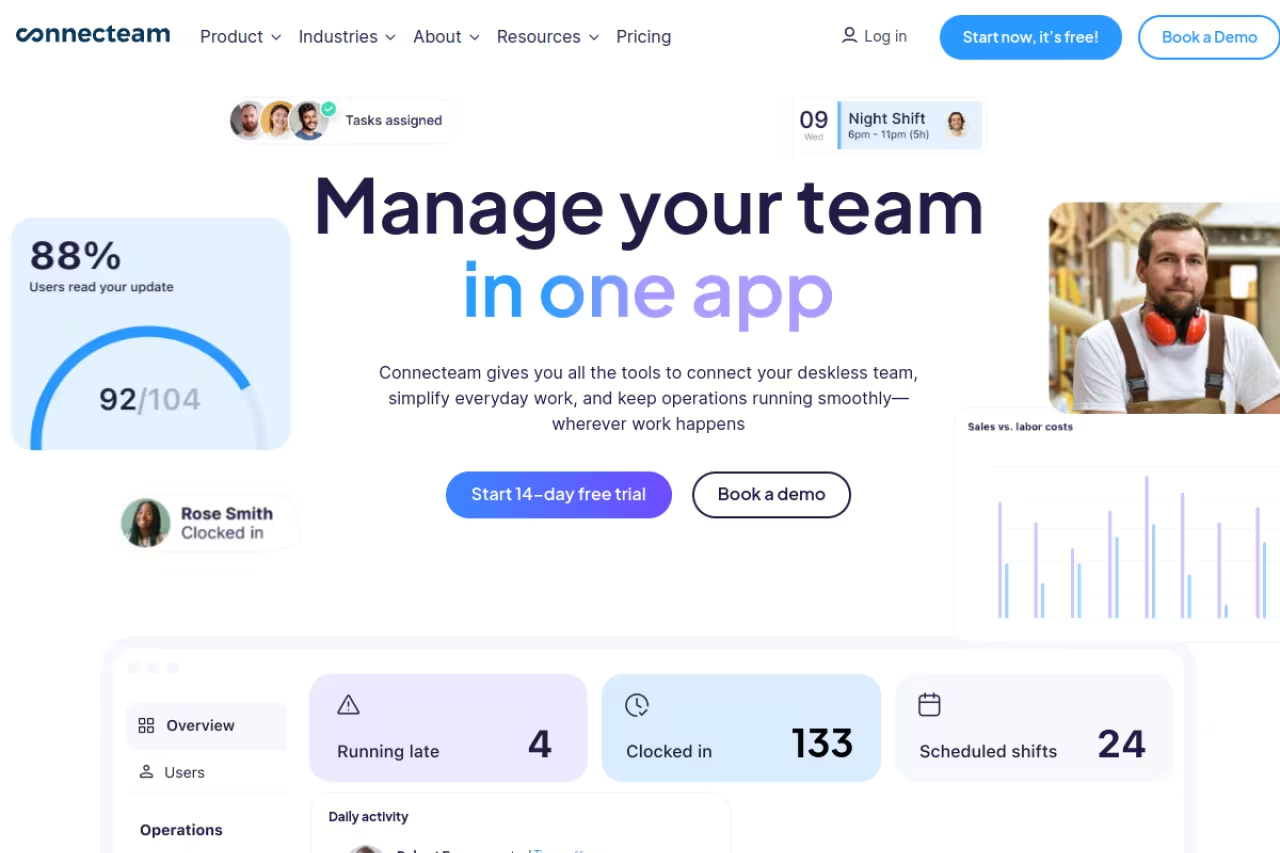
Connecteam is a workforce app that bundles communication with scheduling, time tracking, task management, and digital forms. For a restaurant group, cleaning company, or retail chain, that combination is the whole point: comms live in the same app where staff clock in and see their shifts.
It's best for deskless teams under a few hundred people who want one tool instead of five. The free plan covers up to 10 users with full features, which is one of the most generous offers in the category.
Paid plans start at $29/month for Basic, $49 for Advanced, and $99 for Expert, each covering the first 30 users when billed annually, with per-user pricing after that. The Communications Hub includes chat, a company feed, a directory, surveys, events, and a knowledge base.
The standout is the all-in-one structure. You're not paying for and integrating a separate scheduling tool, time clock, and comms platform.
The catch: it's not built for desk-heavy knowledge orgs. If most of your people live in email and need deep document collaboration, Connecteam's strengths are wasted. It shines for frontline operations, and it's average everywhere else.
The value pick for deskless teams under a few hundred people, bundling comms with scheduling, time tracking and forms, plus a free plan for up to 10 users. Desk-heavy knowledge orgs will waste its strengths, since it is average outside frontline operations.
If you're standardizing your operations stack, it pairs well with the tools in my best employee scheduling software roundup.
Slack: still the default for real-time conversation
Slack isn't internal comms software in the top-down sense, and I'll be honest about that. It's a team chat tool. But it's the team chat tool, and most companies already run their day-to-day on it, so it belongs in any real conversation about how your people talk.
Still the default for real-time, peer-to-peer chat, with unmatched polish and integrations. It is not true internal comms, though: announcements drown in channel noise and you get no reach analytics, so pair it with a dedicated comms tool.
Where it struggles is broadcasting one message to everyone and knowing it landed.
The free plan now caps history at 90 days. Pro is $7.25 per user per month billed annually ($8.75 monthly), and Business+ runs $12.50 per user per month annually with SSO and compliance. Most large buyers negotiate 10-20% below list.
The standout is the integration ecosystem and the polish of the messaging experience. Nothing else feels as fast.
Where it falls short: announcements drown in channel noise, and you get no reach analytics for a company-wide post. Pair Slack with a dedicated comms tool rather than expecting it to do both. For piping routine notifications into Slack, see my AI workflow automation tools guide.
Blink: built for people who never open a laptop
Blink was designed from the first line of code for frontline workers. The mobile app is the primary experience, and employees can join with a phone number or QR code. No corporate email required, which removes the single biggest barrier to reaching deskless staff.
Pick it for frontline-heavy companies in logistics, healthcare or hospitality, where phone-number or QR sign-up removes the email barrier, with Core from $3.75 per user per month. If most staff sit at desks, you pay for mobile-first design you will not use.
Like Staffbase and Simpplr, Blink shows up on the realistic shortlist for organizations replacing Workplace with a frontline focus.
Blink lists Core at $3.75 per user per month and Pro at $5.00 billed annually, with Enterprise custom. That per-user transparency is refreshing in a category that loves to hide numbers. The app combines a news feed, chat, a searchable Hub, surveys, recognition, and digital forms.
The standout is frictionless onboarding. Getting frontline staff into any tool is the hard part, and Blink's phone-number sign-up genuinely lowers that wall.
The catch: if your workforce is mostly desk-based, you're paying for a mobile-first design you won't fully use. Simpplr or a classic intranet fits that profile better.
Simpplr: the AI-native intranet for desk-based teams
Simpplr is a modern intranet that leans hard into AI. The pitch is an employee experience platform where search actually works, content governs itself, and the homepage personalizes to each person's role. It was another common landing spot for Workplace refugees with desk-heavy teams.
The upgrade for knowledge-worker organizations stuck with a graveyard SharePoint, thanks to AI search and auto-governance that flags stale content. Skip it for frontline-heavy companies, and expect opaque pricing that makes budgeting a guessing game.
If your people sit at computers and your old SharePoint is a graveyard, this is the upgrade.
Pricing is custom and enterprise-oriented, so expect a demo and a quote. The standout is AI search and auto-governance: stale content gets flagged, ownership is tracked, and employees find answers instead of digging through nested folders. If knowledge access is your real pain, also look at my AI knowledge management tools roundup.
Where it falls short: it's not the tool for a frontline-heavy company, and the opaque pricing makes budgeting a guessing game.
Workshop: internal email that doesn't look like spam
Workshop is an email-first internal comms platform. If your culture runs on newsletters and company updates land in inboxes, Workshop makes those emails look designed rather than dashed off, with analytics on opens and clicks.
A good fit for comms teams whose channel is email and who want branded, measurable newsletters, from around $250 per month for up to 250 employees. It is email-centric with limited HRIS sync, and renewal pricing can jump after year one.
It's best for comms teams whose primary channel is email and who want branded, measurable internal newsletters without learning a marketing tool.
Entry pricing starts around $250 per month for up to 250 employees, which is accessible for mid-size teams. One honest warning from buyer reports: renewal pricing can jump materially after year one, so negotiate the multi-year rate up front.
The standout is design quality. Workshop emails look like something a brand team would be proud of, which lifts open rates on their own.
The catch: it's email-centric. HRIS sync is limited to a handful of providers, and if you need multi-channel reach across app, SMS, and signage, this isn't it.

ContactMonkey: send and measure from the inbox you already use
ContactMonkey takes the most pragmatic angle on the list. It plugs into Outlook and Gmail so you can build, send, and track internal emails from the client your team already opens every morning. No new platform to adopt.
The pragmatic pick for Outlook and Gmail teams that want analytics and templates without migrating, with HRIS integrations across 80+ providers. Like Workshop it is email-bound, so it will miss frontline staff who do not read company email.
The HRIS story is strong: it integrates with 80+ providers, versus the handful Workshop syncs with.
Pricing is custom and quote-based, generally in the same mid-market band as Workshop. The standout is zero behavior change: your comms team keeps working where they already work, and you finally get open and click data on internal sends.
Where it falls short: like Workshop, it's email-bound. It won't reach frontline staff who don't read company email, which is the exact group most likely to be missed.
How to choose
Skip the feature checklists and answer three questions.
First, where are your people? If most of your workforce is deskless, prioritize Blink, Connecteam, or Staffbase. If they're desk-based knowledge workers, look at Simpplr, Workshop, or ContactMonkey.
Second, what's the actual problem? "People miss important updates" means you need multi-channel reach (Staffbase). "People feel disconnected" means you need a culture platform (Workvivo). "Our newsletters look terrible" means you need an email tool (Workshop or ContactMonkey). Buying the wrong category is the most expensive mistake here.
Third, what's your headcount and budget? Under 100 people and deskless? Connecteam, possibly on the free tier. A few thousand employees across locations? You're in custom-quote territory with Staffbase or Workvivo, so budget for a real procurement cycle.
One last thing: don't try to make one tool do everything. The strongest setups pair a chat tool like Slack for daily work with a dedicated comms platform for broadcasts.
If you want to test how AI fits into your comms workflow before committing to a platform, Dupple X gives you access to the top AI models in one place. It's a low-stakes way to draft announcements and summarize feedback.
FAQ
What is the difference between internal communications software and team chat tools?
Team chat tools like Slack and Microsoft Teams handle real-time, peer-to-peer conversation: project channels and quick back-and-forth. Internal communications software like Staffbase or Workvivo handles top-down, company-wide messaging (leadership updates, policy changes, crisis alerts) with reach analytics so you know who saw it. Most companies need both.
What replaced Workplace from Meta?
Meta discontinued Workplace, which went read-only in September 2025 and lost access with data deletion in May 2026. Meta named Workvivo by Zoom as its preferred migration partner. Former customers also moved to Staffbase and Simpplr depending on whether their workforce was frontline-heavy or desk-based.
What is the best internal communications software for frontline and deskless workers?
For deskless teams, Blink, Staffbase, and Connecteam are the strongest options. Blink lets staff join with just a phone number, Staffbase reaches everyone across app, email, and SMS, and Connecteam bundles comms with scheduling and time tracking in one app. The common thread is a mobile-first experience that doesn't require a corporate email address.
How much does internal communications software cost?
It varies widely. Email-led tools like Workshop start around $250 a month for up to 250 employees. Per-user platforms like Blink run $3.75 to $5 monthly, and Slack Pro is $7.25 per user. Enterprise platforms are custom-quoted: Staffbase often lands near $8 to $15 per employee per year, while Workvivo's Business plan starts around $20,000 annually.
Do I need internal communications software if we already use Slack?
Probably, if reaching everyone reliably matters to you. Slack is excellent for real-time team chat but weak at company-wide broadcasts. Announcements get buried in channel noise, and you get no reach or read analytics. A dedicated comms platform handles those broadcasts and pairs well with Slack rather than replacing it.
Which internal communications tool is best for a small company?
For small deskless teams, Connecteam is hard to beat, with a free plan for up to 10 users and paid tiers from $29 a month. For small desk-based teams that mainly need better internal email, ContactMonkey or Workshop work from your existing inbox. Enterprise platforms like Staffbase are overkill below a few hundred employees.
Pairing the right comms platform with strong employee engagement software and a smooth employee onboarding process is how you turn a tool into actual culture. The software is only as good as the messages you send through it, so start your Dupple X trial if you want AI help writing them.
Related guides
Some offers on this page may be paid placements or contain affiliate links.
