
Best CRM Software in 2026: 8 Tools I'd Actually Recommend

Key facts8 tools compared: HubSpot, Attio, Pipedrive, Salesforce, Zoho CRM, Folk, Freshsales, Close
- 8 tools compared: HubSpot, Attio, Pipedrive, Salesforce, Zoho CRM, Folk, Freshsales, Close
- HubSpot (best for: Teams getting organized on a budget): Free, then $15/seat/mo
- Attio (best for: Startups wanting AI-native and fast): Free, then $29/user/mo
- Pipedrive (best for: Deal-stage sales teams): ~$14/user/mo
- Salesforce (best for: Enterprise with complex needs): $25/user/mo
Most CRM advice online is written by people selling one CRM. So you get a glowing review of whatever pays the affiliate commission, and you find out the hard way that the "free" plan caps you at 1,000 contacts, or that the AI features cost more than the seat itself.
I've compared a lot of CRMs over the years, both pricing and feature sets, for my own work and for teams I've advised. The honest truth is there's no single best CRM. There's the best one for a two-person founder team doing relationship sales, and a very different best one for a 200-rep org that needs forecasting and territory rules. Picking the wrong tier of the right tool wastes as much money as picking the wrong tool entirely.
If you want the short version: for most small teams getting organized for the first time, start with HubSpot's free CRM. For startups that want something fast and AI-native, Attio is the one I'd reach for. The rest of this guide is the longer, more honest version, with real 2026 pricing and the catch on each.
Quick comparison
| Tool | Best for | Starting price | Standout |
|---|---|---|---|
| HubSpot | Teams getting organized on a budget | Free, then $15/seat/mo | Genuinely useful free tier |
| Attio | Startups wanting AI-native and fast | Free, then $29/user/mo | Flexible data model + AI agent |
| Pipedrive | Deal-stage sales teams | ~$14/user/mo | Visual pipeline that just works |
| Salesforce | Enterprise with complex needs | $25/user/mo | Depth and ecosystem |
| Zoho CRM | Value-focused SMBs | $14/user/mo | Most features per dollar |
| Folk | Founders doing relationship sales | $24/user/mo | Contact-first, lightweight |
| Freshsales | Budget AI features | Free, then ~$9/user/mo | Cheap AI scoring |
| Close | High-volume calling teams | ~$29/user/mo | Built-in dialer and SMS |
HubSpot: the safe first CRM
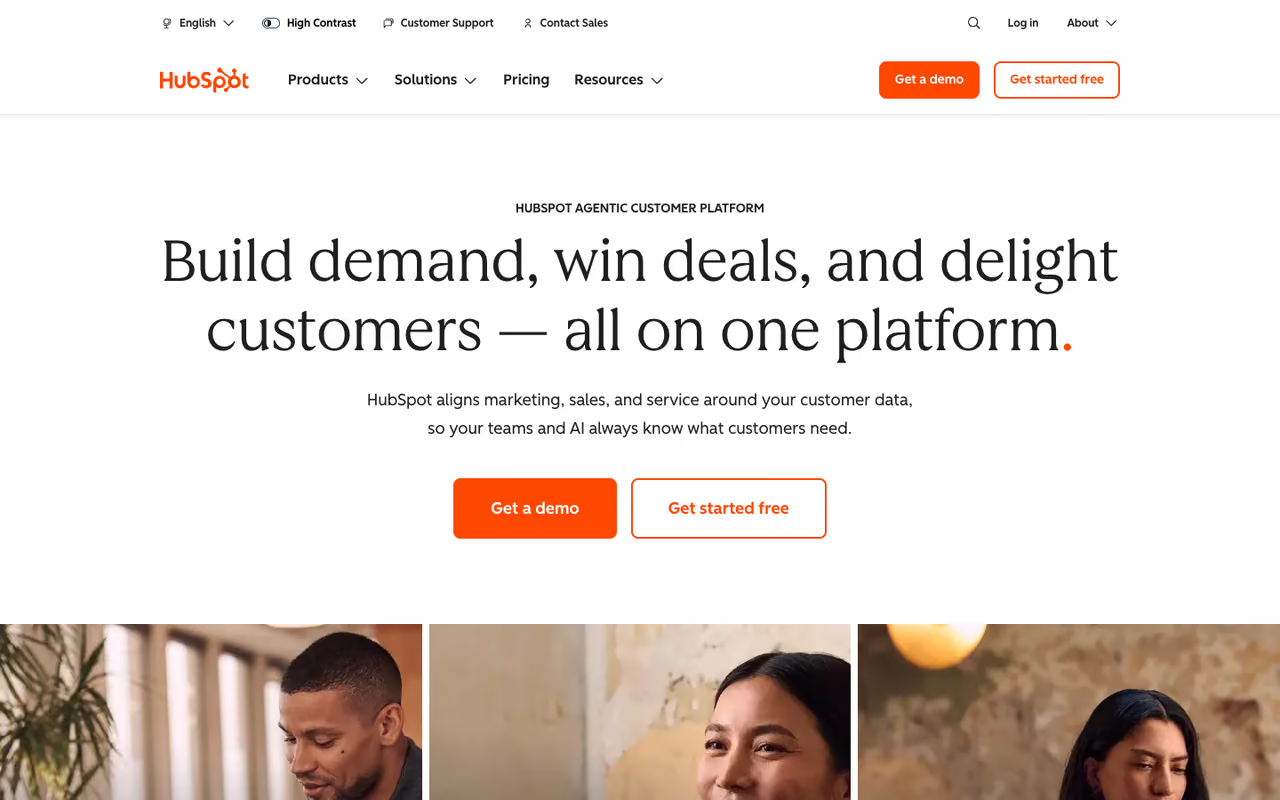
HubSpot is what I recommend when someone's biggest problem is that their deals live in a spreadsheet and three different inboxes. The free CRM is the real draw here. You get contact and deal management, email tracking, a pipeline, and basic reporting for up to two users without paying anything, and you can keep millions of contacts in it.
Who it's for: small teams that want structure now and room to grow into marketing and service tools later.
The safe first CRM for small teams that want structure now and room to grow. The free plan is genuinely useful, but the jump from Starter to Professional is a 5x price increase, so budget for the tier you'll need in a year.
the free plan is genuinely free. Sales Hub Starter runs $15 per seat per month on an annual commitment, or $20 month to month. Professional jumps to $100 per seat per month and adds a one-time onboarding fee around $1,500, per HubSpot's own pricing breakdown.
The standout: the upgrade path. You can start free, add marketing automation, then service tools, all on the same contact record. Nothing gets re-migrated.
The catch: that smooth upgrade path is also the trap. The jump from Starter to Professional is a 5x price increase, and a lot of the features people actually want (sequences, real automation, forecasting) live in Professional. The onboarding fees are non-negotiable on the higher tiers. Budget for the tier you'll need in a year, not the one you need today.
Attio: the AI-native pick I keep reaching for
Attio feels like what a CRM would look like if it were designed in 2024 instead of 2004. It's built on a flexible data model, closer to Notion or Airtable than a rigid contact database, so you can model your business the way it actually works instead of bending it to fit deals and accounts.
Who it's for: startups and 10-to-50-person teams that want custom workflows, clean data, and AI built in rather than bolted on.
A strong pick for startups and small teams that want custom workflows, clean data and AI built in. Attio's flexibility is its draw and its risk: non-technical reps can feel lost, and the integration library is thinner than the incumbents'.
free for up to three seats. The Plus plan is $29 per user per month and the Pro plan is $69 per user per month, both billed annually, according to Attio's pricing page. Enterprise is custom.
The standout: Attio's AI agent can research companies and people from the web inside your workflows, similar to what Clay does for enrichment. For a startup, getting that at $29 a seat is a genuinely good deal compared to the alternatives.
Where it falls short: Attio assumes you know what you want to build. The blank-canvas flexibility that power users love can overwhelm a non-technical sales rep who just wants a pipeline to drag deals across. If your team needs guardrails, this freedom becomes a liability. It's also younger than the incumbents, so the integration library is thinner.
If you're building an AI-heavy stack around your CRM, it pairs well with the workflow thinking in our guide to the best AI agents and the best AI sales tools.

Pipedrive: the pipeline that thinks like a salesperson
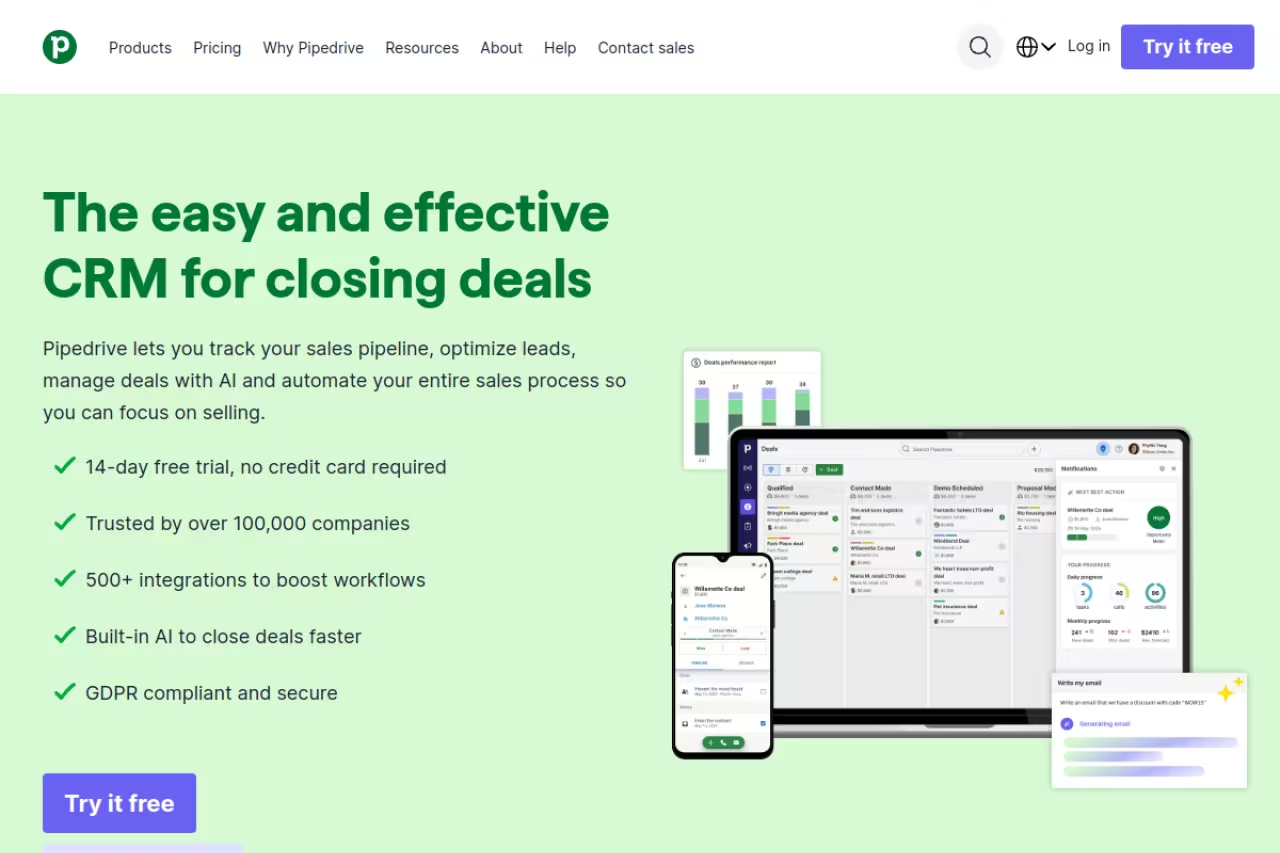
Pipedrive was built by salespeople who were tired of CRMs that felt like data-entry punishment. The whole thing is organized around a visual pipeline. You see your deals as cards, you drag them across stages, and the tool nudges you toward the next action. That's it, and that focus is the point.
Who it's for: sales teams that think in deal stages and want fast onboarding without a consultant.
Pipedrive is the pick for sales teams that think in deal stages and want fast onboarding without a consultant. Watch the add-ons, since LeadBooster, the Caller and extra automation push the real per-seat cost well past the headline price.
the Essential plan starts around $14 per user per month billed annually, Advanced is roughly $25, and Professional is around $50, based on Pipedrive's pricing. There's a 14-day free trial but no permanent free plan.
The standout: the learning curve. A new rep can be productive in an afternoon. After years of watching teams ignore CRMs that were too complicated, I don't undervalue this.
The catch: the useful extras live in add-ons. LeadBooster (for lead capture and chatbots), the Caller, and extra workflow automation all cost more on top of the seat price. By the time you've added the pieces a growing team wants, your real per-seat cost is well above the headline number. Pipedrive is also deliberately narrow. It's a sales pipeline tool, not a marketing or service platform.

Salesforce: still the heavyweight
Salesforce remains the default for enterprises, and there's a reason it holds the top global market share. Almost anything you can imagine, Salesforce can do, usually through configuration rather than code, and there's an army of consultants and an app marketplace to fill any gap.
Who it's for: larger organizations with complex sales processes, custom objects, territory management, and the budget (or admin headcount) to run it.
The heavyweight for larger organizations with complex sales processes and the admin budget to run it. Skip it if you're under 20 people: features you assumed were standard live two tiers up, and AI pushes a seat close to $290.
the Starter Suite is $25 per user per month, Pro Suite is $100, Enterprise is $175, and Unlimited is $350, per Salesforce's pricing tiers. The AI layer, Agentforce, is a $125-per-user add-on or bundled into the top Agentforce tier around $550 per user. So "Salesforce with AI" realistically lands near $290 a seat or more.
The standout: depth. No other CRM matches what Salesforce can model once it's configured properly.
Where it falls short: it's overkill for small teams, full stop. The Starter tier looks affordable until you hit the limits and discover the features you assumed were standard live two tiers up. Real Salesforce deployments usually need a dedicated admin or a consulting partner. If you're under 20 people, this is almost never the right answer.
Zoho CRM: the value play
Zoho CRM quietly does most of what the expensive tools do for a fraction of the price. It's the most underrated option on this list, and if you already use other Zoho apps, the bundling math gets even better.
Who it's for: budget-conscious SMBs with a non-standard sales process that needs customization.
The value play for budget-conscious SMBs that need customization. Zoho CRM delivers workflow automation and AI scoring at a low price, but the interface shows its age and support quality varies by plan.
the Standard plan is $14 per user per month billed annually, and Professional is $23, per Zoho's pricing. Even the AI assistant, Zia, is bundled into plans rather than sold as a pricey add-on, which is rare at this price point.
The standout: features per dollar. You get workflow automation, customization, and AI scoring at a tier where competitors are still gating basic automation.
The catch: the interface shows its age, and Zoho's strength (a giant suite of interconnected apps) becomes a weakness when you only want the CRM. Support quality is inconsistent depending on your plan. You're trading polish for price, and for a lot of teams that's a fine trade. Just go in knowing it.
A quick aside: a CRM is only as good as what feeds it. If your pipeline is starved for leads, the tool won't save you. We cover that side in B2B lead generation channels and the best AI lead generation tools. And if you want a constant read on what's shipping in this space, the Techpresso newsletter tracks new AI sales tools every morning.

Folk: the relationship-first CRM for founders
Folk is built for the kind of selling that doesn't fit a rigid pipeline: founder-led sales, partnerships, fundraising, recruiting. It's contact-first rather than deal-first, and it pulls relationships in from your inbox and LinkedIn instead of making you type them.
Who it's for: five-to-twenty-person teams doing relationship-driven outreach where the person matters more than the deal stage.
Folk fits five-to-twenty-person teams doing relationship-driven outreach where the person matters more than the deal stage. It's fast to set up and captures contacts from inbox and LinkedIn, but you'll outgrow it if sales turns high-volume.
there's no free plan. Standard is $24 per user per month and Premium is $48, billed annually, based on Folk's pricing. A custom tier starts around $80.
The standout: speed to value. You can be running the same day, and the inbox and LinkedIn capture means your contact data stays current without manual entry.
The catch: Folk is lightweight by design, which means it's not where you go for heavy sales reporting, forecasting, or complex automation. If your sales motion turns into a real high-volume pipeline, you'll outgrow it. It's a precision tool for a specific job, not a platform.
Freshsales: cheap AI scoring
Freshsales from Freshworks is the budget pick when you want AI features without enterprise pricing. It bundles contact scoring, a built-in phone and email, and a clean pipeline into a tool that stays cheap as you scale.
Who it's for: small sales teams that want AI lead scoring and built-in calling without paying HubSpot or Salesforce prices.
A budget-friendly option for small sales teams that want AI lead scoring and built-in calling without HubSpot or Salesforce prices. Paid plans start around $9, though the most useful automation and AI sit in higher tiers.
there's a free plan for up to three users, and paid plans start around $9 per user per month, making it one of the cheapest AI-equipped CRMs available.
The standout: the Freddy AI scoring at this price. Getting predictive lead scoring on a $9 plan undercuts almost everyone.
The catch: the cheap tiers are cheap for a reason. The most useful automation and AI capabilities live in higher plans, and the broader Freshworks ecosystem can feel disjointed when you stitch multiple products together. As a standalone sales CRM at a low price, though, it earns its spot.

Close: built for teams that live on the phone
Close is the CRM I'd pick for an inside sales team that makes a lot of calls. The dialer, SMS, and email are built in, so reps aren't juggling a separate phone tool and copy-pasting notes back into the CRM. Everything happens in one window.
Who it's for: high-velocity inside sales and SDR teams where call volume is the whole job.
Close is the call for inside sales and SDR teams where call volume is the whole job, with dialer, SMS and email in one window. If your team isn't phone-heavy, you're paying for strengths you won't use.
plans start around $29 per user per month, with higher tiers for larger teams and more advanced calling and automation features.
The standout: the built-in communication stack. Power dialer, call recording, and SMS without a third-party integration is a real productivity gain for calling teams.
Where it falls short: if your team isn't phone-heavy, you're paying for a strength you won't use. Close is also opinionated about workflow, which is great if it matches yours and frustrating if it doesn't. It's a specialist, not a generalist.
How to choose
Skip the feature-checklist approach. Start with one question: what's your actual sales motion?
If you're getting organized for the first time and have no budget, start with HubSpot's free plan or Freshsales. You can always upgrade once you know what you're missing.
If you're a startup that wants AI and clean data, look at Attio. If you do founder-led relationship sales, Folk fits better than any traditional pipeline tool.
If you're a structured sales team that lives in deal stages, Pipedrive is the obvious choice, with Close as the pick if your team is phone-heavy.
If you're an enterprise with complex processes and admin resources, Salesforce earns its cost. If you want most of that depth on a budget, Zoho gets you surprisingly close.
One rule that's saved me real money: price the tier you'll need in twelve months, not the one you need this week. The entry plan is almost always missing the one feature that made you want a CRM in the first place. And before you commit, run a two-week trial with your real data, not the demo sandbox. A CRM that looks great in a demo can fall apart the moment you import your messy actual contacts.
For the wider stack that plugs into your CRM, our roundups of the best AI sales assistants and the top tools directory are good next stops, and Dupple X keeps you current on what's launching.
FAQ
What is the best CRM software for a small business in 2026?
For most small businesses, HubSpot's free CRM is the best starting point because it costs nothing, holds millions of contacts, and grows with you. If you want something AI-native and modern, Attio (free for three seats, then $29 per user) is the better pick. Budget-focused teams should look at Zoho CRM at $14 per user or Freshsales from around $9.
What's the difference between a free CRM and a paid one?
Free CRMs like HubSpot and Freshsales handle contact management, basic pipelines, and email tracking, which is plenty when you're getting organized. Paid tiers unlock automation, sequences, advanced reporting, forecasting, and AI features. The usual upgrade trigger is needing automation: when manually moving deals and sending follow-ups eats too much of your week, it's time to pay.
Is Salesforce worth it for a small team?
Usually not. Salesforce is the deepest CRM available, but that depth needs configuration, admin time, and often a consulting partner to use well. The entry Starter Suite at $25 per user looks affordable until you hit its limits. For teams under 20 people, HubSpot, Pipedrive, or Zoho deliver more value with far less overhead.
How much should a CRM cost per user?
Entry-level CRMs land around $9 to $25 per user per month, mid-tier plans run $50 to $100, and enterprise tiers with AI can exceed $200 to $300 per seat. The headline price rarely reflects the real cost: add-ons, onboarding fees, and the near-certainty you'll need a higher tier than the one advertised all push it up. Budget 20 to 40 percent above the sticker price.
Do I really need AI features in my CRM?
It depends on volume. If your team handles a high number of leads, AI scoring and enrichment (in Attio, Freshsales, or Salesforce's Agentforce) genuinely save time by prioritizing who to contact. For a small team working a handful of warm deals, AI features are often a nice-to-have you're paying for but barely using. Buy them when you have enough volume to justify the prioritization, not before.
Related guides
Some offers on this page may be paid placements or contain affiliate links.
Across our whole catalogue the median is $24 a month and 33% of tools advertise a free tier. Figures are the lowest recurring monthly price quoted in our own review of each tool, read on 2026-08-19. Full method and every category.
