
Best Employee Scheduling Software in 2026: 7 Tools Compared

Key facts7 tools compared: Connecteam, Deputy, When I Work, 7shifts, Homebase, Sling (by Toast)…
- 7 tools compared: Connecteam, Deputy, When I Work, 7shifts, Homebase, Sling (by Toast), Workforce.com
- Connecteam (best for: All-in-one frontline teams): Free up to 10; $29/mo for 30 users
- Deputy (best for: Hourly teams that need compliance): $5 to $9/user/mo
- When I Work (best for: Cheapest per-user scheduling): $2.50 to $8/user/mo
- 7shifts (best for: Restaurants): Free 1 location; $34.99/location/mo
Building a shift schedule in a spreadsheet feels fine right up until someone calls in sick at 6am and you're texting four people to find a replacement. Then it feels like the worst decision you ever made.
If you manage hourly staff, a real scheduling tool pays for itself the first week. Auto-fill drafts the rota in minutes, employees swap shifts without your phone blowing up, and labor costs show up before you overspend instead of after. The catch is that "best" depends entirely on what you run. A 12-person coffee shop and a 300-person logistics operation need very different things.
I compared the seven tools below on pricing, features, and the mobile app experience, and read the pricing fine print so you don't have to. If you want the short version: Connecteam is the best all-around pick for most frontline teams, and it's genuinely free under 10 employees. Restaurants should look hard at 7shifts, and anyone who just wants the cheapest per-head scheduling will land on When I Work. Here's the full breakdown.
Quick comparison
| Tool | Best for | Price | Standout |
|---|---|---|---|
| Connecteam | All-in-one frontline teams | Free up to 10; $29/mo for 30 users | Full free tier, not a trial |
| Deputy | Hourly teams that need compliance | $5 to $9/user/mo | Auto-scheduling + labor law rules |
| When I Work | Cheapest per-user scheduling | $2.50 to $8/user/mo | Lowest entry price |
| 7shifts | Restaurants | Free 1 location; $34.99/location/mo | Sales forecasting + tip pooling |
| Homebase | Small US hourly businesses | Free 1 location; $30 to $120/mo | Built-in hiring + payroll add-on |
| Sling (by Toast) | Budget restaurant scheduling | Free up to 30; $2 to $4/user/mo | Toast POS integration |
| Workforce.com | Enterprise labor forecasting | Custom quote | AI demand-based scheduling |
Connecteam: the best all-rounder
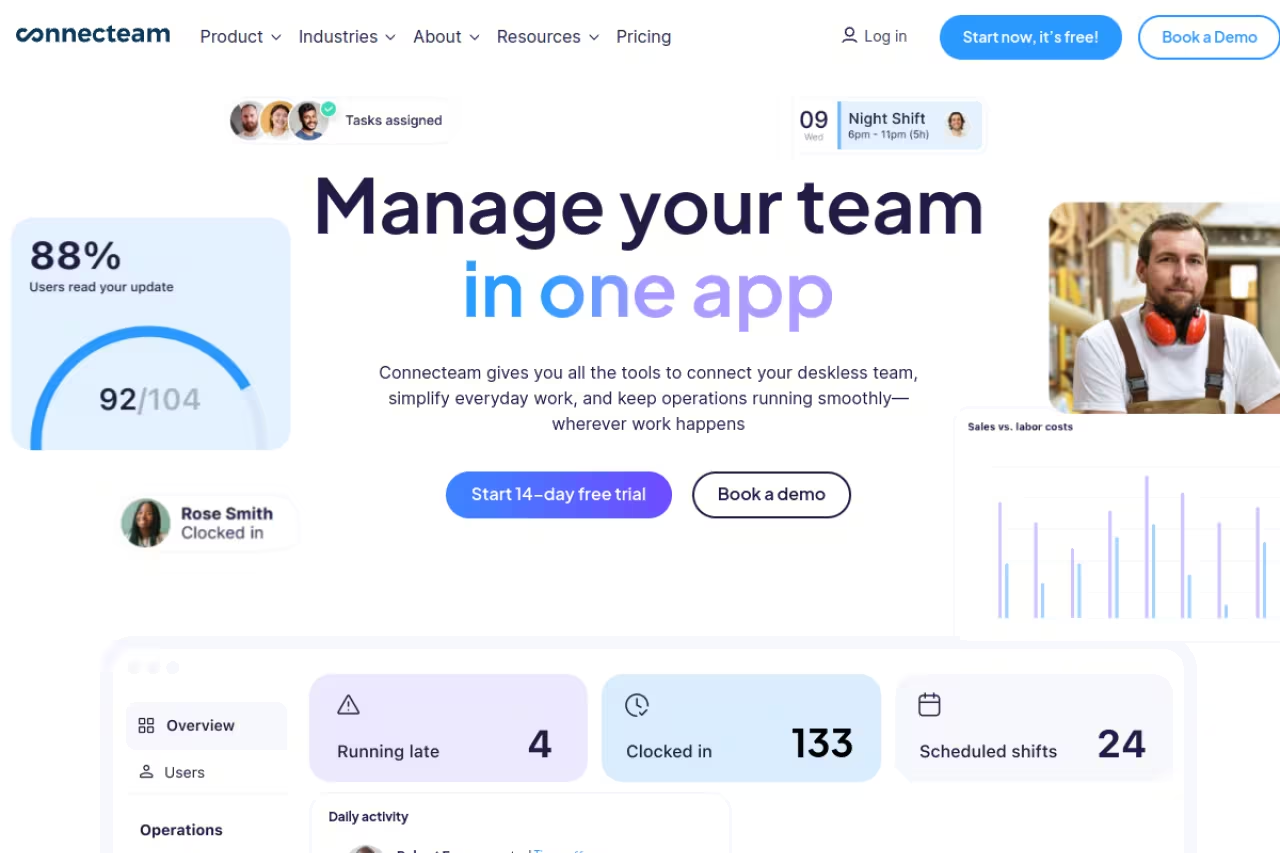
Connecteam is what I'd hand to most managers who don't already have a strong opinion. It's a mobile-first platform that bundles scheduling, time tracking, team chat, task lists, and HR tools into one app, so your deskless staff aren't bouncing between four logins.
The best all-rounder for 10 to 100 frontline workers who want one mobile-first app for scheduling, time tracking and chat. The free plan for up to 10 users keeps the real scheduling engine, but the hub structure can confuse and costs creep across multiple hubs.
The scheduler does the things you'd hope: drag-and-drop shifts, repeating templates, open-shift claiming, and geofenced clock-in so people can't punch in from the parking lot two miles away.
On pricing, Connecteam is unusually generous. The Small Business plan is fully free for up to 10 users with real scheduling, not a crippled demo. Paid plans run on a flat rate: the Operations Hub Basic tier is $29/month for your first 30 users, Advanced is $49/month, and Expert is $99/month, each adding more users at a small per-head rate beyond 30. For a 25-person team, paying $29 flat instead of per-user is a real saving.
The standout is that free tier. Few competitors give you a permanent free plan with the actual scheduling engine intact.
The catch: the hub structure gets confusing. Scheduling lives in the Operations Hub, but if you also want advanced chat or HR features you may end up paying across multiple hubs, and costs creep up. For a team under 10, though, it's hard to beat free.

Deputy: compliance without the headache
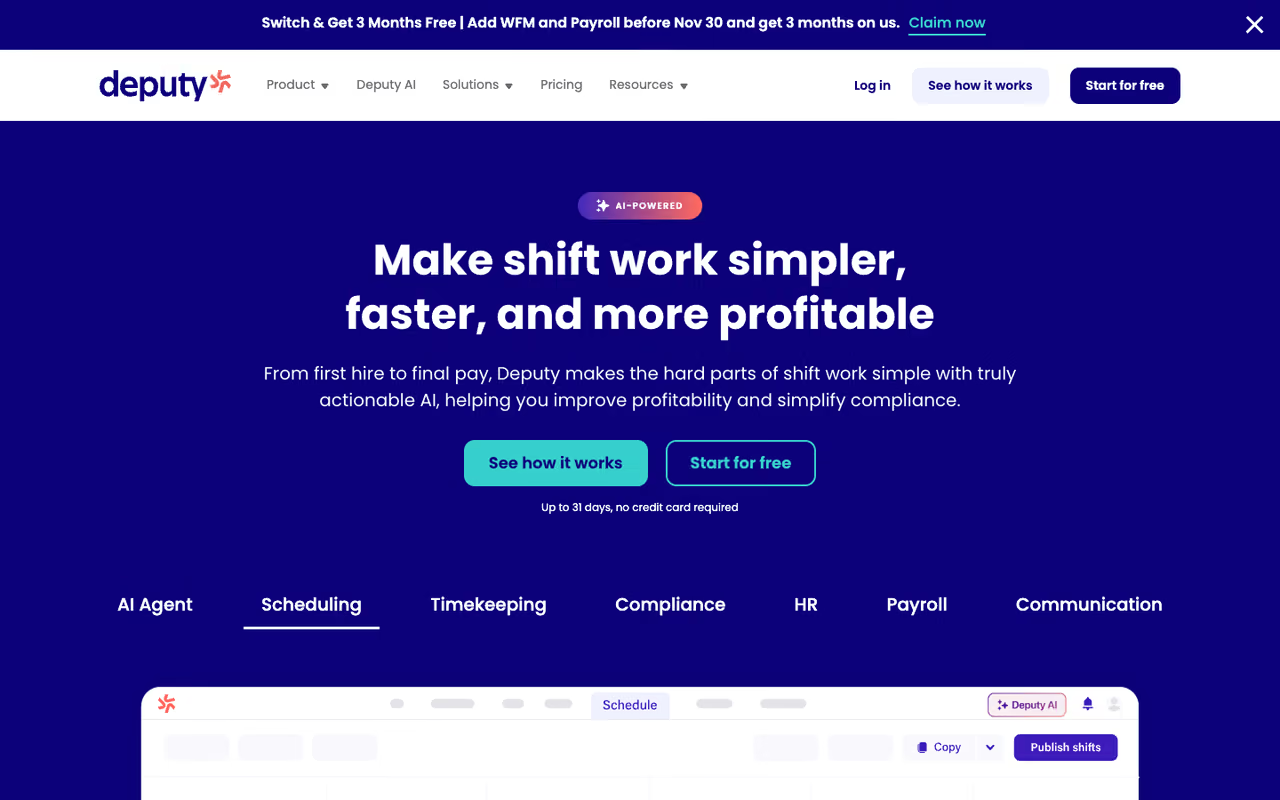
Deputy has been a heavyweight in shift scheduling for years, and it shows. The interface is clean, auto-scheduling is genuinely useful, and it leans hard into labor-law compliance, which matters if you operate across states or countries with strict break and overtime rules.
Choose it for hourly teams in healthcare, hospitality or retail that cannot afford a compliance mistake, thanks to its break and overtime engine. It adds up at scale: a 50-person team on Core is $325/month before add-ons, which punishes bigger teams.
Deputy flags potential break violations, tracks overtime thresholds, and handles shift swaps with manager approval baked in.
Pricing moved to per-user tiers in late 2025. The Lite plan is $5/user/month, Core is $6.50/user/month (the popular one, with auto-scheduling and demand forecasting), and Pro is $9/user/month with SSO and custom access levels. There's a $30/month minimum, so very small teams pay a floor regardless of headcount.
The standout is the compliance engine. Deputy's Core plan does the math on labor law so you're not manually checking whether someone's been scheduled into an illegal double.
Where it falls short: it adds up fast at scale. A 50-person team on Core is $325/month before any add-ons like Messaging+ ($1.95/user) or Analytics+ ($1.50/user). Compared to Connecteam's flat rate, Deputy's per-user model punishes bigger teams.

When I Work: the budget per-user pick
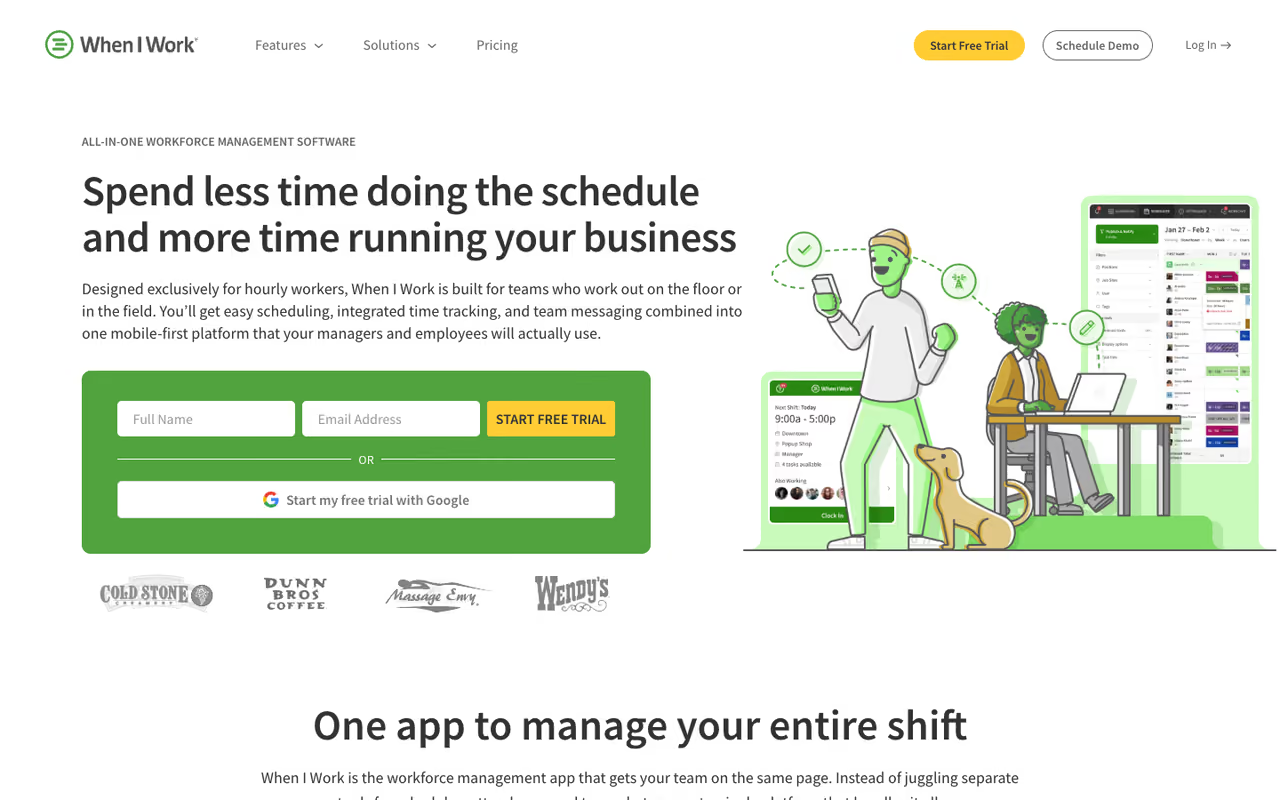
When I Work does one thing and does it cheaply: scheduling and time tracking for hourly teams, with a clean app your staff will actually open. If you don't need HR, hiring, or compliance bells, this is the lean option.
The lean budget pick for small-to-mid teams that want straightforward scheduling at the lowest per-head cost, from $2.50/user/month. There is no free tier and auto-scheduling sits behind the $5 Pro plan, so compare Pro with Deputy Core, not the headline price.
The mobile app is one of the better ones on this list, and shift swapping plus availability requests work without friction.
The Essentials plan is $2.50/user/month, Pro is $5/user/month with advanced scheduling rules and custom reporting, and Premium is $8/user/month adding API access and SSO. There's a 14-day free trial but no permanent free plan. At $2.50/user, a 20-person team pays $50/month, which is competitive.
The standout is the price-to-polish ratio. Few tools this cheap feel this finished.
The catch: there's no free tier, and the cheapest plan is bare. Auto-scheduling and reporting sit behind the $5 Pro plan, so the real comparison is Pro versus Deputy Core, not the headline $2.50.

7shifts: built for restaurants
7shifts is scheduling software made by people who clearly understand restaurants. It connects to your POS, forecasts labor against projected sales, handles tip pooling, and even has a built-in team communication and engagement layer that managers actually use during a rush.
Pick it if you run a restaurant or food-service business, full stop. POS-connected sales-to-labor forecasting is the standout, but it is narrow by design and a general tool like Connecteam serves every other industry better.
If you run anything else, the restaurant-specific features are wasted on you.
The Comp plan is free for a single location with up to 20 employees. Entrée is $34.99/month per location (up to 30 employees) and adds templates and labor budgeting. The Works is $76.99/month per location with unlimited employees and compliance tools. Pricing is per location, which suits multi-site groups.
The standout is sales-to-labor forecasting. 7shifts pulls projected sales from your POS and tells you whether you're overstaffing the Tuesday lunch shift before you schedule it.
Where it falls short: it's narrow by design. Outside hospitality, you're paying for features you'll never touch, and a general tool like Connecteam will serve you better.

Homebase: the small-business workhorse
Homebase targets US small businesses, like cafes, salons, and retail shops, and bundles scheduling with hiring, onboarding, and an optional payroll product. The free tier is the hook, and it's a good one.
A good starting point for a single-location US business with under 10 employees that wants free scheduling and room to grow into payroll. The free plan caps at one location and 10 employees, and the product is US-focused.
The free Basic plan covers one location and up to 10 employees with basic scheduling and time tracking.
Paid plans are flat per location: Essentials is $30/month (or $24 billed annually), Plus is $70/month with AI scheduling and PTO controls, and All-in-One is $120/month adding HR and labor-cost tools. Payroll is a separate add-on at $39/month plus $6 per employee.
The standout is the all-in-one path for a growing shop: hire, schedule, clock, and pay from one place.
The catch: the free plan caps at one location and 10 employees, and Homebase is US-focused, so its payroll and compliance features don't translate well internationally.

Sling: cheap restaurant scheduling, now part of Toast
Sling was acquired by Toast in 2022, and it's now the budget scheduling option inside the Toast restaurant ecosystem. It's a capable scheduler on its own, with a free tier that's more generous than most.
Go with it if you are a budget-conscious restaurant, especially one already on Toast POS, with a free plan covering up to 30 users. Development has slowed since the acquisition, so outside Toast there is less reason to pick it over 7shifts or Connecteam.
The free plan covers shift scheduling and messaging for up to 30 users. Premium is $2/user/month adding time tracking and PTO, and Business is $4/user/month with labor-cost management and payroll integrations. That free-up-to-30 limit is one of the best in the category.
The standout is the Toast POS integration. If you're on Toast, your sales and labor data already talk to each other.
Where it falls short: development has slowed since the acquisition, and outside the Toast world there's less reason to pick it over 7shifts or Connecteam.
Workforce.com: enterprise forecasting
Workforce.com is the one I'd point a 200-plus-person operation toward. It does AI-driven demand forecasting, automated scheduling against predicted labor needs, and ties scheduling to payroll and wage compliance at a level the smaller tools don't attempt.
It's best for large, multi-site businesses (think retail chains, hospitals, warehouses) where labor is the biggest controllable cost and small efficiency gains add up to serious money.
The enterprise choice for large multi-site businesses such as retail chains, hospitals and warehouses, with AI forecasting that schedules to predicted demand. Pricing is custom and setup is sales-led, so it is overkill for anyone under 50 employees.
Pricing is custom. Workforce.com doesn't publish per-user rates; you get a quote based on modules, headcount, and implementation needs. That's normal at the enterprise tier but means it's not a self-serve option.
The standout is forecasting accuracy. It schedules to predicted demand rather than last week's pattern, which is where the labor savings come from at scale.
The catch: there's no transparent pricing and no quick setup. This is a sales-call-and-onboarding tool, overkill for anyone under 50 employees.
If you're scaling a team and want more tools that actually move the needle, the Dupple X membership bundles vetted software picks like these. You can also browse our running top tools list for adjacent categories.
How to choose
Skip the feature-list paralysis. Answer three questions:
What do you run? Restaurants should default to 7shifts or Sling. General frontline teams (retail, field service, cleaning, warehouses) want Connecteam or Deputy. Big multi-site operations want Workforce.com.
How many people, and is the count stable? Under 10 employees, go straight for a free tier: Connecteam, Homebase, or Sling. Between 10 and 50, compare flat-rate Connecteam against per-user When I Work and run the actual math on your headcount. Over 50, per-user pricing starts to hurt, so a flat-rate or enterprise model wins.
Do you need compliance and forecasting, or just a rota? If labor law and overtime tracking keep you up at night, Deputy and Workforce.com earn their price. If you just need a clean schedule people can read on their phone, When I Work or the free tiers do the job for a fraction of the cost.
My honest default: start on a free plan (Connecteam if you're general, 7shifts if you're a restaurant), run it for two weeks of real schedules, and only pay when you hit a wall. Most teams don't need the expensive tier they think they do.
FAQ
What is the best free employee scheduling software?
For a permanent free plan, Connecteam is the strongest, with full scheduling for up to 10 users. Sling is free for up to 30 users, and 7shifts offers a free plan for one restaurant location with up to 20 employees. Homebase is free for one location and 10 employees. These are real free tiers, not trials, though each caps users or locations.
How much does employee scheduling software cost?
Most tools run $2 to $9 per user per month, or a flat $29 to $120 per month for small teams. Per-user pricing (When I Work at $2.50, Deputy at $5 to $9) is cheaper for tiny teams but scales up fast. Flat-rate pricing (Connecteam at $29 for 30 users) wins once you pass roughly 15 to 20 people. Restaurant tools like 7shifts charge per location instead.
Which scheduling software is best for restaurants?
7shifts is purpose-built for restaurants, with POS integration, sales-to-labor forecasting, and tip pooling. Sling is a cheaper alternative, especially if you use Toast POS, since Toast owns Sling. Both beat general tools for food service because they understand restaurant-specific staffing patterns.
Can employee scheduling software handle shift swaps automatically?
Yes. Most modern tools (Connecteam, Deputy, When I Work, 7shifts) let employees post and claim open shifts or swap directly, with optional manager approval. Deputy and Workforce.com go further with auto-scheduling that fills the whole rota based on availability, skills, and forecasted demand.
Do these tools integrate with payroll?
Most do. Homebase and Workforce.com offer built-in payroll add-ons. Deputy has its own payroll product plus integrations with Gusto, QuickBooks, and others. Connecteam, When I Work, and 7shifts export payroll-ready timesheets and integrate with major payroll providers, so approved hours flow through without manual re-entry.
Is per-user or flat-rate pricing better?
It depends on team size. Per-user pricing (When I Work, Deputy) is cheapest under about 15 people. Flat-rate pricing (Connecteam's $29 for 30 users) is better for larger teams because the cost doesn't climb with every new hire. Run your real headcount through both models before committing, since the cheaper headline price often isn't the cheaper total.
Whatever you pick, the goal is the same: get the schedule out of your head and your group chat, and into a tool that does the math. Once you've chosen, the Dupple X membership is worth a look for keeping the rest of your stack as lean as your rota.
Related guides
Some offers on this page may be paid placements or contain affiliate links.
Across our whole catalogue the median is $24 a month and 33% of tools advertise a free tier. Figures are the lowest recurring monthly price quoted in our own review of each tool, read on 2026-08-19. Full method and every category.
