
Best Digital Asset Management Software (2026): 8 DAM Tools I'd Actually Recommend

Key facts8 tools compared: Air, Bynder, Brandfolder, Canto, Cloudinary, Frontify, Filecamp, MediaValet
- 8 tools compared: Air, Bynder, Brandfolder, Canto, Cloudinary, Frontify, Filecamp, MediaValet
- Air (best for: Modern small/mid teams): Free; paid via credits
- Bynder (best for: Enterprise brand governance): ~$5,400/yr to $124k+/yr
- Brandfolder (best for: Brand-led mid-large teams): From ~$1,600/mo (quote)
- Canto (best for: Mid-market marketing teams): $75-$200/mo small, then quote
Every growing brand hits the same wall. Logos live in three Google Drives, the "final" hero image is actually hero-FINAL-v7-real.png, and someone on the sales team just emailed a customer a product photo from 2023. Digital asset management software is supposed to fix that mess, but the category is a minefield of opaque enterprise quotes and demos that take three weeks to book.
I spent the last few weeks comparing DAM vendor pricing and documentation, reading real contract data, and pestering vendor sales reps about pricing they'd rather not publish. The short version: if you're a small or mid-sized team that wants modern AI search without a five-figure contract, Air is where I'd start. If you're an enterprise with 1,000+ employees and a real brand-governance problem, Bynder is the safe, proven pick.
This guide is for marketers, founders, and creative ops people who are tired of the chaos and want a system the team will actually use. I'll give you real prices where they exist, flag the ones that hide behind sales calls, and tell you where each tool falls down.
Quick comparison
| Tool | Best for | Price | Standout |
|---|---|---|---|
| Air | Modern small/mid teams | Free; paid via credits | AI-native search and unlimited seats |
| Bynder | Enterprise brand governance | ~$5,400/yr to $124k+/yr | Proven scale, AI agents |
| Brandfolder | Brand-led mid-large teams | From ~$1,600/mo (quote) | Brand Intelligence analytics |
| Canto | Mid-market marketing teams | $75-$200/mo small, then quote | Easy adoption, clean UI |
| Cloudinary | Developers and product teams | Free; Plus $89/mo | Image/video API and transforms |
| Frontify | Brand portals and guidelines | ~$1,200/yr to custom | Brand guidelines built in |
| Filecamp | Budget-conscious teams | $29-$89/mo | Cheapest with unlimited users |
| MediaValet | Microsoft-ecosystem orgs | Custom quote | Built on Azure, unlimited users |
Air: the DAM that doesn't feel like enterprise software
Air is the tool I'd hand to a marketing team that has never used a DAM and never wants to read a manual. It's a visual workspace built around AI from the ground up, not a 2012 file server with tagging bolted on. You drag in assets, it auto-tags them, and natural-language search actually finds the photo of "the founder on stage in a blue jacket." Version stacking keeps every edit grouped behind the current approved file, so there's no hunting through old copies to find what's live.
Who it's best for: small to mid-sized marketing and creative teams that want speed and modern search without an enterprise contract or a procurement saga.
The DAM I'd hand to a marketing team that has never used one, with AI auto-tagging, natural-language search and unlimited seats on every plan. The credit model takes a minute to grasp, and heavy video teams should run the math first.
the free plan gives you 120 credits per month, which Air says is roughly 20GB of enriched storage or about 24 AI-generated images, with no time limit and no card required. Paid tiers (Starter, Business, Enterprise) move to a credit-based model, and every plan includes unlimited seats. That last part matters more than it sounds, since most DAMs charge per user and punish you for inviting the whole team.
The standout: unlimited users on every plan, plus a content library that feels like Pinterest instead of a database. People share it without a training session, which is the whole point of buying a DAM in the first place. Once something's approved, Air Canvas can turn it into on-brand variations for different channels without opening a separate design tool.
The catch: the credit model takes a minute to wrap your head around. Storage isn't a flat "you get 1TB" number, it's metered through credits that reset monthly and don't roll over. Heavy video teams should run the math before committing, because enriched video can burn credits faster than you'd expect.

Bynder: the enterprise default for a reason
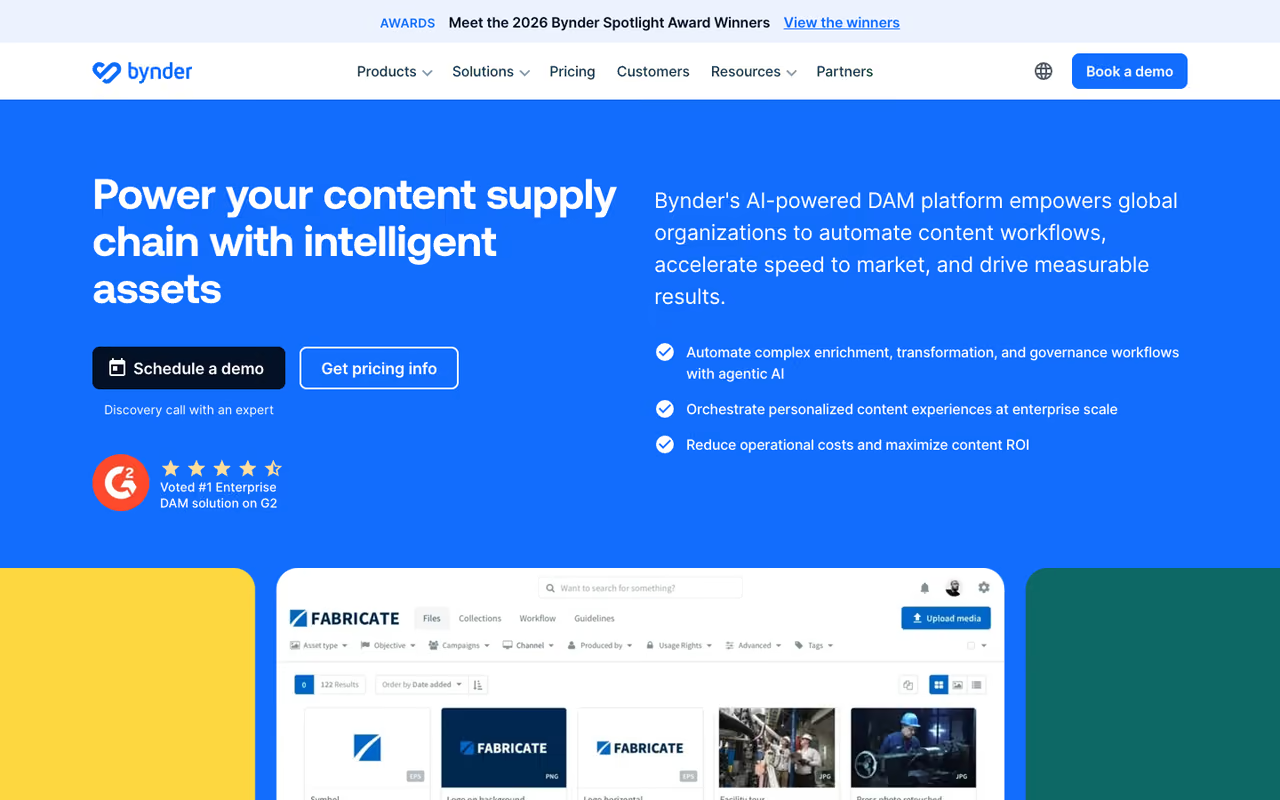
Bynder is the platform big brands buy when "we lost the asset" becomes a board-level brand-consistency problem. It centralizes storage, creation, and distribution, and in 2026 it was named a Customer Favorite in the Forrester Wave for DAM Systems, Q1 2026. It's heavy, but it's heavy because it does a lot.
Who it's best for: enterprises with 1,000+ employees, multiple brands or regions, and a real need for governance, approval workflows, and locked-down permissions.
The enterprise default for companies with 1,000+ employees, multiple brands and a need for governance and approval workflows. The price is the sticking point, with quote-only contracts and increases of roughly 22% year-over-year for SMBs.
Bynder is quote-only and modular. Entry-level deployments start around $450/month (roughly $5,400/year), but real-world contract data tells the fuller story. According to spend data compiled by Vendr, mid-market deals commonly land between $30,000 and $75,000 per year, and average enterprise pricing sits near $124,668 annually. Base packages typically include 500GB to 1TB, with extra storage and modules like Content Workflow and Studio sold separately.
The standout: Bynder's AI Agents Platform lets you spin up context-aware agents for tasks like metadata enrichment, one-click asset transformation for different markets, and automated compliance checks against brand guidelines. For a company shipping thousands of localized assets, that automation pays for itself.
Where it falls short: the price. Reviewers consistently note that Bynder is scaled for enterprise budgets, so mid-sized teams find key features cost-prohibitive. SMB pricing also jumped roughly 22% year-over-year and enterprise about 23%, so budget for it climbing. The AI search is good but, per some reviewers, "leaves a bit to be desired" against newer AI-native rivals.

Brandfolder: brand analytics most DAMs ignore
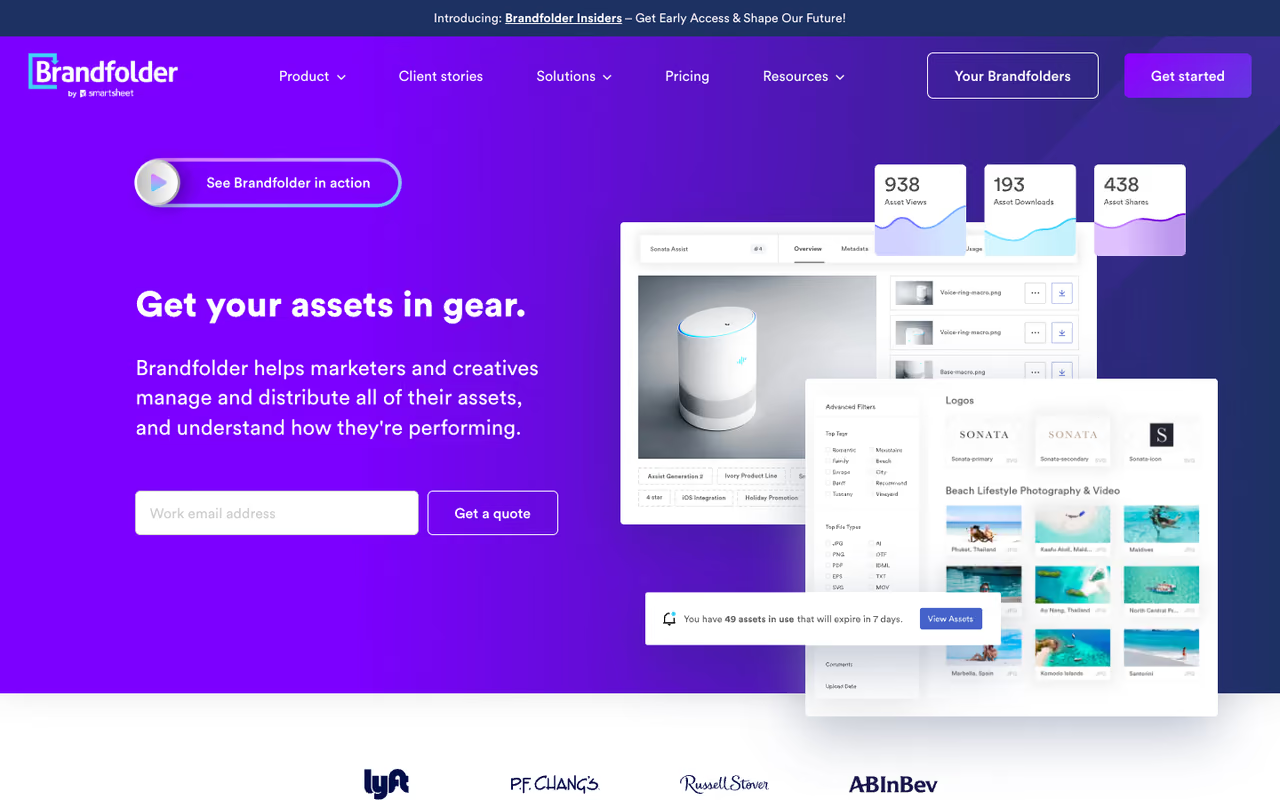
Brandfolder, now part of Smartsheet, is the pick when your DAM needs to answer "which assets actually get used?" Its Brand Intelligence engine tracks asset usage and engagement, which is rare in this category. Most tools store files; Brandfolder tells you which files earn their keep. It's trusted by names like Autodesk, Lyft, and Mastercard.
Who it's best for: brand-led marketing teams at mid-to-large companies who care about analytics, brand-guideline enforcement, and a polished sharing experience.
Pick Brandfolder when brand-led teams at mid-to-large companies want analytics on which assets actually get used, plus guideline enforcement. Pricing is quote-only and not cheap, so small teams will find it overkill.
quote-only, and not cheap. Brandfolder's Capterra listing and various marketplaces peg starting pricing around $1,600 per month, scaling with storage, users, and add-on modules. You work with sales for an exact number.
The standout: AI tagging plus genuine analytics. The Brand Intelligence layer and a Smart CDN that publishes optimized assets straight to the web make it more than a library. The Smartsheet integration is a bonus if your team already lives in Smartsheet for project work.
The catch: it's an enterprise tool with enterprise pricing and no public price floor, so small teams will find it overkill. And while the AI tagging is strong, the broader platform can feel heavy if all you need is a tidy shared library.
If your team is still wrangling assets across a dozen browser tabs, this is exactly the kind of busywork Dupple X is built to cut down. Worth a look once your stack starts to sprawl.

Canto: the friendly mid-market option
Canto is one of the most-adopted DAMs around, and it earns that with a clean, approachable interface. It ranks among the top platforms by G2 popularity for a reason: teams onboard fast and don't fight it.
Who it's best for: mid-market marketing teams that want a proven DAM with AI search and good support, without Bynder-level complexity.
The friendly mid-market option for teams that want a proven DAM with AI search and good support, without Bynder-level complexity. Power users hit ceilings on workflow customization, and storage on lower tiers fills up quickly.
Canto starts around $75-$200/month for small teams, with enterprise pricing on request across its Core Essentials, Enhanced Collaboration, and Advanced tiers. Like most of this list, the bigger plans require a quote.
The standout: ease of use and a low learning curve. Canto's AI search and organization features are solid, and the product-data tier (Omni Brand Solution) is a nice option for ecommerce brands managing assets alongside product info.
Where it falls short: power users sometimes hit ceilings on advanced workflow customization, and the jump from the entry tier to enterprise pricing can be steep. Storage limits on lower tiers fill up quicker than you'd like if you're a video-heavy team.

Cloudinary: the developer's DAM
Cloudinary is what you reach for when assets need to be transformed and delivered programmatically, not just stored. It's an image and video API first, with a DAM layer on top. If your product serves user-uploaded media or you need on-the-fly resizing and format conversion, this is the one.
Who it's best for: developers, product teams, and engineering-led companies that want media optimization and delivery baked into their app.
A developer's DAM for engineering-led teams that need media transformed and delivered programmatically, with a transparent free tier. Non-technical marketers will find it less polished than Air or Canto, and credits get expensive at scale.
transparent, which is refreshing. The free tier gives 25 monthly credits and 3 users; Plus is $99/month ($89 billed yearly) with 225 credits; Advanced is $249/month ($224 yearly) with 600 credits; Enterprise is custom. The standalone DAM has a free 25GB tier and a custom Enterprise plan.
The standout: the transformation and delivery engine. Auto-format, auto-quality, responsive images, video transcoding, and a global CDN, all controllable by URL parameters or API. No other tool here touches it for developer ergonomics.
The catch: it's a developer tool wearing a DAM hat. Non-technical marketers will find the standalone DAM less polished than Air or Canto, and the credit-based pricing can get expensive at scale if you're not careful with transformations.

Frontify: when the brand book matters most
Frontify blurs the line between DAM and brand-management platform. Its core strength is living brand guidelines: logos, colors, type, tone, and usage rules sitting right next to the assets they govern. If your problem is brand consistency more than raw storage, start here.
Who it's best for: brand and design teams that need to publish guidelines and enforce visual identity across distributed teams or agencies.
Start here if your problem is brand consistency more than raw storage, since living brand guidelines sit next to the assets they govern. As a pure DAM it is lighter than Bynder or Brandfolder, and MAU-based pricing can surprise you.
seat-based and modular across Essentials, Growth, and Enterprise tiers, billed on monthly active users. Per aggregated contract data, Essentials runs roughly $1,200-$1,800/year for small teams, Growth lands around $8,000-$15,000/year for mid-sized teams, and Enterprise is custom. No public price list.
The standout: brand guidelines as a first-class feature, not an afterthought. The DAM is competent, but the reason to pick Frontify is the brand-portal and guideline tooling that keeps everyone on-brand.
Where it falls short: as a pure DAM, it's lighter than Bynder or Brandfolder. The MAU-based pricing can also surprise you when usage spikes, and the storage limits on lower tiers are modest.

Filecamp: the budget pick that punches up
Filecamp is the antidote to enterprise sticker shock. It's a no-frills, low-cost DAM with one feature that beats everyone: unlimited users on every plan, including the $29 one.
Who it's best for: small businesses, agencies, and nonprofits that need organized, branded asset sharing without a five-figure contract.
The budget pick for small businesses, agencies and nonprofits, with unlimited users on every plan including the $29 one. Storage is tight at 20GB to 100GB, and the interface and AI features are basic.
the most transparent on this list. Basic is $29/month (20GB), Advanced is $59/month (50GB, adds AI auto-tags and collections), and Professional is $89/month (100GB, adds white-label, custom domain, and online proofing), per Filecamp's pricing page. All tiers include unlimited users and custom branding, and there's a 30-day Professional trial.
The standout: price-to-value. Unlimited users plus custom branding at $29/month is unmatched, and the Advanced tier's AI auto-tagging is a genuine surprise at that price.
The catch: storage is tight. 20GB to 100GB fills fast for video or high-res photography teams, and extra storage costs more on top. The interface is functional rather than beautiful, and the AI features are basic next to Air or Bynder.
MediaValet: the Microsoft-native choice
MediaValet is a cloud-native DAM built entirely on Microsoft Azure, which makes it a natural fit if your org already runs on Microsoft 365 and Teams. It covers the full asset lifecycle and, like Filecamp and Air, includes unlimited users on every plan.
Who it's best for: Microsoft-ecosystem companies that want a DAM with deep Azure and Office integrations and enterprise-grade security.
The natural fit for Microsoft-ecosystem companies wanting deep Azure and Office integrations and enterprise-grade security, with unlimited users on every plan. Pricing is hidden behind a sales call, and outside Microsoft the Azure angle stops being an advantage.
custom quote based on storage, integrations, and modules, with no public pricing. Expect mid-market-to-enterprise figures.
The standout: AI auto-tagging and facial recognition via Microsoft Cognitive Services, strong video management with transcoding, and integrations that feel native if you live in the Microsoft stack.
Where it falls short: no transparent pricing, so you're booking a sales call to learn the cost. And if you're not already invested in Microsoft, the Azure-native angle stops being an advantage.
How to choose the right DAM
Skip the feature checklists. Three questions decide this faster than any spec sheet.
What's your team size and budget? Under 20 people and want predictable cost: Air, Filecamp, or Canto's entry tier. Over 1,000 people with real governance needs: Bynder, Brandfolder, or MediaValet. The line between these two groups is sharper than vendors admit.
Who's the primary user? Marketers and creatives want a visual, low-training tool, so Air or Canto win. Developers shipping media in a product want Cloudinary. Brand teams obsessed with guidelines want Frontify.
What's the real problem? "We can't find anything" is an AI-search problem, where Air and Bynder shine. "Assets go off-brand" is a governance problem, where Frontify and Brandfolder lead. "We need media at scale in our app" is an engineering problem, where Cloudinary is the answer. Buy for the problem you actually have, not the demo that looked coolest.
One more thing: insist on a trial with your own assets, not the vendor's curated demo library. AI tagging that nails stock photos can fall apart on your messy real-world files. If you're still mapping your broader stack, our roundups of content marketing platforms and content tools for small business pair well with whatever DAM you land on, and the top tools directory is a good next stop.
Ready to stop hunting for files? Start a Dupple X trial and get the rest of your content workflow in order while you're at it.
Frequently asked questions
What is digital asset management software?
Digital asset management (DAM) software is a central, searchable library for a company's digital files: images, videos, logos, documents, and brand assets. Instead of scattering files across drives and inboxes, a DAM stores them in one place with metadata tagging, AI search, version control, and permission controls, so the right people find the right approved asset fast.
How much does DAM software cost in 2026?
It ranges widely. Budget tools like Filecamp start at $29/month and Cloudinary has a free tier. Mid-market DAMs like Canto run $75-$200/month for small teams. Enterprise platforms like Bynder are quote-only and commonly land between $30,000 and $75,000 per year for mid-sized deployments, with large enterprise contracts averaging over $124,000 annually.
What's the best digital asset management software for small businesses?
For most small teams, Air is the best balance of modern AI search, ease of use, and a free starting tier with unlimited seats. If you want the lowest predictable price, Filecamp at $29/month with unlimited users is hard to beat. Both avoid the enterprise contracts and sales-call pricing that make the big platforms a poor fit for small teams.
Do I need a DAM or is Google Drive enough?
Google Drive works until it doesn't. If a few people share a handful of files, Drive is fine. You need a real DAM once you hit problems Drive can't solve: AI search across thousands of assets, brand-guideline enforcement, usage analytics, controlled external sharing, and version control that prevents the "which file is final?" chaos. The tipping point is usually team growth plus brand-consistency stakes.
Which DAM has the best AI features?
Bynder leads on enterprise AI with its AI Agents Platform for metadata enrichment, asset transformation, and compliance checks. Air is the strongest AI-native option for smaller teams, with auto-tagging and natural-language search built into the core product. Brandfolder stands out for AI tagging paired with usage analytics. For most teams, Air delivers the most useful AI per dollar.
Can a DAM integrate with my existing tools?
Yes. Most modern DAMs offer integrations with design tools (Adobe Creative Cloud, Figma), CMS platforms, and collaboration suites. Brandfolder ships 30+ integrations and connects to Smartsheet; MediaValet integrates deeply with Microsoft 365 and Teams; Cloudinary plugs into your codebase via API. Check that your must-have integrations exist before signing, since deep custom integrations are sometimes paid add-ons.
Related guides
Some offers on this page may be paid placements or contain affiliate links.
