
Best Accounts Payable Software for Small Business (2026)

Key facts8 tools compared: Melio, Ramp Bill Pay, BILL, QuickBooks Bill Pay, Stampli, Tipalti…
- 8 tools compared: Melio, Ramp Bill Pay, BILL, QuickBooks Bill Pay, Stampli, Tipalti, ApprovalMax, Plooto
- Melio (best for: Most small businesses): $25/mo (Core), $20/mo billed annually
- Ramp Bill Pay (best for: Card-led teams): Plus $15/user/mo, plus a platform fee
- BILL (best for: Approval-heavy teams): Essentials $49/user/mo
- QuickBooks Bill Pay (best for: QuickBooks Online users): Premium $15/mo
Short answer, with prices read on vendor pages on 18 November 2026: Melio is the best starting point for most small businesses, with a free plan (5 ACH payments a month) and paid plans from $25 a month. Ramp has no software fee if your team already uses its cards, and BILL from $49 per user per month suits teams that need multi-step approvals. Using QuickBooks Online? Its built-in Bill Pay sends standard ACH payments for free.
AP software has become cheap. Two of the picks below have a software fee of $0 (Ramp, and QuickBooks Bill Pay inside QBO), most read invoices with AI, and most sync both ways with QuickBooks or Xero (BILL's lowest plan still moves data by CSV, see below). This guide compares 8 tools on plans, billing basis, per-payment fees and limits, and names the catch in each.
Quick comparison
| Tool | Best for | Free plan | Starting price (plan, billing) | Key limit |
|---|---|---|---|---|
| Melio | Most small businesses | Yes (Go, 5 ACH/mo, 1 user) | $25/mo (Core), $20/mo billed annually | Card payments cost 2.9%, US-first |
| Ramp Bill Pay | Card-led teams | Yes (no software fee) | Plus $15/user/mo, plus a platform fee | ACH is $0.59 unless paid from Ramp Checking |
| BILL | Approval-heavy teams | No | Essentials $49/user/mo | Essentials syncs by CSV, not live |
| QuickBooks Bill Pay | QuickBooks Online users | Yes (included with QBO) | Premium $15/mo | Approval workflows only on Elite ($45/mo) |
| Stampli | High invoice volume | No | No public price; sales quote | Built for finance teams, slower onboarding |
| Tipalti | Paying vendors globally | No | From $99/mo (AP plan) plus transaction fees | Quote-based, enterprise-weight |
| ApprovalMax | Xero / QBO approval controls | Free trial only | No public price; sales quote | Approves, does not pay |
| Plooto | Canada and cross-border SMBs | Free trial only (30 days) | Go $9/mo, Grow from $32/mo (Toolradar USD page) | Per-transaction fees grow with volume |
What each tool charges per payment
Software fees are only half the bill. These are the per-payment fees the vendors publish, read on 18 November 2026.
| Tool | Standard ACH | Check | Card payment | International |
|---|---|---|---|---|
| Melio | $0.50 after free ACHs (5 to unlimited by plan) | $1.50 | 2.9% | $20 flat (USD global ACH) |
| Ramp Bill Pay | $0.59 (waived from Ramp Checking) | $1.99 | Not listed | $20 SWIFT USD wire |
| BILL | $0.59 | $1.99 | 2.9% | Varies by country and currency |
| QuickBooks Bill Pay | $0 on every tier | $1.50 | Not listed | Not listed |
| Plooto | See Plooto's pricing page | See Plooto's pricing page | 2.9% | See Plooto's pricing page |
Plooto's pricing page lists its per-transaction fees without naming a currency, so they are not repeated here. Stampli, Tipalti and ApprovalMax do not publish per-payment rates. For the wider tool category, see our top AI tools and Dupple X.

Melio, the best all-rounder for small business
Melio is what to pick when the goal is to stop paying bills by hand without a project. You upload or forward an invoice, its AI pulls out the amount and due date, you approve, and it pays the vendor by bank transfer, card, or check. The trick that makes it stick: you can pay vendors who only accept paper checks from your bank account, and Melio mails the check for them. Your cash leaves digitally, the vendor gets what they want.
Who it's best for: Service businesses, agencies, and shops paying maybe 5 to 50 vendors a month who want zero setup and a free starting point.
The easiest all-rounder for service businesses and agencies that want to stop paying bills by hand with zero setup. The free plan caps you at one user and 5 ACH payments, and card payments at 2.9% add up, so it is US-first.
The free Go plan gives one user 5 free ACH transfers a month. Paid plans run $25/mo (Core), $55/mo (Boost), and $80/mo (Unlimited), or $20, $44 and $64 a month billed annually, raising your free ACH count to 20, 50, and unlimited. Core and Boost add extra users at $10 a month each, and the paid plans start with 90 days at $0. Beyond the free allotment, ACH is $0.50 per payment, checks are $1.50, wires $10, and card payments cost 2.9%. International USD payments are a flat $20.
Pros:
- Free Go plan with 5 ACH payments a month, and 20, 50 or unlimited on paid plans.
- Pays check-only vendors from your bank account at $1.50 a check.
- Two-way sync with QuickBooks Online, Xero and NetSuite.
Cons:
- The free plan is limited to one user, so a second approver means paying $25 a month or more.
- Card payments at 2.9% add up if you lean on them.
Watch out: Xero agreed in June 2025 to acquire Melio, per Melio's Xero FAQ, which says Melio keeps operating as a standalone app with its free basic service. Plans and terms can still change with ownership, so recheck before you commit.
Ramp Bill Pay, the best free option
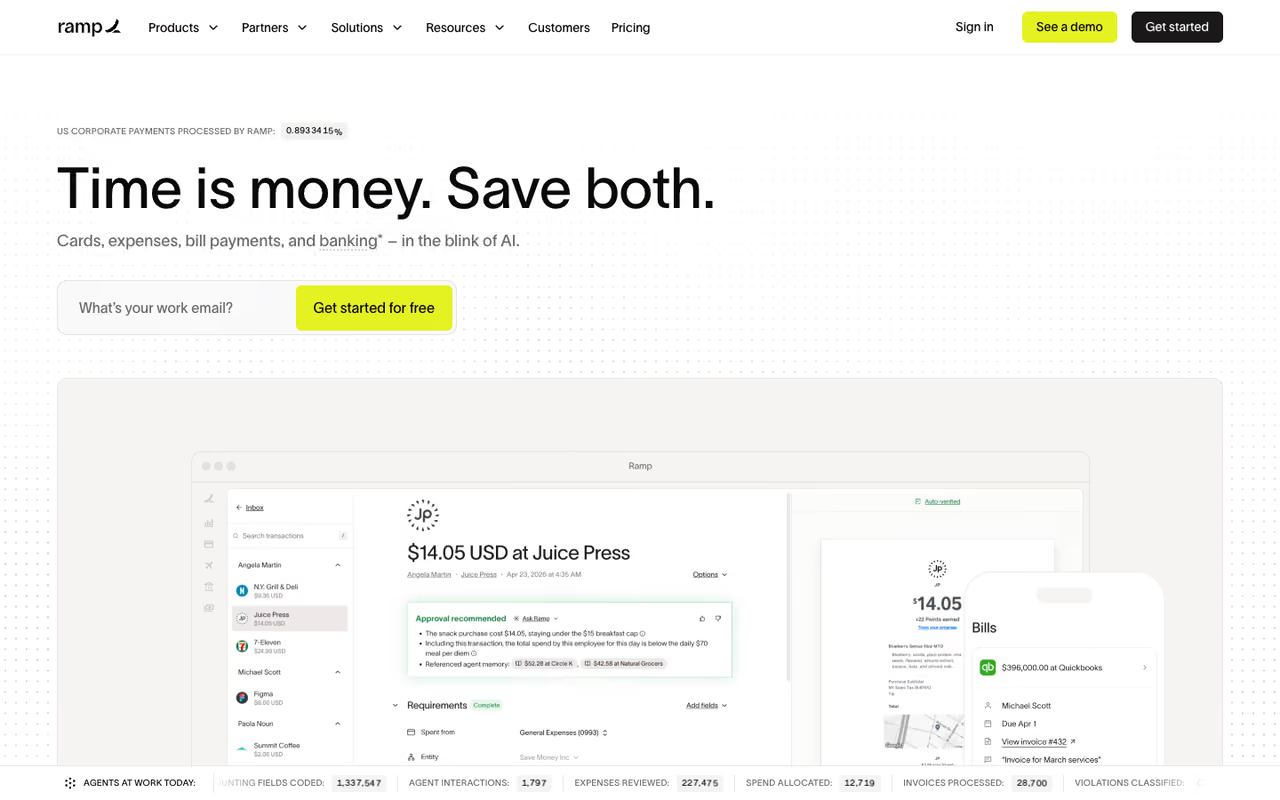
Ramp started as a corporate card and became a full finance stack. Ramp's bill pay carries no monthly software fee on the free plan, with ACH, card, check and wire payments, approval workflows and invoice OCR included. For a small business already using cards, this is close to a no-brainer.
Who it's best for: Teams that want corporate cards, expense management, and bill pay in one place, and don't want to pay a per-user AP fee.
A near no-brainer if you already use cards: the software is free with invoice OCR, approvals and fraud checks. It is US-centric, and some integrations sit behind the paid tier.
The core platform is free. Ramp Plus is $15 per user per month plus a platform fee based on team size, with 20% off on annual billing, for multi-entity support, global payments and advanced controls. Enterprise is custom. Per payment, standard ACH is $0.59 and a standard check $1.99, both waived when you pay from a Ramp Checking account.
Pros:
- No monthly software fee for bill pay, with approvals and OCR included.
- ACH and checks are free when paid from Ramp Checking.
- Syncs with 10 ERPs, including QuickBooks and NetSuite.
Cons:
- Some ERP integrations require Ramp Plus at $15 per user per month plus a platform fee.
- Fees depend on where the money comes from: only payments from Ramp Checking skip the ACH and check fees.
Watch out: Pay from an outside bank account and ACH costs $0.59 a payment, so "free" refers to the software, not every transfer.
BILL, the standard for approval-heavy teams

BILL (formerly Bill.com) is built for teams where approvals actually matter. It handles multi-step approval routing, role-based permissions, and a full audit trail, and it pays by ACH, virtual card, check, and international wire. It syncs with QuickBooks, Xero, Sage Intacct, and NetSuite.
Who it's best for: Businesses with 10+ employees where more than one person signs off on spend, or anyone working with an outside accountant who already lives in BILL.
The standard for teams where approvals genuinely matter, with audit-ready workflows and broad accounting syncs. There is no free AP tier, so it suits businesses with 10+ employees.
Plans start at $49 per user per month (Essentials), with Team at $65 and Corporate at $89 per user per month, per BILL's pricing page. Essentials moves data to QuickBooks and Xero by manual CSV import and export; automatic two-way sync starts on Team, and NetSuite and Sage Intacct sync on Enterprise (custom price). Per payment, ACH is $0.59, checks $1.99 and card payments 2.9%; virtual cards are free. There's no free AP tier.
Pros:
- Multi-step approvals with roles and an audit trail.
- Pays by ACH, virtual card (free), check or international wire.
- Syncs with QuickBooks, Xero, NetSuite and Sage Intacct.
Cons:
- Priced per user before payment fees, it is overkill for a two-person shop paying a handful of bills.
- Essentials has no live accounting sync; automatic two-way sync starts on Team at $65 per user.
Watch out: Per-user pricing multiplies. Five people on Team is $325 a month before payments.
If you are mapping out the rest of your back office, our guide to the best accounting software for small business pairs well with any AP choice.
QuickBooks Bill Pay, the path of least resistance
If your books already live in QuickBooks Online, the simplest move is often to not add a tool at all. QuickBooks Bill Pay is built into QBO, so there's no second login, no sync to configure, and bills you enter flow straight into your existing reports.
Who it's best for: Existing QuickBooks Online users with straightforward AP who value one system over best-in-class features.
The simplest move if your books already live in QuickBooks Online, since there is nothing new to log into or sync. You trade away best-in-class features, and approval automation only arrives on the Elite tier.
The base Bill Pay tier is included with every QuickBooks subscription, and standard ACH is free on all tiers. The Premium plan is $15/mo and adds AI bill creation, a bills inbox, auto-matching, extra users, roles and permissions, and unlimited 1099 e-filing; Elite is $45/mo and adds payment release approval and bill approval automation (included with QuickBooks Advanced). Intuit shows 70% off for the first 3 months on the paid tiers. Checks cost $1.50, faster ACH $10, and instant payment 1% (capped at $100).
Pros:
- Standard ACH payments are free on every tier.
- Premium ($15/mo) adds AI bill creation, a bills inbox, auto-matching and roles and permissions.
- No second login or sync to maintain.
Cons:
- Payment release approval and bill approval automation need Elite at $45 a month.
- It does little for international vendors; no international fee is listed.
Watch out: It only makes sense inside QuickBooks. If you may move to Xero, a standalone tool avoids a second migration.

Stampli, the AI-first choice for volume
Stampli puts AI at the center. Its assistant, Billy, reads invoices, suggests GL codes, matches POs, and routes approvals, and communication about an invoice happens right on the invoice itself, so the "why did we pay this?" thread doesn't scatter across email.
Who it's best for: Finance teams processing 300+ invoices a month who want to cut coding and approval time without adding headcount.
The AI-first choice for finance teams processing 300+ invoices a month, with coding, matching and approvals all handled on the invoice itself. Overkill for a 5-invoice-a-month business, with quote-based pricing and a slower onboarding.
No public price; Stampli sells by quote and has no free tier. Its integration list covers QuickBooks Online and Desktop, NetSuite, Sage Intacct, Dynamics 365 and others.
Pros:
- Billy codes, matches and routes invoices, with the reasoning shown for each suggestion.
- Integrates with QuickBooks, NetSuite, Sage Intacct, Dynamics 365 and more.
Cons:
- You cannot price it without a sales call.
- Xero is not named in its integrations menu.
Watch out: It is built for finance teams, so a small shop will pay for modules it never opens.

Tipalti, for paying vendors across borders
Tipalti is the answer when "vendors" means contractors and suppliers in a dozen countries. It pays in 120 currencies across 200+ countries and territories, extracts tax form data (W-9) and supports multi-jurisdictional tax compliance.
Who it's best for: Companies with international payees, marketplaces, and anyone drowning in cross-border tax and compliance paperwork.
Choose Tipalti when your vendors are contractors and suppliers across many countries, since tax forms and compliance live inside the payment flow. It is the most enterprise tool here, so skip it if all your payees are domestic.
Tipalti Accounts Payable starts at $99/mo with unlimited users, plus transaction pricing per invoice and payment. Mass Payments starts at $249/mo. Final prices come from a custom quote, and there is no free tier.
Pros:
- 120 currencies, 200+ countries and territories, 50+ payment methods.
- Unlimited users from $99 a month, so approvers do not add cost.
Cons:
- Transaction fees and add-on modules are not published and sit on top of the platform fee.
- Quote-based pricing, so the final cost is unknown until a sales call.
Watch out: If all your vendors are domestic you pay for capability you never use. Match it to real international volume.

ApprovalMax, the approval layer for Xero and QuickBooks
ApprovalMax does one thing cleanly: it is the approval engine that sits between your accounting software and your payments. It captures documents, routes approvals to the right person, flags duplicate invoices and new suppliers, and enforces budget checks before money moves. It works with Xero, QuickBooks Online, and NetSuite.
Who it's best for: Growing teams on Xero or QBO that have outgrown "the owner eyeballs everything" but don't want to rip out their accounting setup.
Pick ApprovalMax if you run Xero or QuickBooks Online and have outgrown the owner eyeballing everything. It only controls approvals and does not execute payments.
No public price on ApprovalMax's pricing page, which splits pricing by accounting platform (Xero, QuickBooks Online, NetSuite) and offers a free trial. Treat it as a sales quote.
Pros:
- Free trial available.
- Works with Xero, QuickBooks Online and NetSuite.
- Focused on approval routing rather than payments.
Cons:
- No public price, so you cannot compare cost without asking.
- It controls approvals but does not execute payments, so you still need a payment rail.
Watch out: Capture (document reading) is sold as a separate OCR product, so confirm what your plan includes.

Plooto, the budget pick for low volume
Plooto is the quiet value play, especially for Canadian and cross-border SMBs. It pairs a low subscription with per-transaction pricing, so a business making a handful of payments a month pays very little.
Who it's best for: Small businesses with low payment volume, and Canadian teams who want CRA payments most US tools lack.
The budget play for small businesses with low payment volume, and a good fit for Canadian teams who want CRA payments. The per-transaction fees turn against you as volume climbs.
Per Toolradar's Plooto pricing page (USD, confirmed 15 November 2026), Go is $9 a month, Grow starts at $32 and Pro at $99, with a 30-day free trial. Per-transaction fees (ACH, EFT, cross-border, cheques, CRA payments) are on Plooto's pricing page, which does not name a currency.
Pros:
- Entry price of $9 a month, with unlimited users and approvers on Grow and Pro.
- Supports CRA payments, which most US tools lack.
- Two-way sync with QuickBooks, Xero and NetSuite.
Cons:
- Go ($9) is for clients of accounting firms only, limited to 5 domestic payments a month and a $5,000 domestic limit.
- Per-transaction fees climb with volume; discounted bundles cost extra.
Watch out: Pay by Card is 2.9%, and optional payment packages that reduce transaction costs are priced separately.
How we picked
We compared 8 AP and bill pay tools on plans and billing basis, the free tier, per-payment fees (ACH, check, card, international), approval controls, accounting integrations and the limit that bites first. Sources are each vendor's pricing and product pages, plus Toolradar's pricing page where a vendor page does not state USD, all read on 18 November 2026. The verdicts follow the published plans and limits, and a tool that publishes no price is marked that way. Prices change, so confirm on the vendor page before you buy.
Best for
- Most small businesses under 100 employees: Melio, free to start.
- Lowest software cost with cards: Ramp Bill Pay, no software fee.
- QuickBooks Online shops: QuickBooks Bill Pay, free standard ACH.
- Approval chains and audits: BILL, or ApprovalMax on top of Xero or QuickBooks.
- High invoice volume: Stampli.
- Overseas vendors: Tipalti.
- Canada, low volume: Plooto.
How to choose
What rail are you on? Corporate cards point to Ramp, QuickBooks Online to its native Bill Pay, and no strong preference to Melio.
How many people touch a payment? One or two approvers means a free tool (Melio, Ramp, QBO) is plenty. Three or more, or an outside accountant in the loop, call for real approval routing: BILL, or ApprovalMax on top of your accounting software.
Where are your vendors? All domestic, and any tool here works. Overseas contractors and suppliers are where Tipalti earns its premium.
As of November 2026, a sound default is to start free on Melio or Ramp and graduate to BILL or Stampli only when approvals or invoice volume make the free tools creak. For the rest of the stack, see Dupple X, our top AI tools directory and our guide to the best AI agents for business.
FAQ
What is the best accounts payable software for a small business?
Melio is the best all-around pick for most small businesses: it has a free plan with 5 ACH payments a month, paid plans from $25 a month, AI invoice capture and QuickBooks and Xero sync. If your team runs on corporate cards, Ramp Bill Pay has no software fee. Choose BILL when you need multi-step approvals and a clean audit trail.
What is the best AP automation software for a small business under 100 employees?
Under 100 employees, Melio, Ramp Bill Pay or QuickBooks Bill Pay cover most needs at $0 to $25 a month in software fees. Move up to BILL when more than one person must approve spend, or to Stampli (quote-based) when you process 300+ invoices a month. Tipalti is worth it only with many overseas payees.
What is the best bill pay software for small businesses?
For paying vendors, Melio and QuickBooks Bill Pay are the cheapest ways to start: Melio gives 5 free ACH payments a month and $1.50 checks, while QuickBooks Bill Pay sends standard ACH for free on every tier. Ramp charges $0.59 per ACH unless you pay from Ramp Checking, and BILL charges $0.59 per ACH and $1.99 per check.
Is there free accounts payable software?
Yes. Ramp Bill Pay has no monthly software fee, Melio's free Go plan covers one user and 5 ACH payments a month, and QuickBooks Bill Pay is included with every QuickBooks subscription with free standard ACH. Free plans cap users or features, so check the limits against your volume.
How much does accounts payable software cost?
Software fees run from $0 to $89 per user per month, plus per-payment fees. Melio paid plans are $25, $55 and $80 a month; BILL is $65 and $89 per user per month above its entry plan; Plooto starts at $9 a month; Tipalti starts at $99 a month. Per-payment fees are about $0.50 to $1 for ACH, $1.50 to $1.99 for checks and 2.9% for cards.
Does accounts payable software integrate with QuickBooks?
Almost all of them do. Melio, BILL, Ramp, ApprovalMax and Plooto connect to QuickBooks Online, and most also support Xero; Stampli lists QuickBooks but not Xero in its integrations menu. QuickBooks Bill Pay is built into QBO, so it needs no integration. BILL's Essentials plan syncs by manual CSV, with automatic sync from Team at $65.
Can accounts payable software pay international vendors?
Some can. Tipalti is purpose-built for it, paying in 120 currencies across 200+ countries and territories. BILL's international fees vary by country and currency, Melio charges a flat $20 for USD global ACH, and Ramp charges $20 for a SWIFT USD wire. For mostly overseas vendors, use a tool built for cross-border payments.
Related guides
Some offers on this page may be paid placements or contain affiliate links.
Across our whole catalogue the median is $23.50 a month and 37% of tools advertise a free tier. Figures are the lowest recurring monthly price quoted in our own review of each tool, read on 2026-10-23. Full method and every category.