
Best Accounting Software for Small Business (2026)

Key facts7 tools compared: Xero, QuickBooks Online, Wave, FreshBooks, Zoho Books, Sage Accounting…
- 7 tools compared: Xero, QuickBooks Online, Wave, FreshBooks, Zoho Books, Sage Accounting, Bonsai
- Xero (best for: Most small businesses, growing teams): $25 / $55 / $90
- QuickBooks Online (best for: US businesses wanting accountant support): $20 to $275
- Wave (best for: Freelancers on a zero budget): Free / $16
- FreshBooks (best for: Service businesses and consultants): $23 / $43 / $70
Most small business owners don't want accounting software. They want their bank feed reconciled, their invoices paid, and a clean set of books at tax time without thinking about any of it. The software is the tax you pay to get there.
The problem is the market has split into two camps that barely overlap. One side is built for accountants and growing teams with inventory and payroll. The other is built for a freelancer who sends ten invoices a month and wants to stop using a spreadsheet. Pick the wrong camp and you either drown in features you'll never touch or hit a wall the moment you hire your first contractor.
I compared pricing pages, documentation and public user reviews for every tool below. If you want the short version: Xero is the best all-around pick for most small businesses in 2026, mostly because it includes unlimited users on every plan while its rivals charge per seat. If you're a solo freelancer who hates the idea of paying anything, Wave is genuinely free and good enough. Everyone else, read on.
Quick comparison
| Tool | Best for | Price (monthly) | Standout |
|---|---|---|---|
| Xero | Most small businesses, growing teams | $25 / $55 / $90 | Unlimited users on every plan |
| QuickBooks Online | US businesses wanting accountant support | $20 to $275 | Largest network of ProAdvisors |
| Wave | Freelancers on a zero budget | Free / $16 | Actually free, unlimited invoices |
| FreshBooks | Service businesses and consultants | $23 / $43 / $70 | Best invoicing and time tracking |
| Zoho Books | Solopreneurs already in Zoho | Free / $15 / $40 | Free under $50K revenue |
| Sage Accounting | Inventory-light product sellers | $20 / $40 / $80 | Strong multi-currency on Plus |
| Bonsai | Freelancers wanting CRM plus books | $17 / $32 / $52 | Contracts, proposals, books in one |

Xero: the best all-around choice

Xero is a cloud accounting platform that started in New Zealand and now runs the books for millions of businesses worldwide. It does double-entry accounting properly, has a clean interface that doesn't make you feel stupid, and connects to roughly a thousand third-party apps.
The reason I put it first is the user policy. Xero includes unlimited users on every plan, from the cheapest tier up. Your bookkeeper, your business partner, and the admin who chases invoices all get access for free. QuickBooks and FreshBooks make you pay per seat, which adds up fast once more than one person touches the books.
Who it's best for: Small businesses that expect to grow, anyone who works with an accountant, and teams where more than one person needs to log in.
The best all-around pick, especially if more than one person touches the books, since every plan includes unlimited users. Skip the $25 Early plan with its 20-invoice cap and budget for Growing, and note US payroll needs a partner app like Gusto.
Three US plans as of 2026. Early is $25/month but caps you at 20 invoices and 5 bills, which most real businesses blow through in a week. Growing is $55/month with no transaction limits and is the plan I'd actually recommend. Established runs $90/month and adds multi-currency, expense claims, and project tracking. New US customers currently get a steep intro discount for the first six months.
The standout: Bank reconciliation. Xero's reconcile screen is the cleanest in the category, with smart suggestions that learn how you categorize over time. After a couple of weeks it guesses correctly most of the time.
The catch: The Early plan's 20-invoice cap is a trap. It looks cheap, then forces you onto Growing the moment you get busy. Budget for $55/month, not $25. Payroll also isn't built in for US users, so you'll need a partner app like Gusto.
QuickBooks Online: the safe default in the US
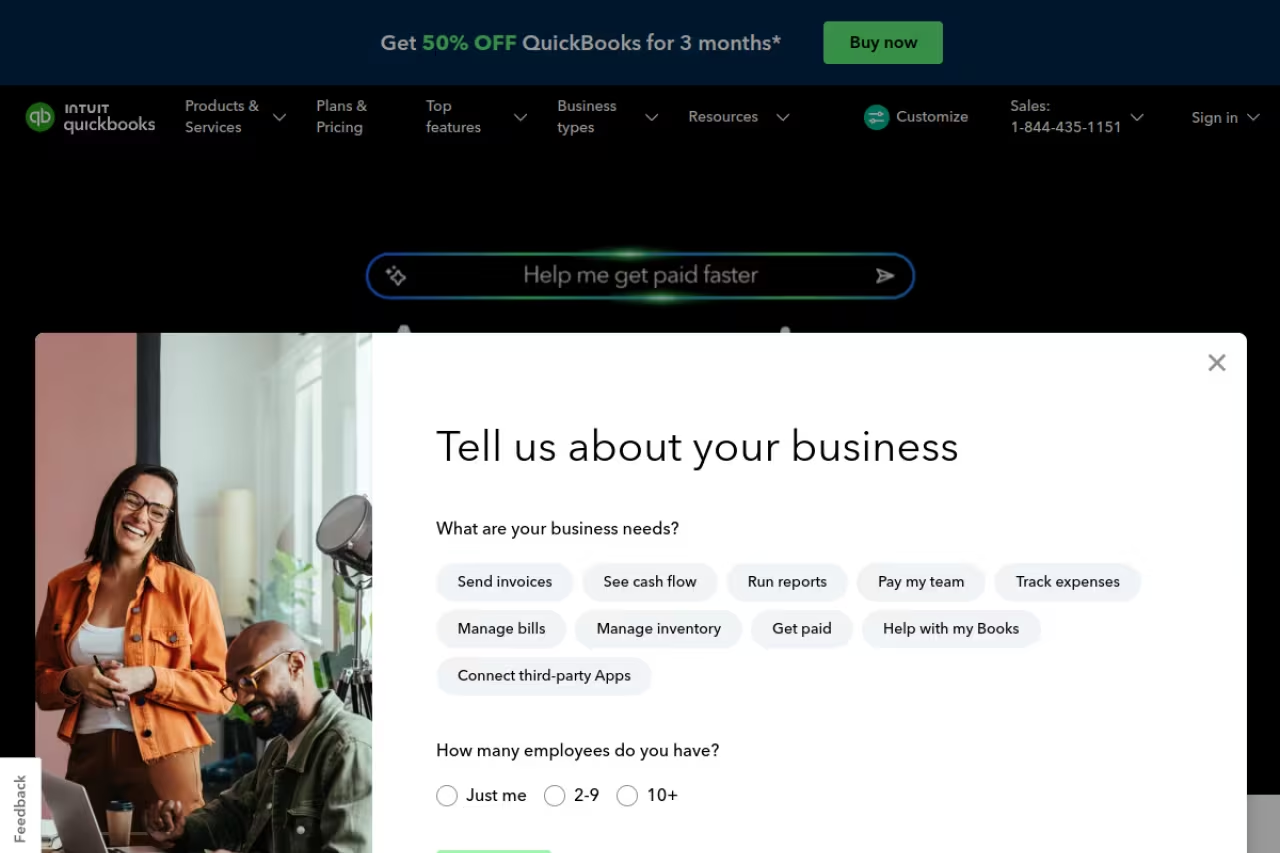
QuickBooks Online is the most widely used accounting software in the US, full stop. Its real advantage isn't the software itself, it's the ecosystem around it. Almost every US accountant and bookkeeper knows QuickBooks cold, so handing off your books at tax time is frictionless.
Who it's best for: US-based businesses that work with an external accountant, or anyone who wants the deepest pool of pros who can fix their books if things go sideways.
The safe US default if you work with an outside accountant, thanks to the deepest pool of pros who know it cold. You pay a premium for the brand and per user, so a three-person shop pays noticeably more than on Xero.
Five tiers in 2026. Solopreneur is $20/month for freelancers, Simple Start is $38/month, Essentials is $75/month, Plus is $115/month, and Advanced is $275/month. Intuit raised prices 15 to 20 percent in mid-2025, and those higher rates carry into 2026 renewals.
The standout: The ProAdvisor network. If you ever need to hire help, you'll find someone fluent in QuickBooks within minutes, often at a lower hourly rate than for niche platforms because supply is so deep. Reporting is also a notch stronger than most rivals.
The catch: Price. You're paying a premium for the brand, and the per-user model stings. Simple Start gives you one user; you climb tiers partly to add seats. Compared to Xero's unlimited-user plans, a three-person shop pays meaningfully more for similar features.

Wave: genuinely free accounting
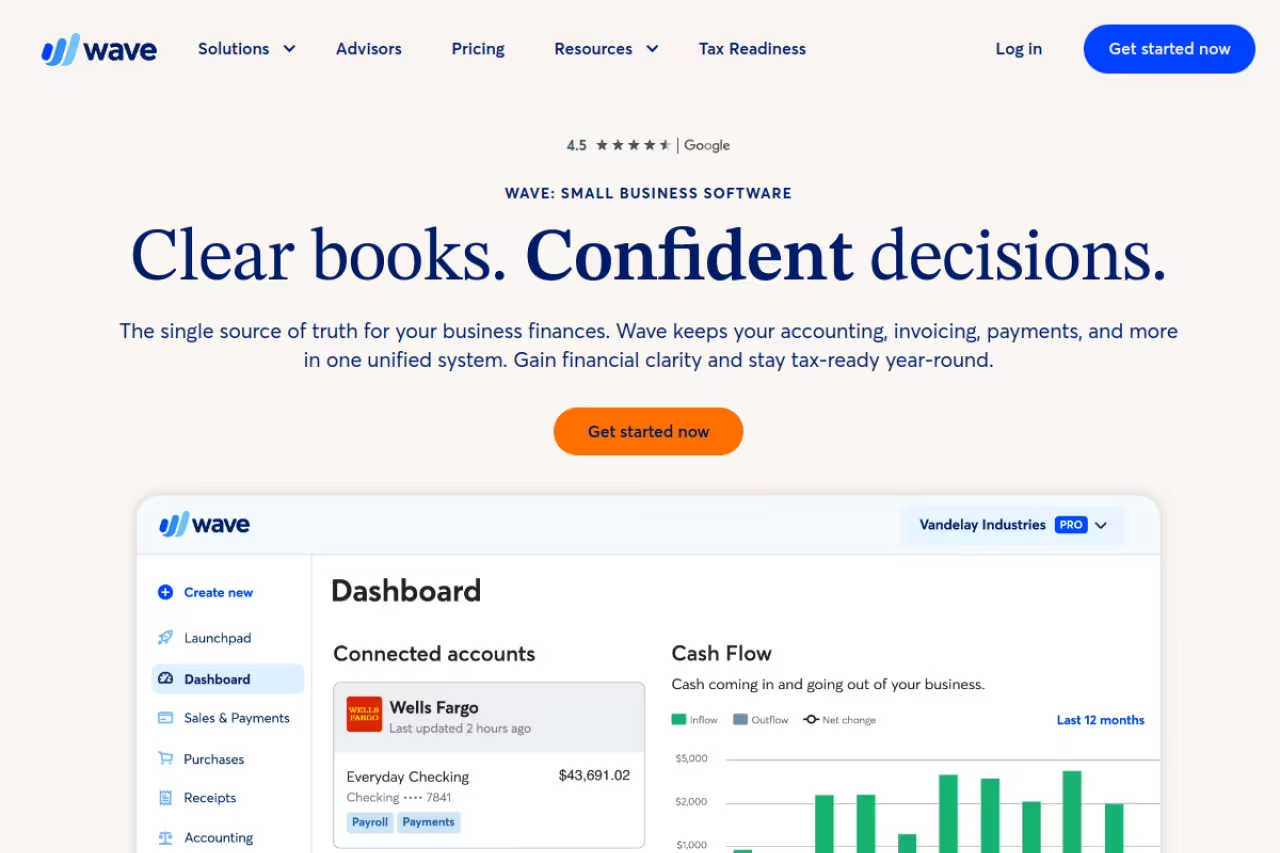
Wave is the rare free tool that isn't a stripped-down trap. The Starter plan costs $0 forever, with no time limit and no credit card required, and it still gives you double-entry accounting, unlimited invoices, expense tracking, and a dozen-plus reports including profit and loss and a balance sheet.
Who it's best for: Freelancers, sole traders, and early-stage businesses in the US and Canada under roughly $100K in revenue who want real books without a monthly bill.
Genuinely free double-entry accounting for freelancers and early-stage businesses in the US and Canada under roughly $100K in revenue. Support is email-only on the free tier and bank feeds sit behind Pro, so you will feel the ceiling as you grow.
Starter is free. The Pro plan is $16/month (or $170/year) and adds receipt scanning, automatic bank imports, and priority support. Payment processing is separate at 2.9% + $0.60 per card transaction, which is normal for the category.
The standout: The invoices look more professional and customize better than QuickBooks' equivalents, which is wild for a free product. For a service freelancer, Wave covers the whole core workflow at zero cost.
Where it falls short: Support is email-only on the free tier, so you're mostly on your own. There's no inventory, no real payroll outside the US and Canada, and bank-feed automation is locked behind Pro. Outgrow $100K in revenue or hire staff and you'll feel the ceiling.

FreshBooks: built for getting paid
FreshBooks started as invoicing software and grew into accounting, and that history shows. If your business is you selling time (consulting, design, law, agencies), the invoicing and time-tracking workflow here is the smoothest in the category.
Who it's best for: Service businesses and consultants who live in invoices and timesheets more than in inventory or complex reporting.
The smoothest invoicing and time-tracking loop in the category, ideal for consultants, designers and agencies who bill hours. Client caps are aggressive (5 on Lite) and each extra team member is a paid add-on, so the bill climbs fast.
Lite is $23/month for up to 5 billable clients, Plus is $43/month for up to 50, and Premium is $70/month for unlimited clients. Annual billing knocks about 10% off. There's also a custom Select tier.
The standout: Time tracking that flows straight into an invoice. Track hours against a client, hit a button, and the billable time becomes a line item. For anyone who bills hourly, that loop alone justifies the price.
The catch: The client caps are aggressive. Lite at 5 clients sounds fine until you realize old inactive clients still count unless you archive them. Plenty of users get nudged up to Plus faster than expected. Each extra team member is also a paid add-on, so a small team's bill climbs quickly.
Zoho Books: free under $50K, and part of a bigger suite
Zoho Books is the accounting piece of the wider Zoho suite, and that's both its pitch and its catch. On its own it's a capable, well-priced accounting tool. Inside the Zoho ecosystem (CRM, Inventory, Projects) it becomes far more useful.
Who it's best for: Micro businesses under $50K in revenue who want a free plan with more structure than Wave, and anyone already running Zoho CRM or other Zoho apps.
A strong free option for micro businesses under $50K in revenue, and far more useful if you already run Zoho CRM or other Zoho apps. The catch is that it works best as part of the wider suite, not standing alone.
The free plan covers businesses under $50K in annual revenue with up to 1,000 invoices a year and one user plus an accountant. Standard is $15/month (billed annually) for 3 users and 5,000 invoices, Professional is $40/month for 5 users, and it scales up from there.
The standout: The free tier does proper double-entry accounting and bank reconciliation, which Wave's free plan also does but with a cleaner upgrade path inside Zoho. If you'll eventually want a connected CRM, starting here saves a migration later.
The catch: Zoho Books shines when you're committed to the Zoho world and feels a bit isolated outside it. The free plan's single-user limit is tight, and US payroll support lags behind QuickBooks. If you have no plans to adopt other Zoho apps, the lock-in advantage disappears.
If your real bottleneck is categorizing transactions and chasing receipts rather than the ledger itself, it's worth pairing any of these with one of the best AI expense tracking tools to automate the grunt work.
Sage Accounting: quiet and capable
Sage has been in business accounting longer than most of its rivals have existed, and Sage Accounting (its cloud SMB product) reflects that. It's less flashy than Xero or QuickBooks but solid, especially for product sellers who need light inventory and multi-currency.
Who it's best for: Small product businesses that need inventory tracking and multi-currency without jumping to an enterprise platform.
A quiet, capable choice for small product businesses that need light inventory and multi-currency without going enterprise. The interface feels dated next to Xero, the app marketplace is thinner, and the similarly named Sage products invite confusion.
In the US, Start is around $20/month, Standard around $40/month with multi-user access, and Plus around $80/month adding budgeting, multi-currency, and inventory. New customers usually get a free month or a steep intro discount.
The standout: The Plus plan's inventory and multi-currency handling is more capable than what you get at the same price elsewhere. If you sell physical goods across borders, Sage punches above its tier.
The catch: The interface feels dated next to Xero, and the third-party app marketplace is thinner. Sage is also juggling several products with similar names (Accounting, Intacct, the older desktop lines), which makes it easy to land on the wrong one. Read the plan page carefully.

Bonsai: books plus the freelancer business stack
Bonsai isn't pure accounting software, and that's the point. It bundles contracts, proposals, a client CRM, time tracking, invoicing, and basic books into one tool aimed squarely at freelancers and small agencies who don't want five separate subscriptions.
Who it's best for: Freelancers and tiny agencies who want their proposals, contracts, invoicing, and bookkeeping in a single place rather than stitching tools together.
Pick Bonsai if you are a freelancer or tiny agency that wants proposals, contracts, time tracking and invoicing in one subscription. The books behind it are only fine, so a demanding accountant may still want an export to something deeper.
Starter is $17/month, Professional is $32/month, and Business is $52/month, with a 7-day trial. Professional adds custom branding, workflow automations, a client portal, and QuickBooks integration.
The standout: The contract-to-invoice flow. Send a proposal, convert it to a signed contract, then to an invoice, all without leaving the app. For solo operators, collapsing that whole chain into one subscription is the real value.
The catch: The accounting itself is lighter than a dedicated ledger like Xero. Bonsai is excellent at running the front end of a freelance business and merely fine at the books behind it. If your accountant needs deep reporting, you may still export to something else, and the per-user pricing on higher tiers adds up for teams.
How to choose
Skip the feature-matrix paralysis. Answer three questions instead.
How many people need to log in? If the answer is more than one, Xero's unlimited-user plans usually win on price alone. If it's just you, the per-user penalty doesn't apply and Wave or QuickBooks Solopreneur make more sense.
Who does your taxes? If you hand your books to a US accountant, ask what they use before you decide. Most will say QuickBooks, and matching their tool removes friction at year end. If you don't have an accountant yet, Xero and QuickBooks both have huge pro networks to draw from.
What's your revenue and complexity? Under $50K with simple needs: Wave (free) or Zoho Books (free). Service business that lives in invoices: FreshBooks or Bonsai. Product business with inventory: Sage or Xero Established. Growing team that wants room to scale: Xero Growing.
The biggest mistake I see is over-buying. A two-person consultancy does not need QuickBooks Advanced at $275/month. Start one tier below where you think you are. Upgrading takes minutes; cleaning up an overbuilt setup takes weeks. And if accounting is just one of the back-office jobs eating your week, our roundup of the best AI for accounting covers tools that automate the categorization and reporting on top of whichever ledger you pick.
Want the broader stack? Our top AI tools directory and the Dupple X bundle cover the rest of the software a small team actually runs on. If you're trying to keep tool costs sane while you grow, Dupple X packages a year of the essentials at a flat rate.
FAQ
What is the best accounting software for a small business in 2026?
For most small businesses, Xero is the best all-around pick because it includes unlimited users on every plan while QuickBooks and FreshBooks charge per seat. QuickBooks Online is the safer choice if you work with a US accountant, since nearly all of them know it. For a solo freelancer on no budget, Wave is genuinely free and does real double-entry accounting.
Is there any free accounting software that's actually good?
Yes. Wave's Starter plan is free forever with unlimited invoices, expense tracking, and over a dozen reports, and it's a real ledger rather than a demo. Zoho Books also has a free plan for businesses under $50,000 in annual revenue. Both cover a solo freelancer well; you'll outgrow them once you add staff, inventory, or payroll.
How much does accounting software cost for a small business?
Expect $25 to $75 a month for a serious plan in 2026. Xero runs $25 to $90, QuickBooks Online spans $20 for Solopreneur up to $275 for Advanced, and FreshBooks is $23 to $70. Watch for per-user fees and transaction caps on cheaper tiers, which quietly push your real cost higher than the headline price.
Should I use QuickBooks or Xero?
Use QuickBooks if you're US-based and want the largest network of accountants who can support your books. Use Xero if more than one person needs access, since unlimited users on every plan makes it cheaper for teams. Feature-wise they're close; the deciding factors are usually your accountant's preference and how many seats you need.
Do I still need an accountant if I use accounting software?
For day-to-day bookkeeping, invoicing, and reconciliation, modern software handles it on its own. Most small businesses still bring in an accountant for tax filing, year-end review, and advice on structure. The software keeps your books clean so that accountant's hours, and your bill, stay low. Picking the tool your accountant already uses makes that handoff much smoother.
Related guides
Some offers on this page may be paid placements or contain affiliate links.
Across our whole catalogue the median is $24 a month and 33% of tools advertise a free tier. Figures are the lowest recurring monthly price quoted in our own review of each tool, read on 2026-08-19. Full method and every category.
