
Best AI Invoice Tools (2026)

Key facts8 tools compared: Ramp, BILL, Tipalti, Stampli, QuickBooks Online, FreshBooks, Nanonets, Mindee
- 8 tools compared: Ramp, BILL, Tipalti, Stampli, QuickBooks Online, FreshBooks, Nanonets, Mindee
- Ramp (best for: Most startups and SMBs paying bills): Free; Plus $15/user/mo
- BILL (best for: Established SMBs needing audit trails): From $45/user/mo
- Tipalti (best for: Mid-market with global payouts): From ~$129/mo + platform fee
- Stampli (best for: Teams that live in approvals): Custom (volume-based)
Invoices are where finance time goes to die. Someone emails a PDF, somebody else retypes the vendor, the amount, the due date into a system, a third person codes it to the right GL account, and a fourth chases an approval. For a single invoice that's ten minutes nobody wants to spend. Across a few hundred a month it's a full-time job that produces nothing but data entry.
The AI in this category got good fast. Modern tools read an invoice the way a person does, pull out line items, match them to a purchase order, guess the right account based on your history, and route the thing for approval before anyone touches a keyboard. Parseur's 2026 benchmarks put cost per invoice down from the old $12 to $20 of manual processing to around $2.36 with AI, with handling time dropping from minutes to seconds.
Here's the trap: "AI invoice tools" means two different jobs. Sending invoices and getting paid (QuickBooks, FreshBooks) is the opposite problem from receiving invoices and paying them (Ramp, BILL, Tipalti). And developers who want raw extraction need an API (Nanonets, Mindee), not a dashboard. Pick the wrong category and you'll waste a month. Our top pick for most teams paying bills is Ramp: the bill-pay product is genuinely free, the AI coding is the most hands-off of the group, and there are no per-payment fees on ACH. This guide is for founders, operators, and finance leads who'd rather automate the busywork than hire around it.
Quick comparison
| Tool | Best for | Price | Standout |
|---|---|---|---|
| Ramp | Most startups and SMBs paying bills | Free; Plus $15/user/mo | Free AP, 99% OCR, auto-coding agents |
| BILL | Established SMBs needing audit trails | From $45/user/mo | Trained on 1.3B documents |
| Tipalti | Mid-market with global payouts | From ~$129/mo + platform fee | Mass payments in 196 countries |
| Stampli | Teams that live in approvals | Custom (volume-based) | Billy the Bot, no per-user fees |
| QuickBooks Online | Sending invoices + light AP | From $38/mo | Intuit Assist drafts and reminders |
| FreshBooks | Freelancers and small agencies | Lite $19/mo | Cleanest invoicing UX |
| Nanonets | Ops teams wanting custom extraction | 500 pages free, then usage | Template-free, trains on your docs |
| Mindee | Developers building invoice features | 14-day trial, from €0.05/page | Drop-in invoice OCR API |

Ramp: the default for paying bills
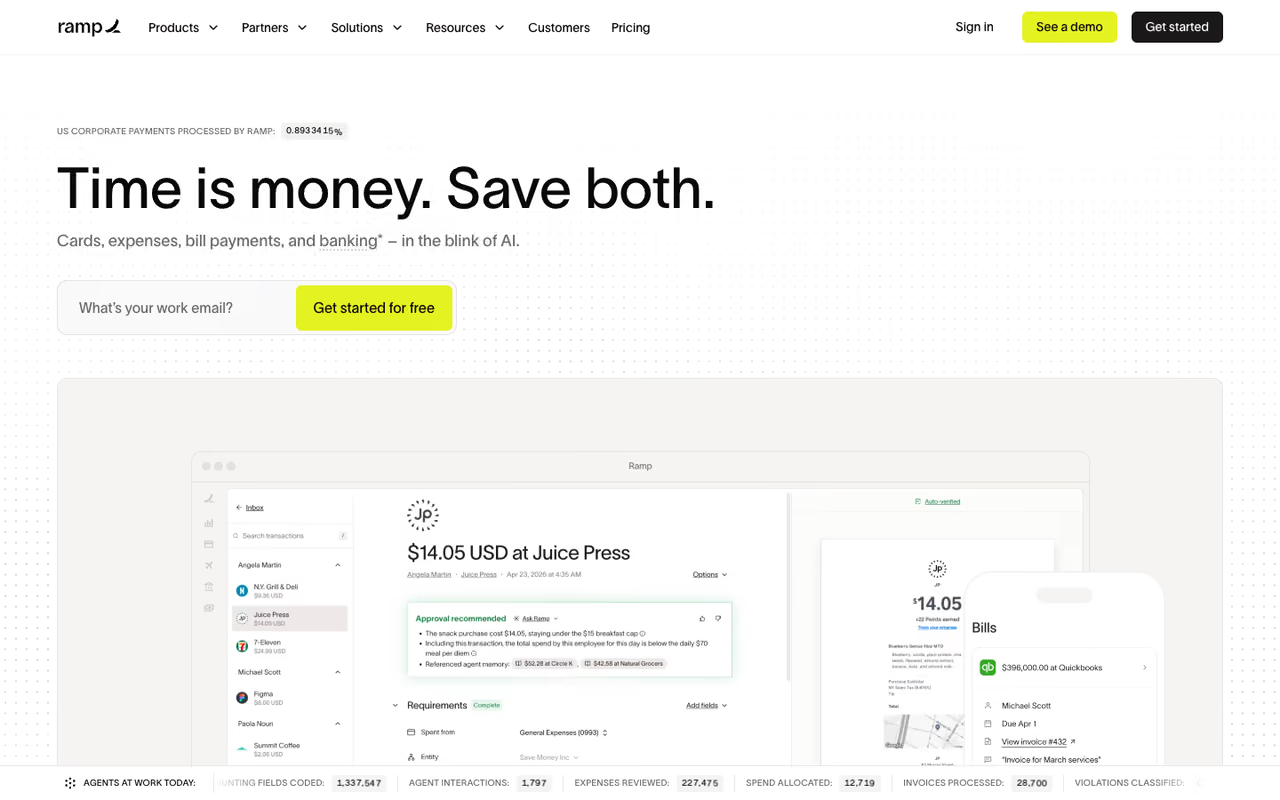
Ramp built its name on corporate cards, but the bill-pay product is what earns it the top spot here. You forward an invoice or drop a PDF in, and Ramp's OCR reads it (the company claims 99% accuracy), then a set of AI agents take over: one auto-codes the GL account from your past invoices, one flags fraud signals like a vendor suddenly changing bank details, one summarizes vendor history so approvers decide in seconds, and one spots card-eligible bills to earn cashback.
Who it's best for: startups and growing SMBs that want accounts payable to stop being a weekly grind. If you're already running Ramp cards, having bills and card spend in one ledger makes month-end close noticeably faster.
The default for startups and growing SMBs that want accounts payable to stop being a weekly grind. Free core bill pay with AI agents handling coding and fraud checks is hard to beat, but it is built to live inside Ramp and international coverage is thinner than Tipalti's.
Pricing is the reason it wins. The core bill-pay product is free: invoice intake, approval routing, vendor management, and payment by ACH, check, or Ramp card, with no per-payment fees on those rails. Ramp Plus is $15 per user per month and adds multi-entity support, advanced controls, and global capabilities. Enterprise is custom.
The standout is how little you operate it. The agents handle coding, fraud checks, and approval prep, so a finance team of one can run hundreds of invoices without drowning. It feels less like software and more like a junior accountant who never sleeps.
The catch: Ramp's AP is built to live inside the Ramp platform. If you don't want a corporate card relationship and just need a standalone invoicing or payments tool, the free pricing matters less and you'll get more from BILL or a dedicated invoicing app. International payment coverage is also thinner than Tipalti's.

BILL: the established SMB workhorse
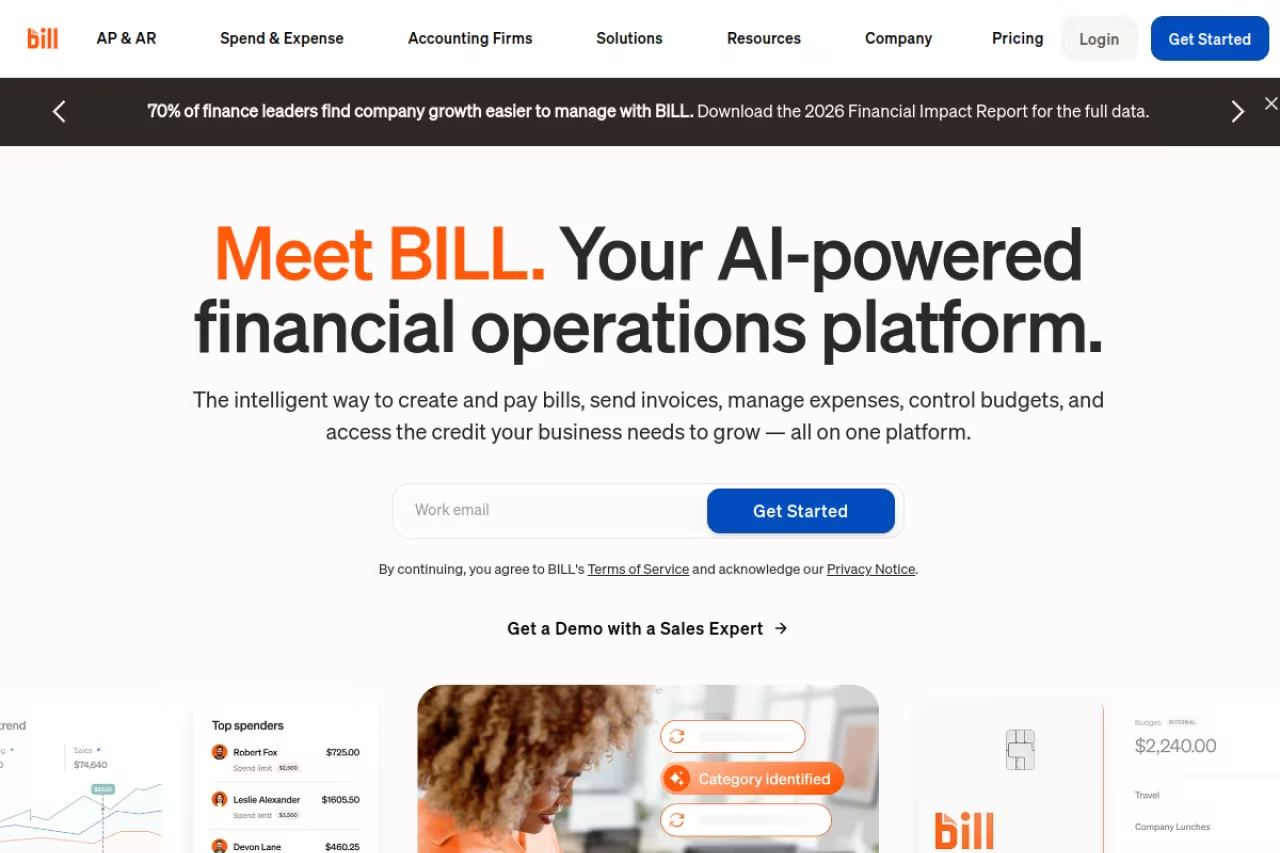
BILL (formerly Bill.com) is the tool your accountant probably already knows. It handles both accounts payable and receivable, and its AI is trained on a genuinely large dataset: 1.3 billion documents and over $1 trillion in transactions, which shows up in how well it reads messy vendor invoices on the first pass.
Who it's best for: established small and mid-sized businesses that need a clean audit trail and want their bookkeeper or accounting firm to work in the same system. BILL's network effect is real, since many vendors already receive payments through it.
The established SMB workhorse for businesses that want a clean audit trail and their accountant working in the same system. Extraction rarely needs correcting, but per-user pricing and transaction fees add up, and it has to justify real monthly cost next to Ramp's free AP.
Pricing starts at $45 per user per month for Essentials (core AP or AR, invoice processing, approval workflows, ACH), per third-party pricing breakdowns. The Team plan is $55 and Corporate is $89, with the higher tiers adding PO matching and advanced approval policies. On top of subscriptions you pay per-transaction fees: around $0.59 for ACH and 2.9% for virtual card payments.
The standout is the document intelligence. Because the model has seen so many invoices, the extraction rarely needs correcting, and the two-way sync with QuickBooks, Xero, and NetSuite is solid.
The catch: the per-user pricing adds up fast for bigger teams, and those transaction fees aren't trivial at volume. Next to Ramp's free AP, BILL has to justify real monthly cost, which it does mostly on audit trails and accountant familiarity rather than raw features.

Tipalti: global payouts at scale
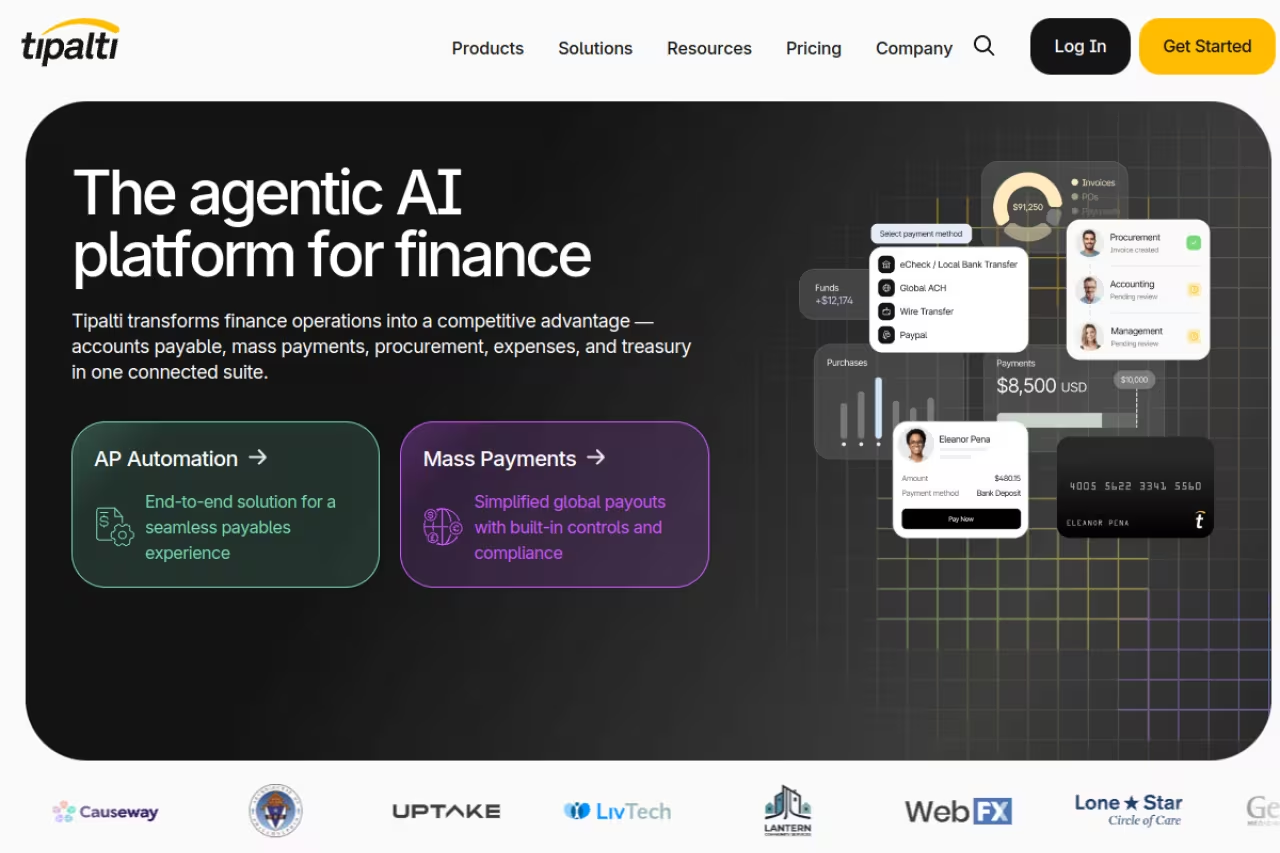
Tipalti is the answer when "paying invoices" means paying suppliers and contractors across dozens of countries. It automates the whole supplier lifecycle: onboarding, tax form collection and validation, invoice capture, two- and three-way PO matching, then mass payments in around 196 countries and 120 currencies.
Who it's best for: mid-market and scaling companies with international vendors, marketplaces, or affiliate networks that need to pay a lot of people in a lot of places without a manual nightmare around tax compliance.
Buy Tipalti for global complexity, when paying suppliers and contractors across dozens of countries and handling tax forms eats a finance person's week. Annual contracts and heavier setup make it overkill for a domestic business paying twenty US vendors a month.
Pricing is quote-driven. Public references put the platform fee starting around $129 per month, with overall cost depending on payment volume, entities, and modules, and enterprise contracts generally landing in the $15,000 to $60,000 per year range. That's a different universe from Ramp's free tier, and it should be.
The standout is the tax and compliance layer. Collecting and validating W-9s, W-8s, and VAT details automatically is the kind of thing that quietly eats a finance person's week, and Tipalti makes it disappear.
Where it falls short: it's overkill for a domestic business paying twenty US vendors a month. The setup is heavier, the contracts are annual, and you feel the price. Buy it for the global complexity or skip it entirely.

Stampli: approvals as the center of gravity
Stampli takes a different angle. Instead of bolting collaboration onto AP, it makes the invoice itself the hub: every comment, question, and approval lives on the document. Its AI, named Billy the Bot, handles capture, GL coding, three-way PO matching, and fraud detection, and learns your patterns over time.
Who it's best for: teams where approvals are the bottleneck and lots of people need to weigh in on invoices. Stampli supports more than 70 ERPs and deploys in weeks rather than months, which matters if you run NetSuite, Sage Intacct, or Microsoft Dynamics.
Pick Stampli when approvals are the bottleneck and many people need to weigh in, since every comment and approval lives on the invoice itself. Volume-based pricing avoids per-user costs, but it is quote-only and heavier than a two-person AP team needs.
Pricing is volume-based and quote-only, but the model is unusual in a good way: it's priced on invoice volume and modules, not per user, so you can add unlimited people across departments without the bill climbing. Month-to-month is available with no annual lock-in.
The standout is that no-per-user model combined with the communication layer. When a controller, a department head, and an approver all need context, having it threaded on the invoice beats hunting through email.
The catch: no public pricing means you're in a sales call before you know the number, and the approval-centric design is more than a tiny team needs. If your AP is two people and a shared inbox, this is heavier than the problem.
QuickBooks Online: for sending invoices (and a bit of paying)
If your problem is the other direction, billing clients and getting paid, QuickBooks Online is the default. Its AI assistant, Intuit Assist, drafts invoices from a description, writes payment reminder emails, and surfaces which customers are late. It also handles light bill pay, so smaller businesses can run both sides in one place.
Who it's best for: small businesses that want invoicing wired directly into their accounting and tax, so revenue, expenses, and books stay reconciled without exporting between tools.
The safe generalist for small businesses that want invoicing wired directly into their accounting and tax. Accountant familiarity is a big plus, but AP automation is weaker than Ramp or BILL and the invoicing UX is clunkier than FreshBooks.
Pricing per Intuit's plans runs $38/mo for Simple Start, $75/mo for Essentials, $115/mo for Plus, and $275/mo for Advanced, with a cheaper $20 Solopreneur tier. Intuit Assist is included across plans, with the higher tiers adding more agentic finance features. New users usually get a heavy first-few-months discount.
The standout is the ecosystem. Because so many accountants live in QuickBooks, getting help, finding integrations, and handing off at tax time is easier than with almost anything else.
Where it falls short: QuickBooks does a lot of things competently and few things exceptionally. Its AP automation is weaker than a dedicated tool like Ramp or BILL, and its invoicing UX is clunkier than a focused app like FreshBooks. It's the safe generalist, not the specialist. For a deeper look at the accounting side, see our guide to the best AI for accounting.
If you're trying to figure out which AI tools deserve a spot in your stack before committing, Dupple X breaks down what's actually worth paying for across finance and ops.

FreshBooks: invoicing built for freelancers
FreshBooks is the one I recommend to solo operators and small agencies who just want to send clean invoices and get paid. The invoicing flow is the nicest in this list: branded templates, recurring invoices, automatic late reminders, and AI-assisted categorization that learns where your expenses belong.
Who it's best for: freelancers, consultants, and small service businesses that bill clients and want the whole thing to feel effortless rather than accounting-flavored.
The pick for freelancers, consultants, and small service businesses that want invoicing to feel effortless, with the nicest invoicing flow on this list. The Lite plan caps you at 5 billable clients, which most active freelancers outgrow, and it lacks real AP automation.
Pricing starts at $19/mo for Lite (or about $17 annually), which covers up to 5 billable clients. Plus and Premium step up to roughly $33 and $60 per month and lift the client cap while adding deeper reporting and the better automation features.
The standout is sheer usability. You can build and send a professional invoice in under a minute, and clients pay through a portal without friction. For a one-person business, that simplicity is worth more than any AI bell.
The catch: the 5-client cap on Lite is tight. Most active freelancers hit it inside a quarter and get bumped to Plus. FreshBooks is also invoicing-first, so if you need real accounts payable automation, it isn't the tool.

Nanonets: template-free extraction for ops teams
Nanonets sits between a dashboard and an API. It's an AI document platform whose strongest use case is invoices, and the selling point is that it's template-free: it reads invoices from new vendors immediately without you training a layout for each one, then you can route the structured data into your accounting system.
Who it's best for: operations and finance teams with custom workflows, like a business processing invoices in unusual formats, or one that wants extraction feeding a bespoke approval process rather than a packaged AP suite.
A good fit for operations and finance teams with custom workflows, thanks to template-free extraction that reads invoices from new vendors immediately. It is a building block, not a finished product, so expect integration work and some technical capacity.
Pricing is usage-based. There's a free tier covering 500 pages, and a typical invoice runs a few processing blocks, which works out to under $2 per invoice end to end on the paid plans. Growth and enterprise tiers exist for higher volume.
The standout is the template-free capture combined with how easily it plugs into existing systems over API. You get most of the accuracy of an enterprise tool without committing to a full AP platform.
The catch: it's more of a building block than a finished product. You'll do integration work to wire it into approvals and payments, so it suits teams with some technical capacity, not someone who wants to open a dashboard and be done. It pairs naturally with our roundup of the best AI document processing tools.

Mindee: the invoice OCR API for developers
Mindee is the one to reach for if you're building invoice handling into your own product. Its invoice OCR API returns structured fields and line items from a PDF or image with a single call, so you can drop extraction into an app, an internal tool, or an automation without building a model.
Who it's best for: developers and product teams who need invoice data inside their own software, not a finance dashboard. Think a vertical SaaS adding expense capture, or an ops team scripting an automation.
The one to reach for if you're a developer or product team that needs invoice data inside your own software, with a well documented API and clean JSON. It is purely extraction, with no approvals, payments, or audit trail.
Pricing is pay-as-you-go after a 14-day free trial, starting around €0.05 per page on the Starter tier and dropping toward €0.035 at higher volume, with custom enterprise rates above that. You pay for what you process, which suits spiky or growing volume.
The standout is developer experience. The API is well documented, the response is clean JSON, and you can be extracting real invoice fields in an afternoon. For a build-it-yourself path, that speed is the whole point.
Where it falls short: it's purely extraction. No approvals, no payments, no audit trail. If you want a tool a finance person opens and uses, this isn't it. If you want a primitive to build on, it's excellent. Curious how the underlying models are evolving? Our best AI agents guide covers where autonomous workflows are heading.
How to choose
Start by naming the job, because the categories barely overlap.
If you receive invoices and pay them, you want AP automation. For most teams the answer is Ramp, because the core product is free and the AI coding is hands-off. Choose BILL instead if your accountant insists on it or you need its vendor network and audit trail. Choose Tipalti only if you're paying suppliers across many countries, and Stampli if approvals (not data entry) are your real bottleneck.
If you send invoices and want to get paid, you want billing software. FreshBooks if you're a freelancer or small agency who values a clean UX. QuickBooks Online if you want invoicing tied to full accounting and tax, and you can tolerate light AP in the same place.
If you're a developer or ops team building invoice handling into something else, you want extraction. Mindee for a clean drop-in API, Nanonets if you want template-free accuracy plus a workflow layer you can configure.
One last filter: volume. Under a hundred invoices a month, free or cheap tools (Ramp, FreshBooks) are plenty. Past a few hundred, with multiple entities or international payouts, the enterprise tools earn their cost. Don't buy Tipalti to pay twenty US vendors, and don't try to scale a freelancer app into real accounts payable.
FAQ
What is the best AI tool for invoice processing?
For most teams paying bills, Ramp is the best all-around AI invoice tool because its accounts-payable product is free, its OCR is highly accurate, and AI agents handle coding, fraud checks, and approval prep automatically. BILL is the stronger pick if you need a deep audit trail or your accountant already works in it, and Tipalti wins for global supplier payments.
Can AI really read invoices accurately?
Yes, accuracy on modern tools is high. Ramp cites 99% OCR accuracy, and platforms like Nanonets and Mindee extract structured fields and line items reliably even from vendors they haven't seen before. Independent 2026 benchmarks show AI cutting per-invoice cost to roughly $2.36 and handling time from minutes to seconds, though you should still review high-value invoices before payment.
What's the difference between invoicing tools and invoice processing tools?
Invoicing tools (QuickBooks, FreshBooks) help you create and send invoices to clients and get paid. Invoice processing or accounts-payable tools (Ramp, BILL, Tipalti, Stampli) help you receive invoices from vendors and pay them. They solve opposite problems, so confirm which side you're on before buying.
Is there a free AI invoice tool?
Yes. Ramp's bill-pay product is genuinely free, including invoice capture, approval workflows, and ACH payments with no per-payment fees. Nanonets offers a free tier of 500 pages, and Mindee includes a 14-day free trial. For sending invoices, most billing apps charge from around $19 a month, though some offer limited free plans.
Which AI invoice tool is best for freelancers?
FreshBooks is the easiest pick for freelancers and small agencies thanks to its clean invoicing experience, recurring invoices, and automatic payment reminders, starting at $19 a month. If you also want full accounting and tax in one place, QuickBooks Online's Solopreneur tier at $20 a month is the alternative.
How much does AI invoice automation cost?
It ranges widely. Free for Ramp's core AP, from $19 a month for freelancer invoicing apps, $45 and up per user for BILL, and quote-based contracts from roughly $15,000 a year for enterprise platforms like Tipalti. Usage-based extraction APIs like Mindee start around €0.05 per page, and most invoice automation pays for itself by cutting per-invoice handling cost from over $12 to about $2.
Ready to build a finance stack that runs itself instead of running you? Start a Dupple X trial and skip the months of trial and error.
Related guides
Some offers on this page may be paid placements or contain affiliate links.
Across our whole catalogue the median is $24 a month and 33% of tools advertise a free tier. Figures are the lowest recurring monthly price quoted in our own review of each tool, read on 2026-08-19. Full method and every category.
