
Best CRM Analytics Tools in 2026

Key facts8 tools compared: HubSpot, Salesforce CRM Analytics, Zoho Analytics, Databox, Microsoft Power…
- 8 tools compared: HubSpot, Salesforce CRM Analytics, Zoho Analytics, Databox, Microsoft Power BI, Tableau, Pipedrive, monday CRM
- HubSpot (best for: All-in-one sales + marketing analytics): $9/seat/mo (paid reporting at Pro)
- Salesforce CRM Analytics (best for: Enterprise revenue teams on Salesforce): ~$125/user/mo (Growth add-on)
- Zoho Analytics (best for: Budget BI across many data sources): $25/mo (account-based)
- Databox (best for: One dashboard across all your tools): Free; Analyst $64/mo
Most CRMs are good at storing data and bad at explaining it. You log hundreds of deals, calls, and emails, then someone asks "why did Q1 miss?" and you're back in a spreadsheet at 11pm, hand-stitching pipeline reports that go stale the moment you export them.
CRM analytics tools fix that gap. They turn the raw activity sitting in your CRM into forecasts, conversion rates, rep scorecards, and dashboards that update on their own. Some are built into the CRM. Others are dedicated BI platforms you point at your data. The right pick depends on whether you want analytics bundled with the system your team already lives in, or a standalone engine that pulls from everywhere.
This guide digs into pricing pages, free tiers, and the actual reporting features of the tools people keep recommending. If you want the short answer: for most sales and marketing teams, HubSpot gives you the best analytics-to-effort ratio because the reporting is native, the attribution is genuinely useful, and you don't need a data analyst to run it. If you're an enterprise revenue team already on Salesforce, CRM Analytics is the obvious fit. And if you want one dashboard that pulls from your CRM plus 100 other tools, Databox is the one I'd start with.
Here's the full breakdown.
Quick comparison
| Tool | Best for | Price (entry) | Standout |
|---|---|---|---|
| HubSpot | All-in-one sales + marketing analytics | $9/seat/mo (paid reporting at Pro) | Revenue attribution that's actually readable |
| Salesforce CRM Analytics | Enterprise revenue teams on Salesforce | ~$125/user/mo (Growth add-on) | Predictive forecasting at scale |
| Zoho Analytics | Budget BI across many data sources | $25/mo (account-based) | Per-account, not per-user, pricing |
| Databox | One dashboard across all your tools | Free; Analyst $64/mo | 100+ connectors, unlimited users |
| Microsoft Power BI | Microsoft-stack data teams | $14/user/mo (Pro) | Deep modeling for the price |
| Tableau | Visual-first analysts | $75/user/mo (Creator) | Best-in-class visualizations |
| Pipedrive | Small sales teams wanting pipeline insight | $14/user/mo | Pipeline analytics built for closers |
| monday CRM | Teams already on monday.com | $12/seat/mo | Dashboards tied to live workflows |

HubSpot
HubSpot is a CRM with reporting that doesn't feel bolted on. The analytics live in the same place as your contacts, deals, and campaigns, so you can go from "which channel drove this revenue" to the exact deals behind the number in two clicks.
The easiest way to get real revenue attribution without a BI specialist, ideal for sales and marketing teams wanting one source of truth. The catch is the steep jump from Starter to Professional, where the useful analytics sit, plus onboarding fees on higher tiers.
The custom report builder lets non-technical people build dashboards on almost any object, and the multi-touch revenue attribution reporting (Professional and up) ties campaigns to closed revenue in a way most CRMs can't.
Pricing starts at $9 per seat per month for Starter, but the analytics that matter sit higher up. The Professional tier runs $800/month with three seats included, and that's where custom reporting, attribution, and forecasting open up. Enterprise starts at $3,600/month. So it's cheap to start, expensive to scale.
The standout is attribution. If you run paid ads, content, and email, HubSpot tells you which actually moved deals, not just which got clicks.
The catch: the jump from Starter to Professional is steep, and onboarding fees apply on the higher tiers. Small teams often pay for capability they grow into rather than use day one. If you mostly want call and conversation data, pair it with one of the AI sales tools that feed activity back into the CRM.
Salesforce CRM Analytics
Salesforce CRM Analytics (formerly Einstein Analytics, now sitting alongside the new Tableau Next) is the heavyweight. It's built for revenue teams that already run on Salesforce and need predictive forecasting, opportunity scoring, and dashboards across millions of records.
A heavyweight for mid-market and enterprise sales orgs already on Salesforce with a RevOps function, thanks to predictive forecasting at scale. For a five-person team it is overkill, since the add-on pricing, admin needs and learning curve are real.
The AI layer scores deals by likelihood to close and flags pipeline risk before your forecast slips, which is hard to replicate with manual reporting.
Pricing is the wall most teams hit. CRM Analytics Growth runs about $125 per user per month as an add-on to your existing Salesforce license, per Salesforce's analytics editions, and industry-specific tiers climb past $165. That's on top of the core CRM seat, which already starts at $25 and goes much higher with AI features.
The standout is predictive forecasting at scale. Few tools handle this volume of data with this much modeling muscle.
Where it falls short: cost and complexity. You'll need admins, and the learning curve is real. For a five-person sales team this is overkill. It earns its price once you're managing hundreds of reps and a forecast the CFO actually reads.

Databox
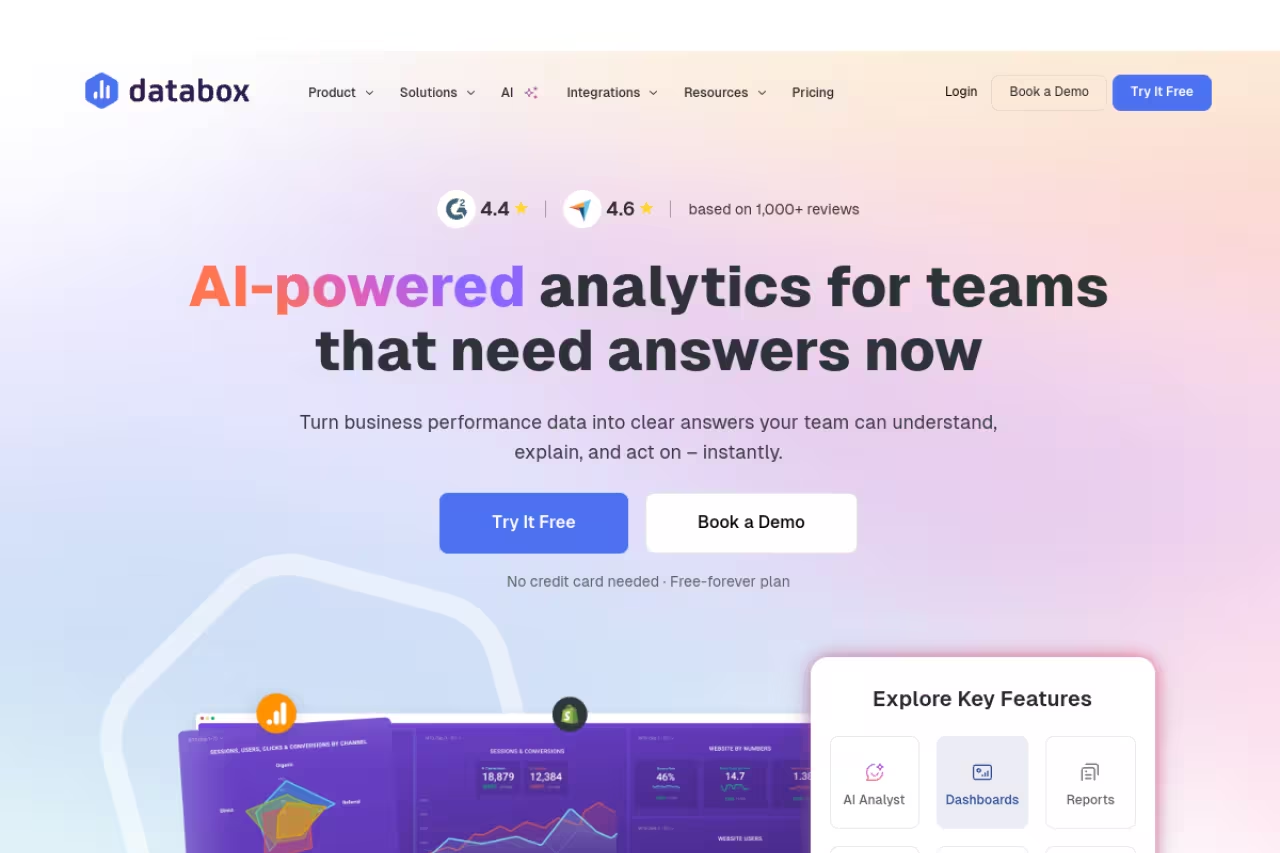
Databox takes a different angle. Instead of analyzing one CRM deeply, it pulls metrics from 100+ sources into a single dashboard. Your CRM, ad platforms, analytics, email tool, all in one view.
It's best for teams running a stack of tools who are tired of switching tabs to assemble a performance picture. The no-code metric builder and library of 1,000+ pre-built metrics mean you can spin up a CRM dashboard in minutes, and Genie, the built-in AI analyst, answers plain-English questions about your numbers.
Pick Databox if your real question is how the whole funnel performs across a stack of tools. The free plan and unlimited users on paid plans are friendly, but it is a reporting layer, not a deep modeling engine.
Pricing is friendly. There's a real free plan with 3 data sources and one dashboard. The Analyst plan is $64/month, Pro is $159/month, and crucially, all paid plans include unlimited users. For teams where everyone needs to see the numbers, that flat-user model saves real money versus per-seat tools.
The standout is breadth. If your "CRM analytics" question is really "how does our whole funnel perform," Databox answers it without an analyst.
The catch: it's a reporting layer, not a deep analysis engine. You won't build complex predictive models here the way you would in Power BI or Salesforce. It surfaces and tracks metrics beautifully, but heavy data modeling lives elsewhere.
If you want the broader category of tools that visualize data across sources, I broke those down separately in best AI data visualization tools.
Zoho Analytics
Zoho Analytics is the value play. It connects to Zoho CRM and dozens of outside sources, then lets you build reports and dashboards with a self-service drag-and-drop interface and an AI assistant (Zia) that answers questions in plain language.
The value play for budget-conscious teams, especially anyone already in the Zoho ecosystem. Per-account pricing keeps costs low as the team grows, though visuals trail Tableau and Power BI and row limits on cheaper tiers can bite.
Pricing is where it wins. Plans are priced per account, not per user. There's an always-free tier (2 users, 10,000 rows), then Basic at $25/month, Standard at $50/month, Premium at $125/month, and Enterprise at $495/month, per Zoho's pricing page. Annual billing saves about 20%. Because seats are shared at the account level, a 10-person team can run on a plan that would cost far more elsewhere.
The standout is that pricing model. Per-account billing makes Zoho dramatically cheaper than per-seat BI tools once your team grows past a few people.
Where it falls short: the visualizations and interface feel a step behind Tableau and Power BI, and the row limits on cheaper tiers can bite if you have a large CRM database. You may pay for extra rows sooner than expected.
Microsoft Power BI
Power BI is the analyst's workhorse, especially if your company runs on Microsoft. It connects to virtually any CRM and gives you deep data modeling, DAX calculations, and dashboards that scale to enterprise data volumes.
Strong analyst-grade BI for data teams, especially Microsoft shops, at a price that is hard to beat. Expect a steeper modeling curve than a sales CRM, and the best Copilot features sit behind expensive Fabric capacity.
The Copilot features now write DAX, summarize reports, and answer questions in natural language, even on mobile, which lowers the barrier for non-analysts.
Pricing is aggressive. Power BI Pro is $14 per user per month and Premium Per User (PPU) is $24, after the first price increase in nearly a decade in 2025. For serious analytics capability, that's hard to beat. Larger deployments move to Fabric capacity (F64 starts around $5,258/month) which unlocks unlimited free viewers and full Copilot.
The standout is value. You get genuine BI depth for a fraction of what Tableau or Salesforce charge per seat.
The catch: it's built for analysts, not closers. The learning curve on data modeling is steeper than HubSpot or Pipedrive, and the best AI features (Copilot) gate behind expensive Fabric capacity. If nobody on your team writes DAX, you'll grow into it slowly. For the wider category, see best AI for data analysis.

Tableau
Tableau is the gold standard for visualization. If you care about how insights look and how interactive they feel, nothing beats it. It connects to any CRM and turns data into dashboards people actually want to explore.
Choose Tableau when polish and interactive storytelling for executives matter most. It is built for dedicated analysts, costs add up fast with many Creators, and it is overkill if you just want to see your pipeline.
Tableau Next, the new agentic, API-first version on the Agentforce platform, pushes AI-driven analytics further, while classic Tableau remains the most flexible visualization canvas on the market.
Pricing is role-based. On Tableau Cloud Standard, a Creator (who builds dashboards) is $75/user/month, Explorer is $42, and Viewer is $15, billed annually, per Tableau's pricing. Enterprise tiers run higher. Costs add up fast once you have many Creators.
The standout is visualization quality. For storytelling with data, it's the benchmark every other tool gets compared to.
Where it falls short: price and overkill risk. Tableau is built for dedicated analysts, not a three-person sales team. If your need is "show me my pipeline," you're paying for a Ferrari to drive to the corner store.

Pipedrive
Pipedrive is a sales CRM with reporting built for people who close deals, not people who build models. Its Insights dashboards show pipeline health, conversion by stage, and revenue forecasts without making you think like a data engineer.
A sensible pick for small and mid-size sales teams that want clear pipeline visibility rather than heavy BI. Reporting is shallow for attribution or modeling, and you will likely need Professional to get real value.
Pricing is approachable: Essential at $14/user/month, Advanced at ~$29, Professional at ~$59, and Power/Enterprise above that, all billed annually, per Pipedrive's pricing. Essential includes basic Insights dashboards; Professional unlocks the deeper forecasting and customizable reports most teams actually want.
The standout is focus. The analytics answer the questions a sales manager asks every Monday: what's in the pipeline, what's likely to close, where are deals stalling.
The catch: it's shallow compared to true BI tools. You won't do cross-channel attribution or complex modeling here. Reporting on the Essential plan is capped, so you'll likely need Professional to get real value. As a pure pipeline analytics tool for closers, though, it's hard to outgrow too quickly.
monday CRM
monday CRM brings analytics to teams already living inside monday.com. Its dashboards sit on top of the same boards you use to manage deals, so reporting reflects live workflow data without a separate export step.
Go with it if your team already lives in monday.com and wants CRM, project work and live dashboards in one workspace. It is less deep than dedicated BI, and the 3-seat minimum penalizes solo users and tiny teams.
The AI features summarize activity timelines, draft emails, and autofill columns, which keeps your data current with less manual entry.
Pricing starts at $12 per seat per month for Basic CRM, $17 for Standard, and $28 for Pro, billed annually with a 3-seat minimum. The advanced reporting, sales forecasting, and customizable dashboards live on the Pro tier at $28/seat.
The standout is the connection between work and reporting. Because dashboards read from the boards your team actually updates, the numbers stay fresh.
Where it falls short: the analytics aren't as deep as dedicated BI, and the 3-seat minimum plus the climb to Pro means solo users and tiny teams pay more than the headline price. It shines as part of the monday ecosystem, less so as a standalone analytics engine.
How to choose
Don't start with features. Start with where your data lives and who's going to read the reports.
If analytics should live inside your CRM: pick the reporting that comes with the system your team already uses. HubSpot for marketing-heavy teams, Salesforce CRM Analytics for enterprise revenue orgs, Pipedrive or monday CRM for smaller sales teams. The win here is zero data plumbing.
If you need one view across many tools: go with a dedicated layer. Databox if you want fast, no-code dashboards with unlimited users. Zoho Analytics if budget is the deciding factor and you're fine with a slightly older interface.
If you have analysts and real modeling needs: Power BI for the best value and Microsoft-stack fit, Tableau if visualization quality is non-negotiable and you have the budget.
One honest filter: count the people who will actually open these dashboards weekly. If it's two, don't buy enterprise BI. If it's twenty across departments, the per-account or unlimited-user tools (Zoho, Databox) save you a fortune. And if you're still assembling your wider stack, our top tools directory and the predictive analytics roundup are good next stops.
Running a lean revenue team and want the AI tooling that feeds clean data into whichever analytics platform you pick? Dupple X bundles the assistants we use to keep CRM records current.
FAQ
What is the difference between a CRM and a CRM analytics tool?
A CRM stores and manages your customer data: contacts, deals, activities, and communications. A CRM analytics tool interprets that data, turning it into forecasts, conversion rates, attribution reports, and dashboards. Some CRMs (HubSpot, Salesforce, Pipedrive) include analytics natively. Others, like Databox, Tableau, or Power BI, are standalone tools you connect to one or more CRMs to analyze the data they hold.
What is the best CRM analytics tool for a small business?
For most small businesses, HubSpot offers the best balance of native analytics and ease of use, though serious reporting requires the Professional tier. If budget is the main constraint, Zoho Analytics (priced per account, not per user) or Databox's free plan deliver strong value. Pipedrive is the better fit if you mainly need clear sales pipeline reporting rather than full business intelligence.
Do I need a separate BI tool if my CRM already has reporting?
Not always. If your reporting needs are CRM-specific (pipeline, forecasting, rep performance), the native analytics in HubSpot, Salesforce, or Pipedrive are usually enough. You need a separate BI tool like Power BI, Tableau, or Databox when you want to combine CRM data with other sources (ad platforms, web analytics, finance) or build complex models the CRM can't handle.
How much do CRM analytics tools cost in 2026?
It ranges widely. Entry-level options like Power BI Pro ($14/user/month) and Pipedrive ($14/user/month) are affordable, while Databox and Zoho Analytics offer free tiers. Dedicated enterprise analytics is far pricier: Salesforce CRM Analytics runs about $125/user/month on top of your core license, and Tableau Creator seats are $75/user/month. Per-account tools like Zoho often work out cheapest for larger teams.
Can CRM analytics tools predict which deals will close?
Yes, the more advanced ones do. Salesforce CRM Analytics uses Einstein scoring to rank opportunities by likelihood to close and flag at-risk pipeline. HubSpot and Pipedrive both offer revenue forecasting based on pipeline stage and historical data. The accuracy depends heavily on how clean and complete your CRM data is, which is why keeping records current matters as much as the tool you choose.
Related guides
Some offers on this page may be paid placements or contain affiliate links.
Across our whole catalogue the median is $24 a month and 33% of tools advertise a free tier. Figures are the lowest recurring monthly price quoted in our own review of each tool, read on 2026-08-19. Full method and every category.
