
Best Workforce Management Software in 2026: 9 Tools Compared

Key facts9 tools compared: Deputy, Rippling, UKG Pro, Connecteam, Homebase, When I Work, Workday HCM…
- 9 tools compared: Deputy, Rippling, UKG Pro, Connecteam, Homebase, When I Work, Workday HCM, Deel, Sling
- Deputy (best for: Shift-based teams, multi-location): $5-9/user/mo
- Rippling (best for: Unified HR + IT + payroll + WFM): ~$8 base/employee + modules
- UKG Pro (best for: Large enterprise, complex rules): ~$32-40/employee/mo
- Connecteam (best for: Deskless, mobile-first teams): Free <10, then $29+/mo
Workforce management is one of those phrases that means five different things depending on who you ask. To a restaurant owner it means filling the Friday closing shift. To a 2,000-person hospital it means union rules, fatigue compliance, and labor forecasting down to the 15-minute interval. To a startup hiring across eight countries it means staying on the right side of local labor law without opening a foreign entity.
So when people search for the "best" tool, the honest answer is: it depends on what your workforce actually looks like. A 15-person coffee shop and a global engineering team will never be happy with the same software, no matter how many features the vendor crams onto the comparison page.
I spent time comparing the nine platforms below on pricing, features, time clock options, and forecasting tools, reading the pricing fine print along the way. If you want the quick answer: for most teams that run shifts, Deputy is the best all-rounder at $5 to $9 per user. If you also need HR, payroll, and IT in one system, Rippling is the unified pick. And if you're a large enterprise with complex labor rules, UKG Pro is built for exactly that. Here's the full breakdown.
Quick comparison
| Tool | Best for | Price | Standout |
|---|---|---|---|
| Deputy | Shift-based teams, multi-location | $5-9/user/mo | Auto-scheduling + labor forecasting |
| Rippling | Unified HR + IT + payroll + WFM | ~$8 base/employee + modules | One system of record for everything |
| UKG Pro | Large enterprise, complex rules | ~$32-40/employee/mo | AI labor forecasting, fatigue compliance |
| Connecteam | Deskless, mobile-first teams | Free <10, then $29+/mo | Free tier is genuinely usable |
| Homebase | Small US hourly businesses | Free 1 location, $30-120/loc/mo | Real free plan with time clock |
| When I Work | Cheapest per-head scheduling | $2.50-8/user/mo | Lowest entry price, clean app |
| Workday HCM | Global enterprise HCM | Custom quote | Depth across the whole employee lifecycle |
| Deel | Global teams, contractors + EOR | $49/contractor, $599+/EOR | Hire anywhere without a local entity |
| Sling | Restaurants on Toast POS | Free tier available | Tight Toast POS integration |
Deputy: the best all-rounder for shift work
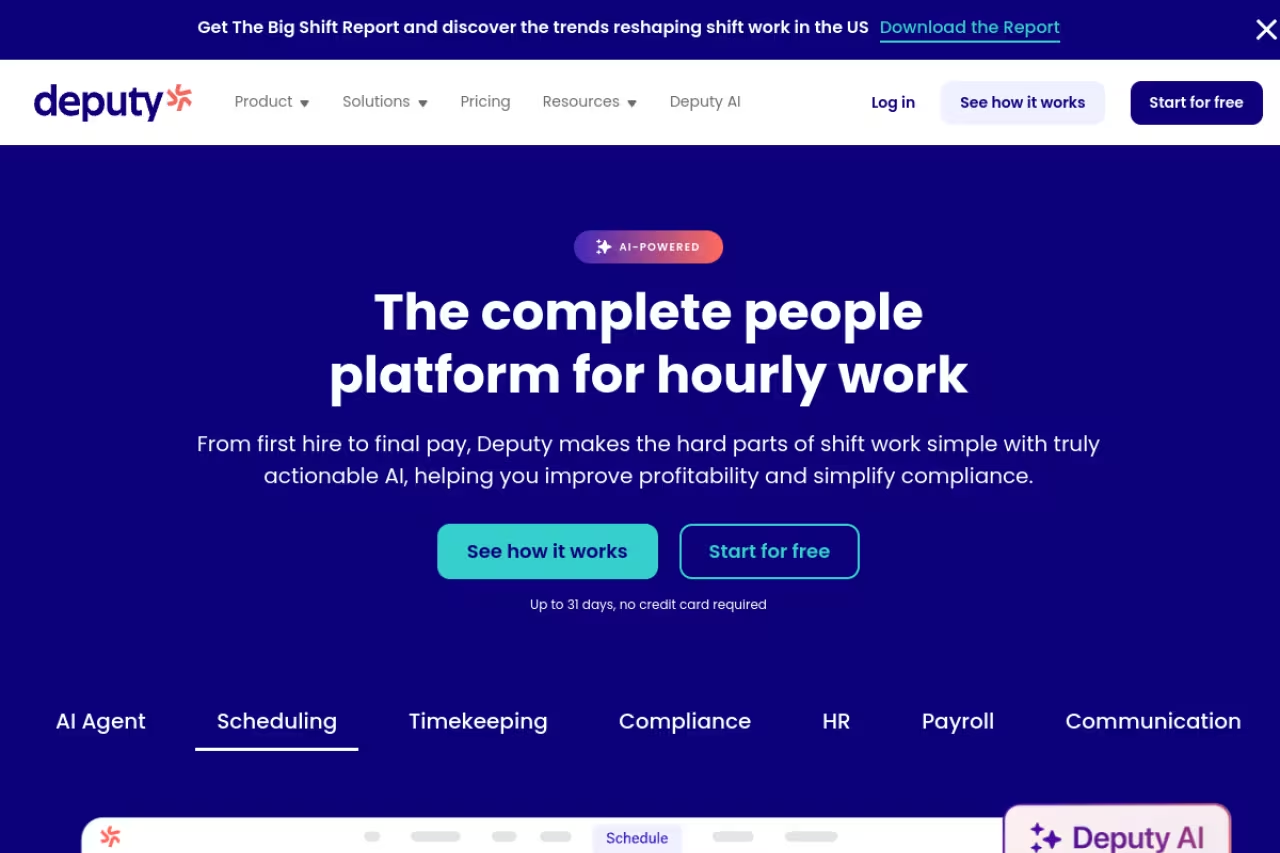
Deputy is what I recommend to most businesses that run shifts, and it's the tool I kept coming back to during testing. It does the core job well: build a schedule, publish it, let staff clock in and swap shifts, then push approved timesheets to payroll. Nothing about it feels half-built.
The all-rounder I recommend for shift-based businesses in retail, hospitality and healthcare, with forecasting that shows overstaffing before the week starts. The $30 monthly minimum stings small teams, so budget for the real total, not the headline $5.
The auto-scheduling reads demand and staff availability, then drafts a rota you can tweak instead of building from zero.
Pricing is per user per month, billed monthly or annually: Lite at $5, Core at $6.50, and Pro at $9, per Deputy's pricing page. Demand forecasting and labor optimization start on the Core plan. There's a minimum monthly spend of $30, so very small teams effectively pay that floor.
The standout is the forecasting. Core ties projected sales or foot traffic to scheduled labor, so you see if you're overstaffed before the week starts, not when the payroll run lands.
The catch: the $30 monthly minimum stings for a 3-person team, and useful add-ons like HR ($2/user) and Analytics+ sit outside the base tiers unless you're on Pro. Budget for the real total, not the headline $5.
Rippling: one system for HR, IT, payroll, and WFM
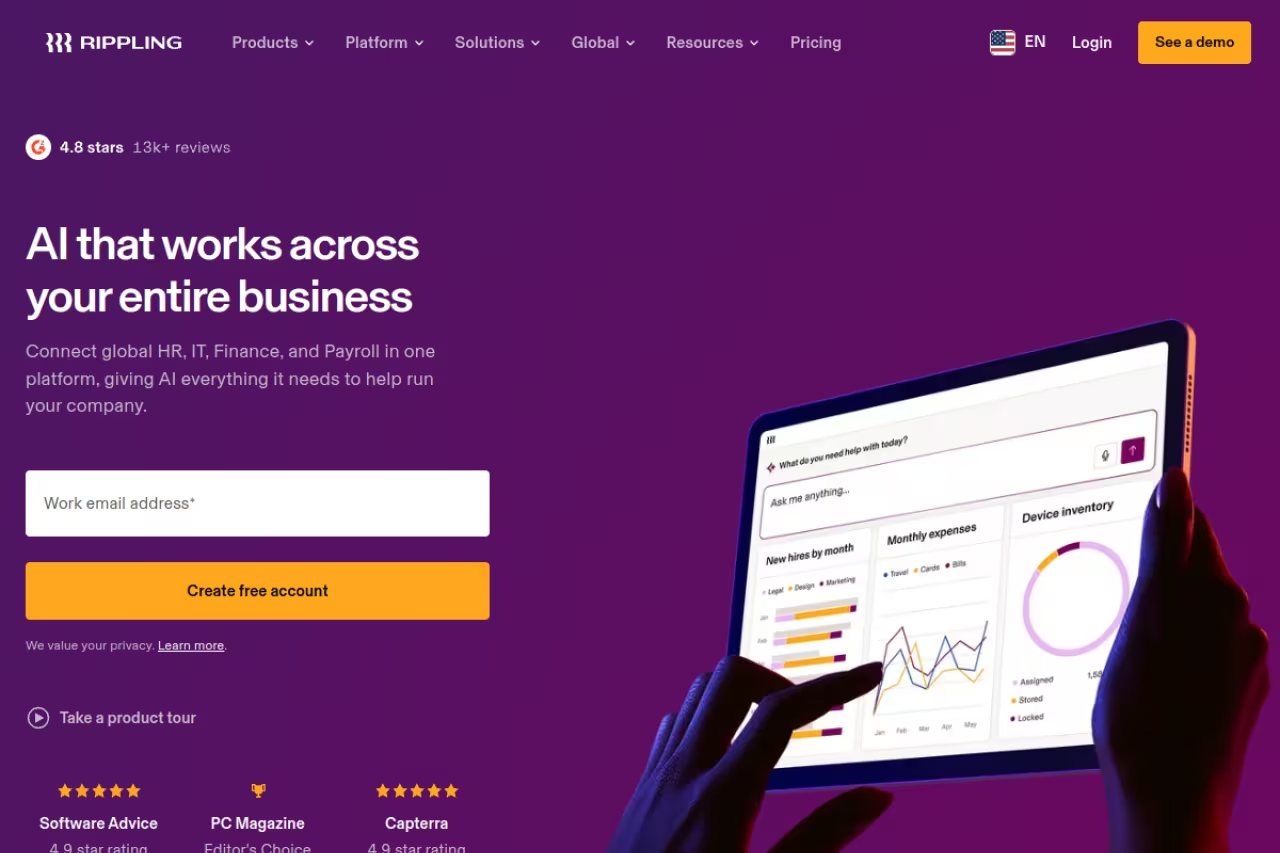
Rippling is the answer when your real problem isn't scheduling, it's that employee data lives in six disconnected tools. It starts from a single employee record and layers payroll, benefits, time and attendance, device management, and app provisioning on top. Hire someone once and their laptop, accounts, and payroll all spin up from that one action.
The answer when your real problem is employee data scattered across disconnected tools, best for growing companies of roughly 50 to 1,000 employees. Pricing is quote-based, implementation fees can hit $20,000, and it is overkill for a simple shift planner.
If you want the broader category, our guide to the best HRIS systems covers the all-in-one platforms in more depth.
Pricing is modular and quote-based. The base platform starts around $8 per employee per month, and each module (payroll, benefits, time and attendance, device management) typically adds $4 to $12, according to third-party pricing breakdowns. Most teams running HR plus payroll land in the $25 to $50 per-employee range.
The standout is genuine unification. When everything reads from one record, offboarding actually works: deactivate the person and their payroll stops, accounts close, and the laptop locks, all at once.
Where it falls short: Rippling doesn't publish full pricing, implementation fees can run from $1,500 to $20,000, and the per-module model adds up fast. It's also overkill if all you need is a shift planner for hourly staff.
UKG Pro: enterprise-grade workforce management
UKG Pro is built for the hard end of workforce management: thousands of employees, union contracts, fatigue rules, and labor forecasting that has to be accurate because being wrong costs real money. This is not an app you set up over a weekend. It's a platform you implement with a project plan.
Best for large organizations, often 750 to 25,000-plus employees, in healthcare, manufacturing, retail, and the public sector, where compliance is non-negotiable and scheduling is genuinely hard.
Built for large organizations with union contracts, fatigue rules and compliance needs, with strong AI labor forecasting. It is expensive and implemented as a months-long project, so a 50-person company will never use the configurability.
Pricing isn't public and is quoted per employee per month. Independent analysis puts UKG Pro in the $32 to $40-plus per-employee range for a full-suite deployment with advanced WFM, while the mid-market UKG Ready sits lower at roughly $25 to $33, per Outsail's UKG pricing breakdown.
The standout is the AI labor forecasting and schedule optimization. It predicts demand, optimizes coverage against your rules, and flags fatigue and compliance risks before they become violations or grievances.
The catch: it's expensive, implementation is a real project measured in months, and the configurability that enterprises love is overhead a 50-person company will never use. For the broader category, see our best enterprise HR software guide.
If you're sizing up a workforce platform and want a steer on the AI tooling around it, Dupple X tracks what's actually shipping versus what's marketing.
Connecteam: the deskless, mobile-first pick
Connecteam is built from the phone out, which makes it the natural fit for teams that don't sit at desks: cleaning crews, field service, warehouses, construction, hospitality. Scheduling, GPS time clock, team chat, checklists, and basic HR all live in one app workers actually open.
The mobile-first choice for deskless crews in cleaning, field service and warehouses, with a real free plan for up to 10 users. The three-hub pricing gets confusing, and its scheduling and forecasting are thinner than Deputy's.
The Small Business plan is free for up to 10 users with full feature access, per Connecteam's pricing page. Paid plans (Basic, Advanced, Expert) start at $29 per month billed annually and cover the first 30 users, then add a per-user fee. Pricing is split across three hubs (Operations, Communications, HR), so wanting all three means three subscriptions.
The standout is that free plan. Under 10 people you get scheduling, a real time clock, and chat at no cost, which almost nobody else offers without strings.
Where it falls short: the hub structure gets confusing and pricey once you want capabilities across all three. Power scheduling features and labor forecasting are thinner than Deputy's. We covered it in our employee scheduling software roundup too.

Homebase: the free option for small US hourly teams
Homebase is the tool I point American small businesses to when budget is the whole conversation. A single-location coffee shop or salon can run scheduling, a time clock, and team messaging without paying anything, and that's not a teaser.
A free, no-fuss pick for single-location US hourly businesses like coffee shops and salons, with flat per-location pricing. It is US-focused, multi-location chains climb tiers quickly, and forecasting is basic.
The free Basic plan covers 1 location and up to about 10 employees, per Homebase's pricing. Paid plans are priced per location, not per user: Essentials at $30, Plus at $70, and All-in-One at $120 per month (cheaper annually). Per location with unlimited employees is a genuinely friendly model for a busy 25-person store.
The standout is per-location pricing. Stack a dozen employees onto one location and you still pay one flat fee, where per-user tools would be adding up fast.
The catch: Homebase is US-focused, so its compliance and payroll features assume American labor law. Multi-location chains climb the price tiers quickly, and the forecasting is basic next to Deputy or any enterprise WFM tool.

When I Work: cheapest per-head scheduling
When I Work wins on price. At $2.50 per user per month it's the lowest entry point of anything serious here, and the app is clean and fast without feeling stripped down.
The cheapest serious per-head scheduling, at $2.50 per user, for teams that mainly need scheduling and time tracking. There is no native payroll or deep HR layer, and SSO and API access are locked to the $8 Premium tier.
Plans run Essentials at $2.50, Pro at $5, and Premium at $8 per user per month, all with a 14-day trial, per When I Work's pricing. Even Essentials includes auto-scheduling, multi-location, shift swapping, and messaging, which is a lot for the money.
The standout is value. You get auto-scheduling and a time clock at a price that undercuts almost everyone, with no contract.
Where it falls short: it's a scheduling and time tool, not a full HRIS. There's no native payroll engine and no real benefits or onboarding layer, so you'll bolt on other systems as you grow. SSO and API access are locked to the $8 Premium tier.
Workday HCM: depth for global enterprises
Workday is the enterprise standard for human capital management, and workforce management is one slice of a much larger platform. If your priority is connecting scheduling and time to finance, planning, and the whole employee lifecycle across regions, Workday is built for that scale.
Depth for large global enterprises that want scheduling tied to HR, finance and workforce planning in one system. Expect six-figure annual cost and long implementations, and the scheduling experience is less snappy than purpose-built tools.
Pricing is entirely custom and quote-based, scaling with headcount and modules. Expect six figures annually at enterprise scale and a real implementation, typically with a partner. This is a board-level purchase, not a credit-card signup.
The standout is depth and integration. Time, absence, and scheduling sit inside the same system as analytics and financial planning, so labor decisions connect to budgets without exports and reconciliation.
The catch: cost and complexity. Workday is overkill for anyone under a few thousand employees, implementations are long, and the day-to-day scheduling experience isn't as snappy as a purpose-built tool like Deputy. You buy Workday for the platform, not the shift planner.
Deel: workforce management across borders
Deel reframes workforce management as a global problem. If your team spans countries, the hard part isn't the schedule, it's compliant hiring, payroll, and contracts in places where you have no legal entity. Deel handles contractors, EOR employees, and global payroll from one dashboard.
Deel solves cross-border hiring, handling contractors, EOR employees and global payroll in 150-plus countries without foreign entities. It will not replace a shift scheduler, and EOR at $599 per employee per month is expensive at low headcount.
Contractor management is $49 per contractor per month, EOR starts at $599 per employee per month, and global payroll is around $29 per employee, per Deel's pricing breakdowns. EOR rates often drop to $400 to $500 once you cross 20 or so headcount.
The standout is reach. Deel lets you hire compliantly in 150-plus countries quickly, with localized contracts and tax handling baked in, which removes the single biggest blocker to global hiring.
Where it falls short: it's not a shift-scheduling or time-clock tool, so it won't replace Deputy or Homebase for hourly teams. EOR is expensive at low headcount, and statutory benefits and employer taxes stack on top of the platform fee.
Sling: the lightweight restaurant pick
Sling, owned by Toast, is the budget option for restaurants already on Toast POS. Basic scheduling is free, and the tight POS integration means sales and labor data sit close together without manual exports.
A lightweight free option for single restaurants or small groups already on Toast POS, with minimal setup. It lacks native payroll, deep compliance monitoring and forecasting, so outgrowing basic scheduling means shopping again.
Sling offers a free tier for core scheduling, with paid plans adding deeper features. The real draw is the Toast connection: if your point of sale is already Toast, Sling slots in with minimal setup.
The standout is the free scheduling plus native Toast integration, which is hard to beat on cost for a small restaurant.
The catch: Sling is lighter than the full WFM platforms here. It lacks native payroll, deep compliance monitoring, and the AI hiring and forecasting tools you'd find in Deputy or an enterprise system. Outgrow basic scheduling and you'll be shopping again.
How to choose
Start with the shape of your workforce, not the feature list. The right tool falls out of three questions.
How big are you, and how complex are your labor rules? Under 20 people with simple shifts, a free tier (Connecteam or Homebase) likely covers you. In the broad middle, Deputy and When I Work handle scheduling and time well. Thousands of employees with union or compliance complexity means UKG Pro or Workday, and yes, a real implementation.
Do you need WFM alone, or HR and payroll too? If you just need to schedule shifts and track hours, don't pay for an HRIS. Buy a focused tool. If your actual pain is fragmented systems, Rippling or a full HCM consolidates everything onto one record, which is worth more than any single feature.
Where are your people? A domestic hourly team and a globally distributed one have almost nothing in common here. US small businesses are well served by Homebase or Deputy. Hiring across borders points straight at Deel, where compliance is the product.
One more rule: run the free trial with a real schedule before you commit. Every tool demos well. The one that survives your actual messy week, the no-shows and the last-minute swaps, is the one to keep. For more across HR and ops, browse our top tools directory.
FAQ
What is the best workforce management software in 2026?
For most shift-based businesses, Deputy is the best all-rounder thanks to its scheduling, time tracking, and labor forecasting at $5 to $9 per user. Large enterprises with complex rules are better served by UKG Pro or Workday, while companies wanting HR, IT, and payroll in one system should look at Rippling. The best choice depends on your team size and whether you need scheduling alone or a full HR platform.
What is the difference between workforce management and HRIS software?
Workforce management focuses on the operational side: scheduling, time and attendance, labor forecasting, and compliance for shift-based work. An HRIS is the broader system of record for employee data, payroll, benefits, and onboarding across the whole lifecycle. Many platforms now blend both. Rippling and Workday, for instance, include WFM features inside a wider HR system, while Deputy and When I Work stay focused on scheduling and time.
Is there free workforce management software?
Yes. Connecteam is free for up to 10 users with full feature access, and Homebase offers a free plan for one location with up to about 10 employees. Sling provides free basic scheduling, especially appealing if you use Toast POS. These free tiers are genuinely usable for small teams, though you'll typically need to upgrade for advanced scheduling, multi-location support, or HR features as you grow.
How much does workforce management software cost?
Pricing ranges widely by tier. Scheduling-focused tools like When I Work start at $2.50 per user per month and Deputy runs $5 to $9. Unified platforms like Rippling start around $8 per employee for the base plus per-module fees. Enterprise systems like UKG Pro land around $32 to $40 per employee per month, and Workday is custom-quoted at six figures annually. Global hiring via Deel runs $49 per contractor or $599-plus per EOR employee.
Which workforce management software is best for small businesses?
For small businesses, Homebase and Connecteam are the strongest picks because both have real free tiers and are built for hourly, frontline teams. When I Work is the cheapest paid option at $2.50 per user. If you want forecasting and multi-location features as you scale, Deputy is the best step up. Avoid enterprise platforms like UKG Pro or Workday until you're well into the hundreds of employees.
Does workforce management software handle international teams?
Most traditional WFM tools assume domestic labor law and don't handle cross-border hiring. Deputy and Homebase are best for domestic hourly teams. For genuinely international workforces, Deel handles compliant hiring, payroll, and contracts across 150-plus countries through contractor management and Employer of Record services, which is a different problem than scheduling and time tracking.
Ready to build a smarter stack around your team? Start a Dupple X trial and see what's worth your budget.
Related guides
Some offers on this page may be paid placements or contain affiliate links.
Across our whole catalogue the median is $24 a month and 33% of tools advertise a free tier. Figures are the lowest recurring monthly price quoted in our own review of each tool, read on 2026-08-19. Full method and every category.
