
Best Software Management Tools (2026)

Key facts8 tools compared: monday.com, ClickUp, Linear, Asana, Notion, Jira, Trello, Basecamp
- 8 tools compared: monday.com, ClickUp, Linear, Asana, Notion, Jira, Trello, Basecamp
- monday.com (best for: Cross-team work management): Free, then $9-19/seat/mo
- ClickUp (best for: Feature depth on a budget): Free, then $7-12/user/mo
- Linear (best for: Software and product teams): Free, then $10-16/user/mo
- Asana (best for: Structured, goal-driven teams): Free, then $10.99-24.99/user/mo
Most teams don't pick a software management tool. They inherit one. Someone signed up for a free board three years ago, it stuck, and now half the company lives in it while the other half quietly runs everything in spreadsheets and Slack threads. The tool isn't the problem. The mismatch is.
I've spent the last few months comparing eight of these platforms on documentation, pricing, and public reports: how teams describe running a content pipeline, tracking a product sprint, and getting a five-person team to actually update their tasks. Some tools make that easy. Public reports on others describe a fight the whole way.
If you want the short answer: for most teams juggling work across departments, monday.com is the one I'd start with. If your team ships software, Linear is faster and cleaner than anything else here. And if you want the most features for the least money, ClickUp is hard to beat. The rest depend on how your team actually works, which is what the rest of this guide is about.
Quick comparison
| Tool | Best for | Price (annual) | Standout |
|---|---|---|---|
| monday.com | Cross-team work management | Free, then $9-19/seat/mo | Visual boards anyone can read |
| ClickUp | Feature depth on a budget | Free, then $7-12/user/mo | Everything in one app |
| Linear | Software and product teams | Free, then $10-16/user/mo | Speed and keyboard-first design |
| Asana | Structured, goal-driven teams | Free, then $10.99-24.99/user/mo | Clear task ownership |
| Notion | Docs plus light project tracking | Free, then $9.50-19.50/seat/mo | One workspace for docs and tasks |
| Jira | Engineering at scale | Free, then $7.91-14.54/user/mo | Deep agile and reporting |
| Trello | Small teams and simple workflows | Free, then $5-10/user/mo | Dead-simple Kanban |
| Basecamp | Small teams tired of complexity | Free, then $15/user or $299 flat | Calm, opinionated structure |

monday.com: the best all-around pick for most teams
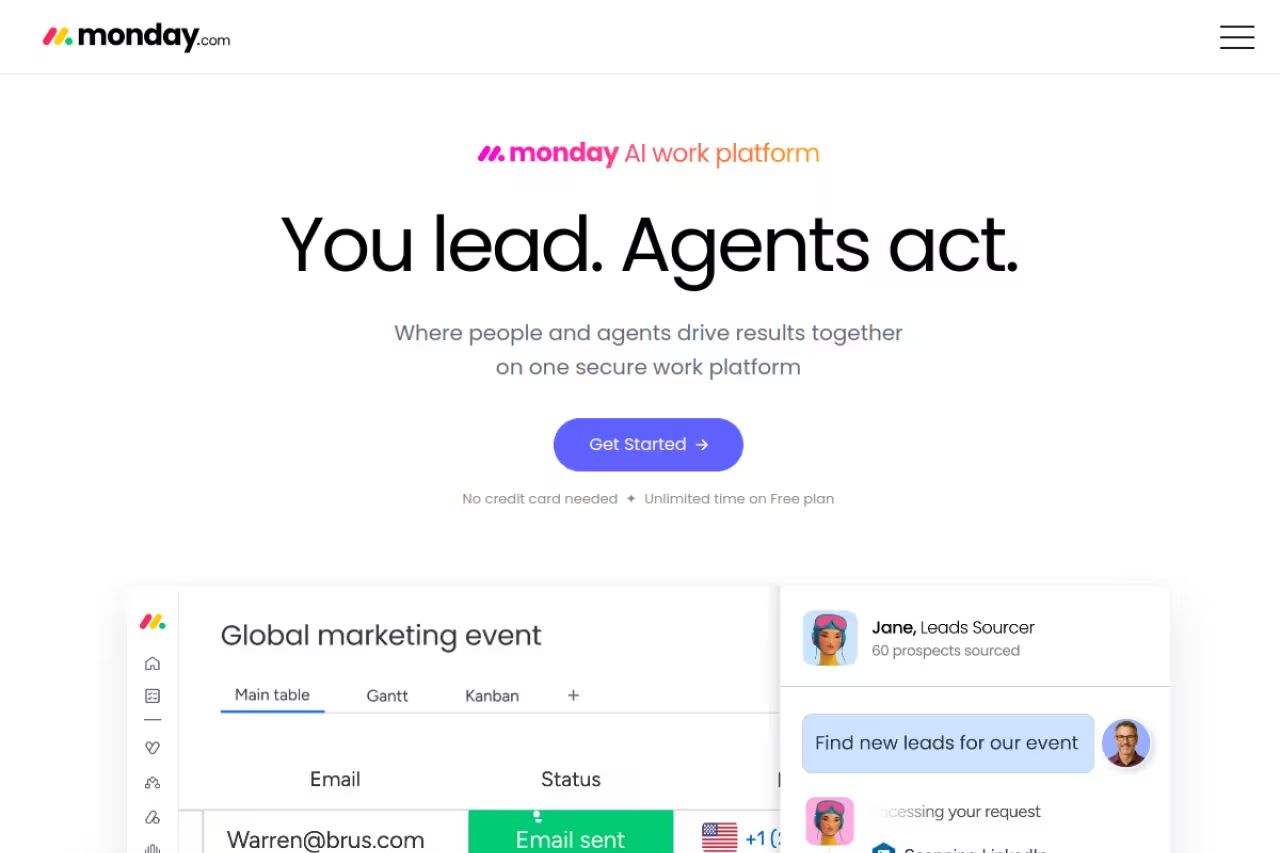
monday.com calls itself a "Work OS," which usually means a tool that does too much. Here it mostly earns the name. You build colorful boards out of items, columns, and statuses, and almost anyone can read one without training. That last part matters more than any feature list. The marketing intern and the VP both understand a board at a glance.
The all-round pick for teams coordinating across functions, since anyone can read a board at a glance. Paid plans carry a 10-seat minimum, so a 4-person team pays for 10, and automation caps on cheaper tiers push you to Pro.
The view flexibility helps. You flip the same data between board, timeline, Gantt, calendar, and Kanban without rebuilding anything.
Pricing is per seat with a 10-seat minimum on paid plans, which is the catch for small teams. The free plan covers up to 2 seats and 3 boards. Basic is $9/seat/month billed annually, Standard is $12, and Pro (the one most teams actually want, with time tracking and 25,000 automation actions) is $19. Enterprise is custom.
The standout is how fast a non-technical person can build something useful. The catch: those 10-seat minimums mean a 4-person team pays for 10, and the cheaper tiers cap automations so low you'll outgrow them fast. Budget for Pro if automation is the reason you're switching.

ClickUp: the most features per dollar
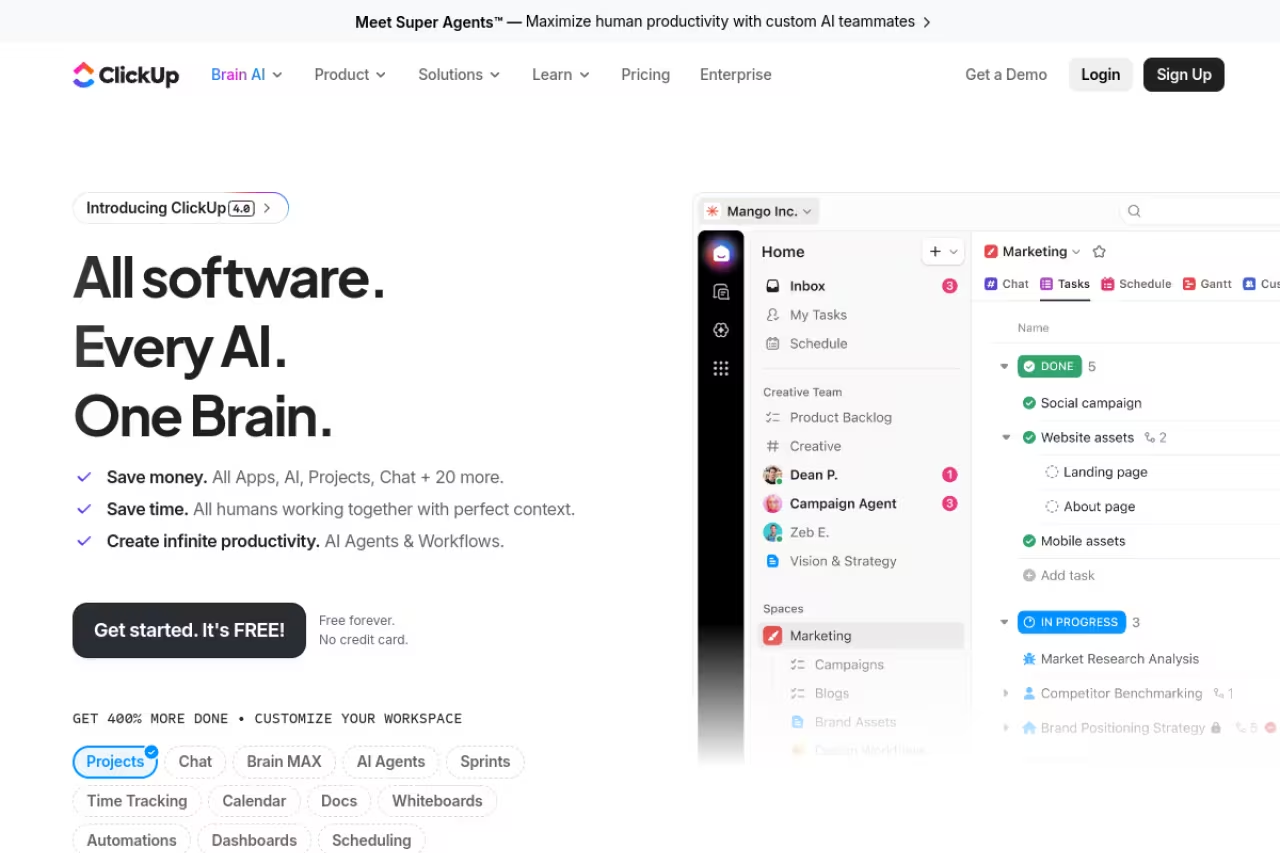
ClickUp wants to replace every app you have. Docs, whiteboards, goals, time tracking, dashboards, chat, and tasks all live under one login. For a small team trying to consolidate a messy stack, that pitch is genuinely appealing, and the price makes it more so.
It fits startups and lean teams that want a lot of capability without paying enterprise rates. The Unlimited plan is $7/user/month annually with unlimited storage and integrations. Business is $12 and adds advanced dashboards, unlimited automations, and proofing. There's a real free tier with unlimited tasks. Compared to monday's 10-seat floor, ClickUp lets a three-person team pay for three.
The standout is depth: you can configure ClickUp to do almost anything, with custom fields, statuses, and views stacked however you like. That's also where it falls short. All that flexibility means setup takes real effort, the interface gets busy, and performance can lag once a workspace fills with thousands of tasks. New users often feel overwhelmed in week one. Budget a few hours to template your spaces before you invite the team, or it turns into the same chaos you were escaping.
The most features per dollar for startups and lean teams consolidating a messy stack, and a three-person team pays for three. The flexibility costs setup effort, a busy interface, and a rough first week.
Linear: built for teams that ship software
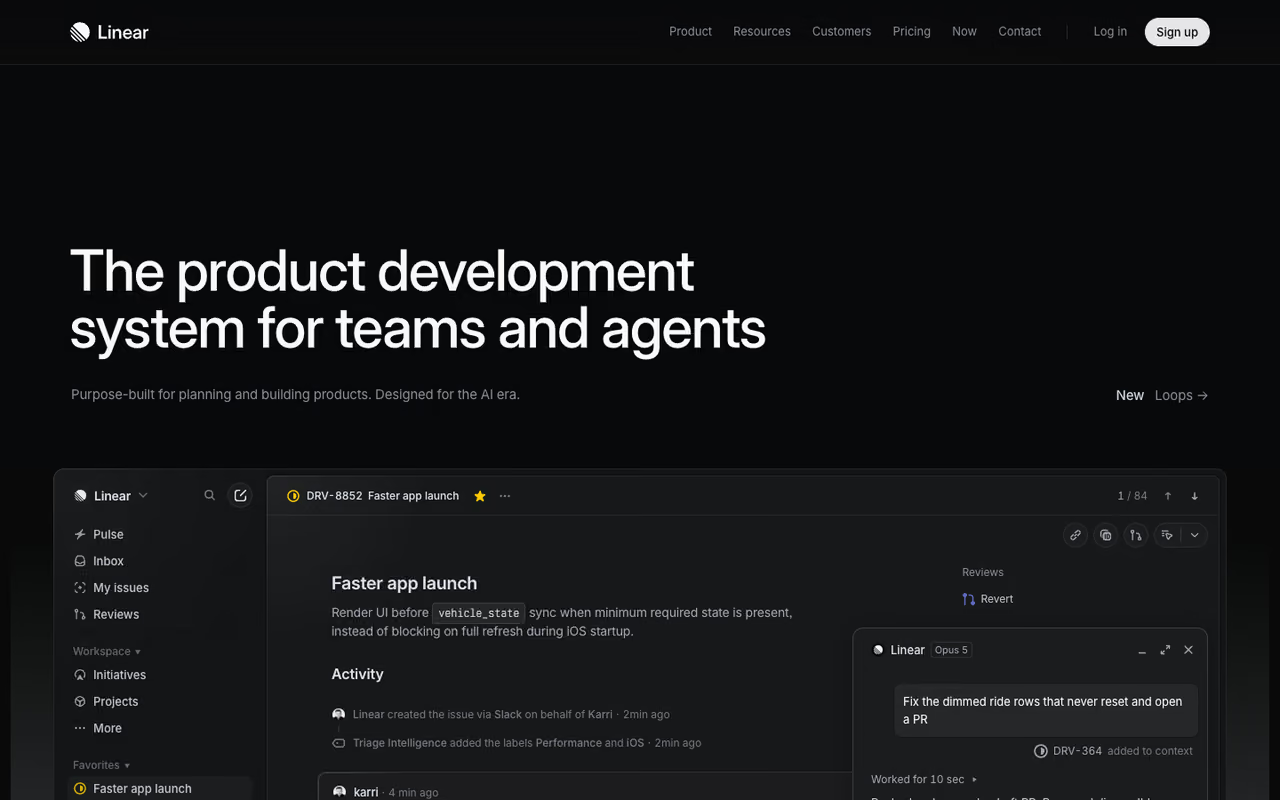
If your team writes code, Linear feels like it was made by people who got tired of everything else. It's fast in a way that's hard to describe until you use it: keyboard shortcuts for everything, instant page loads, and an opinionated structure built around issues, cycles, and projects. No fiddling with 40 columns. The defaults are the right defaults.
It's the clear pick for product and engineering teams who value speed and a clean workflow over endless configuration. The free plan handles unlimited members, 2 teams, and 250 issues, which is plenty for a small startup. Basic is $10/user/month annually with unlimited issues, and Business at $16 adds private teams, guests, and Linear's newer AI agents for triage and code intelligence.
The clear pick for product and engineering teams that value speed and a clean workflow over endless configuration. It is narrow on purpose, so marketing and client work will frustrate you, and the free plan caps at 250 issues.
The standout is the feel. Linear is the only tool here I actively enjoyed opening. Where it falls short: it's narrow on purpose. If you need to run marketing campaigns, client work, and a content calendar in the same tool, Linear will frustrate you because it isn't trying to be that. The 250-issue cap on free also arrives quickly for an active team. For broader needs, pair it with something else or check my rundown of the best agile project management tools, where Linear sits alongside Jira and Shortcut.
If you're still mapping out which tools belong in your stack, Dupple X curates the AI and productivity tools worth your team's attention so you're not testing forty of them yourself.

Asana: structure without the bloat
Asana sits between Linear's focus and ClickUp's everything-bucket. It's opinionated about how work should flow, with strong task ownership, due dates, and dependencies, but it stays cleaner than most. If your problem is that work falls through the cracks because nobody knows who owns what, Asana fixes that well.
A clean, structured option for mid-sized teams running recurring projects like launches and onboarding, where clear ownership prevents dropped work. The jump to $24.99 for Advanced is steep, and smaller teams may find Starter limiting.
The free Personal plan covers up to 2 collaborators. Starter is $10.99/user/month annually, and Advanced jumps to $24.99 with portfolios, goals, and workload management.
The standout is clarity of ownership. The catch is that Advanced's jump to $24.99 is steep, and a lot of the genuinely useful features (workload views, advanced reporting) live up there. Smaller teams may find Starter limiting and the gap to Advanced hard to justify.
Notion: when docs and tasks should live together
Notion isn't a dedicated project manager, and that's the point. It's a flexible workspace where your docs, wikis, and databases coexist, so your project board sits next to the spec that explains it. For teams whose work is half writing and half tracking, that single source of truth is worth a lot.
It fits small teams, founders, and content or product groups who want one home for knowledge and light project tracking. The free plan is generous for individuals and small groups. Plus is $9.50/seat/month annually, and Business at $19.50 adds the Notion Agent, AI meeting notes, and SAML SSO.
Right for small teams, founders, and content or product groups who want docs and light project tracking in one home. With no strong opinion you can burn a weekend designing, and timelines, workload, and automation are weaker.
The standout is flexibility: you build exactly the system you want. Where it falls short is the flip side. Notion has no strong opinion, so you can spend a weekend designing a project setup instead of doing the project. It's also weaker on timelines, workload, and automation than purpose-built tools. Great for docs-heavy teams, frustrating if you need real Gantt charts. For more on getting work done with it, see my best AI tools for productivity guide.
Jira: for engineering at real scale
Jira is the tool engineering teams love to complain about and keep using anyway. It's the deepest agile system here: sprints, epics, advanced roadmaps, granular permissions, and reporting that satisfies the most process-heavy org. When you have dozens of engineers and stakeholders who need audit trails, Jira's depth stops feeling like overkill.
Built for larger software organizations, especially those in the Atlassian ecosystem, where its depth and audit trails stop feeling like overkill. Setup is heavy and dense, so a three-person startup will spend more time configuring than building.
The free plan covers up to 10 users. Standard is $7.91/user/month with 250GB storage and audit logs, and Premium at $14.54 adds unlimited storage, 24/7 support, and a 99.9% SLA.
The standout is configurability for complex workflows. The catch is that same depth crushes small teams. Setup is heavy, the interface is dense, and a three-person startup will spend more time configuring Jira than building. If you don't have a dedicated admin or a real process to enforce, it's the wrong tool.

Trello: the simplest thing that works
Trello is the Kanban board everyone already understands. Lists, cards, drag and drop. There's nothing to learn, which is exactly why it still earns a spot. Not every team needs a Work OS. Some just need a shared board they'll actually keep updated.
It fits small teams, side projects, and simple repeatable workflows: editorial calendars, hiring pipelines, personal task tracking. The free plan allows up to 10 collaborators and 10 boards per workspace. Standard is $5/user/month annually with unlimited boards and custom fields, and Premium at $10 adds calendar, timeline, and dashboard views.
The standout is zero friction. The catch: Trello hits a ceiling fast. Once you need dependencies, workload management, or cross-project reporting, you'll feel the walls. It's the right starting point and the wrong ending point for a growing team.
The simplest thing that works for small teams, side projects, and repeatable workflows like editorial calendars. It is the right starting point and the wrong ending point once you need dependencies, workload management, or cross-project reporting.

Basecamp: calm by design
Basecamp is the contrarian pick. It deliberately leaves out the Gantt charts, the dependency webs, and the endless customization, betting that most teams drown in features they never use. Each project gets message boards, to-do lists, a schedule, docs, and chat. That's it, and for the right team that restraint is the whole appeal.
The contrarian pick for small teams and agencies tired of feature bloat, with calm design and a flat $299/month Pro Unlimited plan. It is rigid, with no custom fields, automations, or detailed reporting.
Pricing is refreshingly different: $15/user/month, or a flat $299/month for Pro Unlimited with unlimited users. For a 30-person team, that flat rate is dramatically cheaper than per-seat competitors. There's a free plan for one project and up to 20 users.
The standout is the flat pricing and the calm. The catch is rigidity. If your workflow needs custom fields, automations, or detailed reporting, Basecamp simply won't do it, and it won't apologize. Love it or leave it.
How to choose
Skip the feature spreadsheet. It always makes the most bloated tool look best. Instead, answer three questions.
First, what does your team actually do? If you ship software, start with Linear or Jira. If you coordinate work across departments, monday.com or Asana. If your work is half documents, Notion. If you just need a shared board, Trello or Basecamp.
Second, how big is your team and how technical? Small and non-technical teams want Trello, Basecamp, or monday. Larger engineering orgs want Jira. Teams that want power without a price shock want ClickUp.
Third, what's your real budget per head? Watch the traps: monday's 10-seat minimum, Asana's jump to $24.99, ClickUp's cheap tiers that cap the automations you actually came for. Basecamp's flat $299 wins outright once you pass roughly 20 people.
Then run a one-week trial with a real project, not a fake one. The tool that survives contact with your actual messy work, the one your team updates without being nagged, is the right tool. Everything else is a demo. For a broader view of what's worth adopting, browse our top tools directory.
FAQ
What is the best software management tool overall in 2026?
For most teams, monday.com is the strongest all-around choice because it handles work across departments and stays readable for non-technical people. If your team ships software, Linear is faster and cleaner. If you want maximum features at the lowest price, ClickUp wins. There's no single best tool, only the best fit for how your team actually works.
Is there a genuinely free software management tool worth using?
Yes. Trello's free plan handles up to 10 collaborators and is fine for simple boards. Linear's free tier gives small startups unlimited members and 250 issues. ClickUp's free plan includes unlimited tasks. For a small team just getting organized, any of these can carry you for a while before you need to pay.
What's the difference between project management and work management tools?
Project management tools focus on planning and tracking defined projects with start dates, end dates, and deliverables. Work management is broader: it covers ongoing operations, recurring processes, and coordination across teams that don't fit neatly into a "project." Tools like monday.com and ClickUp market themselves as work management because they aim to run everything, not just bounded projects.
Which software management tool is best for a small startup?
It depends on what you build. Software startups should look at Linear for its speed and clean defaults. Non-technical small teams do well with Trello for simplicity or monday.com for visual boards, though watch monday's 10-seat minimum. ClickUp gives the most features per dollar if you're willing to spend setup time. Basecamp's flat pricing pays off once you grow past 20 people.
How much should I budget per person for project management software?
Plan for roughly $7 to $20 per user per month for a solid mid-tier plan billed annually. ClickUp's Unlimited is $7, Jira Standard is $7.91, monday Standard is $12, and Asana Advanced reaches $24.99. Flat-rate Basecamp at $299/month beats per-seat pricing for teams over about 20 people. Always check seat minimums and automation caps before committing, since those hidden limits change the real cost.
Can these tools handle both engineering and non-engineering teams?
Some can. ClickUp, monday.com, and Asana are flexible enough to run engineering work alongside marketing and ops in the same workspace. Linear and Jira are built specifically for software teams and feel awkward for client work or content calendars. If you need one tool for the whole company, lean toward the flexible group and accept some compromise on the engineering side.
Picking the tool is only half the battle. Keeping up with which platforms are actually improving, and which are coasting on reputation, is the other half. That's what Dupple X does: it tracks the AI and productivity tools worth your team's time so you can stop testing and start shipping.
Related guides
Some offers on this page may be paid placements or contain affiliate links.
