
The 8 Best User Testing Platforms in 2026


Key facts8 tools compared: Maze, UserTesting, Lyssna, Useberry, Lookback, Userbrain, UXtweak, PlaybookUX
- 8 tools compared: Maze, UserTesting, Lyssna, Useberry, Lookback, Userbrain, UXtweak, PlaybookUX
- Maze (best for: Design-led product teams): Free; paid from ~$99/seat/mo
- UserTesting (best for: Enterprise research ops): Custom, ~$12K-$100K+/yr
- Lyssna (best for: Solo UXR and startups): Free; Growth $165/mo
- Useberry (best for: Prototype validation): Free; Growth €83/mo
Shipping a feature nobody understands is expensive. You find out after launch, when support tickets pile up and the funnel leaks at the exact step you were proud of. User testing fixes that before it costs you, but the tooling has split into two camps that rarely overlap cleanly: fast unmoderated platforms that run while you sleep, and moderated platforms where you sit with a real person and watch them struggle in real time.
I've compared both kinds of platforms across prototypes, live sites, and mobile apps, based on their pricing pages, documentation, and public user reviews. The short version: if you're a design-led product team that wants results in hours, Maze is the pick I reach for first. If you're an enterprise that needs a recruited panel and a research ops team behind it, UserTesting is still the heavyweight. And if you're a solo researcher or a startup watching every dollar, Lyssna gives you most of what the big platforms do for a fraction of the price.
This guide is for founders, PMs, and UX folks who want to pick one (or two) tools without sitting through eight sales demos. Below are the eight platforms worth your time in 2026, what each is actually good at, real pricing, and where each one falls short.
Quick comparison
| Tool | Best for | Price | Standout |
|---|---|---|---|
| Maze | Design-led product teams | Free; paid from ~$99/seat/mo | Unmoderated tests straight from Figma |
| UserTesting | Enterprise research ops | Custom, ~$12K-$100K+/yr | 1M+ recruited panel + human insight |
| Lyssna | Solo UXR and startups | Free; Growth $165/mo | Cheap surveys, prototype + first-click tests |
| Useberry | Prototype validation | Free; Growth €83/mo | Deep Figma/ProtoPie prototype testing |
| Lookback | Moderated live sessions | From $299/yr | Real-time observation rooms |
| Userbrain | Quick recurring checks | Free; Pro $49/mo | Cheap panel testers ($45 each) |
| UXtweak | Method variety on a budget | Free; Business €92/mo | Tree testing + card sorting in one tool |
| PlaybookUX | Done-for-you recruiting | Custom quote | Hands-off participant sourcing |

Maze: best for design-led product teams
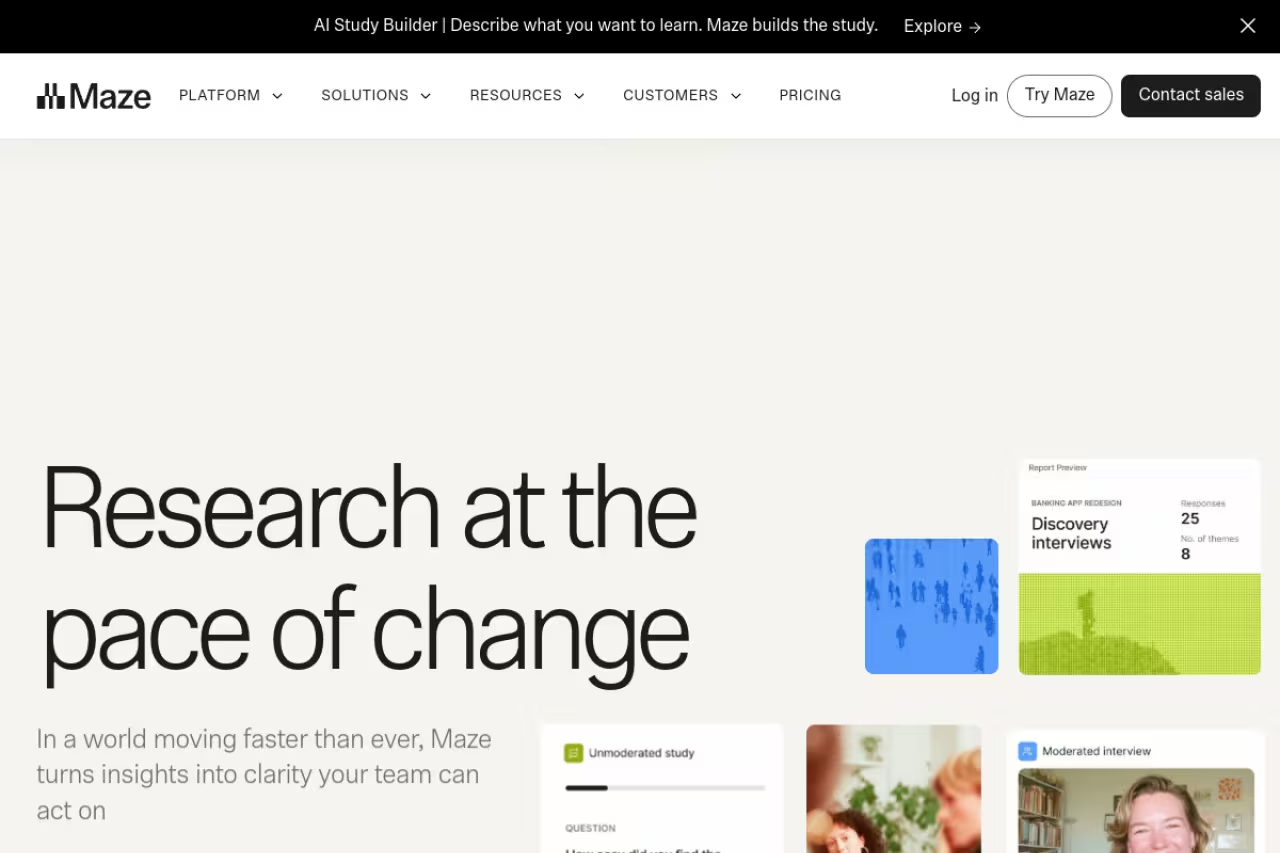
Maze is what I hand to product teams that already live in Figma. You import a prototype, define tasks, and Maze turns it into an unmoderated test that runs against your own users or a recruited panel. Results come back as heatmaps, click paths, misclick rates, and success scores, usually within hours of launching.
A strong choice for design-led product teams that live in Figma and want quantitative signal from unmoderated tests without scheduling calls. Panel recruitment is a separate line item, and it is unmoderated by design, so you cannot ask why mid-task.
The AI study builder will draft a test from a prompt, and the automated reports save you the slide-deck grind after every study.
Pricing: there's a genuinely usable Free plan (1 user, basic prototype testing, around 10 testers per month). Paid plans aren't published on the site, but the Starter tier is quoted at roughly $99 per seat per month billed annually, with Organization and Enterprise above that. Maze does not list prices publicly, per its pricing page, so expect a sales conversation for anything beyond Free.
The catch: panel recruitment is a separate line item, and it adds up fast. The platform fee is only half your real cost once you start sourcing participants. Maze is also unmoderated by design, so if you need to ask "wait, why did you do that?" mid-task, this isn't the tool.

UserTesting: best for enterprise research at scale
UserTesting is the platform big companies standardize on, and the reason is the panel. You get access to over a million pre-recruited contributors with demographic and behavioral targeting, plus moderated and unmoderated study types, video highlights, and AI-assisted analysis that surfaces themes across dozens of sessions.
The enterprise standard for organizations running continuous research with a dedicated UXR or research ops function, thanks to a panel of over a million pre-recruited contributors. Credit-based annual contracts are costly, and it is overkill for a five-person startup.
If you need 30 sessions from left-handed enterprise IT buyers in Germany by Thursday, this is the tool that delivers.
Pricing: credit-based, sold as annual contracts, and not posted publicly. Independent buyer guides put contracts at roughly $12K to $100K+ per year across the Essentials, Advanced, and Ultimate tiers, with a reported median above $40K. Per-session cost lands around $49 when charged outside a bundle.
Where it falls short: price and overhead. For a five-person startup, UserTesting is overkill, and the credit model means you're forecasting research spend a year out. The contract structure also makes it painful to dip in and out, which is exactly what early teams need to do.
Lyssna: best for solo researchers and startups
Lyssna (the platform formerly known as UsabilityHub) is my default recommendation for anyone who balked at the numbers above. It covers first-click tests, five-second tests, prototype tests, surveys, and card sorting, with a panel of around 690,000 participants you can tap on pay-per-use.
It's best for solo UX researchers, startup PMs, and marketers who want quick directional answers without a procurement cycle. The interface is clean enough that a non-researcher can build a sensible test in twenty minutes.
My default recommendation for solo UX researchers, startup PMs and marketers who want quick directional answers without a procurement cycle, with transparent pricing and a free plan. In-depth studies cap at 5/month on Growth, and moderated work needs another tool.
Pricing is refreshingly transparent. The Free plan gives you unlimited quick studies and 15 self-recruited responses. The Growth plan is $165/month (cheaper annually) with 5 in-depth studies a month, unlimited self-recruited responses, AI follow-ups, and recordings, confirmed on Lyssna's pricing page. Panel responses are billed separately on every tier.
The catch: in-depth studies are capped at 5/month on Growth, which you'll hit quickly if research becomes a habit. It's also lighter on moderated, conversational sessions than Lookback or UserTesting, so deep qualitative work means pairing it with something else.
If you're validating a new landing page before you pour ad budget into it, a quick Lyssna first-click test pairs well with the tools in our guide to the best landing page builders.
Useberry: best for prototype validation
Useberry goes deep on one thing: testing prototypes before a line of code exists. It connects to Figma, Adobe XD, ProtoPie, and more, then layers on heatmaps, click tracking, conversion funnels, and recordings over your interactive screens.
Pick it if you are a designer who wants to validate a prototype flow before engineering starts, with Figma, Adobe XD and ProtoPie support. It is prototype-first, so weaker for live production sites and moderated interviews, and prices are in euros.
The prototype fidelity is the highest I've seen in this price bracket.
Pricing: a Free tier with 10 responses/month and 1 project. The Growth plan is €83/month billed yearly (300 responses/month, unlimited projects), and Business is €659/month with AI features and SSO, per Useberry's pricing page. Note the figures are in euros.
Where it falls short: it's prototype-first, so it's weaker for testing live production sites and full moderated interviews. The response caps on lower tiers also mean a couple of busy studies can blow through your monthly allowance.
Lookback: best for moderated live sessions
Lookback is the one I reach for when I actually need to talk to people. It's built for moderated, one-on-one sessions: you run live interviews, watch participants navigate in real time, invite stakeholders into an observation room to watch silently, and annotate recordings afterward.
The tool for teams that value the why over the how many, built for live moderated one-on-one sessions with an observation room for stakeholders. It is annual-only billing and lacks the quantitative scale of Maze or Lyssna.
Pricing is annual-only. Freelance is $299/year (10 sessions, solo seat), Team is $1,782/year (100 sessions, 10 collaborators), and Insights Hub is $4,122/year (300 sessions), per Lookback's pricing page. There's a 60-day trial with 5 free sessions. Recruitment is pay-as-you-go from about $49 per participant.
The catch: no monthly billing, so you commit upfront. And because it's moderated-first, it won't give you the fast quantitative scale of Maze or Lyssna. This is a depth tool, not a volume tool.
Userbrain: best for quick recurring checks
Userbrain is built around a simple habit: run a few tests every week and never let usability rot. You set up a task, fire it at panel testers, and get narrated video walkthroughs back with AI transcripts and automated reports.
Fits teams that want continuous, low-effort testing rather than big quarterly studies, returning narrated video walkthroughs from panel testers. It is mostly unmoderated, and panel targeting is thinner than UserTesting's, so niche B2B audiences are harder to reach.
Pricing: a Free plan with 3 test setups and 5 testers a month. Pro is $49/month billed yearly with unlimited test setups and 100 testers a month. Panel testers cost $45 each per session, with a replacement guarantee if a session is unusable, confirmed on Userbrain's pricing page.
Where it falls short: it's mostly unmoderated video feedback, so there's no live conversation. Targeting options on the panel are also thinner than UserTesting's, so niche B2B audiences are harder to reach.

UXtweak: best for method variety on a budget
UXtweak packs an unusually wide method set into one affordable tool: usability testing, tree testing, card sorting, first-click tests, preference tests, and surveys all live under one roof.
A budget-friendly pick for researchers and students running information-architecture studies like tree tests and card sorts, with many methods under one roof. The free plan's 14-day result window is a real constraint, and the UI is functional rather than polished.
Pricing: a forever-free plan (€0) with all tools, 15 responses/month, 1 active study, and 14-day result access. The Business plan is €92/month billed annually with 50 responses/month and 12-month data retention, per UXtweak listings on Capterra.
The catch: the free plan's 14-day result window is a real constraint if you analyze slowly, and the response caps push you to upgrade sooner than you'd like. The UI is functional rather than polished compared with Maze.
PlaybookUX: best for hands-off recruiting
PlaybookUX handles both moderated and unmoderated studies, but its real draw is recruiting. It sources participants for you across consumer and B2B audiences, including hard-to-reach professional roles, and handles incentives and scheduling so you don't have to.
Pick it if you have research questions but no appetite for managing a participant pipeline, since it recruits for you across consumer and B2B audiences. Pricing is quote-based and the platform is less feature-dense than Maze or UserTesting.
Pricing is quote-based rather than self-serve, with per-session and subscription options depending on volume. You'll talk to sales to get a number.
Where it falls short: the lack of transparent, self-serve pricing makes it harder to try before committing, and the platform itself is less feature-dense than Maze or UserTesting. You're paying largely for the recruiting service, so if you already have a panel, the value drops.
How to choose
Start with one question: do you need numbers or do you need narratives?
If you need quantitative signal at speed (success rates, misclicks, click paths) pick an unmoderated platform: Maze if you live in Figma, Lyssna if budget is tight, Useberry if prototypes are your whole world. These run while you sleep and scale to dozens of participants cheaply.
If you need to understand the "why," pick a moderated platform: Lookback for live observation, or UserTesting if you also need a deep recruited panel and enterprise reporting. Talking to eight people beats surveying eighty when you're trying to figure out why a flow confuses everyone.
Most serious teams end up with a two-tool stack: one unmoderated (for speed and breadth) and one moderated (for depth). A common pairing is Maze plus Lookback, or Lyssna plus UserTesting. Then weigh three practical factors: whether you can self-recruit or need the platform's panel (recruitment is often your biggest cost), how niche your audience is, and whether you bill monthly or can commit annually.
Testing is one piece of a broader product feedback loop. Pair it with the best customer feedback tools to catch issues after launch, session recording tools to see real behavior on production, and product analytics tools to quantify where users drop off. Together they tell you what's broken and why.
If you want the wider toolkit of platforms our team relies on, browse our running list of the top tools we recommend, or see how an AI workflow stack like Dupple X speeds up the research-to-decision loop.
FAQ
What is the difference between moderated and unmoderated user testing?
Moderated testing means a researcher is present, watching and asking questions while a participant completes tasks (Lookback, UserTesting). Unmoderated testing runs without a facilitator: participants complete tasks on their own and the platform records everything (Maze, Lyssna, Userbrain). Moderated gives you depth and the ability to probe; unmoderated gives you speed and scale at lower cost.
What is the best free user testing platform?
Lyssna and Maze both have genuinely useful free plans for getting started. Lyssna's free tier gives you unlimited quick studies and 15 self-recruited responses, while Maze's free plan covers basic prototype testing with about 10 testers a month. UXtweak's forever-free plan is the widest in method variety. For free panel testers specifically, Userbrain's free plan includes 5 a month.
How much does user testing software cost in 2026?
It ranges enormously. Budget tools like Userbrain start around $49/month and Lyssna's Growth plan is $165/month. Mid-market platforms like Lookback run $299 to roughly $4,000 per year. Enterprise platforms like UserTesting are quote-only and typically land between $12,000 and $100,000+ per year. On almost every platform, participant recruitment is billed separately and can exceed the software cost itself.
Do I need a recruited panel or can I test with my own users?
You can do both. Self-recruited testing (sending a link to your existing users or email list) is free on most platforms and gives you the most relevant feedback, since these are real customers. You need a recruited panel when you're testing a brand-new audience you don't have access to yet, or when you need specific demographic or professional targeting. Recruitment costs roughly $45-$49 per participant on most tools.
How many participants do I need for a usability test?
For qualitative usability testing, around 5 participants per user segment will surface most major issues, a finding that's held up well across UX research. For quantitative studies where you're measuring success rates or comparing designs, you want 20 or more per variant to get statistically meaningful numbers. Match the count to the question: insight needs few, statistics need many.
Can these tools test mobile apps, not just websites?
Yes. UserTesting, Lookback, Maze, and Useberry all support mobile testing, covering both prototype testing and live iOS/Android app sessions. Lookback is particularly strong for moderated mobile sessions, while Maze and Useberry handle unmoderated mobile prototype testing well. Check whether a given plan supports native app testing versus mobile web, since the setup differs.
Ready to turn research into shipped product faster? Try Dupple X free for a year and connect your testing insights to the rest of your workflow.
Related guides
Some offers on this page may be paid placements or contain affiliate links.
