
Best Software Deployment Tools in 2026

Key facts8 tools compared: GitHub Actions, GitLab CI/CD, Argo CD, Octopus Deploy, Vercel, Render…
- 8 tools compared: GitHub Actions, GitLab CI/CD, Argo CD, Octopus Deploy, Vercel, Render, Railway, Netlify
- GitHub Actions (best for: Teams already on GitHub): Free public, $0.006/min private
- GitLab CI/CD (best for: All-in-one DevOps): Free, Premium $29/user/mo
- Argo CD (best for: Kubernetes at scale): Free (open source)
- Octopus Deploy (best for: Multi-environment release management): Free to 10 targets, $10/target/mo
Shipping code is the easy part. Shipping it safely, repeatably, and without a 2am rollback panic is where most teams quietly bleed hours. This guide compares their documentation, pricing, and public postmortems so you don't have to learn the hard way.
The honest truth in 2026: there is no single "best" deployment tool, because the category splits in two. One half is the pipeline that builds and tests your code (CI). The other is what actually pushes it to servers, containers, or a CDN (CD). Some tools do one, some do both, and a few try to do everything and charge you accordingly.
If you want the short answer: for most teams already on GitHub, GitHub Actions is the default and it got 39% cheaper in January 2026. If you're deploying to Kubernetes at scale, pair it with Argo CD. If you just want to push a web app and never touch a YAML file, Render or Vercel will have you live in minutes. Below is who each one is actually for.
Quick comparison
| Tool | Best for | Price | Standout |
|---|---|---|---|
| GitHub Actions | Teams already on GitHub | Free public, $0.006/min private | Marketplace + tight repo integration |
| GitLab CI/CD | All-in-one DevOps | Free, Premium $29/user/mo | Whole SDLC in one app |
| Argo CD | Kubernetes at scale | Free (open source) | Declarative GitOps, self-healing |
| Octopus Deploy | Multi-environment release management | Free to 10 targets, $10/target/mo | Deployment orchestration, not CI |
| Vercel | Next.js & frontend apps | Free, Pro $20/user/mo | Instant edge deploys, preview URLs |
| Render | Full-stack apps, predictable cost | Free, instances from $7/mo | Flat pricing, Docker support |
| Railway | Fast prototyping, usage billing | Hobby $5/mo, Pro $20/seat | Pay-for-what-you-use clarity |
| Netlify | Static & content sites | Free, Pro $20/mo flat | Forms, unlimited team members |
GitHub Actions: the default that got cheaper
If your code already lives on GitHub, this is where you start. GitHub Actions builds, tests, and deploys straight from your repo, and the Marketplace has a prebuilt action for almost anything you'd want to automate. Adoption backs this up: GitHub Actions sits around 33% usage in organizations, ahead of Jenkins and GitLab CI.
The default for teams that want CI/CD without leaving GitHub, helped by a Marketplace action for almost anything. It is CI-first, not a release manager, so approval gates and rollback need extra tooling.
Pricing got genuinely better. Public repos run free. Private repos get 2,000 free Linux minutes a month on the Free plan, 3,000 on Team ($4/user/mo), and 50,000 on Enterprise. On January 1, 2026 GitHub cut hosted-runner rates by up to 39%, so a 2-core Linux minute past your allowance now costs $0.006 all-in. The threatened self-hosted runner charge was postponed indefinitely, so your own runners stay free to register.
The catch: it's CI-first, not a release manager. Once you need approval gates across staging and production, multi-region rollouts, or rollback history, you're bolting on extra tooling. Workflow YAML also gets sprawling fast on bigger monorepos.
GitLab CI/CD: the whole pipeline in one app
GitLab folds source control, issues, CI/CD, security scanning, and a container registry into a single product. If you're tired of stitching five vendors together, this is the appeal: one login, one place to look when a deploy fails.
The pick for teams tired of stitching vendors together, with source control, CI/CD, and security in one app. Per-user pricing climbs fast, the 400-minute free allowance is stingy, and CI-only teams pay for unused product.
The Free tier covers unlimited users with 400 CI/CD minutes a month. Premium is $29/user/month and bumps you to 10,000 minutes plus merge request approvals and code quality scanning. Ultimate runs $99/user/month with 50,000 minutes and the full security suite. Extra minutes cost $10 per 1,000.
Where it falls short: the per-user pricing climbs fast for a mid-sized team, and the 400-minute free allowance is stingy next to GitHub's 2,000. The platform is powerful but heavy. If you only need CI, you're paying for a lot of product you won't open.

Argo CD: the GitOps standard for Kubernetes
Once you're deploying to Kubernetes seriously, the conversation changes. Argo CD is a CNCF graduated project that runs as a controller inside your cluster, continuously comparing the live state against what's declared in Git and reconciling any drift. Commit a change, and it deploys. Something gets edited by hand, and it heals back.
This is the real consensus pick for Kubernetes CD. Per CNCF, Argo CD runs in nearly 60% of Kubernetes clusters for application delivery, with an NPS of 79. The standard pattern in 2026 is GitHub Actions for CI feeding Argo CD for CD.
The consensus choice for platform teams running production Kubernetes who want Git as the single source of truth. It is free, but Kubernetes-only with a real learning curve, and self-hosting means you own upgrades and uptime.
Pricing: free and open source. You pay only for the compute it runs on.
The catch: it's Kubernetes-only and assumes you already know your way around clusters, manifests, and Helm. If you don't run Kubernetes, Argo CD is the wrong tool entirely. There's a real learning curve, and self-hosting means you own the upgrades and the uptime.

Octopus Deploy: release management, not CI
Here's a distinction people miss. Octopus Deploy doesn't build your code. It takes the artifact your CI produced and orchestrates getting it into every environment cleanly: dev, staging, production, with variables, approvals, and rollback per environment. It sits downstream of GitHub Actions or Jenkins, not as a replacement.
Release management rather than CI, suited to teams with complex multi-environment releases across VMs, containers, and cloud targets. It is overkill for one web app shipped to one place, and it adds another system to maintain.
The free tier covers up to 10 targets, 10 projects, and 10 users with no time limit, which is plenty to evaluate it. Cloud pricing starts at $10 per deployment target per month past that. A 30-day trial unlocks full Enterprise features.
Where it falls short: it's overkill for a small team shipping one web app to one place. The value only shows up when you have genuine deployment complexity. And because it's a separate stage, it's one more system to learn and maintain on top of your CI.

Vercel: frontend deploys with zero config
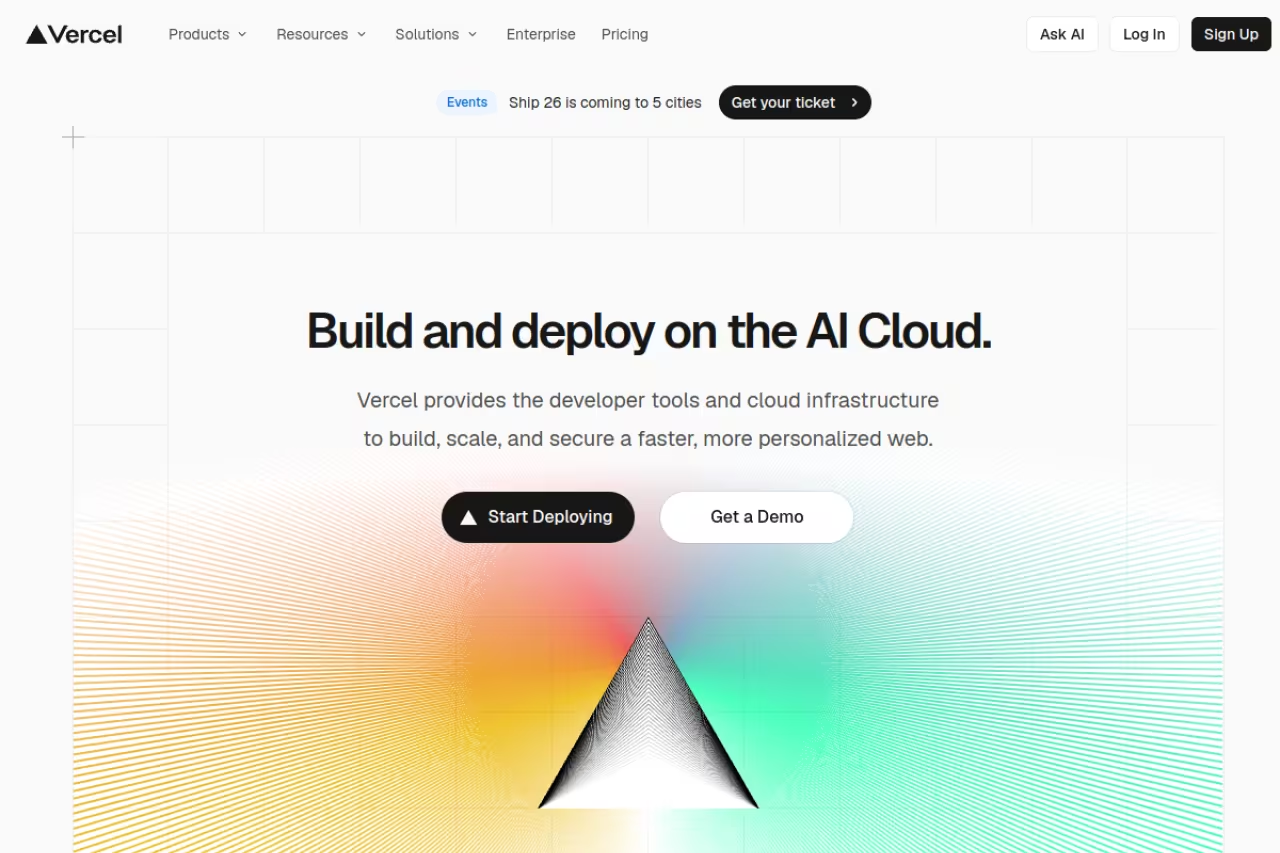
Vercel made "git push and it's live" the expectation for frontend. Connect a repo and every push gets an automatic build, a preview URL, and a global edge deploy. For Next.js (which Vercel builds) it's the smoothest path that exists.
Best for: frontend and full-stack JavaScript teams, especially anyone on Next.js shipping server-rendered or edge apps.
The Hobby tier is free with 1M edge requests and 100GB transfer a month. Pro is $20 per user a month and includes a $20 monthly usage credit, 10M edge requests, and 1TB transfer before overages. Vercel moved to credit-based billing in September 2025, so the $20 isn't purely a seat fee anymore.
The catch: usage-based billing can surprise you. A traffic spike or a misconfigured function can run up a bill fast, and that history of unexpected charges is the most common complaint. It's also opinionated toward its own ecosystem. Push past simple frontends into heavy backend work and you'll feel the edges.
The smoothest path for frontend and full-stack JavaScript teams, especially on Next.js, with preview URLs on every push. Usage-based billing can surprise you, and heavy backend work exposes its edges.
If your team is shipping AI-powered apps and you want the same kind of use on the build side, our roundup of the best AI coding agents pairs well with a deploy platform like this.

Render: the predictable full-stack PaaS
Render is the answer for teams that want Vercel's ease without Vercel's billing anxiety. It runs web services, static sites, background workers, cron jobs, and managed Postgres, with Docker support for anything custom. The selling point is flat, predictable pricing.
Go with Render if you want predictable pricing for a full-stack startup on Node, Laravel, Python, or Go. Free instances spin down after 15 minutes with a cold start, and the two-layer pricing takes a moment to grasp.
The Hobby workspace is free. Web service instances are billed separately: a free instance exists but spins down after 15 minutes of no traffic, Starter is $7/month, and Standard is $25/month. Workspace plans layer on top, with Professional at $19/user/month for team features. The free tier gives you 750 instance hours and 100GB bandwidth a month.
Where it falls short: that spin-down on free instances means a cold start of about a minute, which is rough for anything user-facing. And the two-layer model (workspace plan plus per-service compute) takes a minute to wrap your head around before you can predict the total.
Railway: usage billing done right
Railway is the one I reach for when prototyping. Deploy a service, a database, and a worker from one dashboard, and the pricing is refreshingly literal: you pay for the CPU, memory, and egress you actually burn.
A prototyping favorite for solo developers and small teams who want to spin things up fast and pay only for what runs. Metered billing can cost more than a flat-rate Render instance once production workloads stabilize.
The Hobby plan is $5/month and includes $5 of usage; Pro is $20 per seat and includes $20 of usage. Both bill resources above the included credit at the same per-second rates. The subscription fee is a floor, not a cap, so the real bill scales with consumption.
The catch: that flexibility cuts both ways. A heavier production workload on Railway can cost more than a flat-rate Render instance doing the same job, because you're metered on everything. It's brilliant for getting started and worth re-pricing once your usage stabilizes.
Netlify: static sites with batteries included
Netlify pioneered the modern static-site deploy and still does it best. Push a Jamstack or content site and you get builds, a global CDN, plus built-in forms and identity that you'd otherwise wire up yourself.
The long-standing choice for marketing sites, docs, blogs, and content-driven Jamstack projects, with forms and identity built in. Vercel generally edges it for server-rendered apps, and the credit-based model takes some math.
The Free plan gives you 300 credits a month. The big news: as of April 14, 2026 the Pro plan dropped per-seat pricing and is now a flat $20/month with unlimited team members and 3,000 credits. For a growing team, that change alone makes it cheaper than it was.
Where it falls short: for dynamic, server-rendered apps Vercel generally edges it on performance and rendering. Netlify shines on static and content workloads. The newer credit-based model also takes some math to map onto your real usage.
How to choose
Skip the feature-matrix paralysis. Answer three questions in order.
First, what are you deploying? A frontend or Jamstack site goes to Vercel, Netlify, or Render with almost no setup. A containerized backend at scale points you to Kubernetes plus Argo CD. Anything in between fits a PaaS like Render or Railway.
Second, do you need CI, CD, or both? If you only need to build and test on commit, GitHub Actions or GitLab CI is enough. If you need controlled rollouts across multiple environments with approvals and rollback, add a CD layer (Argo CD for Kubernetes, Octopus Deploy for mixed estates).
Third, how do you want to pay? Flat pricing (Render, Netlify Pro) buys budget certainty. Usage pricing (Vercel, Railway) is cheaper when you're small and riskier when you spike. For a deeper look at the tooling around your pipeline, our guides to the best AI DevOps tools and best observability platforms cover what to bolt on once deploys are handled.
A practical starting stack for most teams in 2026: GitHub Actions for CI, plus Vercel or Render for a web app, or Argo CD if you're on Kubernetes. Start there, and only add complexity when a real pain forces it.
If you'd rather keep up with these shifts without reading ten changelogs a week, Dupple X is the newsletter our team reads to track exactly this kind of tooling change. You can also browse our running list of vetted top tools by category.
FAQ
What is the difference between CI and CD tools?
CI (continuous integration) tools build and test your code automatically on every commit. CD (continuous deployment or delivery) tools take the tested artifact and push it to your environments. GitHub Actions and GitLab CI lean CI-first. Argo CD and Octopus Deploy are pure CD. Platforms like Vercel and Render bundle both behind a git push.
Which deployment tool is best for a small startup?
For a small team shipping a web app, Render or Railway gets you live fastest with the least configuration. If you're already on GitHub, GitHub Actions handles your build pipeline for free on public repos and gives 2,000 free minutes a month on private ones. Save Kubernetes-grade tooling like Argo CD for when you actually run Kubernetes.
Is GitHub Actions free?
Yes, for public repositories it's free with no minute cap. Private repos get 2,000 free Linux minutes a month on the Free plan, 3,000 on Team, and 50,000 on Enterprise. After January 2026's price cut, additional Linux 2-core minutes cost $0.006 each.
Do I need Argo CD if I already use GitHub Actions?
Only if you deploy to Kubernetes. GitHub Actions handles your build and test pipeline, but Argo CD adds GitOps continuous delivery: it keeps your cluster's live state matched to Git and self-heals drift. The common 2026 pattern is GitHub Actions for CI feeding Argo CD for CD. If you're not on Kubernetes, you don't need it.
Vercel or Render: which should I use?
Use Vercel if you're building frontend or Next.js apps and want instant edge deploys and preview URLs, accepting that usage-based billing can spike. Use Render if you want a full-stack PaaS with flat, predictable pricing and Docker support, accepting a cold start on free instances. Frontend-heavy go Vercel; backend-heavy and budget-sensitive go Render.
How much does it cost to deploy a web app in 2026?
You can deploy for free on the Hobby tiers of Vercel, Render, Netlify, and Railway, with limits like cold starts or capped requests. Realistic small-team production budgets land around $7 to $25 a month per service on Render, $20/user on Vercel Pro, or $5 to $20 plus usage on Railway. Kubernetes setups cost more in compute and engineering time but scale further.
Related guides
Some offers on this page may be paid placements or contain affiliate links.
Across our whole catalogue the median is $24 a month and 33% of tools advertise a free tier. Figures are the lowest recurring monthly price quoted in our own review of each tool, read on 2026-08-19. Full method and every category.
