
Best CRM for Small Business in 2026: 7 Tools I'd Actually Pay For

Key facts7 tools compared: HubSpot, Pipedrive, folk, Zoho CRM, Less Annoying CRM, Capsule, Salesforce…
- 7 tools compared: HubSpot, Pipedrive, folk, Zoho CRM, Less Annoying CRM, Capsule, Salesforce Starter
- HubSpot (best for: Most small businesses, marketing + sales): Free, then $15 Starter
- Pipedrive (best for: Pipeline-focused sales teams): $14 Lite, $39 Growth
- folk (best for: Founders, agencies, relationship sellers): $20 Standard
- Zoho CRM (best for: Budget teams who want everything): Free (3 users), $14 Standard
Most small businesses don't fail at picking a CRM. They fail at picking one they'll actually use. I've watched a two-person agency buy a 50-seat enterprise contract because a sales rep scared them, and watched a solo consultant run their whole book of business out of a spreadsheet for three years because every CRM they tried felt like homework.
The problem is that "CRM" covers everything from a $0 contact list to a six-figure revenue platform, and reviews rarely tell you which end you're standing on. What a 3-person studio needs is the opposite of what a 25-person sales team needs. Buy too much and you pay for overhead you'll never touch. Buy too little and you migrate everything again in six months.
If you want the fast answer: HubSpot is the safest default for most small businesses in 2026 because the free tier is genuinely usable and you grow into the paid plans without switching tools. If you live in your pipeline, Pipedrive is cleaner and cheaper. And if you sell through relationships and your contacts live in your inbox and LinkedIn, folk feels built for this decade. Below is who each one fits, what it really costs, and where it bites.
Quick comparison
| Tool | Best for | Price (per user/mo, annual) | Standout |
|---|---|---|---|
| HubSpot | Most small businesses, marketing + sales | Free, then $15 Starter | Best free tier, grows with you |
| Pipedrive | Pipeline-focused sales teams | $14 Lite, $39 Growth | Cleanest deal pipeline |
| folk | Founders, agencies, relationship sellers | $20 Standard | AI-native, captures from LinkedIn/email |
| Zoho CRM | Budget teams who want everything | Free (3 users), $14 Standard | Most features per dollar |
| Less Annoying CRM | Solopreneurs, very small teams | $15 flat | One price, zero learning curve |
| Capsule | Small teams who want free-then-cheap | Free (250 contacts), $18 Starter | Simple with a real free plan |
| Salesforce Starter | Teams planning to scale fast | $25 | Room to grow into the big platform |

HubSpot: the default that's hard to regret
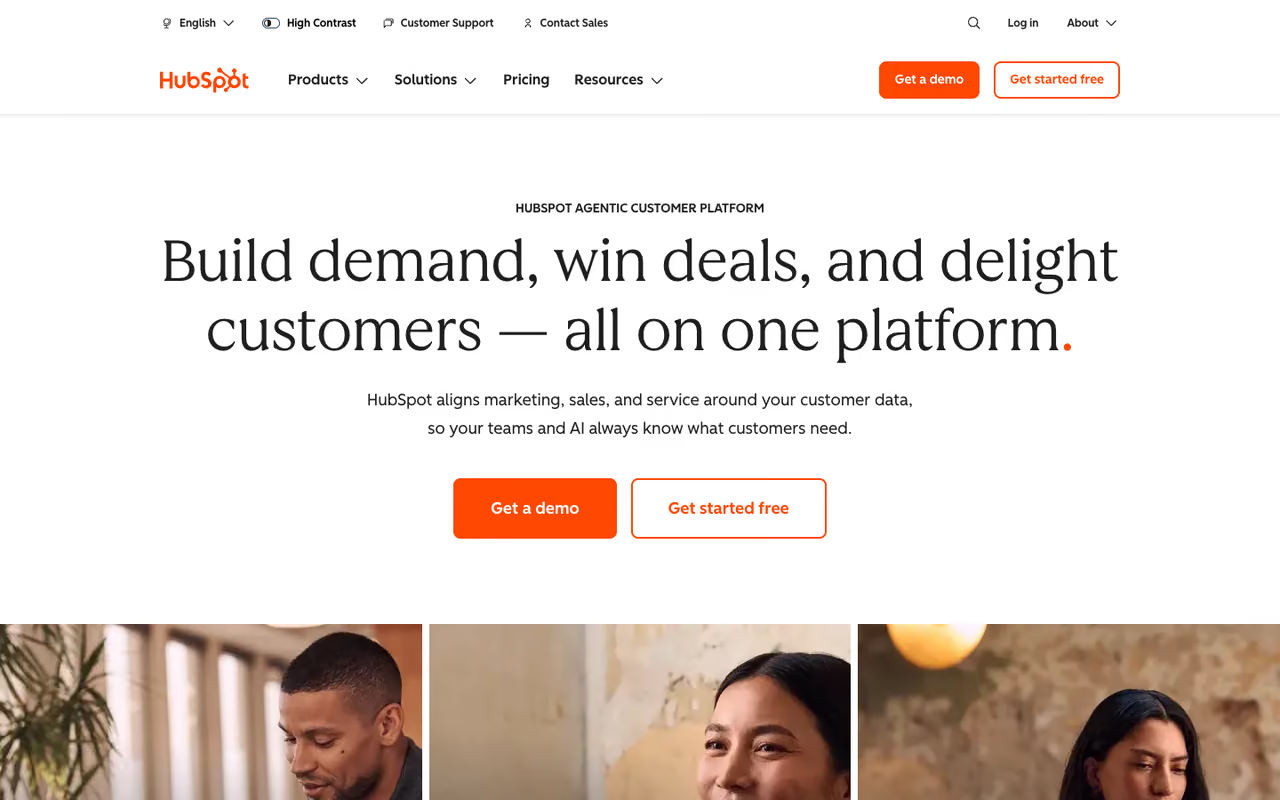
HubSpot earned its reputation honestly. The free CRM is the most useful free tier in the category, and that's not marketing spin. You get unlimited contacts, a deal pipeline, email tracking, meeting scheduling, and basic reporting for two users at zero cost. Most small businesses can run on that for a year before paying anything.
The default that is hard to regret for small businesses where sales and marketing overlap, with a free tier that lets you start at zero and never migrate. Costs are generous at the bottom and brutal in the middle, so watch the Starter to Professional cliff.
It's best for teams where sales and marketing overlap, which is most small businesses. If the same person who closes deals also sends the newsletter, the all-in-one approach means you're not stitching five tools together.
Read the pricing carefully. The free plan is real and stays free. Sales Hub Starter runs $15 per seat per month on an annual commitment (HubSpot frequently runs promos lower for new accounts). The jump to Professional is steep at around $90 per seat, and that's where small businesses get surprised.
The standout is the runway: start free, add a paid seat when you're ready, and never migrate your data to a new platform as you grow.
The catch: the price cliff between Starter and Professional is brutal, and features you'll want (sequences, deeper automation, custom reporting) live up top. HubSpot is generous at the bottom and expensive in the middle. Watch the seat count and the upsell prompts.

Pipedrive: the pipeline tool that gets out of your way
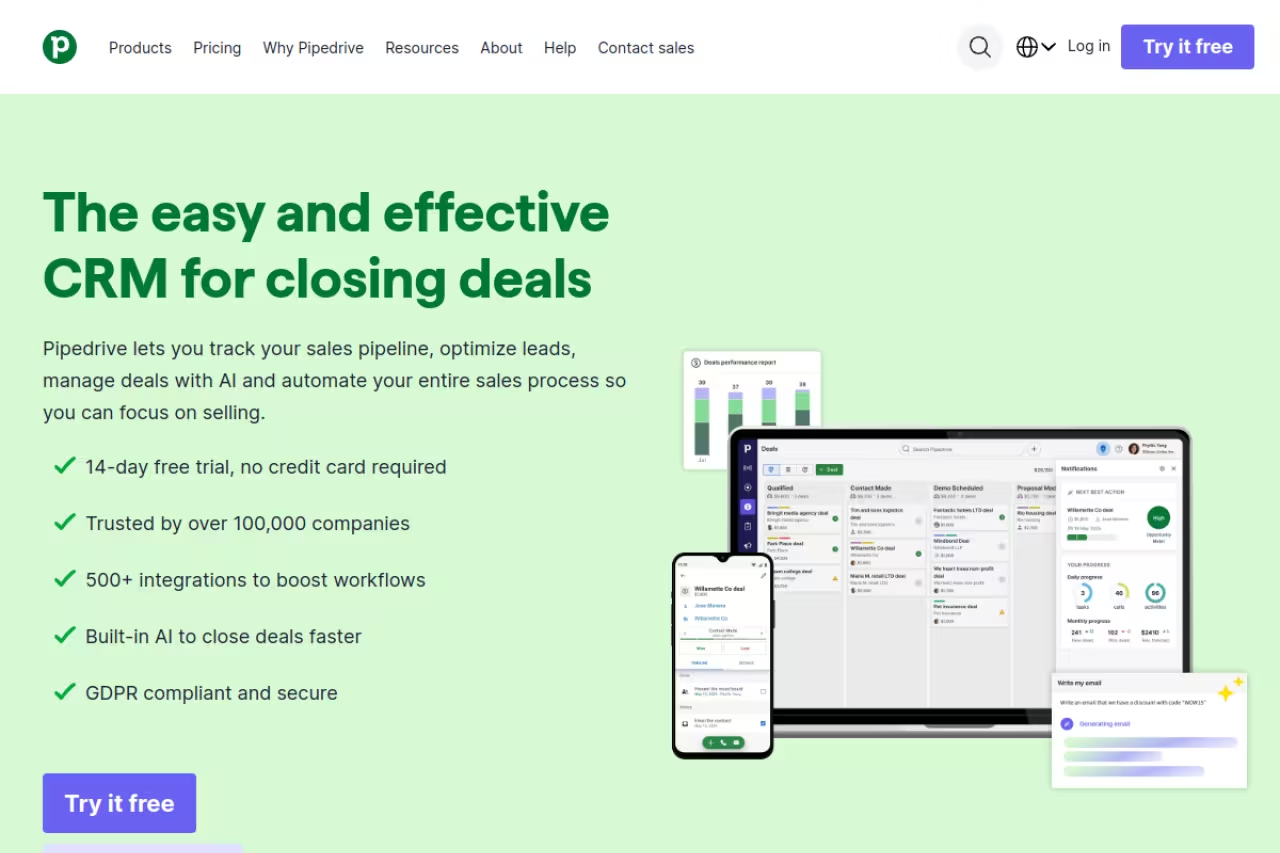
Pipedrive is what you buy when you don't want a marketing platform pretending to be a CRM. It's built around one idea: a visual deal pipeline that shows you exactly what to do next. A sales team of 3 to 8 people can be productive inside a day.
Pick Pipedrive if you sell through a clear, repeatable process and want a pipeline that tells you what to do next. Marketing is an afterthought and reporting is thinner than Zoho or HubSpot, so skip it if you need marketing automation alongside sales data.
If your day is "move deals from column to column and follow up," Pipedrive maps to your brain better than anything else here.
Pipedrive renamed its plans in late 2025. The current lineup is Lite (about $14 per user/month annual), Growth (about $39), Premium (about $49), and Ultimate (about $79). Most small teams land on Lite or Growth. There's a free trial, no permanent free plan.
The standout is focus. There's almost no setup tax. The interface tells you what's stalling and what's due, and reminders keep deals from rotting. It does less than HubSpot on purpose, and that restraint is the point.
Where it falls short: marketing is an afterthought. Email campaigns and lead capture are add-ons, and the reporting is thinner than Zoho or HubSpot at the same price. If you need marketing automation living next to your sales data, this isn't it.

folk: the relationship CRM built for how founders actually sell
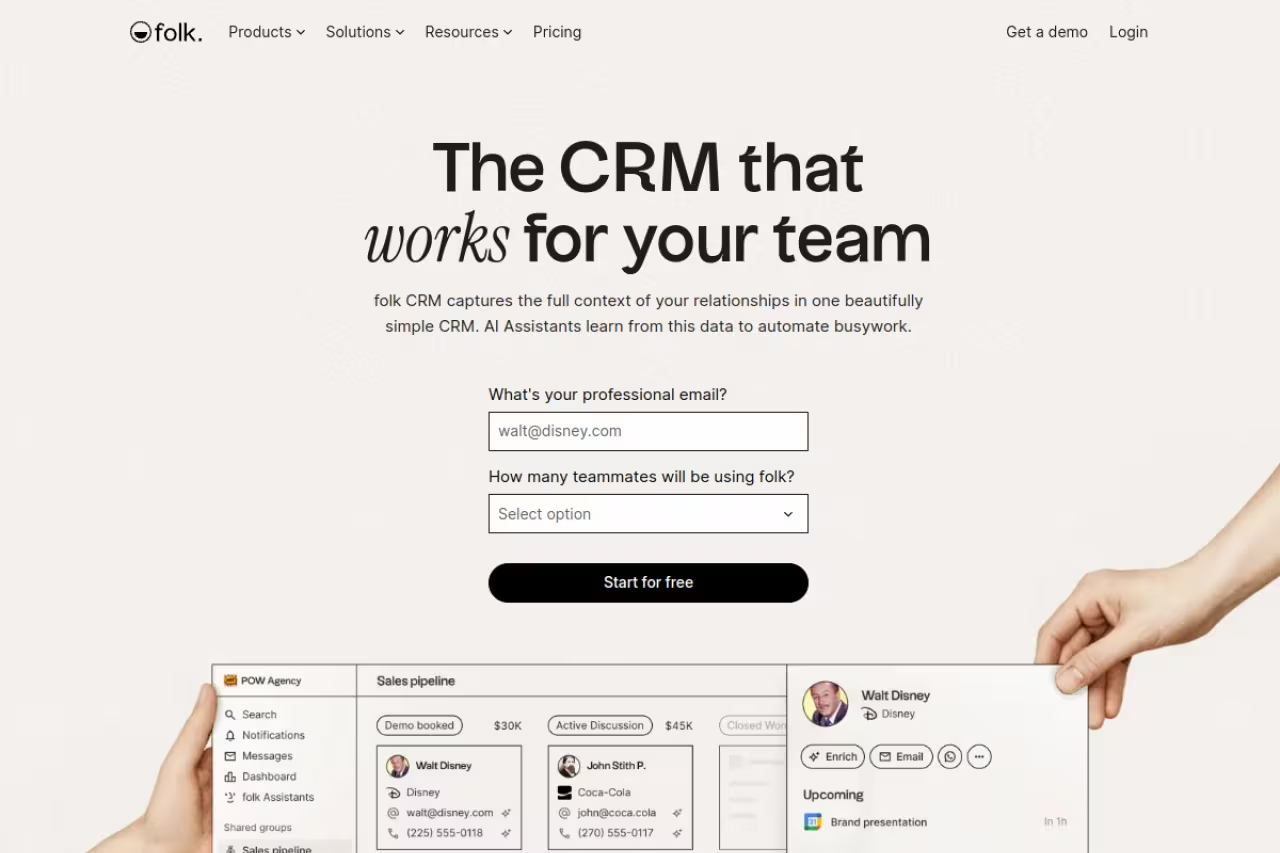
folk is the newest name here, and it solves a problem the old guard ignores: most small-business deals start as relationships, not as inbound leads in a funnel. folk pulls contacts from your inbox, LinkedIn, and WhatsApp, then uses AI to flag conversations going cold and draft follow-ups.
It's best for founders, agencies, fundraising teams, and anyone whose pipeline is really a network. If you've been running deals out of LinkedIn DMs and a Notion doc, folk is the upgrade that doesn't cost you flexibility.
Founders, agencies and fundraising teams whose pipeline is really a network will like this relationship CRM, with AI that flags cold conversations and drafts follow-ups. It is lighter on heavy sales process, so forecasting and complex permissions will feel thin.
Pricing starts at $20 per user/month on annual billing for the Standard plan (Premium is $40, custom plans start around $80). There's no free tier, but the 14-day trial defaults to Premium. The folkX Chrome extension for capturing contacts off LinkedIn is the feature people get hooked on.
The standout is the data capture. Magic Fields auto-populate contact details with AI, and the assistants handle meeting recaps and company research. It feels like a 2026 product, not a 2012 one with AI bolted on.
The catch: it's lighter on heavy sales process. If you need granular forecasting, complex permission structures, or deep custom automation, folk will feel thin. It's a relationship engine, not a sales-ops command center. For most small teams that's a feature, but know which problem you're solving.
If you're stitching folk into a wider AI stack, it's worth seeing how it plays with the best AI sales tools and lead generation tools before you commit your whole workflow to one app. If you want one AI assistant to draft follow-ups and research prospects across any of these CRMs, Dupple X is worth a look.
Zoho CRM: the most features per dollar
Zoho CRM is the value play. It does almost everything the expensive tools do at roughly a third of the price, with a free tier for up to 3 users. The trade-off is that it asks more of you to set up, and the interface shows its age in places.
The value play for budget-conscious teams that want real automation without HubSpot's Professional-tier bill, if you will invest a weekend in setup. Expect a busier interface and slower support on lower tiers.
Invest a weekend in configuration and you get a lot back.
Pricing is the headline. The Standard plan is $14 per user/month annual, Professional is $23, Enterprise is $40, and Ultimate is $52. The Professional tier is the sweet spot for most growing teams because it adds Blueprint workflow management and proper automation. If you use other Zoho apps, Zoho One bundles 55+ tools for around $30 per user.
The standout is the ratio. At $23 a seat you get workflow automation, multiple pipelines, and Zia, Zoho's AI assistant. Matching that on HubSpot means paying Professional rates.
Where it falls short: setup and polish. The onboarding is more involved, the UI is busier, and support can be slow on lower tiers. Budget the setup time honestly.

Less Annoying CRM: one price, no homework
Less Annoying CRM does exactly what the name promises. One plan, $15 per user/month flat, every feature included, no tiers and no upsells. Unlimited contacts, custom fields, and pipelines. You set it up in an afternoon and you're done.
The simplest option for solopreneurs, consultants and very small teams: one flat price, every feature included and no homework. You will outgrow it as you scale, with no marketing automation, basic reporting and limited integrations.
If "Blueprint workflow" made your eyes glaze over two paragraphs ago, this is your tool.
The pricing is the entire pitch: $15 per user, 25GB storage each, a 30-day free trial with no card required. There's nothing to compare or upsell, which is rare and refreshing.
The standout is the simplicity and the support reputation that goes with it. You get a calendar, contacts, pipelines, and reminders that just work.
The catch: you'll outgrow it if you scale. There's no marketing automation, no native AI, limited integrations, and reporting is basic. It's a brilliant CRM for a 1-to-5 person shop and a poor fit the day you hire a sales team.

Capsule: free to start, cheap to grow
Capsule sits in the sweet spot between Less Annoying's simplicity and Zoho's depth. It has a real free plan (up to 250 contacts, no card required) and paid plans that stay affordable as you grow.
A sensible choice for small teams that want to start free, prove the habit sticks, and pay a fair price later. The free plan's 250 contacts is tight, and it is a solid, unflashy option rather than a category leader.
The contact management and pipeline are clean without being bare.
Pricing: the free tier covers 250 contacts. Starter is $18 per user/month annual and Growth is $36. The free plan's main limits are the contact cap and no access to premium integrations like Xero or QuickBooks.
The standout is the on-ramp. Put your whole company on the free plan, prove the habit sticks, and upgrade only the people who need more. That removes the risk that kills most CRM purchases: paying before anyone's using it.
Where it falls short: 250 free contacts is tight, and you'll hit it faster than you expect. The integrations are decent but not endless, and the AI features are minimal next to folk. It's a solid, unflashy choice rather than a category leader.
Salesforce Starter Suite: buy the ceiling, not the floor
Salesforce makes this list for one reason: if you're confident you'll scale fast, starting here means you never migrate off it. The Starter Suite is the on-ramp to the most powerful CRM platform on the planet.
Choose it only if you are confident you will scale fast and want to avoid a painful migration later. For a small team that will stay small, it is overkill, and without admin time its power is wasted weight.
If you expect to be a 50-person sales org in two years, the setup cost now beats a painful migration later.
The Starter Suite is $25 per user/month with no user maximum, bundling CRM, email marketing, and basic automation. That's competitive with mid-tier rivals, and it buys access to the broader Salesforce ecosystem when you're ready.
The standout is the ceiling. Nothing else here scales as far. The AppExchange, the customization, and the enterprise features are all waiting when you grow into them.
The catch: it's overkill for small teams who'll stay small. Salesforce rewards investment in admin time, and without that the power is wasted weight. For a 3-person shop with no growth ambition, this is the wrong answer.
How to choose without overthinking it
Strip away the feature lists and the decision comes down to three questions.
How do you sell? If deals start as relationships, pick folk. If they move through a clear pipeline, pick Pipedrive. If marketing feeds your sales, pick HubSpot.
What's your budget tolerance? If you want maximum capability per dollar and will invest setup time, Zoho wins. If you want zero decisions, Less Annoying's flat $15 is the answer. If you need free to start, Capsule or HubSpot's free tier.
Where will you be in two years? If you'll stay small, don't buy enterprise software. If you're scaling fast, Salesforce or HubSpot give you somewhere to grow without a migration. Switching CRMs later almost always costs more than slightly overbuying now.
One rule matters more than the tool: a CRM is only as good as the data inside it. The cheapest CRM your team actually updates beats the most powerful one they ignore. Pick the one with the least friction for how your people already work, then enforce the habit.
Building out the rest of your stack? The broader top tools directory is a good next stop. And if you want a single AI assistant to draft outreach, summarize calls, and research prospects across whichever CRM you pick, try Dupple X. It plugs into the workflow without locking you into one platform.
FAQ
What is the best CRM for a small business in 2026?
For most small businesses, HubSpot is the best default because the free tier is genuinely usable and you grow into paid plans without migrating. Pipeline-focused sales teams will prefer Pipedrive; relationship sellers will prefer folk. The "best" depends on how you sell, not on a feature count.
What is the cheapest CRM for a small business?
The cheapest fully-featured option is a free plan: HubSpot (unlimited contacts, 2 users), Zoho CRM (3 users free), or Capsule (250 contacts free). If you want a single flat price with everything included, Less Annoying CRM at $15 per user/month has no tiers or hidden costs. Zoho Standard at $14 per user gives the most features per dollar among paid plans.
Is HubSpot's free CRM actually free?
Yes. HubSpot's free CRM gives you unlimited contacts, a deal pipeline, email tracking, and meeting scheduling for up to 2 users at no cost, with no time limit. The catch is the price jump to Professional (around $90 per seat) if you need sequences and advanced automation. The free and Starter tiers are where small businesses should live.
Do I need a CRM if I'm a solo founder or freelancer?
If you're tracking more than about 20 active relationships, yes. A spreadsheet breaks down once you're juggling follow-ups, deal stages, and reminders across dozens of contacts. For solo operators, Less Annoying CRM ($15 flat) or folk's relationship-first approach beat enterprise tools. See our guide to the best CRM for freelancers for more.
How much should a small business spend on a CRM?
Most small businesses should spend $0 to $25 per user per month. Start free (HubSpot, Zoho, or Capsule) to validate the habit, then move to a paid plan only for people who hit the limits. Avoid buying enterprise tiers before you have the team to use them. The real cost of a CRM isn't the subscription, it's the setup time and the discipline to keep the data clean.
Related guides
Some offers on this page may be paid placements or contain affiliate links.
Across our whole catalogue the median is $24 a month and 33% of tools advertise a free tier. Figures are the lowest recurring monthly price quoted in our own review of each tool, read on 2026-08-19. Full method and every category.
