
8 Best AI Tools for Business in 2026 (Reviewed)
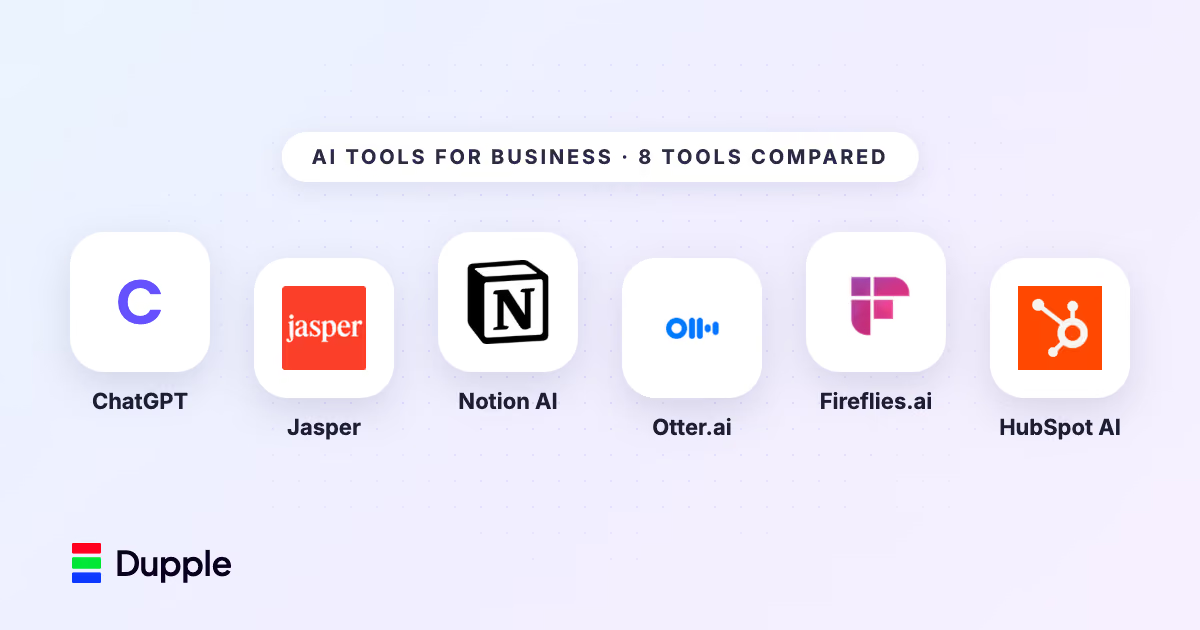

Key facts8 tools compared: ChatGPT, Jasper, Notion AI, Otter.ai, Fireflies.ai, HubSpot AI, Grammarly…
- 8 tools compared: ChatGPT, Jasper, Notion AI, Otter.ai, Fireflies.ai, HubSpot AI, Grammarly, Canva AI
- ChatGPT (best for: General-purpose AI assistant): Free / $20/mo / $200/mo
- Jasper (best for: Marketing content at scale): $49/mo / $69/mo
- Notion AI (best for: Knowledge management and docs): $10/member/mo (add-on)
- Otter.ai (best for: Meeting transcription and notes): Free / $16.99/mo / $30/mo
McKinsey estimates that generative AI could add $2.6 to $4.4 trillion in annual value across industries. But for most businesses, the question isn't "should we use AI?" It's "which tools actually deliver ROI without a six-month integration project?"
We compared dozens of AI business tools against their pricing pages, documentation, and public user reviews, and narrowed the list to eight that cover the core use cases: writing, meetings, CRM, design, and productivity. Every tool here works out of the box, takes minimal technical setup, and is used by real teams.
If you want to get your team up to speed on AI tools quickly, the AI Academy offers structured training designed for business professionals who need practical skills, not theory.
Quick Comparison
| Tool | Best For | Price | Key Feature |
|---|---|---|---|
| ChatGPT | General-purpose AI assistant | Free / $20/mo / $200/mo | Broadest capabilities across writing, analysis, coding |
| Jasper | Marketing content at scale | $49/mo / $69/mo | Brand voice training, campaign workflows |
| Notion AI | Knowledge management and docs | $10/member/mo (add-on) | Built into your existing Notion workspace |
| Otter.ai | Meeting transcription and notes | Free / $16.99/mo / $30/mo | Real-time transcription with action item extraction |
| Fireflies.ai | Meeting intelligence for teams | Free / $18/mo / $29/mo | CRM integration, conversation analytics |
| HubSpot AI | CRM and marketing automation | Included in HubSpot plans | Native CRM context, email generation, lead scoring |
| Grammarly | Business writing quality | Free / $12/mo / $15/member/mo | Tone detection, brand style guides, security controls |
| Canva AI | Visual content creation | Free / $15/mo / $30/user/mo | Magic Design, background remover, text-to-image |
ChatGPT
ChatGPT is still the most flexible AI tool for business. It handles nearly every knowledge work task well: writing emails, analyzing spreadsheets, summarizing reports, drafting proposals, brainstorming, and answering research questions. No other single tool covers this much ground.
The Business plan ($25/user/month) gives every employee access to GPT-5.6 Sol, plus an included allowance of GPT-6 Pro per OpenAI's model guide, with a shared workspace, custom GPTs tailored to your workflows, and admin controls for data privacy. Custom GPTs are where ChatGPT turns into a real business tool. You can build a "Sales Email Writer" that knows your product positioning, a "Meeting Prep Bot" that pulls context from uploaded documents, or an "HR Policy Assistant" trained on your employee handbook.
The data analysis feature lets you upload CSV files and ask questions in plain language. Things like "What were our top 5 products by revenue last quarter?" or "Show me the trend in customer churn over the past 12 months." It generates charts and insights without requiring any technical skill. For teams exploring broader AI adoption, our guide on how to use AI to be more productive covers practical daily workflows.
Free tier available, Plus at $20/month (GPT-5.6 Sol, advanced tools), Business at $25/user/month (workspace, admin controls), Enterprise (custom pricing, SOC 2 compliance).
The best starting point for businesses that want one tool covering the widest range of tasks, with custom GPTs turning it into a real workflow tool. Add specialized tools afterward, since it is a generalist.
It's the best starting point before adding specialized tools.
 Marketing Content at Scale
Jasper
Jasper is built for marketing teams that need to produce a high volume of on-brand content. Unlike general AI tools, Jasper learns your brand voice, stores your style guidelines, and applies them consistently across everything it generates.
The campaign workflow feature is what separates it from just using ChatGPT for marketing. You input a campaign brief with your target audience, key messages, and channels. Jasper then generates an entire content suite: blog post, social media posts, email copy, and ad variations, all aligned to the same messaging. Marketing teams report cutting content production time by 50-80%.
Jasper also includes an SEO mode powered by Surfer SEO integration, so the blog posts it generates are optimized for target keywords, heading structure, and content length based on what's currently ranking.
Creator at $49/month (1 seat, brand voice, SEO mode), Pro at $69/month (up to 3 seats, campaign workflows, analytics), Business (custom pricing, unlimited seats, API access).
A strong fit for marketing teams producing regular blog, social, email and ad content that must stay in one brand voice across writers and channels. Campaign workflows are the edge over plain ChatGPT, but plans start at $49 a month.
It's most valuable when you need consistent brand voice across multiple writers and channels.
 Knowledge Management
Notion AI
Notion AI plugs directly into the workspace where your team already writes documents, manages projects, and stores knowledge. Instead of switching to a separate AI tool, you highlight text and ask Notion to summarize, rewrite, translate, or extract action items right inside the document you're working on.
The Q&A feature is especially useful for businesses. Ask "What was the decision on the Q1 pricing change?" and Notion AI searches across all your team's pages, databases, and meeting notes to find the answer with source references. This turns your Notion workspace into a searchable company memory.
For project management, Notion AI can auto-generate project briefs from rough notes, create task lists from meeting transcripts, and summarize long documents into executive overviews. The AI fills in database properties automatically, pulling dates, owners, and statuses from unstructured text.
AI add-on at $10/member/month on top of your existing Notion plan. Notion plans start at free for individuals, $10/member/month for teams.
The natural pick for teams already documenting and managing projects in Notion, where the add-on delivers value without changing workflows. It also suits companies with large knowledge bases that need better search, at $10 per member on top of your plan.
The AI add-on adds real value without changing any existing workflows. Also a strong pick for companies with large knowledge bases that need better search.
 Meeting Transcription
Otter.ai
Otter.ai transcribes meetings in real-time and generates structured notes, summaries, and action items automatically. It integrates with Zoom, Google Meet, and Microsoft Teams, joining meetings as a bot that records, transcribes, and summarizes without any manual effort.
Transcription accuracy is consistently above 90% for clear English audio, and the speaker identification feature labels who said what throughout the meeting. After the meeting ends, Otter generates a summary with key decisions and action items pulled from the conversation.
The search function lets you find specific moments across months of meeting history. Search for "pricing discussion" and Otter surfaces every meeting where pricing came up, with timestamps and context. For teams that run a lot of meetings, this searchable archive alone justifies the cost. To explore more tools that eliminate repetitive work, see our guide on how to use AI to automate tasks.
Free (300 minutes/month), Pro at $16.99/month (1,200 minutes, advanced search), Business at $30/user/month (unlimited, admin controls, CRM integration).
Choose it for heavy meeting loads where accurate transcription, searchable archives and automatic action items matter, especially for sales, consulting and remote teams. Accuracy is solid on clear English audio, and the free plan is limited to 300 minutes.
Especially useful for sales teams, consultants, and remote teams.
Fireflies.ai
Fireflies.ai goes beyond transcription into meeting analytics and CRM integration. It records calls across Zoom, Google Meet, Teams, and phone, then generates transcripts, summaries, and conversation analytics including talk-to-listen ratios, sentiment analysis, and topic tracking.
The CRM integration is what sets Fireflies apart from Otter. After a sales call, Fireflies can automatically log the conversation summary, next steps, and key details into Salesforce, HubSpot, or Pipedrive. This eliminates the manual CRM update step that most sales reps skip, which keeps your pipeline data accurate.
The Channels feature creates a shared library of meeting intelligence. You can tag and organize conversations by topic, deal, or project, then share relevant clips with teammates. A product manager can pull every customer call where a specific feature was requested, without listening to hours of recordings.
Free (limited credits), Pro at $18/month (unlimited transcription, AI summaries), Business at $29/month (conversation intelligence, CRM integration, analytics).
Go with it when meeting data should flow into your CRM automatically, particularly for sales and customer-facing roles. Its conversation analytics and CRM logging go beyond what Otter offers, at $18 a month for Pro.
Also a good fit for teams that want conversation analytics beyond basic transcription.
 CRM and Marketing Automation
HubSpot AI
HubSpot's AI features are built into its CRM, marketing, sales, and service hubs. Because the AI has access to your full customer database, it generates content and recommendations with a level of context that standalone tools can't match.
The email generation feature drafts personalized emails using CRM data: the contact's name, company, recent interactions, and deal stage. Ask it to write a follow-up after a demo, and it references what was discussed based on your logged notes. The content assistant generates blog posts, social posts, and landing page copy using your brand's voice settings.
Lead scoring uses AI to analyze engagement patterns and predict which contacts are most likely to convert. The chatbot builder creates AI-powered bots that handle common questions and qualify leads using your knowledge base. Predictive analytics forecasts revenue and flags at-risk deals based on historical patterns across your pipeline.
AI features are included in HubSpot plans. Starter at $20/month, Professional at $800/month (Marketing Hub) or $100/month (Sales Hub), Enterprise at $3,600/month.
Best if you already run on HubSpot or are evaluating CRM platforms, since the AI gains most from your full customer data and history. The catch is cost: Professional tiers jump to $800 a month for Marketing Hub.
The AI features add the most value when they can access your full customer data and interaction history.
Grammarly
Grammarly has grown from a spell-checker into a full AI writing assistant for business. The generative AI features let you draft emails, reports, and documents from prompts, while the editing side catches grammatical errors, suggests clearer phrasing, adjusts tone, and enforces brand guidelines.
The business tier adds company style guides, which make sure every employee writes in the same brand voice with consistent terminology. If your company calls customers "members" instead of "users," Grammarly flags every instance of "users" across the organization. Tone detection tells you whether a message sounds confident, friendly, formal, or diplomatic, and suggests changes.
Grammarly works across 500,000+ apps and websites through its browser extension, desktop app, and integrations with Google Docs, Microsoft Office, Slack, and email clients. That reach means it improves writing wherever your team works, without making anyone switch tools.
Free (basic grammar and spelling), Premium at $12/month (advanced suggestions, tone, AI generation), Business at $15/member/month (style guides, analytics, admin controls).
A near-universal pick for any business that communicates in writing, strongest for sales, support and marketing teams where writing quality affects revenue. Style guides keep terminology consistent, and Business costs $15 per member per month.
That's all of them. Especially useful for customer-facing teams like sales, support, and marketing, where writing quality directly affects revenue and brand perception.
Canva AI
Canva's AI features turn non-designers into capable visual content creators. Magic Design generates complete designs from a text prompt or uploaded image. Describe "Instagram post for a product launch, minimalist style, blue tones" and Canva produces multiple design options ready to customize.
Background Remover strips backgrounds from product photos in one click. Magic Eraser removes unwanted objects from images. Text-to-image generates custom illustrations and graphics without stock photo subscriptions. Magic Write handles the copy within designs, generating headlines and body text.
For businesses, the Brand Kit feature stores your logos, colors, fonts, and templates. This keeps every piece of content on brand regardless of who creates it. The Teams plan includes a content approval workflow, shared templates, and usage analytics.
Free (limited features and storage), Pro at $15/month (full AI features, Brand Kit, premium templates), Teams at $30/user/month (brand controls, approval workflows, shared assets).
The pick for small and mid-size businesses without dedicated designers that need social graphics, presentations and visuals fast. Brand Kit keeps output on brand, but approval workflows and brand controls require the $30 per user Teams plan.
Marketing teams that need social media graphics, presentations, and visual content produced quickly without relying on external designers.
How to Choose the Right AI Tools for Your Business
Start with one problem, not one tool. The biggest mistake businesses make is adopting five AI tools at once and using none of them well. Here's a practical way to think about it:
If your bottleneck is writing and content: Start with ChatGPT for general tasks or Jasper for marketing-specific output. Add Grammarly across the organization for quality control.
If your bottleneck is meetings and information flow: Start with Otter.ai or Fireflies. The time saved on note-taking and the searchable meeting archive provide immediate value that's easy to measure.
If your bottleneck is customer data and follow-ups: Start with HubSpot AI if you're already on HubSpot, or use ChatGPT's data analysis features to extract insights from exported CRM data.
If your bottleneck is visual content: Start with Canva AI. The learning curve is short and the output quality is good enough for most business uses.
Budget-conscious approach: ChatGPT Plus ($20/month) + Grammarly Free + Canva Free covers writing, analysis, and design at a total cost of $20/month. This combination handles 80% of what most small businesses need. For more on launching a business with AI tools, see our guide on how to use AI to start a business.
The AI Academy is a great next step once you have picked your tools -- it helps you and your team actually get proficient with them, fast.
FAQ
What is the best AI tool for small business?
ChatGPT is the best starting point for small businesses because it handles the widest range of tasks at a reasonable price ($20/month for Plus). Writing, analysis, research, brainstorming, it does all of it. Pair it with Canva's free tier for visual content and Grammarly's free tier for writing quality, and you have a solid AI stack for under $25/month.
Are AI tools worth the cost for businesses?
For most knowledge work businesses, yes. The math is simple: if a tool saves an employee 30 minutes per day at an average loaded cost of $50/hour, that's $500/month in recovered time against a $20-50/month subscription. Most teams see measurable time savings within the first week.
Do AI business tools require technical skills?
No. Every tool on this list is designed for non-technical users. ChatGPT, Jasper, Grammarly, and Canva all use natural language interfaces, so you just describe what you want in plain English. Setup takes under 10 minutes for most tools, and most offer guided onboarding.
How do I keep company data secure when using AI?
Use enterprise or business tiers that include data retention controls and SOC 2 compliance. ChatGPT Enterprise and Team plans don't use your data for training. HubSpot and Grammarly Business offer admin controls over data access. Avoid pasting sensitive customer data, financial records, or proprietary information into free tiers of any AI tool.
Can AI tools integrate with software we already use?
Yes. Most tools on this list connect with common business software. Otter.ai and Fireflies work with Zoom, Google Meet, and Teams. HubSpot AI operates within the HubSpot ecosystem. Grammarly runs inside Google Docs, Slack, Outlook, and browsers. Notion AI is built into Notion. Check each tool's integration page for your specific software stack.
Ready to find the right AI tools for your team and start seeing real productivity gains? Start your free 14-day trial →
Some offers on this page may be paid placements or contain affiliate links.
Across our whole catalogue the median is $24 a month and 33% of tools advertise a free tier. Figures are the lowest recurring monthly price quoted in our own review of each tool, read on 2026-08-19. Full method and every category.
