

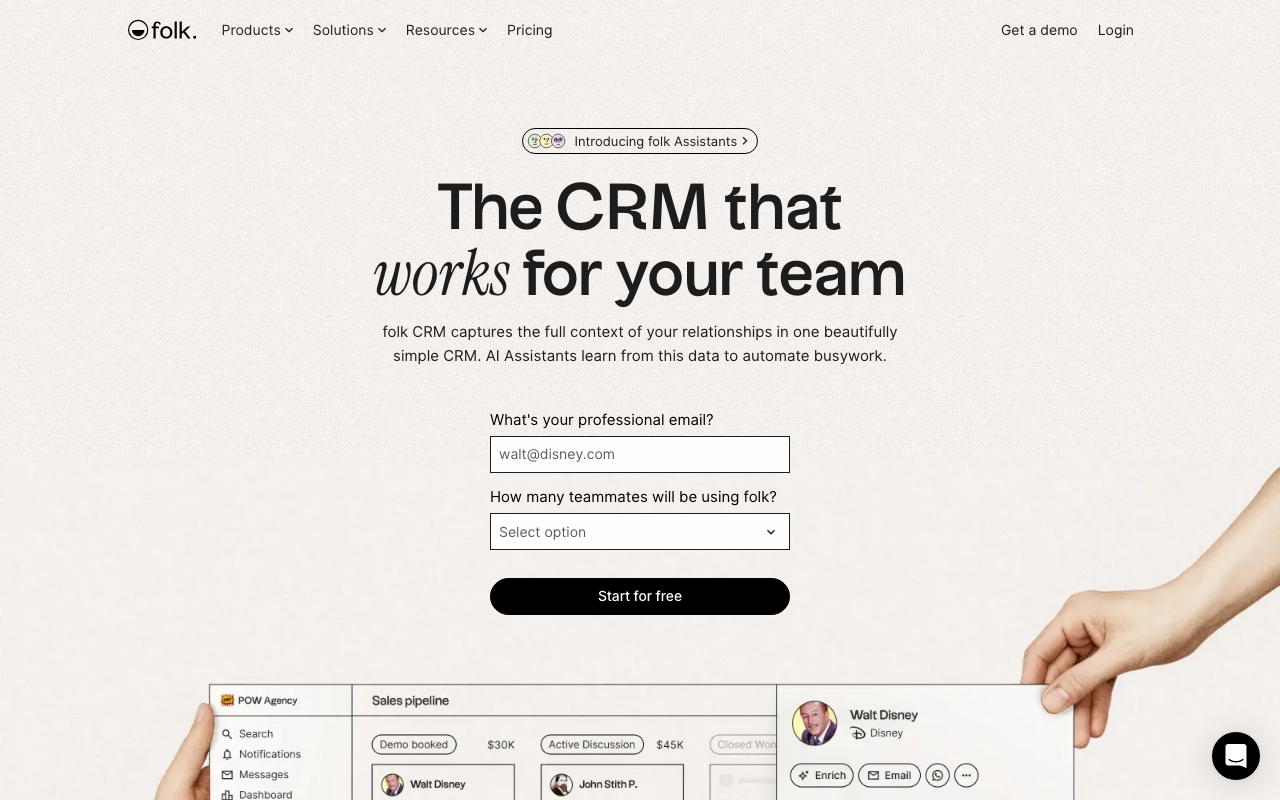
What Is Folk?
Folk is the modern CRM built for relationship-driven businesses: agencies, investors, consultants, and recruiters. Founded in Paris in 2020, Folk has raised over $30M from Accel and others. The platform serves teams that manage contacts and conversations as their primary deliverable rather than transactional sales pipelines.
The pitch is "CRM that doesn't feel like a CRM." Folk's interface looks like a modern collaboration tool. Contacts are notes, not records. Pipelines are flexible boards. Email templates personalize at scale through merge fields. The result feels less like Salesforce and more like Notion-meets-CRM.
The product targets venture capital firms tracking deal flow, agencies managing client relationships, recruiters running candidate pipelines, and consultants nurturing prospect lists. Traditional B2B SaaS sales teams may find Folk less specialized than Pipedrive or HubSpot.
Try Folk Free Get started →How Folk Works
Import contacts from LinkedIn, Gmail, or CSV. Folk's Chrome extension captures contacts from any web page; sync with Gmail auto-builds contacts from email history. The system unifies fragmented contact data across email, LinkedIn, and existing tools.
Groups organize contacts by relationship type: "VC connections," "founders I follow," "Q4 candidate pipeline." Groups behave like Kanban boards or table views; switch view based on need. Custom fields handle specific data per group.
Messages send personalized email at scale. Templates merge contact data (first name, company, recent funding) into personalized emails. Track opens and clicks. Folk's AI suggests personalization angles based on contact data.
Pipelines visualize deal flow or relationship stages. Drag contacts through stages: "first touch → discovery → proposal → closed." Customize stages per pipeline; one group can have multiple pipelines for different workflows.
Integrations cover Gmail, Outlook, LinkedIn, Slack, Notion, Calendly, plus the standard SaaS stack via Zapier.
Folk Pricing in 2026
Free: Limited to 200 contacts. Trial-grade.
Standard: $19/user/month annually. 5,000 contacts, basic features.
Pro: $39/user/month annually. 25,000 contacts, AI features, automation.
Premium: $79/user/month annually. 100,000 contacts, advanced features.
See Folk Plans See plans →Where Folk Wins
- Beautiful UX: feels like Notion, not Salesforce.
- Relationship focus: built for nurturing, not transactional sales.
- Strong LinkedIn integration: captures from LinkedIn profiles instantly.
- Flexible groups and pipelines: one CRM handles VC, recruiting, agency clients.
- European founders, GDPR-friendly: clean compliance posture.
Where It Falls Short
- Less depth than traditional CRMs: forecasting and complex sales workflows weaker.
- Newer platform: smaller community, fewer playbooks online.
- Pricing climbs with contacts: high-volume use needs the higher tiers.
- Mobile app less mature: web-first product.
Folk vs HubSpot vs Notion vs Airtable
HubSpot is the traditional CRM alternative. More features, less elegant for relationship management.
Notion can act as a CRM but lacks specialized CRM features.
Airtable is more flexible but requires manual setup.
Attio is the closest competitor with similar relationship-CRM philosophy.
Who Should Use Folk
VCs tracking deal flow: pipeline plus relationship history works perfectly.
Agencies managing client relationships: not transactional sales but ongoing nurture.
Recruiters running candidate pipelines: contact-centric workflow fits.
Consultants nurturing networks: groups + messages handle ongoing relationship work.
Skip it if: you run high-volume transactional sales (use HubSpot), need advanced forecasting (use Salesforce), or have a tight budget for entry-level CRM features.
How folk works
folk is a lightweight CRM built for relationship-led selling rather than heavy sales operations. It pulls contacts in from LinkedIn, email, WhatsApp and calendar, keeps them in shared groups and pipelines, and layers four AI assistants on top: a Follow-up Assistant that reads email and WhatsApp threads to flag stalled conversations, a Recap Assistant that summarizes a relationship across emails, meetings, notes and LinkedIn, a Research Assistant powered by Perplexity that enriches company context, and a Workflow Assistant that triggers personalized email. The company claims 5,000+ customers, SOC 2 Type I certification and GDPR compliance.
The main capture path is the folkX Chrome extension: you browse LinkedIn, Sales Navigator, X, Instagram, Facebook or TikTok and pull profiles into folk in one click. You then connect Gmail or Outlook, Google Calendar and WhatsApp (personal or Business) so conversations and meetings sync onto contact records automatically.
Contacts live in customizable groups with custom fields, including magic fields, which are AI-generated columns computed from contact data. One-click waterfall enrichment runs through Clearbit, Dropcontact, Apollo, Prospeo, Datagma and PeopleDataLabs to fill in missing emails and phone numbers. From there you build pipelines with stages, send bulk campaigns and sequences from your own connected mailbox on a custom sending domain, and read funnel dashboards. Beyond roughly 30 native integrations (tldv, Fireflies, Quo/OpenPhone, KrispCall, Allo, PandaDoc, Lemlist, La Growth Machine, ChatGPT), everything else routes through Zapier or Make, which is where the 6,000+ integrations figure comes from.
Where folk wins
- LinkedIn capture is the core competence, not a bolt-on. The extension covers LinkedIn plus Sales Navigator, X, Instagram, Facebook and TikTok, which is unusual for a CRM at this price.
- Enrichment is waterfall across six named providers rather than a single source, and it is included in-plan (500 per month on Standard, 1,000 on Premium) instead of sold as separate credits.
- WhatsApp sync is native on both personal and Business accounts, which is genuinely rare, and it feeds the Follow-up Assistant's stalled-thread detection.
- Unlimited members on every plan, so seat count is a per-member price question rather than a hard cap. There is also a mobile app and a desktop app.
- Pricing is published openly, with a real 14-day full-Premium trial that requires no credit card.
Where it falls short
- API access is Premium-only ($48 per member per month annual, $60 monthly). If you need REST access, you cannot start on Standard.
- Custom objects, Deals, email sequences, dashboards and workspace roles are all Premium-gated. The $24 Standard tier is closer to a shared contact book with campaigns than a full pipeline CRM.
- Standard also caps interaction history at the last 30 interactions and allows 1 account sync per member, so shared context is deliberately truncated on the entry plan.
- There are hard monthly ceilings on the things you actually use: 2,000 messages per member per month and 2,000 magic fields on Standard, 5,000 each on Premium. Heavy outbound teams will hit these.
- Native integration depth is thin outside social and email. There is no native Slack, HubSpot or Salesforce sync, and telephony arrives only via third parties (KrispCall, Allo, Quo). Most other connections are Zapier or Make hops, which cost money and add latency.
- There is no free tier at all, and Enterprise starts from $80 per member per month annual before negotiation.
Who should use folk
folk suits small sales, agency, partnerships and fundraising teams that run on LinkedIn, inbox and WhatsApp relationships and want a CRM they will realistically keep updated. Teams of roughly 2 to 20 people who value fast capture and AI summarization over reporting rigor will get the most out of it.
Skip it if you need a system of record with deep objects, quoting, forecasting or a mature integration ecosystem. And do the math before you commit: if you need Deals, sequences, dashboards or the API at all, your real entry price is Premium, not the advertised $24.
Frequently Asked Questions
Is Folk a CRM or a contact manager?
Both. CRM features (pipelines, automation) plus contact management strength.
Does it integrate with LinkedIn?
Yes. Chrome extension captures contacts from LinkedIn profiles instantly.
Can I send email campaigns?
Yes. Messages feature sends personalized emails at scale with merge fields.
What about phone calling?
No native dialer. Integrate with phone systems via Zapier or external tools.
Does it have AI features?
Yes from Pro tier. AI helps with personalization and contact enrichment.



