
Best AI Logo Generators in 2026: 9 Compared

Key facts9 tools compared: Looka, Canva, Recraft, Logo Diffusion, Ideogram, Brandmark, Tailor Brands…
- 9 tools compared: Looka, Canva, Recraft, Logo Diffusion, Ideogram, Brandmark, Tailor Brands, LOGO.com, Designs.ai
- Looka (best for: All-around founders): $20-$65 one-time, $96/yr kit
- Canva (best for: Beginners who want everything): Free, $12.99/mo Pro
- Recraft (best for: Designers who need real SVGs): Free, $10/mo+
- Logo Diffusion (best for: Logos from a sketch or photo): Free, $24-$99/mo
A logo used to mean a $500 invoice and a two-week wait. Now you answer a five-question quiz, watch an AI spit out 40 concepts, and walk away with vector files in ten minutes. The catch is that most of those 40 concepts look like every other startup that used the same tool last Tuesday.
That's the real problem with AI logo generators in 2026. The technology got good enough that anyone can make a clean, professional-looking mark. So "clean and professional" stopped being a differentiator. The tools that matter now are the ones that either get you to something distinctive, or get you to "good enough" so fast and cheap that it doesn't matter.
I compared nine of them using their pricing pages, sample outputs and public user reviews. If you want the short answer: Looka is the best all-rounder for most founders who want a finished logo plus a brand kit without touching a design app. If you already live in design tools or need true vector output, the answer is different, and I'll get to that. This is for founders, marketers, and operators who need a real mark for a real business, not a hobby doodle. 9 tools compared: Looka, Canva, Recraft, Logo Diffusion, Ideogram, Brandmark, Tailor Brands, LOGO.com and Designs.ai.
Quick comparison
| Tool | Best for | Price | Standout |
|---|---|---|---|
| Looka | All-around founders | $20-$65 one-time, $96/yr kit | Polished quiz-to-logo flow |
| Canva | Beginners who want everything | Free, $12.99/mo Pro | Edit anything, no design skill needed |
| Recraft | Designers who need real SVGs | Free, $10/mo+ | True editable vector output |
| Logo Diffusion | Logos from a sketch or photo | Free, $24-$99/mo | Sketch, photo or text to SVG |
| Ideogram | Logos with readable text | Free, $20/mo | Best-in-class text rendering |
| Brandmark | One-time buyers who'll tweak later | $25-$175 one-time | Unlimited edits, no subscription |
| Tailor Brands | New LLCs needing branding + filing | $3.99-$21.99/mo | Branding bundled with business setup |
| LOGO.com | Fast free concepts | Free, paid downloads | Quick, generous free preview |
| Designs.ai | Multi-asset brand systems | $19/mo+ | Logo plus video, banners, mockups |

Looka: the best all-rounder
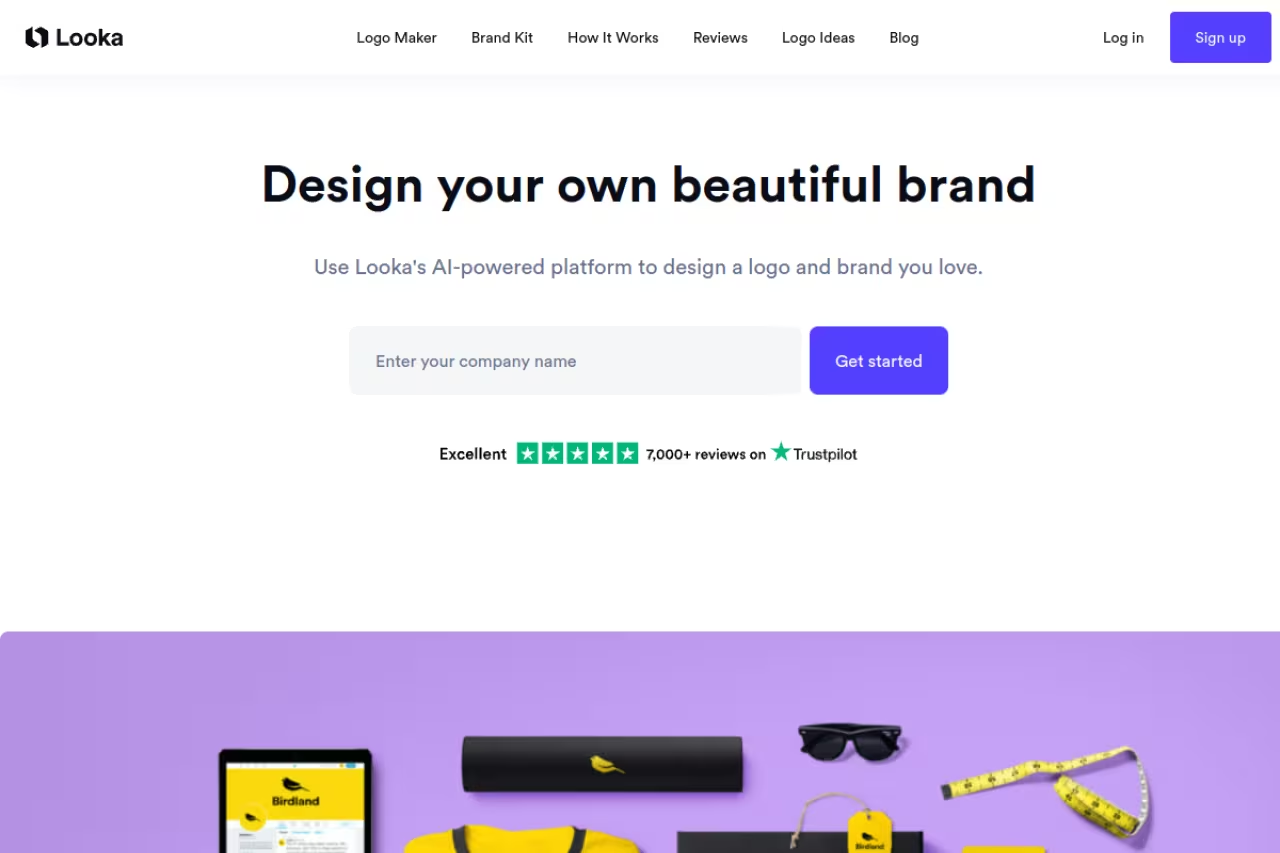
Looka is what most people picture when they think "AI logo maker." You pick your industry, choose a few logos you like, enter your company name, and it generates polished concepts in under a minute. The quiz is short and the output is consistently usable, which is more than I can say for half this list.
The all-rounder for founders who want a done-for-you logo and never plan to open a design app. Skip the $20 Basic tier since a low-res PNG is a dead end, and expect to pay per logo.
The design phase is free. You only pay once you like something. A Basic Logo Package is $20 for a PNG. The Premium Package at $65 gets you PNG, EPS, SVG, and PDF files, color variations, transparent backgrounds, and full ownership. Brand Kit subscriptions run $96/year for 300+ asset templates, or $129/year if you want a website added, per Looka's pricing breakdown.
The standout: The auto-generated brand kit. Once you buy, Looka spins your logo into business cards, social templates, and email signatures automatically. For a solo founder that saves a real afternoon.
The catch: You pay per logo. If you're an agency making marks for ten clients, that $65 adds up fast, and the quiz-driven output can feel formulaic if your industry is crowded. Skip the Basic $20 tier. A low-res PNG with no vector file is a dead end the moment you need to print anything.
Canva: the best free starting point
Canva gives you two paths. There's the template-based logo maker, which is drag-and-drop editing on thousands of starting points, and there's the newer AI logo generator powered by Dream Lab, where you type a description and it generates marks from scratch.
The best free starting point for beginners who want their logo to live alongside slides and social posts. You get total editing freedom, but Dream Lab struggles with small text and template logos can look familiar.
The AI logo generator is free, with up to 20 Dream Lab prompts per month on a free account. Canva Pro is $12.99/month and bumps you to 100 AI image generations monthly, with extra generations at $0.10 each, according to Canva's AI pricing.
The standout: Total editing freedom. You control font pairing, icon weight, and color balance directly. Nothing else here lets a non-designer adjust every element this easily, and you're already learning a tool you'll use for the rest of your marketing.
The catch: Dream Lab still struggles with small text inside generated images, so you'll often want a wordmark logo where the type is a real editable layer, not baked into the AI output. And because Canva's library is so popular, template-based logos risk looking familiar. You have to push past the defaults.

Recraft: the best for real vector files
Recraft is the one most "logo generator" roundups miss, and it's the one designers should care about. It generates actual SVG vector graphics, not PNGs you have to retrace. That means you can drop the output straight into Illustrator or Figma and keep editing.
The one designers should care about, since it generates real SVG vectors you can drop straight into Illustrator or Figma. It is a prompting tool rather than a guided logo flow, and the free tier makes everything public.
There's a free tier with 50 daily credits, but everything you generate is public. Paid plans start at $10/month for private images and commercial rights, with Advanced at $27/month and Pro at $48/month for more credits, per Recraft's review coverage.
The standout: True editable vectors plus brand kits that store your colors and style so every generation stays on-brand. If you need a logo that works at favicon size and on a billboard, starting from real SVG saves hours.
The catch: It's a general AI design tool, not a guided logo flow. There's no quiz, no "enter your business name" hand-holding. You're prompting and iterating, which is great if you know what you want and frustrating if you don't. The public-by-default free tier is also a non-starter for a real brand. Budget the $10/month.
Logo Diffusion: best for logos from a sketch or photo
Logo Diffusion starts from a prompt, a sketch, or an uploaded image rather than a five-question quiz. On the homepage, read on October 16, 2026, those paths are labelled Text-to-Logo, Sketch-to-Logo and Image-to-Logo, and you can switch between them. Each generation can return up to four options.
If you already have a napkin sketch or a product photo, that is the useful part: you feed the tool what you have and iterate. The same pages describe a Magic Editor, a vectorizer, mockups, an upscaler and a background remover, with SVG and transparent PNG export on paid plans.
The pick when you want to start from a sketch or a photo and still leave with a vector file. It is a credit-based subscription, the free plan is watermarked and not licensed for commercial use, and you are prompting and iterating rather than taking a guided quiz.
Logo Diffusion's pricing page and help article, both checked on October 16, 2026, list Free at $0 with 24 credits a month (about 12 logos), watermarked 512x512 downloads, public generations and no commercial license. Basic is $24/month for 1,000 credits, Pro is $49/month for 2,500 credits, and Elite is $99/month for 6,000 credits. Annual billing is $240, $490 and $990 (two months free). Paid plans include a commercial license, private generation and watermark-free downloads at original size. Credits are shared across generate, edit and export.
The standout: You can start from text, a sketch drawn in the editor, or an uploaded image, then export SVG from the same toolkit. For a founder who already has a drawing or a photo, that is a shorter path than a quiz.
The catch: You pay a monthly or annual subscription instead of a one-time logo fee, and free downloads are watermarked at 512x512 with no commercial license and no vector export. It is also a generate-and-iterate tool, not a five-question quiz. If you want a guided flow and a brand kit for $65 once, Looka is simpler.

Ideogram: the best for logos with text
If your logo is mostly a word, text rendering is everything, and this is where most AI image models fall apart with garbled letters. Ideogram doesn't. Its 3.0 model renders readable text at roughly 90% accuracy, which is a different universe from what Midjourney or DALL-E produce on wordmarks.
Pick it for wordmarks and lettermarks where the type has to be crisp and correct. You get a raster image, not a vector file or brand kit, so you will likely need a vector tool afterward.
The free plan gives eligible accounts a weekly batch of slow-queue credits, and Ideogram says the amount may vary. The Plus plan is $20/month or $180/year with 1,000 priority credits and unlimited slow generations. Unused priority credits expire at the end of each billing cycle, per Ideogram's pricing page (checked September 2026).
The standout: It's the only tool here I'd trust to put actual words inside an AI-generated mark and have them come out spellable. For typographic logos that's a genuine edge. If you're curious how the underlying models compare on people and product shots, our best AI for headshots guide tests several of the same engines.
The catch: Ideogram is an image generator, not a brand tool. You get a raster image, not a vector file or a brand kit, so you'll likely run the output through a vector tool afterward. It solves one problem extremely well and leaves the rest to you.
If you're already comparing AI tools across a few categories, it's worth scanning our best AI image generators guide too, since several of these models overlap.

Brandmark: the best one-time purchase
Brandmark takes the opposite approach to Looka's "spin endlessly" model. It gives you fewer, sharper options with a bias toward modern, minimal marks. The selling point is the payment structure: buy once, edit forever, no subscription.
A good fit for founders who hate subscriptions and expect to tweak their logo later, since it is a one-time purchase with unlimited future edits. Fewer concepts mean less room to explore, and the minimal style will not suit every brand.
All one-time. Basic is $25 for PNG files. Designer is $65 and adds source files, a brand style guide, business card designs, and app icons. Enterprise is $175 and includes up to 10 original concepts from Brandmark's design team, per Brandmark's plan breakdown.
The standout: Unlimited future edits on a one-time purchase. Most tools lock you out or charge again when you want to change a color in six months. Brandmark doesn't.
The catch: Fewer concepts means fewer chances to find "the one." If the AI doesn't land something close to your vision in the first batch, you have less room to explore than on Looka or Canva. The minimal house style also won't suit brands that need warmth or personality.

Tailor Brands: best if you're forming a company
Tailor Brands bundles logo design into a broader business-launch platform. If you're starting an LLC anyway, you can get your branding and your paperwork in one place, which is a real workflow advantage for first-time founders.
Sensible for new business owners who want branding and LLC formation handled in one dashboard. You are buying convenience rather than the best logo output, and add-on fees plus losing some assets if you cancel can sting.
Branding subscriptions run $3.99/month for Basic up to $21.99/month for Elite, according to Tailor Brands pricing coverage. The LLC formation plans are separate, with Essential around $199/year plus state fees.
The standout: One dashboard for your logo, brand assets, and business setup. For someone juggling their first company filing, that consolidation is worth something.
The catch: The subscription model means you stop having access to some assets if you cancel, and the logo quality is solid but not category-leading. You're buying convenience and bundling, not the best pure logo output on this list. Watch the add-ons too. Registered agent and EIN fees stack up.
LOGO.com: the fastest free concepts
LOGO.com is built for speed. Enter a name, pick a style, and you get a wall of concepts to preview for free before paying for downloads. It's the tool I'd reach for when I need a placeholder mark today and a real decision later.
The tool for getting concepts fast without committing money, since you preview a wall of options free before paying for downloads. Output trends safe and familiar, so it is better for getting unstuck than for landing something distinctive.
Free to generate and preview. You pay only when you download usable files, with paid packages that include vector formats and a brand kit.
The standout: A generous, friction-free preview. You can validate a direction before spending a cent, which is exactly what you want early in a brand sprint.
The catch: Like most quiz-driven tools, the output trends toward safe and familiar. It's excellent for getting unstuck and average for landing something truly distinctive.

Designs.ai: best for full asset systems
Designs.ai goes wide. It's a logo maker bolted onto a larger suite that also makes videos, banners, and mockups, all from one brand identity. If you're standing up a whole visual system, not just a mark, it earns its place.
Worth a look for teams that need a logo plus matching videos, banners and mockups in one pass. You pay a monthly fee for the whole suite, so it is overkill if all you want is a single logo.
Plans start around $19/month for the full suite, which includes the logo maker plus the video, design, and graphic tools.
The standout: A clean interface and one of the better multi-asset workflows. Generate the logo, then immediately produce on-brand social graphics and short videos without rebuilding anything.
The catch: You're paying a monthly fee for a suite, so it's overkill if all you want is a single logo. The breadth is the point, and also the cost.
How to choose
Forget the marketing. Pick based on what you actually need next.
You want a finished logo and a brand kit, no design work: Go Looka Premium at $65, or its $96/year kit if you want the templates. Done.
You want it free and you'll edit it yourself: Start in Canva. The free tier is genuinely enough to launch with. If your budget is zero, Best Free AI Logo Generators in 2026 ranks the free tools by what each free plan lets you download.
You need a real vector file a designer can build on: Recraft at $10/month if you want to prompt from scratch. Logo Diffusion also exports SVG if you are starting from a sketch or a photo.
You already have a sketch or a photo: Logo Diffusion. Text, sketch and image are all starting points on the vendor's site, and paid plans export SVG.
Your logo is mostly text: Ideogram for the rendering, then vectorize the result.
You hate subscriptions: Brandmark Designer at $65, one time, edit forever.
One rule that applies to all of them: never ship the low-res PNG starter tier. The moment you print a business card or build a website, you need vector files. Pay for the package that includes SVG and EPS, or you'll buy the tool twice.
And whatever you generate, treat the first output as a draft. The founders whose logos look custom are the ones who took the AI's strongest concept and then nudged the spacing, swapped the font, and tightened the color. The tool gets you 80% there. The last 20% is you.
If branding is one piece of a bigger AI stack you're assembling, our best AI image generators, best AI for creating websites, and best AI for PowerPoint presentations guides cover the next moves. And if you want curated AI tool picks delivered weekly, Dupple X is where we send the ones worth your time.
FAQ
What is the best AI logo generator in 2026?
For most people, Looka is the best all-around choice because it pairs a fast quiz-to-logo flow with a full brand kit and vector files at $65 one-time. If you need editable SVG output, Recraft or Logo Diffusion are the closer fits: Recraft from a prompt, Logo Diffusion from a sketch or a photo. If your logo is text-heavy, Ideogram renders type more reliably than anything else.
Can AI logo generators make truly original logos?
They make professional, usable logos quickly, but originality depends on you. Quiz-based tools like Looka and Brandmark draw from pattern libraries, so outputs can feel familiar in crowded industries. To get something distinctive, generate concepts then customize the font, spacing, and color yourself rather than shipping the default.
Are free AI logo generators good enough for a real business?
Yes, for the design and preview phase. Canva and LOGO.com let you create and explore for free. The catch is file quality. Free tiers usually give low-resolution PNGs, and you'll need to pay for vector files (SVG, EPS) before you can print or scale your logo properly. Budget $20 to $65 for the download.
Do I get full ownership and a vector file with an AI logo?
Only on the right plan. Looka's $65 Premium and Brandmark's $65 Designer include full ownership plus vector formats. Logo Diffusion's paid plans include SVG export and a commercial license, per its pricing page on October 16, 2026. Cheaper tiers and many free outputs are raster-only PNGs. Always confirm the package includes SVG or EPS files and commercial rights before paying.
Which AI logo generator is best for text and wordmark logos?
Ideogram, by a clear margin. Its 3.0 model renders readable text at around 90% accuracy, while most AI image generators produce garbled letters inside logos. Generate the wordmark in Ideogram, then convert it to a vector file for production use.
How much should I expect to pay for an AI logo?
Plan on $20 to $65 for a one-time logo with vector files from tools like Looka or Brandmark, or $10 to $20 per month if you want an ongoing design suite from Recraft, Canva Pro, or Designs.ai. Logo Diffusion is $24 to $99 a month if you want a credit-based logo studio with SVG export. Skip the sub-$25 starter tiers on the one-time tools. They rarely include the vector files a real business needs.
Related guides
Some offers on this page may be paid placements or contain affiliate links.
