What Is Xero?
Xero is the cloud accounting platform built for small and mid-market businesses, especially in the UK, Australia, New Zealand, and increasingly the US. Founded in 2006 in Wellington, Xero serves over 4 million subscribers globally and competes directly with QuickBooks for SMB accounting market share.
The pitch is modern accounting. Where QuickBooks evolved from desktop software, Xero was built cloud-native from day one. Beautiful UX, strong mobile apps, deep bank feeds, and an extensive app marketplace (1,000+ integrations) make Xero attractive for businesses that want accounting to feel like a modern SaaS tool.
The product targets small businesses (1-50 employees), bookkeepers and accountants serving SMB clients, and mid-market companies that have outgrown spreadsheets. Larger enterprises may need NetSuite or Sage.
Try Xero Free Get started →How Xero Works
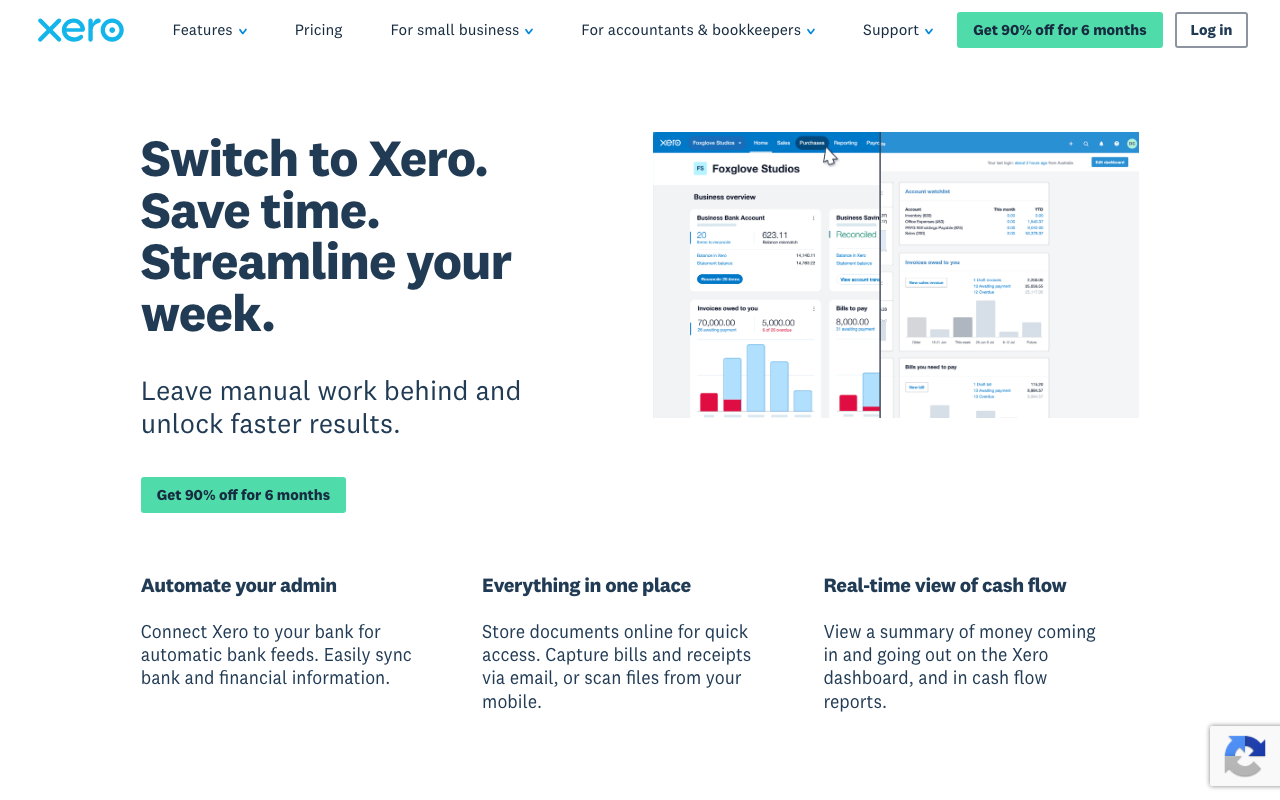
Bank feeds automatically import transactions from connected accounts. Xero categorizes transactions using rules and machine learning; bookkeepers review and approve rather than manually entering each line. Reconciliation runs in minutes per week rather than hours.
Invoicing handles customer billing. Create professional invoices with branding, send via email, accept online payments (Stripe, GoCardless), set up recurring billing, and track payment status. Auto-reminders chase overdue invoices.
Bills payable tracks supplier invoices. Upload PDFs; Xero extracts amounts, due dates, and supplier details via OCR. Approve bills for payment; schedule batch payments or pay individually.
Payroll handles employee pay runs in supported regions (UK, Australia, New Zealand, US). Calculate tax, file submissions with tax authorities, generate payslips automatically. International payroll via integrations.
Reports cover P&L, balance sheet, cash flow, debtor/creditor aging, and budget vs actual. Customize reports; export to Excel or PDF; schedule automated delivery to stakeholders.
App marketplace includes 1,000+ integrations: Shopify, WooCommerce, Stripe, PayPal, Square (e-commerce and payments), HubSpot/Salesforce (CRM), Gusto (US payroll), inventory management, time tracking, and project management tools.
Xero Pricing in 2026
Starter: $15/month. Send 20 invoices, enter 5 bills, reconcile bank transactions.
Standard: $42/month. Unlimited invoices and bills, multi-currency.
Premium: $78/month. Multi-currency, project tracking, advanced reporting.
Ultimate: $96/month. Includes payroll, projects, expenses, multi-entity.
Pricing varies by region. UK and Australia have different tier pricing.
See Xero Plans See plans →Where Xero Wins
- Beautiful UX: modern, clean, mobile-friendly.
- Bank feeds work well: especially in UK/AU/NZ where most banks supported.
- App marketplace deep: 1,000+ integrations.
- Multi-currency: handles international business better than QuickBooks Standard.
- Strong mobile apps: capture receipts, send invoices, reconcile from phone.
Where It Falls Short
- US market depth weaker: QuickBooks dominates US.
- Inventory management basic: works for simple stock; complex inventory needs add-ons.
- Pricing climbs fast: multi-currency and payroll require higher tiers.
- Reports less customizable: than QuickBooks Online Advanced.
Xero vs QuickBooks vs Wave vs FreshBooks
QuickBooks Online dominates the US. Better local US tax features, less elegant UX.
Wave is free for basic accounting. Less feature depth.
FreshBooks targets service businesses with strong invoicing and time tracking.
Sage Business Cloud targets UK SMBs with similar feature scope.
Who Should Use Xero
Small businesses in UK, Australia, New Zealand: market leader for SMB accounting.
Multi-currency businesses: handles international transactions well.
Modern SaaS-stacked businesses: integrates with Shopify, Stripe, HubSpot, etc.
Skip it if: you operate primarily in US (QuickBooks dominates), have complex inventory needs (use NetSuite), or have a tight budget (try Wave first).
How Xero works
Xero is cloud accounting software for small businesses, with more than 4 million subscribers globally. It covers the standard general ledger workflow: invoicing and quotes, bill entry and payment, bank feed reconciliation, sales tax, W-9 and 1099 management, and real-time reporting including P&L, balance sheet and cash flow forecasts. Newer additions include JAX, an AI finance agent, Smart Document Capture for extracting bill data, and an auto-reconcile feature currently in Beta. Accountants and bookkeepers get free access to your organization so they can work alongside you.
You connect your US bank and credit card accounts through secure direct feeds, so transactions import daily and Xero proposes matches for you to approve. Bills arrive via Smart Document Capture (Hubdoc) and can be paid by domestic ACH, which is included on all three plans. Other payment methods and cross-border or international payments carry fees.
Invoices go out from Xero templates with a Pay Now button that accepts PayPal, direct debit, cards and digital wallets, and automated reminder emails chase late payers. Extensions come from the Xero App Store, connecting to Gusto, Shopify, Stripe and many others. One important structural detail: US payroll is not native. Xero partners with Gusto, which runs payroll across all 50 states with automated tax filing, W-2s, 1099s and employee self-service, syncing results back into Xero.
Where Xero wins
- No per-user license fees on any plan, which Xero states explicitly. Adding staff or granting your accountant access costs nothing, a real structural advantage over per-seat competitors.
- Bank feed and reconciliation quality is the feature customers cite most, with automatic daily imports from most US banks and suggested matches waiting for approval.
- Every plan, including the $25 Early tier, includes real-time reports, W-9/1099 management, sales tax, Smart Document Capture and free domestic ACH bill payment. The entry plan is not stripped of core accounting.
- Cash flow forecasting scales with the plan: 30 days on Early, 60 on Growing, 180 on Established, alongside customizable performance dashboards and financial health scorecards from Growing up.
- A large app ecosystem via the Xero App Store, plus multi-currency, project time and cost tracking, expense and mileage claims, and industry benchmarking on Established.
Where it falls short
- The Early plan's limits are severe and easy to hit: 20 invoices and 5 bills per month. The invoice cap counts both approving and sending, and transactions initiated by app partners can silently consume your allowance.
- There is no free tier. Real pricing is $25, $55 and $90 per month for Early, Growing and Established after the promotional period. The advertised $5, $11 and $18 is an 80% discount for the first 3 months only, for new US customers on their first organization.
- US payroll is Gusto, not Xero, meaning a separate subscription at additional cost. Anyone comparing Xero's price against a competitor with bundled payroll is not comparing like for like.
- Multi-currency, project tracking, expense and mileage claims and KPI analysis are all locked to the top Established plan at $90 per month, a large jump from $55.
- Inventory Plus is a paid optional add-on on Growing and Established rather than included, and auto-reconcile is still labelled Beta.
- Downgrading is restricted: Xero states you can only move to a less expensive plan 1 month after upgrading, and prices can change at any time.
Who should use Xero
Xero fits small businesses and their accountants who want clean cloud bookkeeping with strong bank reconciliation and unlimited users. It is particularly compelling where several people or an external bookkeeper need access, because seat-free pricing compounds in your favor as the team grows.
Sole traders with very low volume can survive on Early, but 20 invoices and 5 bills a month is a low ceiling, so budget for Growing at $55 unless your billing is genuinely tiny. Skip Xero if you need payroll bundled in the US, or if multi-currency and project costing matter to you but $90 per month does not fit the budget.
Frequently Asked Questions
Does Xero handle US payroll?
Yes via integration with Gusto. Native Xero payroll for US still limited compared to UK/AU.
Can I connect my bank?
Yes via direct bank feeds. Coverage strongest in UK, AU, NZ; growing in US.
What about multi-currency?
Yes from Premium tier. Handles invoicing, bills, and bank accounts in foreign currencies.
Does it integrate with Stripe?
Yes natively. Stripe payments reconcile automatically with Xero invoices.
Is there a free trial?
Yes. 30 days full access.