
Best Web Scraping Tools in 2026: 9 Compared

Key facts9 tools compared: Firecrawl, Apify, ScrapeGraphAI, Bright Data, ScrapingBee, ZenRows…
- 9 tools compared: Firecrawl, Apify, ScrapeGraphAI, Bright Data, ScrapingBee, ZenRows, Octoparse, Browse AI, Crawl4AI
- Firecrawl (best for: LLM-ready markdown for AI apps): $16/mo (5k pages)
- Apify (best for: Pre-built scrapers for any site): $29/mo
- ScrapeGraphAI (best for: Cheap AI extraction by prompt): $17/mo (10k credits)
- Bright Data (best for: Enterprise scale + datasets): $1.5/1k records
Web scraping changed more in the last 18 months than it did in the previous five years. The reason is simple: everyone building with LLMs suddenly needs clean web data, and the old "write a Python script, fight Cloudflare, give up" loop doesn't scale when you're feeding a RAG pipeline or an agent.
So the market split. On one side you have AI-native tools that hand you LLM-ready markdown in a single API call. On the other you have battle-tested infrastructure platforms that have been dodging anti-bot systems for a decade. Picking wrong means either burned budget or scrapers that break the day a site ships a new bot wall.
The short answer: Firecrawl is the one to start with when the output is feeding an AI workflow (10% off via the partner link). Context is the other API we reviewed in that job (25% off for six months). The right pick still depends on whether you write code, how much you scrape, and how aggressively the target sites fight back. Here's the full breakdown.
Quick comparison
| Tool | Best for | Price (entry paid plan) | Standout |
|---|---|---|---|
| Firecrawl | LLM-ready markdown for AI apps | $16/mo (5k pages) | One call, clean markdown |
| Apify | Pre-built scrapers for any site | $29/mo | Marketplace of ready actors |
| ScrapeGraphAI | Cheap AI extraction by prompt | $17/mo (10k credits) | Natural-language schemas |
| Bright Data | Enterprise scale + datasets | $1.5/1k records | Proxy + unlocker depth |
| ScrapingBee | Developers who want one HTTP call | $49/mo | Simple, predictable API |
| ZenRows | Beating tough anti-bot walls | $69/mo | Cloudflare/DataDome bypass |
| Octoparse | No-code point-and-click | $69/mo | Visual workflow builder |
| Browse AI | Monitoring + change alerts | $19/mo | Train a robot by example |
| Crawl4AI | Free, self-hosted, open source | Free | Apache-2.0, async, AI-first |

Firecrawl: the default for AI workflows
Firecrawl turns any URL into clean markdown with one API call. No proxy config, no headless browser to babysit, no parsing HTML soup. You point it at a page or a whole site, and you get back text an LLM can read. There's also an /extract endpoint that takes a JSON schema and pulls structured fields using a model under the hood.
This is what to hand a developer building a RAG pipeline or an agent that needs to read the web. The crawl endpoint will walk an entire domain for you. The dated writeup is the Firecrawl review.
The default for AI workflows and RAG pipelines, turning any URL into clean markdown with one API call. Page limits move fast on deep crawls, and very large static scrapes can cost more than on a raw proxy platform.
A genuinely useful free tier gives you 1,000 pages a month with no card. Paid starts at $16/mo (Hobby, 5,000 pages), then $83/mo for the Standard plan at 100,000 pages. The model is flat: 1 credit equals 1 successful scrape, whether the page needed JavaScript rendering or not.
The catch: Those page limits move fast once you're crawling real sites. A single deep crawl of a documentation domain can eat thousands of pages in an afternoon. And because pricing is per-page rather than per-compute, very large static scrapes can cost more here than on a raw proxy platform. For AI-shaped work, though, the time you save is worth it.

Apify: a marketplace of scrapers you didn't have to build
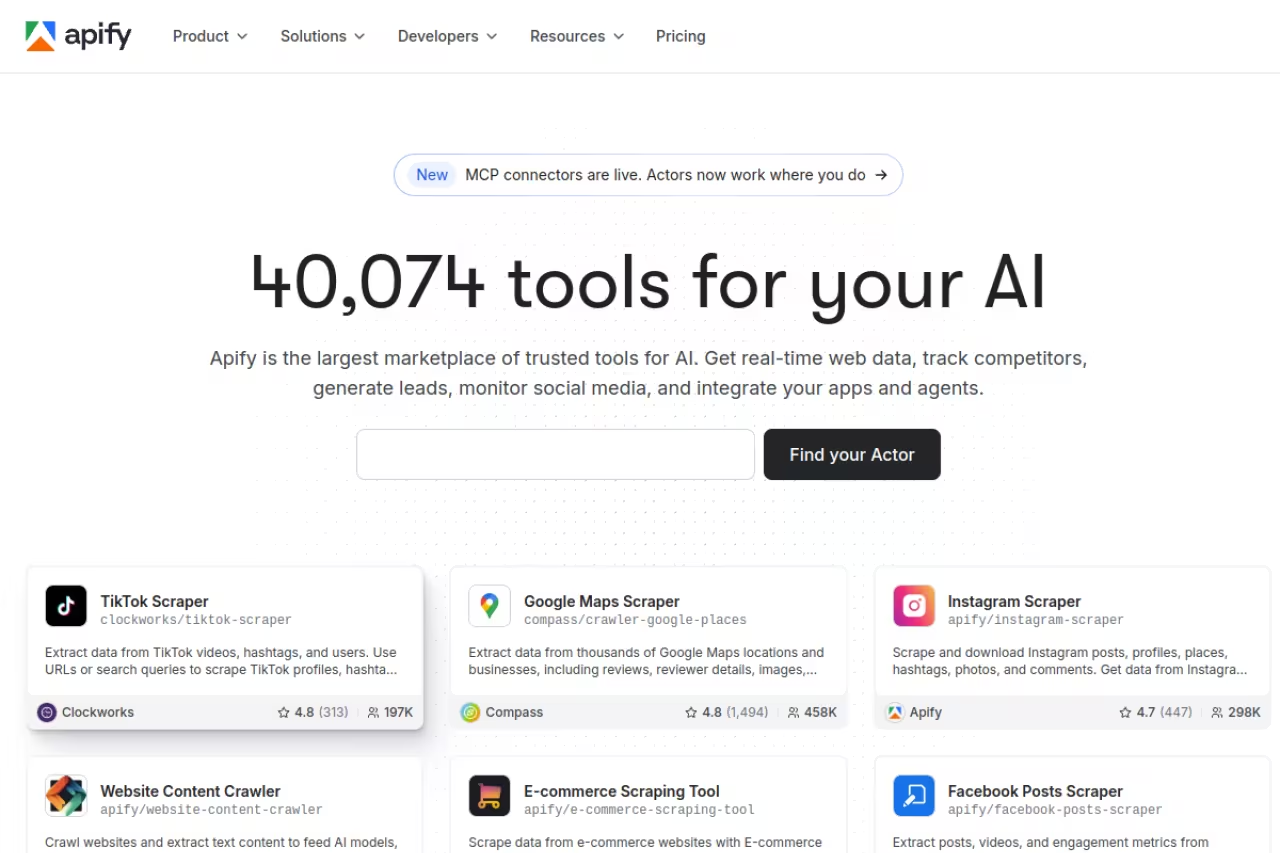
Apify is less a single scraper and more a platform. Its store holds thousands of pre-built "actors" covering specific sites: Instagram, Google Maps, Amazon, LinkedIn, you name it. Need TikTok comments? There's probably an actor for that already. Its Website Content Crawler also outputs markdown built for RAG pipelines.
This is the tool for when you don't want to write a scraper at all, or when you need a site-specific one that someone has already kept alive through the target's layout changes.
Choose Apify when you would rather not write a scraper at all, thanks to thousands of ready-made actors. Compute units, actor rentals and proxy costs make the bill hard to predict, so run tests first.
Free tier gives you $5 of platform credit a month. Paid starts at $29/mo (Starter), then $199/mo (Scale). Billing runs on compute units, where 1 CU is 1 GB of RAM running for an hour, priced from $0.13 to $0.20 per CU depending on tier.
Where it falls short: The compute-unit model is the recurring complaint, and it's fair. Between CU consumption, actor rental fees on some store items, and proxy costs, your bill is genuinely hard to predict before you run a job. Budget some test runs before you commit to a volume. The flexibility is unmatched, but so is the math you'll do to forecast spend.
ScrapeGraphAI: AI extraction at the lowest price I found
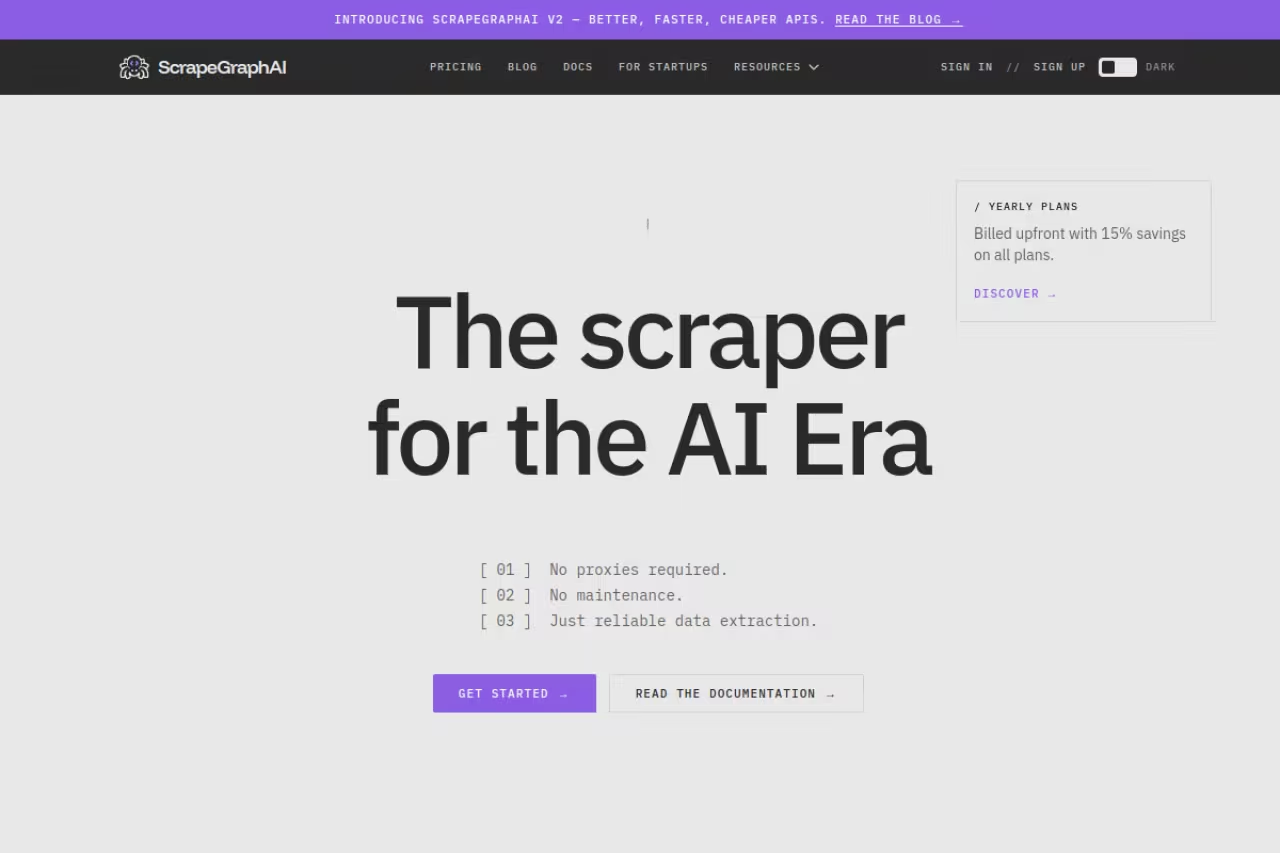
ScrapeGraphAI does the AI-extraction thing well and undercuts almost everyone on price. You describe what you want in plain language ("get the product name, price, and rating"), and it adapts to the page structure instead of breaking when a class name changes. It exposes Scrape, Extract, Search, Crawl, and Monitor endpoints, so it covers most of what Firecrawl does.
I'd point a cost-conscious founder or a side project here before anything else in the AI category.
The cost-conscious founder's AI extraction tool, with a $17/mo Starter that is the cheapest real entry point in the list. It is a younger product with thinner docs, and it trails a dedicated unlocker on the nastiest anti-bot sites.
Free plan includes 500 credits a month. Starter is $17/mo for 10,000 credits, and the popular Growth plan is $85/mo for 100,000 credits with basic proxy rotation. That Starter tier is the cheapest real entry point in this whole list for AI-driven extraction.
The catch: It's a younger product than Firecrawl or Apify, so the ecosystem, docs, and community are thinner. On the nastiest anti-bot sites it didn't match a dedicated unlocker. For clean-to-moderate pages where you want structured JSON from a prompt, it's a steal.
If you're stitching scraped data into a wider growth stack, that's exactly the kind of workflow we obsess over in the Techpresso newsletter and Dupple's AI toolkit.

Bright Data: when scale is the whole point
Bright Data is the heavyweight. It's a full data infrastructure layer: residential and datacenter proxies, a Web Unlocker that handles CAPTCHAs and bot walls, a Scraper API, and ready-made datasets you can buy outright instead of scraping yourself. If you're collecting millions of records and compliance matters, this is the enterprise answer.
The enterprise answer when you are collecting millions of records and compliance matters. It is overkill for small teams, and the breadth of products takes time to navigate.
The Web Scraper API has a free tier of 5,000 records a month, then pay-as-you-go at $1.5 per 1,000 records, paying only for successful deliveries. The Scale plan is $499/mo for 384,000 records, dropping the per-record cost to $1.3 per 1,000.
Where it falls short: It's overkill for small teams, and the breadth of products takes time to navigate. The dashboard assumes you know what a Web Unlocker is versus a Scraping Browser versus an SERP API. If you're scraping a few hundred pages a week, you'll pay for a power you won't touch. At real scale, nothing here beats it on reliability.

ScrapingBee: the no-drama developer API
ScrapingBee hides proxies, headless browsers, and CAPTCHA solving behind one HTTP call. You send a URL, you get HTML or extracted data back. It's been around long enough to be boring in the best way, which is what you want from infrastructure.
A dependable, boring-in-a-good-way developer API for straightforward scraping behind one HTTP call. JavaScript rendering and premium proxies only arrive on the $249/mo Business tier, and credit costs climb when you enable them.
1,000 free credits to start, no card. Paid begins at $49/mo (Freelance, 250,000 credits, 50 concurrent requests), then $99/mo (Startup, 1M credits).
The catch: JavaScript rendering, rotating proxies, and premium proxies only kick in on the Business tier ($249/mo) and above, so the cheaper plans are limited to simpler targets. Credit costs also rise when you enable JS rendering or premium proxies, so a "1M credit" plan covers fewer hard pages than the number suggests. For straightforward scraping with a clean API, it's a reliable pick.

ZenRows: built to break through bot walls
ZenRows specializes in one hard problem: getting through Cloudflare, DataDome, PerimeterX, and the rest. If a site keeps returning 403s or endless CAPTCHA loops to your other scrapers, this is the one to try. It also outputs LLM-optimized markdown that trims tokens while keeping context, which is a nice touch for AI pipelines.
The one to try when other scrapers keep hitting 403s from Cloudflare or DataDome. Protected pages drain your allowance far faster than basic ones, so price your real job against the protected tier.
A 14-day trial gives 1,000 basic results and 40 protected results, no card. Paid starts at $69/mo (Developer) with 250,000 basic results or 10,000 protected results, then $129/mo (Startup) and $299/mo (Business).
Where it falls short: Note the gap between "basic" and "protected" results. The hard, anti-bot-protected pages, which are exactly why you'd buy ZenRows, consume your protected-result allowance far faster, so your effective volume on tough targets is much lower than the headline number. Price your real job against the protected tier, not the basic one.
Octoparse: scraping without writing code
Octoparse is the visual, point-and-click option. You click the elements you want, build a workflow, and it handles pagination, IP rotation, and CAPTCHA solving behind the scenes. There are preset templates for popular sites so you don't start from a blank canvas. This is the tool for an analyst or marketer who doesn't write Python.
The visual, point-and-click route for analysts and marketers who do not write Python. Complex targets bring a learning curve, and cloud extraction is locked behind paid plans.
The free plan is generous: 10 tasks, up to 50,000 rows of export a month, local extraction. Standard is $69/mo (billed annually) for 100 tasks plus cloud extraction; Professional is $249/mo for 250 tasks and 20 concurrent cloud processes.
The catch: Desktop-app-driven no-code tools always have a learning curve once your target gets complex, and cloud extraction (the part that runs without your machine on) is gated behind the paid plans. Heavy JavaScript sites can still trip it up. For structured, repeatable scrapes by a non-coder, it does the job.

Browse AI: monitor a site and get pinged when it changes
Browse AI leans into a use case the others treat as a side feature: monitoring. You train a "robot" by recording yourself clicking through a page once, and it repeats the task on a schedule, watching for changes and alerting you when data shifts. With 250-plus pre-built robots and exports to Google Sheets, Airtable, and Zapier, it's aimed squarely at non-technical teams tracking competitor prices or listings.
A friendly choice for non-technical teams that want to watch pages and get alerts when prices or listings change. It is built for monitoring, not large-scale crawling, and the annual-credit framing flatters the monthly cost.
Free plan gives 50 monthly credits. Starter is $19/mo (billed annually) for 10,000 credits a year, Professional is $99/mo for 60,000 credits, Team is $249/mo.
Where it falls short: The annual-credit framing makes plans look cheaper than the monthly reality, so do the division before you buy. It's purpose-built for monitoring and structured extraction, not raw large-scale crawling. For watching a defined set of pages and reacting to changes, nothing here is friendlier.
Crawl4AI: free, open source, and built for LLMs
Crawl4AI is the open-source pick, and it's a serious one. Apache-2.0 licensed, around 68,000 GitHub stars, Python, async, and built specifically to produce clean markdown for LLMs and RAG. It has a "Fit Markdown" mode that strips page noise and converts links into a numbered reference list, which is exactly what you want feeding a model.
Open source and free, a serious pick if you have the engineering capacity to self-host. You own maintenance, proxy rotation and the anti-bot fight, so a managed API wins if you lack the time.
Free. You self-host, so your only cost is the compute you run it on plus any proxies you bolt on.
The catch: Self-hosting means you own the maintenance, the proxy rotation, and the anti-bot fight. There's no support line when a site blocks you at 2 a.m. If you have the engineering capacity, it's the cheapest path to LLM-ready data at scale. If you don't, a managed API will save you more than its price in saved hours.
How to choose
Skip the feature checklists and answer three questions.
Do you write code? If no, go straight to Octoparse or Browse AI. Everything else assumes an API call.
Is the output feeding an LLM? If yes, you want markdown-first tools: Firecrawl for the cleanest output, ScrapeGraphAI to save money, or Crawl4AI if you'll self-host. These exist because feeding raw HTML to a model wastes tokens and confuses it.
How hard do the target sites fight back? Plain blogs and docs work on almost anything. Heavily protected e-commerce and social sites need ZenRows or Bright Data's unlocker. Test the actual sites you care about on a free tier before you pay, because anti-bot performance is the one spec nobody's marketing page tells you the truth about.
For most people reading this, the honest path is: start on Firecrawl's free tier, drop to ScrapeGraphAI if cost bites, and escalate to Bright Data only when scale forces it. If you're assembling a broader AI stack, our roundup of the best AI tools and the best AI agents pairs naturally with whatever scraper you land on. And if you want a weekly read on where this is all going, Dupple X keeps you current without the noise.
FAQ
What is the best web scraping tool in 2026?
For most AI and data work, Firecrawl is the best all-around pick because it returns clean, LLM-ready markdown in a single API call. If you need pre-built scrapers for specific sites, Apify wins. If you're on a tight budget, ScrapeGraphAI does AI extraction from $17/mo. There's no single winner: the best tool depends on whether you code, your volume, and how protected your targets are.
Is web scraping legal?
Scraping publicly available data is generally legal in many jurisdictions, and US courts have leaned that way in cases like the hiQ v. LinkedIn dispute. But it gets complicated fast: a site's terms of service, copyright, personal data laws like GDPR, and how you use the data all matter. Don't scrape data behind logins or paywalls, respect robots.txt where you can, and talk to a lawyer before scraping anything sensitive or at scale.
What is the best free web scraping tool?
For developers, Crawl4AI is the strongest free option: open source, Apache-2.0 licensed, and built for LLM output, though you self-host it. If you'd rather not run infrastructure, Firecrawl (1,000 pages/month) and ScrapeGraphAI (500 credits/month) both have free tiers with no credit card, and Octoparse's free plan allows up to 50,000 rows of export a month.
Which web scraping tool is best for AI and LLM data?
Firecrawl, ScrapeGraphAI, and Crawl4AI are purpose-built for this. They output clean markdown instead of raw HTML, which preserves context while cutting the token count you feed a model. Firecrawl and ScrapeGraphAI also offer schema-based extraction endpoints that return structured JSON, which is ideal for RAG pipelines and agents that need predictable fields.
How do I scrape sites protected by Cloudflare?
You need a tool with a dedicated unlocker or anti-bot bypass. ZenRows is built specifically for Cloudflare, DataDome, and PerimeterX, and Bright Data's Web Unlocker handles the same class of protection at enterprise scale. Generic scrapers and free libraries usually fail here. Always test on the exact protected pages you care about during a free trial, since anti-bot success varies site by site.
How much does a web scraping API cost?
It ranges widely. Entry paid plans run from $16/mo (Firecrawl) and $17/mo (ScrapeGraphAI) up to $49 to $69/mo for developer-grade APIs like ScrapingBee and ZenRows. Pay-as-you-go platforms like Bright Data charge per record (around $1.5 per 1,000), while Apify bills on compute units. Self-hosting Crawl4AI is free apart from your own compute and proxy costs.
Related guides
Some offers on this page may be paid placements or contain affiliate links.
Across our whole catalogue the median is $24 a month and 33% of tools advertise a free tier. Figures are the lowest recurring monthly price quoted in our own review of each tool, read on 2026-08-19. Full method and every category.
