
Best Time Tracking Software in 2026 (Compared and Ranked)

Key facts9 tools compared: Toggl Track, Clockify, Harvest, Beebole, Hubstaff, Timely, TimeCamp, Rize…
- 9 tools compared: Toggl Track, Clockify, Harvest, Beebole, Hubstaff, Timely, TimeCamp, Rize, RescueTime
- Toggl Track (best for: Freelancers and small teams): Free, then $9
- Clockify (best for: Budget teams that want free): Free, then $3.99
- Harvest (best for: Billable agencies): Free (1 user), then ~$11
- Beebole (best for: Teams tracking project costs and capacity): Free (5 users), then $9
Most time trackers fail at the same point: the part where a human has to remember to press a button. You start a timer, get pulled into a Slack thread, ship the work, and three hours later realize the clock is still running on a task you finished before lunch. The data is garbage, the invoice is wrong, and you stop trusting the tool.
Comparing pricing pages, documentation and public user reviews across nine of these apps, the gap between "logs hours accurately" and "looks nice in a demo" became obvious. Some tools win on price. Some win because the AI logs your day so you never touch a timer. A few are really workforce-monitoring platforms wearing a time-tracking costume, and you should know that before you hand one to your team.
If you want the short answer: Toggl Track is the best pick for most people. It is fast, the free plan is genuinely usable, and it gets out of your way. But the right tool depends on whether you bill clients, manage a team, or just want to know where your week actually went. This guide is for founders, freelancers, agencies, and operators who need real numbers, not a vibe. Here is how the eight tools compared here actually stack up.
Quick comparison
| Tool | Best for | Price (per user/mo) | Standout |
|---|---|---|---|
| Toggl Track | Freelancers and small teams | Free, then $9 | One-click timer, clean reports |
| Clockify | Budget teams that want free | Free, then $3.99 | Unlimited users on free tier |
| Harvest | Billable agencies | Free (1 user), then ~$11 | Time-to-invoice in one click |
| Beebole | Teams tracking project costs and capacity | Free (5 users), then $9 | Planning, tracking time, and reporting in one place |
| Hubstaff | Remote and field teams | From $4.99 (2-seat min) | Screenshots, GPS, payroll |
| Timely | People who hate manual timers | From $9 (annual) | AI drafts your timesheet |
| TimeCamp | Teams needing automatic logging | Free, then $2.99 | Keyword-based auto-tracking |
| Rize | Solo deep-work tracking | From $9.99 | Focus analytics, zero-touch |
| RescueTime | Personal productivity audits | Free, then $12 | Distraction blocking |

Toggl Track: the default choice for a reason
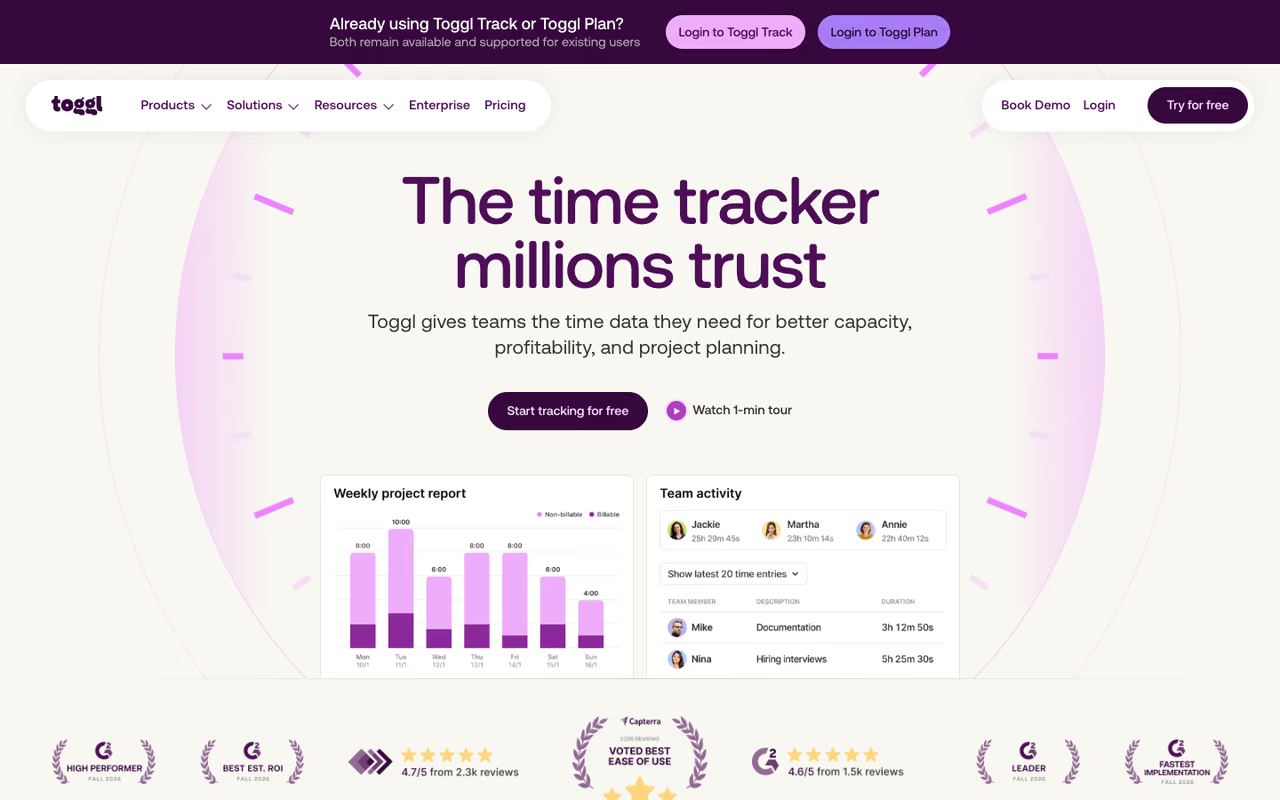
Toggl Track is what I recommend when someone asks "just tell me which one." It does one thing extremely well: starting and stopping a timer with as little friction as possible. The browser extension drops a timer button into Asana, Jira, Notion, and about a hundred other apps, so you log time where you already work instead of switching contexts.
Who it's best for: Freelancers and teams up to roughly 20 people who bill by the hour and want clean reports without a setup project.
The default I'd hand to freelancers and teams up to roughly 20 people who bill hourly and want clean reports without a setup project. It is still a manual tool, and the Premium plan is double the price of Starter.
The free plan covers up to 5 users with unlimited projects and time tracking, which is more than most solo users will ever need. Starter is $9/user/month and adds billable rates and project estimates. Premium runs $18/user/month for profitability analysis, timesheet approvals, and SSO. Annual billing knocks off 10 percent.
The standout: The reporting. You can slice tracked time by client, project, or tag and export a client-ready summary in seconds. Toggl also nudges you with idle-time detection and reminders if you forget to start the clock, which patches the biggest hole in manual tracking.
The catch: It is still a manual tool at heart. If your team won't reliably press the button, no amount of polish fixes the data. And the jump from Starter to Premium is steep at double the price, with approvals and profitability locked behind that wall.

Clockify: the best free tier in the category
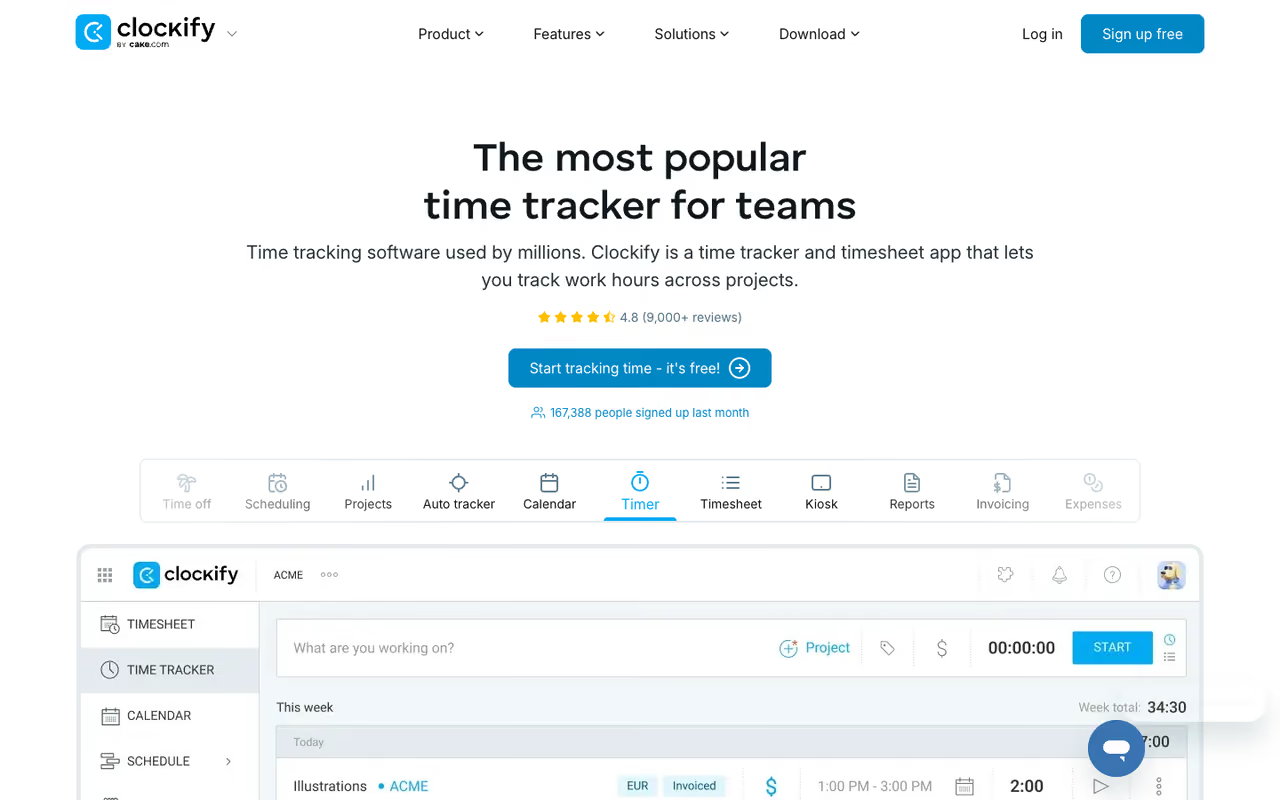
Clockify built its reputation on one fact: the free plan supports unlimited users. Not five, not ten. Unlimited. For a bootstrapped agency or a startup that wants every contractor logging hours without a per-seat bill, that is hard to argue with.
Who it's best for: Cost-conscious teams of any size that need basic tracking, and anyone who wants to standardize on one tool across a large freelancer pool.
Clockify is the answer for cost-conscious teams that need every contractor logging hours, since the free plan supports unlimited users. The interface is busier than Toggl's and the free plan has no billing, approvals or invoicing, but many will take that trade.
Free covers unlimited users, projects, the auto tracker, and basic reports. Paid tiers, per the official pricing page, start at Basic ($3.99/seat/month annual), Standard ($5.49), Pro ($7.99 with scheduling, GPS, and screenshots), and Enterprise ($11.99 with SSO). Those are some of the lowest per-seat rates in this roundup.
The standout: Value. You get a kiosk clock-in mode, an auto tracker that detects app usage, invoicing on the Standard plan, and a calendar view, all for less than competitors charge for half of it.
The catch: The interface feels busier than Toggl, and the free plan strips out anything resembling billing, approvals, or invoicing. Some teams also find the reporting less polished. You are trading a bit of refinement for a much lower bill, and for a lot of people that is the correct trade.

Harvest: time that turns straight into an invoice
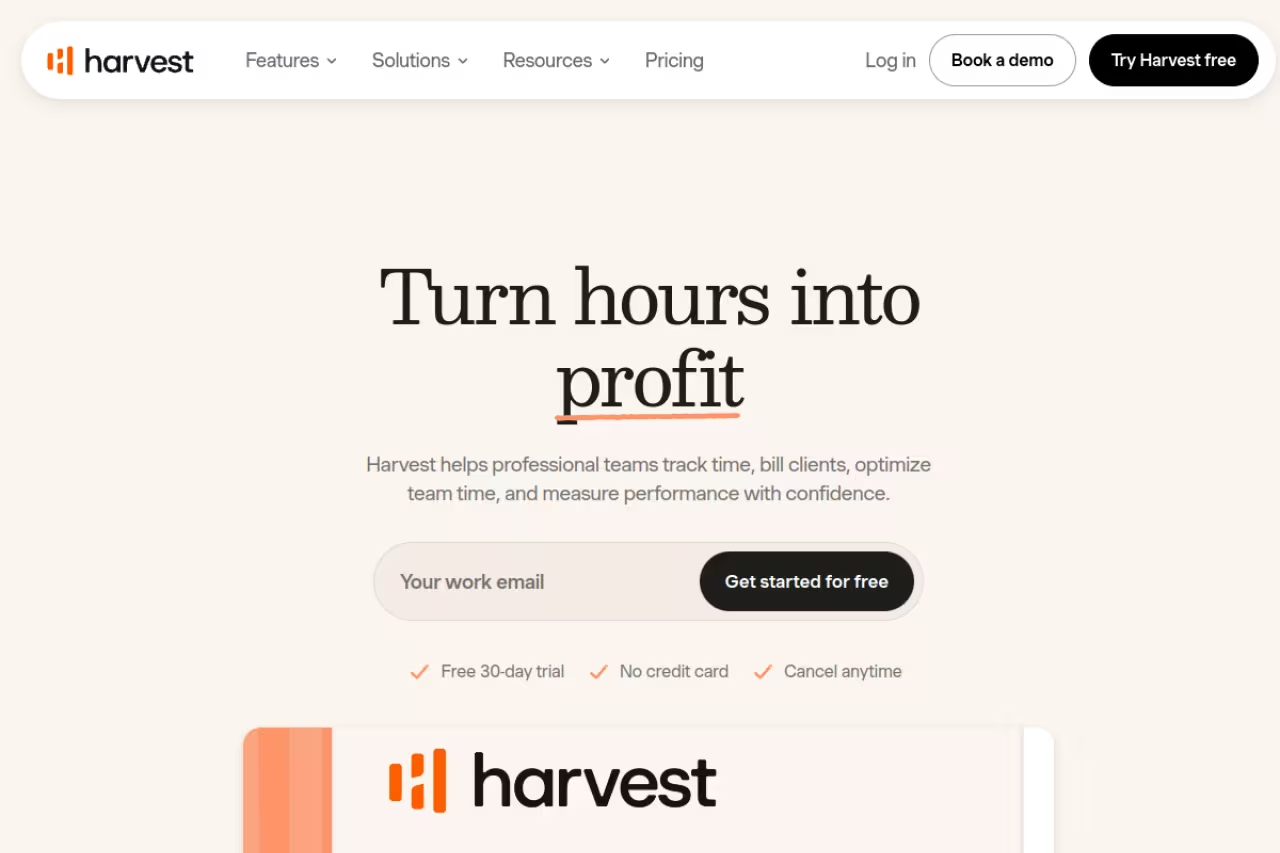
Harvest is the tool I reach for when tracked hours need to become money. The killer feature is the pipeline from timer to billable invoice: log time against a client, hit a button, and Harvest generates an invoice you can send with online payment built in. For agencies and consultants, that closes the loop most trackers leave open.
Who it's best for: Billable agencies, consultancies, and freelancers who invoice clients and want tracking and billing in one place.
Harvest is the tool when tracked hours need to become money, turning timers into invoices with online payment built in. Costs climb for bigger teams, and a recent pricing restructure toward usage-based fees has frustrated some long-time agency users.
There is a free plan for a single user with limited projects. Paid plans run around $11/person/month (Pro) and $14/person/month (Premium) on annual billing. Note that Harvest was acquired by Bending Spoons in 2025 and has been shifting toward usage-based fees on top of the per-seat rate, so price the exact plan for your team size before committing.
The standout: Invoicing and the Forecast add-on for resource planning. If your business model is "bill hours to clients," Harvest removes the spreadsheet step entirely. It also plays well with invoicing software for freelancers if you already have a billing stack.
The catch: Costs climb fast for bigger teams, and the Forecast capacity-planning add-on is a separate ~$150/month line item. The recent pricing restructure has also frustrated some long-time agency users who liked the old flat rate.

Beebole: time tracking tied to project budgets and capacity
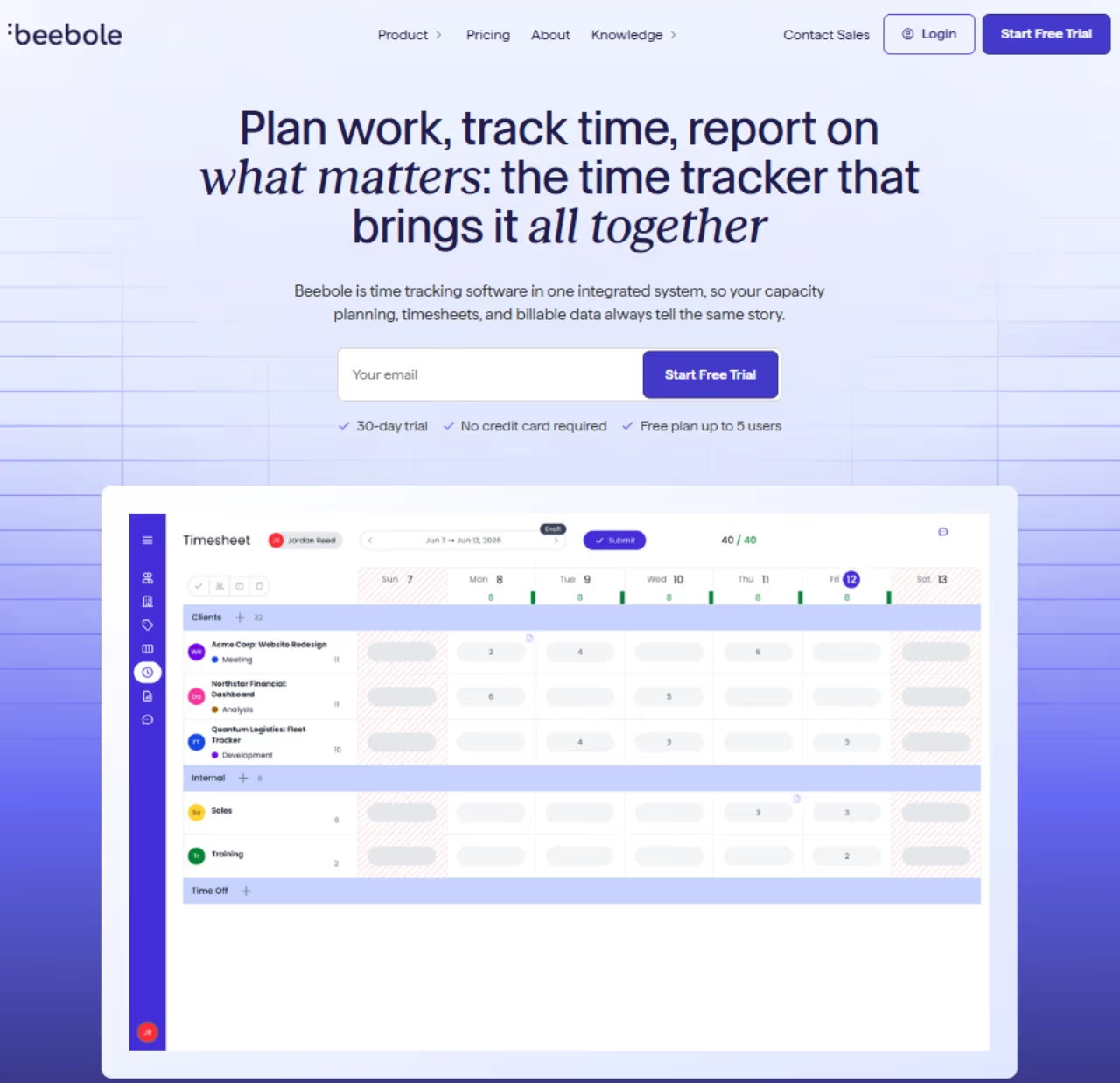
Beebole treats time tracking as the input to everything else a project needs: capacity planning, budgets, billing rates, and advanced, customizable reports. Work planned in Gantt, Kanban or the long-horizon staffing view flows straight into each person's timesheet for their review, so plans and actuals live in one system instead of two spreadsheets. Beebole has been founder-led since 2008, and it's trusted and used by 1,000+ companies in 60+ countries.
Who it's best for: Agencies, consultancies and professional services teams that need to know whether projects are on budget, not just how many hours were logged.
Beebole suits agencies and professional services teams that need to know if projects are on budget, linking planned hours, budgets and billing to actuals. A solo freelancer wanting a personal timer will find it heavy, with more setup decisions than a plug-and-play tracker.
There's a free plan for up to 5 users. Essential is $9/user/month and adds billing rates, time off allowances, and multi-level approvals. Advanced is $18/user/month and adds costs and profitability, expense tracking, and project budgets. Annual billing saves 10 percent, and there’s a 30-day trial, no credit card required.
The standout: The link between hours and money. Managers compare planned hours and budgets with actuals in real time, and finance gets cost, billing, and margin data down to the person or task. Time entry is flexible: people can import from their calendar, use a grid or a timer, or accept optional AI-suggested entries drawn from their desktop activity.
The catch: It's built for teams running projects, so a solo freelancer who wants a personal timer will find more than they need. The configuration options (rates, roles, approval levels, custom fields) also mean more setup decisions than a plug-and-play tracker requires.

Hubstaff: tracking with a side of monitoring
Hubstaff is where time tracking blurs into workforce management. Alongside timers it offers screenshots, app and URL monitoring, activity scores, GPS for field teams, and automated payroll. That makes it powerful for managing remote and distributed workers, and uncomfortable if you value autonomy.
Who it's best for: Remote teams, field-service businesses, and managers who genuinely need proof-of-work and location data, not just hours.
For remote teams, field-service businesses and managers who genuinely need proof-of-work, Hubstaff adds screenshots, GPS and payroll automation to timers. The monitoring angle can torch team trust if rolled out badly, and there is no free plan.
Starter is $4.99/user/month, Grow is $7.50, and Team is $10, all with a two-seat minimum and no free plan. There is a 14-day trial, and annual billing gives you two months free. See the Hubstaff pricing details before you buy, since features like screenshots and payroll sit on different tiers.
The standout: Depth of monitoring and payroll automation. If you pay contractors based on tracked, verified hours, Hubstaff can run that whole process including the payout.
The catch: The surveillance angle. Screenshots and activity scoring can torch team trust if you roll them out badly, and many of those features only unlock on higher tiers. Use it because your operation actually requires verification, not as a default. For teams managing shifts rather than billable hours, employee scheduling software is often the better fit.
Timely: let the AI write your timesheet
Timely attacks the core problem differently. Instead of asking you to start timers, it runs quietly in the background logging every app, document, and website you touch, then uses AI to draft your timesheet from that activity. You review and approve instead of remembering and entering. This is the AI-first end of the category, and it is where time tracking is clearly heading.
Who it's best for: Knowledge workers and agencies who bill by the hour but consistently forget to track, and anyone who wants accurate logs without the manual habit.
Timely is the AI-first option for knowledge workers and agencies who bill by the hour but forget to track, drafting your timesheet from background activity. It costs more than manual tools, and you must still review the entries for billing accuracy.
Starter is $9/user/month annually (up to 5 users, 20 projects), Premium is $16, and Unlimited is $22 for unlimited users and projects, per the Timely pricing page. There is a 14-day trial. A Tasks add-on costs about $5 extra per person.
The standout: "Memories," the private activity feed that captures your day automatically so the AI can reconstruct accurate entries. Your raw tracking data stays private to you until you choose to log it, which softens the surveillance worry.
The catch: It costs more than the manual tools, and the AI still needs your review to be billing-accurate. The hours-per-day model also means you are partly paying for automation you have to double-check. It pairs naturally with other AI productivity tools if you are building an automated stack.

TimeCamp: automatic tracking without the premium price
TimeCamp sits between manual and fully automatic. It logs time based on keywords and window titles, detecting which project you are on from what is on your screen, with optional screenshots for verification. The pitch is automatic tracking at near-Clockify prices.
Who it's best for: Teams that want passive, automatic logging and detailed project reports without paying Timely-level rates.
A value play for teams wanting passive, automatic logging and detailed project reports without Timely-level rates, with keyword rules assigning time to projects. The automation needs setup to be accurate, and the interface feels dated next to Toggl.
The free plan covers unlimited users with core tracking. Paid tiers start around $2.99/user/month (Starter), then roughly $4.99 to $6.99 for Premium and higher tiers with automatic tracking, billing rates, and integrations. There is a 30-day trial.
The standout: Keyword-based automation plus strong integrations with Trello, Asana, and Jira. You define rules, and TimeCamp assigns time to the right project as you work, which cuts manual entry without the full AI price tag.
The catch: The automation is rule-based, not as smart as Timely or Rize, so it needs setup to be accurate. The interface also feels dated next to Toggl, and reviewers note the apps can be clunky. It is a value play, not a polish play.

Rize: deep-work tracking for solo operators
Rize is the one I keep open for myself. It is not built for billing clients or managing a team. It is built to answer "where did my day actually go" with zero manual input. It captures every app and site, uses AI to categorize sessions, and surfaces focus metrics like how often you context-switch and when you do your best work.
Who it's best for: Founders, developers, and solo knowledge workers who want to understand and improve their own focus, not invoice anyone.
The one I keep open for myself: Rize answers where your day went with zero manual input, built for founders, developers and solo workers who want better focus. It has no invoicing or client billing, so skip it if you need to charge for hours.
Individual plans start at $9.99/month, with Professional around $14.99/month on annual billing and a Business tier near $29.99. Team plans begin at $20/seat/month (2-seat minimum). There is a 7-day trial with no card required. Check the current Rize pricing since the AI tiers shift.
The standout: Focus analytics. Rize tells you your context-switching rate and break habits, then nudges you toward deep work. It is closer to a personal performance coach than a timesheet.
The catch: Narrow scope. No invoicing, no client billing, no team timesheets in the individual plans. If you need to charge for your hours, this is the wrong tool. As a personal productivity instrument, it is excellent. Pair it with a good AI scheduling assistant and you have a tight personal-ops setup.

RescueTime: the productivity audit, not the timesheet
RescueTime is the elder statesman of automatic tracking. It quietly scores your time as productive or distracting, blocks distractions during focus sessions, and gives you a weekly report on where attention leaked. It is a habit tool, not a billing tool.
Who it's best for: Individuals running a personal productivity audit who want to cut distraction, not bill clients.
RescueTime is a productivity audit, not a timesheet, scoring your time and blocking distractions during focus sessions. It is not project or client aware, so run it alongside a proper billable timer instead of in place of one.
Lite is free. Premium is $12/user/month, with a team option around $9/user/month at a two-seat minimum.
The standout: Focus Sessions that actively block distracting sites, plus a long history of personal trend data. If your problem is willpower more than logging, RescueTime addresses the actual issue.
The catch: It is not project or client aware in any serious way, so it cannot replace a billable tracker. Think of it as the diagnostic you run alongside a proper timer, not instead of one.
How to choose without overthinking it
Start with what the hours are for. That one question routes you faster than any feature list.
If you bill clients: Harvest if invoicing matters most, Toggl Track if you want clean reports and a separate billing tool, Timely if your team forgets to track. The deciding factor is whether tracked time needs to become an invoice inside the same app.
If you manage a team: Clockify when budget rules and you want unlimited free seats, Hubstaff when you genuinely need verification and payroll. Be honest about whether you need monitoring or just want it.
If it's only for you: Rize for deep-work focus metrics, RescueTime for distraction control, Toggl's free plan if you still want a simple manual timer.
One more filter: trust. Screenshots and activity scores look great in a sales deck and corrode morale in practice. Only adopt monitoring if your business model truly depends on it. For everything else, the tool people will actually use beats the tool with the longest feature list.
If your goal is a smarter day overall, time tracking is one piece. Our team uses a stack of AI tools to plan, track, and execute, which is exactly what Dupple X is built to give you in one place.
FAQ
What is the best free time tracking software?
For unlimited users, Clockify is the strongest free plan in the category, covering unlimited seats and projects with core tracking at no cost. For a slicker experience on a smaller team, Toggl Track's free plan is excellent for up to 5 users. TimeCamp's free tier is also worth a look if you want automatic logging.
Is automatic time tracking better than a manual timer?
It depends on your discipline. Automatic tools like Timely, Rize, and TimeCamp log your activity in the background, so they fix the "forgot to start the timer" problem that ruins manual tracking. The trade-off is that AI-generated entries still need your review to be billing-accurate, and these tools cost more. If you reliably press the button, a manual tool like Toggl Track is cheaper and just as accurate.
What time tracking software is best for freelancers?
Toggl Track is my top pick for most freelancers thanks to its free plan and one-click timer. If you invoice clients, Harvest is better because it turns tracked hours into invoices directly. Both integrate with the apps freelancers already use, and pairing either with dedicated invoicing software covers the full bill-and-get-paid loop.
Does time tracking software include employee monitoring?
Some do, some don't, and the difference matters. Hubstaff and the higher Clockify tiers offer screenshots, app monitoring, and GPS. Toggl Track, Harvest, and Rize deliberately avoid heavy surveillance. If you want hours without monitoring, choose a tool built around timers rather than activity verification, and tell your team exactly what is and isn't tracked.
How much does time tracking software cost in 2026?
Most paid plans land between $4 and $18 per user per month. Budget tools like Clockify and TimeCamp start near $3 to $4 per seat. Mid-range tools like Toggl Track Starter and Harvest run $9 to $14. AI-first tools like Timely cost more, from $9 up to $22 per user, because you are paying for the automatic logging. Several tools, including Clockify and Toggl, have free plans that work indefinitely.
Can time tracking integrate with project management tools?
Yes, and you should expect it. Toggl Track, Clockify, Harvest, and TimeCamp all offer browser extensions or native integrations for Asana, Jira, Trello, Notion, and similar apps, so you log time inside your existing workflow. If your bottleneck is the project work itself rather than the hours, look at dedicated AI project management tools alongside your tracker.
Related guides
Some offers on this page may be paid placements or contain affiliate links.
Across our whole catalogue the median is $24 a month and 33% of tools advertise a free tier. Figures are the lowest recurring monthly price quoted in our own review of each tool, read on 2026-08-19. Full method and every category.
