
Best CRM for Sales Reps in 2026: 8 Tools Ranked by a Seller

Key facts8 tools compared: Close, Pipedrive, HubSpot, Creatio, Salesflare, Folk, Attio, Salesforce
- 8 tools compared: Close, Pipedrive, HubSpot, Creatio, Salesflare, Folk, Attio, Salesforce
- Close (best for: Inside sales, high call volume): From $35/user/mo
- Pipedrive (best for: Visual-pipeline reps on a budget): From $14/user/mo
- HubSpot (best for: Reps who need free, then scale): $0 free, $90/seat Pro
- Creatio (best for: Reps inside midsize and large orgs): From $40/user/mo + $15 Sales
Most CRMs are built for sales managers, not the reps who actually live in them eight hours a day. Managers want forecasting dashboards and clean reporting. Reps want to make calls, log notes in two clicks, and not spend Friday afternoon updating fields nobody reads. Those two goals fight each other, and the rep usually loses.
I've compared every tool on this list against what running outbound actually demands, and the gap between "great for the VP" and "great for the person dialing" is enormous. A CRM that takes ten clicks to log a call gets abandoned by week three, no matter how pretty the pipeline view is.
If you want the short answer: Close is the best CRM for individual sales reps and small inside-sales teams. Calling, SMS, and email live in one window, and as of June 2026 it ships an AI agent that dials leads for you. If you're price-sensitive or pipeline-obsessed, Pipedrive is the better fit. Here's how the eight I'd actually recommend stack up.
Quick comparison
| Tool | Best for | Price (annual) | Standout |
|---|---|---|---|
| Close | Inside sales, high call volume | From $35/user/mo | Calling + SMS + email in one screen |
| Pipedrive | Visual-pipeline reps on a budget | From $14/user/mo | Drag-and-drop pipeline, cheap entry |
| HubSpot | Reps who need free, then scale | $0 free, $90/seat Pro | Best free CRM, full marketing suite |
| Creatio | Reps inside midsize and large orgs | From $40/user/mo + $15 Sales | Reshape workflows in plain language |
| Salesflare | Reps who hate data entry | From $29/user/mo | Auto-fills the CRM from your inbox |
| Folk | Relationship-led, founder-led sales | From $24/member/mo | LinkedIn-native, light and fast |
| Attio | Data-savvy modern teams | $0 free, $29/user/mo | Spreadsheet-flexible data model |
| Salesforce | Reps inside big orgs | From $25/user/mo | Endless customization and power |

Close: the rep's CRM
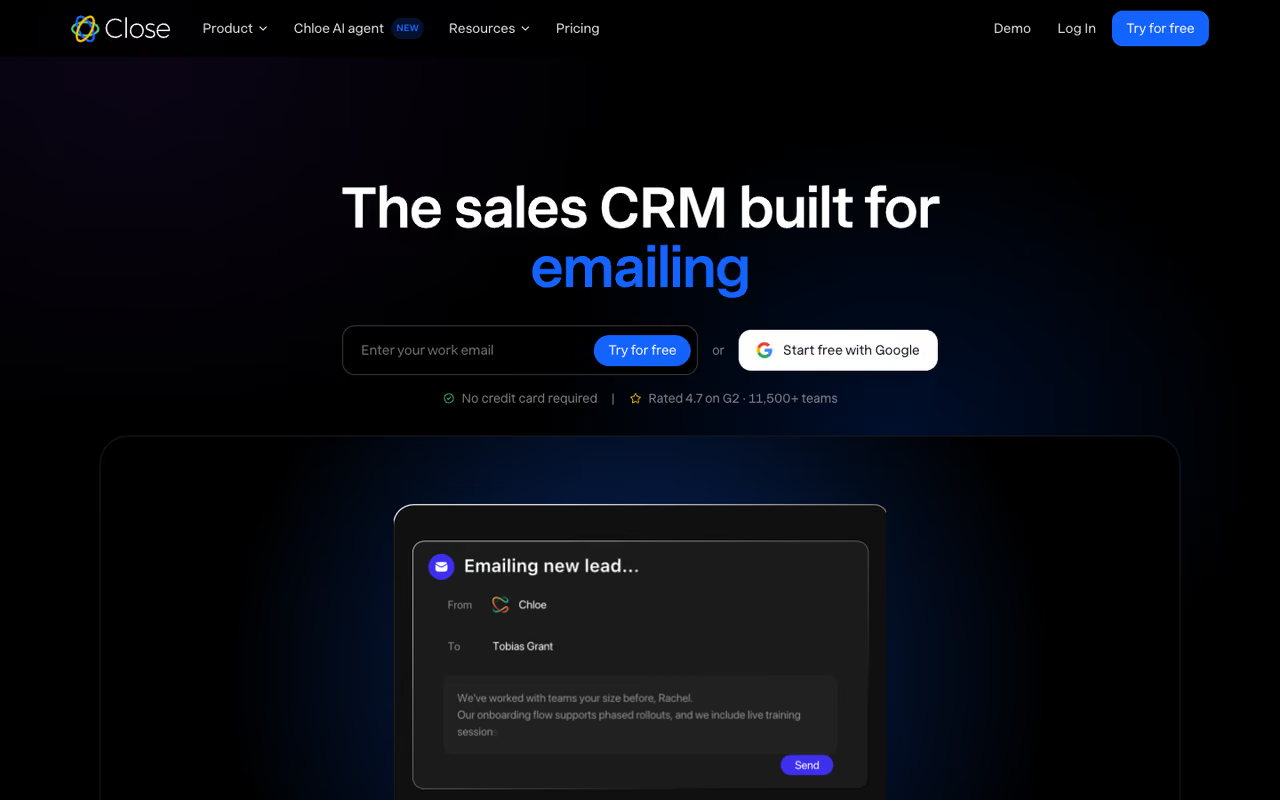
Close was built by a team that ran a sales agency first, and it shows. Everything a rep does in a day, calling, texting, emailing, leaving voicemails, happens without leaving the lead view. No tab-switching to a separate dialer, no copy-pasting numbers into Aircall.
This is the CRM I recommend to anyone doing real outbound or inside sales. The built-in power dialer on the Growth plan lets you rip through a call list, and the Smart Views (saved, filtered lead lists) mean you always know who to contact next without building a report.
The timely part: on June 9, 2026, Close launched Chloe, an AI sales agent that calls leads, qualifies them, books meetings, and updates the CRM itself. According to Close's announcement, it made over 818,000 calls across 306 businesses during beta. It's now on all plans for US and Canada customers.
The CRM I would hand to anyone doing real outbound or inside sales, since calling, texting and email all happen inside the lead view. It is lean by design, and workflows and the power dialer sit on the pricier Growth tier.
Solo is $9/user/month for one seat. The real plans start at Essentials ($35/user/month), then Growth ($99/user/month, the most popular tier, where workflows and the power dialer unlock), and Scale ($139/user/month) per Close's pricing page. Calling and SMS are usage-based on top. There's a 14-day free trial, no card required.
The catch: It's lean by design. If you need deep marketing automation, complex CPQ, or service ticketing, Close won't cover it. And the per-seat cost climbs fast once you want workflows, since those live on the $99 Growth tier.

Pipedrive: the pipeline reps actually update
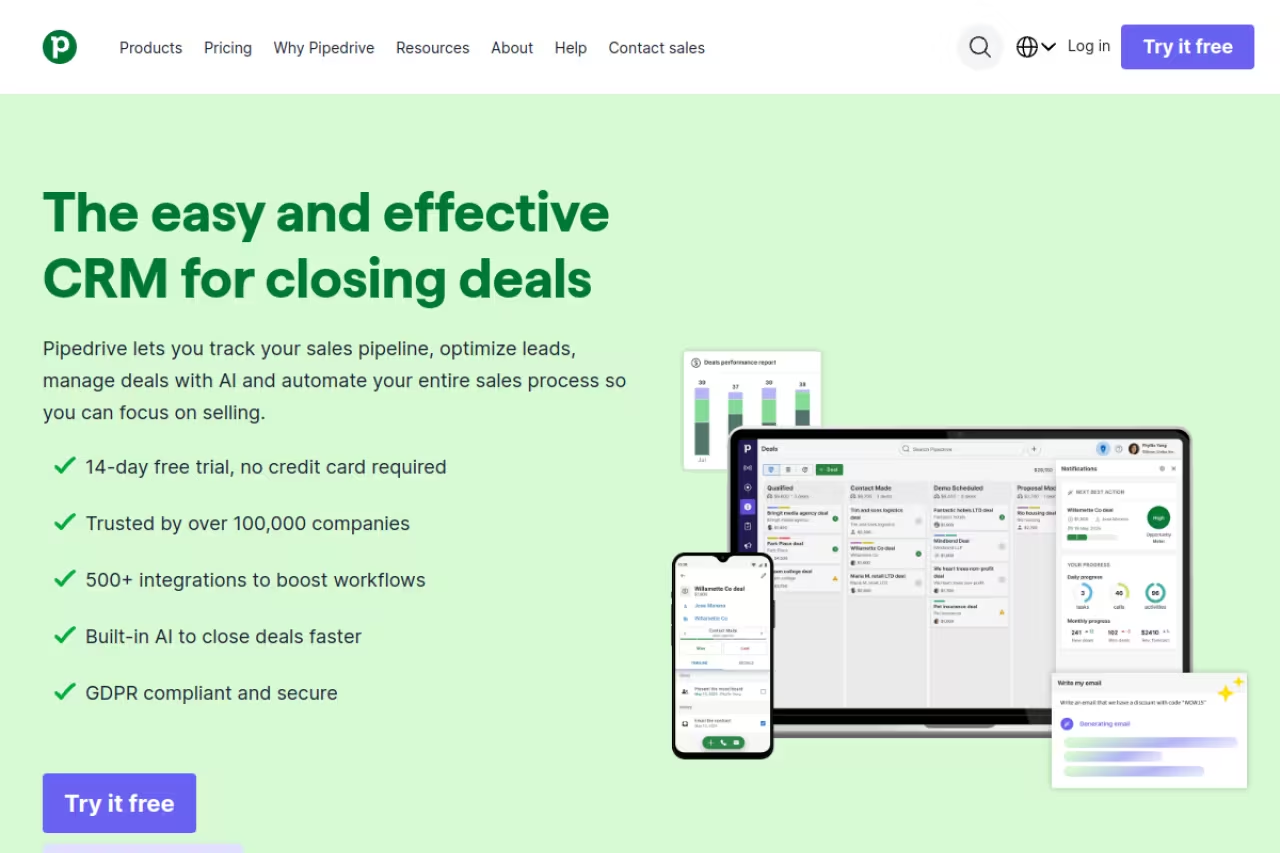
Pipedrive is the most "I'll actually keep this current" CRM on this list. The whole thing is organized around a horizontal pipeline you drag deals across, so a rep can see their entire book in one glance and move a deal forward in a single drag. That sounds small. It's the difference between a CRM that gets updated and one that goes stale.
It's the right pick for reps and small teams who want pipeline clarity without paying enterprise prices. The AI Sales Assistant suggests next actions and flags deals going cold, and Pipedrive reports that over 60% of active customers use it.
Choose Pipedrive for pipeline clarity without enterprise pricing, in a board reps will actually keep current. Calling is not native, and the cheap Lite plan strips automation and most reporting, so expect to land on Growth or Premium.
Four tiers, all per user per month billed annually: Lite ($14), Growth ($39), Premium ($59), and Ultimate ($79). Pipedrive rebranded its plans in November 2025 and now includes LeadBooster and Projects from the Premium tier up. Every plan gets a 14-day free trial; there's no permanent free plan.
Where it falls short: Calling isn't native the way it is in Close. You're relying on add-ons or integrations for phone-heavy workflows, and the cheap Lite plan strips out automation and most reporting, so you'll likely land on Growth or Premium to get real value.

HubSpot: start free, grow into it
HubSpot's free CRM is genuinely the best free option for a solo rep or a tiny team. You get contact management, deal pipelines, email tracking, and meeting scheduling at $0 for up to two users, with no time limit. For a founder doing their first sales motion, that's hard to beat.
The reason it ranks third rather than first for reps specifically: the moment you need real sales features (sequences, more pipelines, advanced reporting), the price jumps hard. But if you're building toward a combined sales-and-marketing engine, HubSpot's unified platform pays off because everything shares one contact record.
The best free option for a solo rep or tiny team, especially a founder building a combined sales and marketing engine. Once you need sequences or advanced reporting, the price jumps hard, and the Professional onboarding fee is real money.
Free CRM at $0 for up to 2 users and 1,000 contacts. Sales Hub Starter is around $15/seat/month. The big step is Professional at $90/seat/month billed annually, which also carries a one-time $1,500 onboarding fee, and Enterprise at $150/seat with a $3,500 onboarding fee per multiple 2026 pricing breakdowns.
The catch: That mandatory onboarding fee on Professional is real money before you've sent a single email. HubSpot is also overkill for a pure inside-sales rep who just wants to dial; you'll pay for a lot of marketing machinery you won't touch.
Spending hours each week deciding which tools your team should adopt? Dupple X curates the AI and sales tools worth your attention so you stop trialing software and start closing.

Creatio: enterprise depth without the admin queue
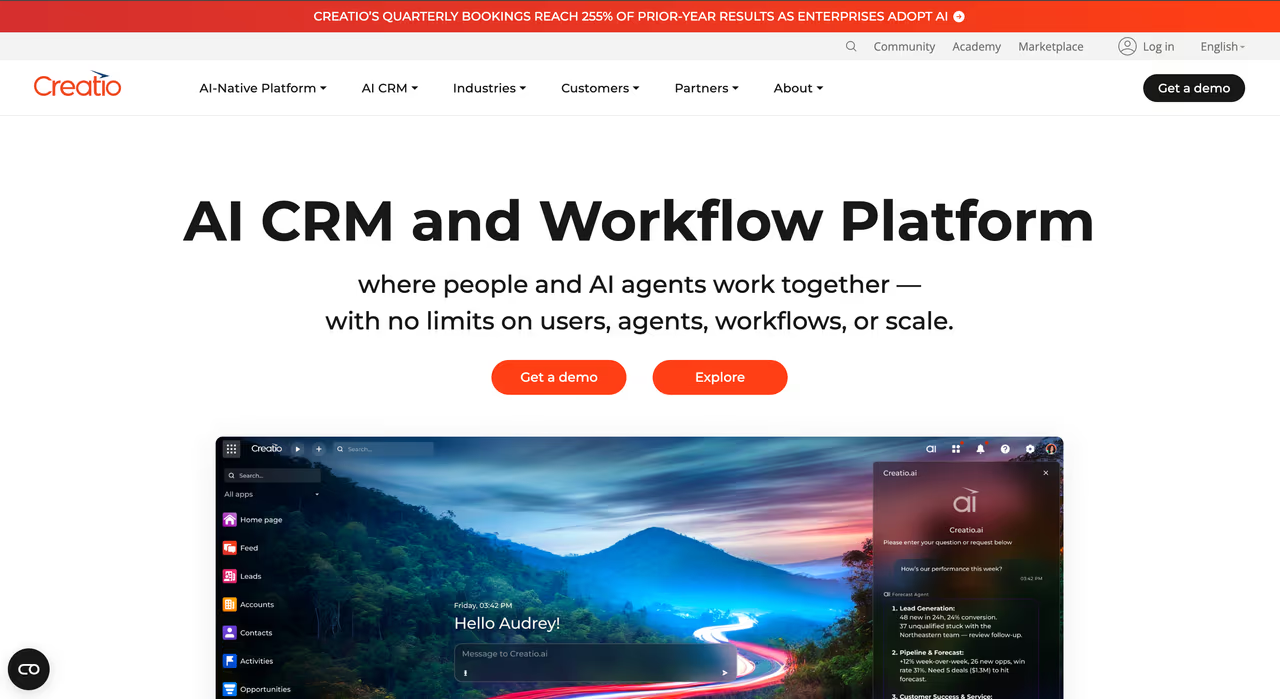
Creatio is an AI CRM aimed at midsize and large sales organizations, and its distinguishing trait is how fast the system bends. A rep or sales ops lead can add a field, change a pipeline stage, or rework an approval step by describing the change in plain language, the kind of request that sits in a developer backlog on heavier platforms.
Day to day, its AI agents handle the admin reps usually skip: researching accounts, filling in missing company data, drafting meeting prep from past activity, flagging deals that have gone quiet. Most of it surfaces inside Outlook and Teams, so follow-up happens without opening another tab. Forecasting, quoting, and contract approvals run in the same system.
Aimed at midsize and large sales organizations that want AI agents to absorb admin and a process reps can reshape without a developer. There is no free trial, evaluation runs through a guided demo, and a solo seller or five-person team pays for depth they will not touch.
The core platform starts at $40/user/month on Growth, with Enterprise at $75 and Unlimited quoted on request. Creatio Sales is a separate product at $15/user/month and requires the platform underneath, so a sales seat combines the two. AI comes included in every plan rather than metered as an add-on, per Creatio's pricing page.
The catch: There's no free trial. Evaluation starts with a guided demo, so you can't load your own lead list and test it this afternoon the way you can with everything else here. It's also built for organizations rather than individuals, a solo seller or five-person team pays for depth they won't touch, and someone has to own the initial setup.

Salesflare: for reps who refuse to do data entry
Salesflare solves the single biggest reason reps abandon a CRM: the typing. It pulls contact details, email history, and meeting notes automatically from your inbox and calendar, then builds out the contact and company records for you. You open it and the data is already there.
The CRM for B2B reps and small teams in Gmail or Outlook who refuse to do data entry, since records populate from inbox and calendar. It is focused on SMB B2B, and automation is not as deep as Pipedrive's or HubSpot's.
The email sequence builder on the Pro plan is solid for light outbound without bolting on a separate tool.
Growth is $29/user/month, Pro is $49/user/month, and Enterprise is $99/user/month (5-seat minimum), all billed annually per Salesflare's pricing page. There's a 30-day free trial, no card required, which is more generous than most.
Where it falls short: It's focused on SMB B2B. If you sell high-volume transactional or run a large team needing granular permissions and forecasting, you'll outgrow it. The automation is good but not as deep as Pipedrive's or HubSpot's.

Folk: the lightweight, relationship-first option
Folk is the CRM I point founders and relationship-led sellers toward. It feels closer to a beautifully organized contact app than a heavy sales system, and its LinkedIn extension lets you pull prospects straight into a pipeline while you browse. For founder-led or partnership-style sales, that speed matters.
The AI assistants and "magic fields" handle enrichment and data cleanup, so your contact records stay useful without manual upkeep.
Folk is the pick for founders and relationship-led sellers who want a lightweight, beautifully organized contact app with a handy LinkedIn extension. It is deliberately light, so high-volume callers needing dialing or deep reporting will find it too minimal.
Standard is $24/member/month, Premium is $48/member/month, and Enterprise starts from $80/member/month, billed annually. Email sequences and custom objects live on Premium. There's a two-week free trial with premium features unlocked, no card needed.
The catch: It's deliberately light. High-volume callers and teams that need built-in dialing, deep reporting, or complex automation will find Folk too minimal. It shines for warm, considered, relationship-driven pipelines, not 100-dials-a-day grinding.
Attio: the flexible, modern data model
Attio treats your CRM like a flexible database you shape to your exact sales process, closer to a spreadsheet than a rigid record system. Reps and ops people frustrated by CRMs that force their workflow into preset fields tend to love it: you define the objects, the stages, and the views. It's a strong pick for technical or modern teams who want to design their own pipeline rather than inherit someone else's. Call Intelligence and advanced permissions arrive on the Pro plan.
A strong choice for technical or modern teams who want to design their own pipeline instead of inheriting someone else's. The flexibility is a double-edged sword, since a new rep wanting to start selling immediately faces setup decisions.
Free for up to 3 users. Plus is $29/user/month and Pro is $69/user/month, billed annually, with Enterprise custom, per Attio's published rates. Monthly billing runs higher (around $36 and $86).
Where it falls short: The flexibility is a double-edged sword. A brand-new rep who wants to open a tool and start selling will face setup decisions that Pipedrive or Close make for you. It rewards teams willing to invest in configuration up front.

Salesforce: only if your org already runs on it
Salesforce is the most powerful and most customizable CRM, full stop. But for an individual rep, that power is usually someone else's decision. You end up in Salesforce because your company runs on it, not because you chose it. If you're already in the ecosystem, it can be molded into almost anything, and the Starter Suite is a reasonable on-ramp for smaller teams.
Use Salesforce only if your company already runs on it, where it can be molded into almost anything. It is heavy, logging activity takes more clicks than elsewhere, and a solo seller or small team picking their own tool needs far less.
Starter Suite is $25/user/month and Pro Suite is $100/user/month per Salesforce's pricing, with Enterprise editions climbing to $165/user/month and up. Most editions bill annually.
The catch: It's heavy. Out of the box, logging activity takes more clicks than any other tool here, and getting it usable for reps usually requires an admin or consultant. For a solo seller or small team picking their own tool, it's almost always more than you need.
How to choose
Pick based on what you do most, not on feature lists.
- You dial and text all day: Choose Close. Native calling, SMS, and the Chloe AI agent make it purpose-built for inside sales. Nothing else here keeps you in one window like it does.
- You want a clear pipeline on a budget: Choose Pipedrive. Best value for visual, deal-by-deal selling, and reps actually keep it updated.
- You're starting from zero or want free: Choose HubSpot's free CRM, then upgrade only when you hit a wall.
- You hate data entry: Choose Salesflare. It builds the records for you from your inbox.
- You sell on relationships: Choose Folk for its speed and LinkedIn-native flow.
- You want to design your own system: Choose Attio, if you'll invest the setup time.
- Your org is big and the CRM never quite fits: Choose Creatio. Business teams change workflows themselves instead of queuing behind an admin.
- Your company already runs Salesforce: Use it well, and lean on automation to cut the clicks.
The test that matters: how many clicks to log a call and move a deal? If it's more than three, your reps will quietly stop using it. Try the free trials with a real list of your own leads before you commit. If you're still mapping your wider stack, our roundups of the best AI sales tools and the best B2B sales software pair well with whichever CRM you land on, and you can browse top tools by category too.
Frequently asked questions
What is the best CRM for individual sales reps?
For individual reps and small inside-sales teams, Close is my top pick because calling, SMS, and email live in one screen and logging activity takes almost no clicks. If you want a cheaper, pipeline-focused option, Pipedrive starting at $14/user/month is the better value. Reps who want a free starting point should use HubSpot's free CRM.
What is the cheapest good CRM for sales reps?
Pipedrive's Lite plan at $14/user/month (billed annually) is the cheapest paid CRM I'd actually recommend, though it strips out automation and most reporting. HubSpot's free CRM is genuinely usable at $0 for up to two users, and Attio is free for up to three users. For real outbound features, expect to land in the $35 to $60 per-user range.
Do sales reps actually need a CRM with built-in calling?
If you make more than a handful of calls a day, yes. Built-in calling (like Close offers) removes the tab-switching and copy-pasting that kills adoption, and it logs every call automatically. For reps who mostly sell over email and LinkedIn, a tool like Salesflare or Folk without native dialing is often a better fit.
Is HubSpot's free CRM good enough for a small sales team?
For a one or two person team doing early sales, yes. The free tier covers contact management, deal pipelines, email tracking, and meeting links with no time limit. You'll hit limits once you need sequences, multiple pipelines, or advanced reporting, at which point Sales Hub Professional jumps to $90/seat/month plus a $1,500 onboarding fee. See our best CRM for B2B guide for how it compares at scale.
How much should a sales rep CRM cost in 2026?
For most reps and small teams, budget $25 to $60 per user per month for a CRM with the features you'll actually use: pipelines, automation, decent reporting. Entry plans start around $14 (Pipedrive) but are usually too stripped down, while enterprise tools like Salesforce and Close's Scale plan run $139 to $165 per user. Watch for hidden costs: usage-based calling, onboarding fees, and add-ons can double the sticker price.
Ready to stop drowning in tool research? Dupple X tracks the sales and AI tools worth adopting so you can spend your time selling, not trialing software.
Related guides
Some offers on this page may be paid placements or contain affiliate links.
Across our whole catalogue the median is $24 a month and 33% of tools advertise a free tier. Figures are the lowest recurring monthly price quoted in our own review of each tool, read on 2026-08-19. Full method and every category.
