
The 8 Best Sales Tracking Tools in 2026 (Compared and Ranked)

Key facts8 tools compared: Pipedrive, HubSpot Sales Hub, Close, Salesforce Sales Cloud, Zoho CRM…
- 8 tools compared: Pipedrive, HubSpot Sales Hub, Close, Salesforce Sales Cloud, Zoho CRM, monday Sales CRM, Sybill, Clari
- Pipedrive (best for: SMB teams that live in the pipeline): $14-$79/user/mo
- HubSpot Sales Hub (best for: Teams aligning sales + marketing): Free, then $20-$150/user/mo
- Close (best for: Inside sales and high-call-volume teams): $9-$139/user/mo
- Salesforce Sales Cloud (best for: Enterprise with custom processes): $25-$330/user/mo
Most sales teams do not have a tracking problem. They have a data-entry problem. Your reps know which deals are real. The trouble is that knowledge lives in their heads, in Slack threads, and in call recordings nobody revisits. The pipeline in your CRM is a fiction updated five minutes before the forecast meeting.
A good sales tracking tool fixes that by making the accurate path the easy path. It logs activity automatically, surfaces deals that have gone quiet, and gives you a forecast you can actually defend to a board. The wrong tool does the opposite: it adds three fields to every deal and your reps quietly stop updating it.
I compared eight of these platforms on their documentation, pricing, and public user reviews. If you want the short answer: Pipedrive is the best pick for most small and mid-sized teams because it tracks activity without making you think about it. If you are scaling and want sales and marketing in one place, HubSpot Sales Hub is the safer long-term bet. Below is who each tool is actually for, what it costs in 2026, and where each one falls short.
Quick comparison
| Tool | Best for | Price (billed annually) | Standout |
|---|---|---|---|
| Pipedrive | SMB teams that live in the pipeline | $14-$79/user/mo | Visual, activity-based tracking |
| HubSpot Sales Hub | Teams aligning sales + marketing | Free, then $20-$150/user/mo | Free CRM that scales |
| Close | Inside sales and high-call-volume teams | $9-$139/user/mo | Built-in dialer and SMS |
| Salesforce Sales Cloud | Enterprise with custom processes | $25-$330/user/mo | Einstein forecasting depth |
| Zoho CRM | Budget-conscious full-suite buyers | $14-$52/user/mo | Most features per dollar |
| monday Sales CRM | Cross-functional visibility | $12-$28/seat/mo | Flexible board-style tracking |
| Sybill | Teams that hate updating the CRM | Free, then ~$36-$108/user/mo | AI auto-fills deal data |
| Clari | RevOps and enterprise forecasting | ~$100+/user/mo (quote) | Forecast accuracy at scale |

Pipedrive: best overall for most sales teams
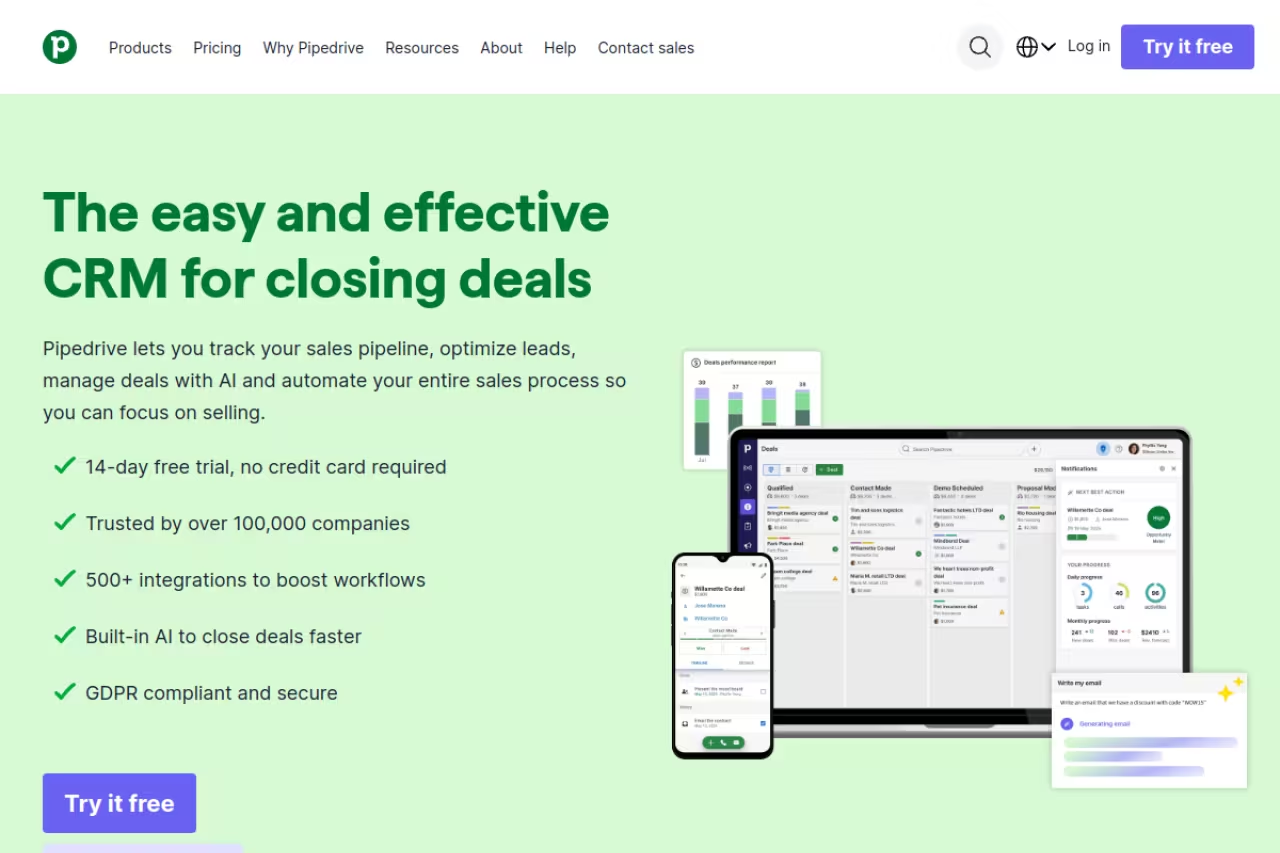
Pipedrive is the tool I recommend first to almost any team under 50 reps. It was built around one idea: a sales pipeline is a series of activities, not a database. You drag deals through stages, and every deal nags you for a next action. No next step scheduled? The deal turns red. That single mechanic does more for forecast accuracy than any AI feature on this list, because it keeps reps honest about what is actually moving.
Tracking is where it shines. Email opens, call logs, and stage changes all attach to the deal automatically, and the reporting dashboards are clean enough that you do not need a RevOps hire to read them. A basic multi-stage B2B pipeline is quick to set up.
Who it's best for: Small and mid-sized B2B teams that want fast, visual deal tracking without a six-week setup.
The pick for small and mid-sized B2B teams that want fast, visual deal tracking without a six-week setup. Deals that lack a next step turn red, which keeps reps honest, but the good stuff lives behind add-ons and there is no permanent free plan.
Four plans, billed annually: Lite at $14/user/mo, Growth at $39, Premium at $49, and Ultimate at $79. There is a 14-day free trial on every tier but no permanent free plan.
The catch: The good stuff lives behind add-ons. Lead scoring, web-visitor tracking, and chatbot live in the LeadBooster bundle, which costs extra on top of your seat price. Budget for the real number, not the headline $14.
HubSpot Sales Hub: best free starting point that scales
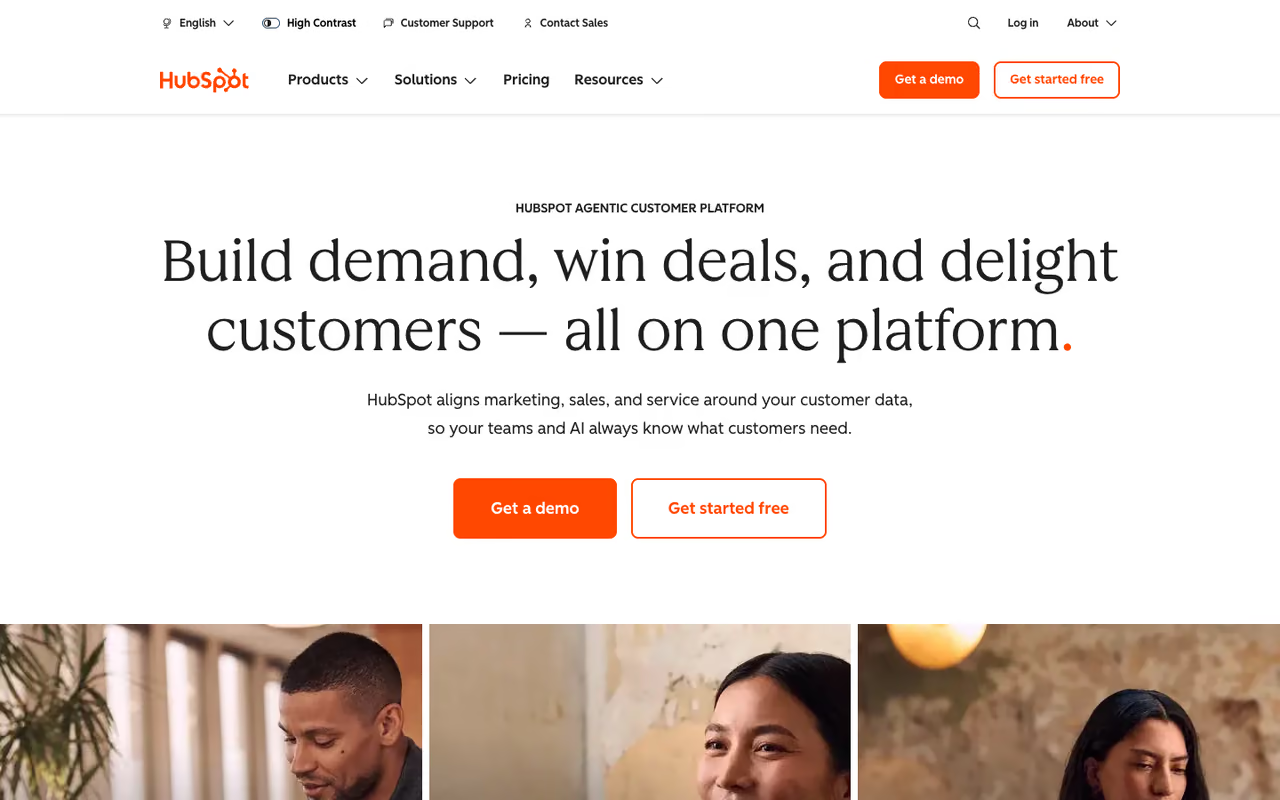
HubSpot wins on a different axis: longevity. The core CRM is free for unlimited users, forever, and it tracks contacts, deals, and activity well enough that a lot of startups never need to pay. When you do upgrade, your sales tracking sits in the same system as your marketing emails, your landing pages, and your support tickets. For teams where sales and marketing argue about lead quality, that shared view is worth a lot.
The deal tracking itself is solid. Pipelines are customizable, activity logging is automatic once you connect your inbox, and the forecasting tools in Professional are genuinely useful. I found the reporting more flexible than Pipedrive's once you get past the free tier.
Who it's best for: Growing teams that want one platform for sales and marketing and a free on-ramp.
Go with HubSpot if you want one platform for sales and marketing and a free on-ramp, since the core CRM is free for unlimited users. The price cliff between Starter and Professional hurts, and onboarding fees run $1,500 and $3,500 on the higher tiers.
The CRM is free. Sales Hub Starter is $20/mo per seat, Professional jumps to $100 per seat, and Enterprise is $150 per seat. Watch the one-time onboarding fees: $1,500 for Professional and $3,500 for Enterprise.
Where it falls short: The price cliff between Starter and Professional is steep, and Professional is where most real automation and reporting live. Small teams can outgrow the free tier and then face a 5x jump.

Close: best for inside sales and high call volume
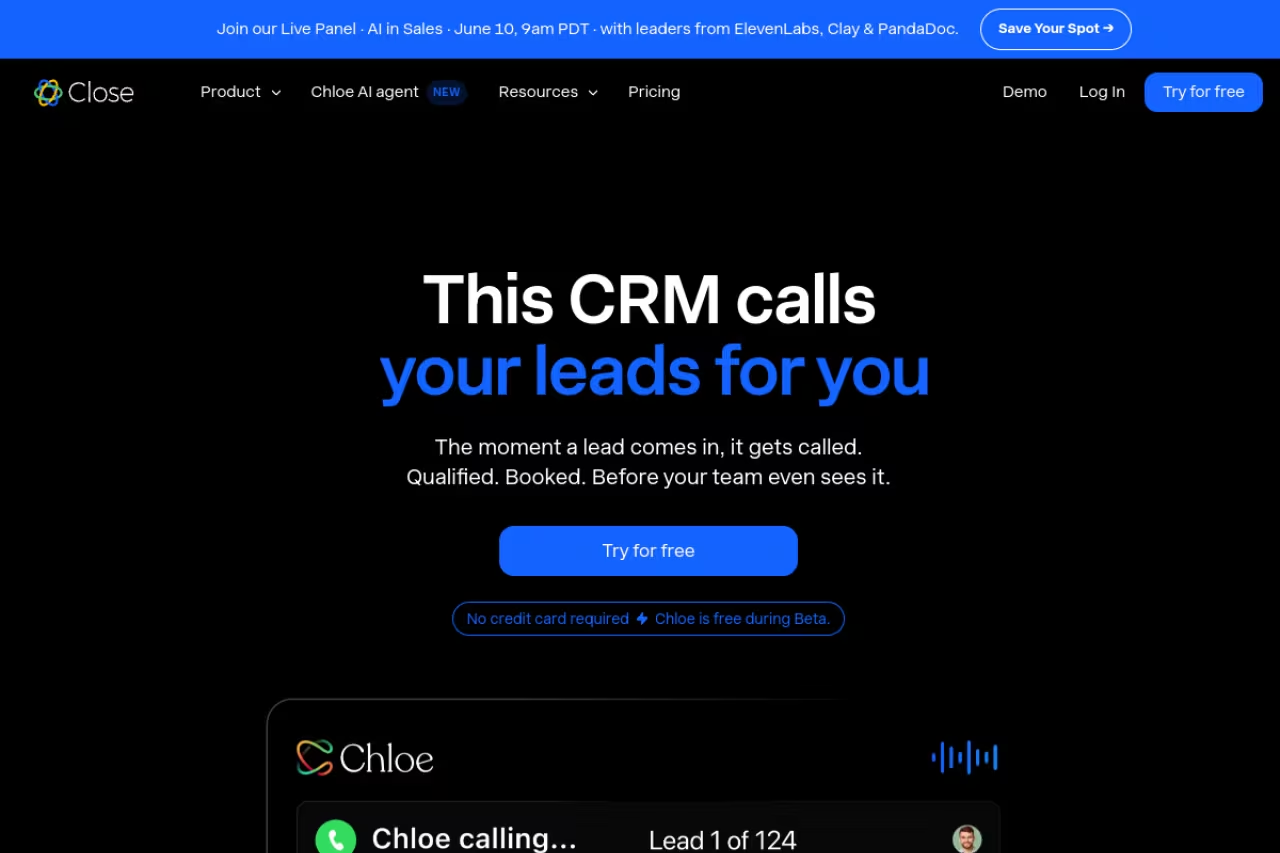
Close is the tool I reach for when a team's day is calls and emails, not long enterprise cycles. The calling and SMS are built into the CRM, so every dial, voicemail drop, and text logs against the contact without a separate dialer fighting your data. For SDR and inside-sales teams, that is the whole game: activity tracking that happens because the activity happens inside the tool.
The Power Dialer and the reporting on call outcomes are the standout. You can see exactly how many dials it took a rep to book a meeting, which is the kind of metric that actually changes coaching conversations.
Who it's best for: Inside sales, SDR teams, and any motion built on volume of calls and texts.
Close is the tool for inside sales, SDR teams and any motion built on volume of calls and texts, with every dial and text logged automatically. The calling features live on Growth ($99) and Scale ($139), so real per-seat cost lands above the sticker price.
Four plans: Solo at $9/user/mo, Essentials at $35, Growth at $99, and Scale at $139 (all annual). A 14-day free trial is included.
The catch: The calling features that make Close worth choosing live on Growth ($99) and Scale ($139). Add phone credits and premium numbers, and the real per-seat cost lands well above the sticker price. If your team is not call-heavy, you are overpaying for the best part.
Salesforce Sales Cloud: best for enterprise and custom processes
If your sales process has 14 stages, three approval gates, and a forecasting model your CFO built, Salesforce is probably already your answer. Nothing else on this list matches its depth of customization or the maturity of its forecasting. Einstein adds opportunity scoring and predictive forecasting that get sharper as your data grows, and the AppExchange means almost any tool you use already integrates.
The tracking is as detailed as you want it to be, which is both the appeal and the warning. You can track anything. You will also need someone whose job is to keep it from collapsing under its own weight.
Who it's best for: Enterprise and complex mid-market teams with dedicated admin or RevOps resources.
The answer for enterprise and complex mid-market teams with dedicated admin or RevOps resources, thanks to unmatched customization and mature forecasting. It is overkill for small teams, and total cost of ownership dwarfs the per-seat price.
Starter Suite is $25/user/mo, Pro Suite $100, Enterprise $165, and Unlimited $330. Einstein forecasting and opportunity scoring come bundled at the higher tiers or as add-ons of roughly $50/user/mo.
Where it falls short: Overkill for small teams. The total cost of ownership, once you add an admin, integrations, and onboarding, dwarfs the per-seat price. Setup is measured in months, not days.
If you are weighing the heavier platforms, our roundup of the best CRM for sales teams goes deeper on the enterprise options.
Zoho CRM: best value full-suite tracker
Zoho CRM quietly does most of what Salesforce does for a fraction of the price, and that is why it keeps showing up on these lists. You get pipeline tracking, workflow automation, an AI assistant (Zia) that flags deals at risk, and reporting that holds up well past the SMB stage. If you already use other Zoho apps, the integration is tight and the bundled pricing gets even better.
Who it's best for: Budget-conscious teams that want depth without Salesforce-level cost or complexity.
Zoho CRM suits budget-conscious teams that want depth without Salesforce-level cost, with pipeline tracking, automation and a free tier for up to three users. The interface feels dated, and the breadth of features means a steeper learning curve.
Standard at $14/user/mo, Professional at $23, Enterprise at $40, and Ultimate at $52, all billed annually. There is a free tier for up to three users.
The catch: The interface feels dated next to Pipedrive or monday, and the breadth of features means a steeper learning curve than the tool's price suggests. Setup takes patience.
monday Sales CRM: best for cross-functional teams
monday Sales CRM takes the colorful, flexible board system from monday.com's work platform and points it at deals. The appeal is visibility across functions: your sales pipeline, your onboarding board, and your project tracker all live in one workspace, so a closed deal can trigger a handoff without leaving the tool. For teams where sales does not operate in a silo, that is genuinely useful.
Tracking is customizable to a fault. You build the columns and automations you want, which is great until you realize you have to build them.
Who it's best for: Teams that want sales tracking connected to operations, marketing, or delivery.
Choose monday Sales CRM if you want sales tracking connected to operations, marketing or delivery in one workspace. It is a work-management platform wearing a CRM hat, so native dialing and email sequencing are thinner than in a purpose-built tool like Close.
Basic at $12/seat/mo, Standard at $17, and Pro at $28, billed annually with a three-seat minimum. Enterprise is quote-based. A 14-day free trial is included.
Where it falls short: It is a work-management platform wearing a CRM hat. Sales-specific features like native dialing or built-in email sequencing are thinner than in a purpose-built tool like Close.
Sybill: best AI layer for teams that hate the CRM
Here is the uncomfortable truth about every tool above: they only work if reps update them. Sybill attacks that problem directly. It sits on your sales calls, listens for buyer signals, and then auto-fills your CRM across 30-plus fields without anyone typing a thing. It also writes follow-up emails and pre-meeting briefs. Think of it less as a CRM and more as the layer that keeps your real CRM honest.
I was skeptical, but the CRM autofill is the standout. After a call, the deal stage, next steps, and key notes were already populated in the connected CRM. That is the closest thing to a fix for the data-entry problem on this list.
Who it's best for: Small and mid-sized teams that already have a CRM but cannot get reps to keep it current.
A smart layer for small and mid-sized teams that already have a CRM but cannot get reps to keep it current, auto-filling 30-plus fields after each call. It is a complement rather than a replacement, so you still need a CRM underneath.
A free plan exists. Paid tiers run roughly $36/user/mo (Pro) and $108/user/mo (Business), where the CRM autofill lives. It is dramatically cheaper than Gong, which starts near $1,400-$1,600 per user per year before platform fees.
The catch: It is a complement, not a replacement. You still need a CRM underneath it, so this is a second line item, not your only one. Autofill also requires a supported CRM and a work email to function.
Clari: best for enterprise forecasting and RevOps
Clari is not really a CRM. It is a revenue platform that sits on top of one (usually Salesforce) and exists to make the forecast accurate. For large organizations where a missed forecast is a board-level event, Clari's pipeline inspection, deal scoring, and rollup reporting are the gold standard. It is built for RevOps leaders who need to enforce process across a distributed sales org.
Who it's best for: Enterprise sales organizations that prioritize forecast accuracy and revenue governance.
Clari is for enterprise sales organizations where forecast accuracy and revenue governance are board-level concerns. It is enterprise-only territory, and the price, implementation time and Salesforce assumption make it a poor fit for anyone under a few hundred reps.
Quote-based and not published. Industry breakdowns put the core forecasting platform around $100-$125 per user per month annually, with conversation intelligence (Clari Copilot) adding $60-$110 per user. Real deployments run into six figures once you add modules and implementation.
Where it falls short: This is enterprise-only territory. The price, the implementation time, and the assumption that you already run Salesforce make Clari a poor fit for anyone under a few hundred reps. For most teams reading this, it is the wrong tool.
How to choose the right sales tracking tool
Skip the feature checklists. Three questions get you most of the way there.
What does a typical day look like for your reps? If it is calls and texts, start with Close. If it is managing a visual pipeline of B2B deals, start with Pipedrive. If sales is tangled up with marketing and ops, look at HubSpot or monday.
Who maintains the tool? No dedicated admin means you want something that runs itself: Pipedrive, HubSpot, or Zoho. If you have RevOps muscle and complex requirements, Salesforce earns its keep. Clari only makes sense with both an admin and an existing Salesforce instance.
What is breaking today? If reps will not update the CRM, the problem is not which CRM, it is data entry, and an AI layer like Sybill may matter more than switching platforms. If you cannot trust the forecast at scale, that is a Clari conversation.
Pick the tool that matches the motion you actually run, not the one with the longest feature list. The best sales tracking tool is the one your reps will keep current, because a half-empty pipeline in a powerful CRM tells you less than an honest one in a simple tool.
If you want to keep up with how these tools are evolving, the Techpresso newsletter breaks down the AI and sales tech worth paying attention to, in a five-minute read. For more, see our guides to the best AI sales tools and the best sales engagement platforms.
Frequently asked questions
What is the best sales tracking software for a small business?
For most small businesses, Pipedrive is the strongest pick because its activity-based tracking keeps deals current without a complicated setup, starting at $14 per user per month. If you want a free option to start, HubSpot's core CRM is free for unlimited users, and Zoho CRM offers a free tier for up to three users. Our best CRM for small business guide compares these in more depth.
What is the difference between a CRM and a sales tracking tool?
A CRM is the system of record for your contacts, deals, and history. Sales tracking is what you do inside it: monitoring deal stages, rep activity, conversion rates, and forecast accuracy. Most modern CRMs (Pipedrive, HubSpot, Salesforce) include sales tracking as a core feature, so for most teams the two are the same purchase. Specialized tools like Clari or Sybill layer on top of an existing CRM to improve forecasting or data capture.
Is there a free sales tracking tool worth using?
Yes. HubSpot's free CRM is the most capable free option and supports unlimited users with deal pipelines and basic activity tracking. Zoho CRM's free plan works for up to three users. Sybill also has a free tier for AI call summaries. Free plans are fine to start, but most growing teams hit a ceiling on automation and reporting and end up upgrading within a year.
How much should I budget per rep for sales tracking?
For a typical SMB or mid-market team, plan on $20 to $50 per user per month for a tool like Pipedrive, HubSpot Professional, or Zoho. Inside sales teams using Close's calling features should budget closer to $99 per user. Enterprise platforms like Salesforce or Clari run $100 to $330-plus per user once you include the AI and forecasting tiers, plus onboarding fees and admin time.
Which sales tracking tool has the best forecasting?
For enterprise forecast accuracy, Clari is the category leader, built specifically for pipeline inspection and revenue governance. Within standard CRMs, Salesforce Einstein offers the deepest predictive forecasting, while HubSpot Professional and Pipedrive both include solid forecasting for smaller teams at a fraction of the cost. Choose based on scale: most teams under a few hundred reps do not need a dedicated forecasting platform.
Related guides
Some offers on this page may be paid placements or contain affiliate links.
Across our whole catalogue the median is $24 a month and 33% of tools advertise a free tier. Figures are the lowest recurring monthly price quoted in our own review of each tool, read on 2026-08-19. Full method and every category.
