
The Best Backup Software in 2026 (Compared)

Key facts8 tools compared: Backblaze, IDrive, Acronis True Image, Veeam, CrashPlan, Arq, Duplicati, Afi
- 8 tools compared: Backblaze, IDrive, Acronis True Image, Veeam, CrashPlan, Arq, Duplicati, Afi
- Backblaze (best for: One computer, set-and-forget): $99/yr per computer (unlimited)
- IDrive (best for: Multi-device households and teams): $99.50/yr for 5TB
- Acronis True Image (best for: Security-conscious power users): $49.99/yr (Advanced)
- Veeam (best for: IT teams, servers, VMs): Free Community Edition
Nobody thinks about backups until the moment they need one. A dead SSD, a ransomware note, an intern who deletes the wrong SharePoint folder, a laptop left in a taxi. That is when "I'll set it up later" turns into a very expensive afternoon.
This guide compares backup software against personal machines, a small team's laptops, and the cloud accounts that most "backup" tools quietly ignore. The category is messier than it looks. Some tools back up one computer for a flat fee. Some charge per terabyte. Some only protect servers. And a lot of them market "cloud backup" when they really mean file sync, which is not the same thing and will not save you from ransomware.
If you want the short answer: for one or two computers and zero fuss, Backblaze at $99/year per computer for unlimited storage is the easiest call. If you have multiple devices or a small team, IDrive gives you the most storage per dollar. Read on for where each one wins and where it quietly lets you down.
Quick comparison
| Tool | Best for | Price | Standout |
|---|---|---|---|
| Backblaze | One computer, set-and-forget | $99/yr per computer (unlimited) | Truly unlimited storage |
| IDrive | Multi-device households and teams | $99.50/yr for 5TB | Backs up unlimited devices to one account |
| Acronis True Image | Security-conscious power users | $49.99/yr (Advanced) | Backup plus full antivirus |
| Veeam | IT teams, servers, VMs | Free Community Edition | Enterprise imaging at no cost |
| CrashPlan | Freelancers, very large datasets | ~$10/device/mo | Unlimited storage and version history |
| Arq | DIY, bring-your-own-cloud | $49.99 first year | Backs up to any storage you own |
| Duplicati | Tinkerers who want free | Free, open source | Encrypted backups to any cloud |
| Afi | Microsoft 365 and Google Workspace | ~$3/user/mo | Protects SaaS data nothing else does |

Backblaze: the one I recommend to most people
Backblaze does one thing and does it without making you think. You install the app, it finds every document, photo, and video on your machine and attached drives, and it backs the whole lot up to the cloud. No file count limits, no size caps, no picking folders unless you want to.
The pick for anyone with a single Mac or PC who wants backups to just happen, at $99/year per computer with truly unlimited storage. Version history defaults to 30 days, and it will not back up network-attached storage.
Photographers, writers, solo founders, parents with a laptop full of irreplaceable photos.
Pricing is the selling point. It's $99/year per computer for unlimited storage, with monthly and two-year options too. The Business plan costs the same $99/year per computer but adds multi-user management and SSO, so a small team can centralize admin without paying more per seat.
The standout is honesty about what "unlimited" means. There's no asterisk on storage. You can back up a 4TB photo library and pay the same as someone backing up 80GB. If you need a recovery fast, Backblaze will mail you a hard drive with your data on it.
The catch: it's one computer per license, and the default version history is only 30 days. Forever version retention is a paid add-on, so if you want to roll back a file you edited three months ago, budget for the upgrade. It also won't back up network-attached storage, which trips up a lot of home setups.

IDrive: the most storage for multi-device setups
IDrive flips Backblaze's model. Instead of one flat fee per computer, you buy a storage bucket and back up as many devices as you want into it. Phones, tablets, several laptops, a desktop, all into one 5TB account.
IDrive suits families with many devices and small teams that want one console and one storage bucket instead of paying per machine. The feature depth is strong for the price, but the interface is engineer-flavored and setup takes longer than Backblaze.
The entry plan is 5TB for $99.50/year (the pricing page lists it around $11.99/month, with roughly 30% off on annual billing), scaling up to 100TB. There's a genuinely useful free tier at 10GB, no credit card needed, which is enough to test it properly.
What stands out is the flexibility. IDrive does real disk-image backups, syncs across devices, keeps up to 30 versions of every file, and even ships physical drives for fast initial seeding and recovery (IDrive Express). For the price, the feature depth is hard to match.
The catch: the interface feels like it was designed by engineers for engineers. There are a lot of buttons. Initial setup takes longer than Backblaze, and the storage cap means a single device with a massive library can eat your whole quota. It's value, not simplicity.

Acronis True Image: backup with security bolted on
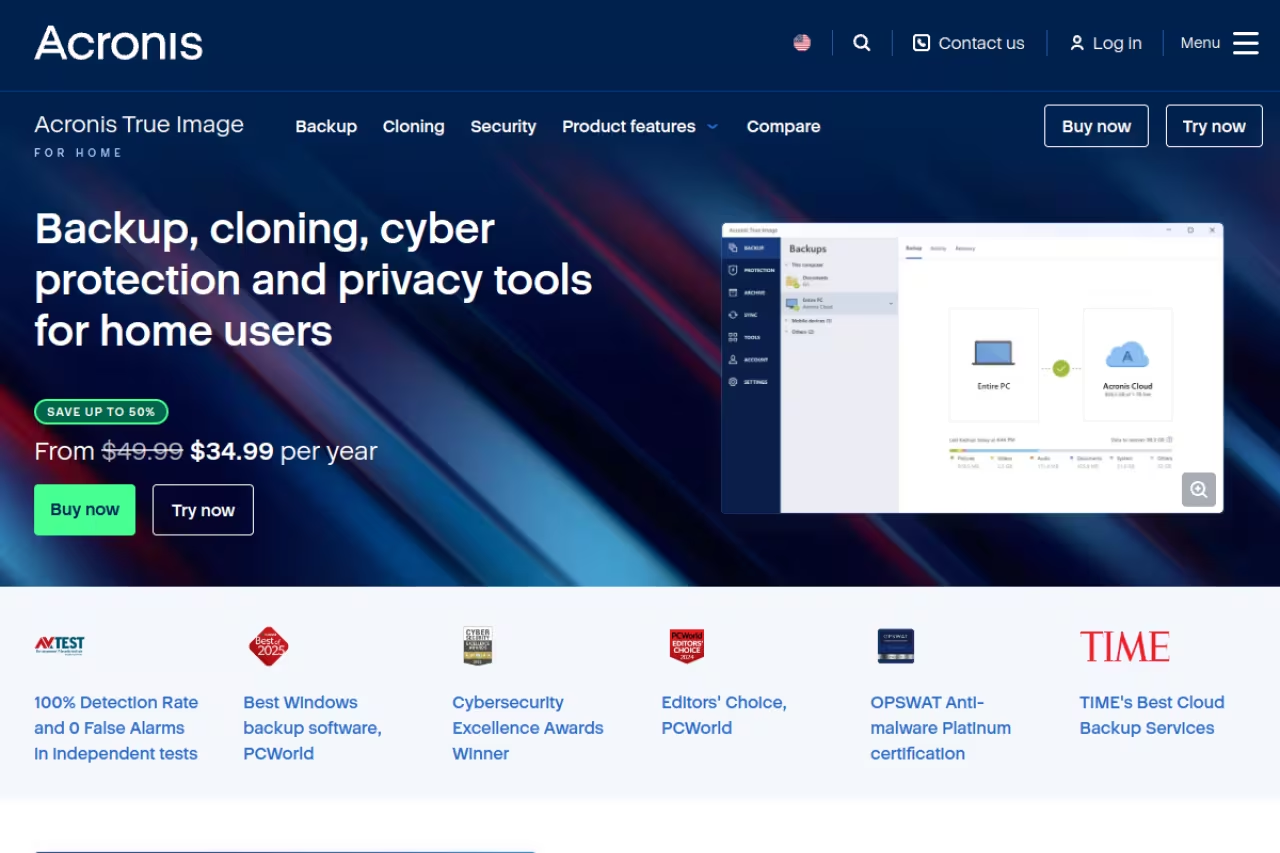
Acronis True Image (the product formerly known as Acronis Cyber Protect Home Office) treats backup and security as one job. You get full disk imaging, cloning, and cloud backup, plus real antivirus and anti-ransomware scanning baked into the same app.
A good fit for power users who would rather run one tool than a backup app plus a separate antivirus, with active ransomware defense that can stop encryption mid-attack. It is heavier than rivals, subscription-only, and cloud tiers are stingy.
Pricing runs in tiers. Essentials is around $4.17/month for local backup only. Advanced, at roughly $6.08/month, adds 50GB to 500GB of cloud storage and full antivirus. Premium pushes up to 10TB of cloud storage and adds blockchain file verification, per the Acronis pricing breakdown. Businesses get the Cyber Protect line starting near $5.67 per workload per month.
The standout is the active ransomware defense. Acronis watches for processes encrypting your files and can stop them mid-attack, then restore affected files from backup automatically. For a freelancer or small shop without an IT team, that's a real safety net.
The catch: it's heavier than the alternatives, both on your machine and on your attention. The app does a lot, which means more settings to misconfigure, and the cloud storage tiers are stingy compared to what IDrive gives you at a similar price. Acronis also killed perpetual licenses, so it's subscription-only now.
Veeam: enterprise-grade, and free if you're scrappy
Veeam is what actual IT departments use to protect servers and virtual machines, and the surprise is that a capable slice of it is free. The Community Edition of Veeam Backup & Replication handles host-based backup for VMware, Hyper-V and AHV, plus agent-based backup for Windows and Linux machines, for up to 10 instances at no cost.
Best for: technical teams, homelab enthusiasts, and anyone protecting servers or VMs rather than a single laptop.
The free Agent for Microsoft Windows does full image-level backups to an external drive, network share, or object storage. The Community Edition adds centralized management of those agents. Paid Veeam Data Platform tiers exist for larger fleets, but you can get serious capability before paying a cent.
The standout is restore reliability. Veeam's bare-metal recovery and instant VM recovery are the gold standard, and the free agent inherits the same restore engine. When you need to bring a dead server back, this is the tool you want.
The catch: this is not consumer software. There's a console, terminology, and assumptions that you understand backup repositories and retention policies. If you just want your photos in the cloud, Veeam is overkill and you'll bounce off the setup.
Veeam is for technical teams, homelab enthusiasts and anyone protecting servers or VMs, and its free Community Edition covers up to 10 instances. Restore reliability is the gold standard, but it is not consumer software and is overkill for photos.
If you're already evaluating infrastructure tools, our roundup of the best AI agents and the broader top tools directory pair well with a Veeam-style setup for a technical stack.
CrashPlan: unlimited everything for small business
CrashPlan survived its consumer exit and now aims squarely at freelancers and small businesses. The pitch is simple: unlimited storage and unlimited version history per device, at a flat per-device rate of roughly $10/month.
CrashPlan is for small businesses and people with huge or constantly changing datasets who hate watching a storage meter, with unlimited version history. Per-device pricing adds up (five laptops run about $600/year), and there is no consumer tier.
Because there's no storage cap and no retention limit, CrashPlan keeps every version of every file forever by default. That matters if you discover a corrupted or ransomware-hit file weeks later and need a clean copy from before the damage. The deduplicated, incremental engine handles big datasets without re-uploading everything each night.
The standout is unbounded version history. Most tools cap you at 30 versions or 30 days. CrashPlan doesn't, which is a genuine differentiator for anyone who edits the same large files repeatedly.
The catch: pricing is per device, so a team of five laptops is around $600/year, which adds up fast next to Backblaze or IDrive. The apps are functional rather than pretty, and there's no personal/consumer tier anymore. It's a business tool now, priced like one.
Arq: bring your own cloud
Arq is for people who want control. Instead of bundling storage, Arq backs up your Mac or PC to whatever destination you already pay for: Backblaze B2, Amazon S3, Wasabi, Google Drive, OneDrive, or your own SFTP server. You own the storage relationship, Arq just does the backup.
Arq is the power-user pick for technical users who want to bring their own cloud storage and avoid paying twice, with client-side encryption. You are the integrator, so there is no hand-holding and no mailed-drive recovery.
Arq 7 costs $49.99 for the first year, then $25/year after that, per the vendor pricing. The clever part is that you can point it at Backblaze B2 at $6/TB/month and end up paying very little for large backups, since you only pay for the storage you actually use.
The standout is destination freedom plus strong encryption. Everything is encrypted client-side before it leaves your machine, so your cloud provider never sees readable data. Pair it with cheap object storage and it's the most cost-efficient option here for big libraries.
The catch: you're the integrator. If your S3 bucket fills up or your credentials expire, that's on you to notice. Arq won't hold your hand the way Backblaze does, and there's no mailed-drive recovery. It's the power-user pick, not the relative-who-calls-you-for-tech-support pick.

Duplicati: free and open source
Duplicati is the free, open-source answer to Arq. It backs up encrypted, deduplicated, incremental copies of your data to almost any destination: Backblaze B2, S3, OneDrive, Google Drive, FTP, WebDAV, and more. It runs on Windows, macOS, and Linux, and it's free even for commercial use under the LGPL license.
The free, open-source option for tinkerers, homelab owners and budget-conscious teams comfortable with a web-based config. Support is community forums and restores can be slow, so use it as one layer and test your restores.
Encryption is AES-256, client-side, and the deduplication keeps storage costs down on whatever backend you choose. There's a scheduler, retention rules, and a web UI for managing jobs. Zero license cost, which is the whole point.
The standout is obvious: it's genuinely free and genuinely capable. For a side project or a single server, you can have encrypted offsite backups running in an afternoon for the cost of the storage alone.
The catch: support is community forums, not a phone number. Restores can be slower than commercial tools, and the project has had bug-fix periods that made some users nervous about trusting it with their only copy. Use it as one layer, not your sole backup, and test your restores.
Afi: the backup your other tools ignore
Here's the gap almost everyone misses. Your files on Microsoft 365 and Google Workspace are not backed up. Microsoft and Google replicate data for uptime, but if someone deletes a mailbox, a malicious actor wipes a SharePoint site, or retention expires, that data is gone. Afi exists to cover that.
Add Afi if your team runs on Microsoft 365 or Google Workspace, since those files are not truly backed up by the providers. It covers SaaS only, not laptops or servers, so it complements rather than replaces your endpoint backup.
Afi backs up Gmail, Drive, Calendar, Exchange, OneDrive, SharePoint, and Teams with up to three backups a day and granular restore. Pricing lands around $3 per user per month depending on plan and volume, in the same range as competitor Datto SaaS Protection at roughly $2 to $2.50 per user. There's a free trial to confirm it covers your setup.
The standout is SLA-based, automated protection of SaaS data that desktop backup tools simply can't touch. It restores individual emails or whole accounts, which is exactly what you need after an offboarding goes wrong.
The catch: it only covers cloud SaaS, not your laptops or servers, so it's an addition to your stack rather than a replacement. You'll still want one of the tools above for endpoints. But if your business lives in Google Workspace or Microsoft 365, skipping SaaS backup is a real risk.
How to choose
Don't overthink the brand. Match the tool to the shape of your problem.
Count your computers. One machine, want it effortless? Backblaze. Several devices in one household or small team? IDrive's shared bucket wins on price.
Look at your data size and change rate. Huge or constantly-edited datasets where you might need an old version months later? CrashPlan's unlimited versions or Arq pointed at cheap B2 storage. Modest data? Almost anything works.
Decide how much you want to manage. If "set it and forget it" is the goal, pay for Backblaze or IDrive. If you enjoy controlling the storage backend and saving money, Arq or Duplicati reward that effort.
Don't forget your cloud apps. Endpoint backup and SaaS backup are two separate jobs. If your team runs on Microsoft 365 or Google Workspace, add Afi or a similar tool. One does not cover the other.
The real rule, older than any of these products, is keep three copies of your data, on two types of media, with one copy offsite. Most of these tools handle the offsite copy. You still want a local image too, so a restore doesn't depend on your internet connection on the worst day.
If you want to keep up with which tools are worth your time as this category keeps shifting, Dupple X tracks the software and AI tools that actually earn a spot in a working stack, so you're not learning about a better option after the migration.
FAQ
What is the best backup software in 2026?
For most people backing up a single computer, Backblaze is the best pick because it offers truly unlimited storage for a flat $99/year and requires almost no setup. If you have multiple devices, IDrive gives you more storage per dollar by letting you back up unlimited devices into one account. The "best" choice depends on how many machines you have and whether you also need to protect cloud apps like Microsoft 365.
Is cloud backup the same as cloud sync?
No, and confusing them is a common and dangerous mistake. Sync tools like Dropbox or OneDrive mirror your files in real time, so if a file gets corrupted or encrypted by ransomware, the bad version syncs everywhere instantly. Backup software keeps point-in-time versions you can roll back to, which is what actually saves you after an accident or attack. Use both, but don't treat sync as your backup.
How much should backup software cost?
For a single computer, expect around $99/year for an unlimited plan like Backblaze. Multi-device plans like IDrive's 5TB tier run about the same. Per-device business tools like CrashPlan cost roughly $120 per device per year. SaaS backup for Microsoft 365 or Google Workspace adds about $3 per user per month. Free options like Veeam Community Edition and Duplicati exist if you're willing to manage more yourself.
Do I need to back up Microsoft 365 or Google Workspace?
Yes. Microsoft and Google protect their infrastructure, not your data against your own mistakes. If an employee deletes files, an account is compromised, or retention policies expire, that data can be permanently lost. A dedicated SaaS backup tool like Afi keeps independent, restorable copies of email, Drive, SharePoint, and Teams. Desktop backup software does not cover this.
Is free backup software good enough?
It can be, with caveats. Veeam Community Edition gives you enterprise-grade imaging for up to 10 instances, and Duplicati does encrypted offsite backups to any storage for free. Both are genuinely capable. The trade-off is that you manage everything yourself and rely on community support instead of a help line. For critical data, use a free tool as one layer and test your restores regularly rather than trusting it as your only copy.
What does the 3-2-1 backup rule mean?
Keep three copies of your data, on two different types of storage, with at least one copy offsite. So you might have the original on your laptop, a local image on an external drive, and a cloud copy with Backblaze or IDrive. The point is that no single failure, whether a dead drive, a stolen laptop, or a ransomware attack, can wipe out every copy at once.
Related guides
Some offers on this page may be paid placements or contain affiliate links.
Across our whole catalogue the median is $24 a month and 33% of tools advertise a free tier. Figures are the lowest recurring monthly price quoted in our own review of each tool, read on 2026-08-19. Full method and every category.
