
Best Audio Editing Software in 2026: 8 Tools Compared

Key facts8 tools compared: Descript, REAPER, Adobe Audition, Audacity, Logic Pro, Ableton Live 12, Pro…
- 8 tools compared: Descript, REAPER, Adobe Audition, Audacity, Logic Pro, Ableton Live 12, Pro Tools, Cleanvoice AI
- Descript (best for: Podcasters, video creators): Free / $24+ mo
- REAPER (best for: Pro multitrack on a budget): $60 one-time
- Adobe Audition (best for: Cleanup and restoration): $22.99/mo
- Audacity (best for: Free, no-frills editing): Free
Most "best audio editor" roundups read like they were written by someone who opened five tabs and never recorded a single take. I record a weekly podcast, cut newsletter voiceovers, and clean up interview audio that comes in sounding like it was tracked inside a tin can. So I have opinions, and most of them are about which tools waste your time.
Here is the tension. The "best" audio editor depends almost entirely on what you make. A music producer layering 40 tracks of synths needs nothing like what a solo podcaster needs to delete "um" 200 times an hour. Pick the wrong category and you will either pay for power you never touch or fight a tool that was never built for your job.
If you want the short answer: for most people creating spoken-word content in 2026, Descript is the fastest way from raw recording to finished file, because you edit audio by editing text. If you are doing serious multitrack work and hate subscriptions, REAPER is the best $60 you will spend on software this year. The rest of this list covers the eight tools worth your attention, who each one is actually for, and where each one falls apart.
Quick comparison
| Tool | Best for | Price | Standout |
|---|---|---|---|
| Descript | Podcasters, video creators | Free / $24+ mo | Edit audio by editing text |
| REAPER | Pro multitrack on a budget | $60 one-time | Full DAW, 15MB, lifetime-ish updates |
| Adobe Audition | Cleanup and restoration | $22.99/mo | Spectral repair, noise removal |
| Audacity | Free, no-frills editing | Free | Open source, runs anywhere |
| Logic Pro | Mac music producers | $199.99 one-time | Huge sound library, Flex Time |
| Ableton Live 12 | Electronic music, live sets | $99-$749 | Session view for looping |
| Pro Tools | Studios, post-production | $9.99-$99/mo | Industry-standard sessions |
| Cleanvoice AI | Auto cleanup add-on | From $11/mo | Removes fillers and mouth noise |

Descript: the one I reach for first
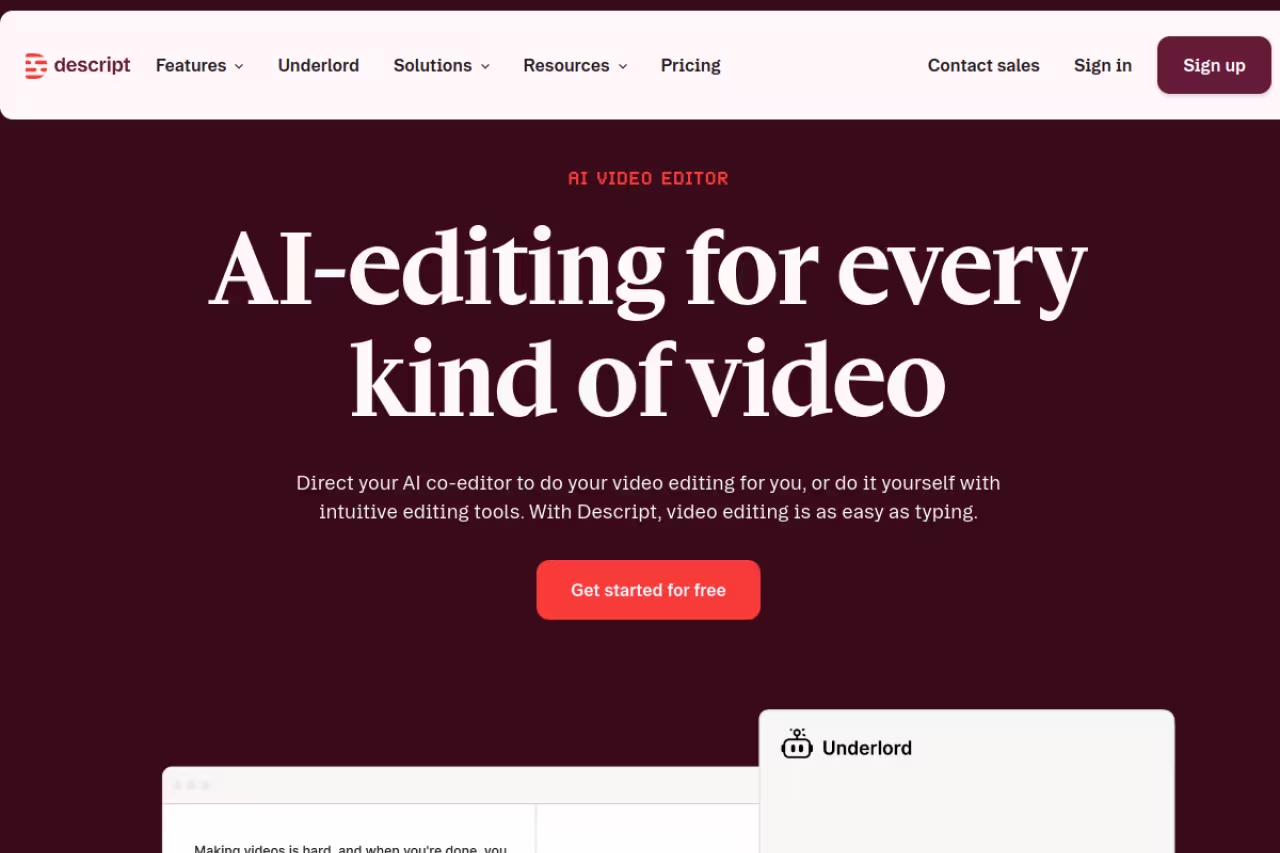
Descript transcribes your recording, then lets you edit the audio by editing the transcript. Delete a sentence of text, the audio disappears with it. Cut a filler word from the page, it's gone from the file. The first time you do this it feels like cheating.
This is the tool for podcasters, course creators, marketers cutting talking-head video, and anyone who would rather read than scrub a waveform. I cut my podcast turnaround roughly in half after switching, mostly because removing "um" and dead air is a find-and-replace job instead of a manual hunt.
The first pick for podcasters, course creators and talking-head video editors who would rather read than scrub a waveform. Editing by transcript roughly halved my turnaround, but credits can run out mid-month and it is no mixing console.
Pricing is free for around 60 media minutes a month, then $24/month on Hobbyist or $35/month on Creator when billed monthly, dropping to $16 and $24 if you pay annually (full pricing here). The Creator tier is where the useful AI volume lives.
The catch: Descript runs on a credit system layered on top of the subscription, so heavy AI use, like voice cloning or Overdub, can run you out mid-month even on a paid plan. It also is not a real mixing console. If you need surgical EQ and bus routing, this is the wrong tool. For talking, it's the best there is.

REAPER: absurd value for serious work
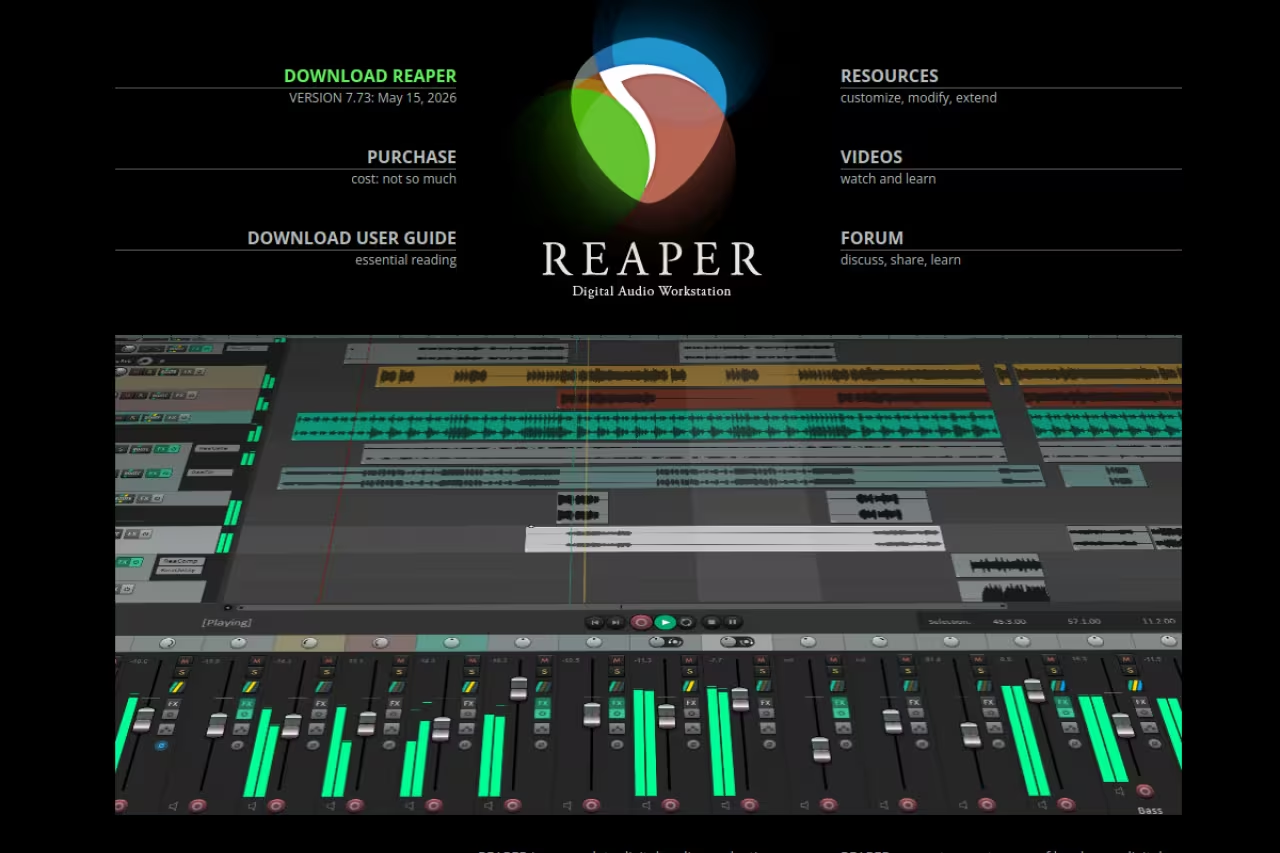
REAPER is the DAW that audio nerds keep quietly recommending, and they are right. The whole install is about 15MB, it opens instantly, and it does everything the expensive workstations do: unlimited tracks, deep MIDI, video, scripting, and routing you can bend into any shape.
This is for the budget-conscious professional or the serious hobbyist who wants real power without a subscription. Podcast editors love it because it handles multitrack recordings with multiple mics cleanly, and music producers use it for full productions.
The price is the headline. A discounted license is $60 and a commercial license is $225, both one-time, with free updates through version 8.99 (see REAPER's purchase page). The discounted license covers personal use and anyone earning under $20,000 a year from it, which is most people reading this. There is also a genuinely unlimited 60-day evaluation.
Where it falls short: the default interface looks like it was designed in 2009 and never updated, because it mostly wasn't. The learning curve is real, and you will spend a weekend in forums and YouTube before it clicks. Stick with it and you will never need anything else.
Absurd value for budget-conscious professionals and serious hobbyists who want real power without a subscription, from a $60 discounted license. The default interface looks like it was designed in 2009, and expect a weekend of learning before it clicks.
Adobe Audition: the cleanup specialist
Adobe Audition is where you go when the recording is broken and you need to fix it. The spectral frequency display lets you see sound as an image and paint out a cough, a chair squeak, or a buzz without touching the rest of the track. Its noise reduction and restoration tools are still the benchmark a lot of pros measure against.
This is for editors who deal with messy source audio: field recordings, Zoom interviews, location sound. If your job is rescue and restoration more than creation, Audition earns its keep.
It runs $22.99/month as a standalone Creative Cloud single-app subscription, or you can get it bundled in the all-apps plan (Adobe's plans page has current numbers). There is a 7-day free trial.
The catch: it's a subscription with no perpetual option, so you rent it forever. And it's a stereo-focused editor, not a full mixing DAW, so it has no MIDI and no real instrument support. If you want to make music, look elsewhere. For surgical audio repair, few things touch it.
Audition is the rescue tool for broken source audio like field recordings and Zoom interviews, with spectral display and benchmark noise reduction. It is subscription-only and has no MIDI, so look elsewhere if you want to make music.

Audacity: still the best free option
Audacity has been the default free audio editor for over two decades, and version 3.7.8 (June 2026) keeps it relevant with better real-time effects, improved noise reduction, and VST3 support. It is open source, runs on Windows, Mac, and Linux, and costs nothing.
This is for students, first-time podcasters, and anyone who needs to trim a file, record a quick voiceover, or convert formats without paying. It does the 80% of audio tasks most people actually have.
Still the best free option for students, first-time podcasters and quick trims or voiceovers. It handles most tasks, but its destructive workflow and awkward multitrack work are your signal to graduate to REAPER or Descript.
Pricing: free, forever, with no tier games.
Where it falls short: the workflow is destructive by default, meaning edits change the underlying file rather than living on a flexible timeline, so it feels clunky once you outgrow simple cuts. Multitrack work is possible but awkward. It is a fine starting point and a poor finishing one. When Audacity starts fighting you, that's your signal to graduate to REAPER or Descript.
Logic Pro: the Mac producer's bargain
Logic Pro is Apple's professional DAW, and the 2026 release (Logic Pro 12, shipped in January) added more AI-assisted mixing and session tools. It comes loaded with a massive library of instruments, loops, and effects, and includes spoken-word templates plus Flex Time for retiming audio without changing pitch.
This is for Mac users making music, scoring video, or producing polished podcasts who want studio-grade tools at a fair price. For what you get, it is the best value in the pro DAW world.
The price is $199.99 one-time on the Mac App Store, which buys all future updates with no subscription. Logic Pro for iPad is separate at $4.99/month or $49/year, and there's an Apple Creator Studio bundle at $12.99/month (Apple's announcement covers the bundle).
The catch: it's Mac and iPad only. No Windows version exists and never will. The sheer depth can also overwhelm someone who just wants to edit a podcast, which is exactly the kind of overkill that sends people back to Descript.
A Mac producer's bargain: studio-grade instruments, loops and effects for $199.99 one-time with no subscription. It is Mac and iPad only, and the depth can overwhelm someone who just wants to edit a podcast.

Ableton Live 12: built for music, not talking
Ableton Live is the DAW of choice for electronic producers and live performers, and Live 12 is the current version. Its Session View, a grid of loops and clips you trigger on the fly, is unlike anything else and the reason DJs and beatmakers swear by it.
This is for music producers, especially anyone working with samples, loops, and live performance. It is not a spoken-word tool and does not pretend to be.
Live 12 comes in three editions: Intro at $99, Standard at $349, and Suite at $749, all one-time purchases (Ableton lists editions here). Suite is the full package with every instrument and effect. Watch for seasonal 25% sales, which are common.
Where it falls short: it is genuinely overkill for podcasts or simple voiceovers, and the linear Arrangement View feels less natural than competitors for long-form editing. Suite is also pricey if you only need the basics. For making beats, though, nothing else feels the same.
The DAW for electronic producers and live performers, thanks to its Session View for triggering loops and clips. It is overkill for podcasts or simple voiceovers, and Suite at $749 is pricey if you only need the basics.
Pro Tools: the studio standard
Pro Tools has been the industry default in professional studios and post-production since 1991. If you plan to work in or with a commercial facility, sessions almost certainly come in Pro Tools format, and that compatibility is the whole pitch.
This is for audio engineers, post-production editors, and anyone whose career runs through professional studios. For a solo creator at home, it's usually more than you need.
Avid offers three tiers: Artist at $9.99/month or $99/year, Studio at $34.99/month or $299/year, and Ultimate at $99/month or $599/year (Avid's comparison page has the breakdown). Studio is the tier most working pros use.
The catch: pricing and licensing have a reputation for being fiddly, and the free Intro tier caps you at a low track count. Unless you specifically need studio interchange, REAPER or Logic gives you similar power for far less hassle.
Pro Tools is the studio standard if your career runs through commercial facilities, where sessions arrive in its format. A solo creator at home usually needs less, and REAPER or Logic gives similar power with less licensing hassle.

Cleanvoice AI: a cleanup layer, not a full editor
Cleanvoice AI is not a DAW. It's an AI service you run your recording through to strip filler words, stutters, mouth clicks, and dead air automatically before you do your real edit. I treat it as a pre-processing step, not a destination.
This is for podcasters and interviewers who record a lot of raw, conversational audio and want the tedious cleanup done before they ever open an editor. Pair it with REAPER or Audacity and you save real hours.
Treat Cleanvoice as a pre-processing layer for podcasters and interviewers with raw conversational audio, not a full editor. It strips fillers and dead air automatically from $11/month, but it can clip a word, so spot-check the output.
Pricing starts at $11/month for 10 hours of audio, scaling to $30 for 30 hours and $90 for 100 hours, with pay-as-you-go credits that stay valid for two years (Cleanvoice pricing). A 30-minute free trial lets you test the output quality.
Where it falls short: it does one job and you still need a real editor afterward. The automatic filler removal is aggressive and occasionally clips a word you wanted, so you'll want to spot-check. As a time-saver bolted onto a proper workflow, it's worth it.
How to choose without overthinking it
Start with what you make, not with the feature list.
If you create spoken-word content (podcasts, course videos, talking-head clips), get Descript. The text-based workflow saves more time than any feature in a traditional DAW will. Bolt on Cleanvoice if your raw audio is messy.
If you produce music, the platform decides it. On a Mac, Logic Pro at $199.99 one-time is the obvious value play. For electronic music and live sets, Ableton Live. On Windows or any platform where you want maximum power for minimum money, REAPER.
If your work runs through professional studios, you need Pro Tools for session compatibility, full stop. Nothing else interchanges as cleanly.
And if you just need to trim a file or record a quick clip and pay nothing, Audacity still does the job. Start there and upgrade only when the tool starts slowing you down.
For a wider view of the AI tools worth adding to a creator stack, our top tools list and the best AI video editors guide are good next stops. If you want one feed that keeps you current on tools like these, Dupple X is built for exactly that.
FAQ
What is the best audio editing software for podcasts?
For most podcasters, Descript is the best choice in 2026 because it lets you edit audio by editing a transcript, which makes cutting filler words and tightening conversation far faster than scrubbing a waveform. If you want a traditional multitrack workflow instead, REAPER is the best value at $60 one-time, and pairing either with Cleanvoice AI automates the tedious cleanup.
What is the best free audio editing software?
Audacity is the best free audio editor. It's open source, runs on Windows, Mac, and Linux, and handles recording, trimming, noise reduction, and format conversion without any cost or feature gating. Descript also has a free tier with about 60 media minutes per month, which is enough to test its text-based editing before paying.
Is Audacity or Adobe Audition better?
It depends on your budget and goal. Audacity is free and great for straightforward editing and recording. Adobe Audition, at $22.99/month, is the better tool when you need to repair damaged audio. Its spectral display and noise reduction tools let you remove specific sounds that Audacity struggles with. For most casual use, Audacity is enough. For professional cleanup, Audition wins.
Do I need a DAW or just an audio editor?
If you only cut, trim, and clean spoken-word audio, a focused editor like Descript or Audacity is plenty and a full DAW is overkill. If you're recording multiple tracks, working with MIDI, or producing music, you need a DAW like REAPER, Logic Pro, or Ableton Live. The difference is that a DAW handles complex multitrack production, while an editor focuses on cutting and polishing existing audio.
Is Logic Pro worth it compared to a subscription?
For Mac users, yes. Logic Pro is a one-time $199.99 purchase that includes all future updates, so it pays for itself within a year compared to a subscription like Pro Tools Studio ($299/year) or Adobe Audition ($275/year). The main limitation is that it only runs on Mac and iPad, so Windows users have to look at REAPER or Pro Tools instead.
Related guides
Some offers on this page may be paid placements or contain affiliate links.
Across our whole catalogue the median is $24 a month and 33% of tools advertise a free tier. Figures are the lowest recurring monthly price quoted in our own review of each tool, read on 2026-08-19. Full method and every category.
