
Best Antivirus Software in 2026: 8 Picks I Actually Trust

Key facts8 tools compared: Bitdefender Total Security, Microsoft Defender, Norton 360 Deluxe…
- 8 tools compared: Bitdefender Total Security, Microsoft Defender, Norton 360 Deluxe, Malwarebytes Premium, ESET HOME Security, McAfee+, TotalAV, Avast One
- Bitdefender Total Security (best for: Best overall paid suite): $59.99 / 5 devices
- Microsoft Defender (best for: Best free protection): Free
- Norton 360 Deluxe (best for: All-in-one with VPN + backup): $119.99 / 5 devices
- Malwarebytes Premium (best for: Cleanup and second opinion): $44.99 / 3 devices
Most antivirus reviews read like they were written by the marketing department of whichever brand pays the highest affiliate rate. I wanted something different: a short list of products that actually hold up in independent lab testing, priced honestly, with the catches spelled out.
Here is the tension nobody admits. Windows already ships with a free antivirus that scores at the top of the same lab tests as the paid suites. So the question for most people in 2026 is not "which antivirus stops the most malware." They all stop nearly everything. The real question is what else you need: a VPN, a password manager, identity monitoring, parental controls, or just a clean tool that does not nag you to upgrade every twenty minutes.
This is for anyone who wants a straight answer. If you want the short version: Bitdefender Total Security is the best all-around paid pick, Microsoft Defender is the best free one (and it is already on your PC), and Malwarebytes is what I reach for when something is already wrong. Everything else below is situational.
Quick comparison
| Tool | Best for | Price (first year) | Standout |
|---|---|---|---|
| Bitdefender Total Security | Best overall paid suite | $59.99 / 5 devices | 4x AV-Comparatives Product of the Year |
| Microsoft Defender | Best free protection | Free | Built into Windows, top lab scores |
| Norton 360 Deluxe | All-in-one with VPN + backup | $119.99 / 5 devices | 50GB cloud backup, dark web monitoring |
| Malwarebytes Premium | Cleanup and second opinion | $44.99 / 3 devices | Best at removing active infections |
| ESET HOME Security | Light footprint, power users | ~$44.99 / 5 devices | Advanced+ in all 7 lab tests |
| McAfee+ | Families, unlimited devices | $49.99 / unlimited | Unlimited installs, identity tools |
| TotalAV | Budget all-rounder | $19 / 3 devices | Cheap entry, decent extras |
| Avast One | Free with more visible extras | Free | Sandbox, Wi-Fi scan on free tier |

Bitdefender Total Security: the one I recommend most
If you want one paid antivirus and you do not want to think hard about it, this is the answer. Bitdefender keeps winning AV-Comparatives Product of the Year, now four years running, and it does it while barely touching your system resources. That combination is rare.
Who it is best for: people who want top-tier detection without the system slowdown, plus a handful of useful extras (ransomware protection, a basic VPN, a password manager).
The one I recommend most if you want a single paid antivirus without thinking hard, with excellent detection and a very light performance hit. The bundled VPN is capped at 200MB per day, and renewal prices climb after year one.
Total Security runs $59.99 for the first year covering 5 devices. If you only want core protection, Antivirus Plus is $29.99 a year for 3 Windows PCs. The Family plan covers 25 devices for $79.99.
The standout: detection is genuinely excellent and the performance hit is among the lowest of any paid product. You forget it is running, which is exactly what you want from antivirus.
The catch: the bundled VPN is capped at 200MB per day, which is basically useless. If you want a real VPN you pay extra. Renewal prices also climb after year one, so set a calendar reminder to reassess.
Microsoft Defender: free, built in, and genuinely good
Here is the uncomfortable truth for the paid antivirus industry: the free thing already on your Windows machine scores 6/6 on protection in AV-TEST evaluations, right alongside Bitdefender and Norton. For a lot of people, you are done. You do not need to buy anything.
Who it is best for: anyone on Windows 10 or 11 who practices basic hygiene (does not click sketchy attachments, keeps software updated) and does not need a VPN or identity monitoring bundled in.
Free, built in and genuinely good, so for many Windows users with basic hygiene there is nothing to buy. It is bare, with no VPN or password manager and weak parental controls.
free. It updates through Windows Update and there are no upsell pop-ups, which is more than I can say for most of the "free" competitors.
The standout: zero friction. Nothing to install, nothing to configure, no nagging. It just runs.
The catch: it is bare. No VPN, no password manager, weak parental controls, and the standalone Defender app you get with a Microsoft 365 subscription is a different, more limited thing than the built-in Windows protection. If you want extras, you look elsewhere. But as pure malware protection, it is hard to argue with free and effective.
Norton 360 Deluxe: the everything bundle
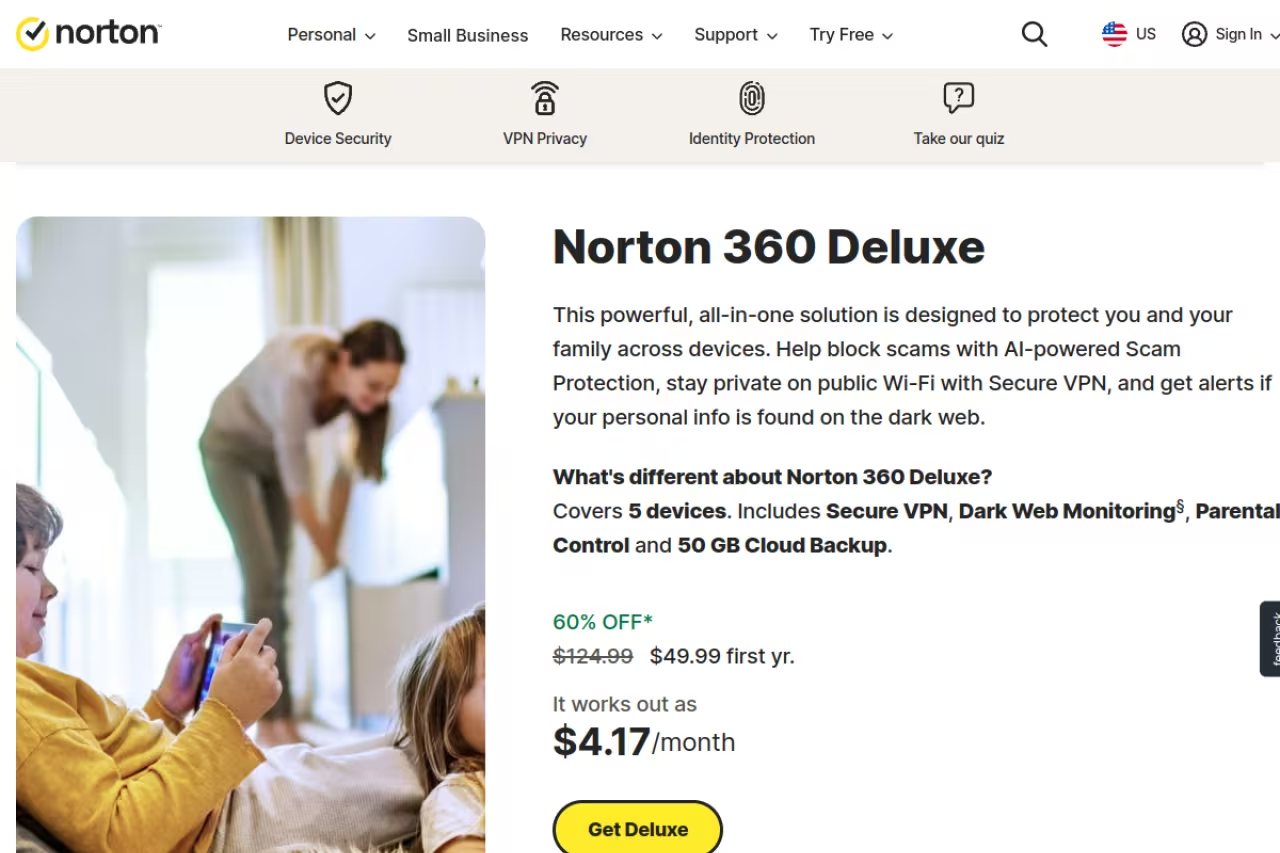
Norton's pitch is that you stop buying separate tools. One subscription gets you antivirus, a VPN with no data cap, a password manager, 50GB of cloud backup, dark web monitoring, and parental controls. If you would otherwise pay for those things individually, the math works.
Who it is best for: people who want a real VPN included, families who want parental controls, and anyone who values cloud backup as ransomware insurance.
The everything bundle for people who want an unlimited VPN, parental controls and cloud backup under one subscription. Buy on the $49.99 promo, not at the $119.99 list price, because the second-year renewal is the sting.
the list price for Norton 360 Deluxe is $119.99 covering 5 devices, but Norton runs a near-permanent first-year promo around $49.99. Buy on promo, not at list.
The standout: the bundle is the point. The included VPN is unlimited, the dark web monitoring actually flags breached credentials, and 50GB of backup is a real safety net if ransomware ever locks your files.
The catch: the renewal price is the sting. That $49.99 promo jumps to the full $119.99 the second year, and Norton does not make it obvious. The interface also pushes its own extras hard. Treat it as a year-by-year decision, not a set-and-forget subscription.
If juggling subscriptions across your stack is the actual problem you are solving, a single tool like Dupple X can replace a pile of separate logins, and the same logic applies to security: fewer overlapping tools, fewer renewal traps.

Malwarebytes Premium: the cleanup specialist
Malwarebytes earned its reputation as the thing you run when something is already broken. It catches stuff traditional antivirus misses, especially adware, browser hijackers, and potentially unwanted programs that other scanners shrug at.
Who it is best for: anyone dealing with an active infection, and people who want a second-opinion scanner alongside their main antivirus.
The cleanup specialist to run when something is already broken, or as a second-opinion scanner beside your main antivirus. As your only always-on protection it is weaker than Bitdefender or Norton, and the 60-day guarantee lets you test it.
the Standard plan is $44.99 a year for 3 devices. The Plus plan at $79.99 bundles a VPN. There is a free version, but it only scans on demand, no real-time protection.
The standout: removal. When a machine is already compromised, Malwarebytes cleans it better than almost anything. It also plays nicely running next to Defender, so you can use both.
The catch: as your only always-on antivirus, it is weaker than Bitdefender or Norton in independent real-world protection tests. It is a scalpel, not a fortress. The 60-day money-back guarantee is generous, so you can test it risk-free.
ESET HOME Security: the quiet power-user pick
ESET does not market as loudly as the big American brands, but it quietly took Advanced+ awards in all seven AV-Comparatives tests last year, including a Gold for stopping targeted and fileless attacks. It is the antivirus that techies recommend to each other.
Who it is best for: people who want deep configuration control, a light system footprint, and detection that holds up against sophisticated attacks.
The quiet power-user pick for people who want deep configuration, a light footprint and strong detection against sophisticated attacks. The interface assumes you know what you are doing, and the cheapest tier skips the extras bundled elsewhere.
ESET HOME Security Essential runs around $44.99 a year for 5 devices. The Premium tier adds an unlimited VPN, a password manager, and data encryption. You pick how many devices you want, up to ten on any tier.
The standout: it is light and fast, and the detection against advanced threats is best-in-class. Power users love how much you can tune.
The catch: the interface assumes you know what you are doing. If you want a one-button "protect me" experience, the depth of options can feel like clutter. The cheapest tier also skips the extras that come standard in Norton or Bitdefender bundles.
McAfee+: built for households
McAfee's edge is device count. Its premium tiers cover unlimited devices, which is a real advantage if your family has phones, tablets, and laptops scattered everywhere. It also leans hard into identity protection and parental controls.
Who it is best for: large households and families who want to cover every device under one subscription without counting seats.
Built for large households, with premium tiers covering unlimited devices plus identity and parental controls. The system impact is heavier than Bitdefender or ESET, the interface is busy with upsells, and renewals are steeper.
McAfee Total Protection starts around $29.99 first year for one device, and the premium individual plan covering unlimited devices runs about $49.99 first year. Like Norton, renewals are steeper.
The standout: unlimited installs plus a solid bundle of identity-monitoring and password tools. For a busy family, "just install it on everything" has real value.
The catch: the system impact is heavier than Bitdefender or ESET, and the interface is busy with upsells. Identity features overlap with services you may already get from your bank or credit card, so check before you double-pay.
TotalAV: cheap, if you read the renewal terms
TotalAV is the budget option that shows up in every "deal" roundup. The first-year price is genuinely low, the interface is friendly, and it bundles a VPN and system cleanup tools.
Who it is best for: budget-conscious users who want a tidy all-in-one and will actually cancel before renewal.
A budget option that is cheap only if you read the renewal terms, with a friendly interface and $19 first-year pricing. The $19 plan jumps to roughly $99 in year two, so cancel or renegotiate before renewal.
the Antivirus Pro plan is $19 for the first year covering 3 devices. Internet Security is $39 and adds the VPN. Total Security is $49.
The standout: the price-to-features ratio in year one is hard to beat, and the interface is genuinely pleasant for non-technical users.
The catch: renewals are brutal. That $19 plan jumps to roughly $99 in year two, and the $39 plan to $129. TotalAV's detection is fine but not class-leading, so the value lives entirely in the first-year price. Mark your calendar and cancel or renegotiate.
Avast One: the better free upgrade path
If Microsoft Defender feels too bare and you want a free tool with more visible extras, Avast One Essential gives you a basic sandbox, a Wi-Fi network scanner, and a limited VPN at no cost. Detection across Windows, Mac, and Android is strong.
Who it is best for: people who want a free antivirus with a few more features than Defender, and a clear paid upgrade path if they decide they want more.
The upgrade path if Defender feels too bare, with a free tier that adds a sandbox, Wi-Fi scanner and limited VPN. Avast's Jumpshot data-selling history is worth weighing if privacy is your top concern.
the Essential tier is free. Paid tiers add unlimited VPN and identity features.
The standout: the free version is more feature-rich than Defender, with a clean modern interface.
The catch: Avast has a documented history around selling user browsing data through its Jumpshot subsidiary, which it shut down after the backlash. The company says that is behind it, but if data privacy is your top concern, that history is worth knowing. The free tier also pushes upgrade prompts more than Defender does.
How to choose
Skip the brand loyalty and answer three questions.
Do you just need malware protection? Use Microsoft Defender. It is free, it is already installed, and it scores at the top of the same labs as the paid suites. Add Malwarebytes free as an on-demand second opinion. You are done, and you spent nothing.
Do you want a VPN, password manager, and identity monitoring bundled? Now a paid suite earns its price. Bitdefender Total Security if you want the best detection-to-performance ratio. Norton 360 Deluxe if the VPN and cloud backup matter most. Just buy on promo and reassess at renewal.
Are you covering a whole family or a pile of devices? McAfee+ for unlimited installs, or ESET if you want lighter performance and more control. For households, the per-device cost matters more than which one wins a lab test by half a point.
One rule above all: never pay the renewal price without checking. The antivirus industry runs on cheap first years and expensive automatic renewals. Treat every subscription as a one-year decision.
FAQ
Is paid antivirus worth it in 2026, or is Microsoft Defender enough?
For most people with good habits, Defender is enough. It earns top protection scores in AV-TEST evaluations and it is free. Paid antivirus becomes worth it when you want bundled extras like a real VPN, a password manager, identity monitoring, or cloud backup, not because the malware detection is dramatically better.
What is the best antivirus software overall?
Bitdefender Total Security is the best all-around paid pick. It has won AV-Comparatives Product of the Year four years running while keeping one of the lightest system footprints of any paid suite. At $59.99 for the first year across 5 devices, it covers the most bases for the most people.
Which free antivirus is best?
Microsoft Defender, because it is built into Windows, scores at the top of independent lab tests, and shows no upsell pop-ups. Avast One Essential is a solid alternative if you want more visible features like a Wi-Fi scanner and a basic VPN, though it pushes upgrade prompts harder.
Why does antivirus get so much more expensive after the first year?
Almost every consumer antivirus brand uses a low promotional first-year price to win the sale, then auto-renews at the much higher list price. Norton, McAfee, and TotalAV all do this. The fix is simple: set a reminder before renewal, and either cancel, switch, or call to renegotiate the rate.
Can I run two antivirus programs at once?
Generally you should not run two real-time antivirus engines together, as they conflict and slow your machine. The exception is an on-demand scanner like Malwarebytes, which is designed to coexist with your main antivirus. Running Defender plus Malwarebytes free is a common, safe combination.
Does antivirus protect against phishing and scams?
Modern suites include web protection that blocks known phishing sites, and most now add AI-powered scam detection. It helps, but it is not foolproof. The bigger defense is using unique passwords with a manager and turning on two-factor authentication everywhere. Antivirus is one layer, not the whole wall.
If you found this useful, the Techpresso newsletter breaks down the tools and security news worth your attention every morning. And if you are building a stack, our roundups of the top AI tools and best AI agents are worth a look too.
Related guides
Some offers on this page may be paid placements or contain affiliate links.
