
The 8 Best AI Study Tools in 2026 (Compared)

Key facts8 tools compared: NotebookLM (Gemini Notebook), ChatGPT Study Mode, RemNote, Quizlet…
- 8 tools compared: NotebookLM (Gemini Notebook), ChatGPT Study Mode, RemNote, Quizlet, StudyFetch, Otter.ai, Gemini, Perplexity
- NotebookLM (Gemini Notebook) (best for: Grounded study from your own sources): Free; Google AI Plus $4.99/mo
- ChatGPT Study Mode (best for: Being tutored, not given answers): Free; Go $8/mo; Plus $20/mo
- RemNote (best for: Long-term retention): Free; Pro $8/mo billed yearly
- Quizlet (best for: Fast flashcards and test prep): Free; Plus (paid)
The short version: if you want a free starting point that grounds everything in your own materials, Google NotebookLM (renamed Gemini Notebook in July 2026) is the one to open first. If you want to be tutored instead of spoon-fed, ChatGPT Study Mode is the best. And if you care about long-term retention, RemNote is hard to beat. Here's how all eight stack up, who each is for, and where each one falls short.
Updated October 2026: prices and free limits re-checked on each vendor's site; NotebookLM's new name and cheaper Google AI Plus plan, ChatGPT Go, RemNote's AI tier and Google's student offer added.
Most "AI study tools" do one of two things: they answer your homework for you (great for cheating, terrible for actually learning), or they slap a chatbot on a notes app and call it revolutionary. Neither helps you walk into an exam knowing the material.
This guide compares every tool people keep recommending against one question: does it help you understand and retain the material, or just produce nice-looking summaries you'd forget by morning?
Quick comparison
| Tool | Best for | Price | Standout |
|---|---|---|---|
| NotebookLM (Gemini Notebook) | Grounded study from your own sources | Free; Google AI Plus $4.99/mo | Audio Overviews of your notes |
| ChatGPT Study Mode | Being tutored, not given answers | Free; Go $8/mo; Plus $20/mo | Socratic step-by-step coaching |
| RemNote | Long-term retention | Free; Pro $8/mo billed yearly | Notes that become spaced-repetition cards |
| Quizlet | Fast flashcards and test prep | Free; Plus (paid) | Magic Notes turns PDFs into sets |
| StudyFetch | Turning lectures into study sets | Free; paid plans | AI tutor trained on your course |
| Otter.ai | Recording and searching lectures | Free; Pro $8.33/mo | 300 free transcript minutes/month |
| Gemini | Research-heavy assignments | Free; AI Pro $19.99/mo | Deep Research across hundreds of sites |
| Perplexity | Fast cited answers and sources | Free; Pro $20/mo | Real citations on every answer |
Toolradar data: of the 17 flashcard and spaced-repetition tools Toolradar tracks, 15 (88%) offer a free plan, and RemNote is the most cross-shopped of them, listed as an alternative to 12 other tools against 8 each for Quizlet and StudyFetch (snapshot of 16 October 2026). Paying for flashcards is optional; paying for higher AI limits is where the money goes.
What the paid tiers cost (prices checked October 2026)
| Tool | Plan | Price |
|---|---|---|
| NotebookLM (Gemini Notebook) | Google AI Plus / Google AI Pro | $4.99/mo / $19.99/mo |
| ChatGPT | Go / Plus | $8/mo / $20/mo |
| RemNote | Pro / Pro with AI | $96/yr / $216/yr |
| Otter.ai | Pro | $8.33/mo billed annually |
| Perplexity | Pro / Education Pro | $20/mo / $10/mo for verified students |
| Quizlet | Plus | Check the current price on Quizlet's site |
| StudyFetch | Paid plans | Check the current price on StudyFetch's site |
Sources: Google AI plans, ChatGPT pricing, RemNote pricing, Otter pricing and Perplexity's plan guide.
NotebookLM: the best free place to start
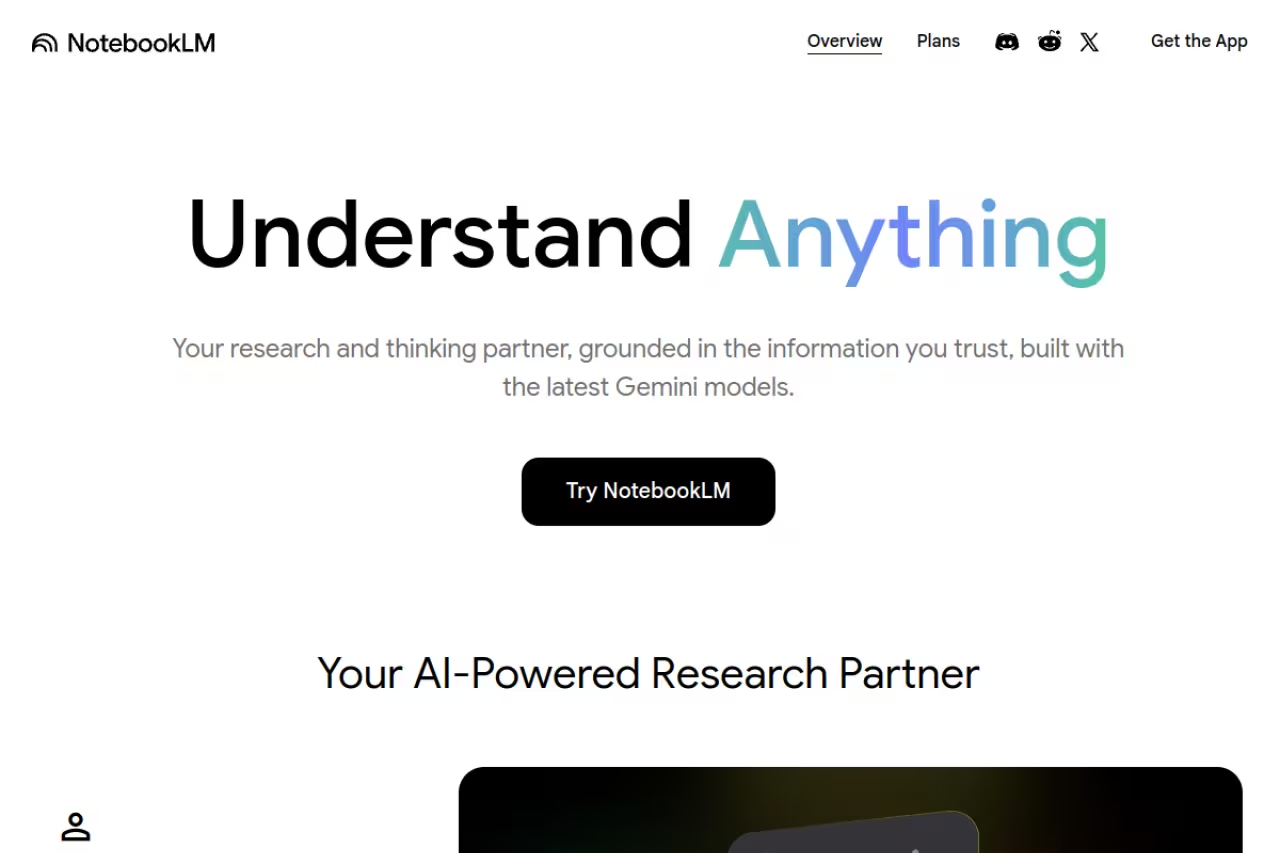
NotebookLM is Google's research notebook that only knows what you give it; Google renamed it Gemini Notebook in July 2026, and existing notebooks carried over. You upload your lecture slides, PDFs, a YouTube link, even a recording, and it answers questions, writes study guides, builds flashcards and quizzes, and generates an Audio Overview: a podcast-style chat between two AI hosts walking through your material.
Who it's for: college students and self-learners who already have the material and want it explained back to them without hallucinations. Because it's locked to your sources, answers come with citations pointing to the exact passage, which matters when you're studying for an exam, not writing fan fiction.
The best free starting point if you already have your slides and PDFs and want them explained back with citations. It will not pull in outside knowledge, so thin notes mean thin answers, and you still need a separate tool to drill you.
Pricing: the free plan covers most people. Higher limits come bundled with Google AI Plus at $4.99/month, which adds more Audio Overviews and notebooks, while Google AI Pro raises Audio Overviews to 5x the Plus level. You buy it as part of a Google AI plan, not as a separate app.
The standout is the Audio Overview. Turning three dense chapters into a conversation you can play on a walk is not a gimmick; hearing the concepts argued out loud is a different way to review than rereading. The interactive version lets you interrupt and ask a question mid-listen.
The catch: it won't pull in outside knowledge. If your notes are wrong or thin, NotebookLM faithfully studies the wrong thing. It's a comprehension tool, not a flashcard engine, so pair it with something that drills you. For wider note workflows, our best AI note-taking apps roundup goes deeper.
ChatGPT Study Mode: the tutor that won't just give the answer
Study Mode is a free setting inside ChatGPT that flips the usual behavior. Instead of handing you the answer, it asks questions, gives hints, and checks you understand before moving on. OpenAI launched it in mid-2025, and it's the closest thing to a patient human tutor available in the category.
Who it's for: anyone working through problem sets in math, physics, chemistry, or anything where the process matters more than the final number. It catches where your reasoning breaks instead of letting you copy a result you don't understand.
Pick it for problem sets where the process matters more than the final number. The Socratic loop makes you do the work, but it can drift from your professor's method and slip on harder problems on the free model.
Pricing: Study Mode is included on every ChatGPT plan, free one included. ChatGPT Go and Plus are the paid steps up (prices in the table above); Plus gives you the advanced reasoning models, expanded deep research and expanded voice for big study sessions. Our ChatGPT for students guide breaks down whether free or Plus is worth it.
The standout is the Socratic loop. Ask it to teach you the chain rule and it makes you do the work, one nudge at a time. That's the difference between recognizing an answer and being able to reproduce it under exam pressure.
Where it falls short: it can still drift off your syllabus and teach a slightly different method than your professor wants, and on the free model it occasionally gets a step wrong on harder problems. Always sanity-check against your course materials.

RemNote: built for remembering, not just reading
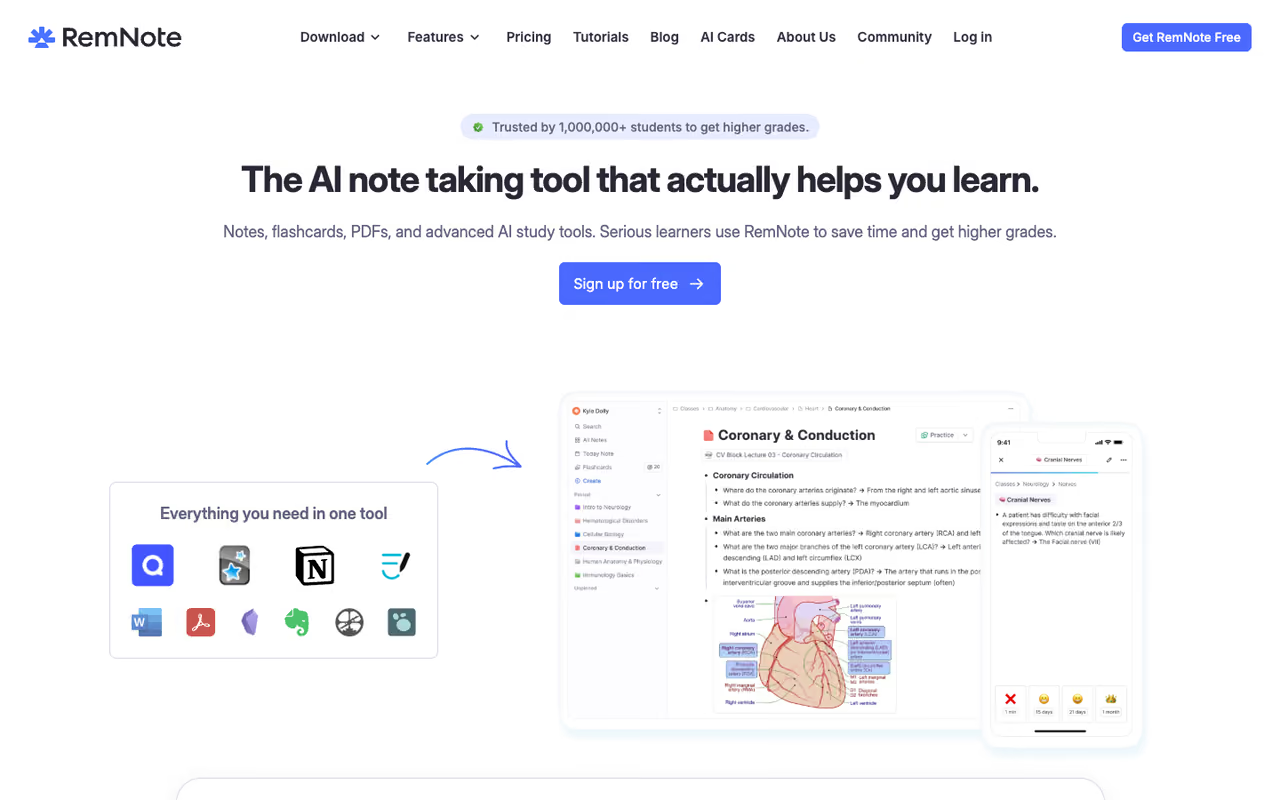
RemNote merges note-taking, PDF annotation, and flashcards into one app. The trick: as you write notes, you mark key facts and they instantly become spaced-repetition flashcards. A built-in spaced repetition algorithm then schedules reviews so you see each card right before you'd forget it. It's the workflow med students and language learners swear by.
Who it's for: people studying high-volume factual material (anatomy, vocab, law) who care about retention months later, not just passing Friday's quiz.
The right call for high-volume material like anatomy, vocab or law, where retention months later beats passing Friday's quiz. Notes become spaced-repetition flashcards automatically, but the learning curve is real and casual studiers will find it overkill.
Pricing: the free plan gives unlimited notes and flashcards plus spaced repetition, capped at 3 annotated PDFs and 5 image-occlusion cards. Pro is $8/month billed yearly ($96 a year) and unlocks PDF annotation, image occlusion and 1,000 AI credits. Pro with AI ($216 a year) raises that to 20,000 credits and adds AI flashcards, quizzes and summaries from PDFs, plus AI grading.
The standout is how notes and cards live in the same place. You never copy facts into a separate flashcard app; your study material is the flashcard source. That removes the friction that kills most flashcard habits.
The catch: there's a real learning curve. RemNote's nested, reference-heavy structure feels like a power tool, and casual studiers will find it overkill. If you just want quick cards, Quizlet (below) is friendlier.
If you're building a longer study system, a general AI assistant can tie these tools together. A subscription like Dupple X gives you access to several frontier models in one place, handy when you want to draft, summarize, and quiz across subjects without juggling logins.

Quizlet: the fastest path to flashcards
Quizlet is the flashcard app most students already know, with a huge library of pre-made sets. Its Magic Notes feature ingests a PDF or your typed notes and spits out flashcards, a study guide, and practice questions in seconds. Learn mode then adapts, drilling you harder on what you keep missing.
Who it's for: K-12 and undergrad students cramming vocabulary, dates, formulas, and definitions, or anyone who wants decent cards in under a minute.
The fastest route to decent flashcards, especially for K-12 and undergrad cramming. Magic Notes and pre-made sets save time, but the useful Learn and Test modes now sit behind a paywall and user sets vary wildly in quality.
Pricing: the free tier covers basic flashcards and Match games. Quizlet Plus removes ads while unlocking the AI tools (Magic Notes, expert solutions) and the full Learn and Test modes; check the current price on Quizlet's site, since annual billing is far cheaper than monthly.
The standout is speed and reach. Odds are someone in your class already made a set for your exact textbook, and Magic Notes fills any gaps fast.
Where it falls short: a lot of what used to be free now sits behind the Plus paywall, including Learn and Test modes that are the actual study value. And the user-generated sets vary wildly in quality, so verify before you trust a stranger's deck.

StudyFetch: your lectures, turned into a course
StudyFetch takes your PDFs, slides, videos, and audio and auto-builds flashcards, quizzes, summaries, and an AI tutor (Sparky, formerly Spark.E) that answers only from your uploaded course content. There's also a Live Lecture Assistant that takes notes in real time during class.
Who it's for: students drowning in lecture material who want one upload to produce a whole study set instead of building it by hand.
Go with it if you are drowning in lecture material and want one upload to produce a whole study set. The tutor staying grounded in your slides is the draw, but the free tier burns out fast and the quizzes need an answer-key check.
Pricing: the free tier caps uploads and study sets, and you can earn an extra upload or Live Lecture recording by sharing a link with a classmate. Paid plans lift the caps; check the current price on StudyFetch's site, which notes that yearly billing saves money.
The standout is the tutor being grounded in your actual slides, so it references your professor's framing instead of generic textbook answers.
The catch: it's a walled garden. Everything lives inside StudyFetch, and the free tier's upload limit burns out almost immediately, so you're nudged to pay fast. Quality of auto-generated quizzes is good but not flawless; check the answer keys.

Otter.ai: for the lectures you can't retype
Otter.ai records and transcribes lectures in real time, then lets you search, highlight, and get an AI summary of the whole session. If your professor talks fast or you process better by listening, recording the lecture and reading the transcript later is a genuine cheat code.
Who it's for: students with lecture-heavy courses, anyone with accessibility needs, and people who want searchable transcripts of every class.
A strong choice for lecture-heavy courses and accessibility needs, since you leave with a searchable transcript instead of half-notes. The free 300 minutes disappear quickly, and accuracy dips with heavy accents or technical jargon.
Pricing: the free Basic plan gives 300 transcription minutes/month, capped at 30 minutes per conversation and only three lifetime file imports. Pro is $8.33/month billed annually and raises you to 1,200 minutes, 90 minutes per conversation and 10 imports a month.
The standout is the live transcript. You can follow along, tap to add a highlight, and walk out with a searchable record instead of frantic half-notes.
Where it falls short: 300 free minutes evaporates in a week of full lecture days, and the 30-minute-per-recording cap on free is annoying for 90-minute classes. Accuracy also dips with heavy accents or technical jargon, so don't trust every transcribed term blindly.

Gemini: for research-heavy assignments
Gemini earns a spot mainly for Deep Research, which analyzes hundreds of sources in real time and returns a cited report in minutes. For literature reviews, term papers, and "find me the current consensus on X" tasks, it does hours of legwork while you sleep.
Who it's for: students writing research papers or tackling assignments that need real sources, not just a chat answer.
Worth using mainly for Deep Research on term papers and literature reviews, where cited reports do hours of legwork, free plan included. Treat the output as a starting point, since it can over-cite mediocre sources and you still have to vet them.
Pricing: the free tier includes Deep Research, Gemini Live and the research notebook. Google AI Pro is $19.99/month and adds 4x higher usage limits than free, the Pro model, the higher notebook limits and 5 TB of storage. Eligible US students can get the plan free for a year if they redeem by December 31, 2026, per Google's student offer; unless cancelled, it then renews at the AI Pro price.
The standout is research depth. Even on the free plan, the reports are full, cited write-ups, not a teaser. For more on this category, see our best AI research tools guide.
The catch: Deep Research can over-cite mediocre sources, and you still have to vet what it pulls. It's a starting point for a paper, not a finished bibliography.

Perplexity: fast answers with their receipts
Perplexity is a search-meets-chat tool that answers questions and shows the sources behind every claim inline. For quick factual lookups while studying ("what's the difference between mitosis and meiosis, with sources"), it's faster than digging through a textbook and more trustworthy than a bare chatbot because you can click through.
Who it's for: students who want quick, verifiable answers and a habit of checking sources rather than taking AI at its word.
A smarter search bar for quick, verifiable lookups, with a source behind every claim. It is not a study system, though: it will not drill you, build flashcards or track retention, so pair it with other tools.
Pricing: the free plan covers most casual study lookups. Perplexity Pro is $20/month and adds extended Pro Search, advanced models and higher file-upload limits. Students can get Education Pro for $10/month after SheerID verification.
The standout is the citations. Every answer links out, which builds the verify-as-you-go habit good students need.
Where it falls short: it's a lookup tool, not a study system. It won't drill you, build flashcards, or track retention. Treat it as a smarter search bar that sits alongside the tools above.
How to choose
Don't pick one. Stack two or three by job:
- To understand the material: NotebookLM (grounded in your sources) or ChatGPT Study Mode (to be coached through it).
- To remember it long term: RemNote for serious retention, Quizlet for fast, low-effort cards.
- To capture lectures you can't retype: Otter.ai for transcripts, StudyFetch if you want the whole set auto-built.
- To research and write: Gemini Deep Research or Perplexity for cited sources.
If you're on a budget, a strong free-only stack is NotebookLM plus ChatGPT Study Mode plus Quizlet's free tier. That covers comprehension, tutoring, and drilling for $0. Add a paid tier only when a free limit actually blocks you, usually Otter minutes or RemNote's PDF cap.
The tools change what's possible, but they don't study for you. The students who win with AI are the ones who use it to be questioned and quizzed, not the ones who use it to skip the thinking. If you want the deeper workflow, our guide on how to use AI to study walks through the daily routine. And if you want frontier models in one subscription to power all of this, Dupple X is worth a look. You can start a trial here.
How we picked these tools
We read each tool's own product, help and pricing pages in October 2026 and judged it on one question: does it help a student understand and retain material, or only summarize it? Prices and free limits come from those vendor pages only; where a vendor's page would not show a price, the table says to check its site rather than repeat an old figure. The category figures come from Toolradar's flashcard and spaced-repetition dataset (17 tools, snapshot of 16 October 2026).
FAQ
What is the best AI study tool in 2026?
For most students, NotebookLM is the best free starting point because it grounds every answer in your own uploaded sources and won't hallucinate. If you want to be tutored through problems rather than handed answers, ChatGPT Study Mode is the strongest pick. For long-term memorization, RemNote wins.
Are AI study tools free?
Many of the best ones have genuinely useful free tiers. NotebookLM, ChatGPT Study Mode, Quizlet's basics, RemNote's core, and Otter's 300 monthly minutes all cost $0. A free-only stack of NotebookLM, ChatGPT Study Mode, and Quizlet covers understanding, tutoring, and flashcards without paying anything.
Is it cheating to use AI to study?
Using AI to do your assignment for you is cheating and, more importantly, you learn nothing. Using it to explain a concept, quiz you, or test your reasoning (the way Study Mode and RemNote work) is just smarter studying. The line is whether you're outsourcing the thinking or sharpening it.
What's the best AI tool for making flashcards from notes?
Quizlet's Magic Notes is the fastest: paste a PDF or notes and it builds a deck in seconds. RemNote is better for retention because your notes and flashcards live in the same place and it schedules reviews with spaced repetition. StudyFetch auto-generates cards from full lecture uploads.
Can AI summarize my lecture recordings?
Yes. Otter.ai transcribes recordings live and produces an AI summary you can search and highlight, with 300 free minutes a month. NotebookLM and StudyFetch can both take an audio or video upload and turn it into study notes, a guide, and quiz questions.
Which AI is best for research papers and citations?
Gemini's Deep Research and Perplexity are the strongest for cited research. Gemini analyzes hundreds of sources and returns a full cited report (Deep Research is on the free plan too), while Perplexity shows sources inline on every answer so you can verify as you go. Always vet the sources yourself before citing them.
Related guides
Some offers on this page may be paid placements or contain affiliate links.
Across our whole catalogue the median is $24 a month and 33% of tools advertise a free tier. Figures are the lowest recurring monthly price quoted in our own review of each tool, read on 2026-08-19. Full method and every category.
