
Best Vibe Coding Tools in 2026: 9 Compared for Shipping Real Apps

Key facts9 tools compared: Lovable, Cursor, Claude Code, Softr, Bolt, Replit, v0, Devin Desktop…
- 9 tools compared: Lovable, Cursor, Claude Code, Softr, Bolt, Replit, v0, Devin Desktop (formerly Windsurf), GitHub Copilot
- Lovable (best for: Non-coders building MVPs): Free; Pro $25/mo
- Cursor (best for: Developers in an IDE): Free; Pro $20/mo
- Claude Code (best for: Backend / architecture work): From $20/mo (Pro)
- Softr (best for: Business apps with real users): Free; Basic $25/mo
A year ago, "vibe coding" was a half-joke on tech Twitter. Now it's how a lot of real products get their first version shipped. You describe what you want in plain English, an AI writes the code, and you go from idea to a working app without touching most of the plumbing.
The catch is that the tools are wildly different under the hood. Some are full app builders aimed at people who can't code. Others are AI editors that assume you already know what a merge conflict is. Pick the wrong one and you'll either hit a wall of complexity or pay for power you never use.
I compared nine of them against the same small SaaS build: auth, a database, a dashboard, and a Stripe checkout, using their documentation and public user reports. If you just want the short answer: Lovable is the best starting point if you can't code, and the Cursor plus Claude Code combo is what I'd hand any developer who wants to move faster. Below is the full breakdown, with what each one actually costs and where each one breaks.
Quick comparison
| Tool | Best for | Price | Standout |
|---|---|---|---|
| Lovable | Non-coders building MVPs | Free; Pro $25/mo | Polished UI from one prompt |
| Cursor | Developers in an IDE | Free; Pro $20/mo | Fast autocomplete + agent |
| Claude Code | Backend / architecture work | From $20/mo (Pro) | Terminal agent that reasons |
| Softr | Business apps with real users | Free; Basic $25/mo | Logins and permissions built in |
| Bolt | Fast browser prototypes | Free; Pro $25/mo | Speed, runs fully in-browser |
| Replit | Learning + full-stack apps | Free; Core $20/mo | Built-in DB, hosting, agent |
| v0 | UI and React components | Free; Premium $20/mo | shadcn/ui-quality front ends |
| Devin Desktop (formerly Windsurf) | Generous free AI editor | Free; Pro $20/mo | Unlimited autocomplete |
| GitHub Copilot | Teams already on GitHub | Free; Pro $10/mo | Cheapest, lives in your repo |

Lovable: the best place to start if you can't code
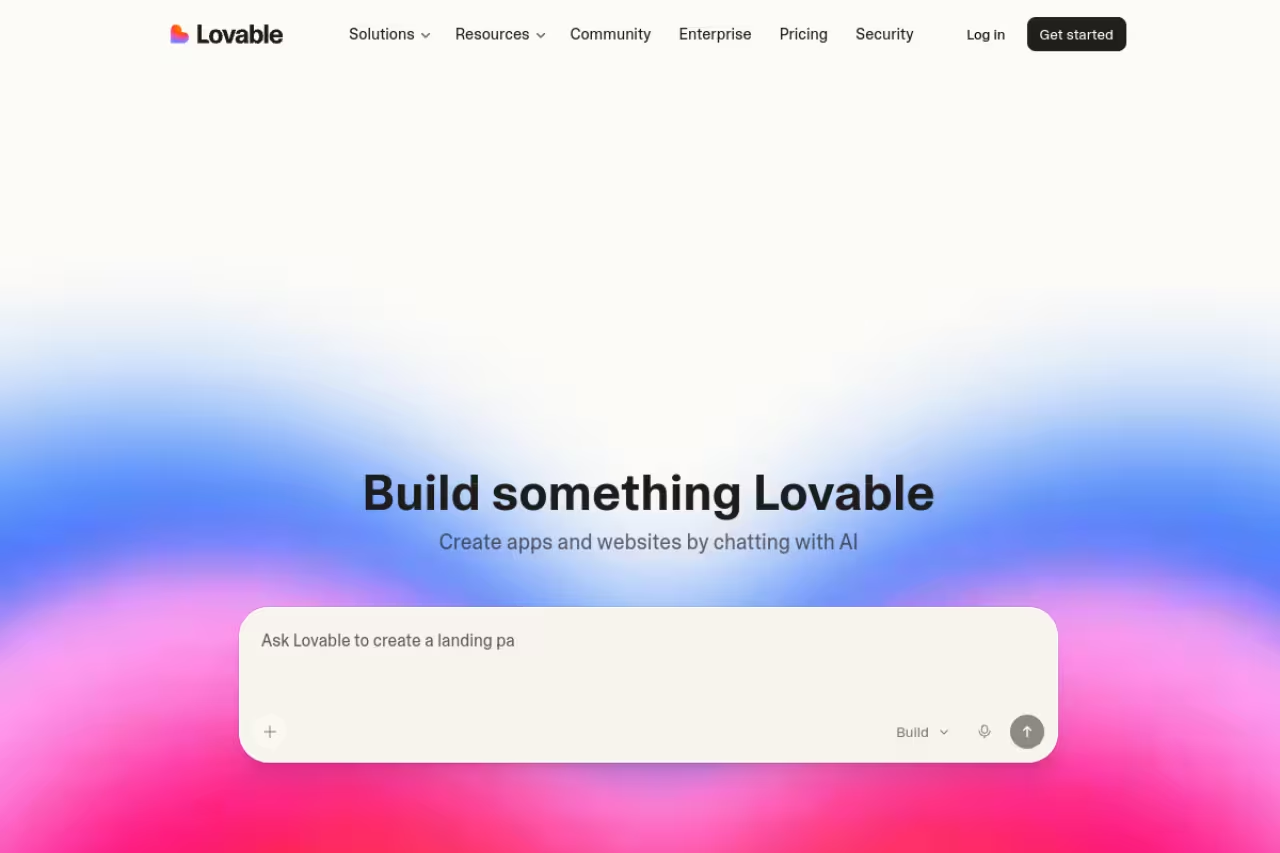
Lovable is the tool I'd put in front of a non-technical founder. You type a description, and it builds a full-stack app: front end, backend, database, and auth, all wired together. The output looks good out of the box, which is rare. Most generators give you something functional but ugly. Lovable gives you something you'd actually show an investor.
The growth backs up the hype. Lovable became the fastest software company ever to reach $100M ARR, hitting it in eight months, and reportedly doubled to $200M ARR by late 2025 with around 8 million users. People are clearly shipping with it.
Pick Lovable if you are a non-coder or solo founder building an MVP or landing page fast, since it produces a full-stack app that looks investor-ready. It is brilliant for the first 80% and frustrating for the last 20%, and credits go fast.
A free tier to try it, then Pro at $25/month for 100 monthly credits plus 5 daily credits, with credit rollover and custom domains. Business is $50/month and adds SSO and team workspaces.
The catch: Credits go fast once your app gets complex, and the same complexity that's easy to generate gets hard to debug. When something breaks deep in the generated code, you're often stuck re-prompting and hoping. It's brilliant for the first 80% and frustrating for the last 20%.

Cursor: the AI editor most developers settle on
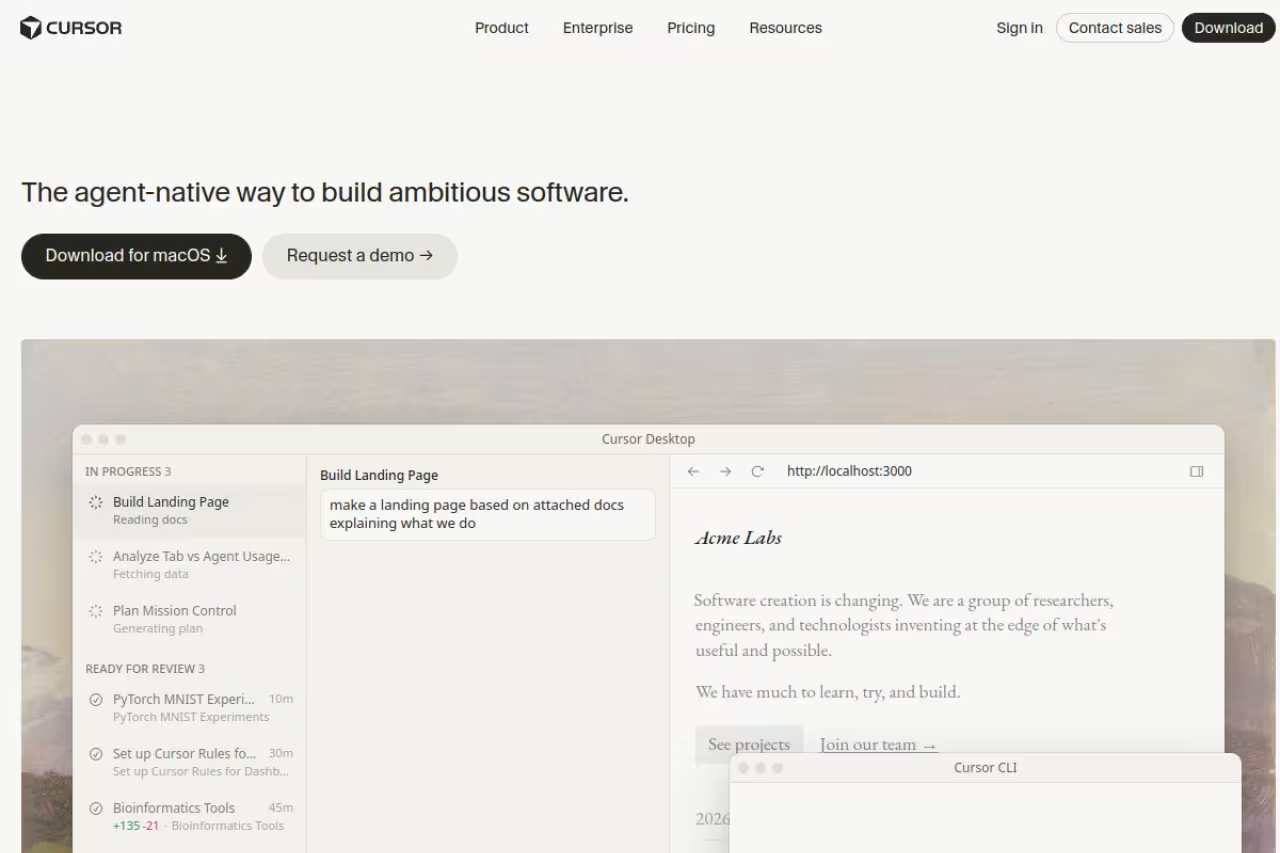
Cursor is a fork of VS Code with AI baked into every keystroke. If you already write code, this is probably your home. The autocomplete (its "Tab" feature) predicts multi-line edits scarily well, and the agent can take a plain-English task and edit across your whole codebase, run terminal commands, and fix its own errors.
What makes Cursor stick is that it doesn't ask you to change how you work. Your extensions, your keybindings, your repo: all the same, just with a much smarter pair beside you. I reach for it constantly for front-end work and quick refactors.
The home for developers who want AI inside a familiar IDE without changing their workflow, with strong Tab autocomplete and a capable agent. Usage-based billing can push the $20 base higher, and you still have to review the code it writes.
A free Hobby tier with limited agent requests and Tab completions, then Individual at $20/month for extended limits and frontier models, with usage-based billing on top. Teams run $40/user/month.
The catch: Usage-based billing can surprise you. If you lean on the agent hard with the most expensive models, the $20 base can climb. And the agent still confidently writes code that looks right and isn't, so you can't stop reviewing. It speeds you up; it doesn't replace your judgment.
Claude Code: the terminal agent that actually reasons
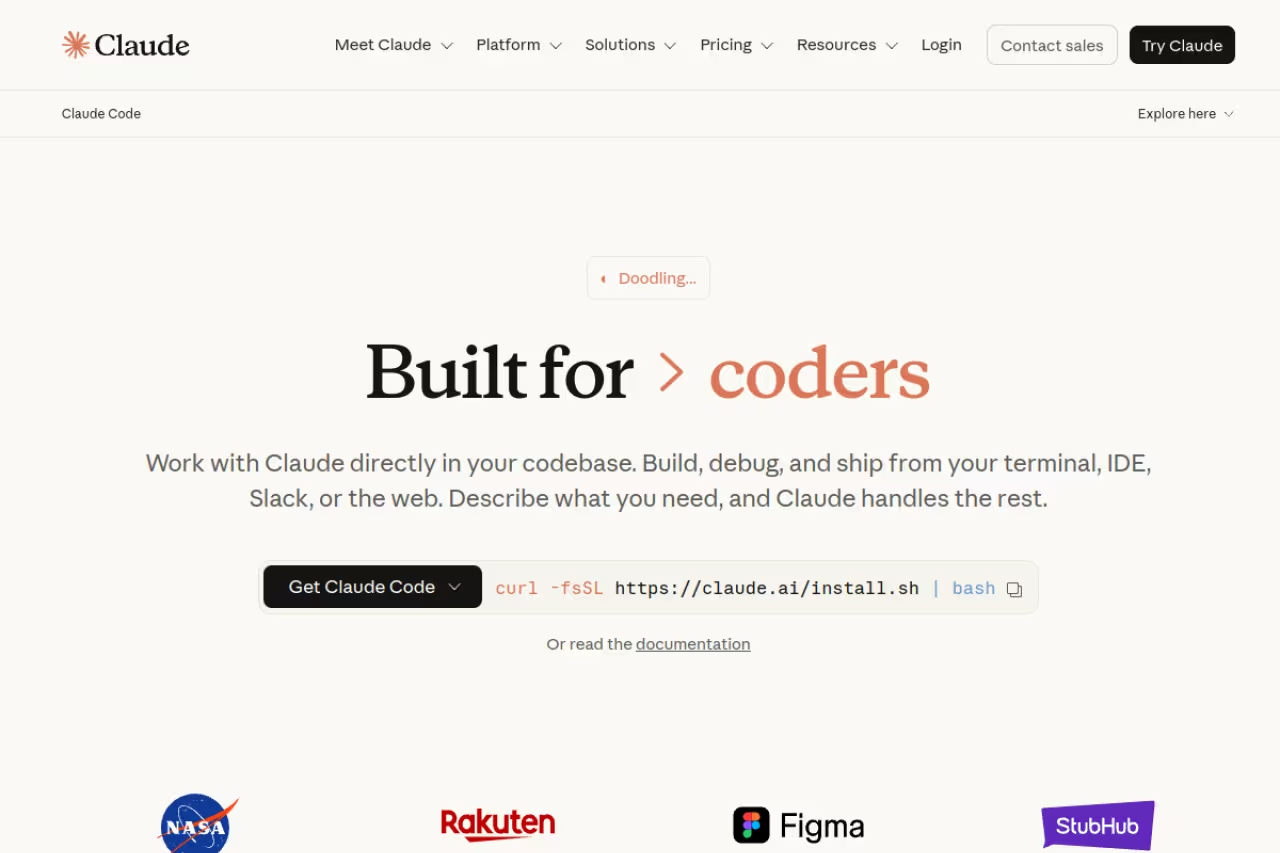
Claude Code lives in your terminal, not a fancy UI, and that's the point. You give it a task and it explores your repo, plans, edits files, runs tests, and iterates. For backend logic, architecture decisions, and gnarly multi-file changes, it's the one I trust most. It reasons about a problem before it starts typing, which cuts down on the "looks plausible, doesn't work" output that plagues lesser tools.
The pattern a lot of strong developers have landed on in 2026: Claude Code for the hard backend and architecture work, Cursor for fast front-end editing. They're complementary, not competitors.
The terminal agent for developers doing serious backend work, refactors and multi-file changes, and the one I trust most for hard problems. It scares off beginners, and heavy sessions on the Pro plan hit usage limits that push power users to pricier Max tiers.
Included with Claude Pro at $20/month, with much higher limits on Max ($100 or $200/month). You can also pay per token via the Anthropic API, where Sonnet runs about $3 per million input tokens and $15 per million output.
The catch: The terminal-first approach scares off beginners, and there's no hand-holding UI. On the Pro plan you'll hit usage limits during heavy sessions, which pushes power users to the pricier Max tiers. It's the most capable, not the most approachable.
If you're standing up a stack of AI tools for your team and want a faster way to vet what's worth paying for, Dupple X curates the AI tooling actually worth your budget.

Softr: the pick for business apps that real users log into
Softr is built for the apps a business runs on, such as client portals, CRMs, and internal tools. Describe the app to its AI Co-Builder and it assembles the database, pages, user roles, and permissions from components already tested in production, so there's no generated codebase to debug or host. You can also start from a template or build by hand, and everything the AI creates stays editable visually.
That pays off once real users log in, because authentication, permissions, and hosting ship with every app, all running on Softr's own database.
Pick Softr if you're building a client portal or internal tool that people log into from day one. You don't get source code to take elsewhere, and AI credits are thin on the lower plans.
A free plan with 3 builders, 5 app users, and 5 AI credits a month, then Basic at $19/month billed yearly ($25 monthly). Pro is $99/month ($119 monthly) and adds granular permissions and 50 client users. When AI credits run out, you keep building by hand.
The catch: There's no code export, so if you want to own the source or build a consumer product where every screen is custom, a code generator fits better. The installable mobile app (PWA) and push notifications also start on Business.

Bolt: the fastest way to a working prototype
Bolt runs entirely in your browser. No setup, no local environment, just a prompt and a live app seconds later. It's the speed champion of the group. For knocking out a prototype to validate an idea in an afternoon, nothing's quicker. Bolt reportedly hit $40M ARR in five months, so the demand is real.
The speed champion for rapid in-browser prototypes and demos where speed beats durability. It burns through tokens fast and cracks under real complexity, so treat it as a prototyping tool rather than a place to grow a production app.
A free plan with 300K tokens daily and 1M monthly, then Pro at $25/month for 10M tokens monthly with rollover, no daily limit, and custom domains. Teams are $30/member/month.
The catch: Bolt burns through tokens fast, and it tends to crack under real complexity. The browser sandbox is magic for simple apps and a liability once you need serious state management or multiple services. Treat it as a prototyping tool, not a place to grow a production app.

Replit: the full-stack playground that teaches
Replit bundles an editor, a database, hosting, and an AI agent into one browser tab. Nothing to install, and you can go from prompt to deployed app without leaving the page. It's also the best of the bunch for learning, because you can see and touch the actual code as the agent builds it.
A strong pick for learning to code and shipping full-stack apps without a local setup, since you can see the code as the agent builds it. The credit system is confusing, and it gets pricier the more serious you get.
A free Starter tier with daily agent credits, then Core at $20/month (annual) with $25 in monthly credits and up to 2 parallel agents. Pro is $95/month with $100 in credits and access to the strongest models.
The catch: The credit system is confusing, and a complex build can eat your monthly allowance faster than you'd expect. Performance in the browser IDE can also lag on bigger projects. It's a fantastic sandbox that gets pricier the more serious you get.
v0: the front-end specialist
v0 by Vercel is the one I reach for when I want a genuinely good-looking front end. Describe a dashboard, a pricing page, or a form, and it returns production-ready React using Next.js, Tailwind, and shadcn/ui. The 2026 version added a full-stack sandbox and database integrations, but UI generation is still where it shines.
Designers and developers who want good-looking, production-ready React components fast should reach for this one. It is tied to the Vercel and Next.js ecosystem, with narrower scope than full app builders, and credits can drain quickly.
A free tier with $5 in monthly credits, then Premium at $20/month with $20 in credits, Team at $30/user/month, and Business at $100/user/month.
The catch: It's tied to the Vercel and React ecosystem, so if you're not building with Next.js you'll feel the lock-in. Its scope is narrower than the full app builders, and credits can drain quickly on complex generations. Great at one thing, not a do-everything tool.
Devin Desktop (formerly Windsurf): the generous free tier
Devin Desktop is an AI editor in the same family as Cursor. It shipped as Windsurf until Cognition renamed it on June 2, 2026, and windsurf.com now redirects there. Its agent handles multi-file edits well, and the standout is that Tab autocomplete and inline edits are unlimited on every plan, including free. Only agent work and premium models draw from your quota.
Pick it for the free tier, with unlimited Tab autocomplete on every plan, or if you already run Devin's cloud agents. It is a hair behind Cursor on agent quality, and with both at the same price there is no longer a price reason to choose it.
A free plan with unlimited Tab and a light agent quota, Pro at the same price as Cursor's Individual plan with full model access and Devin's cloud agents, Max at $200/month, Teams at $80/month plus $40 per full seat, and custom Enterprise pricing, per Devin's pricing page (checked September 2026). The old $15 Windsurf Pro plan is gone, so Pro now costs the same as Cursor Pro.
The catch: It's a hair behind Cursor on raw agent quality and ecosystem maturity, and it has changed owner and name in a year, which rattled some users. With both at the same price there is no longer a price reason to pick it; pick it for the free tier or if you already run Devin's cloud agents.
GitHub Copilot: the cheap default for teams on GitHub
GitHub Copilot is the safe, cheap choice, especially if your team already lives in GitHub and VS Code. Inline completions are fast and free on paid plans, and agent mode now handles bigger tasks. It's the least flashy tool here and the easiest to justify to a finance team.
The dependable, cheap default for teams already standardized on GitHub and VS Code who want AI without a new tool. It is a step behind Cursor and Claude Code on agentic multi-file work, and usage-based billing can push heavy users past the headline $10.
A free tier with 2K completions monthly, Pro at $10/month, Pro+ at $39/month, and Business at $19/user/month. As of June 2026 it uses usage-based billing, with code completions free and chat, agent mode, and CLI drawing from a credit pool.
The catch: It's generally a step behind Cursor and Claude Code on agentic, multi-file work, and the new usage-based billing means heavy users can pay more than the headline $10. It's the dependable default, not the cutting edge.
How to choose
Forget the rankings for a second and answer three questions.
Can you read code? If no, start with Lovable for the best polish, or Replit if you also want to learn as you go. If yes, you'll get far more out of an AI editor than an app builder.
Where does your work happen? If you live in an IDE, Cursor (or Devin Desktop if you want to stay on a free plan longer) belongs in your daily setup. If you live in a terminal and do heavy backend work, Claude Code is the pick. The strongest 2026 workflow is running both.
What are you actually building? A throwaway prototype to test an idea? Bolt's speed wins. A polished front end? v0. A real product you intend to maintain? Lean toward the developer tools, because the app builders make the first version easy and the long tail hard.
One honest note: none of these replace knowing what good software looks like. They make you faster, not infallible. The output always needs review. If you want a wider view of what's worth paying for across categories, our top AI tools roundup and our best AI agents guide pair well with this one. For developers specifically, the best AI for coding breakdown goes deeper on raw model quality.
FAQ
What is the best vibe coding tool in 2026?
There's no single winner, because it depends on whether you code. For non-technical builders, Lovable is the best starting point thanks to its polished output and full-stack generation. For developers, the combination of Cursor for front-end editing and Claude Code for backend and architecture is the strongest setup. Pick based on your skill level and where your work happens.
What is vibe coding?
Vibe coding means describing what you want in plain English and letting an AI write the code, rather than typing every line yourself. The term covers two kinds of tools: app builders like Lovable and Bolt that generate complete applications from a conversation, and AI editors like Cursor and Devin Desktop (formerly Windsurf) that assist you while you still drive the codebase.
Can you build a real production app with vibe coding tools?
Yes, but with limits. These tools excel at UI generation, prototypes, and simple CRUD apps. They struggle with complex state management, multi-service architectures, database migrations, and production deployment. Many founders ship a working MVP with an app builder, then bring in developers using Cursor or Claude Code to harden it for scale.
Which vibe coding tool is best for non-programmers?
Lovable is the most accessible for people who can't code, because it generates a working full-stack app with a clean interface from a single description. Replit is a strong alternative if you also want to learn how the code works, since it exposes the actual editor and database alongside the AI agent.
How much do vibe coding tools cost?
Most have a free tier and a paid plan around $10 to $25 per month. GitHub Copilot Pro is the cheapest at $10/month, Cursor, Devin Desktop and Claude Code Pro are $20, and Lovable, Bolt, and v0 Premium sit at $20 to $25. Watch for usage-based and credit-based billing, since heavy use can push your real cost well above the headline price.
Is Cursor or Claude Code better?
They're built for different jobs. Cursor is an IDE-based tool with excellent autocomplete and fast front-end editing. Claude Code is a terminal agent that reasons deeply about backend logic and multi-file changes. Most strong developers in 2026 use both: Claude Code for architecture and hard backend work, Cursor for everyday editing. If you can only pick one, choose based on whether you spend more time in an editor or a terminal.
Ready to stop overpaying for AI tools that don't earn their keep? Dupple X helps you find the tools worth your budget.
Related guides
Some offers on this page may be paid placements or contain affiliate links.
Across our whole catalogue the median is $24 a month and 33% of tools advertise a free tier. Figures are the lowest recurring monthly price quoted in our own review of each tool, read on 2026-08-19. Full method and every category.
