
Best AI Landing Page Builders (2026): 8 Compared Side by Side

Key facts8 tools compared: Framer, Unbounce, Lovable, v0 by Vercel, Durable, Instapage, Flint, Unicorn…
- 8 tools compared: Framer, Unbounce, Lovable, v0 by Vercel, Durable, Instapage, Flint, Unicorn Platform
- Framer (best for: Designers and design-led brands): Free; Basic $10/mo (annual)
- Unbounce (best for: Paid-ads marketers): From $74/mo (annual)
- Lovable (best for: Founders who want a real codebase): Free; Pro $25/mo
- v0 by Vercel (best for: Developers in the Vercel stack): Free ($5 credits); Premium $20/mo
A year ago, "AI landing page builder" mostly meant a template gallery with a chatbot bolted on. That's changed. The tools here actually write the copy, lay out the sections, pull your brand colors off your existing site, and in a few cases ship production-grade code you can hand to a developer.
The problem is that "best" depends entirely on who you are. A solo founder validating an idea this weekend needs something completely different from a growth team running six-figure ad budgets who care about message match and A/B testing. A designer wants pixel control. A developer wants to own the codebase. Pick the wrong category and you'll either outgrow the tool in a month or pay for power you never touch.
I compared eight builders across their pricing pages, documentation, and public reviews. If you want the short version: Framer is my overall pick for most people because the output looks like a human designed it, and the free tier is genuinely usable. But the right answer for you might be cheaper, more conversion-focused, or more code-first. Here's the full breakdown.
Quick comparison
| Tool | Best for | Price | Standout |
|---|---|---|---|
| Framer | Designers and design-led brands | Free; Basic $10/mo (annual) | Output that looks professionally designed |
| Unbounce | Paid-ads marketers | From $74/mo (annual) | Smart Traffic auto-routing visitors |
| Lovable | Founders who want a real codebase | Free; Pro $25/mo | Full-stack app, not just a page |
| v0 by Vercel | Developers in the Vercel stack | Free ($5 credits); Premium $20/mo | Clean React/Tailwind components |
| Durable | Local businesses, fastest setup | Free; Starter $12/mo (annual) | A live site in about 30 seconds |
| Instapage | Big-budget ad teams | From $99/mo | AdMap ad-to-page personalization |
| Flint | B2B and ABM growth teams | Free; Starter $96/mo | Brand extraction plus CRO frameworks |
| Unicorn Platform | SaaS founders on a budget | Free; Maker $9/mo (annual) | Cheap, clean, no-code editing |

Framer: the one I'd recommend to most people
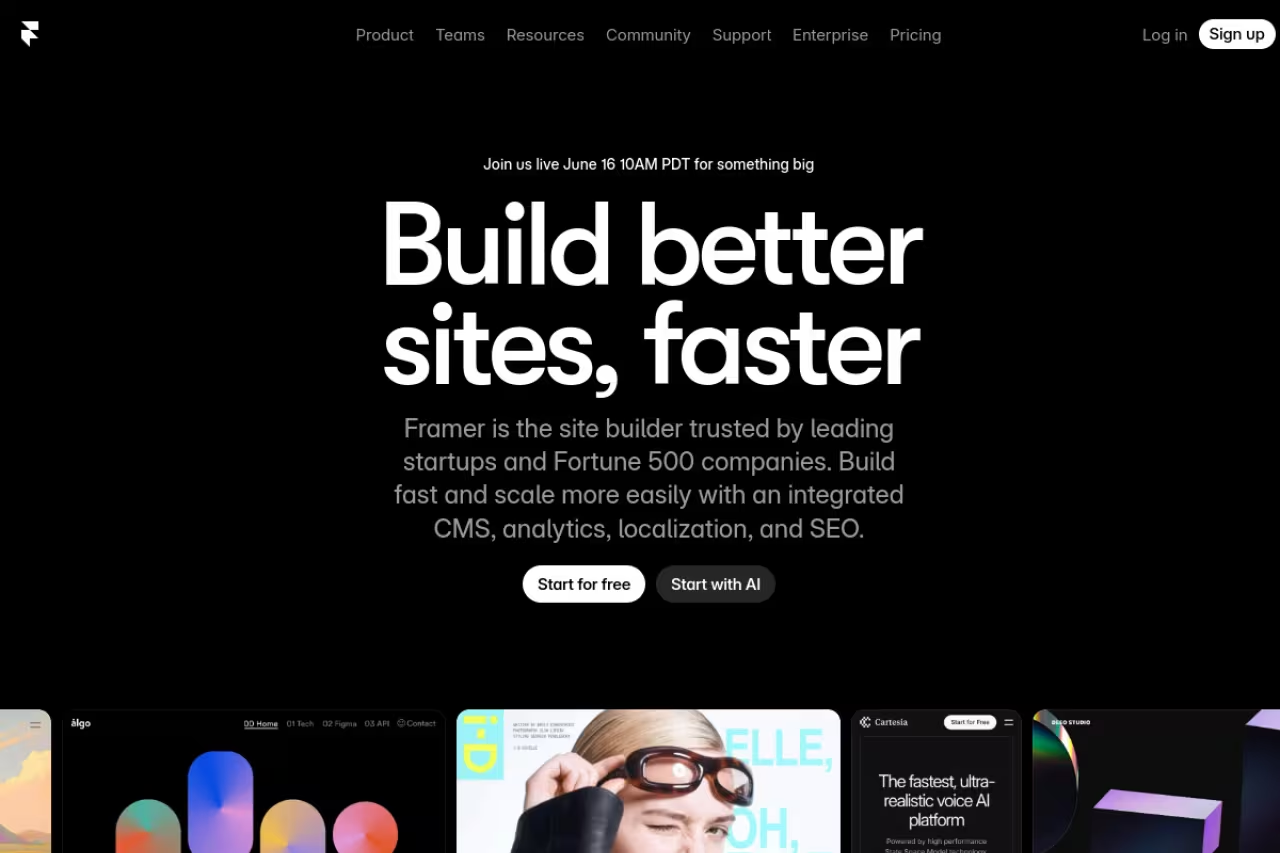
Framer started life as a designer's prototyping tool, and it shows in the output. You describe the page or start from a template, the AI generates sections, and what comes out actually looks like a studio built it. No generic stock-photo soup, no cramped mobile layout you have to fix by hand.
Who it's best for: designers, design-forward brands, and anyone whose page is the first impression. If you're a creative agency, a luxury product, or a tool that sells on aesthetics, Framer's default output matches that energy better than anything else here.
The one I'd recommend to most people, especially designers and design-forward brands whose page is the first impression. The output looks studio-built, but there is a learning curve and the AI builds beautiful sections better than it does conversion strategy.
Pricing is reasonable. There's a free plan with a .framer.website subdomain (no custom domain), and the Basic plan runs $10/month billed annually and adds your own domain plus AI design tools. Pro is $30/month and unlocks CMS, A/B testing, and staging. Extra editors cost $20/month each.
The catch: Framer has a learning curve. The canvas gives you real design control, which is the point, but it also means you can break your own layout if you don't understand its layout system. And the AI is better at building beautiful static sections than at conversion strategy. It'll make you a stunning page; it won't tell you your headline is weak.

Unbounce: built for people spending real money on ads
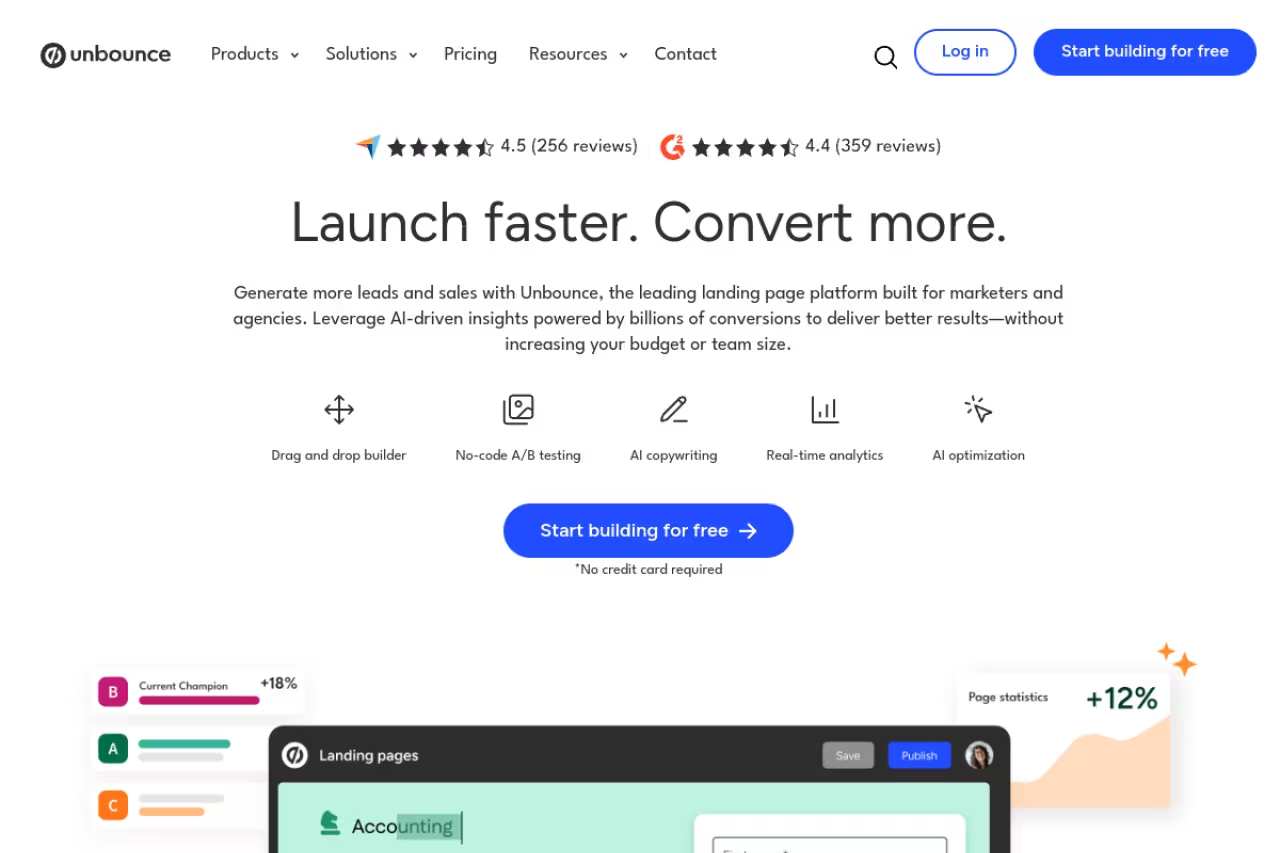
Unbounce has been a paid-ads staple for over a decade, and the AI features sit on top of that conversion DNA. Its Smart Builder generates pages from your input, Smart Copy rewrites and expands the text, and the headline feature, Smart Traffic, watches incoming visitors and automatically sends each one to the page variant most likely to convert them. That last part is the reason ad teams pay for it.
Who it's best for: marketers running Google and Meta campaigns who measure everything in cost-per-conversion. If a 5% lift in conversion rate pays for the subscription ten times over, Unbounce makes sense.
Pricing starts at $74/month (Build, annual) for unlimited pages and AI copywriting. The Experiment plan at $112/month adds unlimited A/B testing, and Optimize at $187/month is where full Smart Traffic auto-optimization lives. There's a 14-day trial with no credit card.
The catch: it's expensive and overkill for small teams. If you're not actively buying traffic, you're paying a premium for optimization features you won't use. The cheap $22/month Starter caps you at 500 visitors and 5 pages, which is barely a trial. Smart Traffic also needs volume to learn; on a trickle of traffic it can't do much.
Built for marketers running Google and Meta campaigns who measure everything in cost-per-conversion, with Smart Traffic as the reason to pay. It is expensive and overkill for small teams not buying traffic, and Smart Traffic needs volume to learn.

Lovable: when you want an actual product, not just a page
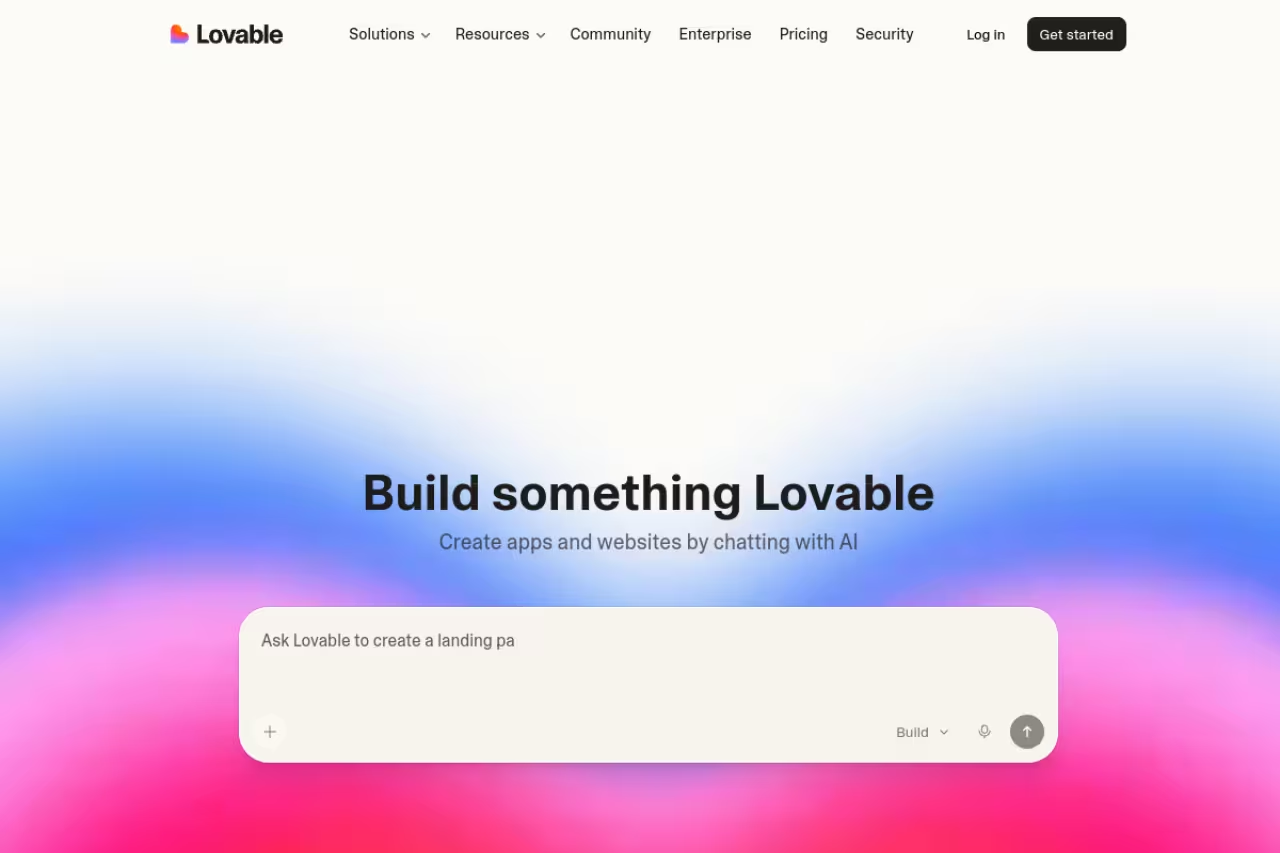
Lovable is the one that blurs the line between landing page and app. You chat with it, and it builds a real full-stack project: front end, backend, database, auth, the lot. For a landing page that's almost too much power, but the moment your page needs a working waitlist, a login, or a Stripe checkout behind it, Lovable handles things the page-only tools simply can't.
Who it's best for: founders who want to validate with a real page today and grow it into a product tomorrow, without rebuilding from scratch. If you're technical-ish but don't want to write boilerplate, this is the sweet spot.
There's a free plan with daily credits, and Pro costs $25/month for 100 monthly credits, custom domains, and credit rollover. Business is $50/month with SSO and team workspaces. Each AI action ("message") spends credits, so cost scales with how much you iterate.
The catch: credits run out faster than you expect once you start refining. Complex changes can eat several credits, and a heavy editing session on the Pro plan can hit the wall before month-end. The output is also code, which is the appeal and the risk: if you don't read code, you're trusting the AI to get the details right, and debugging a generated full-stack app is harder than nudging a no-code block.
Go with Lovable if you're a founder who wants to validate with a real page today and grow it into a product tomorrow. Credits run out faster than you expect, and generated full-stack code is harder to debug if you don't read code.
Before the next five, a quick note. If you're assembling a full marketing stack and not just a single page, it's worth pairing your builder with the right copy and analytics tools. Our team built Dupple X for exactly that kind of operator who wants vetted AI tools without testing 40 of them first.
v0 by Vercel: the developer's pick
v0 generates clean React and Tailwind components from a prompt, and if you live in the Vercel ecosystem it's close to frictionless. Describe a hero, a pricing table, a nav bar, and it produces code you can deploy in a click or pull into an existing Next.js project. The output quality on individual UI sections is some of the best on this list.
Who it's best for: developers and technical founders who want to own the codebase and already deploy on Vercel.
The free plan gives you $5 of monthly credits and a 7-message daily limit, enough to feel it out. Premium is $20/month with more credits, and Team is $30/user/month. Credits burn per generation, faster on the larger models.
Where it falls short: v0 builds UI, not whole products. It's great at a landing page's front end but leans on you for backend, auth, and data. If you're not comfortable wiring those up, you'll hit a wall the no-code tools wouldn't put in front of you.
The developer's pick for technical founders who want to own the codebase and already deploy on Vercel, with some of the best UI section output here. It builds UI, not whole products, so backend, auth, and data are left to you.

Durable: fastest zero-to-live site
Durable's pitch is a working business website in about 30 seconds, and it mostly delivers. Answer a few questions about your business and it generates a complete site with copy, images, and structure. For a local service business or a freelancer who needs a presence yesterday, the speed is hard to beat.
Who it's best for: local businesses, freelancers, and non-technical owners who want done-for-them, not a design tool.
There's a free plan with a subdomain. Starter is $12/month billed annually and adds a custom domain, unlimited pages, and stock images. Business at $20/month throws in tools like a social post generator, invoicing, and review automation.
The catch: the output is generic. Durable optimizes for speed and "good enough," so pages from it tend to look like pages from it. You won't win a design award, and customization is shallow compared to Framer or even Unicorn Platform. It's a presence, not a finely tuned conversion machine.
The fastest route to a live site for local businesses, freelancers, and non-technical owners who want done-for-them rather than a design tool. The output is generic and customization is shallow, so it is a presence, not a finely tuned conversion machine.

Instapage: for teams spending $50k+/month on ads
Instapage sits at the premium end of the conversion-focused crowd. Its AI generates headlines, body copy, and CTAs tuned to specific audiences and ad groups right inside the builder. The reason teams pay up is AdMap, which connects each ad group to a dedicated landing page so your ad creative and your post-click page actually match. That message match is genuinely best-in-class.
Who it's best for: marketing teams running large, segmented paid campaigns where personalization at the ad-group level moves real money.
Pricing starts at $99/month for the Create plan, and AdMap, heatmaps, and global blocks live on the higher Convert tier.
Where it falls short: the price floor makes it pointless for small advertisers. The whole product is built around heavy, segmented ad spend; if you're not running many ad groups, you're paying enterprise money for features that need scale to earn their keep. For most readers here, Unbounce gets you 80% of the value for less.
For marketing teams running large, segmented paid campaigns, AdMap's ad-group message match is best in class. The $99/month price floor makes it pointless for small advertisers, and Unbounce gets most of the value for less.
Flint: built for B2B and account-based marketing
Flint is one of the newer entrants and it's aimed squarely at fast-moving B2B and GTM teams. Point it at your site and it extracts your brand context, browses competitors or target accounts, plans the page structure, then builds. Its agents are trained on conversion-rate-optimization frameworks, so the pages come out structured for action rather than just pretty.
Who it's best for: B2B SaaS and AI companies that need to spin up many on-brand pages fast, including personalized variants for account-based campaigns.
There's a free plan with 160 monthly credits and a one-time design system import. Starter is $96/month for 12,000 annual credits and a custom domain, Pro jumps to $400/month, and there's a 14-day trial of Pro features with no card.
The catch: it's a credit-metered tool at a marketer's price point, and the jump from Starter to Pro is steep. For a single landing page it's expensive; the value shows up when you're producing volume or running ABM, not when you need one page.
A good fit for B2B SaaS and AI companies that need many on-brand pages fast, including personalized variants for account-based campaigns. It is credit-metered and the jump from Starter to Pro is steep, so it is expensive for a single landing page.

Unicorn Platform: the budget SaaS pick
Unicorn Platform is the value play. Start from a template, generate or revise sections with AI, and keep editing inside a light no-code builder. It won't win on raw power, but for a SaaS founder who wants a clean, editable page without a steep bill, it's one of the better options going.
Who it's best for: indie hackers and SaaS founders who want clean output, full editing control, and the lowest sensible price.
There's a free-forever Lurker plan, and the Maker plan is just $9/month billed annually with a custom domain. Higher tiers scale up for agencies and bigger sites.
The catch: the AI is more assistant than architect. It helps you fill and revise sections, but it won't research your market or strategize your funnel the way Flint or Instapage attempt to. You're driving; the AI is the passenger handing you copy.
The budget pick for indie hackers and SaaS founders who want clean output and full editing control at the lowest sensible price, starting with a free plan. The AI is more assistant than architect and won't strategize your funnel.
How to choose
Forget the feature lists for a second and answer one question: what are you optimizing for?
- Looks matter most, you're not a coder. Go with Framer. It's the rare tool where the default output is good enough to ship.
- You're spending real money on ads. Unbounce if you're scaling, Instapage if you're at serious volume with many ad groups. The conversion features pay for themselves only when traffic is paid.
- You want to own the code or grow into a product. Lovable for a full app, v0 if you just need clean UI in the Vercel stack.
- You need a site live in the next five minutes. Durable. Speed over polish.
- You're on a tight budget but want control. Unicorn Platform.
- You're a B2B or ABM team producing pages at volume. Flint.
The honest meta-point: most people overbuy. If you're validating an idea, a free Framer or Unicorn page gets you to a real test for $0. Spend the money once you have traffic worth optimizing, not before. And remember the builder is one piece. The copy that converts and the marketing tools feeding the page matter at least as much as the page itself. If you're going code-first, our roundup of the best AI coding agents covers what pairs well with v0 and Lovable.
Whatever you pick, ship something this week. A live, imperfect page beats a perfect one that never goes up. If you'd rather skip the testing and get a curated stack, Dupple X collects the tools we actually use.
FAQ
What is the best AI landing page builder in 2026?
For most people I'd pick Framer, because the AI output looks professionally designed out of the box and the free tier is genuinely usable. If you're focused on paid ads, Unbounce is the better choice thanks to Smart Traffic, and if you want to own a real codebase, Lovable or v0 by Vercel are stronger. The "best" depends on whether you care most about design, conversion, or code ownership.
Are there free AI landing page builders?
Yes. Framer has a free plan with a subdomain, Durable lets you generate a free site on a subdomain, Unicorn Platform has a free-forever Lurker tier, and both Lovable and Flint offer free plans with limited monthly credits. v0 by Vercel gives you $5 of monthly credits for free. Free plans usually mean no custom domain and capped usage, but they're enough to validate an idea before paying.
Can AI landing page builders actually write the copy for me?
The good ones do. Unbounce's Smart Copy rewrites and expands text, Instapage generates headlines and CTAs tuned to specific ad groups, and Flint's agents apply conversion frameworks to the whole page. The output is a solid first draft, not a finished one. You'll still want to edit for your specific voice and offer, and pairing the builder with a dedicated AI copywriting tool usually produces sharper results.
What's the difference between an AI landing page builder and an AI website builder?
A landing page builder focuses on single, conversion-focused pages, usually tied to a campaign or offer, with features like A/B testing and visitor routing. An AI website builder like Durable creates a full multi-page site (home, about, services, contact). Tools like Framer and Lovable blur the line and do both. If your goal is one page that converts traffic, use a landing page builder; if you need a whole web presence, a website builder fits better.
How much should I expect to pay for an AI landing page builder?
It ranges widely. Budget no-code tools like Unicorn Platform start around $9/month, Framer's Basic plan is $10/month, and Lovable's Pro is $25/month. Conversion-focused platforms cost more: Unbounce starts at $74/month and Instapage at $99/month. Credit-based tools like v0, Lovable, and Flint charge by usage, so heavy iteration costs more. For a single page on a budget, expect $10 to $25/month; for serious ad optimization, $75 and up.
Do AI-built landing pages rank on Google?
They can, but the builder matters less than what's on the page. Pages from Framer, Durable, and Unicorn Platform are standard HTML that Google indexes fine, and v0 and Lovable output is fully under your control. What actually drives rankings is content quality, page speed, and proper meta tags, not which tool generated the page. If organic traffic is the goal, pair your builder with solid on-page SEO and the right AI SEO tools.
Related guides
Some offers on this page may be paid placements or contain affiliate links.
Across our whole catalogue the median is $24 a month and 33% of tools advertise a free tier. Figures are the lowest recurring monthly price quoted in our own review of each tool, read on 2026-08-19. Full method and every category.
