
Best AI Documentation Generators (2026)

Key facts8 tools compared: Mintlify, GitBook, Swimm, ReadMe, Document360, Fern, Qodo, Scribe
- 8 tools compared: Mintlify, GitBook, Swimm, ReadMe, Document360, Fern, Qodo, Scribe
- Mintlify (best for: API & product docs): Free; Enterprise custom
- GitBook (best for: Internal + public docs): Free; $65/site/mo + $12/user
- Swimm (best for: Keeping code docs in sync): Quote-based
- ReadMe (best for: Interactive API references): Free; Pro $250/mo
Documentation is the thing every engineering team agrees matters and nobody wants to write. So it rots. The README says "coming soon" eighteen months after launch, the API reference describes a v2 endpoint that shipped to v4, and the onboarding doc points new hires at a Slack thread from 2024. AI documentation tools promise to fix that gap, and in 2026 a handful of them actually do.
This guide compares the current crop against real codebases and real API specs. Some of these tools write your docs from source. Some host and publish them with an AI assistant baked into the search bar. Some keep docs synced to code so they stop drifting the moment a function signature changes. They are not interchangeable, and picking the wrong category wastes more time than writing the docs by hand.
If you want the short version: Mintlify is the pick for API and product docs that need to look sharp and answer questions, GitBook is the better all-rounder for internal knowledge plus public docs, and Swimm is what you want if your real pain is code documentation that goes stale. The rest below cover the edge cases. This is for founders, developer-experience folks, and technical writers who are tired of docs being a second-class citizen.
Quick comparison
| Tool | Best for | Price | Standout |
|---|---|---|---|
| Mintlify | API & product docs | Free; Enterprise custom | AI agent that answers from your docs |
| GitBook | Internal + public docs | Free; $65/site/mo + $12/user | One platform for wiki and public docs |
| Swimm | Keeping code docs in sync | Quote-based | Auto-flags docs when code changes |
| ReadMe | Interactive API references | Free; Pro $250/mo | Try-it API playground with usage metrics |
| Document360 | Support knowledge bases | Quote-based | Eddy AI answer search for help centers |
| Fern | SDKs + docs from one spec | $250-$1,000/mo | Generates type-safe SDKs and docs together |
| Qodo | In-IDE docstrings | Free; Teams $19/mo | Living docs tied to generated tests |
| Scribe | Process & how-to guides | Free; Pro Team $17/user | Auto-captures step-by-step screenshots |

Mintlify: best for API and product docs
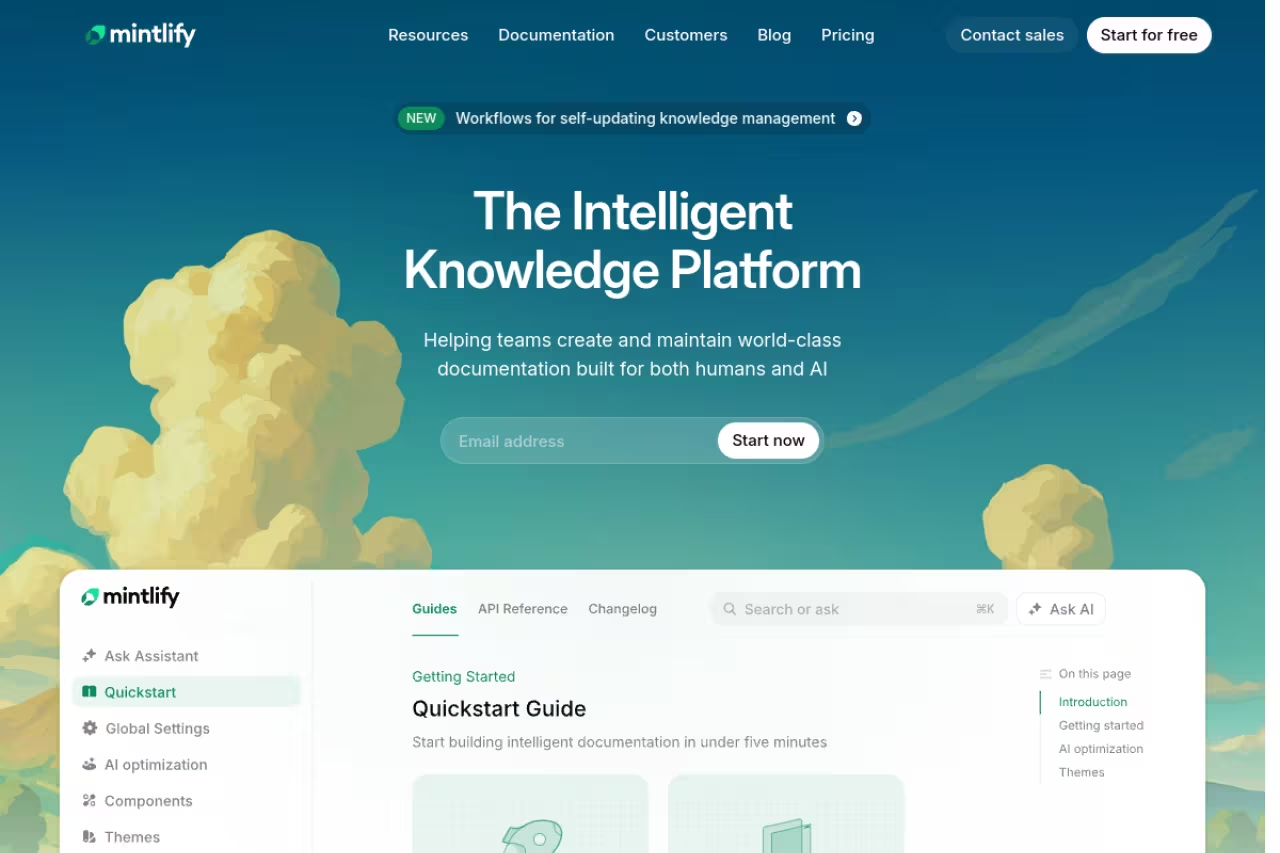
Mintlify is the tool I reach for when docs are a public-facing product, not just an internal reference. You write in MDX, sync from Git, and get a fast, good-looking site with an API playground out of the box. The part that earned its spot is the AI layer: an assistant and a writing agent that draft pages, plus an MCP server so AI agents can read your docs directly. That last bit matters more every month as people ask ChatGPT and Claude about your product instead of reading the page.
The tool for teams shipping developer-facing docs who care about how they look and whether an AI can answer from them. Pricing jumps from free straight to Enterprise with no published mid-tier, so small teams needing SSO will hit contact sales.
Pricing changed recently and is now simpler. The Starter plan is free with a 14-day trial of the full platform, custom domain, web editor, API playground, and 5,000 AI credits to test (overages at $0.01 per credit). Above that it's Enterprise with custom pricing, which adds SSO, role-based permissions, an SLA, and agent analytics. Reports from teams on the older Pro tier put real-world spend around $250 to $300 a month once you add seats and AI usage.
The catch: the jump from free to Enterprise is steep, and there's no published mid-tier anymore. A small team that needs SSO or more than one editor is straight into "contact sales," which is annoying when you just want a price. AI credits also meter, so a busy docs assistant can quietly add cost.

GitBook: best all-rounder for internal and public docs

GitBook is the tool I'd hand to a company that needs both an internal wiki and a polished public docs site without buying two products. The block-based editor is friendlier for non-engineers than raw MDX, it syncs with GitHub and GitLab, and the AI Assistant answers reader questions from your content. There's also a GitBook Agent and AI insights that show you what people search for and fail to find, which is the kind of signal that actually improves docs.
A solid all-rounder for teams where product managers and support write alongside engineers, with one home for private and published knowledge. Pricing is per site, so several documentation sites get expensive, and the strongest AI features need Ultimate.
The free plan covers one user with Git sync and API playgrounds, which is genuinely usable for a solo maintainer. Premium runs $65 per site per month plus $12 per user and adds team collaboration, AI search, and custom domains. Ultimate is $249 per site plus $12 per user and unlocks the full AI Assistant (500 answers included), AI insights, and the agent. A five-person team lands around $125 a month on Premium or $309 on Ultimate.
The catch: pricing is per site, so if you run several separate documentation sites the math climbs fast. The strongest AI features sit on Ultimate, and the auto-translation add-on bills separately by word count.

Swimm: best for keeping code documentation in sync
Most tools on this list publish docs. Swimm solves a different and arguably worse problem: docs that drift away from the code they describe. It links documentation to actual code snippets, lives in your repo, and flags a doc as outdated the moment the referenced code changes. You write explanations next to the code in VS Code or a JetBrains IDE, and Swimm's auto-sync keeps them honest through Git. For onboarding engineers onto a gnarly legacy codebase, nothing else here comes close.
Best for engineering teams whose pain is internal code understanding, especially anyone modernizing a large or mainframe codebase.
The one to choose when your pain is docs drifting from the code, as it flags a doc outdated the moment the referenced code changes. It is narrow on purpose, and quote-based pricing means small teams must now talk to sales.
Pricing is the weak spot for transparency. Swimm moved to quote-based pricing tied to how many lines of code you want covered, with no public tier on the pricing page and on-prem, cloud, and air-gapped deployment options. Earlier public plans put a Teams tier near $18 per seat per month and an enterprise starter near $28, but treat those as historical, not a quote.
The catch: it's narrow on purpose. Swimm documents code for developers and does not try to be your public API docs or help center. And the disappearance of self-serve pricing means small teams now have to talk to sales for what used to be a card-on-file purchase.
If your team is drowning in stale internal docs and you'd rather spend that time shipping, the same logic applies to your whole workflow. A focused AI stack like Dupple X bundles the writing and research tools that cut the busywork around docs, specs, and updates.

ReadMe: best for interactive API references
ReadMe built its name on API documentation you can actually use, not just read. The interactive reference lets developers fire real requests with their own keys and see responses inline, and the usage metrics show you which endpoints people hit and where they fail. The AI side has grown up: Ask AI search, an agent called Owlbert, an AI linter, and a GitHub AI writer that drafts updates from code changes.
A strong pick for API-first companies that want developers firing real requests inside the docs, with usage metrics on top. The gap between Pro and Enterprise is enormous, and the best AI search is a separate add-on that inflates the sticker price.
The Starter plan is free with a custom domain, interactive reference, MCP server, and LLMs.txt support. Pro is $250 a month billed annually and adds private docs, team collaboration, Ask AI Lite, and Owlbert. Enterprise starts at $3,000 a month for SSO, multiple projects, and the full docs audit features. The complete Ask AI agent is a $150 per month add-on on the lower tiers.
The catch: the gap between Pro and Enterprise is enormous, both in price and in what's gated, and pushing the best AI search behind a separate add-on means the sticker price understates what you'll actually pay.

Document360: best for support knowledge bases
Document360 leans toward customer-facing help centers and internal knowledge bases rather than developer docs. Its Eddy AI suite powers conversational answer search, content generation, and translation across 50-plus languages, and a recent acquisition added screen-recording for how-to content. If your documentation is really a support deflection engine, this is built for that job.
Built for support and product teams running a public help center who measure success in tickets avoided. There is no free plan and no published price, so you will not know your real number until you negotiate.
Be ready to talk to sales. Document360 has no free plan and publishes no list price: its pricing page offers a 14-day trial, then a custom quote, as of September 2026. The quote moves with team accounts, workspaces, languages, SSO, whether the knowledge base is public or private, and AI Premium Suite usage.
The catch: zero pricing transparency, with AI usage as one of the inputs to the quote. You won't know your real number until you negotiate.

Fern: best for SDKs and docs from one spec
Fern is the pick when you want type-safe client SDKs and a documentation site generated from the same API definition. Feed it OpenAPI, AsyncAPI, gRPC, or OpenRPC and it produces idiomatic SDKs in nine languages plus a docs site with a live API explorer, AI search, and MCP server support. It runs as a CLI in your CI/CD, so docs and SDKs ship together every release. Fern was acquired by Postman in January 2026 and still runs as its own product.
Choose Fern when you want type-safe SDKs and a docs site generated from the same API spec, so the two never disagree. It assumes a clean spec-first API, and SDKs and docs are priced separately, so budgeting takes a phone call.
Subscription pricing runs roughly $250 to $1,000 a month, with the docs layer and native SDK generation priced separately. Verify the current split with Fern directly, since the post-acquisition packaging is still settling.
The catch: it assumes you have a clean API spec to generate from. If your API isn't spec-first, you're doing setup work before Fern earns its keep, and the SDK and docs being separate line items means budgeting takes a phone call.

Qodo: best for in-IDE docstrings
Qodo (formerly Codium) isn't a docs platform at all. It's an AI code-quality agent that writes docstrings, comments, and test suites right in your IDE, and treats those tests as a form of living documentation that can't drift far from the code. It plugs into VS Code, JetBrains, and the major Git hosts. For developers who want documentation generated at the function level as they work, rather than a separate site to maintain, this is the lightest-weight option here.
The lightest-weight option for individual developers and small teams who want docstrings and tests generated in the IDE without running a docs site. It documents code only, so pair it with a platform if you need anything reader-facing.
There's a free tier with 250 credits a month, and a Teams plan around $19 a month per user with 2,500 credits and PR automation. That makes it the cheapest entry point on this list by a wide margin.
The catch: it documents code, full stop. There's no published site, no help center, no API reference portal. Pair it with one of the platforms above if you need anything reader-facing.

Scribe: best for process and how-to guides
Scribe handles the documentation that isn't code at all: the step-by-step "here's how you do this task" guides. You run a process once with the browser or desktop capture on, and Scribe auto-generates a walkthrough with text and annotated screenshots. For SOPs, onboarding runbooks, and internal tool training, it removes the most tedious part, which is taking and labeling screenshots by hand.
The pick for ops, support and onboarding teams documenting how to use software, auto-generating walkthroughs with annotated screenshots. It is not a knowledge base or developer-docs platform, and the free plan's 10 guides will not last on a real team.
The free Basic plan caps you at 10 guides and web capture only. Pro Personal is $35 per user per month, Pro Team is $17 per user per month (additional team seats $12), and Enterprise is custom. It integrates with Confluence, ClickUp, and 30-plus other tools.
The catch: it's a process-capture tool, not a knowledge base or developer-docs platform. The 10-guide free limit is tight, and you'll outgrow it fast on a real team.
How to choose
Start with what kind of documentation actually hurts, because these tools don't overlap as much as the category name suggests.
If the problem is public developer docs, choose between Mintlify, ReadMe, and Fern. Pick Mintlify for the best balance of polish and AI answers, ReadMe if an interactive try-it API reference is the priority, and Fern if you generate SDKs and want them tied to the docs.
If the problem is internal knowledge and a public site under one roof, GitBook is the safe default, with Document360 the better fit when it's specifically a support help center.
If the problem is code that nobody understands, that's Swimm for repo-linked docs or Qodo for function-level docstrings in the IDE.
If the problem is how-to and SOPs, Scribe.
One practical filter: try the free tier before any sales call. Mintlify, GitBook, ReadMe, and Qodo all let you ship something real for free, so you can judge the AI quality on your own content before committing. Tools that hide pricing (Swimm, Document360) ask you to commit before you've seen the value, which is a fair reason to test the self-serve options first. For more on assembling an AI toolkit around this, see our top AI tools roundup and our guides to the best AI agents and the best AI for coding.
FAQ
What is the best AI documentation generator in 2026?
For developer-facing API and product docs, Mintlify is my overall pick thanks to its clean output, AI assistant, and MCP server for agent readiness. GitBook is the better all-rounder if you need internal wiki and public docs together, and Swimm wins for keeping internal code documentation in sync. The right answer depends on whether your pain is publishing, knowledge management, or code drift.
Can AI documentation tools keep docs updated automatically?
Some can, to a point. Swimm flags documentation as outdated when the linked code changes, ReadMe's GitHub AI writer drafts updates from commits, and Qodo regenerates docstrings and tests as code evolves. None of them are fully hands-off. They reduce drift and surface what's stale, but a human still reviews and approves the substantive changes.
Are there free AI documentation generators?
Yes. Mintlify, GitBook, ReadMe, and Qodo all have functional free tiers. GitBook's free plan covers a single user with Git sync, Mintlify's free Starter includes the full platform with trial AI credits, ReadMe's free Starter includes the interactive API reference, and Qodo gives you 250 AI credits a month. They're enough to evaluate quality on your real content before paying.
How much do AI documentation tools cost?
Pricing ranges widely. Qodo Teams starts around $19 a month per user, Scribe Pro Team is $17 per user, GitBook Premium is $65 per site plus $12 per user, and ReadMe Pro and the older Mintlify Pro tier sit near $250 to $300 a month. Enterprise plans with SSO and audit features run from custom quotes up to $3,000-plus a month for ReadMe. Always check whether AI features are an add-on, since several tools meter them separately.
What's the difference between a docs platform and a code documentation tool?
A docs platform (Mintlify, GitBook, ReadMe, Document360, Fern) is where you author, host, and publish documentation for readers, often with an AI assistant in the search bar. A code documentation tool (Swimm, Qodo) lives in your repo or IDE and documents the code itself: docstrings, comments, and explanations tied to specific functions. Many teams run one of each, because they solve genuinely different problems.
Want a faster way to research and write all of this without juggling a dozen subscriptions? Dupple X gives you the AI writing and research stack to draft, audit, and maintain documentation in one place.
Related guides
Some offers on this page may be paid placements or contain affiliate links.
