
The 8 Best Documentation Tools in 2026 (Compared)

Key facts8 tools compared: Mintlify, GitBook, ReadMe, Docusaurus, Document360, Confluence, Notion…
- 8 tools compared: Mintlify, GitBook, ReadMe, Docusaurus, Document360, Confluence, Notion, Scalar
- Mintlify (best for: Dev-facing product docs): Free / $300 mo
- GitBook (best for: Cross-functional teams): Free / $65 site + $12 user
- ReadMe (best for: Interactive API portals): Free / $250 mo
- Docusaurus (best for: Engineers who want control): Free (open source)
Documentation is the part of shipping software that everyone agrees matters and nobody wants to own. The tool you pick decides whether your docs stay current or rot in a wiki nobody opens. Pick wrong and your engineers spend Friday afternoons fighting a build config instead of writing the page a customer actually needed.
There's a new wrinkle in 2026: your docs aren't only read by humans anymore. ChatGPT, Perplexity, and coding agents now pull from your documentation to answer questions about your product. If your pages aren't structured cleanly, you lose control of how AI describes what you built. That changed which tools I'd recommend.
I spent the last few weeks comparing eight platforms on their OpenAPI import support, Git sync, and AI features, reading pricing pages, documentation, and public user reviews. If you want the short answer: Mintlify is the strongest all-around pick for product and developer docs right now. But it's pricey, and three of the alternatives below beat it for specific situations. Here's the full breakdown.
Quick comparison
| Tool | Best for | Price | Standout |
|---|---|---|---|
| Mintlify | Dev-facing product docs | Free / $300 mo | AI writing agent + clean MDX |
| GitBook | Cross-functional teams | Free / $65 site + $12 user | Visual editor + Git sync |
| ReadMe | Interactive API portals | Free / $250 mo | Live "try it" API calls |
| Docusaurus | Engineers who want control | Free (open source) | Own your stack, zero lock-in |
| Document360 | Support knowledge bases | Custom quote, no public price | Category-heavy help centers |
| Confluence | Internal company wikis | Free / $5.42 user | Deep Atlassian integration |
| Notion | Small teams, mixed docs | Free / $10 user | Docs + tasks in one place |
| Scalar | Lightweight API reference | Free (open source) | Drop-in OpenAPI component |

Mintlify: the best all-around documentation tool
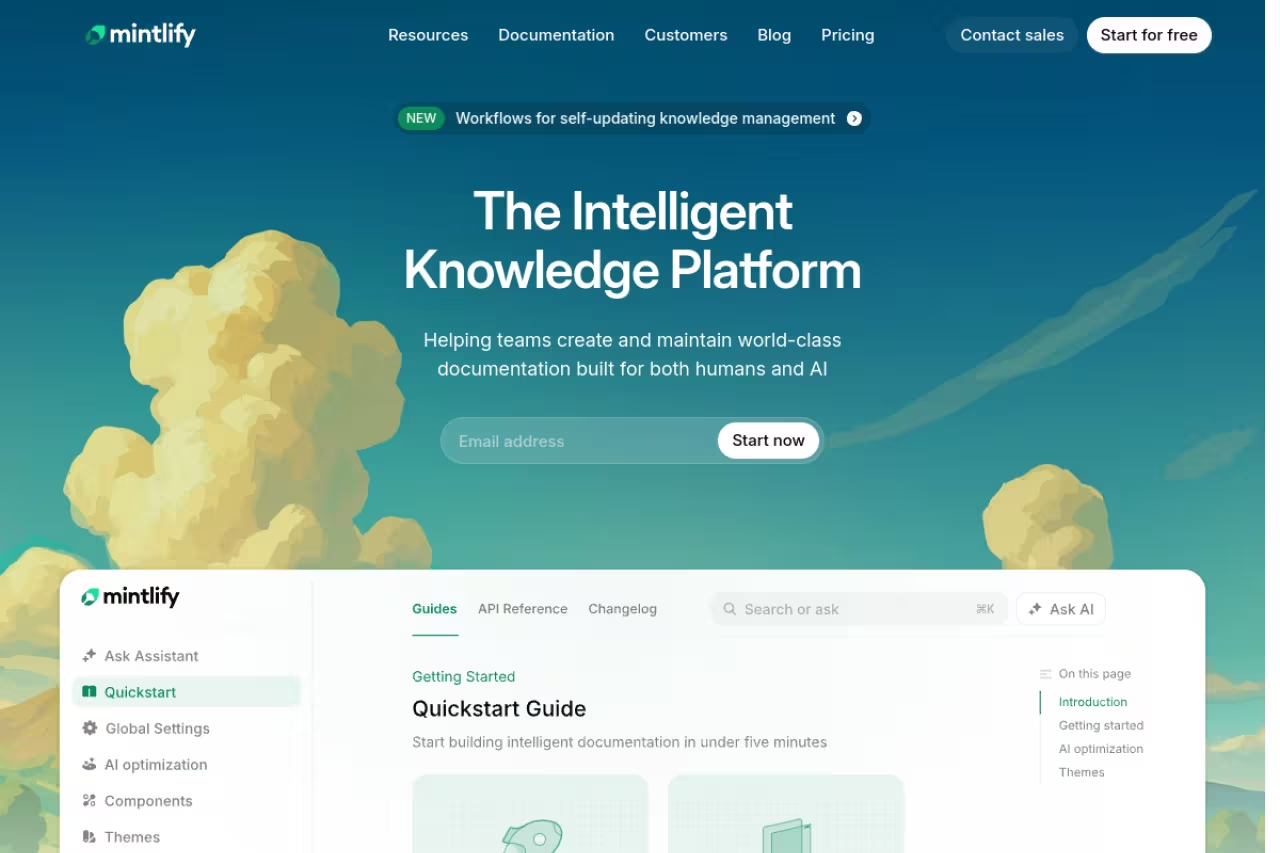
Mintlify is what I reach for when a team wants developer-facing docs that look sharp without a week of setup. You write in MDX, which is Markdown with React components mixed in, so you get interactive elements without building a frontend. Connect a GitHub repo and your docs deploy on every push.
Who it's best for: Startups and engineering-led teams shipping API docs, product guides, and changelogs. If your docs live next to your code, this is the natural home.
My reach for startups and engineering-led teams shipping API docs and changelogs, with an AI writing agent that drafts pages from your codebase. The jump from free to $300/month is steep, and it is weak for support knowledge bases and cross-functional collaboration.
The Hobby plan is free with one editor seat, a custom domain, and the API playground. The Pro plan runs $300/month with five editor seats and the AI features turned on. Extra seats are $20/month each. Enterprise is custom, usually quoted at $600+/month, and it's the only tier with SSO and SOC 2.
The standout: The AI writing agent. It drafts pages from your codebase, flags stale content, and the docs ship pre-optimized for AI search engines (Mintlify auto-generates an llms.txt file). When I asked it to document an endpoint, it pulled the actual parameters from my spec instead of hallucinating them.
The catch: The jump from free to $300/month is steep, and AI usage is metered on top. Most real teams I talked to land between $400 and $700 a month once they add seats and lean on the AI. It's also narrow by design: great for API reference and guides, weak for cross-functional collaboration or a support knowledge base.

GitBook: the best pick for mixed teams
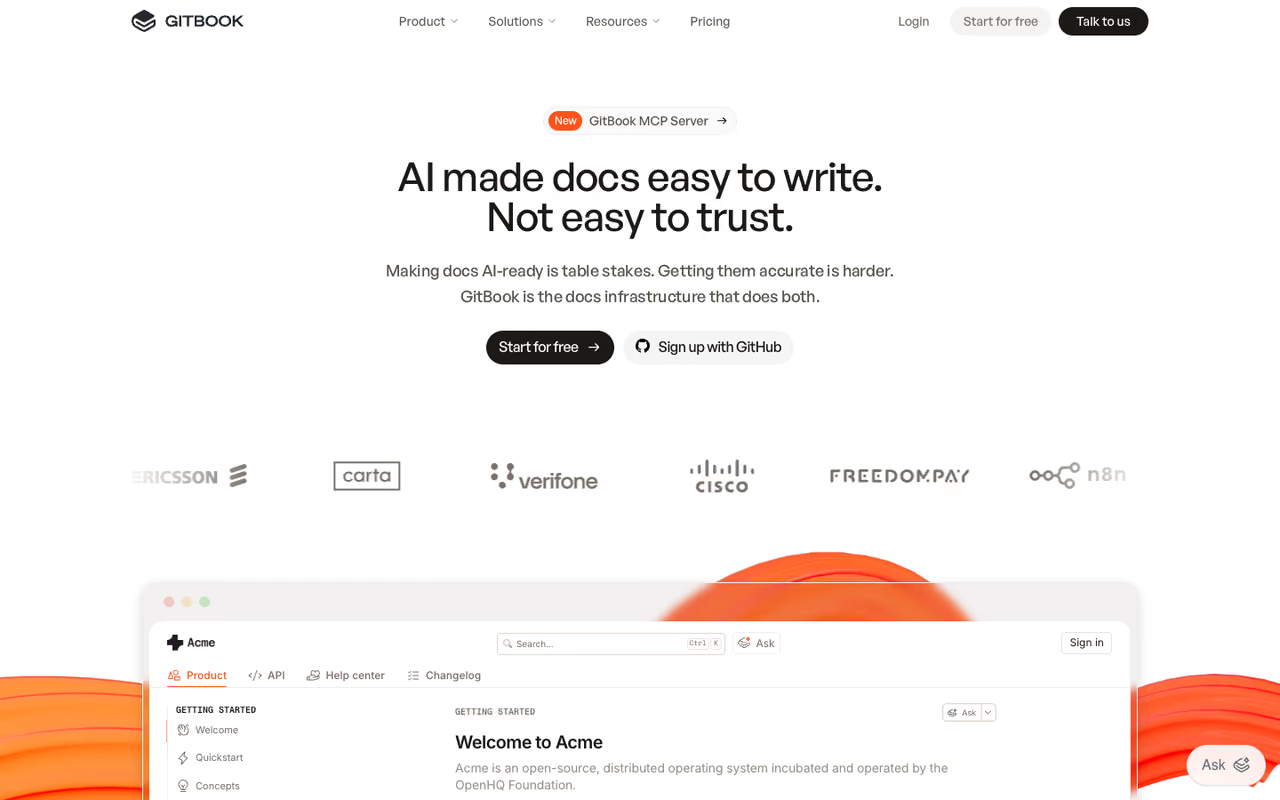
GitBook sits in a useful middle ground. It has a block-based visual editor that a product manager or support lead can use, plus real Git sync for engineers who'd rather work in Markdown. That dual-mode setup is rare, and it's why GitBook shows up in so many companies where docs aren't owned by one team.
Who it's best for: Teams where writers, PMs, engineers, and support all touch the docs. If your "documentation" includes onboarding guides, internal runbooks, and public help articles, GitBook handles the range.
The middle ground for mixed teams where writers, PMs, engineers and support all touch the docs, with a visual editor plus Git sync. Per-site billing climbs fast with two products, and AI is locked behind the $249 Ultimate tier.
Free for a single user. Premium is $65/month per site plus $12 per user, which lands a five-person team around $125/month. Ultimate is $249/site plus $12/user and that's where the AI Assistant (500 answers a month) and the GitBook Agent switch on. GitBook carries both SOC 2 and ISO 27001 certs, which matters in enterprise procurement.
The standout: The per-site billing actually rewards focused docs. And the visual editor is genuinely good. Non-engineers stopped pinging me to "make the change" because they could do it themselves.
The catch: Per-site billing cuts both ways. Two products means two subscriptions, and the math climbs fast. AI is locked behind the $249 Ultimate tier, so the cheaper Premium plan feels dated if you want the modern search experience.

ReadMe: the best interactive API portal
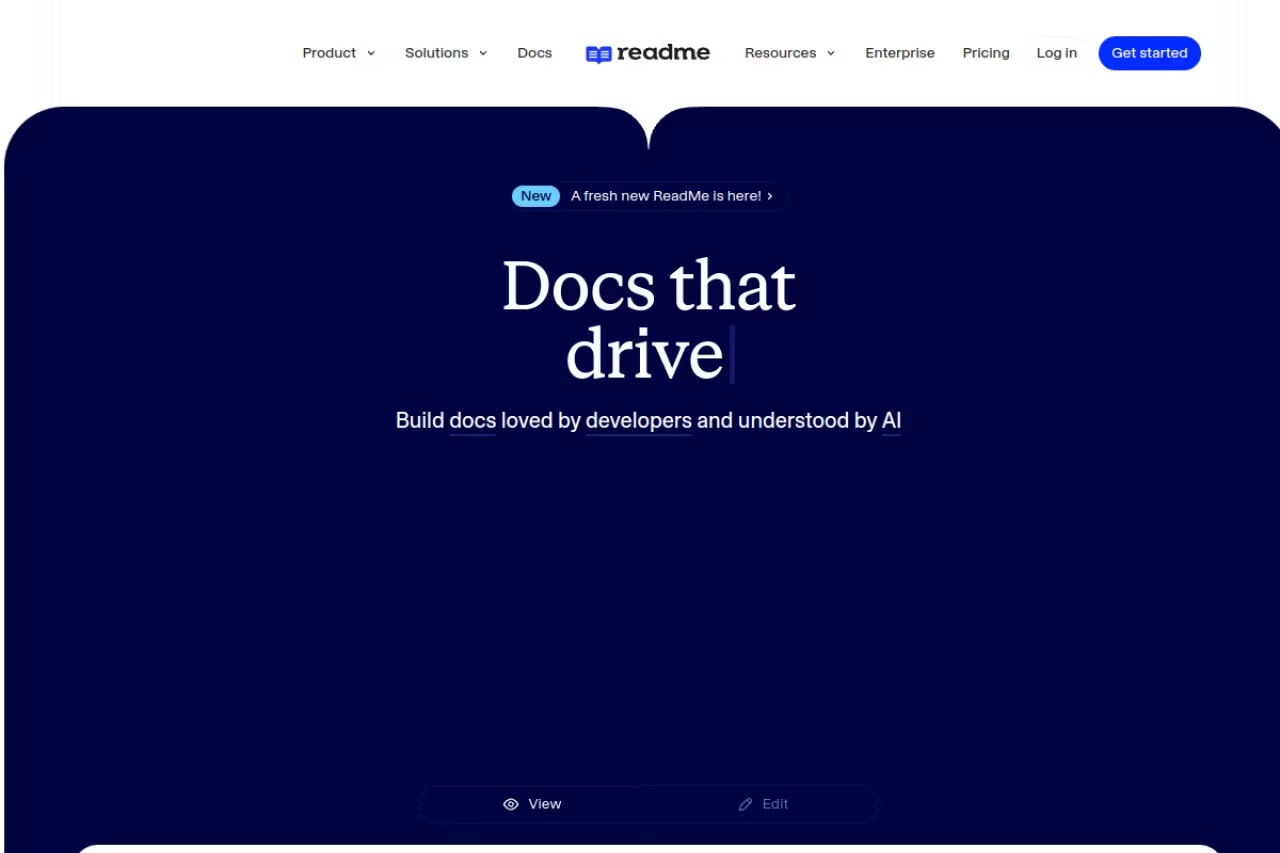
ReadMe does one thing better than anyone: turn an OpenAPI spec into a portal where developers make live API calls right from the docs, using their own keys. No copy-pasting into Postman. They read about an endpoint, hit "try it," and see a real response. That loop shortens time-to-first-call dramatically.
Who it's best for: API-first products where the docs are the developer's main onboarding surface. Think payment APIs, infrastructure platforms, anything with an SDK.
Go with ReadMe for API-first products where the docs are the developer's main onboarding surface, since developers can make live calls from the docs. The Enterprise jump to $3,000+/month is brutal, and you overpay if you only need API reference.
The Starter plan is free with a custom domain, interactive reference, and basic AI. Pro is $250/month billed annually and adds team collaboration, branching, custom MDX, and the AI writer. Enterprise starts at $3,000+/month, which is where multi-project support, SSO, and audit logs live.
The standout: The metrics. ReadMe shows you which endpoints developers actually call and where they get stuck, so you can fix the docs that lose people. That's a feedback loop most documentation tools don't give you.
The catch: The Enterprise jump to $3,000+/month is brutal, and a few features I'd consider table stakes (no ReadMe branding, multiple projects) sit behind it. If you only need API reference and not a full portal, you're overpaying.

Docusaurus: the best free, open-source option
Docusaurus is Meta's open-source static site generator, and it's the answer when you want to own your documentation stack outright. You write Markdown or MDX, it handles routing, versioning, localization (70+ languages via Crowdin), and search. Then you deploy the static files anywhere: Vercel, Netlify, an S3 bucket, whatever.
Who it's best for: Engineering teams comfortable with React who want zero vendor lock-in and zero per-seat fees. Open-source projects especially, since Algolia DocSearch hosts search for them free.
The free, open-source option for React-comfortable engineering teams that want zero vendor lock-in and zero per-seat fees. It is a developer tool with no visual editor, and someone on your team has to own the build config and upgrades.
Free. It's a self-hosted framework, so your only cost is hosting (usually pennies) and the engineering time to set it up and maintain it.
The standout: Total control. Your docs are React code in your repo. No surprise price hikes, no feature paywalls, no "contact sales" for SSO. For teams that already version their docs in Git, it fits the existing workflow.
Where it falls short: It's a developer tool, full stop. There's no visual editor, so a non-technical writer can't easily contribute. And "free" hides the real cost: someone on your team owns the build config, the upgrades, and the broken plugin at 11pm. If nobody on staff wants that job, a hosted tool is cheaper in practice.
If your interest is generating docs from code rather than building a site, my roundup of the best AI documentation generators covers tools aimed squarely at that.

Document360: the best support knowledge base
Document360 is built for help centers and support content rather than developer reference. Its category manager handles deep nesting well, so a 500-article knowledge base stays navigable. If your docs are "how do I do X in the product" instead of "here's the API," it's a strong fit.
Who it's best for: Support and customer success teams running a public help center or internal knowledge base with a lot of articles.
A strong fit for support and customer success teams running a help center or internal knowledge base with a lot of articles. Pricing is opaque and sales-only, and it is overkill if all you need is API docs.
Document360 has no free plan and publishes no list price. Its pricing page offers a 14-day trial, then a custom quote based on team accounts, workspaces, languages, SSO, public or private access, and AI Premium Suite usage, as of September 2026.
The standout: Workflow and analytics built for support orgs. Article review states, scheduled publishing, and reader analytics that tell you which help docs reduce tickets.
The catch: Opaque pricing. Having to email sales just to learn the price is a real friction for a self-serve buyer, and the per-project model gets expensive if you run several brands. It's also overkill if all you need is API docs.
Confluence: the best internal company wiki
Confluence is the default internal wiki for companies already living in Atlassian. If your engineers use Jira, Confluence connects to it natively, and that integration is the whole reason to pick it. Meeting notes, specs, runbooks, and decision records all land in one searchable place.
Who it's best for: Internal documentation at mid-size and larger companies, especially Atlassian shops. This is not the tool for public-facing product docs.
The default internal wiki for companies already living in Atlassian, where the native Jira integration is the whole reason to pick it. Per-user pricing punishes growth, and public docs published from Confluence look dated.
Free for up to 10 users. Standard is $5.42/user/month and Premium is $10.44/user/month, both billed annually. Enterprise is custom. At 100 users on Premium you're around $13,000/year before marketplace add-ons.
The standout: It's where the rest of your company already is. Adoption is the hardest part of internal docs, and Confluence wins on the fact that people already have it open.
The catch: Per-user pricing punishes growth, and the editing experience feels heavier than newer tools. Public docs published from Confluence look dated. It's an internal wiki that occasionally pretends to be a docs platform, and you feel the seams.
Notion: the best for small teams
Notion isn't a dedicated docs tool, and that's the point. For a small team, having docs, tasks, and a wiki in one workspace beats stitching three apps together. I've seen ten-person startups run their entire documentation off Notion and never feel the limits.
Who it's best for: Small teams and early-stage startups that want one flexible workspace instead of a specialized docs platform.
A flexible workspace for small teams and early-stage startups who want docs, tasks and a wiki in one place. It is a stopgap for public documentation, with slow pages, weak SEO and no real versioning or API reference.
Free for personal use. Plus is $10/user/month and Business is $20/user/month, both billed annually. Notion folded its AI features into the paid plans in 2025, so Business is the practical tier if you want the AI assistant.
The standout: Flexibility. The same database powers a roadmap, a help doc, and a meeting log. Nothing else on this list bends that easily, and for a small team that's worth more than purpose-built features.
The catch: It's not built for public documentation. Published Notion pages are slow, the SEO is weak, and there's no real versioning or API reference. Once your docs need a custom domain, structured navigation, or developer features, you'll outgrow it. For internal notes it's great; for a product docs site it's a stopgap. (For pure note capture, my best AI note-taking apps guide has sharper picks.)

Scalar: the best lightweight API reference
Scalar is the minimalist answer for API reference. It's an open-source web component you drop into any site, point at an OpenAPI file, and get a clean, fast, interactive reference. No platform to adopt, no migration, just a good-looking reference rendered from your spec.
Who it's best for: Teams that already have a docs site or developer portal and just need a polished API reference bolted on, without committing to a full platform.
The minimalist answer for teams that already have a docs site and just need a polished, interactive API reference bolted on, with near-zero setup and no lock-in. It is a reference renderer only, so guides and tutorials need another tool.
The open-source core is free. Scalar also offers hosted products (API docs, SDK generation, an API registry) with pricing gated behind a sign-up, so you'll need an account to see the paid tiers.
The standout: Zero lock-in and near-zero setup. Because it's a single component, it embeds into Docusaurus, a static site, or your own app in minutes. For an OpenAPI-first team it's the fastest path to a reference that doesn't look generic.
The catch: It's a reference renderer, not a documentation platform. There's no authoring environment, knowledge base, or collaboration layer. If you need guides and tutorials alongside the reference, you'll pair it with something else.
How to choose the right documentation tool
Skip the feature checklists and answer three questions instead.
Who writes the docs? If engineers own them and live in Git, go with Mintlify, Docusaurus, or Scalar. If writers, PMs, and support all contribute, you need a visual editor: GitBook or Notion. Forcing non-engineers into a Markdown-and-pull-request workflow is how docs go stale.
Are the docs public or internal? Internal-only points to Confluence or Notion. Public, branded, developer-facing docs point to Mintlify, GitBook, or ReadMe. The two jobs are different enough that one tool rarely nails both.
Are they API docs or product docs? Interactive API reference where developers test calls live is ReadMe (full portal) or Scalar (lightweight). Product guides and tutorials are Mintlify or GitBook. Support and help-center content is Document360.
One more factor that's new this year: how your docs read to AI. Clean structure and an llms.txt file mean ChatGPT and Perplexity describe your product accurately. Mintlify and GitBook handle this automatically; with Docusaurus you wire it up yourself. As more buyers research through AI search, this stops being a nice-to-have.
If you're equipping a team with AI tools beyond docs, our Dupple X bundle covers the full stack at one price, and our top tools directory is a good place to compare adjacent categories.
FAQ
What is the best documentation tool in 2026?
For most product and developer teams, Mintlify is the best all-around documentation tool in 2026. It combines Git-based workflows, a clean MDX editor, and an AI writing agent that drafts and maintains pages. If your team is cross-functional, GitBook is the better pick because non-engineers can edit through its visual editor. For pure internal wikis, Confluence or Notion fit better.
What is the best free documentation tool?
Docusaurus is the best genuinely free option. It's Meta's open-source static site generator, with no per-seat fees and no feature paywalls. The trade-off is that someone on your team has to set it up and maintain the build. For a free hosted option, the single-user free tiers of GitBook, Mintlify, and ReadMe work for solo projects, though they cap you at one editor.
Mintlify vs GitBook: which should I use?
Use Mintlify if engineers own the docs and you want developer-facing API and product documentation with strong AI features. Use GitBook if writers, PMs, and support all contribute, since its visual editor lets non-technical people edit safely. GitBook also carries SOC 2 and ISO 27001 certs, which can matter in enterprise procurement. Mintlify is cleaner for pure dev docs; GitBook is more flexible across teams.
Do documentation tools help with AI search visibility?
Yes, and it's a bigger deal in 2026 than it was a year ago. AI assistants like ChatGPT and Perplexity pull from product documentation to answer questions, so clean, structured docs influence how those tools describe your product. Mintlify and GitBook auto-generate an llms.txt file and AI-readable output. With open-source tools like Docusaurus you can add this yourself, but it isn't automatic.
How much do documentation tools cost?
It ranges widely. Open-source tools (Docusaurus, Scalar core) are free aside from hosting. Hosted platforms start free for single users, then jump: GitBook Premium is $65/site plus $12/user, Mintlify Pro is $300/month, and ReadMe Pro is $250/month. Per-user tools like Confluence ($5.42/user) and Notion ($10/user) scale with headcount. Most growing teams on a hosted dev-docs platform spend $300 to $700 a month once seats and AI usage are factored in.
Can I use one tool for both API docs and a knowledge base?
You can, but few tools do both well. Mintlify and GitBook handle product guides plus API reference together, which covers most needs. If you need a heavy support knowledge base with hundreds of articles, Document360 is purpose-built for that but weak on API docs. Pairing two focused tools (for example Scalar for API reference and Notion for internal docs) is often cleaner than forcing one tool to cover everything.
Ready to give your team modern docs and the AI tools to maintain them? Start your Dupple X trial and get the full stack in one subscription.
Related guides
Some offers on this page may be paid placements or contain affiliate links.
Across our whole catalogue the median is $24 a month and 33% of tools advertise a free tier. Figures are the lowest recurring monthly price quoted in our own review of each tool, read on 2026-08-19. Full method and every category.
