
The Best AI Browser in 2026: 6 Picks Compared

Key facts6 browsers compared: Perplexity Comet, Dia, Brave Leo, Opera Neon, Microsoft Edge (Copilot)…
- 6 browsers compared: Perplexity Comet, Dia, Brave Leo, Opera Neon, Microsoft Edge (Copilot), Google Chrome (Gemini)
- Perplexity Comet (best for: Research and citation-backed answers): Free; Pro from $17/mo billed yearly
- Dia (best for: Arc fans who want polish + AI): Browser free; AI from $20/mo
- Brave Leo (best for: Privacy, zero setup, free): Free; Leo Premium $14.99/mo
- Opera Neon (best for: Power users wanting agentic tasks): $19.90/mo
The browser is the new battleground for AI, and it happened fast. Two years ago "AI browser" meant a chatbot bolted into a sidebar. Now the address bar answers questions, the assistant reads every open tab, and an agent can book a flight or fill a form while you watch.
I compared seven of them across their pricing pages, documentation, and public user reviews, looking at how each handles research sprints, inbox triage, comparison shopping, and pulling numbers out of dashboards. Some genuinely stand out. A couple feel like demos pretending to be products.
Here's the short version for skimmers: Perplexity Comet is my top pick, free on Mac, Windows, iOS and Android, and the one I'd hand to a researcher. Opera Neon is the paid pick for running agent tasks in parallel. And if you want something free that respects your privacy with zero setup, Brave Leo is the easiest yes. ChatGPT Atlas was on my original list, but OpenAI shut it down on August 9, 2026, so six picks remain. This is for founders, marketers, developers, and operators who spend most of their day in a browser and want the AI to pull its weight.
Quick comparison
| Browser | Best for | Price | Standout |
|---|---|---|---|
| Perplexity Comet | Research and citation-backed answers | Free; Pro from $17/mo billed yearly | Address bar that answers instead of searches |
| Dia | Arc fans who want polish + AI | Browser free; AI from $20/mo | Chatting with your open tabs |
| Brave Leo | Privacy, zero setup, free | Free; Leo Premium $14.99/mo | No-login AI with model choice |
| Opera Neon | Power users wanting agentic tasks | $19.90/mo | Parallel agent tasks ("Cards") |
| Microsoft Edge (Copilot) | Windows + Microsoft 365 users | Free with limits; agents need Microsoft 365 | Copilot tied into your work files |
| Google Chrome (Gemini) | People who won't switch browsers | Free | Gemini built into the browser you already use |
Perplexity Comet: the research browser, and the best free pick
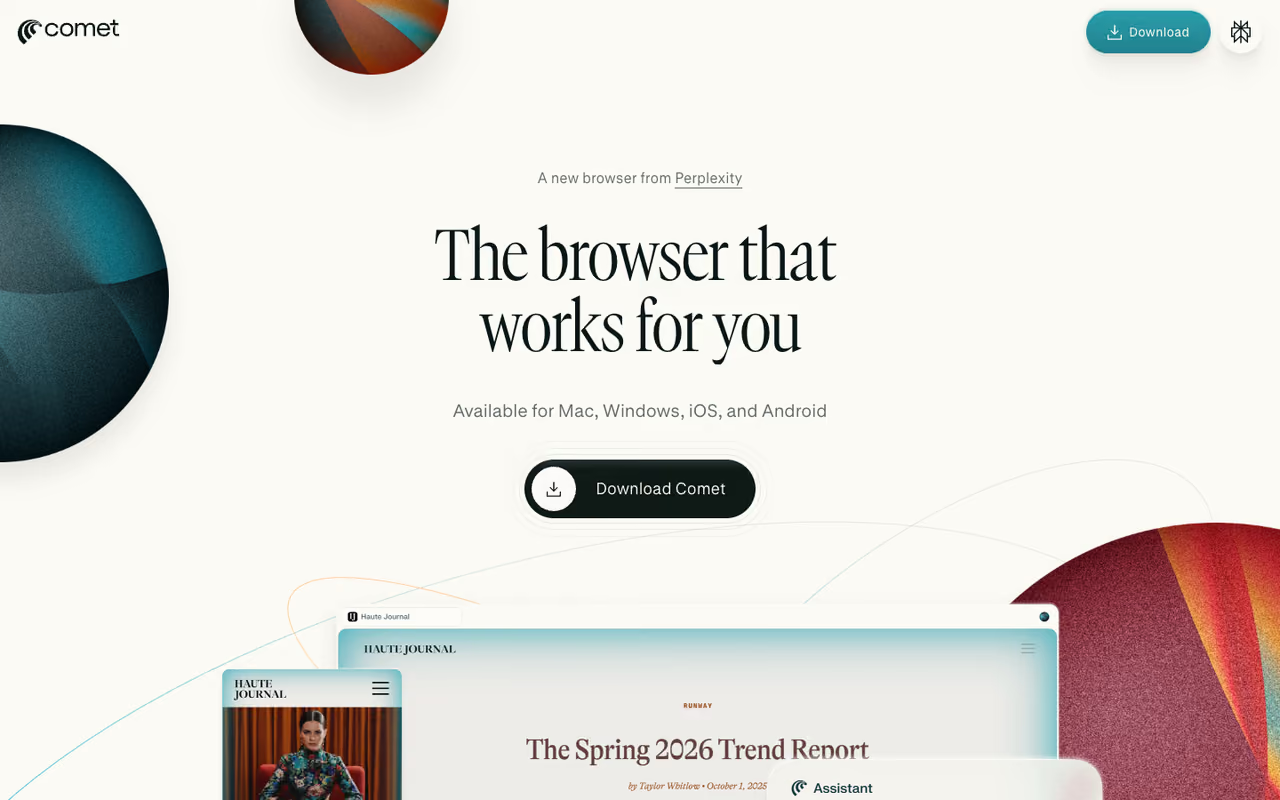
Perplexity Comet collapses search and browsing into one motion. The address bar is a Perplexity query box, so instead of a page of blue links you get a direct, cited answer. For anyone who researches for a living, that shift is bigger than it sounds.
What sells it is context. Comet holds onto what you're reading across tabs, so you can ask "summarize these three articles and tell me where they disagree" and get a real synthesis with sources. It also does agentic tasks: shopping, drafting replies, running Deep Research without leaving the browser. I leaned on it hardest during long research sessions where I'd otherwise have 15 tabs open and no memory of which said what. If you do a lot of AI-assisted research, our guide to AI search visibility across ChatGPT and Perplexity is a useful companion read.
The pick for researchers and analysts, collapsing search into cited answers and keeping context across tabs, and it is free. Heavy features like Deep Research hit usage limits quickly, and pre-chewed answers can tempt you to skip the source.
Free on Mac, Windows, iOS, and Android, and Perplexity says its free version will always include Comet. Perplexity Pro starts at $17/month billed yearly for higher limits, deep research, and model choice, and Max at $167/month billed yearly, as of September 2026.
The catch: The free tier caps the heavy features. Deep Research and the strongest models hit usage limits fast if you push them, so power users still feel nudged toward Pro. And because the answer comes pre-chewed, you sometimes skip the source you'd have wanted to read in full.

Dia: Arc's successor, built around your tabs
Dia comes from The Browser Company, the team behind the cult-favorite Arc, and it's the most thoughtfully designed browser here. The core idea: you chat with your open tabs. Highlight text, ask about a page, or pull context from everything you have open, and Dia writes ready-to-share output from it.
Arc loyalists will recognize the obsessive UX polish. Where Comet optimizes for research and Opera Neon for actions, Dia optimizes for feel. It surfaces answers before you ask and keeps you focused, which matters more than spec sheets suggest when you're in a browser eight hours a day.
The most thoughtfully designed browser here, aimed at former Arc users who want AI without an ugly interface. The new AI paywall leaves it free but with no free assistant, and the Atlassian roadmap adds uncertainty for solo users.
The browser is free, but for new Mac users the free plan has no AI features. AI chat starts with Better Answers at $20/month, and Better Days at $100/month adds six times the usage plus a daily briefing, as of September 2026. New users get a 14-day trial, and existing users and Windows users keep their current access until Dia gives at least 30 days' notice.
The catch: Atlassian agreed to acquire The Browser Company in September 2025, and the roadmap is pivoting toward "work" features (pulling context from Jira, Confluence, and other SaaS). That's promising for teams but adds uncertainty for solo users who wanted a nice browser, and the new AI paywall makes Dia the only browser here that is free to use but comes with no free assistant. Betting on Dia means betting on Atlassian's vision.
If you're picking AI tools across your whole stack, not just the browser, our best AI assistant guide goes deeper on the general-purpose options.

Brave Leo: free, private, and no account required
Brave Leo is the AI assistant baked into the Brave browser, and it's the one I'd recommend to anyone allergic to setup. It works the instant you open Brave, no login, no signup, and chats stay on your device rather than getting logged for training.
Leo summarizes pages and videos, analyzes PDFs and spreadsheets, translates, and now does agentic browsing and Skills (reusable AI actions). You also get model choice, including Llama, Claude, Qwen, and DeepSeek, which is rare in a free in-browser assistant.
Pick Leo if you hate setup: it works instantly with no account, keeps chats on your device, and offers model choice for free. It is an assistant rather than a full agentic browser, and the free models are smaller than frontier ones.
Free. Leo Premium is $14.99/month or $149.99/year for more models and faster responses, but the free tier is generous enough that most people never hit the wall.
Where it falls short: Leo is an assistant, not a full agentic browser. It won't run long multi-step tasks the way Comet or Opera Neon will, and the free models are smaller than the frontier ones. It's the best free pick, not the most powerful one.

Opera Neon: agentic tasks in parallel
Opera Neon is Opera's premium, agent-first browser, separate from the free Opera AI assistant in its main browser. Neon is built for people who want the AI to run jobs: it navigates sites, fills forms, and runs tasks in parallel through a "Cards" system so several agent jobs go at once.
For power users who want several agent jobs running at once through Cards, and who do not mind paying. At nearly $20 a month it competes with the free Comet, so it only makes sense if parallel agent tasks are a real part of your workflow.
$19.90/month. (Opera AI, the lighter assistant in the standard Opera browser, is free with no log-in.)
The catch: At nearly $20/month, Neon competes with Comet, which is free, and with Microsoft's agents, which many teams already pay for through Microsoft 365. If you want free Opera AI, the standard browser covers the basics; Neon only makes sense if parallel agent tasks are a real part of your workflow.
Microsoft Edge with Copilot
If you live in Windows and Microsoft 365, Microsoft Edge is the path of least resistance. Copilot in Edge reads across your open tabs, summarizes pages and YouTube videos, drafts, and ties into your work files and the broader Copilot ecosystem.
The safe choice for Windows-first teams already standardized on Microsoft 365, with Copilot reading across tabs and work files. The AI is solid but not category-leading, and the best features sit behind licensing your IT team controls.
Free with usage limits. Agents, complex multi-step tasks, and higher limits require a Microsoft 365 subscription, and some work features need a Microsoft 365 Copilot license.
Where it falls short: Edge's AI is solid but not category-leading. It's the safe enterprise choice, and the most capable Copilot features sit behind Microsoft 365 licensing your IT team controls, not you.
Google Chrome with Gemini
Google Chrome folding Gemini into the browser is the AI browser most people will actually end up using, because they never leave Chrome. Gemini answers questions about pages, helps with tasks, and taps Google's search and ecosystem.
The AI browser most people will end up using simply because they never leave Chrome, with Gemini answering questions about pages for free. It is the most conservative option here, so anyone wanting bleeding-edge agentic browsing will find it trails.
Free, with advanced Gemini features tied to paid Google AI plans.
The catch: Chrome's AI is the most conservative here. Google rolls features out slowly, so if you want bleeding-edge agentic browsing, Chrome will always trail the AI-native browsers that have nothing to lose.
How to choose
Forget the feature checklists. Pick based on what you actually do all day.
If your work is research (analysts, marketers, writers): Comet. The cited-answer address bar and cross-tab synthesis save the most time, and it's free.
If you want an agent to do tasks for you (operators, founders): Opera Neon if you want parallel jobs and will pay for them, Comet if you want to try agentic tasks without a subscription, or Edge if your company already pays for Microsoft 365.
If you want free + private with zero setup: Brave Leo. Open it and go.
If you loved Arc and care about design: Dia, with the caveat that its future is now Atlassian's call.
If you won't switch browsers: Edge on Windows, Chrome everywhere else. The AI is fine; it's just there.
One more thing worth saying: an AI browser is a force multiplier on the tools you already use, not a replacement for them. The teams getting the most out of this shift pair a good browser with the rest of their AI stack. Our best AI tools for productivity guide maps the wider stack, and you can browse the full directory of vetted picks in our top AI tools list.
Frequently asked questions
What is the best AI browser in 2026?
It depends on your work. Perplexity Comet is the best overall and the best for research, thanks to its citation-backed answers, cross-tab synthesis, and a free version on every platform. Opera Neon is the best paid option for parallel agent tasks. Brave Leo is the best free, private, no-setup option. There's no single winner because they're optimized for different jobs.
Is there a free AI browser?
Yes, several. Perplexity Comet is free on Mac, Windows, iOS, and Android. Brave Leo is free with no account required, Opera AI in the standard Opera browser is free with no log-in, and Copilot in Edge and Gemini in Chrome are free with limits. Dia is free as a browser, but for new Mac users its AI starts at $20/month.
Are AI browsers safe to use?
Mostly, with caveats. Agentic browsers can take actions on your behalf, which introduces risk if they misread a page or follow a malicious instruction hidden in content (prompt injection). Reputable browsers pause for confirmation on sensitive actions like payments. Brave Leo keeps chats local and login-free for the most privacy. Treat agent mode like a capable intern: useful, but worth supervising on anything sensitive.
What happened to ChatGPT Atlas?
OpenAI discontinued ChatGPT Atlas, and the browser stopped working on August 9, 2026. OpenAI is moving its browser-based agent features into the ChatGPT desktop app and points Chrome users to its ChatGPT extension or sidebar where available. Bookmarks and history did not transfer automatically, so Atlas users had to export them. If you want an AI-native browser today, Comet is the closest free replacement and Opera Neon the paid one.
Do I need to switch browsers to use AI features?
No. Chrome (with Gemini) and Edge (with Copilot) add AI to the browser you likely already use. The trade-off is that AI-native browsers like Comet, Dia, and Opera Neon tend to ship more advanced agentic features faster, since the whole product is built around AI rather than retrofitted into an existing one.
Will AI browsers replace Google Search?
For some queries, they already have. When you want a synthesized answer with sources, tools like Comet replace the click-through-ten-links habit entirely. But for navigation, shopping, and local results, traditional search still wins. The realistic 2026 picture is a blend: you'll ask the browser for answers and reach for classic search when you want to browse the open web yourself.
Pick the browser that matches your day, then build out the rest of your AI stack to match. Dupple X bundles the AI tools founders and operators actually reach for, so the browser isn't doing all the work alone.
Related guides
Some offers on this page may be paid placements or contain affiliate links.
