
The Best Spreadsheet Software in 2026: 8 Tools Compared and Ranked

Key facts8 tools compared: Microsoft Excel, Google Sheets, Rows, Airtable, Row Zero, Smartsheet…
- 8 tools compared: Microsoft Excel, Google Sheets, Rows, Airtable, Row Zero, Smartsheet, Equals, LibreOffice Calc
- Microsoft Excel (best for: Power users, finance, complex models): From $9.99/mo (Personal)
- Google Sheets (best for: Collaboration, everyday teamwork): Free; $14/user/mo (Business Standard)
- Rows (best for: Business teams, data-source dashboards): Free; $8/user/mo (Plus)
- Airtable (best for: Structured data, light apps): Free; $20/user/mo (Team)
The spreadsheet you grew up with is not the spreadsheet you need in 2026. Excel and Google Sheets still run the world, but a wave of newer tools now connect straight to your database, answer questions in plain English, and chew through millions of rows without freezing your laptop.
If you just want one answer: Microsoft Excel is still the most capable spreadsheet on the planet, and with Copilot it finally has AI that edits your workbook instead of just suggesting formulas. But "most capable" is not the same as "best for you." A solo founder pulling Stripe data into a dashboard, a marketer building a campaign tracker, and a data analyst querying 50 million rows all want different things.
I spent the past few weeks comparing eight of these tools, reading their pricing pages, documentation, and public user reviews. Below is what holds up, who each one is for, and where each falls apart. This is for operators, founders, and analysts who care less about brand loyalty and more about getting work done.
Quick comparison
| Tool | Best for | Price | Standout |
|---|---|---|---|
| Microsoft Excel | Power users, finance, complex models | From $9.99/mo (Personal) | Depth no rival matches + Copilot agent mode |
| Google Sheets | Collaboration, everyday teamwork | Free; $14/user/mo (Business Standard) | Real-time editing nobody else touches |
| Rows | Business teams, data-source dashboards | Free; $8/user/mo (Plus) | 50+ integrations + built-in AI analyst |
| Airtable | Structured data, light apps | Free; $20/user/mo (Team) | Database power in a spreadsheet skin |
| Row Zero | Big data, analysts | Free; $12/user/mo (Pro) | Handles tens of millions of rows |
| Smartsheet | Project and work management | $9/user/mo (Pro) | Gantt charts and work automation |
| Equals | SaaS finance teams | From $24,000/yr | Live data warehouse connection |
| LibreOffice Calc | Free desktop, offline work | Free | Full Excel-like power, zero cost |
Microsoft Excel: still the heavyweight champion
Microsoft Excel has been the default for three decades, and 2026 did not change that. What changed is the AI. Copilot's agent mode, which Microsoft now calls "Edit with Copilot" and made generally available in April 2026, can directly edit your workbook: write formulas, build pivot tables, generate charts, and run multi-step tasks from a plain-English prompt. It even works on files stored locally on Windows and Mac now.
Who it's best for: Anyone doing serious financial modeling, statistical work, or anything that depends on the deepest function library and the most third-party add-ins. If your CFO sends you a workbook, it was built here.
The heavyweight for serious financial modeling, statistical work, and anything needing the deepest function library and add-ins. Copilot is weak on large-scale transformations, collaboration lags Google Sheets, and the best features need the desktop app.
Microsoft 365 Personal is $9.99/month or $99.99/year, and Family is $12.99/month for up to six people, per Microsoft's pricing. Business Basic at $6/user/month only gets you web and mobile Excel. For the desktop app you need Business Standard at $12.50/user/month. The Copilot AI add-on runs $30/user/month on top of a business license, though Microsoft has a promotional $18 Copilot Business tier through June 30, 2026.
The catch: Copilot still cannot reliably apply a prompt across thousands of rows. It is great for structured, step-by-step edits and weak on large-scale transformations. Real-time collaboration lags behind Google Sheets too: co-editing works, but it is clunkier and version conflicts still happen. And the full power lives in the desktop app, so the cheaper web-only plans feel hollow.
Google Sheets: collaboration nobody else matches
Google Sheets wins the moment more than one person touches a file. Multiple cursors, instant sync, comment threads, and zero "someone has this file locked" nonsense. Over the past year Google folded Gemini AI into Sheets, added stronger encryption, and shipped native connections to BigQuery and Looker for teams sitting on serious data.
Who it's best for: Teams that live in a browser, anyone who shares spreadsheets constantly, and startups already on Google Workspace. It is also the most generous free option with real AI baked in.
Unbeatable once more than one person touches a file, and the most generous free option with real AI, ideal for browser-first teams. It slows past a few hundred thousand rows, and formula depth trails Excel for heavy modelers.
Free with a personal Google account. For business, Workspace Business Starter is $7/user/month annually but only includes Gemini in Gmail with about five app prompts per day. To get Gemini across Sheets you need Business Standard at $14/user/month, which Google now bundles AI into directly after retiring the separate Gemini add-ons in early 2026.
Where it falls short: Sheets slows to a crawl past a few hundred thousand rows, and it caps out around 10 million cells per file. The formula and charting depth is shallower than Excel, so heavy financial modelers eventually hit a ceiling. Gemini inside Sheets is helpful for quick summaries but it is not yet as surgical as Excel's Copilot at building structured outputs.
If you want to push AI further inside this tool, my walkthrough on how to use AI in Google Sheets covers the prompts and add-ons that actually save time.

Rows: the spreadsheet that thinks like an analyst
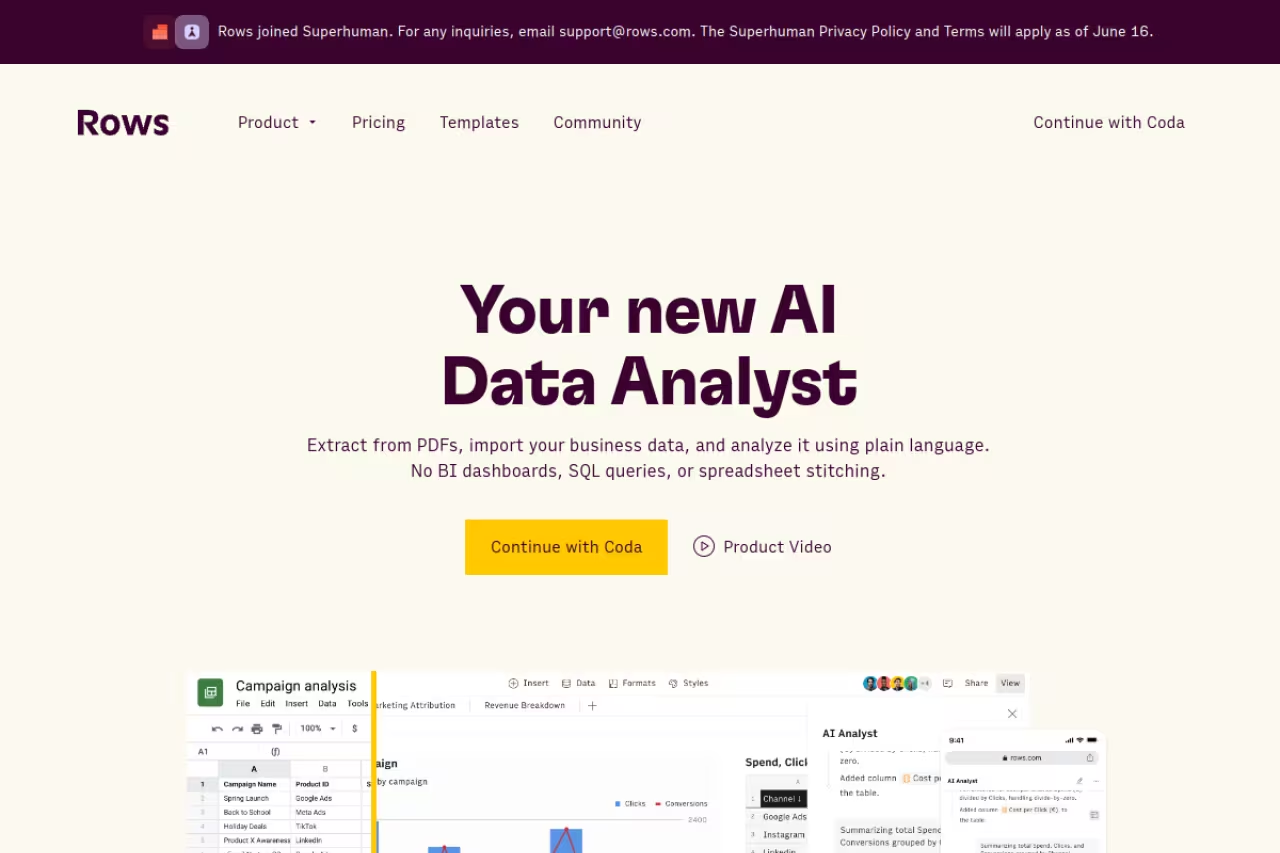
Rows is what you get when you rebuild a spreadsheet around live data and AI from day one. It keeps the familiar grid but bolts on 50+ integrations (Stripe, HubSpot, Google Analytics, OpenAI, and more) and an AI analyst that pulls data, cleans it, and builds the report for you. The sharing experience is genuinely nice: dashboards look like products, not exports.
Who it's best for: Business teams and founders who want to turn data from multiple sources into live dashboards without writing SQL or babysitting Zapier. Marketing and ops teams in particular get a lot out of it.
A good fit for business teams and founders who want live dashboards from multiple sources without writing SQL, thanks to 50+ integrations and an AI analyst. It is not for giant datasets or deep financial modeling, and AI task limits run out fast.
Free tier with unlimited spreadsheets and 5 AI tasks a month. The Plus plan is $8/user/month ($6 annually) with 200 AI tasks and daily automation. Pro adds minute-level refresh and 1,000 AI tasks at $59/month plus $6/user annually, per Rows' pricing page. Enterprise is custom with unlimited AI.
The catch: It is not built for giant datasets or deep financial modeling, and the AI task limits on lower tiers run out faster than you expect once a team gets hooked. If your whole workflow lives in Excel macros, migrating is a project, not an afternoon.
For a deeper look at AI-native options like this one, see my roundup of the best AI tools for spreadsheets.

Airtable: a database wearing a spreadsheet costume
Airtable looks like a spreadsheet but behaves like a relational database. You get linked records, rich field types (attachments, dropdowns, dates that actually validate), and the ability to spin up lightweight apps and automations on top of your data. Its AI features can now generate fields and summarize records.
Who it's best for: Teams managing structured data such as content calendars, CRMs, product roadmaps, and inventory, especially when you want to build interfaces or automations on top.
Choose it for structured data like content calendars, CRMs, and roadmaps where you want interfaces and automations on top. It is a weak tool for number crunching, and $20 to $45 per seat gets pricey for larger teams.
Free plan for small teams. Team is $20/user/month and Business is $45/user/month (both annual), per Airtable's pricing. You only pay for users with edit access, which helps if you have a lot of viewers.
Where it falls short: It is a weak choice for actual number crunching. Formulas, pivots, and complex calculations feel like an afterthought compared to Excel. At $20 to $45 per seat it gets pricey for larger teams, and the moment you treat it like a real spreadsheet, you will miss real spreadsheet features. If your needs lean toward building tools without code, my best no-code platforms guide compares Airtable against purpose-built alternatives.
Row Zero: built for data that breaks Excel
Row Zero exists for one reason: real spreadsheets choke on big data, and this one does not. It runs in the cloud, handles tens of millions of rows on the free tier and a billion-plus on Enterprise, supports 400+ Excel functions, and connects directly to Snowflake, Databricks, S3, and Postgres. There is Python built in and AI chat for analysis.
Who it's best for: Data analysts, engineers, and anyone who has watched Excel freeze on a 5 million row CSV. If you regularly pull from a data warehouse, this is the spreadsheet that keeps up.
The spreadsheet for data analysts and engineers who have watched Excel freeze on a 5 million row CSV, with direct warehouse connections. It is a specialist, overkill for everyday budgets or small-file collaboration.
Free for one workbook with tens of millions of rows. Pro is $12/user/month for unlimited workbooks, Business is $20/user/month with automated data refresh and warehouse write-back, per Row Zero's pricing. Enterprise is custom.
The catch: It is a specialist. For everyday budgets, simple trackers, or team collaboration on small files, it is overkill, and the interface assumes you already think like an analyst. The single-workbook free tier is generous on rows but tight on actual project work.

Smartsheet: spreadsheets for running projects
Smartsheet is a spreadsheet only on the surface. Underneath, it is work management: Gantt charts, dependencies, approval flows, dashboards, and automation that fires when a row changes. Teams use it to run launches, construction projects, and cross-functional plans.
Who it's best for: Project managers and operations teams who want the familiarity of a grid with the muscle of a project tool. It sits in a sweet spot between a plain spreadsheet and full software like Asana.
Work management in a grid, for project managers and operations teams wanting Gantt charts, dependencies, and approvals. As a pure spreadsheet it is mediocre, and anyone not needing project management pays for unused capability.
Pro is $9/user/month and Business is around $19/user/month, both billed annually, per Smartsheet's pricing. Enterprise is custom.
Where it falls short: As a pure spreadsheet, it is mediocre. Formulas and data analysis are limited next to Excel or Sheets, and the Pro plan caps editors and features in ways that push teams to the pricier tier fast. If you do not need project management, you are paying for capabilities you will never open.

Equals: the spreadsheet for SaaS finance teams
Equals connects a spreadsheet directly to your data warehouse, Stripe, or database, then keeps it live. It is built for the people who own ARR, retention, and pipeline numbers, with AI that drafts the report and unlimited seats so the whole company can read it.
Who it's best for: Venture-backed SaaS companies that need board-ready metrics straight from source data, refreshed automatically, without an analyst rebuilding the model every month.
Built for venture-backed SaaS companies that need board-ready metrics refreshed from a live warehouse, with unlimited seats. Plans start at $24,000 a year, so it is wildly out of range for anyone else.
This is the expensive one. Plans start at $24,000/year for Essential, $36,000 for Business, and $60,000 for Enterprise, per Equals' pricing. Seats are unlimited, and each tier includes a monthly AI budget ($250 to $1,000).
The catch: The price tells you exactly who this is for. If you are not a funded company tracking SaaS metrics against a live warehouse, it is wildly out of range. For most teams, a $14 Google Sheets seat plus a business intelligence tool does the same job for a fraction of the cost.
LibreOffice Calc: the free desktop workhorse
LibreOffice Calc is the best free, offline, open-source spreadsheet, full stop. The current release (26.2, shipped April 2026) has a deep function set, 2D and 3D charts, its own Basic macro language plus Python scripting, and it opens and saves Excel files cleanly. No subscription, no account, no cloud.
Who it's best for: Anyone who wants Excel-class power without paying Microsoft, plus privacy-conscious users and people who work offline. It handles large local files better than most free web tools.
The best free, offline, open-source pick for privacy-conscious users and anyone wanting Excel-class power without paying Microsoft. It lacks real-time collaboration, cloud sync, and AI, and complex Excel macros may not survive the round trip.
Free. Genuinely, completely free.
Where it falls short: No real-time collaboration, no native cloud sync, and no built-in AI. Complex Excel macros and some advanced formatting do not always survive the round trip. The interface looks like 2010, which bothers some people more than it should. For solo work it is excellent; for a modern team, the missing collaboration hurts.
How to choose
Skip the feature checklists. Answer one question: what is the job?
- Deep modeling or finance? Excel. Nothing else has the depth, and Copilot now does the grunt work.
- A team editing together? Google Sheets. Real-time collaboration is its whole identity.
- Live dashboards from tools like Stripe and HubSpot? Rows for most teams, Equals if you are a funded SaaS company with budget.
- Structured data and light apps? Airtable.
- Datasets that crash normal spreadsheets? Row Zero.
- Running projects? Smartsheet.
- Zero budget, offline? LibreOffice Calc.
A practical move for small teams: start free. Google Sheets, the Rows free tier, and LibreOffice cover an enormous amount of ground at $0. Only pay when you hit a real wall, whether that is row limits, AI quotas, or collaboration friction. If your wall is "I need AI to actually understand my data," tools bundled into Dupple X and the picks in our best AI for data analysis guide are worth a look before you commit to an annual plan.
Want the broader picture of what's worth paying for this year? Browse our top tools directory for vetted picks across categories, or try Dupple X to get the AI tools that plug into your data without the per-seat sprawl.
FAQ
What is the best free spreadsheet software in 2026?
Google Sheets is the best free option for most people because it combines real collaboration, solid features, and Gemini AI at no cost. If you need to work offline or want full desktop power without a subscription, LibreOffice Calc is the strongest free choice. For big datasets, Row Zero's free tier handles tens of millions of rows in a single workbook.
Is Excel still better than Google Sheets?
For depth, yes. Excel has the larger function library, better pivot tables, more add-ins, and now Copilot agent mode that edits your workbook directly. Google Sheets wins decisively on collaboration and price. Most finance and analytics teams pick Excel; most everyday teams pick Sheets. Plenty of companies use both.
What is the best spreadsheet for large datasets?
Row Zero is purpose-built for this, handling tens of millions of rows on the free tier and over a billion on Enterprise, with direct connections to Snowflake, Databricks, and Postgres. Equals and Rows also pull from live data sources, but Row Zero is the one designed specifically for raw scale and speed.
Which spreadsheet has the best AI features?
It depends on what you mean. Excel's Copilot agent mode is the most advanced AI built into a traditional spreadsheet for structured edits. Rows and Sourcetable are built around AI from the ground up and are better at pulling, cleaning, and reporting on data from multiple sources. For a full comparison, see our guide to the best AI for spreadsheets.
How much does spreadsheet software cost in 2026?
It ranges from free to enterprise. Google Sheets and LibreOffice Calc are free. Microsoft 365 Personal starts at $9.99/month. Per-seat business tools run $8 to $45/user/month (Rows, Smartsheet, Airtable). At the top end, Equals starts at $24,000/year for finance teams with live data needs.
Can I replace Excel with a newer spreadsheet tool?
For many workflows, yes. If your work is dashboards from live data sources, Rows or Row Zero may serve you better than Excel. If it is structured data and automations, Airtable can replace it. But for deep financial modeling and the broadest add-in ecosystem, nothing has fully matched Excel yet. Try the free tier of an alternative on a real project before you switch.
Related guides
Some offers on this page may be paid placements or contain affiliate links.
Across our whole catalogue the median is $24 a month and 33% of tools advertise a free tier. Figures are the lowest recurring monthly price quoted in our own review of each tool, read on 2026-08-19. Full method and every category.
