
8 Best AI Spreadsheet Tools in 2026 (Compared and Ranked)


Key facts8 tools compared: Microsoft Copilot in Excel, Gemini in Google Sheets, Quadratic, Julius AI…
- 8 tools compared: Microsoft Copilot in Excel, Gemini in Google Sheets, Quadratic, Julius AI, Claude for Excel, Numerous.ai, Formula Bot, Coefficient
- Microsoft Copilot in Excel (best for: Teams already on Microsoft 365): $18/user/mo add-on
- Gemini in Google Sheets (best for: Anyone on paid Google Workspace): Included from $14/user/mo
- Quadratic (best for: Analysts who want AI plus Python/SQL): Free; Pro $18/user/mo
- Julius AI (best for: Fast analysis without writing formulas): Free; Pro ~$29/mo
Spreadsheets are where most "data work" actually happens. Not in fancy BI dashboards, but in a grid of cells someone is wrestling with at 9pm before a board meeting. So the moment AI got good at reading and writing those grids, it changed the job more than almost any other office task.
The problem is that "AI spreadsheet tool" now means five different things. It can be a chat box bolted onto Excel, a brand-new spreadsheet built around a model, a data analyst that returns charts instead of cells, or a humble add-on that writes your VLOOKUP. They are not interchangeable, and picking the wrong category wastes more time than doing the work by hand.
I compared the main options against real messy data scenarios. If you live in Excel and your company already pays Microsoft, Microsoft Copilot in Excel is the obvious default. If you want a spreadsheet that was designed for AI from day one, Quadratic is the most interesting thing in the category. And if you just want answers from a dataset without babysitting formulas, Julius AI is the one I reach for. Below is the full ranked list, with real pricing and the honest catches.
Quick comparison
| Tool | Best for | Price | Standout |
|---|---|---|---|
| Microsoft Copilot in Excel | Teams already on Microsoft 365 | $18/user/mo add-on | Agent Mode edits the workbook directly |
| Gemini in Google Sheets | Anyone on paid Google Workspace | Included from $14/user/mo | Builds whole sheets from a prompt |
| Quadratic | Analysts who want AI plus Python/SQL | Free; Pro $18/user/mo | Code and AI in the same grid |
| Julius AI | Fast analysis without writing formulas | Free; Pro ~$29/mo | Returns charts and tables, not cells |
| Claude for Excel | Finance and modeling inside Excel | $20/mo (Claude Pro) | Edits without breaking dependencies |
| Numerous.ai | Bulk AI tasks in cells you already use | $10/mo | Drag-down AI across thousands of rows |
| Formula Bot | One-off formula writing and explaining | Free; Starter $18/mo | Plain-text to formula in seconds |
| Coefficient | Live business data inside the grid | Free tier; paid from $49/mo | Pulls CRM and warehouse data live |
Microsoft Copilot in Excel
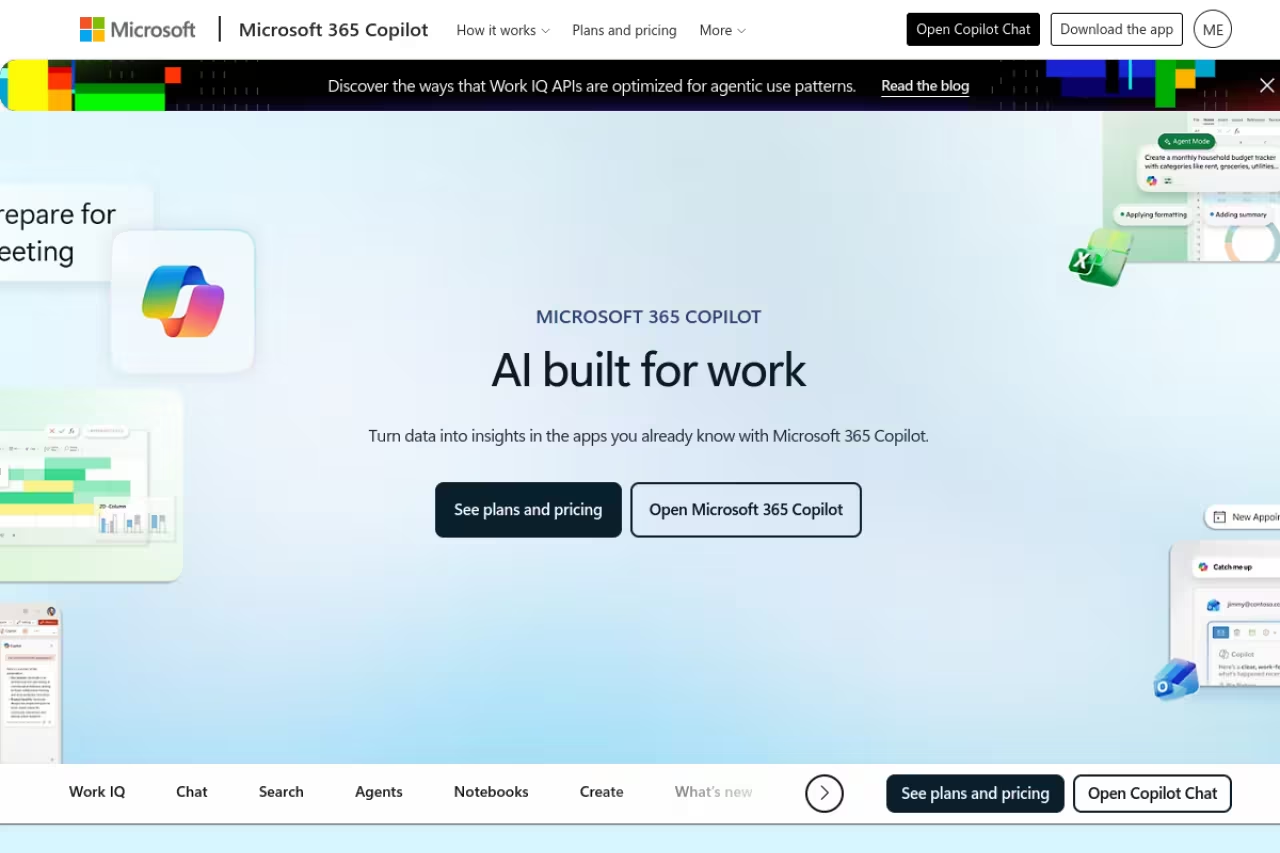
If your work already runs through Excel, this is the path of least resistance. Copilot sits in a side pane and you talk to it: summarize this table, build a pivot, flag the outliers, write me a SUMIFS across these two ranges. The big shift in 2026 is Agent Mode, now labeled "Edit with Copilot," which went generally available across web, Windows, and Mac in January. Older Copilot only answered questions. Agent Mode actually edits the workbook, adds columns, builds the pivot, and reformats, then shows you what it changed.
The path of least resistance for teams locked into the Microsoft stack, where Agent Mode actually edits the workbook and shows what changed. Pricing is the tricky part, since it is an add-on and the all-in cost lands closer to $33 to $43 per user.
The data stays in your existing files and your existing permissions.
Pricing is the tricky part. Microsoft 365 Copilot is an add-on, currently $18/user/month on the promotional annual rate that runs until June 30, 2026, then rising to $21 after that, per Microsoft's own announcement. You also need a qualifying base license underneath it, so the real all-in cost lands closer to $33 to $43 per user once you count Business Standard or Premium.
The standout is that nothing leaves your workflow. The grid you already trust gets smarter.
The catch: Copilot is reliable on clean, well-structured tables and gets shaky on messy real-world sheets with merged cells and inconsistent headers. It also still hallucinates formula logic often enough that you have to check every result it gives you.
Gemini in Google Sheets
If your team lives in Google Workspace instead, Gemini is the mirror-image answer, and in some ways the better deal. Google folded Gemini into every paid Workspace plan back in early 2025, so you are not paying a separate $20 add-on anymore. As of 2026, AI features across Docs, Sheets, Slides and the rest come bundled into Business Standard and above at no extra charge.
In Sheets specifically, Gemini can now build or edit whole spreadsheets from a natural-language prompt. Ask it to set up a project tracker or organize a raw export into a clean table and it generates the structure for you. It can also pull context from your Drive, Gmail, and the web, which is genuinely useful when your source data is scattered across files.
The mirror-image answer for Workspace teams, and in some ways the better deal because the AI comes bundled with Business Standard. It is still better at organizing and generating than at deep analysis, and it lags dedicated analyst tools for heavy number-crunching.
Business Standard is $14/user/month on annual billing in 2026, per Google's pricing, and the AI comes with it.
The standout is the bundled cost. You are effectively getting spreadsheet AI for a couple of dollars more than you were already paying.
Where it falls short: Gemini in Sheets is still better at organizing and generating than at deep analysis. For heavy number-crunching it lags behind a dedicated analyst tool, and the cheapest Business Starter tier only gives you a handful of Gemini prompts a day.
Quadratic

This is the one I keep recommending to technical people. Quadratic is a spreadsheet built around AI and code from the ground up, not an old grid with a chat box stapled on. You get familiar spreadsheet cells, but you can also drop in Python, SQL, or JavaScript in any cell, and the AI assistant writes that code for you when you describe what you want.
The result is that you can go from a raw CSV to a cleaned dataset to a chart without leaving the sheet, and without the analysis breaking when you swap in fresh data. It connects to databases directly, so you are not exporting and re-importing constantly.
The one I keep recommending to analysts, data scientists and engineers who find normal spreadsheets too limiting, with Python, SQL or JavaScript in any cell. If you do not write code and do not want to, half of what makes it special is wasted.
Quadratic has a free Personal plan with limited AI usage. Pro is $18/user/month and includes $20 in AI credits, with Business at $36/user/month doubling that, per their pricing page.
The standout is having real code and AI in the same grid. You get the approachability of a spreadsheet with the power of a programming environment.
The catch: if you do not write code and do not want to, half of what makes Quadratic special is wasted on you. It is overkill for someone who just needs help with a formula, and the AI credit model means heavy users can burn through their monthly allowance faster than they expect.

Julius AI

Julius takes a different angle. Instead of making the spreadsheet smarter, it replaces the part of your brain that turns data into answers. You upload a file or connect a database, ask a question in plain English, and it runs the analysis and hands back a chart, a table, or a written summary. No formulas, no pivot tables.
What I like is that it actually executes the work rather than describing it. It writes and runs code behind the scenes, retries queries that fail, and lets you save an analysis so it refreshes when new data comes in. For someone who knows what they want to know but does not want to fight Excel to get there, it is the fastest route I found.
Best for founders, marketers, and operators who need answers from a dataset and do not care how the sausage is made.
Julius has a free plan capped at 15 messages a month, which is enough to kick the tires. Paid plans start around $29.16/month billed annually, with students and educators getting 50% off, per Julius pricing. If you want to compare it against the broader field, our best AI tools for data analysis guide goes deeper on the analyst-style tools.
The standout is speed to an answer. You skip the entire formula layer.
Where it falls short: the jump from the Pro tier to the Business tier is steep, and because Julius hides the work, you have to trust its analysis or manually verify it. For regulated or high-stakes numbers, that opacity is a real downside.
Pick Julius if you are a founder, marketer or operator who needs answers from a dataset and does not care how the sausage is made. It is the fastest route I found, but the free plan is capped at 15 messages a month.
If you are still assembling your AI stack and want one subscription that covers the models behind tools like these, Dupple X bundles access to the major AI models so you are not paying for five separate seats.
Claude for Excel
Anthropic's add-in brings Claude directly into Excel, and it has matured fast. It reads and modifies your workbook while keeping formulas and dependencies intact, which is the single thing that matters most for anyone doing financial modeling. It can edit pivot tables, adjust charts, and trace how a number flows through your model before changing anything.
It started as a beta for Max and Enterprise plans, but since January 2026 it is available to all Claude Pro subscribers at $20/month, per coverage of the rollout. Recent updates added shared context between Excel and PowerPoint and support for MCP connectors, so it can pull in external data sources.
The pick for finance teams and analysts building interdependent models, since it edits while keeping formulas and dependencies intact. It is an add-on rather than native Excel, so setup is fiddlier than Copilot's, and it needs a Claude Pro subscription.
The standout is dependency-aware editing. Claude understands that changing one cell ripples through a model and handles it accordingly, which Copilot and Gemini are still weaker at.
The catch: it is an add-in, not a native part of Excel, so setup is fiddlier than Copilot's built-in pane. And it requires a Claude Pro subscription on top of whatever you pay Microsoft for Excel itself.
Numerous.ai
Numerous is the workhorse option. It is an add-on for Google Sheets and Excel that lets you run AI on cells the way you would any other formula, then drag it down across thousands of rows. Categorize a column of customer feedback, write product descriptions from a list of attributes, extract sentiment, clean up addresses. It shines at repetitive AI tasks at scale inside a sheet you already use.
The workhorse for marketers and ops people doing bulk text work, running AI on cells like any formula and dragging it down thousands of rows. It is the wrong tool for understanding a dataset, and character-based limits can run out mid-task.
Pricing is refreshingly simple. The Personal plan is $10/month billed annually with 500,000 characters of AI usage and 500 formula generations, per Numerous pricing, and there is a 7-day trial. The Enterprise tier scales it across a team.
The standout is the drag-down pattern. AI becomes just another spreadsheet function, which fits how people actually work.
Where it falls short: it is built for volume text operations, not deep analysis or charts. If you need to understand a dataset rather than transform a column, this is the wrong tool. The character-based usage limits also mean very large jobs can run out mid-task.
Formula Bot
Sometimes you do not need a platform, you need a formula. Formula Bot turns a plain-English description into an Excel or Google Sheets formula, explains a formula you paste in, and translates between Excel and Sheets syntax. It has grown into a small suite with a data analyzer, a PDF-to-Excel converter, and a SQL query generator, but the formula generator is still the reason to use it.
Choose Formula Bot when you hit a wall on one formula and want it solved in seconds without a heavyweight tool. It feels thin as your needs grow, and the free tier is tight enough that regular users will hit the paywall quickly.
There is a free tier for basic use. The Starter plan is $18/month for 250 messages and access to the Excel and Sheets add-ons, with a Pro plan at $29/month, per Formula Bot pricing.
The standout is focus. It does one annoying job, writing and explaining formulas, and does it well.
The catch: as your needs grow it starts feeling thin next to a full AI spreadsheet, and the free tier is tight enough that regular users will hit the paywall quickly.
Coefficient
Coefficient solves a different problem: getting live business data into your spreadsheet in the first place. It connects Salesforce, HubSpot, QuickBooks, NetSuite, Snowflake, and 150-plus other systems directly to Google Sheets or Excel, so your dashboards refresh automatically instead of dying the moment your export goes stale. In 2026 it added an AI SQL Builder where you describe the data you want and it writes the query.
Built for revenue and finance teams tired of manual CSV exports, piping live CRM and warehouse data into Sheets or Excel. The AI is the smaller half of the product, and the real value needs IT buy-in to connect business systems.
Coefficient is currently free to use in Google Sheets, with paid plans starting around $49/month for higher limits and more connectors, per their comparison.
The standout is the live data pipe. The AI features sit on top of a genuinely useful connector layer.
Where it falls short: the AI is the smaller half of the product. If you do not need live data integrations, you are paying for plumbing you will not use. And the real value only shows up once you connect business systems, which means IT buy-in.
How to choose
Start with where your data already lives, not with the flashiest tool.
If your company is on Microsoft 365, default to Copilot in Excel and only add Claude for Excel if you do serious financial modeling. If you are on Google Workspace, Gemini in Sheets is basically free, so start there.
If you want answers more than a spreadsheet, pick an analyst tool. Julius is the fastest for non-technical people; Quadratic is better if you or your team can write a little Python or SQL and want full control.
If you have a narrow job, buy a narrow tool. Numerous for bulk AI across rows, Formula Bot for one-off formulas, Coefficient for live data. None of these replace your spreadsheet; they sharpen one part of it.
The honest summary: most people overspend here by buying a platform when an add-on would do. Match the tool to the actual task and you will spend less and finish faster.
FAQ
What is the best AI spreadsheet tool in 2026?
It depends on your stack. For Microsoft 365 teams, Copilot in Excel is the natural default because it edits your real workbooks with Agent Mode. For fast analysis without formulas, Julius AI is the easiest. For a spreadsheet built around AI and code, Quadratic is the most capable. There is no single winner; there is a best fit for your situation.
Is Microsoft Copilot in Excel worth it?
If your team already pays for Microsoft 365 and works in Excel daily, it is worth trialing. Agent Mode can build pivots, add columns, and reformat tables on command. The catch is the layered cost: the Copilot add-on plus a base license pushes the real price to roughly $33 to $43 per user per month, and it still needs supervision on messy data.
Are there free AI spreadsheet tools?
Yes. Quadratic, Julius AI, Formula Bot, and Numerous.ai all have free tiers, though they cap usage. Coefficient is currently free in Google Sheets. Gemini comes included with paid Google Workspace plans, so if you already pay for Workspace you are not adding a cost. The free tiers are good for testing but most serious work needs a paid plan.
Can AI replace knowing Excel formulas?
Mostly, for everyday tasks. Tools like Formula Bot and Copilot will write a SUMIFS or VLOOKUP from a plain description, and Julius skips formulas entirely. But you still need enough literacy to sanity-check the output, because these tools hallucinate logic often enough that blindly trusting them on important numbers is a mistake.
What is the difference between an AI spreadsheet and an AI data analysis tool?
An AI spreadsheet (Copilot, Gemini, Quadratic) keeps you in the grid and helps you build and edit cells. An AI data analysis tool (Julius) takes your data and returns answers, charts, and summaries without you touching formulas. Choose the first if you need to maintain a working spreadsheet, the second if you just want insights. Our best AI tools for statistics guide covers the analysis-heavy end in more detail.
Want the full picture before you commit? Browse our top AI tools directory and our companion guide on the best AI for spreadsheets for more detailed notes. If you would rather pay once and get the models behind most of these tools in a single subscription, start a Dupple X trial and skip the pile of separate seats.
Related guides
Some offers on this page may be paid placements or contain affiliate links.
Across our whole catalogue the median is $24 a month and 33% of tools advertise a free tier. Figures are the lowest recurring monthly price quoted in our own review of each tool, read on 2026-08-19. Full method and every category.
