
The Best Note-Taking Apps in 2026 (Compared)

Key facts10 tools compared: Krisp, Notion, Obsidian, Reflect, Apple Notes, Mem, Capacities, Google…
- 10 tools compared: Krisp, Notion, Obsidian, Reflect, Apple Notes, Mem, Capacities, Google Keep, Evernote, Logseq
- Krisp (best for: AI meeting notes and clear communication): 7-day free trial; paid plans after
- Notion (best for: Teams and all-in-one workspaces): Free; Plus ~$9.50/mo; Business ~$19.50/user/mo
- Obsidian (best for: Local-first personal knowledge bases): Free; Sync $4/mo
- Reflect (best for: AI-native daily notes): $10/mo (annual), 14-day trial
I've migrated my notes four times in the last six years. Evernote to Notion. Notion to Obsidian. A failed flirtation with Roam. And every time, I lost a few hours and a little faith.
So when people ask me what the best note-taking app is, I don't have a single answer. I have a question back: are you capturing fleeting thoughts, building a research vault, or trying to make meetings less of a black hole? Because the "best" app for a privacy-obsessed researcher is a terrible fit for a founder who just wants to dump ideas and find them later. The tools have split into camps, and picking the wrong camp is what makes people quit and start over.
If you want the short version: Notion is the safest pick for most people and teams, Obsidian is what I'd choose for a personal knowledge base I plan to keep for a decade, and Reflect is the one I reach for when I want AI baked in without thinking about it. Below is a comparison of ten apps across price, AI, and how they hold up in daily use.
Quick comparison
| Tool | Best for | Price | Standout |
|---|---|---|---|
| Krisp | AI meeting notes and clear communication | 7-day free trial; paid plans after | Bot-free AI meeting notes with noise cancellation and accent conversion |
| Notion | Teams and all-in-one workspaces | Free; Plus ~$9.50/mo; Business ~$19.50/user/mo | Databases that double as a wiki |
| Obsidian | Local-first personal knowledge bases | Free; Sync $4/mo | Plain Markdown you own forever |
| Reflect | AI-native daily notes | $10/mo (annual), 14-day trial | GPT-4 and voice transcription built in |
| Apple Notes | Apple users who want zero friction | Free | Instant capture across Apple devices |
| Mem | Hands-off auto-organization | Free tier; Pro $12/mo | AI tags and files notes for you |
| Capacities | Visual, object-based thinkers | Free; Pro ~$9.99/mo | Notes as connected "objects" |
| Google Keep | Quick lists and reminders | Free | Fast, simple, syncs everywhere |
| Evernote | Web clipping and search | Free (50 notes); Starter $8.25/mo | Best-in-class search and OCR |
| Logseq | Outliners and daily journaling | Free | Open-source, block-based, local |

Krisp: best for AI meeting notes and clear communication
Krisp is built around meetings and conversations. Its Krisp AI meeting note taker captures the full conversation, not just the meeting notes afterward. It records meetings bot-free and transcribes online and in-person meetings in real time, then turns conversations into structured summaries, key discussion points, and action items. Searchable transcripts, tags, filters, and AI Chat make it easier to find information from previous conversations without replaying an entire recording. Krisp supports 17+ languages and can capture video calls, in-person conversations, voice memos, and uploaded audio or video. It works with Zoom, Google Meet, Microsoft Teams, and Slack, and integrates with major CRMs and productivity apps.
Best for professionals and teams who want a dedicated AI meeting note taker with clear audio and communication without accent barriers. It is built primarily around meetings and conversations rather than written notes.
7-day free trial with access to all premium features. Paid plans are available for continued access and additional capabilities.
The standout: Most AI note takers start working once the conversation is captured. Krisp improves the conversation itself while capturing it: it combines AI meeting notes with real-time noise cancellation and real-time, bidirectional accent conversion that adapts speech to make conversations easier to understand while preserving the speaker's natural voice.
The catch: Krisp isn't a general-purpose knowledge-management app. If you want a personal wiki, backlinked notes, or large collections of written notes, Notion or Obsidian are better suited. It is built primarily around meetings and conversations.
Notion: the default that earns it
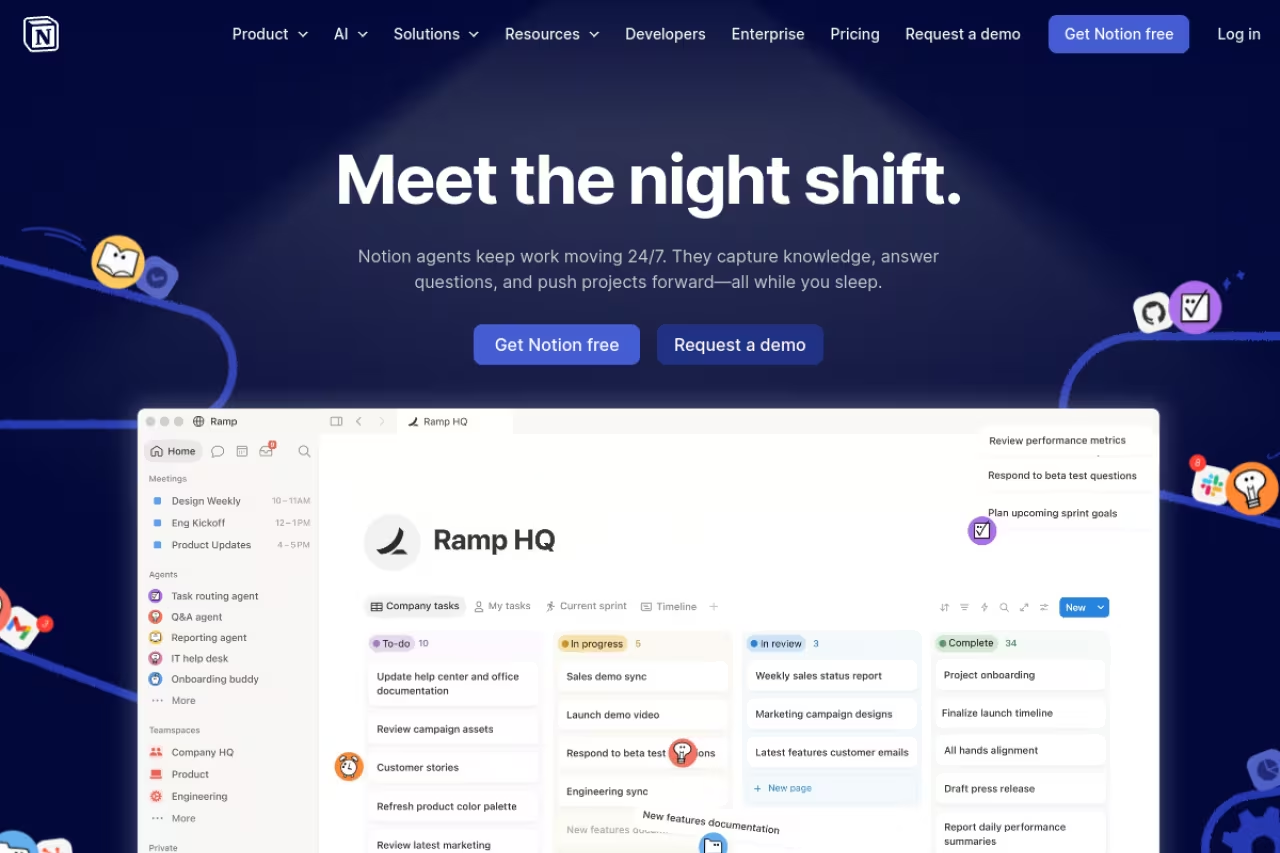
Notion is what I recommend when someone has no strong opinion yet. It's a notes app, a wiki, a project tracker, and a lightweight database all in one window. The killer feature is still the database: you can view the same set of records as a table, a board, a calendar, or a gallery, which means your meeting notes, your CRM, and your content calendar can all live in one place and link to each other.
The default I recommend when someone has no strong opinion, ideal for teams that want one tool to run their whole workspace. It is overkill for solo jotting, the learning curve is real, and full AI requires the $19.50 Business tier.
Free for personal use, Plus is around $9.50/user/month, and Business is roughly $19.50/user/month per Notion's pricing page. AI is included across plans now, but the good stuff (Notion Agent for multi-step tasks, AI Meeting Notes, Enterprise Search) only fully unlocks on Business.
The standout: Notion AI can now answer questions across your entire workspace and complete multi-step tasks, not just rewrite a paragraph. "Ask Notion" turns your messy pile of pages into something searchable in plain English.
The catch: it's slow to open on mobile, the database power means a real learning curve, and full AI requires the $19.50 Business tier. For a solo user who just wants to jot things down, Notion is overkill. It rewards people who'll actually build systems in it. If you're leaning on it for AI work, it's worth reading our take on the best AI knowledge management tools before you commit a whole team.

Obsidian: the one you'll still use in 2036
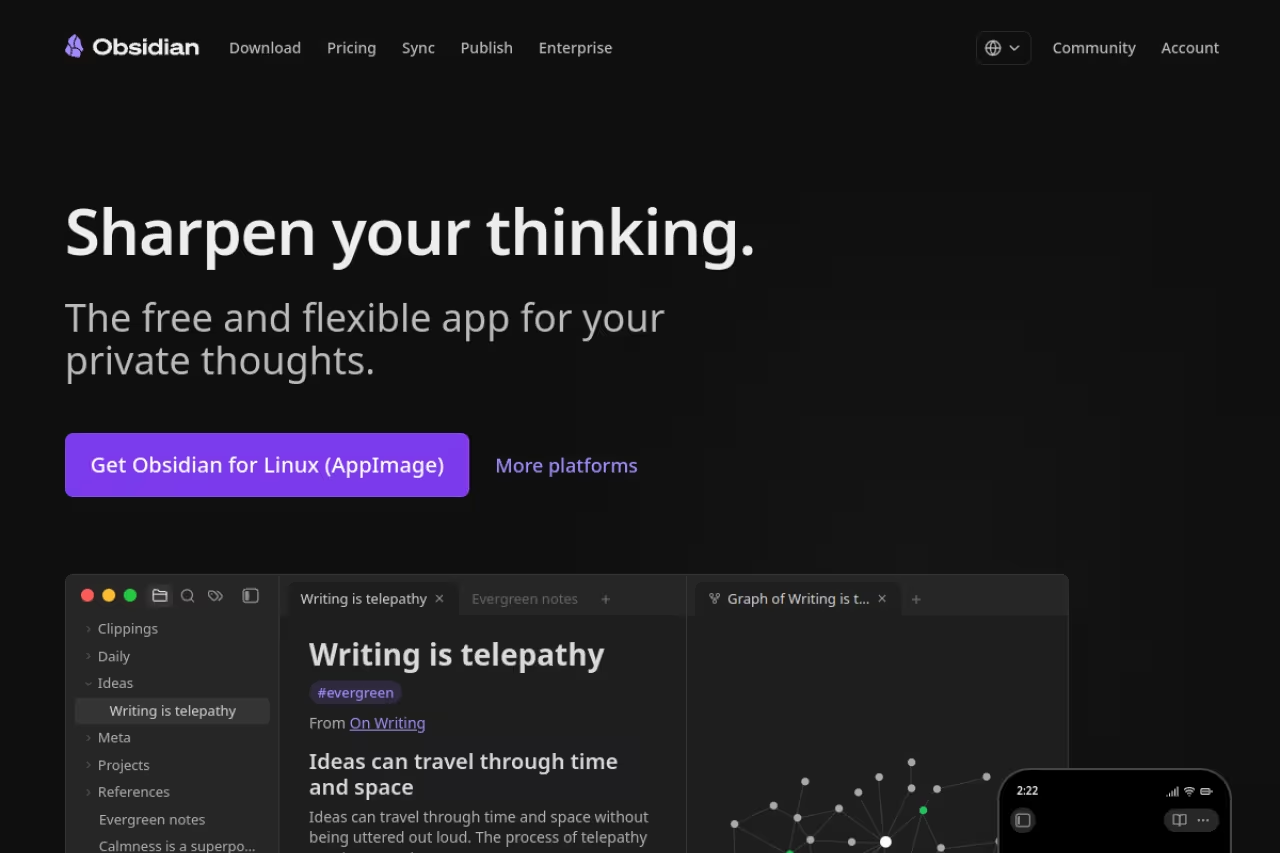
Obsidian stores every note as a plain Markdown file on your own disk. No vendor servers, no proprietary format, no lock-in. That sounds dry until you've watched a SaaS notes app raise prices or shut down, and you realize your second brain is hostage to someone else's runway.
The pick for people building a long-term knowledge base who care about privacy and control, with plain Markdown files on your own disk and a deep plugin ecosystem. It has no native AI or real-time collaboration, and setup takes effort.
free for personal use with every feature, theme, and community plugin included. Sync across devices is $4/user/month billed annually, Publish is $8/site/month, and a commercial license runs $50/user/year, per Obsidian's pricing. You can also sync your own files through iCloud or Dropbox for free.
The standout: the plugin ecosystem. There are over a thousand community plugins, including AI ones like Smart Connections and Text Generator that bolt local or API-based AI onto your vault. Bidirectional links and the graph view make connecting ideas feel native.
The catch: there's no native AI, no real-time collaboration, and setup takes effort. You're assembling your own tool from parts. The mobile app works but isn't where Obsidian shines. If the idea of installing plugins makes you tired, this isn't your app.

Reflect: AI without the bolt-on feeling

Reflect is the app I point AI-curious people to. It's a networked notes tool (backlinks, a daily note, a graph) with GPT-4 and Whisper transcription wired in from the start, plus end-to-end encryption so even Reflect can't read your notes.
Pick it if you want AI built in rather than bolted on, with GPT-4, Whisper transcription and end-to-end encryption. At $10/month with no free tier it is a hard sell against free Obsidian, and it is a single-player tool.
one plan, $10/month billed annually, with a 14-day trial and no credit card needed. No free tier. That single price is part of the pitch: you're not picking between a hobbled free version and a paywall.
The standout: the AI feels like part of the app, not a chatbot stapled to the side. You can transcribe a voice memo, pull takeaways from a meeting, or have it fix your writing inline. The end-to-end encryption is a real differentiator in a category where most AI apps read everything you write.
The catch: $10/month with no free tier is a hard sell when Obsidian is free and Apple Notes ships on your phone. The encryption also limits some collaboration features. It's a single-player tool, and it's priced like one.
Apple Notes: the one you already have
I keep recommending Apple Notes because the friction is basically zero. It's pre-installed, it syncs instantly across your iPhone, iPad, and Mac, and it's free. For capturing a thought before it evaporates, nothing beats opening an app that's already on your lock screen.
The best fast-capture tool for Apple users, because it is pre-installed, free and syncs instantly. It is Apple-only with no linking, database views or plugins, so it is a poor knowledge-management tool.
free, included with iCloud. You only pay if you blow past the free 5GB iCloud tier.
The standout: speed and reliability. Handwriting, scanning documents, sketches, and the new on-device organization features make it more capable than its plain look suggests.
The catch: it's Apple-only. No Windows or Android app, no bidirectional linking, no database views, and no plugin ecosystem. If you ever leave the Apple world, your notes don't come with you cleanly. It's a great quick-capture tool and a poor knowledge-management one.
Mid-article aside: if you're assembling an AI stack and want note-taking to plug into the rest of your workflow, Dupple X bundles access to the leading AI tools so you can test what actually fits before you commit to a single ecosystem.

Mem: notes that organize themselves
Mem bets that the best organization is no organization. You dump notes in, and its AI tags, links, and surfaces them when relevant. For people who hate maintaining folders (most of us), that's a genuinely different approach.
Choose it if you never want to file anything, since its auto-tagging is the strongest here. The free tier's 25-note cap makes it really a trial, and when the AI mis-files something it is harder to find than in folders you built yourself.
there's a free tier capped at 25 notes, 25 chat messages, and 25 PDF pages per month. Mem Pro is $12/month and unlocks unlimited chat, unlimited deep searches, and AI model selection. Teams pricing is custom.
The standout: automatic organization. Mem's auto-tagging is the strongest of the tools here. You write, and the structure appears on its own, which removes the maintenance tax that kills most note systems.
The catch: the free tier's 25-note cap is restrictive enough that it's really a trial. Letting AI run your organization also means trusting it, and when it mis-files something, it's harder to find than in a folder system you built yourself. It's a leap of faith that pays off for some and frustrates others.

Capacities: thinking in objects
Capacities treats everything as an "object" with a type: a person, a book, a meeting, an idea. Instead of pages in folders, you build a network of typed objects that connect. It's the most genuinely new idea in this list, and visual thinkers tend to fall hard for it.
A fresh idea for visual thinkers who want structure without rigid hierarchy, built on typed objects that connect. The object model has a learning curve and feels like overhead if you just want to write paragraphs.
a generous free plan with unlimited notes and 5GB storage. Pro is about $9.99/month billed annually (or $11.99 month-to-month) and adds an AI assistant, unlimited media, task and calendar integrations, and API access. There's also a Believer tier around $12.49/month.
The standout: the object model. Linking a meeting to the people in it and the project it belongs to feels natural, and the daily note plus calendar view ties it together. The AI assistant is a recent, useful addition.
The catch: the object-first approach has a learning curve, and if you just want to write paragraphs, it can feel like overhead. The mobile app has improved but still lags the desktop experience. It's a commitment to a way of thinking, not a quick-capture pad.
Google Keep: deliberately simple
Google Keep is the sticky-note app of the bunch. Color-coded cards, checklists, voice memos, reminders, and instant sync across every device and browser. It does almost nothing the others do, and that's the point.
Right for quick lists, reminders and capture inside the Google ecosystem, and it is free and opens instantly. There is no linking, formatting depth or long-form writing, so you will outgrow it fast.
free.
The standout: speed and ubiquity. It opens instantly, works on anything with a browser, and Gemini is increasingly woven into Google's tools so you can act on notes from elsewhere in Workspace.
The catch: there's no real organization beyond labels and colors, no linking, no formatting depth, and no long-form writing. Keep is for grocery lists and one-line reminders, not for building anything. Outgrow it and you'll move on fast.

Evernote: the comeback you can skip
Evernote was the king a decade ago, fell hard, and has stabilized under new ownership. Its web clipper and search remain genuinely excellent, with OCR that finds text inside images and PDFs better than most rivals.
Worth choosing only for heavy web clippers and people with large archives who live in search, thanks to excellent OCR. The free plan is capped at 50 notes and pricing is steep, so newer tools have lapped it elsewhere.
the free plan is now capped at 50 notes and one notebook, which is barely usable. Starter is $8.25/user/month billed annually, and Advanced runs about $20.83/month annually (or $24 month-to-month).
The standout: search and clipping. Full-text search across images and documents is still best-in-class, and the browser clipper is the smoothest way to save a page with formatting intact.
The catch: the 50-note free tier is the most restrictive on this list, the app feels heavier than newer rivals, and the pricing is steep for what you get. I'd only choose Evernote for the clipping and search. Otherwise newer tools have lapped it.

Logseq: the open-source outliner
Logseq is the free, open-source answer to Roam Research. It's block-based and outliner-first, built around a daily journal where you write and link as you go. Like Obsidian, it's local-first and stores notes as Markdown or Org files you control.
A free, private, block-based outliner for journalers who want local-first Markdown or Org files they control. It can feel rough around the edges and moves at an open-source pace, so look elsewhere if you want polish.
free and open-source. A paid sync service exists for cross-device syncing.
The standout: the daily-journal-plus-blocks workflow. Everything starts in today's note, and linked references pull related blocks together automatically. It's fast and the privacy story is strong.
The catch: the outliner format isn't for everyone, the app can feel rough around the edges, and development moves at an open-source pace. If you want polish, look elsewhere. If you want control and a journaling flow, it's hard to beat for free.
How to choose without migrating four times
Pick based on the job, not the feature list. Here's the framework I give people.
Start with where your notes live. If you never want to lose access or get locked in, go local-first: Obsidian or Logseq. If you want sync and collaboration handled for you and don't mind a vendor holding your data, go cloud: Notion, Reflect, or Mem.
If your notes mostly come from meetings, Krisp is the dedicated option: it captures and summarizes calls and in-person conversations rather than organizing written notes.
Then weigh AI. If AI is central to how you want to work, Reflect and Mem build it in natively. Notion has the most powerful AI but gates it behind the Business plan. Obsidian and Logseq need plugins.
Then match it to your real behavior. If you'll maintain a system, Notion or Capacities reward the effort. If you won't, Mem or Apple Notes do the filing for you. Be honest here. Most abandoned note apps die from maintenance fatigue, not missing features.
For most people, Notion or Apple Notes is the right answer and you can stop reading. If you're building something you'll keep for years, Obsidian. If AI is the point, Reflect. You can see how these stack up against adjacent categories in our guides to the best AI tools for productivity and the best AI assistant, and browse more in our top tools directory.
FAQ
What is the best note-taking app in 2026?
For most people, Notion is the best all-around pick because it handles notes, wikis, databases, and team collaboration in one place. If you want a private, local-first knowledge base you fully control, Obsidian is the better choice. If you want AI built in, look at Reflect or Mem.
What is the best free note-taking app?
Obsidian is the most powerful free option for personal use, with every feature included and notes stored as files you own. Apple Notes and Google Keep are excellent free choices for quick capture, and Logseq is a strong free pick for outliners and journalers.
Which note-taking app has the best AI features?
Reflect and Mem are the most AI-native, with GPT-4 writing help, transcription, and automatic organization built in. Notion has the most powerful AI overall (workspace-wide search and multi-step agents), but the full feature set requires the Business plan at roughly $19.50/user/month. Our best AI meeting assistants guide covers AI note-taking for calls specifically.
Is Notion better than Obsidian?
It depends on what you value. Notion is better for teams, databases, and all-in-one workspaces. Obsidian is better for privacy, long-term ownership, and personal knowledge management, since it stores plain Markdown files locally with no vendor lock-in. Many people use Notion for work and Obsidian for personal notes.
Should I switch from Evernote in 2026?
If you rely on Evernote's web clipping and OCR search, it's still strong and you may not need to switch. But the free plan is now capped at 50 notes, and newer tools like Notion, Reflect, and Capacities offer more for similar or lower prices. If you're paying for Evernote and not using clipping heavily, you can likely do better elsewhere.
Can a note-taking app transcribe voice and meetings?
Yes. Krisp is built for exactly this, with bot-free transcription and summaries for online and in-person meetings. Reflect uses Whisper to transcribe voice notes, Notion's Business plan includes AI Meeting Notes, and Mem can process recordings into searchable notes. For dedicated meeting capture and summaries, a purpose-built tool is usually better. See our roundup of the best AI transcription tools for that use case.
Related guides
Some offers on this page may be paid placements or contain affiliate links.
Across our whole catalogue the median is $23.50 a month and 37% of tools advertise a free tier. Figures are the lowest recurring monthly price quoted in our own review of each tool, read on 2026-10-23. Full method and every category.
