
Best AI Scheduling Assistants in 2026: 8 Tools Compared

Key facts8 tools compared: Motion, Reclaim.ai, Sunsama, Calendly, Akiflow, Trevor AI, Morgen, Clara
- 8 tools compared: Motion, Reclaim.ai, Sunsama, Calendly, Akiflow, Trevor AI, Morgen, Clara
- Motion (best for: Full hands-off day planning): $19/mo annual
- Reclaim.ai (best for: Value + small teams): Free, $10/mo paid
- Sunsama (best for: Calm, deliberate planning): $20/mo annual
- Calendly (best for: Client and external booking): Free, $10/mo paid
Your calendar is the place where good intentions go to die. You block focus time, a meeting lands on top of it, and the whole day collapses like a badly built spreadsheet. AI scheduling assistants exist to fight that entropy: they reshuffle your day, defend your deep work, and turn a messy task list into actual time on a calendar.
We compared these tools on their pricing pages, documentation and public user reviews. Most "AI calendar" roundups just reprint feature lists. This one is based on what actually held up.
Short version for skimmers: Motion is my overall pick if you want the AI to plan your whole day and you can stomach the price. Reclaim.ai is the better value and the one I'd hand a team. If you hate auto-scheduling and want a calm, deliberate plan, go Sunsama. The rest fit narrower needs, and I'll tell you exactly who each is for.
One housekeeping note before the list: Clockwise, long a favorite in this category, shut down on March 27, 2026 after Salesforce hired its team for Agentforce. So if an older guide pushed you toward it, that ship has sailed. Reclaim is the migration path most people landed on.
Quick comparison
| Tool | Best for | Price (from) | Standout |
|---|---|---|---|
| Motion | Full hands-off day planning | $19/mo annual | AI plans tasks + meetings together |
| Reclaim.ai | Value + small teams | Free, $10/mo paid | Focus-time defense, PM tool sync |
| Sunsama | Calm, deliberate planning | $20/mo annual | Daily shutdown ritual |
| Calendly | Client and external booking | Free, $10/mo paid | The booking-link standard |
| Akiflow | Power users with many inboxes | $19/mo annual | Unified task command bar |
| Trevor AI | Free time blocking | Free, $5/mo Pro | Drag-and-drop blocks |
| Morgen | One calendar across accounts | $15/mo annual | Multi-calendar + AI planner |
| Clara | Executives who want it done for them | $99/mo | AI + human, books over email |

Motion: the closest thing to a chief of staff
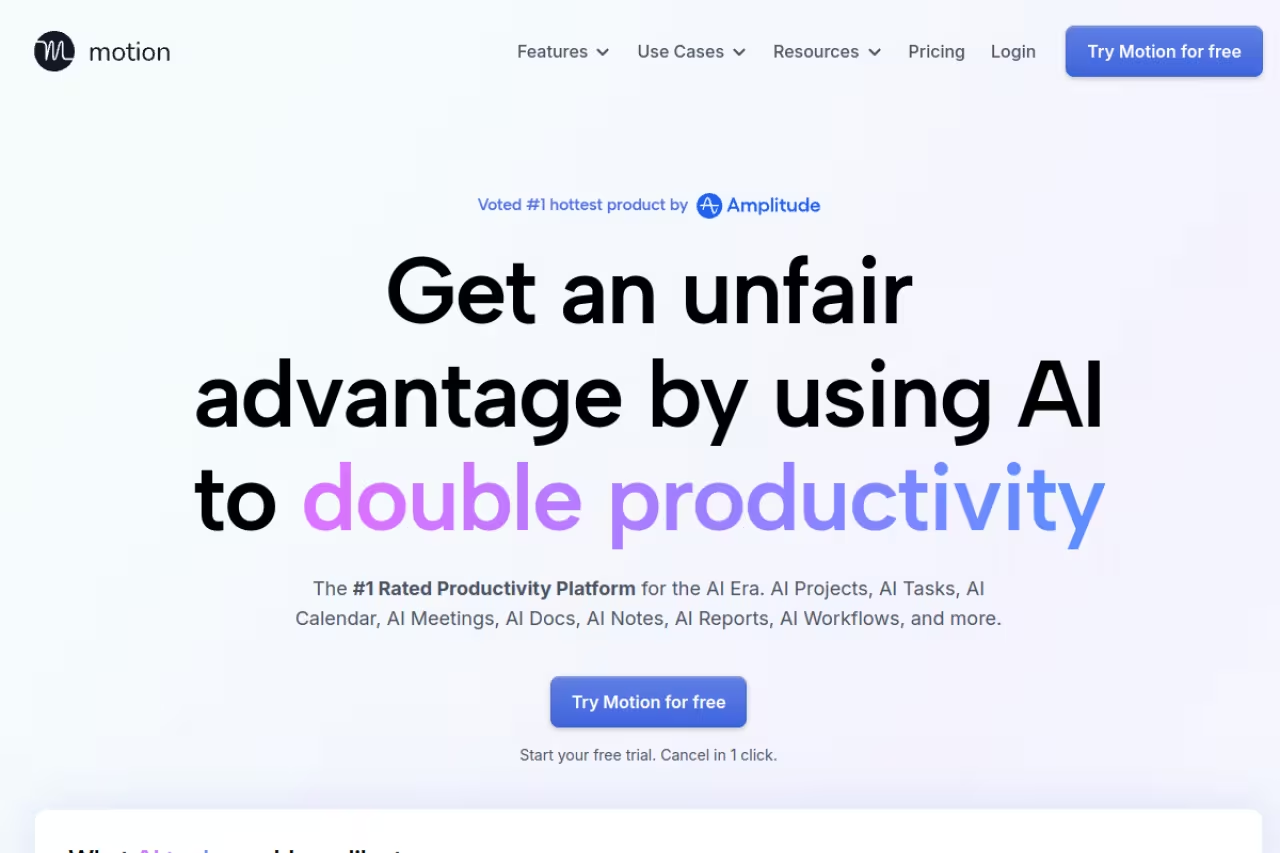
Motion is the maximalist option. It merges your tasks, projects, and meetings into one engine, then auto-builds your day around deadlines and priorities. You add a task, give it a deadline and a rough duration, and Motion finds the slot. A meeting gets added late? It re-plans everything affected without you touching a thing.
The closest thing to a chief of staff for founders, product managers and developers willing to let software run their calendar. It is expensive with a real learning curve, and the plan drifts if you do not estimate durations honestly.
Pricing: the individual Pro AI plan is $19/seat/month billed annually, or $34/month month-to-month. Business AI is $29/seat/month annually. Every plan includes a monthly credit allowance (7,500 on Pro, 15,000 on Business) for the AI features, confirmed on Motion's pricing page.
The standout: the auto-scheduler is the best on this list at treating tasks and meetings as one problem. Most tools defend focus time. Motion actually decides what you should be doing in that focus time.
The catch: it's expensive and the learning curve is real. You have to estimate task durations honestly, and if you don't, the AI's plan drifts from reality fast. It's also a lot of tool for someone who just wants tidier focus blocks. Overkill for a solo freelancer with five meetings a week.

Reclaim.ai: the smartest layer on the calendar you already have
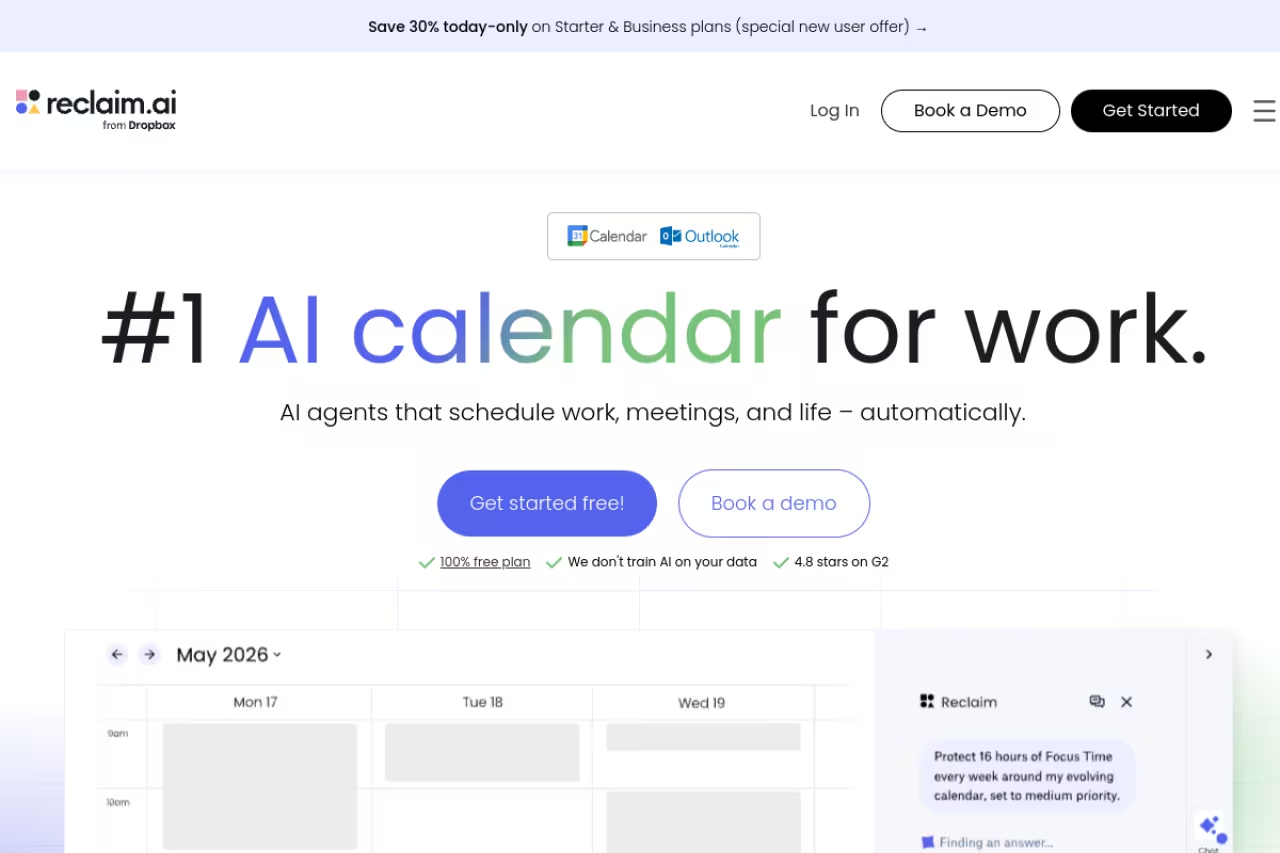
Reclaim doesn't replace your calendar. It sits on top of Google Calendar and quietly does the dirty work: defending focus time, scheduling recurring habits like lunch or a gym block, and pulling tasks from your project tools onto open slots. When a meeting threatens a habit, Reclaim moves the flexible thing automatically.
Go with Reclaim if you live in Asana, Todoist, ClickUp, Jira or Linear and want a smart layer on the calendar you already have. It leans Google-first, and the free plan's one-habit cap will push serious users to paid.
Pricing: there's a genuinely usable free Lite tier (1 habit, 1 scheduling link, focus time, smart meetings). Paid Starter is $10/seat/month billed annually, Business is $15/seat/month, per Reclaim's pricing page. After Dropbox acquired Reclaim in 2024, the product has kept shipping rather than stalling, which is reassuring.
The standout: focus-time defense. Set a weekly goal and Reclaim fills your calendar with protected blocks, then bends them around incoming meetings instead of giving up. The PM-tool integrations are the deepest in this group.
The catch: it leans Google-first. Outlook support exists but feels like a second-class citizen, and the Lite plan's one-habit cap will push most serious users to paid within a week. If you don't use a connected task manager, you're leaving half the value on the table.
For teams already weighing how much of their stack to automate, this is exactly the kind of small-bet tool worth piloting before you commit. If you're mapping out your wider automation stack, Dupple X is where I'd start that conversation.

Sunsama: the anti-automation planner
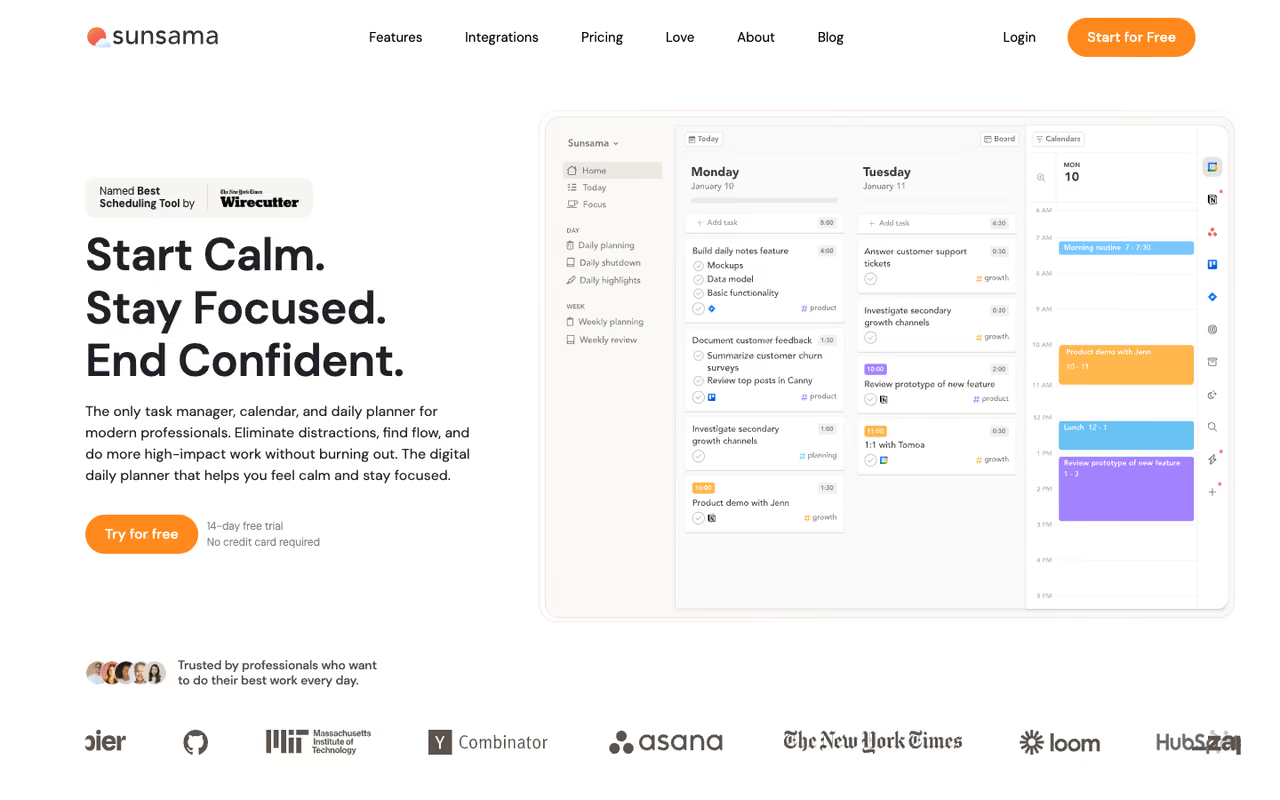
Sunsama is the philosophical opposite of Motion. Instead of an AI shoving tasks onto your calendar, it walks you through a guided daily planning ritual every morning and a shutdown review every evening. You pull in tasks from email, Slack, and project tools, estimate how long each will take, and consciously decide what fits. The AI assists with planning, it doesn't seize the wheel.
Best for: people who feel anxious handing control to an algorithm and want intentionality over raw throughput.
Pricing: no free plan, just a 14-day trial with no card required. It's $20/month billed annually or $25 month-to-month, after Sunsama raised prices in 2026 for the first time in five years (confirmed on Sunsama's pricing page).
The standout: the daily ritual genuinely changes behavior. The planning and shutdown flows force you to be realistic about your day in a way no auto-scheduler does, because you're the one making the call.
The catch: that deliberateness is also the cost. Sunsama wants 10 to 15 minutes from you twice a day, and if you skip the ritual, the tool loses most of its point. At $25/month month-to-month it's pricey for what is, mechanically, a beautiful to-do list bolted to a calendar.
If your problem is overcommitting rather than coordinating, Sunsama fixes the right thing. If you want to stop thinking about your schedule entirely, look back at Motion.
Calendly: still the booking-link king
Calendly isn't an auto-scheduler in the Motion sense. It solves the other half of the problem: letting other people book time with you without the email ping-pong. Share a link, the other person picks an open slot, it lands on both calendars with buffers and time-zone math handled.
Still the booking-link king for client-facing roles like sales, recruiting and consulting, with round-robin and routing forms. It does not plan your day and the free tier is thin, so pair it with Reclaim or Motion.
Sales, recruiting, consulting, customer success.
Pricing: the free plan covers one event type and one calendar. Standard is $10/seat/month billed annually ($12 monthly), Teams is $16/seat/month annually, based on the G2 pricing breakdown and Calendly's own tiers.
The standout: it's the default for a reason. Round-robin, pooled availability, routing forms, and a deep integration ecosystem mean the person booking almost never hits friction. Newer AI routing helps qualify and direct leads to the right person.
The catch: the free tier is deliberately thin (one event type, no reminders), and it doesn't plan your day. Pair it with Reclaim or Motion if you want both external booking and internal focus protection. As a standalone, it's a coordination tool, not a productivity engine.
Akiflow: the command center for the perpetually scattered
Akiflow's pitch is consolidation. It vacuums tasks out of every inbox you have (email, Slack, Notion, Todoist, dozens of sources) into one command bar, then lets you drag them onto your calendar as time blocks. Keyboard-driven, fast, and built for people who hate context-switching between apps.
Akiflow suits power users drowning in tools who want one keyboard-driven place to triage and schedule everything. It is manual at heart, with no free plan, and the monthly price asks for real commitment before you know it fits.
Pricing: no free plan, only a 7-day trial. It's $19/month billed annually or $34 month-to-month, which several reviews flag as steep for a planner.
The standout: the unified inbox and command bar are genuinely fast. If your tasks are scattered across ten apps, Akiflow is the best at corralling them into one keyboard-driven view.
The catch: it's manual at heart. The AI assists with prioritization, but you're still the scheduler dragging blocks around. At $34/month month-to-month with no free tier, it asks for real commitment before you've proven it fits your workflow. Less hands-off than Motion, more expensive than Reclaim.
Trevor AI: the free way to learn time blocking
Trevor is the low-stakes entry point. It connects to your calendar and tasks, then lets you drag items into time blocks or ask its chat to do it for you. The free plan covers core time blocking and unlimited tasks, which is rare in this category.
The cheapest real on-ramp to AI-assisted scheduling, ideal if you are curious about time blocking and not ready to pay $20 to $34 a month. It is lighter than the heavyweights and you may outgrow it once scheduling gets complex.
Pricing: free for personal use, with a Pro plan at $5/month per user that adds the AI model, recurring tasks, and analytics.
The standout: price. A capable free tier plus a $5 Pro plan makes Trevor the cheapest real on-ramp to AI-assisted scheduling. The drag-and-drop blocking is clean and the "Ask Trevor" chat handles quick reschedules.
The catch: it's lighter than the heavyweights. No deep PM-tool sync, no aggressive focus-time defense, no full day-replanning. It teaches the habit well, but you may outgrow it once your scheduling gets complex. Think of it as training wheels that happen to be very good training wheels.
Morgen: one calendar to rule your accounts
Morgen's strength is unifying calendars. If you've got a work Google account, a personal iCloud calendar, and an Outlook account for a side project, Morgen pulls them into a single view and adds an AI planner on top that suggests a schedule you can accept or edit.
The pick for people whose lives are split across multiple calendar accounts, with the best cross-platform support here. Its sweet spot is narrow now that the free plan is gone, and it does not match Motion's automation or Reclaim's integrations.
Pricing: Morgen discontinued its free plan in March 2026. It now starts around $15/month billed annually or $30/month month-to-month after a 14-day trial, with team pricing on request.
The standout: cross-platform calendar support is the best here. Google, Outlook, iCloud, CalDAV all coexist cleanly, and the AI planner suggests rather than imposes, so you keep final say.
The catch: losing the free plan stung, and at $30/month month-to-month it's priced like the premium tools without quite matching Motion's automation or Reclaim's integrations. Its sweet spot is narrow: you really need the multi-calendar unification to justify it over cheaper options.
Clara: when you'd rather not touch it at all
Clara is the white-glove option. You CC a virtual assistant on an email thread, and Clara negotiates times, sends invites, and books the meeting over email like a human EA would. It blends AI with human review, so the back-and-forth reads naturally to the person on the other end.
A white-glove option for executives and senior salespeople who would rather delegate scheduling entirely by CC'ing a virtual assistant. At $99 a month you pay assistant-level money for one job, and it does not plan tasks or defend focus time.
Pricing: this is the premium end, starting at $99/month with a 14-day trial. Clara positions itself as a near-assistant replacement, not a productivity app.
The standout: it actually handles the conversation. No links to send, no slots to pick. You CC Clara and the meeting appears. For high-volume external scheduling, that delegation is worth real money.
The catch: the price puts it out of reach for most individuals, and it's narrow. Clara books meetings beautifully but doesn't plan your tasks or defend focus time. You're paying assistant-level money for one job, done very well.
How to choose without overthinking it
Match the tool to your actual bottleneck, not the marketing.
- Your problem is a chaotic day with shifting priorities. Get Motion. Let it run the calendar. The price hurts less than a wasted week.
- You want smarter focus protection without leaving your calendar. Reclaim.ai, especially if you live in a PM tool. The free tier tells you in a day whether it clicks.
- You overcommit and need to plan deliberately. Sunsama. The ritual is the product.
- Other people booking time with you is the pain. Calendly. Bolt it onto whichever planner you choose.
- You're scattered across ten apps. Akiflow to consolidate, or Trevor if budget is tight.
- Your calendars are split across accounts. Morgen.
- You'd rather delegate the whole thing. Clara, if the math works.
A practical move: start free. Reclaim, Calendly, and Trevor all let you test real behavior at zero cost before you spend anything. Run one for a week, watch whether your calendar actually got calmer, then upgrade or move on.
If scheduling is one piece of a bigger productivity overhaul, it's worth seeing what the rest of the stack looks like. Our roundups of the best AI productivity tools, best AI agents, and best AI note-taking apps cover the tools that pair naturally with a scheduler, and Dupple X ties them together. You can also browse our running list of top AI tools by category.
FAQ
What is the best AI scheduling assistant in 2026?
For most people who want the AI to actually plan their day, Motion is the strongest all-rounder because it schedules tasks and meetings as one system. Reclaim.ai is the better value, with a free tier and deep project-tool integrations. Sunsama wins if you prefer a calm, deliberate planning ritual over full automation. The right pick depends on whether your bottleneck is planning, focus protection, or external booking.
Are AI scheduling assistants worth it?
If your calendar regularly falls apart, yes. These tools reclaim a few hours a week by automating reschedules, defending focus time, and removing booking friction. The math is simple: if a $10 to $20/month tool saves you two hours a week, it pays for itself many times over. The exception is light schedules. If you have five meetings a week and no task backlog, a free tier or plain calendar is plenty.
What happened to Clockwise?
Clockwise shut down on March 27, 2026, after Salesforce hired its team to work on Agentforce. Existing users got roughly a week's notice. Reclaim.ai became the recommended migration path and offered price matching for teams moving over, which is why Reclaim shows up so often in current comparisons.
Is there a free AI scheduling assistant?
Yes. Reclaim.ai has a free Lite plan with focus time and one scheduling link. Trevor AI offers a free plan with core time blocking and unlimited tasks. Calendly's free tier handles basic booking links. These are real free plans, not just trials, though all three cap features to push heavier users toward paid tiers.
Do AI schedulers work with Google Calendar and Outlook?
All the major tools support Google Calendar, and most support Outlook, though depth varies. Reclaim leans Google-first with lighter Outlook support. Morgen is the strongest for juggling Google, Outlook, and iCloud together in one view. If you live in Outlook, confirm feature parity on the tool's site before committing, since some "supported" integrations are thinner than the Google version.
Scheduling is one habit. Stacking it with the right AI tools across writing, research, and operations is where the real time savings compound. Start a Dupple X trial and build the system once, then let it run.
Related guides
Some offers on this page may be paid placements or contain affiliate links.
Across our whole catalogue the median is $24 a month and 33% of tools advertise a free tier. Figures are the lowest recurring monthly price quoted in our own review of each tool, read on 2026-08-19. Full method and every category.
