
What Is Process Street?
Process Street is the workflow and process management platform that turns recurring business processes into trackable, automatable workflows. Founded in 2014, Process Street serves over 5,000 companies who use it to codify standard operating procedures (SOPs), client onboarding, employee onboarding, compliance checklists, audits, and quality assurance processes.
The pitch is repeatable excellence at scale. Critical processes too often live in someone's head or in a Google Doc that nobody reads. Process Street makes processes visible, assignable, automatable, and improvable through structured workflows with form fields, conditional logic, automations, and reporting.
The product targets ops teams at growing companies, compliance-driven organizations, and consulting firms that productize their methodology. Solo operators can use it but the value scales with team size and process complexity.
Try Process Street Free Get started →How Process Street Works
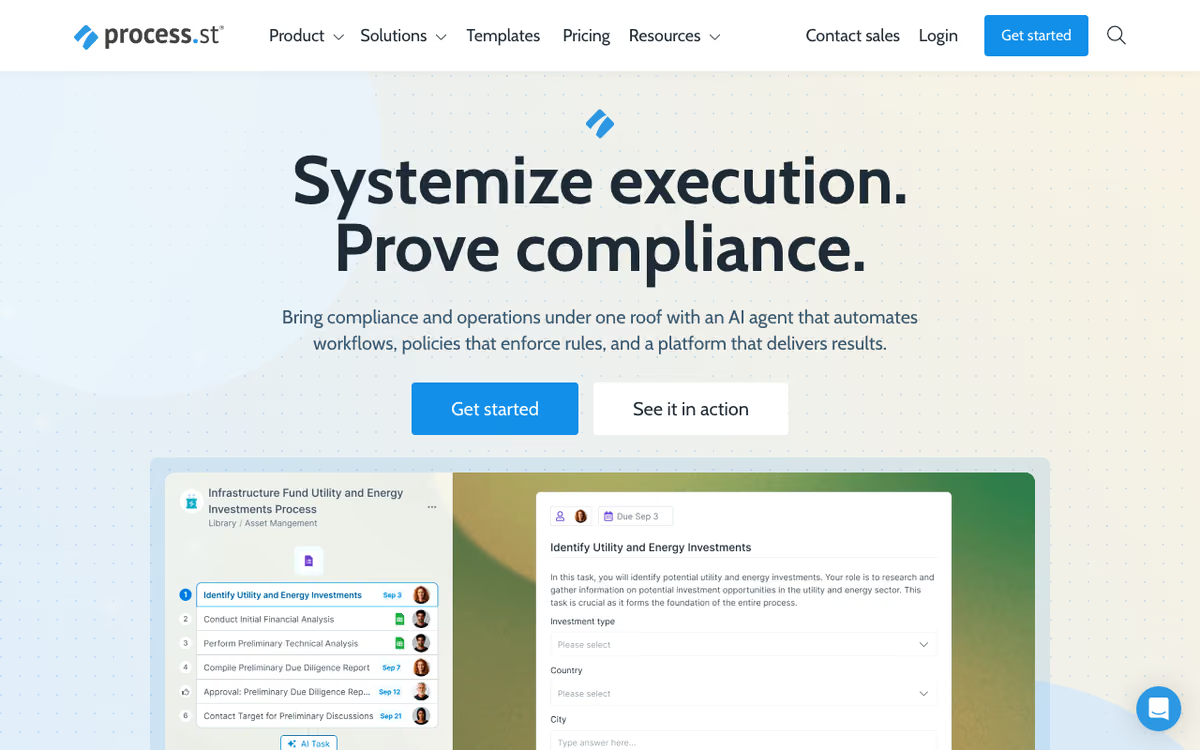
Build a workflow template. A template defines an ordered series of tasks, each task can hold instructions, form fields, file uploads, approvals, embedded videos, and other rich content. Tasks can be conditional (only appear if a previous task was answered a certain way) or required (workflow cannot progress without completion).
Run an instance of the template each time the process needs to happen. New client onboarding? Run the "Client Onboarding" workflow. Quarterly audit? Run the audit workflow. Each instance tracks progress, assignments, and timestamps for compliance.
Form fields capture data within workflows. Text input, dropdowns, multi-select, dates, file uploads, member assignment fields. The data populates dynamic content (use the company name field in document templates) and feeds reports.
Automations trigger workflows from events (new HubSpot contact, new Stripe customer, new Salesforce opportunity) or schedules (run quarterly compliance checklist on the 1st of each quarter). Integrations cover hundreds of SaaS tools natively plus Zapier and Make for the long tail.
AI agents handle data entry, summaries, and approvals within workflow steps. Useful for workflows that previously required human review but follow predictable patterns.
Reporting shows workflow performance: completion rates, time-to-complete, bottleneck identification, and quality metrics from form responses.
Process Street Pricing in 2026
Startup: $100/month annually. 5 active workflows, 10 users, basic features.
Pro: $415/month annually. Unlimited workflows, advanced automation, conditional logic, dynamic content.
Enterprise: Custom pricing for larger teams with SSO, SCIM, audit logs, and advanced security.
The pricing gap between Startup and Pro is significant. Most teams either run lean on Startup (5 workflows is restrictive) or commit to Pro for the full feature set.
See Process Street Plans See plans →Where Process Street Wins
- Conditional logic: workflows adapt based on form responses.
- Integration depth: triggers from major SaaS tools natively.
- AI in workflows: agents handle predictable steps within processes.
- Clean reporting: see where workflows get stuck.
- Strong compliance positioning: audit trails, role-based access.
Where It Falls Short
- Pricing gap between tiers: $100 to $415 is a big jump.
- Learning curve: full automation features take time to master.
- Best for ops teams: less ideal for individual task management.
- Mobile experience secondary: web-first design.
Process Street vs Tallyfy vs Pneumatic vs Notion
Tallyfy is the closest competitor with similar workflow depth at competitive pricing.
Pneumatic is cheaper but less feature-rich.
Notion can DIY checklists with databases but lacks Process Street's conditional logic and automation depth.
Trainual targets training and onboarding specifically.
Who Should Use Process Street
Ops teams codifying processes: onboarding, audits, client work standardization.
Mid-size companies scaling: documentation becomes critical as teams grow.
Compliance-driven organizations: audit trails and standardized execution.
Consulting firms productizing methodology: client deliverables become repeatable workflows.
Skip it if: you are a 5-person startup (Notion or Asana is enough), your processes change too rapidly to template, or you cannot commit to documenting and maintaining workflows.
How Process Street works
Process Street has moved from a simple recurring-checklist tool to a compliance operations platform built around three products: Docs (policy and document control mapped to standards like ISO 9001, SOC 2, SOX and FDA), Ops (workflow automation and process orchestration), and Cora, an AI compliance and risk agent that monitors regulations and flags risk. The core mechanic underneath is unchanged: you build a process template, run instances of it, and every run leaves a timestamped, auditable record of who did what. The company claims 3,000+ customers including Salesforce, Slack and the Government of Canada.
You author a workflow template as an ordered list of tasks, each with instructions, form fields to capture data, due dates and an assignee. Built-in logic includes conditional branching, stop tasks (dependencies that block progress until an earlier task is done), approvals, and variables that pass captured data from one task into later tasks and emails. Data Sets act as a structured table other workflows read from and write to, Forms capture intake, and Pages/Docs hold policies and SOPs in a searchable library.
Process AI generates a workflow from a plain-language instruction or an uploaded document, and AI tasks inside a running workflow can read documents, draft personalised emails, run formulas or analyse content. Prebuilt templates cover employee onboarding, client onboarding and ISO compliance. Connectivity has four layers: native automations (included on every plan) to Salesforce, Slack, Microsoft Teams, Google Sheets, Jira, DocuSign, HubSpot, Mailchimp, Stripe, Greenhouse, Google Forms, Airtable, BambooHR, Hireflix, Monday and Workable; native webhooks firing from Workflows, Data Sets or Forms; a REST API for user management and data passing; and Zapier (5,000+ apps), Make (1,500+) and Power Automate (~400 services) for everything else. Analytics dashboards surface where runs stall, and enterprise security covers encryption, SSO, HIPAA and SOC 2 Type 2.
Where Process Street wins
- The audit trail is a first-class output, not a byproduct. Every run records who completed which task and when, which is what makes it defensible as ISO, SOC 2, SOX or FDA evidence rather than just task tracking.
- Real workflow logic beyond checklists. Conditional branching, stop-task dependencies, approvals, and variables that carry form data forward into later tasks and emails.
- Native automations are included on all plans, including the Startup tier, rather than being an upsell. Sixteen named native connectors cover the usual ops stack (Salesforce, Slack, Teams, Jira, DocuSign, BambooHR, Greenhouse).
- Four separate integration routes (native, webhooks, API, and Zapier/Make/Power Automate) mean very little is genuinely unreachable, and the Power Automate connector matters for Microsoft-centric enterprises.
- AI generation from an uploaded document attacks the biggest real cost in this category, which is transcribing undocumented processes into the tool in the first place.
- Procurement paths exist: a 14-day full Pro trial with no credit card, AWS Marketplace purchasing, and non-profit discounts.
Where it falls short
- No public pricing at all. Startup, Pro and Enterprise are all contact sales. You cannot budget or compare without a call, and there is no self-serve credit card path to the paid tiers beyond the trial.
- No free tier. Only a 14-day trial, so evaluation is time-boxed and you lose access if procurement drags.
- Startup is gated by company size (under 15 employees and under $2M revenue) and hard-capped at 5 users, 10 guests, 10 automation apps, 100 automation actions per month and 50 API calls per month. That API cap is a demo allowance, not a working integration budget.
- Usage limits are negotiated, not published. Automation actions and API call volume are listed as custom even on Pro, which is a recurring source of surprise overage conversations.
- Practical ceilings and hidden costs. Pro caps uploads at 100MB per file, and the Zapier, Make and Power Automate routes each carry their own subscription cost on top.
Who should use Process Street
Ops, compliance, HR and finance teams at regulated or audit-exposed companies: financial services, healthcare, manufacturing and professional services. It is strongest when you already have real SOPs and an auditor asking for evidence that they were followed, because proof of execution is the thing the product is actually built to produce.
Skip it if you want transparent self-serve pricing, a permanent free tier, a lightweight personal task tracker, or a project management tool. This is process compliance, not project planning, and buying it for the latter means paying enterprise-sales prices for features you will not use.
Frequently Asked Questions
Can I run workflows on a schedule?
Yes. Schedule recurring workflows automatically.
What integrations are supported?
Salesforce, HubSpot, Slack, Microsoft Teams, Zapier, Make, and hundreds more.
Does it support conditional branching?
Yes. Task visibility and required status configurable based on form responses.
Can clients access workflows?
Yes via shared links. Clients fill out forms without needing Process Street accounts.
How do AI agents work?
AI handles data entry, summaries, and predictable tasks within workflow steps. Configurable per workflow.