
The Best Wireframing Tools in 2026 (Compared and Ranked)

Key facts8 tools compared: Figma, Balsamiq, Uizard, Visily, Miro, Penpot, UXPin, FigJam
- 8 tools compared: Figma, Balsamiq, Uizard, Visily, Miro, Penpot, UXPin, FigJam
- Figma (best for: Teams that go lo-fi to high-fi): Free; $16/editor/mo Pro
- Balsamiq (best for: Deliberate low-fidelity): $16/editor/mo (10 projects)
- Uizard (best for: Non-designers, AI first drafts): Free; $12/mo Pro
- Visily (best for: Screenshot and sketch to design): Free; $11/editor/mo Pro
A wireframe is supposed to be the cheapest version of an idea. You sketch the boxes, you argue about the layout, you throw half of it away. The whole point is to be fast and disposable before anyone writes code or picks a font.
So the irony is that "wireframing tool" now covers everything from a $0 lo-fi sketchpad to AI systems that spit out clickable multi-screen prototypes from a sentence. Pick the wrong one and you either over-engineer a five-minute job or fight a toy tool when you need real fidelity. I compared the main contenders on real project scenarios.
The short answer: Figma is still the tool I'd hand most product teams, because it scales from a scrappy box-and-arrow sketch to a high-fidelity prototype without switching apps. But it's beaten in specific lanes. To start lo-fi and stay lo-fi, Balsamiq wins. If you're a non-designer who wants AI to draft the first screen, Uizard or Visily get you further, faster. Here's how the field shakes out.
Quick comparison
| Tool | Best for | Price | Standout |
|---|---|---|---|
| Figma | Teams that go lo-fi to high-fi | Free; $16/editor/mo Pro | One canvas for everything |
| Balsamiq | Deliberate low-fidelity | $16/editor/mo (10 projects) | Forces lo-fi, kills bikeshedding |
| Uizard | Non-designers, AI first drafts | Free; $12/mo Pro | Text-to-prototype in seconds |
| Visily | Screenshot and sketch to design | Free; $11/editor/mo Pro | Turns a photo of a napkin into UI |
| Miro | Async, distributed teams | Free; $8/member/mo Starter | Whiteboard plus wireframes |
| Penpot | Open source, no lock-in | Free; $7/user/mo Unlimited | Self-hostable, owns your files |
| UXPin | Code-backed prototypes | Free trial; paid plans | Real React components, not pictures |
| FigJam | Early-stage group sketching | Free with any Figma seat | Fast, messy, collaborative |
Figma: the default that earns it
Figma is the tool most teams already have open, and that familiarity is half the value. You can drop a rough gray-box wireframe in a draft file, then promote the same file to a polished prototype with components and auto layout. No export, no handoff to a second app.
Who it's best for: product teams, agencies, and anyone who needs one tool for the whole arc from sketch to spec.
The default for product teams and agencies that want one tool from sketch to spec, with Dev Mode closing the gap to engineering. For pure wireframing it is overkill, and non-designers face a real learning curve.
The Starter plan is free with unlimited drafts and 150 AI credits a day. A full Professional seat runs $16/month, with cheaper Dev ($12) and Collab ($3) seats if you don't need full editing rights, per Figma's pricing page. FigJam, their whiteboard, comes bundled with every seat.
The standout: range. Nothing else here covers lo-fi sketching and production-grade design systems in the same canvas, and Dev Mode closes the gap to engineering better than any competitor.
The catch: for pure wireframing, Figma is overkill. The blank canvas and component model carry a learning curve, and a non-designer who just wants to mock up three screens will feel the weight. If wireframing is all you'll ever do, you're paying in complexity for power you won't touch.

Balsamiq: the anti-fidelity wireframe tool
Balsamiq made one stubborn decision and never wavered: everything looks hand-drawn. The sketchy aesthetic is a feature. When a wireframe looks finished, stakeholders comment on the blue and the corner radius. When it looks like a napkin sketch, they comment on the flow. That's the whole game.
Who it's best for: product managers, founders, and consultants who want to align on structure without anyone mistaking it for a final design.
A smart pick for product managers and founders who want to align on structure, because the hand-drawn look keeps feedback on the flow. It cannot do high fidelity, and the per-editor pricing stings for old customers.
Balsamiq moved to a per-editor model. The Starter plan is $16 per editor per month (10 projects), Teams is $24 (100 projects), and there's a 14-day free trial with no card required, per Balsamiq's pricing page. Reviewers who only view or comment are unlimited and free.
The standout: speed and restraint. The drag-and-drop UI library is huge, and the deliberate lo-fi look stops design debates before they start. You can wireframe an entire app flow in an afternoon.
The catch: the per-editor switch stings if you came from the old per-project pricing, and Balsamiq genuinely cannot do high fidelity. There's no clean path from a Balsamiq mockup to a polished prototype, so you'll hand off to another tool the moment you need real visuals.

Uizard: AI wireframing for people who aren't designers
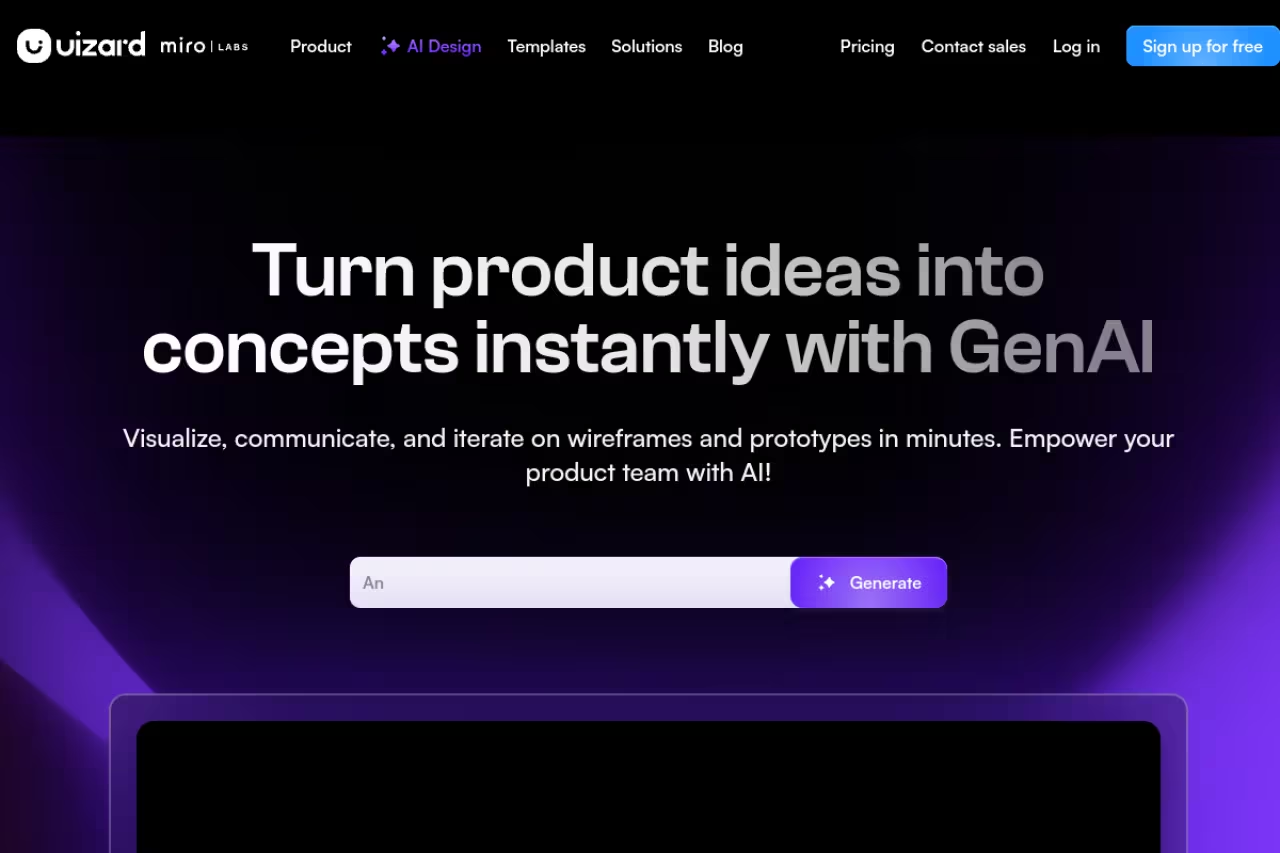
Uizard leans entirely into AI. You type a product idea and its Autodesigner generates multiple editable screens with flows already wired together. For a non-designer staring at a blank canvas, that head start is the difference between shipping a mockup and giving up.
Who it's best for: solo founders, marketers, and product people who want a rough interactive prototype without learning a design tool.
AI wireframing for solo founders and marketers who want an interactive prototype without learning a design tool. The output reads generic, the AI can drift from the prompt, and the free tier of 3 generations runs out fast.
the free plan gives you 3 AI generations a month and up to 2 projects. Pro is $12/month billed annually (500 generations, up to 100 projects) and adds React/CSS handoff, per Uizard's pricing. Business is $39/month.
The standout: time to first draft. Uizard turns a sentence into a multi-screen prototype in seconds, and you edit it visually like a stripped-down Figma. Screenshot scanning lets you import an existing UI too.
The catch: the output reads generic. Public user reports describe the AI drifting from the prompt at times, and complex edits or Figma imports occasionally breaking the layout. It's a fast route to a rough draft, not a substitute for a designer once the idea gets specific. The 3-generations free tier also runs out almost immediately.

Visily: turn a screenshot or sketch into editable UI
Visily's party trick is conversion. Photograph a whiteboard sketch with your phone, or paste a screenshot of an app you like, and it rebuilds the layout as editable design objects. For teams that think in references ("like this screen, but for our use case"), that saves real hours.
Who it's best for: cross-functional teams and non-designers who start from existing UI or hand-drawn sketches rather than a blank page.
Ideal for non-designers who start from a screenshot or hand-drawn sketch, which Visily rebuilds as editable UI. The AI credit system is the real ceiling, since heavy generation burns through credits quickly.
the Starter plan is free with 300 AI credits a month. Pro is $11 to $14 per editor per month depending on billing, with 3,000 credits and unlimited boards, and export to code, Figma, or image, per Visily's pricing. Business is $29 per editor.
The standout: screenshot-to-design and sketch-to-design genuinely work, and the 1,500-plus templates mean you rarely start cold. It sits in a sweet spot between Balsamiq's simplicity and Figma's depth.
Where it falls short: the AI credit system is the real ceiling, not the seat price. Heavy generation burns through credits fast, and the editing experience, while clean, doesn't match Figma's precision when you want pixel-level control.
The same evaluation discipline applies across your AI stack, design tools or otherwise. Our team uses Dupple X to run side-by-side comparisons like this on one subscription instead of paying each vendor separately.

Miro: wireframing inside the whiteboard
Miro isn't a wireframing tool first. It's an infinite whiteboard that happens to wireframe well, which is what you want for the messy early phase where wireframes, sticky notes, user flows, and meeting notes share one board.
Who it's best for: distributed and async teams running discovery, workshops, and early structure all in one place.
Good for distributed and async teams doing discovery, where wireframes, sticky notes and flows share one board. Wireframes stay low fidelity and the 3-board free limit cramps quickly, so expect a handoff to a real design tool.
the free plan covers 3 editable boards. Starter is $8 per member per month billed annually, and Business is $20, per Miro's pricing. The free tier is generous enough for a small team to test the waters.
The standout: it keeps thinking and wireframing in the same canvas. With 3,900-plus shapes plus dedicated wireframe kits, you move from "what are we even building" to a rough layout without changing tools.
The catch: the 3-board free limit gets cramped fast, and Miro wireframes stay low fidelity. It's where ideas get born, not where they get polished, so you'll still hand the result to a real design tool.

Penpot: the open-source pick
Penpot is the only serious open-source option here, and that matters more than it sounds. Your files are yours, you can self-host, and there's no vendor hiking prices. Mozilla and Cisco use it, so it's not a hobby project.
Who it's best for: privacy-conscious teams, open-source shops, and anyone allergic to lock-in.
The only serious open-source option, with zero lock-in and real CSS Flexbox and Grid for clean developer handoff. It trails Figma on polish, plugins and AI, and the smaller community means fewer tutorials.
the Professional plan is free with up to 10GB storage and 8 team members. Unlimited is $7 per user per month (capped at $175/month), per Penpot's pricing. Self-hosting is free.
The standout: zero lock-in plus a genuinely developer-friendly model. Penpot uses real CSS Flexbox and Grid for layout, so handoff maps cleanly to how engineers actually build.
The catch: it trails Figma on polish, plugin ecosystem, and AI features. The community is growing but smaller, so you'll find fewer templates and tutorials when you get stuck.

UXPin: wireframes backed by real code
UXPin takes the opposite stance from Balsamiq. It wants your prototypes to behave like the real product, down to using production React or web components through its Merge technology. A wireframe in UXPin can carry real states, data, and interactions.
Who it's best for: design teams working closely with engineers who want prototypes that match shipped code.
For design teams working closely with engineers, prototypes built from real production components that behave like the shipped product. It is the heaviest tool here for plain wireframing and only clicks with a connected component library.
there's a 14-day free trial, with paid tiers that scale up to the Merge plans for code-backed components, per UXPin's pricing. Students with verified status get it free.
The standout: fidelity that's literally code. When a prototype uses your team's real components, what you test is what users get, which kills the usual gap between design and build.
The catch: this is the heaviest tool on the list for plain wireframing. The code-component model is overkill for a quick lo-fi sketch, and the value only clicks once you've connected a real component library. Small teams without a design-system mindset won't get their money's worth here.
FigJam: group sketching before the wireframe
FigJam, Figma's whiteboard, is where a lot of wireframes actually start. Before anyone opens the real design file, a team dumps boxes, arrows, and sticky notes onto a board to argue about structure. It's intentionally loose, it's free with every Figma seat, and AI template generation plus real-time cursors make it easy to wireframe collaboratively in a meeting. The catch: it's not a real wireframing tool. Treat it as the whiteboard, not the deliverable.
A loose, free-with-Figma whiteboard where many wireframes actually begin, with real-time cursors and AI template generation. It is not a real wireframing tool, so treat it as the whiteboard, not the deliverable.
How to choose
Skip the feature checklists. Pick based on two questions.
First, what fidelity do you actually need? To align on structure with zero risk of stakeholders debating colors, go lo-fi with Balsamiq or FigJam. If the wireframe needs to grow into a polished, testable prototype, start in Figma so you never migrate.
Second, are you a designer or not? Designers should default to Figma for range, or Penpot if lock-in worries you. Non-designers who want AI to draft the first screen should start with Uizard or Visily, with Visily winning if you're working from existing screenshots or sketches.
Two tiebreakers. If your team is distributed and lives in async discovery, Miro folds wireframing into the whiteboard you're already using. And if your prototypes need to behave like shipped code, UXPin is the only one that gets you there.
Most teams overthink this. Match the tool to your fidelity and skill level, ship the wireframe, and move on. If you're still evaluating your broader design and AI stack, our roundups of the best AI diagram tools and the best AI website builders cover the adjacent steps, and you can compare full feature sets on Top Tools. And if you'd rather test the AI design assistants behind these tools without stacking subscriptions, Dupple X puts the major models on one yearly plan.
FAQ
What is the best free wireframing tool in 2026?
Figma's free Starter plan is the best all-around free option because it does both lo-fi and high-fi work in one place. If you want a free tool that stays deliberately low-fidelity, FigJam (free with any Figma account) or Penpot's free Professional plan are better fits. Miro's free tier works too, but the 3-board limit fills up quickly.
Should I use an AI wireframing tool or a traditional one?
Use AI tools like Uizard or Visily when you're a non-designer who needs a first draft fast, or when you're working from an existing screenshot or sketch. Use traditional tools like Figma or Balsamiq when you need precise control, a clean handoff to engineers, or output that won't look generic. Many teams use both: AI for the first pass, a traditional tool to refine it.
What's the difference between wireframing and prototyping?
A wireframe is a static, low-detail layout that shows structure and content placement. A prototype is interactive, letting you click through flows to test how the product feels. Tools like Balsamiq focus on wireframes, while Figma, UXPin, and Uizard handle both, letting you add interactions once the structure is settled.
How much do wireframing tools cost?
Most have a free tier. Paid plans typically run $8 to $24 per editor or member per month: Miro Starter is $8, Figma Professional is $16, Visily Pro is around $11, and Balsamiq Starter is $16. AI-native tools like Uizard start around $12/month. Penpot's Unlimited plan is the cheapest paid option at $7 per user, and it's free to self-host.
Related guides
Some offers on this page may be paid placements or contain affiliate links.
