
Best AI Diagram Tools in 2026: 7 Compared for Flowcharts, Architecture and Mind Maps

Key facts7 tools compared: Eraser, Napkin AI, Whimsical, Mermaid Chart, Excalidraw, Lucidchart, Miro AI
- 7 tools compared: Eraser, Napkin AI, Whimsical, Mermaid Chart, Excalidraw, Lucidchart, Miro AI
- Eraser (best for: Technical / architecture diagrams): Free; Starter $15/user/mo
- Napkin AI (best for: Text-to-visual for docs & decks): Free; Plus $12/mo
- Whimsical (best for: Team flowcharts & product flows): Free; Pro $10/editor/mo
- Mermaid Chart (best for: Version-controlled dev diagrams): Free; Pro ~$6.67/user/mo
I compared the same five use cases across every AI diagram tool I could find. A system architecture for a SaaS app. A user onboarding flow. A mind map for a content strategy. A database schema. A "explain this to my manager" infographic. The results were all over the place.
Here's the thing nobody tells you: most of these tools are good at exactly one of those jobs and mediocre at the rest. The tool that nails a clean cloud architecture diagram will produce an ugly mind map. The one that makes gorgeous infographics from a blog post can't draw a sequence diagram to save its life. So the real question isn't "what's the best AI diagram tool." It's "best for what."
If you want the short version: for technical diagrams (architecture, ERDs, sequence flows), Eraser is my top pick. For turning written text into clean presentation visuals, Napkin AI wins. For team flowcharts and product thinking, Whimsical is the one I keep coming back to. Below is the full breakdown, with real pricing and the catch for each.
Quick comparison
| Tool | Best for | Price | Standout |
|---|---|---|---|
| Eraser | Technical / architecture diagrams | Free; Starter $15/user/mo | Diagram-as-code + AI in one workspace |
| Napkin AI | Text-to-visual for docs & decks | Free; Plus $12/mo | Generates editable infographics from prose |
| Whimsical | Team flowcharts & product flows | Free; Pro $10/editor/mo | Beautiful output, Claude-powered AI |
| Mermaid Chart | Version-controlled dev diagrams | Free; Pro ~$6.67/user/mo | Diagrams as text you can diff in git |
| Excalidraw | Quick sketches + Mermaid import | Free (open source) | Hand-drawn feel, zero friction |
| Lucidchart | Enterprise diagramming at scale | Free; Individual $9/mo | Deep templates, ERDs, integrations |
| Miro AI | Whiteboarding + diagrams together | Free; Starter $8/user/mo | AI inside a full collaboration canvas |

Eraser: the one to beat for technical diagrams
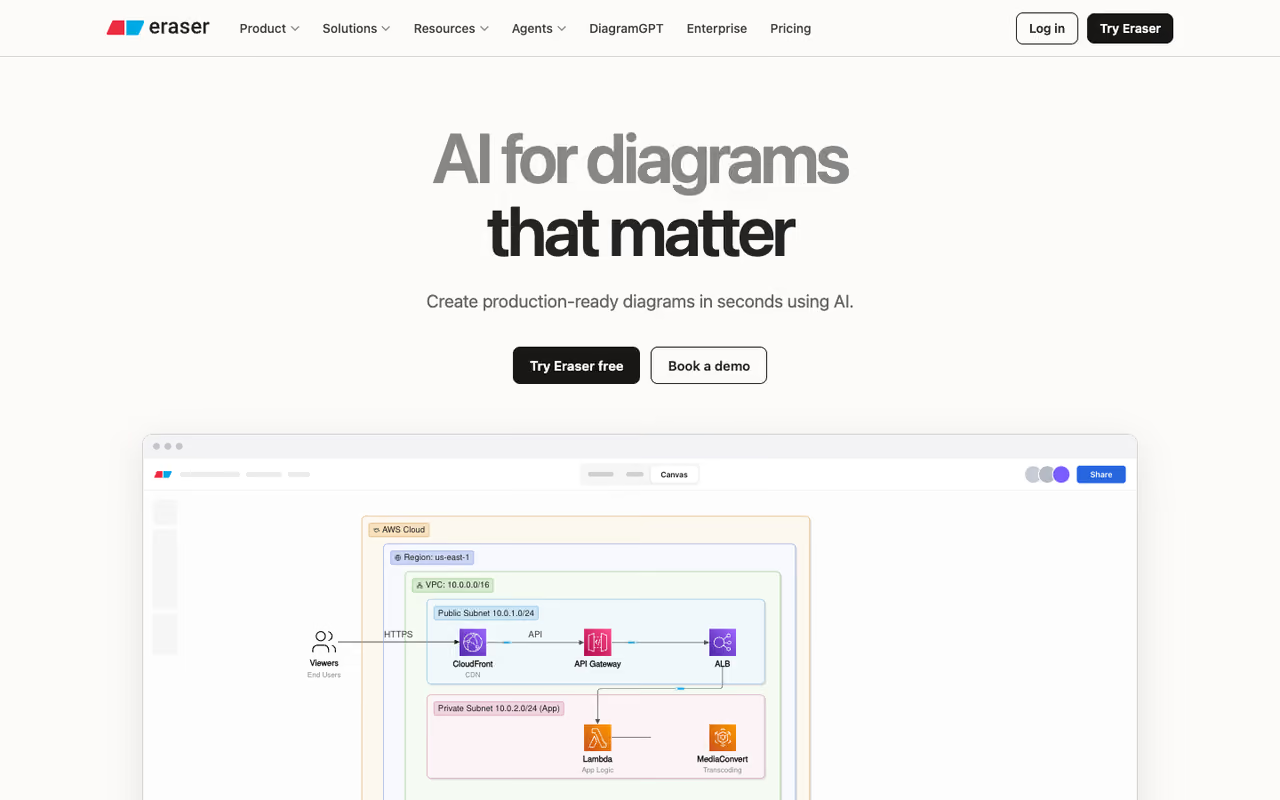
Eraser is built for engineers, and it shows. You describe a system in plain English ("a React frontend talking to a Node API, Postgres database, Redis cache, and an S3 bucket for uploads") and it produces a clean cloud architecture diagram you'd actually paste into a design doc. Its free DiagramGPT tool handles flowcharts, ER diagrams, cloud architecture, sequence diagrams, and BPMN.
The reason I rank it first is the diagram-as-code layer. Every AI-generated diagram becomes editable text syntax, so when the AI gets a node slightly wrong, you fix one line instead of dragging boxes around for ten minutes. It syncs with GitHub, embeds in Notion and Confluence, and has a VS Code extension, so the diagram lives next to the code it documents.
Who it's best for: software engineers, technical writers, and anyone keeping architecture docs in sync with a real codebase.
The one to beat for technical diagrams, since every AI-generated diagram becomes editable text and you fix one line instead of dragging boxes. Ideal for engineers keeping architecture docs in sync with code, though the free plan's 3 AI diagrams go in one sitting.
the free plan gives you 3 files and 3 AI diagrams. Starter is $15/user/month billed annually ($20 monthly) and bumps you to 40 AI credits, unlimited files, and the integrations. Business is $45/user/month with 250 AI credits.
The catch: 3 AI diagrams on free is stingy. You'll burn through that in one sitting, and the AI credit model on Starter (40/month) means heavy users hit limits fast. It's also overkill if you never draw a system diagram. This is a tool for technical people.

Napkin AI: best for turning writing into visuals
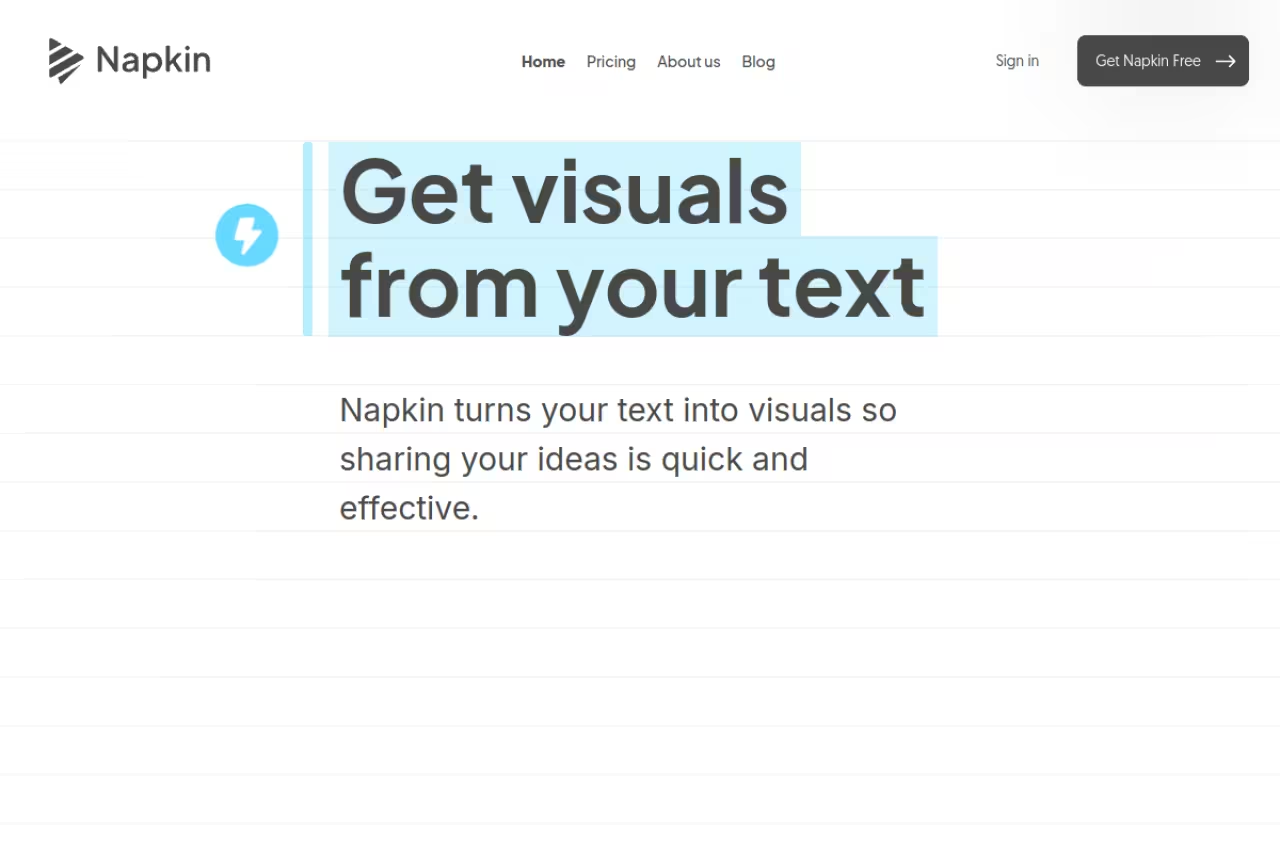
Napkin AI solves a different problem. You paste in a paragraph of text, click, and it generates several visual options: infographics, flowcharts, mind maps, data charts, scene illustrations. Then you pick the one that fits and customize it. It's the closest thing to "make my blog post look like a McKinsey deck" on this list.
It turns a paragraph of text into a process diagram plus an infographic, both editable and both exportable as PNG, SVG, PDF, or straight into PowerPoint. For founders writing LinkedIn posts, marketers building decks, and anyone who thinks in words but needs to ship visuals, it's a real time saver.
Who it's best for: writers, marketers, founders, and educators who start from text, not from a blank canvas.
The pick for writers, marketers and founders who start from text, turning a paragraph into editable infographics, flowcharts and mind maps. It is a storytelling tool, not a precision one, so do not expect exact database schemas or strict UML.
the free plan gives you 500 AI credits per week (roughly one credit per word). Plus is $12/person/month and Pro is $30/person/month with 30,000 credits, custom styles, and font uploads. Annual billing saves 25%.
Where it falls short: it's a presentation and storytelling tool, not a precision diagramming one. Don't expect to draw an exact database schema or a strict UML diagram. Editing is desktop only (mobile is view-only), and the auto-generated layouts sometimes need manual nudging before they look right.

Whimsical: best for team flowcharts and product flows

Whimsical is the tool I reach for when I'm thinking through a product flow with other people in the room. Its AI (powered by Claude) turns a text prompt into flowcharts, user flows, and sequence diagrams, and the output is just nicer-looking than most. Clean lines, sensible spacing, good defaults. It also does mind maps, sticky notes, and wireframes on the same canvas.
The free flowchart generator is a good way to test it without signing up for anything. Where Whimsical earns its keep is team work: you sketch a flow, drop in sticky notes, and turn it into a wireframe without switching tools.
Who it's best for: product teams, designers, and anyone running collaborative ideation sessions.
A good fit for product teams and designers thinking through flows together, with cleaner output than most and wireframes on the same canvas. The AI is an add-on, and 20 AI credits per workspace in total will run out quickly.
the free plan includes 3 team boards (unlimited private boards), 10 guest seats, and 20 AI credits per workspace total. Pro is $10/editor/month (unlimited boards, 90-day history) and Business is $20/editor/month with SSO and SCIM. Annual billing saves 17%.
The catch: 20 AI credits per workspace, total, not per month, is very tight. The AI is a nice add-on here, not the main event. If your whole reason for buying is heavy AI generation, you'll outgrow the credit allowance quickly and Whimsical isn't the most cost-effective place to do that.
If you're assembling a stack of AI tools and want to skip the trial-and-error, Dupple X bundles the ones worth paying for. Now, the four tools that are great but more specialized.
Mermaid Chart: best for diagrams you keep in version control
Mermaid Chart takes the developer-friendly idea to its logical end. Diagrams are defined as plain text (the open Mermaid syntax), which means you can store them in git, diff them in pull requests, and regenerate them automatically. Its AI lets you describe a diagram in natural language and get Mermaid code back, which you then refine.
The free plan is unusually generous: unlimited AI diagrams, a Mermaid whiteboard, and version history. Pro runs about $6.67/user/month billed annually ($80/year), which is one of the cheaper paid tiers here.
Who it's best for: developers who already write Markdown and want diagrams that live in the same repo as their code.
Where it falls short: if you don't like working with syntax, this isn't for you. The visual editor exists but the whole philosophy is text-first. Designers and non-technical teammates will bounce off it.
Go with Mermaid Chart if you want diagrams stored in git, diffed in pull requests and regenerated automatically. The free plan is generous, but the philosophy is text-first, so designers and non-technical teammates will bounce off it.

Excalidraw: best free option
Excalidraw is free, open source, and runs entirely in your browser with no signup. Its charm is the hand-drawn, whiteboard-sketch aesthetic that makes diagrams feel approachable instead of corporate. It open-sourced its text-to-diagram feature, which converts a prompt into Mermaid and then renders it on the Excalidraw canvas where you can keep editing by hand.
It's a good fit for quick architecture sketches during calls. It loads instantly, the AI gets you most of the way, and you finish the rest by dragging. For a tool that costs nothing, that's a strong deal.
Who it's best for: developers and anyone who wants a fast, free sketchpad with light AI assist.
The catch: the AI is genuinely a "first draft" helper, not a polished generator. Complex diagrams will need real manual cleanup, and there's no built-in team management or enterprise governance like the paid platforms have. It's a sketchpad, and a great one, but it's not a system of record.
The best free sketchpad for developers who want a fast, no-signup canvas with light AI assist. The AI is a first-draft helper that leaves manual cleanup on complex diagrams, and there is no team management or governance.

Lucidchart: best for enterprise scale
Lucidchart is the established platform that has bolted AI onto a very deep diagramming engine. It generates flowcharts, org charts, ERDs, UML, and network diagrams from text, and its template library and integrations are the most extensive on this list. If your company already runs on Lucid, the AI is a useful upgrade rather than a reason to switch.
Who it's best for: larger organizations that need governance, SSO, and hundreds of templates more than they need the slickest AI.
The enterprise-scale choice for larger organizations that need governance, SSO and hundreds of templates more than the slickest AI. Its generation is solid but not as sharp as Eraser's for architecture, and the 3-document free tier is tight.
the free plan is restrictive (3 editable documents, up to 60 to 75 shapes each). Individual is around $9/month and Team about $10/user/month, per Lucid's pricing.
Where it falls short: the 3-document free tier is the tightest here, and the AI generation, while solid, isn't as sharp as Eraser's for pure architecture work. You're buying the platform and ecosystem, with AI as a feature, not the headline.

Miro AI: best when diagramming is part of bigger collaboration
Miro is a full collaboration canvas (workshops, retros, brainstorms) with AI diagramming layered in. If your team already lives in Miro, generating a flowchart or process map from a prompt without leaving the board is a real convenience. The AI also clusters sticky notes and summarizes content, which is handy after a messy workshop.
Who it's best for: teams that run workshops and want diagrams as one part of a wider whiteboard practice.
Worth it if your team already lives in Miro and runs workshops, since generating a flowchart without leaving the board is a real convenience. As a purchase just for diagrams it is heavy, and 10 AI credits a month on free barely register.
the free plan gives you 3 editable boards and 10 AI credits per month. Starter is $8/user/month (annual) with 25 credits, Business $20/user/month with 50 credits, per Miro's pricing.
The catch: 10 AI credits a month on free is barely a tasting menu, and Miro is a heavy tool to adopt purely for diagrams. If you don't need the whiteboarding, you're paying for a lot of canvas you won't use.
How to choose
Skip the feature checklists. Pick based on where your diagrams start and where they need to live.
- You start from a codebase or a system in your head, and the diagram has to stay accurate. Go with Eraser, or Mermaid Chart if you want it version-controlled in git.
- You start from written text and need a visual for a doc, post, or deck. Napkin AI, full stop.
- You're sketching a product flow with teammates. Whimsical for polish, Miro if you're already whiteboarding there.
- You want free with no commitment. Excalidraw, with Mermaid Chart's free tier as a close second for unlimited AI diagrams.
- You're a big company that values templates, governance, and integrations over the best AI. Lucidchart.
One honest note: every tool here gets you a strong first draft and then asks you to clean it up. The AI removes the blank-canvas problem, not the judgment. Budget a few minutes of manual editing on anything that matters.
If you want a wider view of what's worth paying for in AI right now, our top AI tools roundup and the best AI agents guide pair well with this one. And Dupple X bundles the tools we actually use day to day.
FAQ
What is the best AI diagram tool in 2026?
It depends on the diagram. For technical and architecture diagrams, Eraser is the strongest because it pairs AI generation with editable diagram-as-code. For turning written text into clean visuals and infographics, Napkin AI is the best. For team flowcharts and product flows, Whimsical wins on output quality. There's no single winner across all use cases.
Can AI generate diagrams from text for free?
Yes. Excalidraw is fully free and open source with a built-in text-to-diagram feature. Mermaid Chart's free plan offers unlimited AI diagrams. Napkin AI gives 500 AI credits per week free, and Whimsical, Eraser, Lucidchart, and Miro all have free tiers, though most cap AI generation at a handful of diagrams or credits per month.
Which AI diagram tool is best for software architecture?
Eraser is purpose-built for it, generating cloud architecture, ER, and sequence diagrams that you can refine with diagram-as-code. Mermaid Chart is the better pick if you want those diagrams stored as text in version control. Both beat general whiteboard tools for technical accuracy.
Is Napkin AI better than Whimsical?
They solve different problems. Napkin AI converts existing written text into infographics and presentation visuals, so it's better for content and decks. Whimsical generates flowcharts and user flows from prompts and is built for collaborative product work. Pick Napkin if you start from prose, Whimsical if you start from an idea you're mapping with a team.
Do AI diagram tools work for non-technical users?
Some do. Napkin AI and Whimsical are designed for non-technical users and produce polished results from plain prompts. Tools like Mermaid Chart and, to a lesser extent, Eraser are text-syntax-first and have a steeper learning curve. If you don't want to touch code, start with Napkin AI, Whimsical, or Lucidchart.
Related guides
Some offers on this page may be paid placements or contain affiliate links.
Across our whole catalogue the median is $24 a month and 33% of tools advertise a free tier. Figures are the lowest recurring monthly price quoted in our own review of each tool, read on 2026-08-19. Full method and every category.
