
Best Small Business Management Software in 2026

Key facts8 tools compared: Zoho One, monday.com, Bitrix24, HoneyBook, Odoo, QuickBooks Online, ClickUp…
- 8 tools compared: Zoho One, monday.com, Bitrix24, HoneyBook, Odoo, QuickBooks Online, ClickUp, Notion
- Zoho One (best for: All-in-one across a whole team): $37/user/mo
- monday.com (best for: Visual project + work management): $9/seat/mo
- Bitrix24 (best for: Tight budgets, flat per-org pricing): Free / $49/mo
- HoneyBook (best for: Service businesses and freelancers): $29/mo
Most small businesses don't fail because the work is bad. They fail because the work is scattered across eight browser tabs, three spreadsheets, and a group chat nobody reads. Leads sit in one app, invoices in another, projects in a third, and by Friday no one can tell you who owes you money or which client is about to churn.
That is the problem "business management software" is supposed to solve: one place to run sales, projects, finance, and clients without re-entering the same data four times. The trouble is the category is enormous and the labels are useless. A solo photographer and a 40-person agency get pitched the same "all-in-one" platform, and one of them ends up paying for a system built for someone else.
I spent weeks comparing pricing, features, and documentation for the main contenders. Short answer: Zoho One is the best all-in-one for most growing businesses because of how much it covers per dollar. But the right pick depends on whether you sell projects, products, or services, and how many seats you're paying for. Here's how the field shakes out for 2026.
Quick comparison
| Tool | Best for | Price (from) | Standout |
|---|---|---|---|
| Zoho One | All-in-one across a whole team | $37/user/mo | 45+ apps under one login |
| monday.com | Visual project + work management | $9/seat/mo | Color-coded boards anyone gets |
| Bitrix24 | Tight budgets, flat per-org pricing | Free / $49/mo | Unlimited-ish users, no per-seat math |
| HoneyBook | Service businesses and freelancers | $29/mo | Proposal-to-payment in one flow |
| Odoo | Product businesses needing ERP | Free / ~$31/user/mo | Modular apps you turn on as needed |
| QuickBooks Online | Accounting-first operations | $38/mo | The bookkeeping standard |
| ClickUp | Teams that want everything in tasks | Free / $7/user/mo | Deep customization per view |
| Notion | Docs, wikis, and light ops | Free / $10/member/mo | Flexible database building |
Zoho One: the most software per dollar
Zoho One is the closest thing to a genuine operating system for a small company. One subscription gets you CRM, email, accounting (Zoho Books), project management, HR, help desk, e-signatures, and roughly 45 other apps that all talk to each other. Instead of paying for five vendors, you pay one bill and your customer data flows from a sales lead to an invoice to a support ticket without an integration breaking.
Zoho One is the most software per dollar for businesses of 5 to 50 people tired of stitching tools together. Read the pricing carefully: All Employee at $37 requires licensing everyone, so a 30-person company where only 8 people use it should do the math.
Pricing is where you have to read the fine print. The "All Employee" plan is $37 per user per month billed annually (or $45 monthly), but it requires you to license every person on payroll. The "Flexible User" plan lets you license only the people who need access, at $90 per user per month annually, per Zoho's pricing breakdown. For a team where everyone will actually use it, All Employee is a bargain. For a 30-person company where only 8 people touch the software, do the math carefully.
The standout is breadth. Nothing else at this price gives you a full CRM and a full accounting suite and a help desk in the same login.
The catch: the breadth is also the burden. Zoho's individual apps are good but rarely best-in-class, and the admin console takes real time to learn. You're trading polish for coverage. If you only need two of those 45 apps, you're overpaying for the other 43.

monday.com: the board everyone actually understands
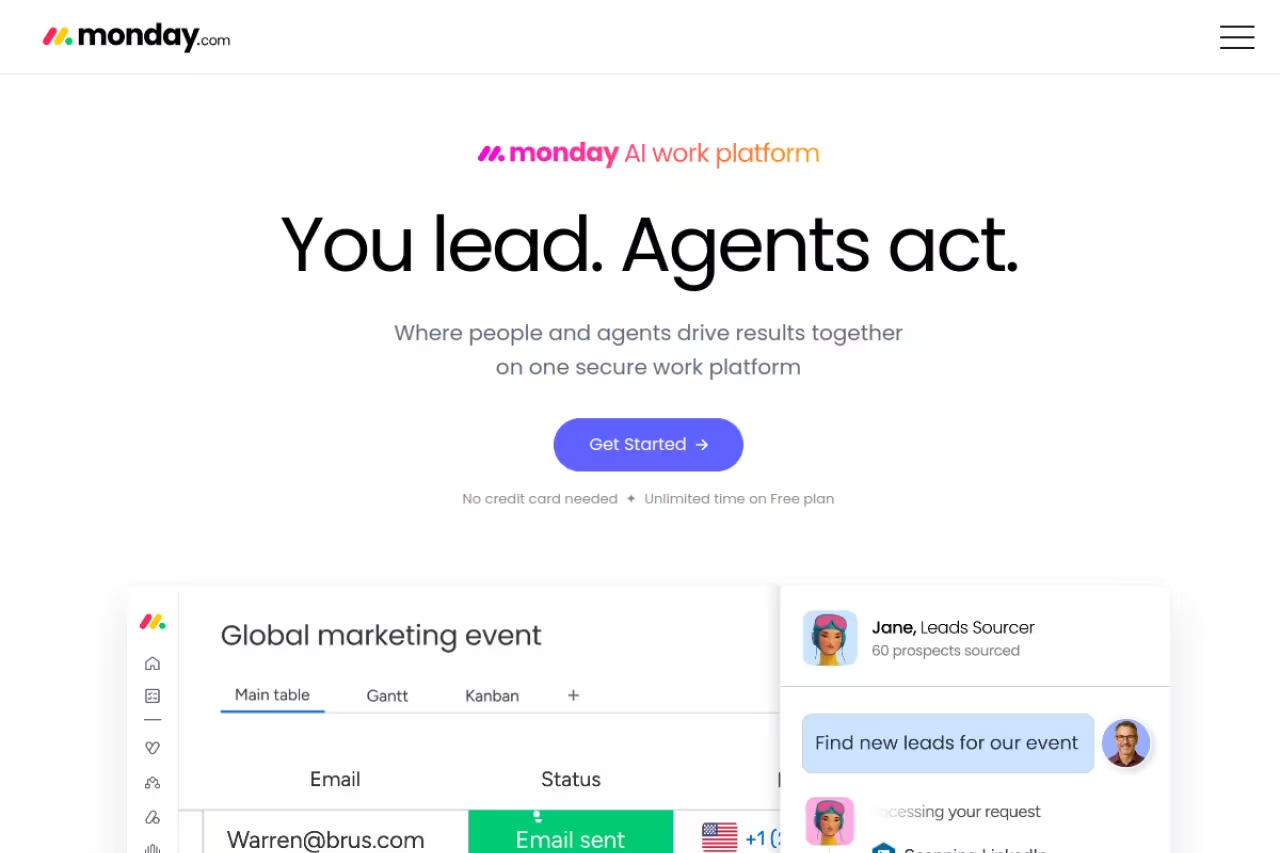
monday.com earns its spot because of adoption. The color-coded boards are so intuitive that non-technical team members start using it without a training session, which is the thing that quietly kills most software rollouts. You can run projects, a light CRM, marketing campaigns, and client work from the same colorful grid.
The board everyone actually understands, ideal for teams that work visually and need even the least techie person to log in. It is work management with CRM and finance bolted on, not real accounting, and paid plans have a 3-seat minimum.
Paid plans start at $9 per seat per month (Basic), $12 (Standard), and $19 (Pro) on annual billing, with monthly billing running higher. There's a catch buried in the pricing: every paid plan has a 3-seat minimum, so the real floor is $27/month on Basic even if you're a duo, as monday's pricing page confirms. The free plan caps you at 2 seats with no automations.
The standout is how fast a team reaches "we all live in here now." Automations and 200+ templates mean you're not building from a blank page.
Where it falls short: monday is work management with CRM and finance bolted on, not a true accounting or bookkeeping system. You'll still need QuickBooks or Zoho Books for the money side. And costs climb quickly once you add seats and reach for Pro-tier automation limits.

HoneyBook: built for people who sell their time
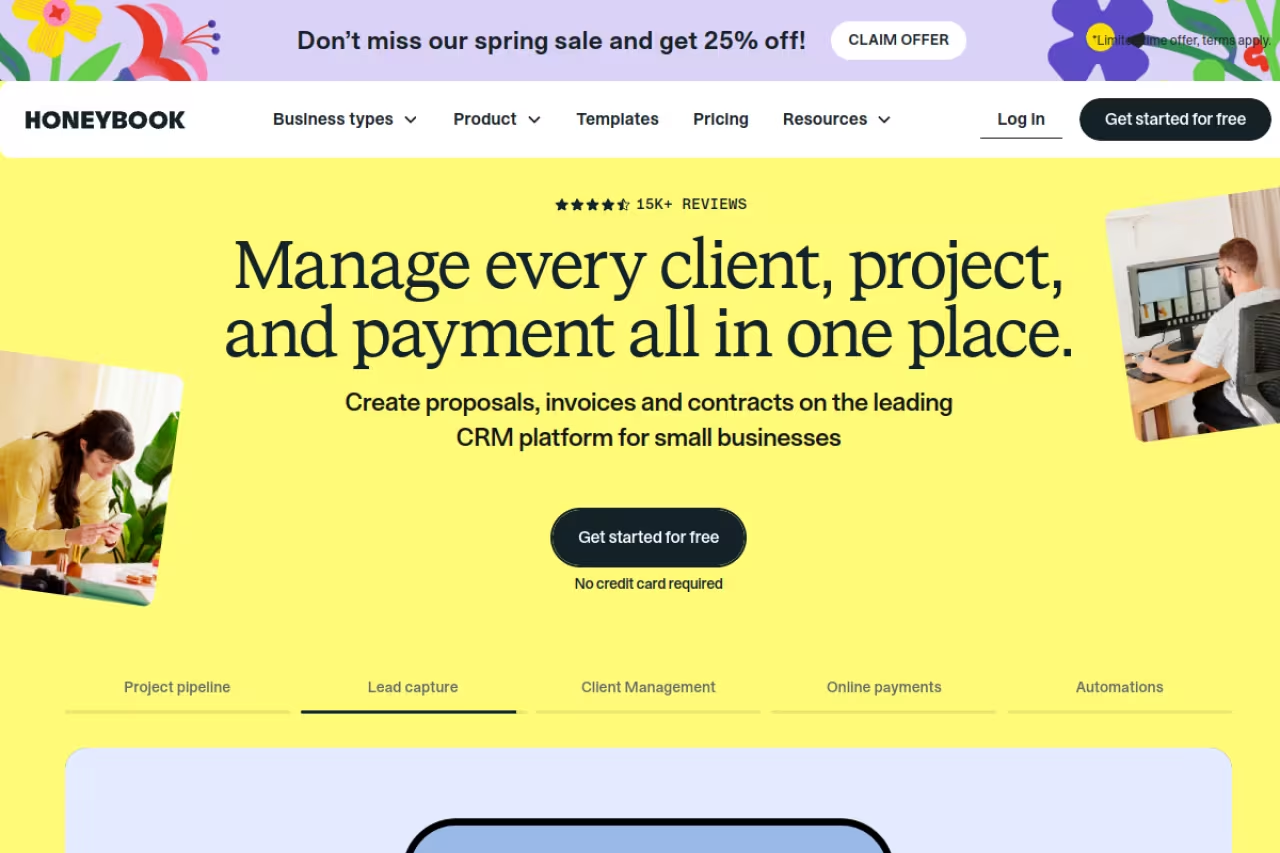
If you're a photographer, designer, consultant, coach, or any solo or small service business, HoneyBook is built for your exact workflow. It takes a client from inquiry to signed contract to paid invoice in one connected flow: a lead fills out a form, you send a branded proposal, they sign and pay, and the project tracks itself. No cobbling together a form tool, a contract tool, and a payment processor.
Best for: freelancers and small service businesses that live on proposals, contracts, and getting paid on time.
HoneyBook is built for photographers, designers, consultants, coaches and other service businesses living on proposals, contracts and getting paid, replacing a form tool, a contract tool and a payment processor. Prices rose meaningfully in 2025, and processing runs 2.7% + 10¢ per card transaction.
Pricing is $29/month (Starter), $49/month (Essentials), and $109/month (Premium) on annual billing, per HoneyBook's pricing page. Monthly billing pushes Essentials to $59 and Premium to $129. Payment processing runs 2.7% + 10¢ per card transaction, which is standard but worth budgeting for. Note that HoneyBook raised prices meaningfully in 2025, so the Starter plan costs more than longtime users remember.
The standout is the proposal-to-payment pipeline. For a one-person business, replacing four tools with one that already understands "client work" is a genuine time saver.
The catch: it's narrow on purpose. HoneyBook has no inventory, no real accounting, and limited use beyond client services. A product business or a team that needs deep project management will outgrow it. It also only fully supports the US, Canada, UK, and Australia.
If you're running solo and want a system that handles the admin so you can do the actual work, that's the whole pitch of Dupple X too: spend less time on the busywork around the work.

Bitrix24: flat pricing that ignores your headcount
Bitrix24 prices differently from everyone else, and for some businesses that changes everything. Instead of per-seat fees, you pay a flat rate per organization. Basic is $49/month for 5 users, Standard is $99/month for 50 users, and Professional is $199/month for 100 users, all on annual billing per Bitrix24's pricing page. There's a free plan covering a small team with basic CRM, tasks, chat, and 5GB of storage.
Bitrix24 suits cost-conscious, growing teams, since flat per-organization pricing means new hires do not bump the bill: a 40-person company on Standard pays $99 a month. The interface is dense and dated, with a real learning curve.
The math gets interesting fast. A 40-person company on Standard pays $99/month total. The same team on a per-seat tool at $12/seat would pay $480/month. That's the whole argument, plus CRM, projects, telephony, and a website builder in one package.
Where it falls short: the interface is dense and dated, and there's a real learning curve. Bitrix24 tries to do so much that menus get cluttered, and you'll spend setup time hiding features you don't need.

Odoo: ERP power without the ERP price tag
Odoo is the pick when you're a product business that's outgrowing spreadsheets but isn't ready for NetSuite money. It's modular: you turn on apps (inventory, manufacturing, sales, accounting, point of sale, ecommerce) as you need them, and they share one database. The "One App Free" plan gives you a single app free forever with unlimited users, which is a genuinely useful on-ramp.
Odoo is the pick for small product, retail or manufacturing businesses outgrowing spreadsheets that need inventory and operations, not just project boards. It is powerful but complicated, and implementation partner costs can dwarf the subscription.
The Standard plan runs around $31 per user per month billed annually in the US, and Custom is roughly $47, per Odoo's pricing page. Pricing varies a lot by country, and the first-year rate often includes a promotional discount that lifts at renewal, so confirm your real number before committing.
The standout is reach. Few tools at this price handle real manufacturing and inventory alongside CRM and accounting.
The catch: Odoo is powerful and complicated. Most businesses end up paying a partner to implement it, and that cost can dwarf the subscription. The free and open-source community edition exists but needs technical hands to self-host. This is the most "you'll need help" option on the list.
QuickBooks Online: when accounting comes first
QuickBooks Online isn't a full business management suite, and I'm including it anyway because for a lot of small businesses the books are the operating system. Your accountant already uses it, your bank feeds connect to it, and your tax prep depends on it.
Choose QuickBooks Online when accounting comes first and clean bookkeeping, invoicing and tax-readiness matter more than project boards. It is accounting, not management, and per-feature upsells add up faster than the $38 sticker price suggests.
Plans are $38/month (Simple Start), $75/month (Essentials), $115/month (Plus), and $275/month (Advanced), per NerdWallet's QuickBooks pricing guide. Intuit raised prices across the board in 2025, so 2026 renewals run higher than they used to. First-time signups usually get a steep intro discount.
Where it falls short: it's accounting, not management. You'll bolt a CRM, a project tool, and a scheduler around it. And the per-feature upsells (payroll, payments, time tracking) add up faster than the sticker price suggests.

ClickUp: everything, if you'll do the setup
ClickUp wants to replace your whole stack with tasks, docs, goals, whiteboards, and a built-in AI. It's the most customizable tool here. Every view, field, and workflow bends to how you work, which is either liberating or paralyzing depending on your appetite for configuration.
ClickUp is for teams that want one deeply flexible workspace and have someone willing to architect it, with an unusually generous free plan. Without setup investment a blank ClickUp is overwhelming, and Brain AI costs an extra $7 per user per month.
The free plan is unusually generous for solo users and tiny teams. Unlimited is $7 per user per month and Business is $12, both billed annually, per ClickUp's pricing page. ClickUp Brain, the AI layer, is an extra $7 per user per month.
The catch: that same flexibility means a blank ClickUp is overwhelming. The learning curve is real, and teams that don't invest in setup end up with a messy version of the chaos they were trying to escape.
Notion: the flexible workspace for docs and light ops
Notion is the odd one out: it started as a docs-and-wiki tool and grew into a place small teams run lightweight operations from. You build your own databases for clients, projects, content, and tasks, link them together, and end up with a custom internal system that costs almost nothing.
Notion fits small teams and solo operators who want a knowledge base plus light project and CRM tracking, all hand-built and nearly free. It has no real accounting, payments or automation engine, so it is a great front end and a poor back end for money.
The free plan covers individuals well. Plus is $10 per member per month and Business is $15, both annual, per Notion's pricing page. Notion AI is bundled into Business now rather than sold as a cheap add-on.
Where it falls short: Notion has no real accounting, no payments, and no automation engine to speak of. It's a great front-end for your operations and a poor back-end for your money. Big databases also get sluggish.
How to choose without overthinking it
Start with what you sell, not what the marketing says.
If you sell services or your time (freelancer, agency, consultant), start with HoneyBook for the proposal-to-payment flow, or monday.com if you need more project structure. If you sell products with inventory, Odoo is the serious answer and Bitrix24 the budget one. If you have a whole team across sales, finance, and ops, Zoho One covers the most ground per dollar. If project work is the real bottleneck, our roundup of the best AI for project management pairs well with any of these hubs.
Then check the seat math. Per-seat tools (monday, ClickUp, Notion, Zoho All-Employee) reward small teams and punish big ones. Flat-fee tools (Bitrix24) flip that. A 6-person team and a 60-person team should rarely land on the same plan.
Finally, accept that "all-in-one" is usually "all-in-one-ish." Most businesses run two or three tools, not one. The realistic goal is a hub (Zoho One, monday, or ClickUp) plus a dedicated accounting tool (QuickBooks or Zoho Books). Trying to force everything into a single platform usually means tolerating a weak version of half your workflow. For the supporting pieces, our guides on the best CRM for small business and accounting software for small business go deeper than I can here, and you can browse more picks in our top tools directory.
If you'd rather skip the evaluation grind entirely, Dupple X is built to take the busywork off your plate so you can spend the saved hours on the work that actually grows the business.
FAQ
What is the best all-in-one software to manage a small business?
For most growing small businesses, Zoho One is the best all-in-one because a single subscription covers CRM, accounting, projects, HR, and 40+ other apps that share data. monday.com is the better pick if your work is project-based and you want a tool everyone adopts quickly, while HoneyBook wins for solo service businesses that run on proposals and invoices.
Is there free small business management software that's actually usable?
Yes. Bitrix24's free plan includes CRM, tasks, chat, and a website builder for a small team. ClickUp and Notion both have genuinely capable free tiers for individuals and tiny teams. Odoo's "One App Free" gives you one full app forever with unlimited users. Free plans work until you need automations, more seats, or integrations, which is usually the point you'd upgrade anyway.
How much should a small business expect to pay for management software?
Plan on roughly $10 to $40 per user per month for most per-seat tools, or a flat $50 to $200 per month for organization-priced tools like Bitrix24. A solo service business can run on $29 to $49 a month with HoneyBook. The bigger hidden costs are usually implementation time and the second tool you'll inevitably add for accounting.
Do I need separate accounting software if I use a management platform?
Usually yes, unless you pick a suite that includes real accounting. Zoho One bundles Zoho Books and Odoo includes an accounting module, so those can stand alone. monday.com, ClickUp, and Notion do not do bookkeeping, so you'll pair them with QuickBooks Online or similar to handle taxes, bank feeds, and financial reporting properly.
What's the difference between project management and business management software?
Project management software (monday.com, ClickUp) organizes tasks, timelines, and team workflows. Business management software is broader: it adds CRM, invoicing, accounting, HR, and customer support so you can run the entire company, not just the project work. Many tools blur the line by adding light CRM or finance features, which is why reading what each one actually does matters more than the category label.
Related guides
Some offers on this page may be paid placements or contain affiliate links.
