
Best Small Business Inventory Management Software (2026)

Key facts8 tools compared: Zoho Inventory, Sortly, inFlow Inventory, Square for Retail, Cin7 Core…
- 8 tools compared: Zoho Inventory, Sortly, inFlow Inventory, Square for Retail, Cin7 Core, Katana, Craftybase, Odoo Inventory
- Zoho Inventory (best for: Online sellers on a budget): Free / $29+/mo
- Sortly (best for: Visual, mobile-first tracking): Free / $24+/mo
- inFlow Inventory (best for: Wholesale and B2B): $129+/mo
- Square for Retail (best for: Brick-and-mortar shops): Free / $49/mo
Most small businesses don't lose money on a bad product. They lose it on inventory they can't see. A spreadsheet that's two weeks out of date, a SKU that's "in stock" until a customer orders it, a reorder you forgot to place until the shelf was empty. The software is supposed to fix that, and most of it is either too basic to trust or priced for a warehouse full of forklift operators.
I compared the main contenders against the kind of mess a real small business deals with: a few hundred SKUs, a couple of sales channels, one or two people who actually touch the system. The gap between marketing copy and what these tools do at $30 a month is wide. Some "starting at" prices quietly jump to $349 the moment you need a second integration.
If you want the short answer: Zoho Inventory is the best pick for most small businesses selling online. It's affordable, the free tier is real, and it plays well with the rest of a normal tech stack. But the right tool depends a lot on whether you make things, resell things, or run a physical store. Here's the full breakdown.
Quick comparison
| Tool | Best for | Price | Standout |
|---|---|---|---|
| Zoho Inventory | Online sellers on a budget | Free / $29+/mo | Multi-channel sync without the cost |
| Sortly | Visual, mobile-first tracking | Free / $24+/mo | Photo-based catalog and QR labels |
| inFlow Inventory | Wholesale and B2B | $129+/mo | Built-in B2B showroom and ordering |
| Square for Retail | Brick-and-mortar shops | Free / $49/mo | POS and inventory in one |
| Cin7 Core | Scaling multi-channel brands | $349+/mo | Deep automation and EDI |
| Katana | Makers and light manufacturing | Free / $299+/mo | Real production and BOM tracking |
| Craftybase | Handmade and recipe-based makers | $20+/mo | Material costing and COGS |
| Odoo Inventory | Tinkerers who want one platform | Free / $24.90/user | Open-source, modular ERP |
Zoho Inventory
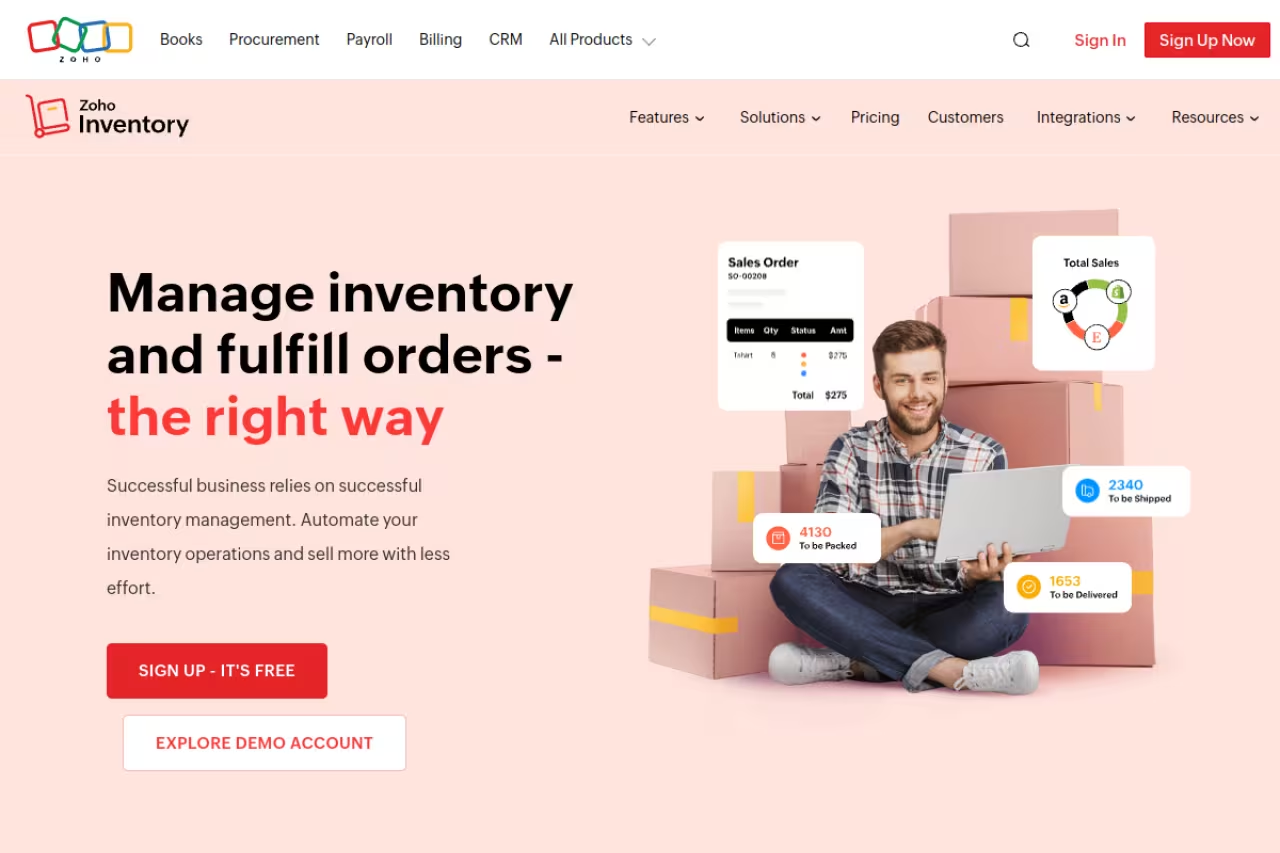
Zoho Inventory is the tool I'd hand to nine out of ten small businesses selling online. It tracks stock across multiple warehouses, syncs with Shopify, Amazon, eBay and Etsy, handles purchase orders and backorders, and connects to Zoho Books if you want accounting in the same family.
Who it's best for: Anyone running an e-commerce or hybrid business who wants real functionality without committing to enterprise pricing. If you already use Zoho CRM or Books, it's a no-brainer.
Zoho Inventory is the pick for most small businesses selling online, with multi-channel order sync and a genuinely usable free plan. Every plan caps you at 2 users until the $249 Enterprise tier, which is the main trade-off.
There's a genuinely usable free plan (50 orders/month, 1 user, 2 locations). Paid tiers, billed annually, run $29/month (Standard, 500 orders), $79/month (Professional, 3,000 orders), $129/month (Premium, 7,500 orders) and $249/month (Enterprise, 15,000 orders). Full numbers are on the Zoho Inventory pricing page.
The standout: Multi-channel order sync at this price point is rare. You get serial and batch tracking on the $79 plan, which competitors gate behind plans costing three times as much.
The catch: Every plan caps you at 2 users until you hit the $249 Enterprise tier, and extra seats are $7.50 each per month. For a team of four that adds up. The interface also has the classic Zoho problem: powerful, but with enough menus to make the first week feel like a part-time job.

Sortly
Sortly takes a different angle. Instead of treating inventory as a database of order numbers, it treats it as a visual catalog. Every item gets a photo, items nest into folders, and you scan QR codes with your phone to update counts. It's the tool I'd give to a business where the person counting stock is not the person who lives in spreadsheets.
Who it's best for: Field service teams, equipment-heavy operations, contractors, schools, anyone tracking physical assets more than e-commerce orders. It shines when "what does this thing look like and where is it" matters more than channel sync.
Sortly treats inventory as a visual catalog with photos, folders and QR scanning, ideal for field service teams, contractors and anyone tracking physical assets over e-commerce orders. It has the best mobile app here but lacks channel sync, and the free plan stops at 100 items.
Free for 100 items and 1 user. The Advanced plan is $24/month (annual, first year), Ultra is $74/month, and Premium is $149/month, scaling item counts from 500 up to 5,000 and adding barcode scanning, purchase orders and QuickBooks Online sync along the way. Details on the Sortly pricing page.
The standout: The mobile app is the best in this roundup. Scanning, photos and offline mode actually work in a stockroom or a truck, not just in a demo.
Where it falls short: It's not built for selling. There's no native Shopify or Amazon connection, so if your inventory drives online orders, Sortly is the wrong shape. The item caps also bite quickly: 500 items on the $24 plan goes fast if you stock variants.

inFlow Inventory
inFlow Inventory is the pick for businesses that sell to other businesses. It does the standard stock, purchase order and barcode work well, but its real edge is a built-in B2B "Showroom" where wholesale customers can browse your catalog and place orders directly.
Who it's best for: Wholesalers, distributors, and product businesses with reps in the field or recurring B2B buyers. If you email PDFs of your catalog and take orders over the phone, this replaces that whole workflow.
A strong choice for wholesalers and distributors thanks to the B2B Showroom, where buyers browse your catalog and order themselves. Budget for no free plan and a one-time onboarding fee of around $499 on top of $129 a month.
No free plan. The Entrepreneur tier is $129/month billed annually (2 users, 1,200 orders/year, 1 integration), Small Business is $349/month (5 users, 12,000 orders/year, 3 integrations), and Mid-Size is $699/month. There's a 14-day free trial, and a one-time onboarding fee of around $499 applies to most plans. See the inFlow pricing page for the current breakdown.
The standout: The Showroom and B2B ordering portal. Few tools at this price give wholesale buyers a self-serve way to order, and it cuts a real chunk of admin out of a distribution business.
The catch: That onboarding fee and the per-order overage charges ($0.20 each past your limit) mean the real first-year cost is higher than the sticker. And at $129/month with no free tier, it's a harder starting commitment than Zoho or Sortly for a brand-new business.
Square for Retail
If your inventory lives behind a physical counter, Square for Retail is hard to beat on value. It ties stock directly to the point of sale, so every transaction updates counts automatically. No separate system to reconcile, no end-of-day export.
Who it's best for: Brick-and-mortar shops, boutiques, cafes with retail, and pop-ups. Anyone who's already taking card payments and wants inventory baked into the same screen.
For brick-and-mortar shops, boutiques and pop-ups already taking card payments, Square for Retail is hard to beat on value, with inventory and payments in one system and a free plan. It is retail-first rather than a warehouse tool.
The free plan is genuinely free at $0/month and includes inventory tracking, low-stock alerts, multi-location stock and a basic online store. The Plus plan is $49/month per location (down from $89 in early 2025) and adds smart stock forecasts, vendor management and cost-of-goods tracking. You still pay card processing fees (2.6% + 10¢ in person on the free plan). The Square retail pricing page has the current rates.
The standout: Inventory and payments in one system, free to start. For a small shop that's a real saving versus running a POS and a separate inventory tool.
Where it falls short: It's a retail-first system, not a warehouse one. Purchase order and supplier features are thinner than dedicated tools, and the per-location pricing on Plus adds up fast if you run several stores. It also locks you into Square's payment processing, which isn't always the cheapest.

Cin7 Core
Cin7 Core (formerly DEAR Inventory) is where you go when you've outgrown the budget tools. It automates multi-channel order flows, handles EDI for big retail partners, manages manufacturing with bills of materials, and connects to a long list of sales channels and 3PLs.
Who it's best for: Brands doing real volume across several channels, especially those starting to sell into retailers or run a 3PL. It's overkill for a business doing 100 orders a month.
Cin7 Core is where brands doing real volume across several channels go once they have outgrown the budget tools, with deep automation, EDI and manufacturing. At $349 a month as the floor and weeks of onboarding, it is overkill for 100 orders a month.
Cin7 Core starts at $349/month (Standard), with Pro at $599/month and Advanced at $999/month. Cin7 Omni, the enterprise tier, is custom-quoted. Confirm current pricing on the Cin7 pricing page.
The standout: Automation depth. The order-routing, B2B portal, and built-in EDI mean a small team can run operations that would otherwise need extra headcount. It connects cleanly to accounting and the broader stack, which matters once you're juggling supply chain tools.
The catch: $349/month is the floor, not the ceiling, and onboarding a system this deep takes weeks. For a young business it's a lot of money and setup time for capability you won't use for a year. Start here only if you can already feel the limits of a cheaper tool.
Before the rest of the list, a quick aside. If you're the kind of operator who's stitching these tools together yourself, Dupple X gives you a working setup of the AI and automation tools we cover in the Techpresso newsletter, so you spend less time evaluating and more time shipping.

Katana
Katana is built for businesses that make things. If you turn raw materials into finished goods, Katana tracks the bill of materials, deducts components automatically when you build a product, schedules production, and syncs the finished stock to Shopify or your accounting tool.
Who it's best for: Small manufacturers, makers, and assembly businesses. If you've ever tried to track "we have enough fabric for 40 shirts" in a spreadsheet, this is the category you need.
Katana is built for small manufacturers and makers who turn raw materials into finished goods, with bill of materials and production in one place at an SMB price. Core starts at $299 a month, and add-ons stack on top.
There's a free plan capped at 30 SKUs with unlimited users and locations, which is a great way to learn the system. The Core plan starts at $299/month with unlimited SKUs, and add-ons like Manufacturing Management ($199/mo) and Warehouse Management ($149/mo) stack on top. Check the Katana pricing page before you commit. Worth noting: older roundups still cite a $99 starting price, which is out of date.
The standout: Production and inventory in one place at an SMB price. Most tools that do real BOM and shop-floor tracking are enterprise systems. Katana keeps it usable for a team of three.
The catch: Those add-ons. The headline $299 covers core inventory, but the manufacturing and warehouse features most makers actually want are paid extras, so the real monthly cost climbs toward $500+ fast. The free tier's 30-SKU cap is also tight for anyone with material variants.
Craftybase
Craftybase is a niche tool that nails its niche. It's inventory and bookkeeping for makers who build products from raw materials: candles, cosmetics, jewelry, food. It tracks every gram of material, calculates true cost of goods sold, and keeps the records you need for compliance and taxes.
Who it's best for: Handmade and recipe-based businesses, especially Etsy and Shopify sellers who need accurate material costing and batch traceability for regulated products.
A niche tool that nails its niche, with accurate material costing and batch traceability for makers of candles, cosmetics, jewelry and food, including Etsy and Shopify sellers. It is the most affordable serious tool here, starting at $20 a month.
It's the most affordable serious tool here. Pro is $20/month (annual), Studio is $41/month, Indie is $83/month, and it scales to Business at $166/month and Growth at $291/month, mostly gated by order volume. There's a 14-day free trial with no card required. See the Craftybase pricing page for specifics.
The standout: Automatic COGS and material tracking. Knowing the real cost of each batch, down to the raw material, is something most makers guess at. Craftybase calculates it and feeds it straight into your numbers, which pairs well with your small-business accounting software.
Where it falls short: It's specialized. If you resell finished products rather than make them, almost all of its value disappears, and you're paying for material costing you'll never touch. The lower tiers also cap monthly order lines tightly (25 on Pro), so growth pushes you up the ladder.

Odoo Inventory
Odoo Inventory is the wildcard for technical founders. It's part of a full open-source ERP, so inventory connects to sales, accounting, manufacturing, e-commerce and point of sale inside one platform. You can self-host it for free or pay for the hosted version.
Who it's best for: Tinkerers and operators who want one system to run the whole business and don't mind the setup. If you'd rather own your stack than rent five SaaS subscriptions, Odoo is the play.
Odoo Inventory is the wildcard for technical founders and tinkerers who want one open-source system for the whole business, free for a single app. It is a project, not a plug-in: self-hosting needs technical chops, and a second module moves you to $24.90 per user.
The "One App Free" plan gives you Inventory free forever for unlimited users, but only that single app. The moment you add a second module, you move to the Standard plan at $24.90 per user/month (US), with Custom around $46.80 per user/month. Confirm regional pricing on Odoo's pricing page.
The standout: Breadth for the money. Nothing else here lets you run inventory, an online store, accounting and CRM under one roof at this cost. For the right team it replaces a whole toolbox.
The catch: It's a project, not a plug-in. Self-hosting needs technical chops, and even the hosted version has a learning curve that makes Zoho look friendly. The per-user pricing also means a 10-person team paying for the full suite isn't cheap. This is a buy-in, not a quick install.
How to choose
Skip the feature checklists. The decision comes down to what kind of business you actually run.
Start with how you move product. If you sell online across channels, Zoho Inventory or Cin7 Core, depending on volume. If you sell from a physical counter, Square for Retail. If you sell wholesale to other businesses, inFlow.
Then ask if you make or resell. Makers and manufacturers need bill-of-materials tracking, which rules out most general tools. Katana for assembly and light manufacturing, Craftybase if you build from raw materials in batches.
Match the price to your stage, not your ambition. A business doing 200 orders a month does not need a $349/month system. Start on a free or sub-$50 tier, hit its limits, then upgrade. The tools that scale (Zoho, Cin7) let you grow without a migration, so you're not locked out of the next stage.
Test the mobile app and the integrations before you pay. Almost all of these have free trials. The two things that break in real use are the phone scanning workflow and the sync to your sales channels. Push both hard during the trial. If you're rebuilding your whole stack, our list of top tools and the e-commerce tools guide are a good next stop.
Dupple X bundles the AI and automation tools we recommend across operations, so once your inventory system is sorted, the rest of your stack comes ready to go.
Frequently asked questions
What is the best inventory management software for a small business?
For most small businesses selling online, Zoho Inventory is the best all-around pick: a real free tier, multi-channel sync, and paid plans starting at $29/month. If you run a physical store, Square for Retail is better because it ties inventory to your point of sale for free. Makers should look at Katana or Craftybase instead.
Is there free inventory management software that's actually usable?
Yes. Zoho Inventory's free plan (50 orders/month) and Square for Retail's free plan are both genuinely functional for a starting business. Sortly is free for 100 items, Katana is free up to 30 SKUs, and Odoo Inventory is free forever as a single app. The catch is always a cap, on orders, items, or users, that you'll outgrow as you scale.
How much does inventory management software cost for a small business?
Most small-business plans land between $30 and $150 per month. Budget tools like Zoho and Sortly start at $24 to $29. Mid-range systems like inFlow and Katana run $129 to $299. Higher-volume platforms like Cin7 Core start at $349. Watch for add-ons, per-order overage fees, and one-time onboarding charges, which can push the real cost well above the headline price.
Do I need inventory software if I already use accounting software?
Usually yes. Accounting tools track the financial value of stock, not the operational side: real-time counts, reorder points, multi-location stock, or barcode scanning. Most inventory tools here sync to QuickBooks or Xero, so you keep your books and add the operational layer on top. See our guide to small-business accounting software if you're choosing both.
What's the difference between inventory software and a POS system?
A POS (point of sale) handles transactions at checkout, while inventory software tracks what you have, where it is, and when to reorder. Tools like Square for Retail combine both. If you sell in person, a combined system is simpler. If you sell online or wholesale, you'll want dedicated inventory software and a separate checkout. Our POS systems guide covers the checkout side.
Which inventory software is best for a manufacturing or maker business?
Katana for assembly and light manufacturing, where you build finished goods from components and need bill-of-materials tracking and production scheduling. Craftybase for handmade and recipe-based businesses that need precise material costing and batch traceability. General tools like Zoho and Square don't handle production, so a dedicated maker tool is worth the switch.
Related guides
Some offers on this page may be paid placements or contain affiliate links.
