
Best AI Model Training Tools in 2026

Key facts8 tools compared: Unsloth, Hugging Face AutoTrain, Together AI, Modal, Weights & Biases…
- 8 tools compared: Unsloth, Hugging Face AutoTrain, Together AI, Modal, Weights & Biases, Vertex AI, RunPod, Axolotl
- Unsloth (best for: Single-GPU fine-tuning, fast): Free (Apache 2.0)
- Hugging Face AutoTrain (best for: No-code fine-tuning): Pay per compute minute
- Together AI (best for: Managed fine-tune + serve): $0.48-$8.00 / 1M tokens
- Modal (best for: Python-native GPU infra): ~$2.50/hr A100, per-second
Most "AI model training" advice online still assumes you're training a model from scratch on a cluster you own. In 2026, almost nobody does that. You take an open-weight base model, fine-tune it on your own data, track the run so you can reproduce it, and ship. The tools that matter are the ones that make that loop fast and cheap.
The problem is that the category is a mess. Some tools are training frameworks (the code that actually runs the gradient steps). Some are GPU clouds (the compute underneath). Some are managed APIs where you upload a CSV and get a model back. Some are the experiment-tracking layer that sits across all of it. Picking "the best" depends on which of those jobs you're trying to do, and most listicles blur them together.
If you want the short answer: for hands-on fine-tuning on a single GPU, Unsloth is the top pick, and it's free. If you never want to touch a GPU, Hugging Face AutoTrain gets you a trained model from a spreadsheet. Below we break down eight tools, who each one is actually for, and where each falls down. This is written for founders, ML engineers, and technical operators who follow AI and want to ship a custom model without burning a quarter on infra.
Quick comparison
| Tool | Best for | Price | Standout |
|---|---|---|---|
| Unsloth | Single-GPU fine-tuning, fast | Free (Apache 2.0) | 2x faster, 60-90% less VRAM |
| Hugging Face AutoTrain | No-code fine-tuning | Pay per compute minute | Upload CSV, get a model |
| Together AI | Managed fine-tune + serve | $0.48-$8.00 / 1M tokens | One platform for train and deploy |
| Modal | Python-native GPU infra | ~$2.50/hr A100, per-second | Decorators instead of Dockerfiles |
| Weights & Biases | Experiment tracking | Free / $60+ per month | Best run visualization |
| Vertex AI | Enterprise / GCP shops | ~$3.15/node-hr AutoML | Tight BigQuery integration |
| RunPod | Cheap raw GPU compute | From ~$1.19/hr A100 | Lowest per-hour GPU rates |
| Axolotl | Config-driven multi-GPU | Free (open source) | YAML recipes, no boilerplate |
Unsloth: the fastest way to fine-tune on one GPU
Unsloth rewrites the math behind LoRA and QLoRA training with hand-tuned CUDA kernels, and the speedup is real. On a single GPU you get roughly 2x faster training and 60-90% less memory use versus stock Hugging Face Transformers, which means a Llama 3.1 8B fine-tune that normally needs 24GB of VRAM runs in under 7GB. That's the difference between renting an A100 and training on a free Colab notebook.
Who it's for: engineers who want to fine-tune open models themselves, on consumer hardware or a single rented GPU, without giving up control of their data.
The fastest way to fine-tune open models on a single GPU. Custom kernels cut memory use enough to run a fine-tune on a free Colab notebook, and the core library is free and open source. Multi-GPU needs the paid tier.
the core library is free and open source under Apache 2.0, per Unsloth's pricing page. You can run it on free Google Colab or Kaggle GPUs. There's a Pro tier for multi-GPU and an enterprise option, both quote-based.
The standout: the memory reduction is what unlocks everything else. People who could never afford to fine-tune a 70B model on their own hardware suddenly can, because Unsloth fits it in VRAM that would otherwise overflow.
The catch: the free version is built around single-GPU training. If you need to scale a job across eight GPUs or multiple nodes, that lives behind the paid tiers, and at that point a config-driven framework like Axolotl is often the better fit. You also write code here. This is not a point-and-click tool.
Hugging Face AutoTrain: train a model from a spreadsheet
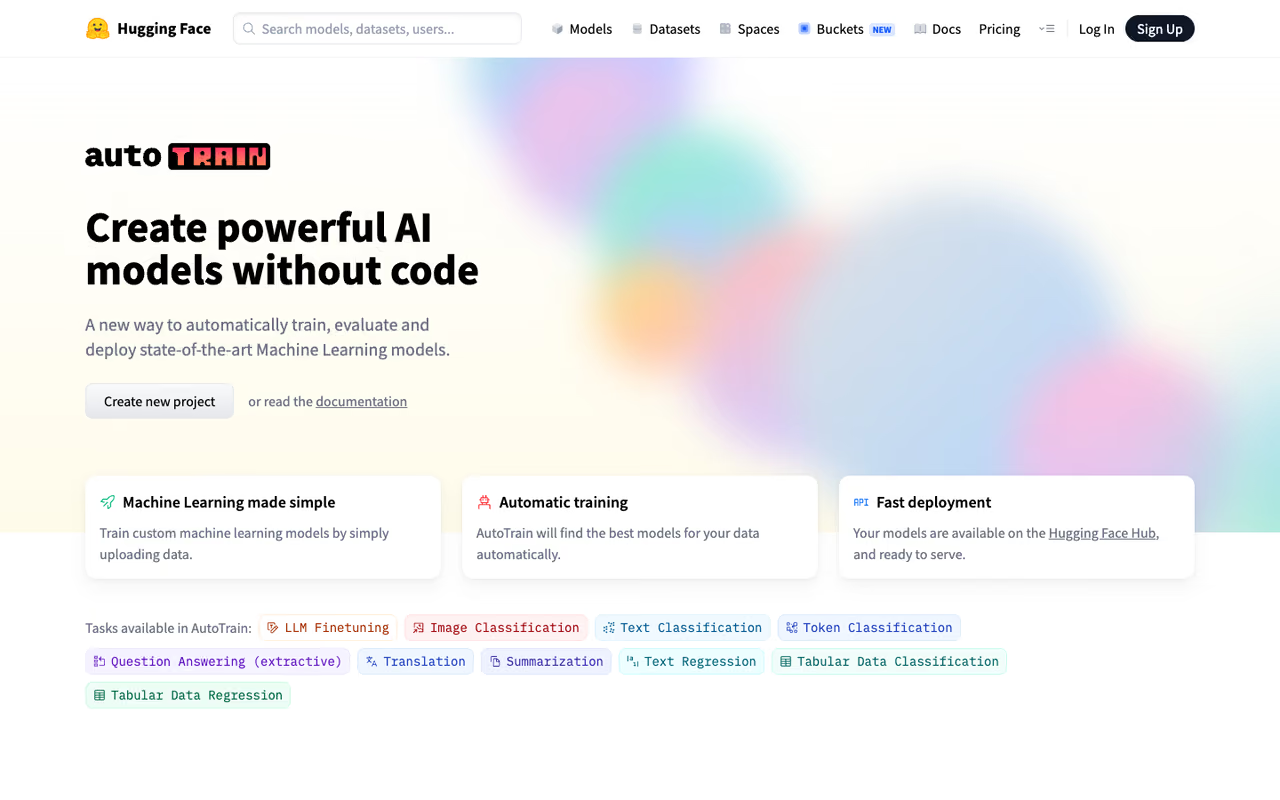
Hugging Face AutoTrain is the no-code path. You upload a CSV, pick a base model, set a few hyperparameters in the UI, and it handles the training run on Hugging Face Spaces. For text classification, NER, or a straightforward instruction fine-tune, it works without you writing a line of training code.
Who it's for: product people, analysts, and small teams who have labeled data but no MLOps practice. Also a fine sanity-check tool for engineers who want a baseline fast.
A no-code route for product people, analysts and small teams with labeled data but no MLOps practice. Upload a CSV, pick a base model and train, paying only for compute. It is best for standard tasks, not custom training loops.
AutoTrain itself is free, and you only pay for the compute you use. Per the official cost docs, hardware runs from $0.40/hour for a basic T4 up to around $23.50/hour for 8x L40S, billed per minute. A typical fine-tune lands in the $5-$30 range of compute. There's also a free tier for small sample counts.
The standout: the on-ramp. Going from "I have a CSV" to "I have a fine-tuned model on the Hub" without provisioning anything is genuinely useful, and the trained model lands right next to the millions of other models on Hugging Face.
The catch: you trade control for convenience. You don't get the same fine-grained control over the training loop, custom loss functions, or exotic architectures that you'd get writing your own script with Unsloth or Axolotl. It's a great starting point, not a place to live if your needs get specialized. If your bottleneck is actually labeling, fix that first with one of the best AI data labeling tools.

Together AI: train and serve in one place
Together AI runs a managed platform where you submit a fine-tune job, it trains on their infrastructure, and you can serve the result through the same API. The pitch is that you never glue together a training stack and a serving stack yourself.
Who it's for: teams who want a fine-tuned open model in production quickly and would rather pay per token than manage GPUs.
Pick Together AI if you want a fine-tuned open model in production quickly without managing GPUs. Training and serving live behind one API with token-based pricing, though specialized models carry higher minimums.
fine-tuning is token-based. Per Together's pricing page, standard fine-tuning runs $0.48-$1.35 per 1M tokens for models up to 16B, $1.50-$4.12 for 17B-69B, and $2.90-$8.00 for 70-100B. Dedicated GPU instances start at $6.49/hour for an H100. Specialized fine-tunes on models like DeepSeek and Qwen carry higher minimums.
The standout: the round trip from raw data to a served endpoint is short, and the token pricing makes small experiments cheap. A quick LoRA run on a 7B model costs a few dollars.
The catch: the managed fine-tune API trades flexibility for simplicity. You can't run on GPUs you control, grab intermediate checkpoints, run multi-node jobs, or guarantee your training data never leaves their environment. For some regulated teams that last point is a dealbreaker, and you'll want a setup where the weights and data stay on infrastructure you own.

Modal: Python-native serverless GPUs
Modal solves the infrastructure problem without making you become an infra engineer. You decorate a Python function with something like @app.function(gpu="H100") and Modal handles container scheduling, autoscaling, and teardown. It's the closest thing to "fine-tuning code that just runs in the cloud."
Who it's for: engineers who write Python and want GPU compute on demand without managing Kubernetes, Dockerfiles, or idle instances.
The pick for Python engineers who want on-demand GPUs without touching Kubernetes or Dockerfiles. Per-second billing makes sporadic jobs cheap, and you pay nothing while idle.
per-second billing, which is the whole point. Published rates work out to about $2.50/hour for an A100 40GB and $3.95/hour for an H100, and you pay nothing while containers are idle. Every account starts with $30/month in free compute credits. Cold starts are a couple of seconds.
The standout: per-second billing plus fast cold starts makes sporadic training jobs dramatically cheaper than renting a GPU by the hour and forgetting to shut it off. If your training runs are bursty, this is the cost structure you want.
The catch: Modal is infrastructure, not a training framework. It runs your code; it doesn't write it. You still bring Unsloth, Axolotl, or raw PyTorch. And the per-second convenience pricing carries a margin over raw GPU rates from a provider like RunPod, so for long, steady jobs a dedicated instance can be cheaper.
A quick note for non-ML teams
Not every team needs to train its own model. If you're a marketing or ops team that wants AI use without the GPU bill, an off-the-shelf assistant gets you most of the way. That's the gap Dupple X fills, and you can start a yearly trial here if a custom-trained model is more than your use case actually needs. Training is the right call when your data or domain is genuinely unusual. Otherwise, it's often expensive overkill.
Weights & Biases: the tracking layer everything else plugs into
Weights & Biases isn't a place to train models. It's where you record what happened when you did. Every run logs its metrics, hyperparameters, system stats, and outputs, so you can compare experiments, catch a diverging loss early, and reproduce the run that actually worked.
Who it's for: any team running more than a handful of experiments, especially research-leaning groups who live in the metric dashboards.
Not a place to train models, but the tracking layer most teams end up needing. It logs every run so you can compare experiments and reproduce the one that worked, with best-in-category run visualization.
per the W&B pricing page, the Free plan covers personal projects with up to 5 seats and 5GB of storage. Pro starts at $60/month for teams under 50 employees, with 100GB storage and 10 seats. Enterprise is custom and adds SSO, audit logs, and HIPAA options. Academic users get a free Pro-equivalent license.
The standout: the run visualization is still the best in the category. Sweeps for hyperparameter search and the model registry round it out into a real experiment-management system rather than just a logger.
The catch: teams routinely complain about cost creep as data volume grows, plus some performance overhead and occasional sync issues. If your work is shifting toward LLM evaluation rather than training metrics, a dedicated tool may fit better. I've covered those in the best AI evaluation tools and the best LLM observability tools roundups.

Vertex AI: the enterprise / GCP option
Google Vertex AI is the managed ML platform for teams already living in Google Cloud. It covers both AutoML, where you hand it data and it picks the architecture, and custom training, where you bring your own TensorFlow or PyTorch container.
Who it's for: GCP shops, especially teams already pulling training data out of BigQuery, who want training and deployment inside one governed cloud.
The enterprise option for teams already living in Google Cloud, especially with data in BigQuery. AutoML and custom training sit in one governed cloud, but separate prediction and storage charges are where bills surprise people.
usage-based, per the Vertex AI pricing page. AutoML training runs around $3.15 per node-hour, while custom training on your own jobs can be far cheaper per node-hour depending on the machine type. You also pay separately for predictions and storage, which is where bills surprise people.
The standout: the BigQuery integration. If your data already lives in GCP, the path from warehouse to trained model is short and the governance story is strong.
The catch: the gap between AutoML and custom training pricing is large, and AutoML gets expensive fast. The billing has enough moving parts (compute, predictions, storage, endpoints) that costs are hard to predict, and like any hyperscaler product, there's lock-in. Overkill for a small team that just wants to fine-tune one model.

RunPod: cheap raw GPU compute
RunPod is where you go when you want the lowest GPU rate and you're comfortable managing the box yourself. You spin up a pod with an A100 or H100 in seconds, and you can also run serverless inference or multi-node clusters.
Who it's for: cost-sensitive engineers who know their way around a training stack and want to pay as little as possible per GPU-hour.
Go with RunPod when the lowest GPU rate matters and you are comfortable managing the box yourself. It suits long, steady training jobs, but you own more of the stack.
among the cheapest around. Per RunPod's pricing page, A100 pods start near $1.19/hour, H100 PCIe runs $1.99/hour on Community Cloud and $2.39/hour on Secure Cloud. Community Cloud can go lower still if you tolerate less guaranteed availability.
The standout: the price. For long, steady training jobs where you'd waste money on a per-second platform's margin, RunPod's hourly rates are hard to beat.
The catch: you own more of the stack. There's no decorator magic and no managed training API. You set up the environment, manage the run, and handle teardown yourself, so it's not the right pick if you'd rather write Python and let the platform handle infrastructure. Community Cloud's cheaper rates also come with weaker availability guarantees.
Axolotl: config-driven fine-tuning at scale
Axolotl is the open-source framework for people who want to fine-tune via configuration rather than custom code. You describe your dataset, base model, and training recipe in a YAML file, and it handles LoRA, QLoRA, full fine-tuning, DPO, and GRPO across multiple GPUs.
Who it's for: engineers running multi-GPU jobs who want sensible defaults and reproducible recipes without writing the training loop by hand.
Config-driven fine-tuning for engineers running multi-GPU jobs who want reproducible recipes. A YAML file covers LoRA, QLoRA, DPO and GRPO and shines where Unsloth runs out of room, but it is slower on a single GPU.
free and open source. You only pay for whatever compute you run it on, whether that's RunPod, Modal, or your own hardware.
The standout: the YAML-recipe approach. It strips out boilerplate while keeping the knobs that matter, and it shines on multi-GPU setups where Unsloth's single-GPU focus runs out of room. New 2026 model support landed quickly, including Mistral Small 4 and Qwen3.5.
The catch: it's slower than Unsloth on a single GPU. On a Llama 3.1 8B run with one A100, independent comparisons put Axolotl around 5.8 hours versus Unsloth's 3.2. The rule of thumb most practitioners use: one GPU, reach for Unsloth; many GPUs, reach for Axolotl.
How to choose
Start by naming which job you actually have, because these tools answer different questions:
- You have data but no ML skills. Use Hugging Face AutoTrain or Vertex AI AutoML. Upload, train, deploy, done.
- You want to fine-tune yourself on one GPU. Use Unsloth. Free, fast, fits in less VRAM than anything else.
- You need to scale across many GPUs. Use Axolotl for the recipe, on top of RunPod or Modal for compute.
- You want train-and-serve in one managed API. Use Together AI and pay per token.
- You write Python and hate managing infra. Use Modal as your compute layer.
- You want the cheapest GPUs and can manage the box. Use RunPod.
- You're running many experiments. Add Weights & Biases on top of whatever you train with.
Most real setups combine two or three: a framework (Unsloth or Axolotl), a compute provider (Modal or RunPod), and a tracker (W&B). Together AI and Vertex AI bundle those layers if you'd rather buy than assemble. If you're earlier than that and still validating the idea, the how to create an AI model and how to build a generative AI model guides walk through the steps before you commit to a stack, and the top AI tools directory has the rest.
FAQ
What is the best AI model training tool in 2026?
There isn't one winner, because the tools do different jobs. For hands-on fine-tuning on a single GPU, Unsloth is the best free option thanks to its speed and low memory use. For no-code training, Hugging Face AutoTrain wins. For managed train-and-serve, Together AI. Pick based on whether you need a framework, compute, or a managed API.
Do I need to train a model from scratch, or can I fine-tune?
Almost always fine-tune. Training a foundation model from scratch costs millions and needs a huge dataset. Fine-tuning an open-weight base model like Llama or Qwen on your own data gets you a specialized model for tens to hundreds of dollars, which is what tools like Unsloth, Axolotl, and AutoTrain are built for.
How much does it cost to fine-tune an LLM?
For a small open model, a single LoRA fine-tune often costs $5-$30 in compute. Hugging Face AutoTrain bills per compute minute, Together AI charges $0.48 and up per 1M tokens, and renting an A100 on RunPod runs about $1.19/hour. Bigger models and longer runs scale the cost up from there.
What's the difference between a training framework and a GPU cloud?
A training framework (Unsloth, Axolotl) is the code that runs the actual training. A GPU cloud (RunPod, Modal) is the hardware that code runs on. You usually need both: pick a framework for how you train, and a cloud for where you train. Together AI and Vertex AI bundle the two into one product.
Is Weights & Biases worth paying for?
If you run more than a few experiments and need to compare runs, reproduce results, or collaborate with a team, yes. The free tier covers personal projects, and Pro starts at $60/month. If you're running a couple of fine-tunes and never look back, the free tier or open-source MLflow is enough.
Can I fine-tune a model for free?
Yes. Unsloth is free and open source, and it runs on free Google Colab or Kaggle GPUs because it fits large models into small VRAM. Hugging Face AutoTrain also has a free tier for small sample counts. You'll only pay once your dataset or model size outgrows free compute.
Related guides
Some offers on this page may be paid placements or contain affiliate links.
