

Last updated: May 2026
What Is Salesflare?
Salesflare is the lightweight CRM built for B2B teams that hate manual data entry. Founded in Antwerp in 2014, Salesflare focuses on automatically capturing contact data, email interactions, and meeting history so sales reps spend time selling rather than logging activities. The platform serves over 1,500 small and mid-market B2B teams globally.
The pitch is automation over configuration. Where Salesforce requires admins and HubSpot requires marketing setup, Salesflare auto-populates from Gmail/Outlook signatures, LinkedIn data, and email history. Connect your email; the CRM builds itself. Reps add deals, not contact records.
The product targets B2B sales teams of 1-50 people running outbound or inbound motions. Service businesses (agencies, consultancies, SaaS) benefit most; high-volume transactional sales orgs may prefer HubSpot or Salesforce.
Try Salesflare Free Get started →How Salesflare Works
Connect Gmail or Outlook. Salesflare extracts email signatures, calendar meetings, and contact information automatically. Reps see complete contact records without typing anything; new conversations create new contacts with enriched data.
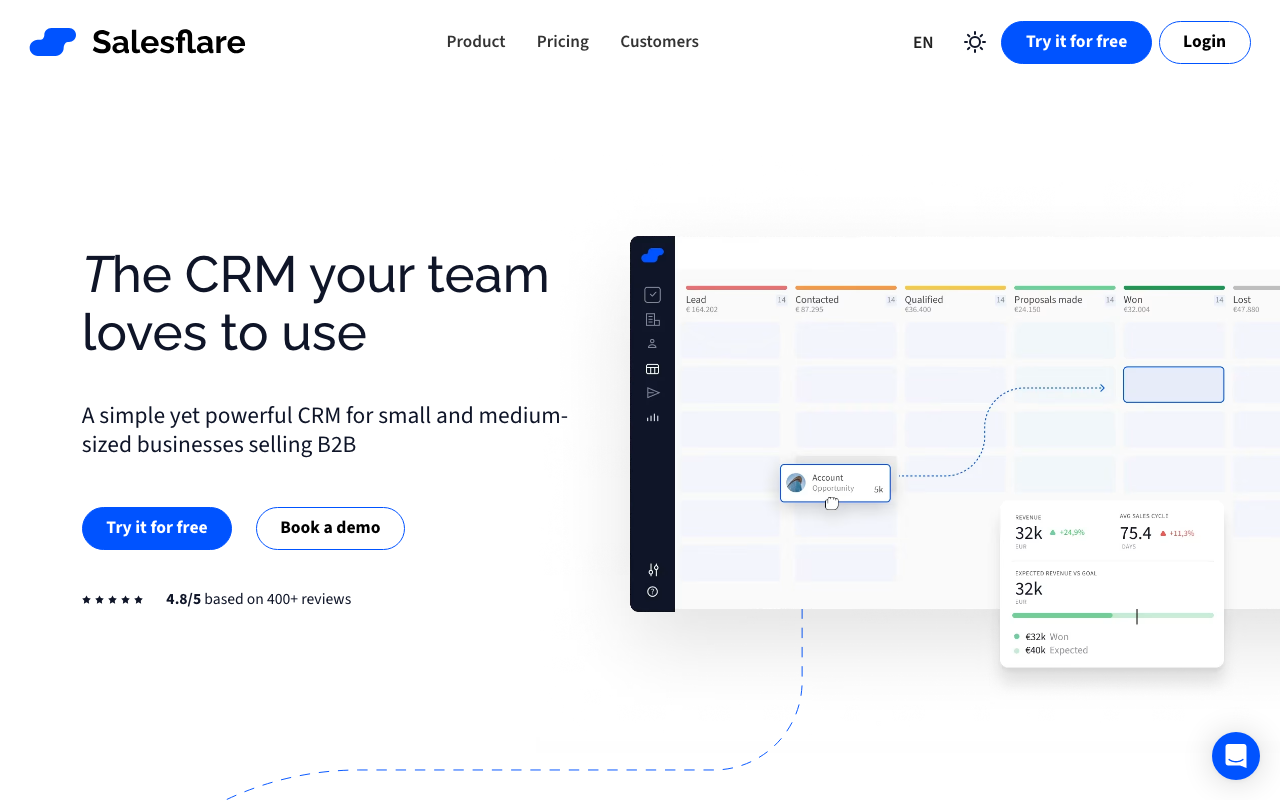
The pipeline visualizes deals as cards. Drag through stages (lead → qualified → proposal → won/lost). Automatic activity tracking logs emails, meetings, calls, and document views against deals. Reminders surface deals that have gone cold.
Email integration runs deep. Track opens and clicks; see when prospects open emails or attachments. Sequences send personalized series automatically. Templates accelerate common outreach patterns.
LinkedIn sidebar lets reps prospect from LinkedIn profiles. Click a profile; Salesflare creates a contact with auto-enriched data including email, role, and company information.
Integrations cover Gmail, Outlook, LinkedIn, Slack, Zapier, Calendly, Mailchimp, plus 5,000+ apps via Zapier. API supports custom integrations for technical teams.
Salesflare Pricing in 2026
Growth: $35/user/month annually. CRM, email tracking, basic features.
Pro: $55/user/month annually. Email sequences, custom dashboards, multi-currency.
Enterprise: $99/user/month annually. Custom training, dedicated CSM, advanced permissions.
30-day free trial of Pro tier. No free permanent plan.
See Salesflare Plans See plans →Where Salesflare Wins
- Auto-populated contact data: reps barely touch the keyboard.
- Strong Gmail/Outlook integration: feels like an email plugin, not a separate CRM.
- Pipeline focus: deal-centric rather than contact-centric.
- Quick adoption: small teams running within a week.
- European founders, GDPR-friendly: clean compliance posture.
Where It Falls Short
- Less marketing automation than HubSpot: not built for inbound marketing.
- Limited customization: works well out of the box but advanced configuration limited.
- Smaller ecosystem: fewer integrations than HubSpot or Salesforce.
- Higher minimum entry: $35/user is more than basic HubSpot or Pipedrive entry tiers.
Salesflare vs Pipedrive vs HubSpot vs Close
Named alternatives, published pricing
| Tool | Pricing | Model |
|---|---|---|
| Salesflare | $35/mo (lowest published recurring price) | Subscription |
| Pipedrive | $14/mo (Essential), $34/mo (Advanced), $49/mo (Professional) | Subscription |
| HubSpot | Free CRM, $50/mo (Starter), $890/mo (Professional) | Freemium |
| Close | $19/seat/mo (Solo), $35/user/mo (Startup), $99/user/mo (Pro) | Subscription |
Pipedrive is the closest competitor with similar sales-pipeline focus. Less automation, more customization.
HubSpot CRM is free and bigger ecosystem. More features, more complexity to manage.
Close targets phone-heavy inside sales teams.
Copper integrates tightly with Google Workspace.
Who Should Use Salesflare
Small B2B sales teams hating data entry: automation reduces admin overhead.
Service businesses (agencies, consultancies): relationship tracking works for service sales.
European SMBs: GDPR-native, strong privacy posture.
Skip it if: you need marketing automation (use HubSpot), run high-volume transactional sales (use Salesforce), or have a tight budget for tier-1 CRM features (use Pipedrive).
How Salesflare works
Salesflare is a CRM for small and medium B2B businesses built around one idea: you should not have to type your CRM data in. It pulls contacts, companies and activity out of your email, calendar, phone and LinkedIn, enriches company records automatically, and lays deals out in drag-and-drop visual pipelines. On top of the CRM it bundles sales execution features: email and website tracking, automated follow-up reminders, personalised email campaigns, multi-step email workflows, a built-in lead finder with an email-finder tool, and relationship intelligence that shows who on your team already knows a given contact.
Getting started means signing up (Google or Microsoft sign-in are available) and connecting your mailbox and calendar. The vendor's own review page cites setup taking under 30 minutes. In practice you install the pieces so activity is captured wherever you actually work: the Gmail and Outlook sidebars, the LinkedIn sidebar, the Chrome extension and the mobile app. From there you configure pipelines and stages, custom fields, email templates and workflows, plus dashboards and user permissions on the higher tiers.
Integrations are a two-tier story worth understanding before you buy. A handful of apps are natively integrated: Better Proposals, Landingi, StoryChief and Leadworx. Everything else, including Slack, QuickBooks, Intercom and Trello, connects through the natively supported integrators Zapier, Make and Blendr.io. There is also a REST API at api.salesflare.com with accounts, contacts and messages endpoints, usable directly or through Webhooks by Zapier if you would rather not write a client.
Where Salesflare wins
- Automatic data capture is the core design, not an add-on. Email, calendar and phone activity plus company enrichment populate records without manual entry, which is the main reason SMB teams stay with it rather than drifting back to a spreadsheet.
- Pricing is unusually honest about limits. The vendor states no caps on contacts, email templates, tracked or sent emails, custom fields, workflows, dashboards or pipelines. You pay per user, not per record.
- It lives where salespeople work: Gmail and Outlook sidebars, a LinkedIn sidebar, a Chrome extension and a mobile app, with the mobile app included from the entry Growth plan.
- A 30-day free trial with no credit card required, and cancellation stops billing immediately with no multi-year contract to unwind.
- Lead finder and email finder are built in, so low-volume prospecting does not require a separate Apollo or Hunter subscription on the side.
Where it falls short
- There is no free tier at all, only the 30-day trial. Pricing runs from $29 per user per month (Growth, annual) to $99 per user per month (Enterprise, annual), and paying month-to-month costs 25 to 35% more ($39, $64 and $124 respectively).
- Lead credits are stingy on the entry plan. Growth includes just 5 lead credits per month. You need Pro ($49 per user, annual) for 100, or you buy add-on packs at $39 for 250 up to $129 for 1,000.
- Key features are gated upward. Email workflows, user permissions and custom dashboards all require Pro. Enterprise adds setup and training, data migration and an account manager, but imposes a 5-user minimum, so the cheapest Enterprise contract is roughly $495 per month on annual billing.
- The native integration list is very short (Better Proposals, Landingi, StoryChief, Leadworx). Slack, QuickBooks, Intercom, Trello and most other tools run through Zapier, Make or Blendr.io, which means extra subscriptions, extra latency and extra things that can break.
- It is scoped to B2B relationship selling. The vendor positions it for small and medium B2B businesses: there is no marketing-automation suite, no quoting or invoicing module, and no B2C or high-volume transactional story anywhere on the site.
Who should use Salesflare
Salesflare suits small B2B sales teams, roughly 2 to 25 people, doing relationship-led and email-heavy selling who want a CRM that fills itself in and lives inside Gmail, Outlook and LinkedIn rather than in a separate tab nobody opens. Agencies, consultancies and SaaS startups are the natural fit, particularly if the alternative is a heavier CRM that nobody keeps up to date.
Skip it if you need a free plan, if you depend on deep native integrations with a specific stack (check that list carefully first), if you want marketing automation or CPQ in the same tool, or if you sell B2C at volume.
Frequently Asked Questions
Does Salesflare have a free plan?
No permanent free plan, but 30-day free trial of Pro tier.
How does email integration work?
Connect Gmail or Outlook. Salesflare captures signatures, meetings, and email history automatically.
Does it have email sequences?
Yes from Pro tier. Multi-step automated sequences with templates.
Can I integrate with LinkedIn?
Yes. Sidebar extension creates contacts from LinkedIn profiles with auto-enrichment.
What about marketing automation?
Basic email tracking and sequences. For marketing automation, use HubSpot.



