Last updated: September 2026
What Kick Actually Is
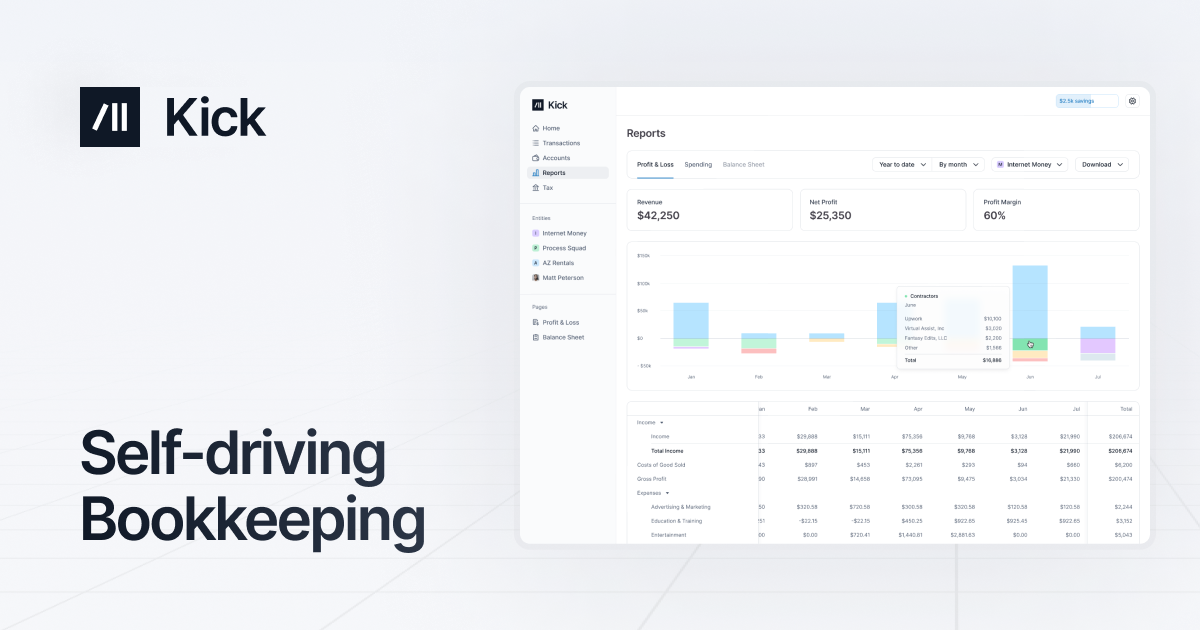
Kick is an agentic bookkeeping platform that treats the ledger as something software should maintain for you rather than something you fill in by hand. It connects to your bank, card, and payment accounts, reads each transaction as it lands, and posts it to the correct account without waiting for a month-end scramble. The company calls this self-driving bookkeeping, and the label fits: the default state of the product is a set of books that is already categorized, matched, and close to report-ready.
It is built for two overlapping audiences, the founder who never wanted to learn double-entry accounting and the accountant who is tired of chasing receipts and fixing miscoded transactions. Kick has raised $20M and reports use by more than 5,000 business owners and accountants. It leans further into automation than most incumbents, so it reads less like a spreadsheet with a login and more like an accounting engine that happens to ship with a dashboard.
Try Kick Get started →The Self-Driving Ledger
The feature that defines Kick is continuous, automatic categorization. Instead of importing a statement once a month and sorting rows by hand, Kick ingests transactions in real time and books each one as revenue, an expense, a transfer, or a deduction. It watches for the patterns a human bookkeeper would learn, then turns them into rules so the same vendor is handled the same way every time. You can write your own rules, accept suggested rules that the system proposes from your own history, and split a single charge across multiple categories when a purchase covers more than one thing. The more history it sees, the more of the ledger it can keep without a prompt from you.
Around that core, Kick handles the tedious matching work that usually eats an afternoon. It matches receipts and documents to the transactions they belong to, reconciles transfers so money moving between your own accounts is not double counted, and flags deductions such as home office, vehicle, and travel so they are not left on the table at tax time. Because the categorization runs constantly rather than in a monthly batch, the books stay current, which is the difference between reporting on your business and reconstructing it after the fact.
What Else It Does
Multi-entity general ledger
Kick is a full double-entry system, not a simplified cash tracker. It supports unlimited entities, multi-entity journal entries, intercompany receivables and payables, and consolidation across the businesses you run. Cash and accrual ledgers, multi-book accounting, a trial balance, and close-management tools are all present, so a single owner with several LLCs, or an accountant serving many clients, can keep everything under one roof rather than juggling separate files.
Tax-ready reporting
Reporting is built to produce statements you can actually file against. Kick generates profit and loss statements and balance sheets, a year-end tax package, AR and AP aging, expenses grouped by vendor, and revenue insights with custom revenue lines. Custom reporting and a custom chart of accounts let you shape the output to how your business actually operates rather than force it into a generic template, and the reports draw on the same live ledger so numbers do not drift between the dashboard and the export.
AI, MCP, and CLI access
This is where Kick looks different from legacy accounting tools. It exposes your books through an MCP server and a command line interface, and it connects to assistants including ChatGPT, Claude, and Cursor. In practice that means you can ask an AI assistant questions about your finances, or script directly against your ledger, instead of clicking through menus. For a technical founder, querying the books in the same environment where you write code is a genuine convenience, and it is a level of programmatic access most incumbents do not offer.
Integrations and imports
Kick connects to the accounts most small businesses already use, including Plaid for banking, Stripe and PayPal for payments, Mercury for banking, Ramp for cards and spend, and Gusto for payroll. A universal importer, statement sync, and document processing cover the accounts that do not have a direct connection, so historical data and one-off statements still make it into the ledger without manual retyping.
Pricing
Kick is genuinely free to start, and the free plan is unusually complete. The Free tier costs $0 per month, covers up to 250 transactions per year and one entity, and still includes auto-categorization, receipt and document matching, profit and loss and balance sheet reports, the general ledger, a year-end tax package, all integrations, and MCP and CLI access. It is aimed at new businesses and sole proprietors, and for a very small operation it may be all you ever need.
Paid plans open up unlimited transactions. Basic runs $40 per month (or $480 billed annually) for full-time businesses that need automation without hitting the transaction cap, with one entity included and additional entities at $50 per month. Plus is $100 per month (billed quarterly at $300) and adds unlimited multi-entity support, classes, AR and AP automation, and a full accrual ledger for growing businesses. Advanced is custom-priced and billed monthly, adding migration and training, dedicated support, consolidation, and deduction optimization for complex operations. Basic and Plus both include a 14-day trial with access to all paid features and the last four months of your transaction data. New users who sign up through the link on this page get 10% off for the first twelve months.
Who It Is For
Kick fits the modern owner-operator who wants correct books without becoming a bookkeeper, and the accountant who would rather review clean data than clean up messy data. Solo founders and side-business owners can run on the free plan indefinitely if they stay under the transaction limit, which makes it a low-risk starting point. Full-time businesses that generate steady volume are the natural fit for Basic, while anyone running multiple entities or needing accrual accounting will want Plus. Firms with migrations, training needs, and dedicated support belong on Advanced.
It is less of a match if you need deep industry-specific modules, established audit-firm workflows, or the exact QuickBooks and Xero ecosystem your existing accountant already lives in. Kick is newer, and it wins on automation and modern access (AI, MCP, CLI) rather than on the sheer breadth of a decade-old incumbent. For founders who value time and clean books over legacy familiarity, that trade is an easy one to make, and the free tier lets you test the claim before you pay anything.
Is Kick really free?
Yes. The Free plan costs $0 per month and includes auto-categorization, core financial statements, the general ledger, all integrations, and MCP and CLI access. It is capped at 250 transactions per year and one entity, so it suits sole proprietors and early-stage businesses. Higher volume or multi-entity needs require a paid plan.
How is Kick different from QuickBooks or Xero?
Kick is built around continuous, automatic categorization rather than manual month-end data entry, and it exposes your books through AI assistants, an MCP server, and a command line interface. It is a newer platform focused on automation, so it trades some of the breadth of long-established incumbents for a more hands-off, developer-friendly experience.
Does Kick support multiple businesses?
Yes. The platform supports unlimited entities with multi-entity journal entries, intercompany receivables and payables, and consolidation. On Basic you get one entity with additional entities at $50 per month, while Plus and Advanced include unlimited multi-entity accounting.
Can it handle accrual accounting?
Yes, though accrual ledgers, classes, and AR and AP automation are part of the Plus plan and above. The Free and Basic tiers cover cash-basis needs and the core reports, so businesses that require accrual reporting should plan on Plus.
Is there a free trial on paid plans?
Basic and Plus include a 14-day trial with access to all paid features and the last four months of your transaction data, so you can see fully categorized books before committing. Signing up through the link on this page also applies 10% off for the first twelve months.