
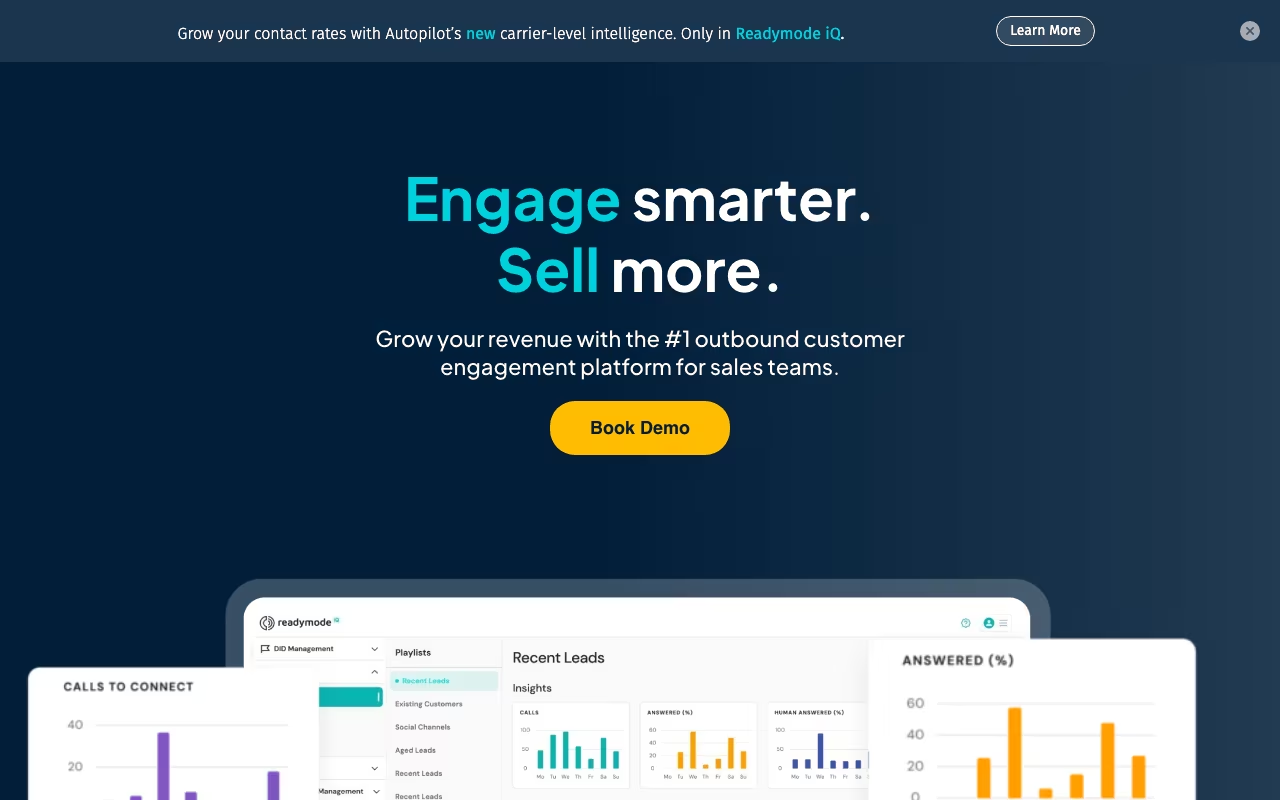
What is Readymode?
Cloud-based predictive dialer and call center software for sales teams
Readymode is aimed at sales teams that want to spend less time on admin work and more time actually closing deals. It handles the repetitive parts of the sales process so your reps can focus on conversations that move the needle.
How We Evaluated Readymode
We looked at Readymode on five things: pipeline management, lead scoring, outreach automation, CRM integration, and forecasting accuracy. Same checklist we use for every sales tool in the directory, so the comparisons are like for like.
That meant using the product, testing the features that matter most for sales work, reading the docs, and checking whether pricing is upfront or hidden behind a sales call. We also compared it against Demodesk and Capsule CRM to see where it stands.
Key Features
What Readymode actually gives you:
- Team Collaboration: Built-in collaboration tools for real-time teamwork
- Lead Management: Capture, score, and route leads efficiently
- Outreach Automation: Automate follow-ups and outreach sequences
- Deal Tracking: Monitor deals from first touch to close
Pricing
Readymode publishes its pricing: Starter is $239 and iQ is $299 per license per month billed monthly, or $199 and $249 billed annually, with custom pricing from 20 licenses.
To give you a rough sense of the market, comparable sales tools like Demodesk and Capsule CRM charge in the range of custom pricing to custom pricing/mo, which should help you calibrate expectations.
Prices checked on the Readymode pricing page in September 2026. Plans and limits change, so confirm before you buy.
Pros and Cons
What we like
- This is a tool built specifically for sales, which means the features are tailored to real use cases in this space rather than being generic functionality that sort of applies
- The pipeline view keeps your reps focused on moving deals forward instead of spending half their day navigating the tool itself, which is a trap a lot of CRMs fall into
- It focuses on doing one thing well rather than trying to be a Swiss Army knife, which usually means the core features get more development attention and polish than they would in an all-in-one platform
What could be better
- The tool only works if your reps actually log their activity consistently, and adoption is often the hardest part of rolling out any sales tool
- Larger organizations with complex requirements may find that some of the advanced features they expect from enterprise software are missing or underdeveloped
Readymode Alternatives
If Readymode isn't the right fit, here are the closest competitors worth looking at:
| Tool | What it does | Pricing |
|---|---|---|
| Demodesk | Demodesk is a business tool available at demodesk.com. Sign up to see pricing, features... | From $50/mo |
| Capsule CRM | Capsule and Transpond is a business tool available at transpond.io. Sign up to see pric... | From $18/mo |
| Lusha | Lusha is a business tool available at lusha.com. Sign up to see pricing, features, and ... | From $36/mo |
| Salesflare | Salesflare is a business tool available at salesflare.com. Sign up to see pricing, feat... | From $35/mo |
We track hundreds of sales tools in our tools directory. Worth browsing if none of these match what you need.
Who It's For (and Who It's Not)
Good fit: Readymode makes the most sense for sales teams and SDRs who spend most of their day inside their pipeline and need fast access to deal data, follow-up reminders, and lead context without switching between five different tabs. If that sounds like your situation, it's worth at least testing it out.
Skip it if: you close a handful of deals a month through personal relationships and word of mouth. At that volume, a well-maintained spreadsheet genuinely works fine. In that case, you might want to look at Demodesk as a lighter-weight option.
Bottom Line
Does its core job well. Worth the investment if sales is central to your daily work. If you only need it occasionally, look at a simpler option.
In short: Readymode is a strong choice for sales teams and SDRs who spend most of their day inside their pipeline and need fast access to deal data. you close a handful of deals a month through personal relationships and word of mouth.
Try ReadymodeHow Readymode works
Readymode is an outbound calling platform for high-volume sales and lead-gen teams, combining a predictive dialer with a built-in CRM, softphone, compliance tooling and reporting. It claims 20+ concurrent calls per rep and a 5x improvement in contact rate. Everything runs in the browser on a hybrid-cloud architecture the vendor says uses AWS and Cloudflare to keep dialing costs down. Outbound minutes are unlimited and free; you pay per license per month.
Setup goes like this: you buy licenses (one person per license at a time), complete a mandatory compliance form, and load lead lists into the built-in CRM. No separate CRM is required. Then you configure dial lists and queues and choose a dialing mode per campaign. Preview lets an agent review a lead before the call, progressive dials the moment an agent frees up, power holds a fixed number of lines per agent, and predictive paces off historical data. Caller-ID proximity matching sets the displayed area code to match the prospect.
Agents work from dynamic scripts with lead data merged in, and supervisors use live floor monitoring to listen, whisper or interject. Compliance is configured inside the product through DNC list import, export and filtering, state calling restrictions covering holidays and states of emergency, and call recording. Integration runs through an API plus hundreds of prebuilt Zapier connections, with Salesforce, HubSpot, HighLevel, Pipedrive and Podio named specifically.
Where Readymode wins
- Unlimited free outbound minutes, with no setup fee and no phone-number activation fee. For outbound-only teams the per-license price is close to the entire cost.
- Four genuine dialing modes (preview, power, progressive, predictive), selectable per campaign rather than one pacing algorithm applied everywhere.
- Compliance ships with the product. DNC import, export and filtering, state and holiday calling restrictions, call recording and TCPA-oriented guardrails are not a separate purchase.
- CRM, dialer and softphone are a single product. No downloads, no integration project, no per-seat softphone fee.
- Commercial terms are light. Monthly billing with no contract required, free one-on-one onboarding at three or more licenses, and 24/7 in-product AI chat with unlimited email support.
Where it falls short
- US and Canada only. You must be a currently registered business in one of those two countries to open an account at all.
- The headline price depends on billing term. The pricing page lists $239 and $299 per license per month billed monthly, or $199 and $249 per license per month billed annually, so check which term a quote assumes before budgeting.
- Meaningful features sit behind the 5+ license iQ tier, including call cadencing, Autopilot, managed caller-ID remediation and unlimited integrations. Starter explicitly has limited integrations.
- There is no free trial or free tier. Inbound minutes bill separately at $0.02 per minute, and voicemail drop costs extra and is limited to qualifying accounts.
- It is purely an outbound voice tool. The site names no native email, SMS or omnichannel sequencing, so multichannel outreach means bolting on another platform through Zapier.
Who should use Readymode
Readymode fits US and Canadian outbound call centers and high-dial sales teams: real estate, solar, insurance, home improvement and BPOs. The economics work when you dial enough volume that unlimited outbound minutes justify the license fee, and when consolidating dialer, CRM and compliance into one bill removes real overhead rather than replacing tools you are happy with.
It is also a reasonable choice for teams that need compliance handled without buying a second product, since DNC filtering, state and holiday restrictions and call recording are all in the box.
Skip it if you operate outside North America, since you cannot even register. Skip it if you run fewer than a handful of seats but want the iQ features, if you need multichannel sequencing rather than voice alone, or if you want to trial the product before paying.