What Quo is
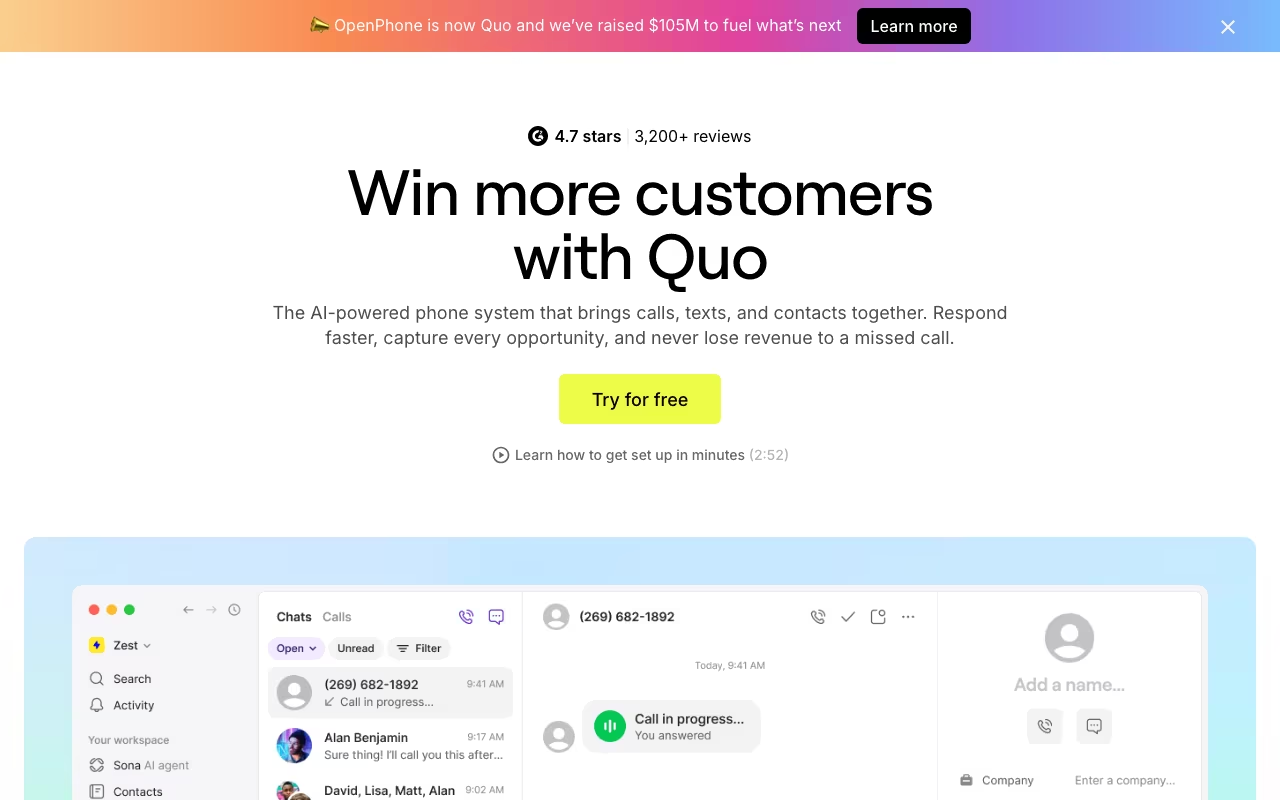
Quo, formerly OpenPhone, is a business phone system that gives small teams shared numbers for calls and texts, from $15 per user per month on annual billing after a 7-day trial. Every user gets a local or toll-free number, calls and texts to the US and Canada are unlimited under a fair usage policy, and the whole team can see one conversation history per customer. The company says it powers conversations for more than 90,000 businesses.
Our view: Quo is one of the easiest ways for a small North American team to stop running the business off personal cell numbers. It is not a contact center, and the cheapest plan leaves out things many teams assume are standard, like call transfers and CRM sync. The rest of this review covers where that line sits and what the real monthly bill looks like once you add the Sona AI agent.
Try Quo free for 7 days Get started →How Quo works day to day
Quo runs over your internet connection rather than your carrier plan, in apps for iOS, Android, Mac and Windows and in the browser. Your customers see the Quo number, and your personal number stays private. A shared number rings several teammates at once, and everyone who shares it sees the same calls, texts, voicemails, contact notes and internal threads, so a customer never has to repeat themselves to a second person.
Setup is mostly configuration. You create or port numbers (porting is free, extra numbers cost $5 a month each), set business hours, auto-replies and snippets, and on the Business plan and above build phone menus, ring orders and call transfers. Texting US numbers requires a one-time $19.50 carrier registration with The Campaign Registry plus a $1.50 to $3 monthly messaging fee, which Quo passes through on every plan.
Integrations split by plan. Slack, email notifications, Google Contacts, webhooks, the Quo API, Zapier and Make are on every tier. The native CRM connectors (HubSpot, Salesforce, Zoho CRM, Pipedrive, Attio, Clio, Jobber, Gong and HighLevel) start at Business. An MCP connector lets you query calls, texts and contacts from ChatGPT or Claude on all plans.
Quo pricing in 2026
Quo sells three plans per user, with a 7-day free trial and no free plan. Annual billing cuts 21% to 30% off the monthly rate, which on Starter is the difference between $15 and $19 per user.
| Plan | Monthly billing | Annual billing | Includes |
|---|---|---|---|
| Starter | $19/user/mo | $15/user/mo ($180/yr) | One number per user, unlimited US and Canada calling and texting, voicemail transcripts, Quo API, webhooks, Zapier and Make, manual call recording, shared numbers for up to 10 paid users |
| Business | $33/user/mo | $23/user/mo ($276/yr) | AI call summaries and transcripts on all calls, phone menus, call transfers, group calling, ring order, automatic call recording, CRM integrations, analytics, live chat support |
| Scale | $47/user/mo | $35/user/mo ($420/yr) | AI call tags, dedicated onboarding, priority chat and email support, inbound phone support on weekdays |
Add-ons sit outside the seat price. International calls and texts are billed per minute or per message from credits, automated texts sent through the API, Zapier or Make cost $0.01 per message segment, and audit logs and a SOC 2 report go through sales. For a five-person team on Business with annual billing, the seat cost is $1,380 a year before any of those extras.
Prices checked on the Quo pricing page in September 2026. Plans and limits change, so confirm before you buy.
What the Sona AI agent costs on top
Sona is Quo's AI voice agent. It answers calls when nobody is free, answers questions from the business details you give it, captures messages, texts a scheduling link while the caller is still on the line, and transfers to a person when needed. It speaks English, Spanish and French, and every Sona call is recorded and summarized.
Every plan includes 1,000 automation credits a month, which Quo equates to about 10 Sona calls. Beyond that Sona is a separate subscription: $25 a month for 40 calls, $49 for 100, $99 for 250 and $199 for 600, with overage from $1.00 per call on the free tier down to $0.45 on the top tier. A business that sends every after-hours call to Sona can spend more on the agent than on seats, so estimate call volume before you turn it on.
Where Quo wins
- The shared-number model is the core design, not an add-on: the whole team sees one thread of calls and texts per contact, which most per-seat phone systems do not do.
- A low entry price for a team phone system, with unlimited US and Canada calling and texting on every plan and a 7-day trial before you pay.
- A broad native CRM list for a phone tool from Business up: Salesforce, HubSpot, Pipedrive, Zoho, Attio, HighLevel, plus the vertical-specific Clio and Jobber.
- Webhooks, the Quo API, Zapier and Make on every tier, including Starter, so a small team can automate without upgrading.
- Sona AI answering on every plan with 1,000 free credits (about 10 calls) a month, so you can test AI call handling before paying for it.
- MCP access to ChatGPT and Claude on all plans, which is unusual for a phone system.
Where it falls short
- Included calling and texting covers US and Canadian numbers only. Every other country is a per-minute and per-message charge, so teams with customers abroad pay more.
- CRM integrations (HubSpot, Salesforce) are locked behind the Business tier at $23/user/month annual. Starter is effectively a standalone phone app.
- Starter is heavily gated beyond CRM: no group calling, no call transfers, no phone menus, no automatic call recording, AI summaries only for Sona-handled calls, shared numbers capped at 10 paid users, and 10 open tasks.
- Sona AI is metered on top of seat cost: 10 calls free, then $25/mo for 40 calls up to $199/mo for 600, with overages of $0.45 to $1.00 per call. Heavy AI answering gets expensive fast.
- "Unlimited" US/Canada calling and messaging is subject to a Fair Usage Policy, and automated SMS sent via API, Zapier or Make is billed at $0.01 per message segment.
Who should use Quo
Quo fits US and Canadian small-to-mid teams: sales, support, home services, legal and agencies that want one shared line per team with CRM logging and don't need a full contact centre. If your model is "customers call the company, not a person", the shared-number design does the work other tools bolt on awkwardly.
Skip it if your customers or staff sit outside North America, since international is add-on metered rather than native. Skip it if you need phone menus and call transfers on the cheapest plan, because those start at Business. And price it carefully if you expect to route high AI call volume: the Sona credit ladder, not the seat price, becomes the real bill.
Frequently asked questions
What is Quo?
Quo is the new name of OpenPhone, a business phone system for small teams. It gives each user a local or toll-free number, puts calls, texts and voicemails from shared numbers into one team inbox, and runs on iOS, Android, Mac, Windows and the web.
How much does Quo cost?
Quo costs $15, $23 or $35 per user per month on annual billing for Starter, Business and Scale, or $19, $33 and $47 on monthly billing (September 2026). Extra numbers are $5 a month each, and the Sona AI agent is billed separately above the 10 free calls included each month.
Is there a free version of Quo?
No. Quo has no free plan, only a 7-day free trial of the paid plans. The paid Sona add-on also cannot be bought until the trial converts to a paid plan.
Which Quo plan includes HubSpot and Salesforce?
Business and Scale. Starter has no native CRM connectors, although it does include the Quo API, webhooks, Zapier and Make, so you can build a sync yourself.
Can Quo call and text outside the US and Canada?
Yes, but it costs extra. Calls and texts to US and Canadian numbers are included, while other countries are billed per minute or per message at destination rates.
Is Quo the same product as OpenPhone?
Yes. OpenPhone rebranded as Quo, and parts of Quo's own site still use the OpenPhone name.