
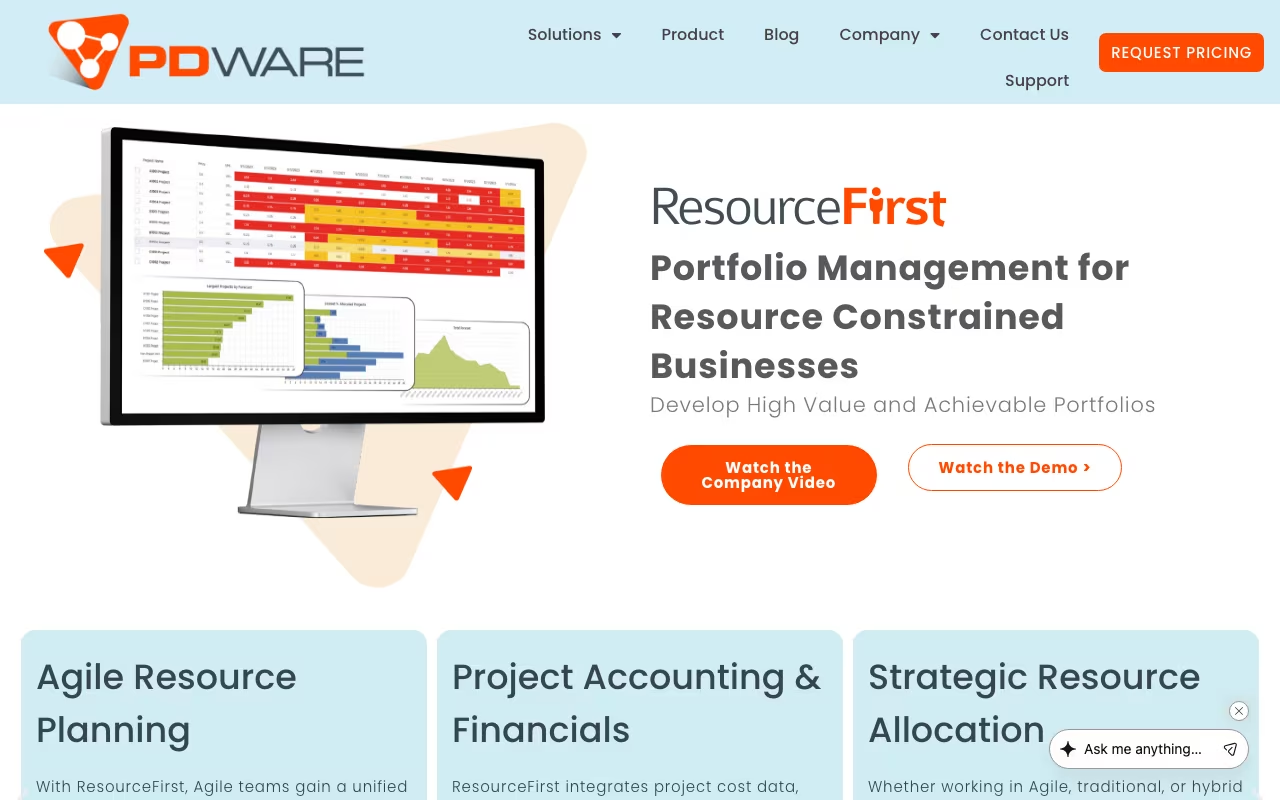
Most project portfolio management tools treat resource management as an afterthought: a tab you check after the project plan is done. PDWare flips that. Their flagship product, ResourceFirst, puts resource capacity planning at the center of portfolio decisions. The question isn't "what projects should we do?" but "given our people, what projects can we actually do?"
PDWare has been in this space for over 20 years, serving R&D organizations, professional services firms, and product development teams. This isn't a startup. It's an established enterprise tool for organizations where the constraint is always people, not ideas.
See PDWare ResourceFirst Get started →How It Works
Resource capacity planning: Forecast staffing needs across projects, departments, and time horizons. Understand true costs. Plan whether to hire, outsource, or defer projects based on actual people availability.
Portfolio optimization: Rank projects by strategic alignment, then use waterline analysis to visualize which projects fall above or below your funding and staffing thresholds. This is PDWare's strongest feature: showing you exactly where the line is between what you can do and what you can't.
What-if scenarios: Model different project mixes, budget adjustments, and hiring plans. "What happens if we delay Project X by three months?" "What if we add two engineers?" These questions get real answers instead of guesswork.
Skills tracking: Catalog competencies, certifications, and proficiency levels across your workforce. Match people to projects based on actual skills, not just availability.
Time tracking: Added in Release 9 (2024). Timesheet submission, manager approval, and integration with non-project activities.
Pricing
Pricing checked against PDWare's own site. Plans and limits change, so confirm before you buy.
Enterprise pricing starting around $50,000 as a one-time licensing fee. Scales with users, modules, and integrations. Annual support and configuration costs on top. No free tier.
This is clearly aimed at organizations with 200+ resources to manage and real portfolio complexity. If you're a 30-person company, the ROI math doesn't work.
Request PDWare Pricing See plans →Strengths
- Resource-first approach: Built around workforce planning from day one, not project scheduling with resources tacked on
- Scenario analysis: The what-if modeling is genuinely powerful. Compare multiple portfolio scenarios side by side with real resource constraints.
- 20+ years in the market: Mature, battle-tested software. Edge cases are handled.
- Highly configurable: Adapts to different industries and organizational structures
- Customer support: Users consistently report fast responses and willingness to provide custom configuration scripts at no extra charge
Limitations
- Steep learning curve: The breadth of features takes time to learn. Plan for dedicated training.
- High price point: $50K+ puts it out of reach for mid-market organizations
- Slower release cycles: Updates come less frequently than cloud-native competitors
- Small vendor: Limited market visibility compared to Planview, Smartsheet, or Microsoft Project
PDWare vs. the Alternatives
Resource and portfolio management options, pricing from vendor sites, November 2026, USD list prices
| Option | Starting price | Pricing model | Best for |
|---|---|---|---|
| PDWare | Quote based | Sales-led | Deciding which projects to staff |
| Planview | Quote based | Sales-led | Enterprise portfolio management |
| Smartsheet | Pro $9 per member/mo billed yearly | Per member, $12 monthly | Spreadsheet-style project tracking |
| Microsoft Planner and Project | $10 per user/mo paid yearly | Per user, Plan 3 at $30 per user/mo | Microsoft-based teams |
Planview is the enterprise standard for portfolio management. Broader feature set, much higher cost, and more complex to implement.
Smartsheet handles project management well but its resource management capabilities are basic by comparison.
Microsoft Project / Project for the Web is cheaper if you're in the Microsoft ecosystem, but its resource planning is surface-level.
PDWare wins when the primary challenge is "we have limited people and need to decide which projects to staff." If your challenge is project execution and tracking, other tools are better.
Bottom Line
PDWare is a specialized tool for a specific problem: organizations where resource constraints drive portfolio decisions. If that's your situation, and you have the budget and the people count to justify it, ResourceFirst does this better than most alternatives. If your portfolio is small enough to manage in a spreadsheet, you don't need this.
Try PDWare for Resource Planning Get started →How PDWare works
PDWare sells ResourceFirst, a resource-first portfolio and workforce planning platform for organisations that need to know whether they actually have the people to deliver what they have already committed to. Instead of starting from task-level project plans, it starts from the resource pool: capacity per person, demand per project, and the gap between the two. Modules cover resource planning, project planning, PMO and portfolio, agile team planning, time tracking, financials, business analytics and administration. The company is based in New York and says it has been doing workforce planning for over 20 years, with customers concentrated in pharma, medical devices and manufacturing.
Setup begins with the resource pool. Each person gets a capacity, defaulting to 1 FTE or 8 hours per day. You then create projects and assign either named resources or generic skills across time periods, using month, week or quarter start dates. Resource managers own the labour forecast: they maintain the pool, watch a colour-coded overload indicator (yellow, orange, red) that shows allocation against shortfall, set labour rates and approve timesheets. Because demand can be expressed as a skill rather than a person, you can plan before you know who will actually do the work.
Data moves in and out through CSV export and import, covering resources, projects, resource assignments, skill assignments, financial assignments and scenarios. Importing requires at least Project Manager (P1) permission. Scenario planning and waterline analysis let you model reprioritisation against the same capacity pool before you commit anything to the live plan. Dashboards are Qlik-powered with role-based views, and the getting-started material is split by role for all users, project managers and resource managers. Delivery is cloud on Microsoft Azure (PDWare is a Microsoft partner and sells through the Azure Marketplace), with a thin-client on-premise option. PDWare states an open architecture with a full API, a five-user minimum and roughly five weeks to production.
Where PDWare wins
- The capacity model is explicit and granular. Per-person daily capacity in FTE or hours, skill-based demand rather than named people only, and a colour-coded shortfall view that surfaces overload without you having to build a report.
- Scenario planning and waterline analysis are first-class. You can test reprioritisation against the same capacity pool before committing, instead of editing the live plan and hoping you can undo it.
- Round-trip CSV covers the whole data model. Resources, projects, resource assignments, skill assignments, financial assignments and scenario data all export and import, so bulk edits can happen in a spreadsheet.
- The experience is scoped by role. Separate getting-started paths and views for all users, project managers and resource managers, with Qlik dashboards per role.
- Deployment choice is real. Azure-hosted cloud sold through the Microsoft Azure Marketplace, or an on-premise thin client, with PDWare quoting roughly five weeks to production and a five-user minimum.
Where it falls short
- There is no published pricing anywhere on the site. Every path ends at a demo request or a phone number, so you cannot size a budget without a sales call.
- No free tier and no self-serve trial. The five-user minimum plus a multi-week implementation makes this a poor fit for a team that wants to try something this afternoon.
- Import is CSV only, and strict. The docs are explicit that .xls and .xlsx are not supported for import, dates must be mm/dd/yyyy on the period start, one bad record fails the whole import, and there is no undo after save.
- Import has hard limits. It cannot delete values, cannot create new OBS (org) nodes, and cannot bring in phases, milestones or their dates. Locked assignments, locked project nodes and projects with Lock Forecast enabled all reject imports.
- Named integrations are thin. PDWare's marketing and docs mention almost no specific third-party tools. The site claims open architecture and a full API but publishes no connector list, so any Jira, MS Project or ERP link should be treated as scoping work until sales confirms it.
Who should use PDWare
PDWare fits mid-size to large PMOs and functional resource managers who are drowning in spreadsheet capacity planning and need FTE-level supply and demand plus what-if reprioritisation across a portfolio. The customer concentration in pharma, medical devices and manufacturing is a signal: these are environments with scarce specialist skills, long horizons and real consequences when a programme is staffed on paper but not in reality. If your central question is "can we say yes to this next project", the resource-first model answers it directly.
Skip it if you want task-level project execution, because this is not a replacement for Jira or MS Project. Skip it if you have only a handful of planners, since the five-user minimum and multi-week implementation are hard to justify. And skip it if transparent pricing and self-serve onboarding are requirements, because you will be booking a demo before you learn anything about cost.