
Best Project Portfolio Management Tools (2026)

Key facts8 tools compared: Celoxis, Asana, Smartsheet, Wrike, monday work management, Planview…
- 8 tools compared: Celoxis, Asana, Smartsheet, Wrike, monday work management, Planview AdaptiveWork, Businessmap, ClickUp
- Celoxis (best for: Mid-size teams wanting real PPM): $10 Core to $45 Business
- Asana (best for: Cross-team work + goals): $24.99 Advanced (portfolios)
- Smartsheet (best for: Spreadsheet-native ops teams): $19 Business, Control Center extra
- Wrike (best for: Marketing & professional services): $25 Business
Most teams do not have a project management problem. They have a portfolio problem. Twelve initiatives are in flight, three of them quietly compete for the same two engineers, and nobody at the top can answer a simple question: which projects should we kill so the important ones actually ship?
That is the gap project portfolio management (PPM) software fills. A task tracker tells you who owns what. A PPM tool tells you whether the whole portfolio is overcommitted, where money is leaking, and which projects line up with the strategy you signed off on in January. Anyone running several parallel projects across content, paid media, and product needs an answer to that, so this guide compares these tools to see which ones earn their keep.
If you want the short version: Celoxis is my top pick for most teams that have outgrown a basic board, because it does real resource planning, financials, and AI-driven prioritization without enterprise-only pricing. But the right answer depends heavily on your stack and how financial your portfolio needs to be. Here is the full breakdown.
Quick comparison
| Tool | Best for | Price (per user/mo, annual) | Standout |
|---|---|---|---|
| Celoxis | Mid-size teams wanting real PPM | $10 Core to $45 Business | AI project prioritization + financials |
| Asana | Cross-team work + goals | $24.99 Advanced (portfolios) | Goals tied to portfolios |
| Smartsheet | Spreadsheet-native ops teams | $19 Business, Control Center extra | Grid + portfolio governance |
| Wrike | Marketing & professional services | $25 Business | Portfolio + project hierarchy |
| monday work management | Visual SMB teams | $19 Pro | Friendliest dashboards |
| Planview AdaptiveWork | Large enterprises | Custom | Strategic + agile + financial depth |
| Businessmap | Lean / Kanban portfolios | ~$8.50, $149/15 users Standard | Strategy-to-execution in one view |
| ClickUp | Budget all-in-one | $12 Business | Most features per dollar |

Celoxis: the best all-round PPM tool for most teams
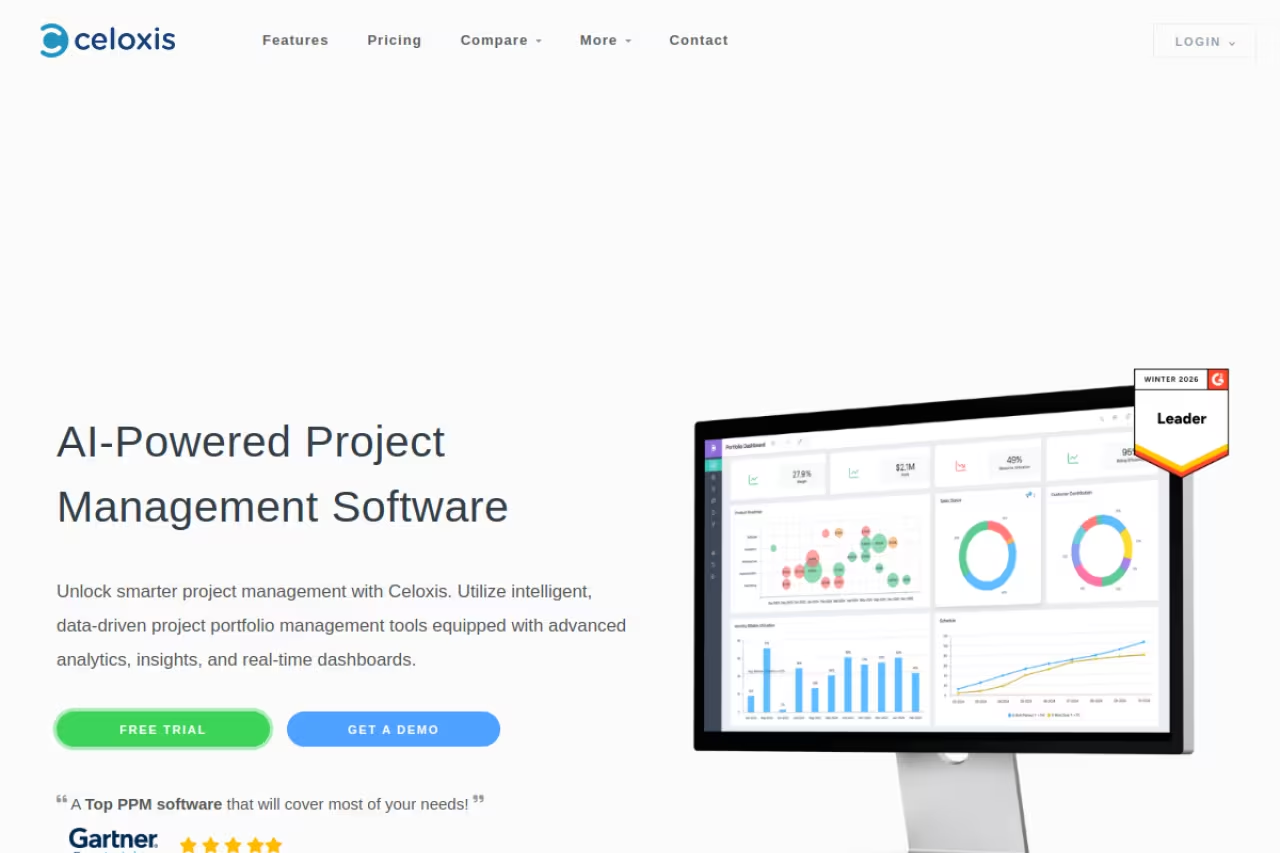
Celoxis is what I recommend when a team has clearly outgrown a Trello board but does not want to sign a six-figure enterprise contract. It covers the actual job of portfolio management: resource planning across projects, capacity forecasting, financial tracking, risk and intake management, and AI that scores and prioritizes projects for you.
Who it is best for: project management offices (PMOs) and operations leaders at companies in the 50 to 1,000 employee range who need to balance demand against capacity and report up to executives.
The all-round PPM pick for PMOs and operations leaders at companies of 50 to 1,000 employees who need to balance demand against capacity. Resource and financial modeling is strong, but the interface looks dated and there is a real learning curve.
Pricing is honest and tiered. Per the official pricing page, Core is $10 per user per month, Essentials (timesheets and resource planning) is $25, Professional (risk tracking, intake, costing) is $35, and Business (billing, client portal, advanced security) is $45, all billed annually. There is a 5 full-user minimum, and read-only viewers are free, which keeps the bill sane when execs just want dashboards.
The standout is the resource and financial engine. You can model what happens if you pull two developers off Project A, and the portfolio view recalculates timelines and utilization. The AI prioritization scoring is genuinely useful for intake triage rather than a bolted-on gimmick.
The catch: the interface looks dated next to monday or ClickUp, and there is a real learning curve. This is a tool you configure once and live in, not something a new hire grasps in an afternoon.

Asana: best when goals and work need to connect
Asana earns its spot because of how cleanly it ties strategy to execution. Its Goals feature lets leadership set objectives, then link individual projects (organized into Portfolios) directly to those goals, so you can see whether the work in flight actually moves the number you care about.
Who it is best for: cross-functional teams and growing companies where marketing, product, and ops all live in the same tool and leadership wants top-down visibility without a heavy PMO.
Portfolios, Portfolio Workload, and Goals all live on the Advanced plan at $24.99 per user per month billed annually, confirmed on Asana's pricing page. Enterprise is $35 and Enterprise+ is $45, adding SSO/SCIM, data residency, and audit log API. The free Personal tier is generous for small teams but has no portfolio features.
The standout is Portfolio Workload. You get a single view of who is overloaded across every project in a portfolio, color-coded, with the ability to rebalance assignments without opening ten tabs.
Where it falls short: Asana is light on financials. There is native time tracking on Advanced, but if your portfolio decisions hinge on budget burn, margins, or billing, you will be exporting to spreadsheets. It manages work beautifully and money barely at all.
Go with Asana when cross-functional teams want leadership to see whether projects move the goals that matter, without a heavy PMO. Portfolio Workload is excellent, but financials are thin, so budget burn means exporting to spreadsheets.

Smartsheet: best for spreadsheet-native operations teams
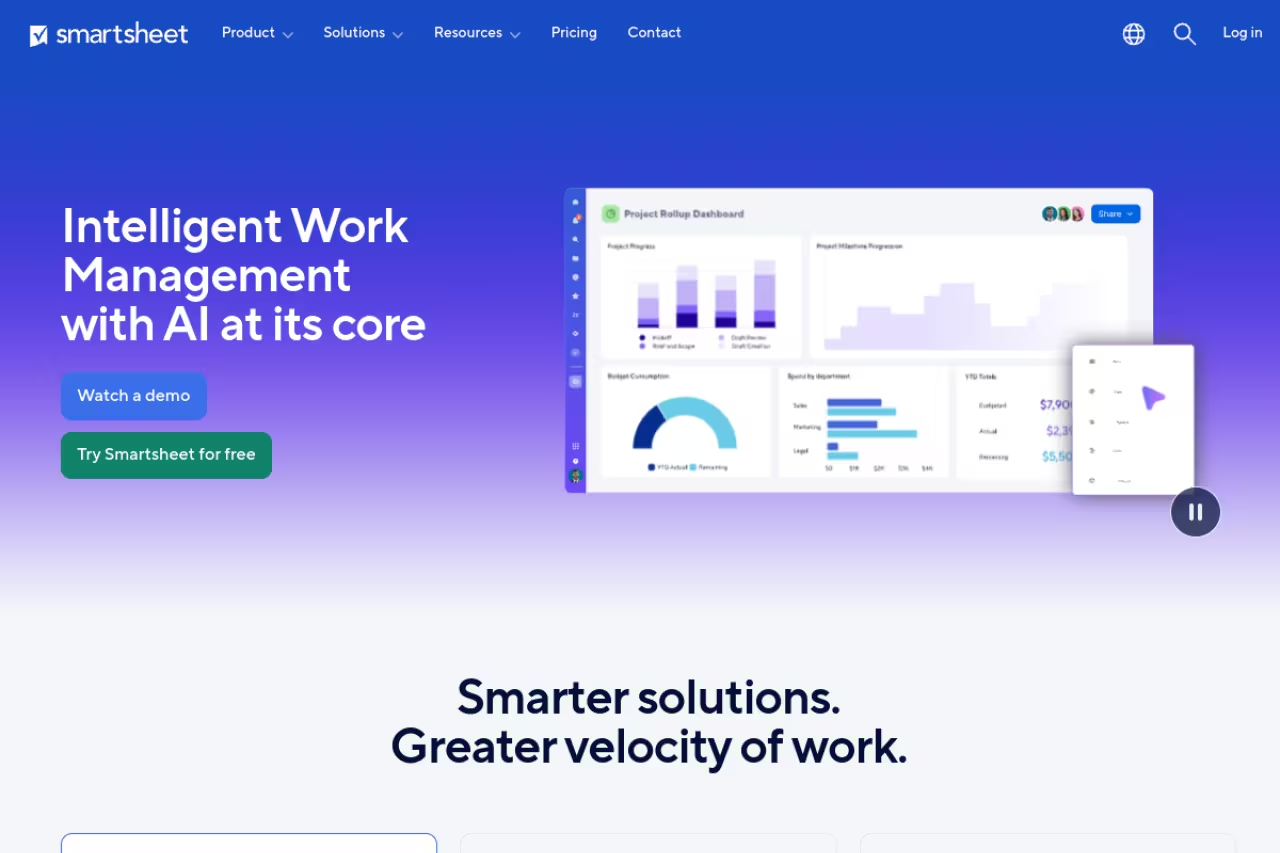
If your team thinks in rows and columns, Smartsheet will feel like home. It is a grid at its core, with Gantt views, automation, and dashboards layered on top, which makes it unusually quick to adopt for finance, operations, and construction teams who already run their lives in Excel.
Who it is best for: large operations teams that need spreadsheet flexibility plus governance, and organizations standardizing how dozens of similar projects get launched.
Pro is $9 per user per month and Business is $19 per user per month billed annually, according to Smartsheet's pricing. The portfolio muscle lives in Control Center, an add-on (priced per user or as a flat fee, quoted by sales) that lets you spin up standardized projects from templates and roll them into portfolio dashboards. Enterprise and Advanced Work Management plans are quote-only.
The standout is Control Center's templating and governance. If you launch the same project shape 40 times a year, it enforces consistency and aggregates everything into one portfolio rollup automatically.
The catch: the real PPM power sits behind add-ons and quote-only tiers, so the published $19 sticker price is misleading for portfolio use. Expect to talk to sales, and expect the total to climb.
A natural fit for large operations teams that live in rows and columns and want spreadsheet flexibility plus governance. The catch is that real PPM power sits behind add-ons and quote-only tiers, so the $19 sticker price misleads.
If you are juggling multiple AI-assisted projects and want your team focused on output instead of tool-wrangling, a Dupple X yearly trial is a low-friction way to test that workflow shift.

Wrike: best for marketing and professional services
Wrike sits in a sweet spot for agencies, marketing teams, and services firms that bill clients and need to track work, proofing, and resources together. Its portfolio management and project-hierarchy features let you nest programs inside portfolios and report across all of them.
Who it is best for: marketing departments and professional services orgs that need request forms, proofing, time tracking, and client-facing reporting in one place.
Wrike restructured pricing in January 2026. The Team plan is $10 per user per month and Business, where portfolio management unlocks, is $25 per user per month billed annually, per Wrike's pricing page. The old Enterprise tier was retired for new customers and replaced by a higher Apex tier; both Pinnacle and Apex are quote-only now.
The standout is how well Wrike handles request intake and creative workflows. Custom request forms route work into the right portfolio automatically, and the proofing tools are strong for design-heavy teams.
Where it falls short: the Business minimum is 5 seats ($125/month) and above 100 users you buy seats in 25-seat blocks, so a 101-person rollout is billed as 125 seats. The pricing math punishes awkward team sizes.
Wrike suits marketing departments and professional services orgs that need request forms, proofing, time tracking and client reporting together. It is strong on intake and creative workflows, but seat blocks above 100 users punish awkward team sizes.
monday work management: best for visual, fast-moving SMBs
monday work management wins on approachability. The color-blocked boards, drag-and-drop dashboards, and template gallery mean a non-technical team can build a portfolio view in an afternoon, which is rare in this category.
Who it is best for: small and mid-size teams that want portfolio-style dashboards without a PMO or a consultant, and who value adoption speed over financial depth.
Work Management runs $9 per seat (Basic), $12 (Standard), and $19 (Pro) billed annually, with Enterprise quote-only, per monday's pricing. There is a 3-seat minimum on paid plans, so the real entry cost is higher than the headline per-seat number suggests.
The standout is dashboard building. Aggregating data from multiple boards into a single portfolio overview is genuinely drag-and-drop, and the widgets look good enough to drop straight into a board meeting.
The catch: it is a work-management platform first and a PPM tool second. Deep resource capacity planning and portfolio financials are not its strength, so larger or more financial portfolios will hit a ceiling.
A fast, approachable option for small and mid-size teams that want portfolio dashboards without a PMO and value adoption speed over financial depth. It is a work-management platform first, so deep capacity planning and portfolio financials hit a ceiling.

Planview AdaptiveWork: best for large enterprises
Planview AdaptiveWork (formerly Clarizen) is built for organizations where portfolio management is a discipline with its own team. It combines strategic planning, agile delivery, resource management, and financials, plus Planview's Anvi AI assistant for connected work.
Who it is best for: enterprises with formal PMOs, complex resource constraints, and a need to connect top-down strategy to bottom-up delivery across hundreds of projects.
The enterprise choice for organizations with formal PMOs and complex resource constraints across hundreds of projects. It models strategy to delivery in depth, but it is quote-only, complex and overkill without a dedicated admin.
Pricing is custom and quote-only, which tells you the segment. This is not a tool you swipe a credit card for. Expect enterprise sales cycles and implementation partners.
The standout is configurability and depth. Few tools model the full chain from strategic theme to funded portfolio to agile team capacity as thoroughly, and the real-time dashboards on risk and resource use are built for executives.
Where it falls short: it is overkill for small teams, and the power comes with complexity and cost. You need someone who owns the tool. If you do not have a dedicated admin, you will use a fraction of what you paid for.

Businessmap: best for Lean and Kanban portfolios
Businessmap (formerly Kanbanize) is the pick for teams that run on flow-based, Lean, or SAFe methods. It connects daily Kanban work to strategic OKRs and portfolio-level boards, so you can trace a single card all the way up to a company objective.
Who it is best for: agile and Lean organizations, especially those scaling agile across multiple teams, who want portfolio visibility rooted in actual workflow rather than Gantt charts.
The Standard plan runs about $149 for 15 users per month billed annually (roughly $8.50 per user at scale), with Enterprise quote-only, per Businessmap's pricing. The 15-user starting block makes it less attractive for very small teams.
The standout is the strategy-to-execution linkage. Workspaces, OKRs, KPIs, and dependency timelines all connect, so leadership sees flow metrics and outcomes in the same place. The analytics on cycle time and throughput are some of the best in the category.
The catch: if your org does not think in Kanban and flow, a lot of the value is lost. This is opinionated software, and it rewards teams that buy into the method.
Pick Businessmap if your agile or Lean organization wants portfolio visibility rooted in actual workflow rather than Gantt charts. Cycle time analytics are among the best, but teams that do not think in Kanban lose much of the value.

ClickUp: best budget all-in-one
ClickUp packs the most features per dollar of anything here. Workload management, advanced dashboards, goal folders, and portfolio rollups all live on the Business plan at $12 per member per month billed annually, per ClickUp's pricing.
Who it is best for: cost-conscious startups and mid-size teams that want one tool to replace docs, tasks, and portfolio dashboards, and do not mind tinkering.
The standout is the dashboard flexibility at the price. You can build a portfolio overview pulling from every space without paying enterprise rates, which makes it the best value play on this list.
Where it falls short: ClickUp's breadth is also its weakness. It can feel cluttered, performance dips on huge workspaces, and ClickUp Brain (the AI) is a separate $9 per member add-on. The depth of resource planning does not match Celoxis or Planview.
The best value play for cost-conscious startups and mid-size teams that want one tool for docs, tasks and portfolio dashboards. The Business plan at $12 per member packs the most features per dollar, but it can feel cluttered and Brain costs $9 extra.
How to choose the right PPM tool
Skip the feature checklists and answer three questions.
First, how financial is your portfolio? If decisions hinge on budget burn, margins, and billing, go to Celoxis, Wrike, or an enterprise tool like Planview. If they hinge on capacity and goals, Asana or monday is enough.
Second, what does your team already live in? Spreadsheet people thrive in Smartsheet. Kanban teams belong in Businessmap. Microsoft-heavy shops should also look at Microsoft Planner's portfolio tier. Forcing a method your team rejects is how tools die unused.
Third, how big is the org? Under 50 people and value-conscious, ClickUp or monday. Mid-size with a real PMO need, Celoxis. Hundreds of projects and a dedicated admin, Planview or Smartsheet Control Center.
Buy for the portfolio problem you actually have, not the one a sales deck invents. The same logic applies to your wider stack: I keep a running list of what I rely on in my top AI tools roundup, and if AI agents are creeping into your project workflows, the best AI agents guide is a useful companion read.
FAQ
What is the difference between project management and project portfolio management?
Project management is about delivering one project on time and on budget. Project portfolio management sits a level above and asks which projects you should be doing at all. PPM tools handle cross-project resource allocation, capacity planning, financial rollups, and strategic alignment so leadership can fund, pause, or kill initiatives based on the whole picture rather than one project in isolation.
What is the best project portfolio management tool for small teams?
For small teams, monday work management or ClickUp give you portfolio-style dashboards without enterprise complexity, starting at $19 and $12 per user per month respectively. If you need real resource and financial planning at that size, Celoxis Core at $10 per user per month (5-user minimum) is the better long-term bet because you will not outgrow it as fast.
Do project portfolio management tools handle resource capacity planning?
The dedicated ones do. Celoxis, Wrike, Smartsheet (via Resource Management), and Planview AdaptiveWork all model resource availability against project demand so you can spot overallocation before it becomes a missed deadline. Lighter tools like monday and basic Asana plans show workload but do less true capacity forecasting, so check this carefully if balancing people across projects is your core pain.
How much does PPM software cost?
Entry-level portfolio features start around $12 to $25 per user per month on annual billing (ClickUp Business, Asana Advanced, Wrike Business). True enterprise PPM platforms like Planview AdaptiveWork and Smartsheet's Control Center are quote-only and run materially higher, often with implementation costs on top. Watch for seat minimums and add-ons, which inflate the real price well above the sticker.
Can I use a free tool for project portfolio management?
You can start free, but you will hit a wall fast. Asana, ClickUp, and Wrike all have free tiers, but portfolio views, goals, and workload features are locked behind paid plans in every case. Free plans work for tracking individual projects; the moment you need to compare projects against each other and plan resources across them, you are into paid territory.
Related guides
Some offers on this page may be paid placements or contain affiliate links.
Across our whole catalogue the median is $24 a month and 33% of tools advertise a free tier. Figures are the lowest recurring monthly price quoted in our own review of each tool, read on 2026-08-19. Full method and every category.
