
Best Construction Project Management Software (2026)

Key facts8 tools compared: Procore, Buildertrend, Contractor Foreman, Fieldwire, Autodesk Build, Houzz…
- 8 tools compared: Procore, Buildertrend, Contractor Foreman, Fieldwire, Autodesk Build, Houzz Pro, Smartsheet, monday.com
- Procore (best for: Commercial GCs, large projects): From ~$4,500/yr, volume-based
- Buildertrend (best for: Residential builders & remodelers): Custom, ~$339 to $1,099/mo range
- Contractor Foreman (best for: Small-to-midsize contractors): $49 to $332/mo flat
- Fieldwire (best for: Field crews, plan management): Free to $89/user/mo
Most construction software gets bought by the office and ignored by the field. That's the real problem. You can sign a six-figure contract, run a slick demo for the project managers, and three weeks later your superintendent is still texting photos and tracking RFIs in a spreadsheet. The tool that wins is the one the people in muddy boots actually open.
So I looked at this from the field up, not the boardroom down. I dug into current pricing, talked to what contractors are reporting in 2026, and weighed the gap between what a platform promises and what crews really use. The answer depends heavily on what you build and how big you are. A residential remodeler and a commercial general contractor managing a $40M hospital need very different things.
If you want the short version: Procore is still the default for commercial general contractors who need everything in one place and can absorb the cost. Buildertrend owns the residential home-builder and remodeler market. And if you're a small-to-midsize contractor who doesn't want to be quoted a number based on your revenue, Contractor Foreman gives you the most for a flat monthly rate. Here's the full breakdown.
Quick comparison
| Tool | Best for | Price | Standout |
|---|---|---|---|
| Procore | Commercial GCs, large projects | From ~$4,500/yr, volume-based | Deepest module ecosystem |
| Buildertrend | Residential builders & remodelers | Custom, ~$339 to $1,099/mo range | Client-facing portal |
| Contractor Foreman | Small-to-midsize contractors | $49 to $332/mo flat | Most features per dollar |
| Fieldwire | Field crews, plan management | Free to $89/user/mo | Best mobile plan viewer |
| Autodesk Build | Design-build, BIM-heavy work | Custom quote | BIM and model coordination |
| Houzz Pro | Design-build remodelers | From $149/mo | Built-in lead generation |
| Smartsheet | Teams wanting flexible PM | $9 to $19/user/mo | Spreadsheet familiarity |
| monday.com | Office-side coordination | $9 to $19/seat/mo | Easiest to adopt |
Procore: the commercial GC standard

Procore is the platform other tools get compared to. It runs RFIs, submittals, drawings, daily logs, cost management, bidding, safety, and field coordination, and it has the integration ecosystem to connect to your accounting and BIM stack. If you're a commercial general contractor coordinating dozens of subs across multiple jobsites, it does more than anything else on this list.
Who it's best for: mid-to-large commercial GCs and owners running projects where document control and audit trails actually matter. Procore says it has supported over 3 million projects across 160+ countries, and that scale shows in how mature the workflows are.
The commercial GC standard for coordinating dozens of subs where document control and audit trails matter. It is priced out of reach for most small firms, and you pay for modules you may never touch.
Pricing is the catch, and it's a big one. Procore quotes based on your annual construction volume, not per seat, so unlimited users is a genuine perk. Reported figures put the entry point around $4,500/year for small contractors, scaling to $25,000 for mid-market and $60,000+ for enterprise, with contractors estimating roughly $700 to $1,000 per million dollars of revenue (per Costbench's 2026 breakdown). The Cost Management module typically adds $6,000 to $12,000 a year on top.
The catch: the price tag puts it out of reach for most small firms, and you pay for modules you may never touch. Procore is overkill for a four-person remodeling crew. It earns its keep on complex commercial work, not simple jobs.
Buildertrend: built for home builders
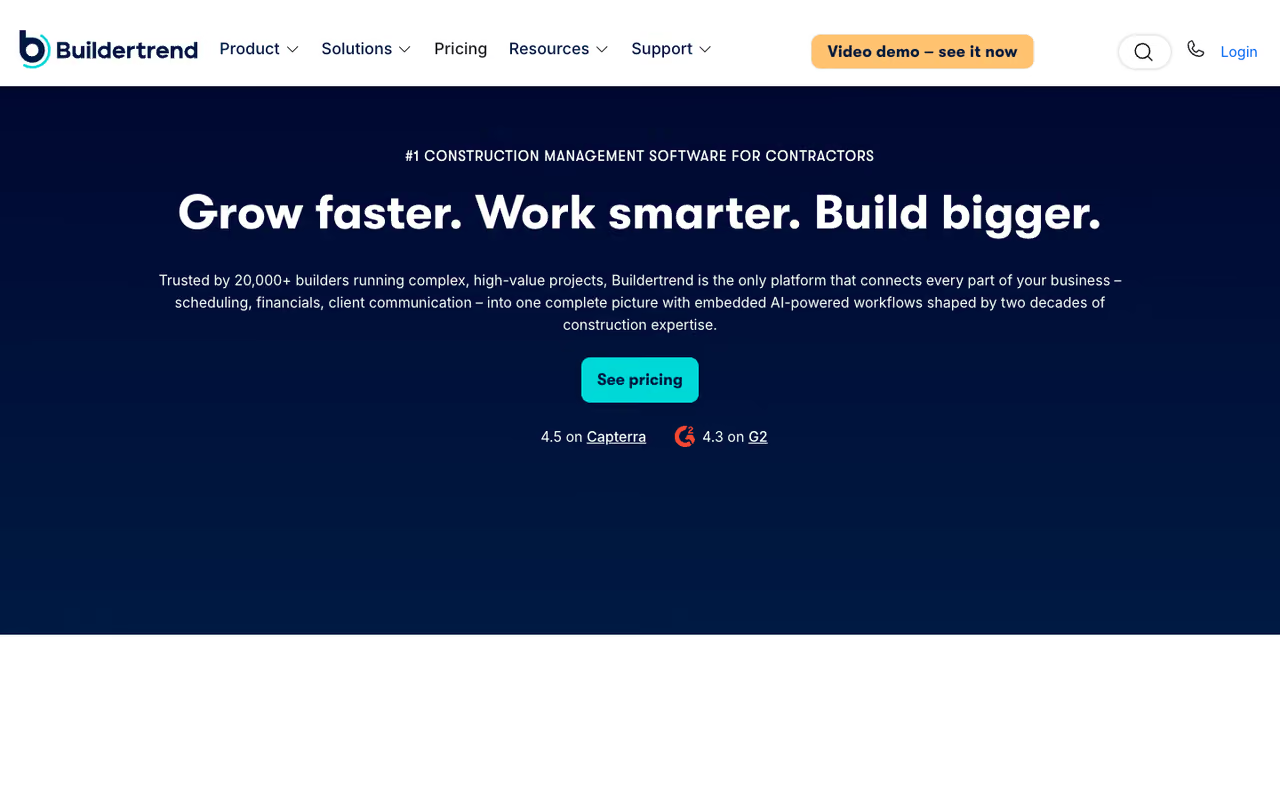
Buildertrend is the one residential builders and remodelers keep coming back to. It nails the parts of home construction that commercial tools treat as afterthoughts: client communication, selections, change orders, and a homeowner-facing portal where your customer can see progress and approve choices without calling you ten times a day.
Who it's best for: custom home builders, remodelers, and specialty residential contractors, generally those doing $5M+ in annual volume. Every plan includes unlimited users and projects, so a growing crew never costs you more in seats.
On pricing, Buildertrend removed published pricing in 2026 and moved to volume-based quotes. Reported numbers land roughly in three tiers: Essential around $339 to $499/month, Advanced around $699 to $799, and Complete around $829 to $1,099. There's usually a first-month promo near $199 and an annual prepay discount.
The catch: it leans hard residential. If you do commercial or heavy civil work, the workflows fight you. Several users also flag a learning curve and the annual lock-in, where canceling early gets you no refund. Worth a real trial before you commit twelve months.
The one residential builders and remodelers keep coming back to, with a homeowner portal and unlimited users on every plan. It leans hard residential, and the annual lock-in makes a real trial worthwhile.

Contractor Foreman: the value pick
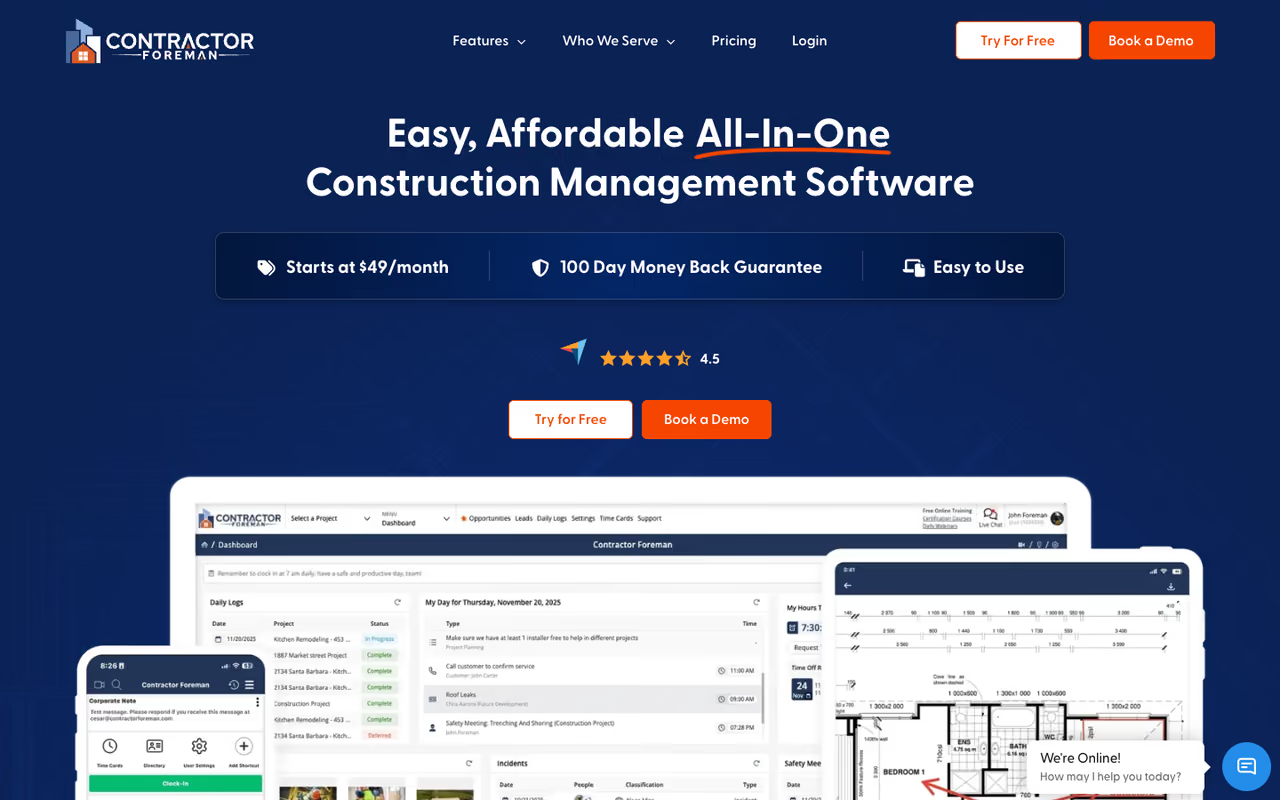
This is the one I recommend most often to small and midsize contractors, and it's because the math is honest. Contractor Foreman packs estimating, scheduling, job costing, time tracking, invoicing, daily logs, and field management into one app, and it charges a flat monthly rate that doesn't climb when your revenue does.
Who it's best for: solo operators and crews up to mid-size who want the feature depth of an enterprise tool without enterprise pricing or enterprise complexity.
My most frequent recommendation for small and midsize contractors, with a flat monthly rate that doesn't climb with revenue. The interface can feel busy, and some integrations like QuickBooks Desktop sit behind the top tiers.
Pricing is the highlight. Plans run $49/month (Basic) up to $332/month (Unlimited), with Standard, Plus, and Pro in between. The rate you sign up at is the rate you keep, and there's a 30-day window to try it. For a small contractor, paying $166/month flat instead of being quoted a percentage of revenue is a real difference.
The catch: the interface tries to do a lot, so it can feel busy, and some integrations (like QuickBooks Desktop) sit behind the top tiers. It's not as polished as Procore. But for the price, nothing else gives you this much. If your books are also a mess, pair it with one of the picks in our best accounting software for construction guide.

Fieldwire: the field-first choice
Fieldwire (now owned by Hilti) does one thing better than anyone: it puts your drawings, tasks, and punch lists in your crew's hands on a phone or tablet. Plan viewing, markups, task assignment, checklists, and photo capture all work fast in the field, even on spotty jobsite connections.
Who it's best for: superintendents and trade contractors who care more about field execution than back-office cost management. It pairs well alongside a heavier office platform.
The free Basic plan covers 5 users, 3 projects, and 100 sheets, which is genuinely useful for a small crew. Paid plans run $39/user/month (Pro), $64 (Business), and $89 (Business Plus) billed annually, with RFIs, submittals, and budgets unlocking at the top tier.
The catch: it's a field tool, not a full PM suite. Accounting, advanced cost tracking, and client billing live elsewhere. The per-user model also adds up fast for big field teams, where Procore's unlimited-user pricing starts to look better.
The field-first choice for superintendents and trade contractors, with a free plan covering 5 users and 3 projects. It is a field tool, not a full PM suite, and per-user pricing adds up for big field teams.
Autodesk Build: for BIM-heavy work
Autodesk Build (part of Autodesk Construction Cloud, which in early 2026 began folding into Autodesk Forma) is the pick when your projects revolve around models. If you're already in Revit and BIM 360, Build keeps your design data, RFIs, submittals, and field issues connected to the actual model.
Who it's best for: design-build firms, large GCs, and anyone whose coordination problems are really model-coordination problems.
Pick it for design-build firms and large GCs whose coordination problems are really model problems, if you already run Revit. Pricing is quote-based, and outside the Autodesk ecosystem the value drops sharply.
Pricing is quote-based and not published openly, which tells you the target customer. It's an enterprise tool sold by sales reps.
The catch: outside the Autodesk ecosystem, the value drops sharply. If you're not running Revit and your work isn't model-driven, you're paying for a coordination engine you won't fully use. Procore arguably has broader general PM workflows; Autodesk wins on the BIM-native side.

Houzz Pro: design-build with leads attached
Houzz Pro is a clever bundle. It combines project management (estimates, proposals, client dashboards, basic scheduling) with access to the Houzz homeowner marketplace, so your PM software doubles as a lead source.
Who it's best for: design-build remodelers and interior-focused contractors in active Houzz markets where homeowner leads are your bottleneck, not your project tracking.
A clever bundle for design-build remodelers in active Houzz markets where homeowner leads are the bottleneck, from around $149/month. Project management depth is shallow, so skip it if leads aren't your problem.
Pricing starts around $149/month. If you'd otherwise pay separately for both PM software and lead generation, the combined cost can come out ahead.
The catch: the project management depth is shallow compared to Buildertrend or Contractor Foreman. No real section-based scoping, lighter document control. You're buying it for the marketplace and the polished client-facing proposals, not for managing a complex build. If leads aren't your problem, look elsewhere.
Smartsheet and monday.com: the flexible generalists
I'm grouping these because they solve the same itch from the same angle: you want a flexible work platform you can shape into a construction workflow, instead of a rigid industry tool.
Smartsheet feels like a spreadsheet with superpowers, which makes adoption easy for office teams that already live in Excel. It runs $9/user/month (Pro) and $19 (Business) billed annually, with AI features on the Enterprise tier. Construction teams use it for portfolio dashboards, schedules, and capital project tracking.
monday.com is the easiest to get a team to actually use. Work Management runs $9 to $19/seat/month billed annually, with a 3-seat minimum.
Who they're best for: office-side coordination, scheduling, and reporting, especially for firms that find Procore too rigid or too expensive.
Flexible generalists if you want to shape your own construction workflow: Smartsheet suits Excel-minded office teams, and monday.com is easiest to get a team to use. Neither knows construction, so you build RFIs and submittals yourself.
The catch for both: they don't know construction. No native RFIs, submittals, drawing management, or cost codes. You build those yourself with templates and automations, which works until your jobs get complex. And the per-seat model gets pricey if you try to put 80 field workers on it. For broader options here, our best AI for project management and best agile project management tools guides go deeper on the flexible-platform side.
How to choose
Match the tool to what you build, not to the longest feature list. Three questions get you most of the way there:
What type of work do you do? Commercial and civil GCs should shortlist Procore and Autodesk Build. Residential builders and remodelers should start with Buildertrend or Houzz Pro. Mixed or small-shop work points to Contractor Foreman.
How big is your field team? Per-user tools (Fieldwire, Smartsheet, monday.com) are cheap for small crews and expensive at scale. Volume-based tools (Procore, Buildertrend) cost more upfront but don't punish you for adding people. Past roughly 30 to 40 field users, do the per-seat math before signing.
What's actually broken right now? If it's field execution, Fieldwire fixes that for almost nothing. If it's client communication, Buildertrend or Houzz Pro. If it's cost control and you're small, Contractor Foreman. Buy for the bottleneck, not for the brochure.
One more thing: whatever you pick, the rollout matters more than the logo. Run a real pilot on one live job, get your superintendent's buy-in before the office commits, and budget for training. The best platform fails if the field won't open it.
If you're a founder or operator trying to keep up with which tools are actually worth adopting across your whole stack, Dupple X tracks the AI and software tools that matter so you don't have to test all of them yourself.
FAQ
What is the best construction project management software for small contractors?
For small-to-midsize contractors, Contractor Foreman gives you the most value, with plans from $49/month flat that don't increase with your revenue. It covers estimating, scheduling, job costing, and field management in one app. If your work is field-heavy, Fieldwire's free tier (5 users, 3 projects) is a strong no-cost starting point. Procore and Buildertrend are usually overkill at this size.
How much does construction project management software cost?
It varies widely by model. Per-user tools like Fieldwire run $39 to $89/user/month, and flexible platforms like Smartsheet and monday.com sit at $9 to $19/user/month. Flat-rate tools like Contractor Foreman run $49 to $332/month total. Volume-based enterprise tools quote on your annual construction revenue: Procore reportedly starts around $4,500/year and Buildertrend roughly $339 to $1,099/month, both scaling with your business.
Is Procore worth it for residential builders?
Usually not. Procore is built for commercial general contractors and its strengths (deep RFI/submittal workflows, cost management, audit trails) matter less on residential jobs. For home building and remodeling, Buildertrend handles client communication, selections, and change orders far better, and Contractor Foreman costs a fraction of Procore. Reserve Procore for complex commercial and civil work.
What's the difference between Procore and Autodesk Build?
Both are enterprise platforms, but they emphasize different things. Procore has broader general project management workflows and a larger integration ecosystem, which suits GCs coordinating many trades. Autodesk Build is BIM-native and keeps your RFIs and field issues tied to the Revit model, so it shines for design-build and model-driven projects. If you already live in the Autodesk ecosystem, Build keeps your data connected.
Do I need construction-specific software or can I use a general PM tool?
If your projects are simple and small, a general tool like monday.com or Smartsheet can work and is easier to adopt. But once you're dealing with RFIs, submittals, drawing version control, cost codes, and subcontractor coordination, general tools force you to rebuild construction logic from scratch. At that point a purpose-built tool saves more time than it costs. The crossover usually hits around mid-size commercial work.
Which construction software is best for managing field teams?
Fieldwire is the clearest field-first choice. It's built for superintendents and trade crews to view plans, drop markups, assign tasks, and capture photos on a phone, even with poor jobsite connectivity. Many firms run it in the field alongside a heavier office platform like Procore. For a fully unified field-plus-office option on a budget, Contractor Foreman covers both reasonably well.
Related guides
Some offers on this page may be paid placements or contain affiliate links.
Across our whole catalogue the median is $24 a month and 33% of tools advertise a free tier. Figures are the lowest recurring monthly price quoted in our own review of each tool, read on 2026-08-19. Full method and every category.
