
Best Marketing Project Management Tools (2026)

Key facts8 tools compared: monday.com, Wrike, ClickUp, Asana, Airtable, ProofHub, Notion, CoSchedule
- 8 tools compared: monday.com, Wrike, ClickUp, Asana, Airtable, ProofHub, Notion, CoSchedule
- monday.com (best for: All-round marketing teams): From €9/seat/mo
- Wrike (best for: Creative review & approvals): From $10/user/mo
- ClickUp (best for: Budget-conscious teams): From $7/user/mo
- Asana (best for: Clear task ownership): From $10.99/user/mo
Most project management tools are built for engineering teams, then sold to marketers as an afterthought. You feel it the moment a campaign goes live: the intake form is a Slack message, the creative review happens in three different email threads, and nobody can tell you the status of the Q3 launch without pinging four people. Generic task software handles tasks. It does not handle the request volume, the proofing rounds, and the "where is the banner" panic that defines real marketing work.
I compared these platforms on how they hold up for real marketing work, not just a demo sandbox. This guide is about the tools that actually fit how marketing teams operate: request intake, creative approvals, content calendars, and the executive dashboard your CMO asks for every Monday.
If you want the short answer: monday.com is the best all-round pick for most marketing teams in 2026 because the visual boards match how marketers think and the automation is genuinely usable. If your bottleneck is creative review, Wrike with its proofing add-on is the better buy. Budget-first teams should look hard at ClickUp. The rest of this list covers the edge cases where one of those three is the wrong call.
Quick comparison
| Tool | Best for | Price (billed annually) | Standout |
|---|---|---|---|
| monday.com | All-round marketing teams | From €9/seat/mo | Visual Work OS, strong automation |
| Wrike | Creative review & approvals | From $10/user/mo | Proofing on images and video |
| ClickUp | Budget-conscious teams | From $7/user/mo | Most features per dollar |
| Asana | Clear task ownership | From $10.99/user/mo | Cleanest workflow structure |
| Airtable | Content ops & data-heavy work | From $20/seat/mo | Database flexibility |
| ProofHub | Agencies wanting flat pricing | $45/mo flat (unlimited users) | No per-seat cost |
| Notion | Lean teams & content hubs | From €9.50/seat/mo | Docs, wiki and tasks in one |
| CoSchedule | Content & social calendars | Free; paid from $19/user/mo | Marketing-native calendar |

monday.com: the best default for marketing teams
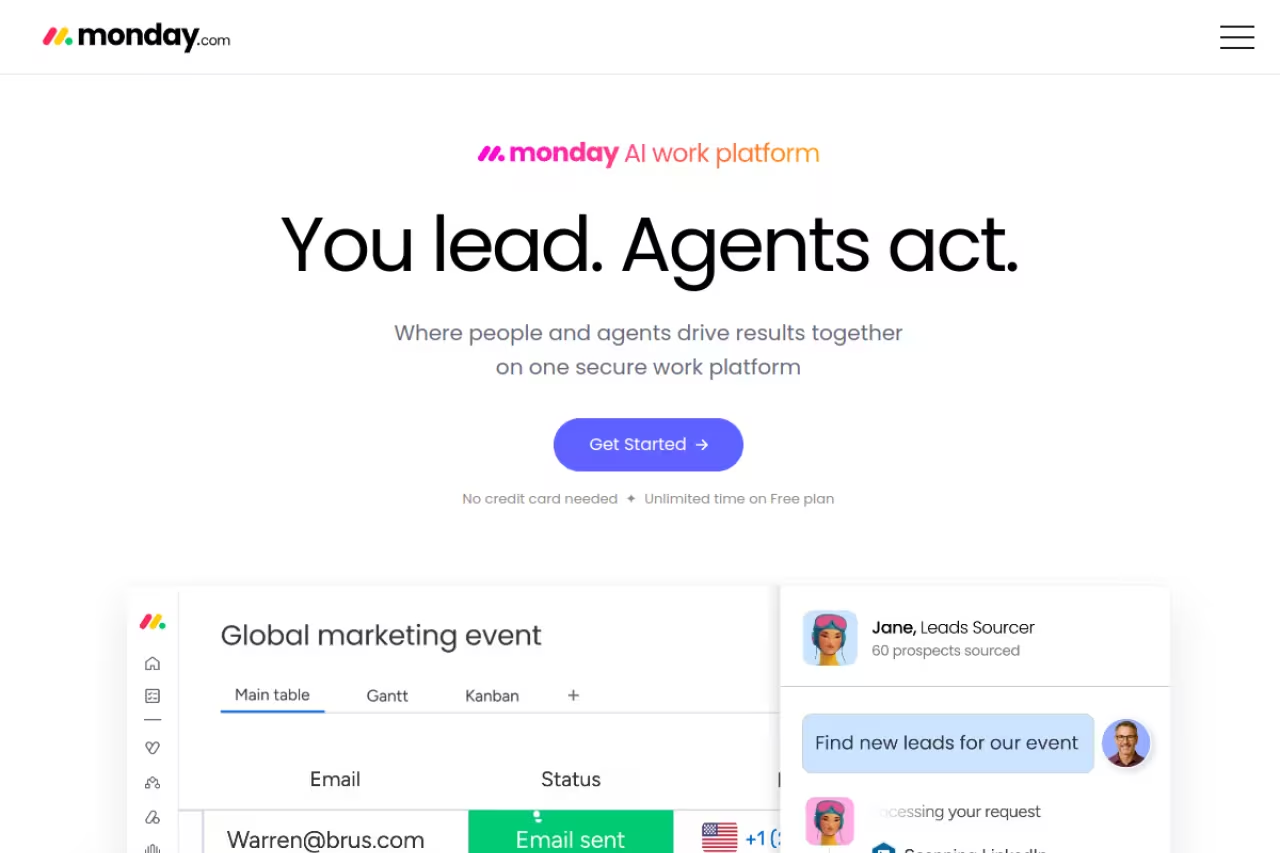
monday.com calls itself a "Work OS," which sounds like jargon until you watch a marketing team set it up. You build boards out of colored columns, and within an hour you have a campaign tracker, a content calendar, and a request queue that all talk to each other. It reads visually, which is exactly how most marketers already plan.
The best default for marketing teams that want one flexible tool the whole department can adopt without a training week, with dashboards as the real selling point. Seat-tier pricing inflates the bill, so a small team often pays for more seats than it has.
The dashboards are the real selling point. You can pull a single view that shows campaign status, owner, due date, and budget burn, then send it to leadership without exporting anything.
Pricing per the monday.com pricing page: a free plan capped at 2 seats and 3 boards, then Basic at €9/seat/month, Standard at €12, and Pro at €19, all billed annually. Standard is the realistic floor for marketing because that is where calendar view and decent automation limits kick in. Seats are sold in tiers, so a 6-person team often pays for more than 6.
The catch: the seat-tier pricing inflates your bill, and the automation and integration "actions" are metered. Heavy users on lower plans hit the cap and get pushed to upgrade. It is also easy to over-build. I have seen teams create 40 columns on one board and then wonder why nobody updates it.

Wrike: built for creative review and approvals
If your team's pain is the review cycle, not the task list, Wrike is the answer. Its proofing tool lets reviewers mark up images, PDFs, and video directly, with comments pinned to the exact spot on the asset. Wrike reports that nearly 45% of its marketing customers cut review and approval time in half, and that lines up with what I have seen replacing email-based feedback.
The answer when your pain is the review cycle rather than the task list, with proofing that pins comments to the exact spot on an asset. Full proofing needs Business or above, and the interface has a learning curve.
Pricing from the Wrike pricing page: a free plan, Team at $10/user/month (2 to 15 users), and Business at $25/user/month (5 to 200 users). Here is the important detail: full proofing, including video and sequential approval routing, lives on Business+ and above. The cheaper Team plan will not give you the feature you came for. External clients formally approving work requires the top Pinnacle tier.
Where it falls short: Wrike is powerful and it looks it. The interface has a learning curve, and non-technical contributors find it heavier than monday.com or Asana. You also pay $25/user to unlock the proofing depth, which adds up fast for a 12-person team.

ClickUp: the most features per dollar
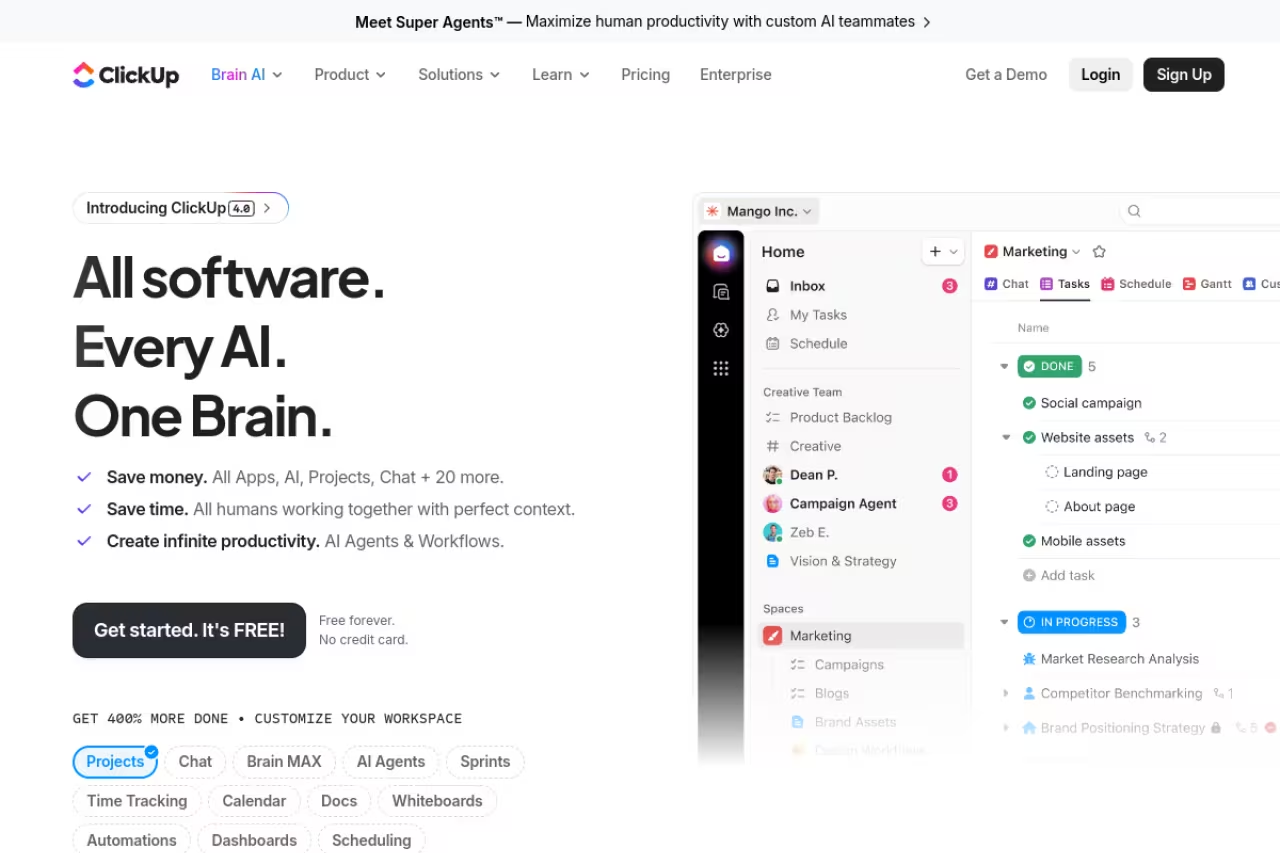
ClickUp packs nearly everything into one app: docs, whiteboards, goals, dashboards, sprints, and automations. For the money, nothing else comes close on raw feature count, and the free tier is the strongest no-cost option on this list.
The most features per dollar, with the strongest free tier on this list, suited to startups and lean marketing teams happy to do some setup. It can feel cluttered, and a poorly configured workspace is worse than a simple Asana board.
From the ClickUp pricing page: Free Forever, Unlimited at $7/user/month, and Business at $12/user/month, billed annually. Business is where you get automations (5,000/month), advanced dashboards, and timeline views. The Brain AI add-on runs an extra $9/user/month if you want the built-in assistant.
The catch: all that flexibility is also the problem. ClickUp can feel cluttered, and the number of settings overwhelms new users. Performance has historically lagged when workspaces get large. Budget the onboarding time, because a poorly configured ClickUp is worse than a simple Asana board.
A quick aside before the next tools: picking software is half the battle, the other half is the daily decision-making around campaigns and AI workflows. That is the kind of thing our team writes up in Dupple X, a members area with playbooks for marketers shipping with AI.

Asana: the cleanest task structure
Asana wins on clarity. Tasks, subtasks, dependencies, and timelines are easy to follow, and the workflow logic is opinionated in a good way. If your problem is that nobody knows who owns what, Asana fixes it faster than the more configurable tools.
The cleanest task structure, best for marketing teams that value task ownership and a tidy interface over deep customization. It is less flexible than ClickUp or monday.com, and the proofing and approvals you want sit on the pricey Advanced plan.
From the Asana pricing page: a free Personal plan for up to 2 users, Starter at $10.99/user/month, and Advanced at $24.99/user/month, billed annually. Proofing, approvals, and workload management live on the Advanced plan, which is the tier marketing teams actually need.
Where it falls short: Asana is less flexible than ClickUp or monday.com for complex custom workflows. Custom fields and statuses are more limited, and the jump from Starter to Advanced is steep at $25/user for the features marketers want most. Its proofing is also lighter than Wrike's.

Airtable: for content ops and data-heavy teams
Airtable is a database wearing a spreadsheet's clothes. For content operations, editorial calendars, asset libraries, and anything where each row needs a dozen structured fields, nothing else feels this natural. Marketers who outgrew a Google Sheet usually land here.
The natural home for content and ops teams managing large, structured catalogs of campaigns, assets or SEO pages. It is a database first and a project manager second, so you build proofing and intake flows yourself.
From the Airtable pricing page: a free plan, Team at $20/seat/month, and Business at $45/seat/month, billed annually. You are charged for every user with edit permissions on at least one base.
The catch: Airtable is a database first and a project manager second. It lacks native proofing and the structured intake-to-approval flow that marketing-specific tools ship with. You will build those yourself, and at $20/seat it is not cheap for what is essentially a smarter spreadsheet.

ProofHub: flat pricing for agencies
ProofHub makes one pricing decision that everyone else avoids: no per-user fees. You pay a flat monthly rate and add as many people as you want. For agencies and teams that scale headcount or bring in freelancers and clients, that math changes everything.
A smart choice for agencies and growing teams that hate counting seats, since flat pricing lets you add client reviewers freely and proofing comes standard. The interface feels dated and the Essential plan's project cap bites busy agencies fast.
From the ProofHub pricing page: the Essential plan is $45/month (billed annually) with 40 projects and 15GB storage, and Ultimate Control runs $89/month for the first three months, then $135/month, with unlimited projects. Built-in online proofing comes standard, which is rare at this price.
Where it falls short: the interface feels dated next to monday.com or ClickUp, and the integration library is thinner. The Essential plan's 40-project cap bites busy agencies fast, pushing you to the pricier Ultimate tier sooner than the headline price suggests.
Notion: for lean teams and content hubs
Notion blends docs, wikis, databases, and tasks into one workspace. For small marketing teams, a content brief, the draft, the publishing checklist, and the campaign tracker can all live in connected pages. It doubles as your team knowledge base, which kills a separate tool.
A great content hub for small or content-led teams that want docs and project tracking in the same place. It is flexible to a fault, with no native proofing or real resource management, so a team needing hard approval workflows will outgrow it.
From the Notion pricing page: a free plan, Plus at €9.50/seat/month, and Business at €19.50/seat/month, billed annually. Notion AI is now bundled into the paid tiers, with extra agent usage billed at roughly $10 per 1,000 credits.
The catch: Notion is flexible to a fault. There is no native proofing, no real resource management, and no structured intake without manual setup. Databases get slow at scale, and a team that needs hard approval workflows or workload views will outgrow it. Great content hub, mediocre dedicated PM tool.

CoSchedule: the marketing-native calendar
CoSchedule is the one tool here built specifically for marketers rather than adapted for them. Its calendar is the centerpiece: you plan blog posts, social, email, and campaigns in one view, then schedule social publishing directly from it.
The marketing-native calendar for content and social teams whose main job is hitting a publishing calendar. It is not a full project management platform, so it is weak on intake, proofing and work that crosses into product or sales.
CoSchedule offers a free Calendar plan, with the Social Calendar at $19/user/month and the Agency Calendar at $59/user/month, both billed annually. The fuller Marketing Suite starts around $190/month for teams and is quote-based.
Where it falls short: CoSchedule is a marketing calendar, not a full project management platform. It is weak on intake, proofing, and cross-functional work that touches teams outside marketing. If you need to coordinate with product or sales, this is not your hub.
How to choose
Skip the feature-by-feature spreadsheet. Decide based on your single biggest bottleneck:
- Your problem is chaos and visibility. Nobody knows campaign status. Start with monday.com for the visual boards, or Asana if you want stricter task ownership.
- Your problem is creative review. Feedback lives in email and revisions get lost. Buy Wrike Business+ for the proofing, or ProofHub if you want flat pricing and lots of reviewers.
- Your problem is budget. You need real capability cheaply. ClickUp's $7 tier, or Notion if your work is content-heavy.
- Your problem is structured content data. Editorial calendars, asset libraries, big catalogs. Airtable, or CoSchedule if it is purely a publishing calendar.
One more rule: count your real seats and project volume before you commit. Per-seat tools like monday.com and Wrike get expensive past 10 people, while ProofHub's flat rate flips the math the other way. Run a 14-day trial with one live campaign, not a fake one. The tool that survives a real deadline is the right tool.
For broader stacks beyond project management, our top tools directory and the rundown of the best AI agents for automating the busywork are worth a look. If your team writes a lot, the best AI writing tools pairs naturally with whichever PM tool you pick.
Want the workflows and prompts our team uses to run marketing with AI day to day? Dupple X has the playbooks.
FAQ
What is the best marketing project management tool in 2026?
For most marketing teams, monday.com is the best all-round choice because its visual boards match how marketers plan and its automation is easy to use. If your main pain is creative review and approvals, Wrike with its proofing add-on is the stronger pick. Budget-first teams should look at ClickUp's $7/user plan.
What's the difference between marketing project management software and general PM tools?
Marketing-specific tools handle high request volume, creative proofing and approval workflows, content calendars, and executive reporting out of the box. General project management tools handle tasks and timelines well but leave you building intake forms and review processes yourself. The gap shows most in creative-heavy teams.
Which marketing project management tool is best for small teams on a budget?
ClickUp offers the most features for the price, with a strong free plan and a $7/user/month paid tier. Notion is a good alternative if your work is content-led and you want docs plus tasks in one place. ProofHub's flat $45/month rate also works well once your team grows past roughly five people.
Do these tools handle creative proofing and approvals?
Wrike and ProofHub have the strongest built-in proofing: reviewers can mark up images, PDFs, and video with comments pinned to the exact spot. Asana and monday.com offer proofing on their higher tiers. Airtable, Notion, and CoSchedule do not have native proofing, so you would handle approvals manually or with a separate tool.
Is monday.com or Asana better for marketing teams?
monday.com is more visual and flexible, with stronger dashboards and a Work OS approach that adapts to any workflow. Asana is cleaner and more opinionated, with the clearest task ownership and dependency tracking. Choose monday.com for visual campaign planning and cross-team coordination; choose Asana if you want simple, tidy task structure without heavy setup.
Related guides
Some offers on this page may be paid placements or contain affiliate links.
Across our whole catalogue the median is $24 a month and 33% of tools advertise a free tier. Figures are the lowest recurring monthly price quoted in our own review of each tool, read on 2026-08-19. Full method and every category.
