
Best AI Game Development Tools in 2026


Key facts9 tools compared: Cursor, Meshy, Rosebud AI, Scenario, Tripo, Unity AI, Ludo.ai, Inworld AI…
- 9 tools compared: Cursor, Meshy, Rosebud AI, Scenario, Tripo, Unity AI, Ludo.ai, Inworld AI, ElevenLabs
- Cursor (best for: Writing game code): Free; Pro $20/mo
- Meshy (best for: 3D assets, full pipeline): Free; Pro $20/mo
- Rosebud AI (best for: Prompt-to-playable games): Free; paid tiers
- Scenario (best for: Style-consistent 2D art): From $20/mo
Two years ago, the phrase "AI game development tool" usually meant a chatbot that wrote shaky GDScript. In 2026 it means something closer to a small studio: a code editor that understands your whole project, a generator that hands you a rigged 3D character in ninety seconds, and a runtime that gives NPCs an actual memory.
The problem is that "game development" isn't one job. It's code, 3D and 2D art, animation, audio, design, and the glue that holds them together. No single tool does all of it well, and the marketing pages pretend otherwise. So I split the field by the actual job each tool does, tested the ones worth testing, and checked every price against the official page.
If you only remember one name: Cursor is the tool I'd put in front of anyone writing real game code, and Meshy is the one I'd hand an indie dev who needs 3D assets yesterday. If you want to skip code entirely and describe a game in plain English, Rosebud AI is the surprise of the year. The rest of this list fills in the gaps.
Quick comparison
| Tool | Best for | Price | Standout |
|---|---|---|---|
| Cursor | Writing game code | Free; Pro $20/mo | Whole-project context |
| Meshy | 3D assets, full pipeline | Free; Pro $20/mo | Auto-rig + animation |
| Rosebud AI | Prompt-to-playable games | Free; paid tiers | No code at all |
| Scenario | Style-consistent 2D art | From $20/mo | Train on your own art |
| Tripo | Fast 3D iteration | Free; Pro $19.90/mo | Speed and part segmentation |
| Unity AI | In-editor assistance | $10/mo or in subscription | Full project context in-engine |
| Ludo.ai | Design and ideation | From $15/mo | Market research across millions of games |
| Inworld AI | Smart NPCs at runtime | Pay per use | Characters with memory |
| ElevenLabs | Game audio and voice | Free; from $5/mo | Text-to-SFX and voice |

Cursor: the code editor I'd start with
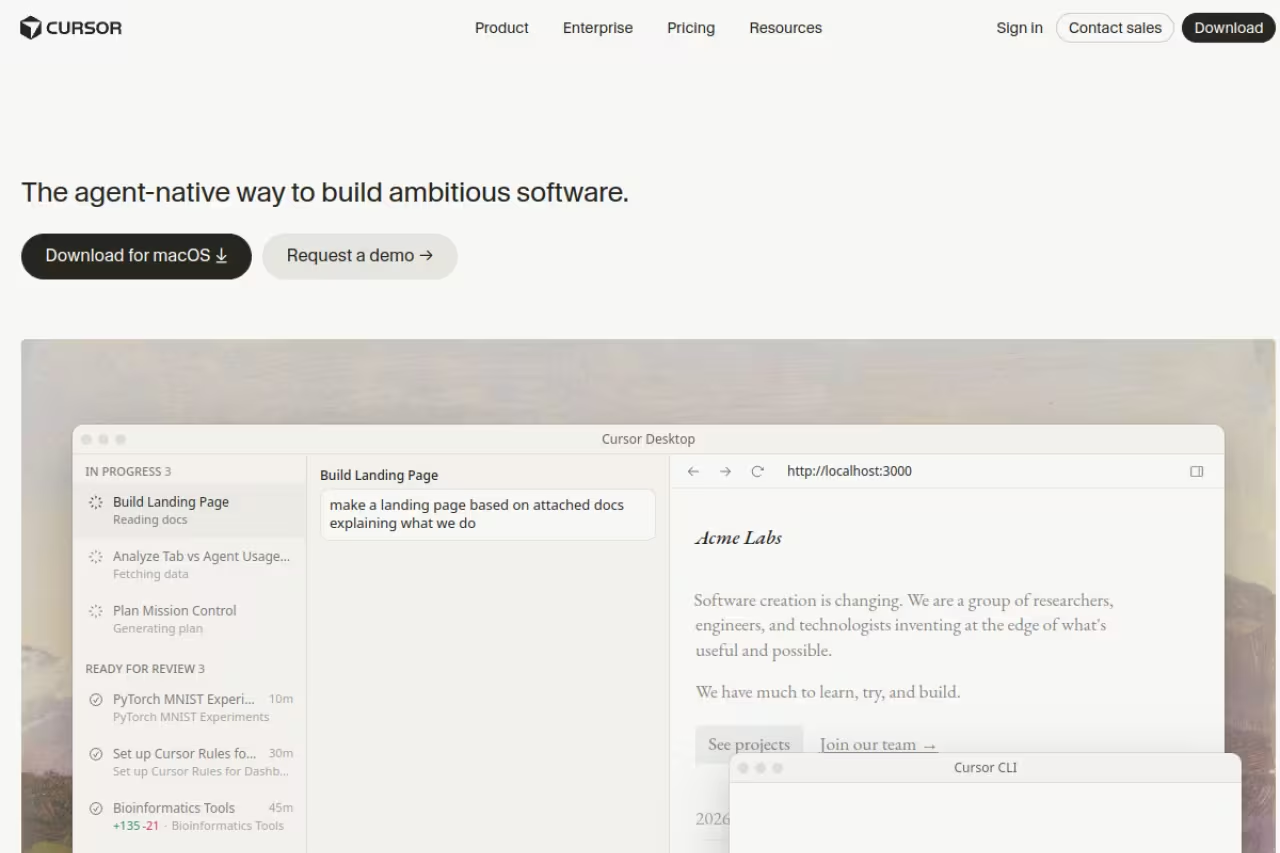
Cursor is a fork of VS Code with an AI agent wired into the core. For game code, that matters more than it sounds. Gameplay logic lives across dozens of files: a player controller talks to an input map, a state machine, a save system, and three managers. Cursor indexes the whole project, so when you ask it to "add a dash with a cooldown," it reads how your existing abilities are wired and matches the pattern instead of inventing a new one.
It works with C#, C++, GDScript, Lua, and anything else your engine throws at it. It's most commonly used with Godot and Unity projects, and the agent mode (it can edit multiple files, run terminal commands, and fix its own errors) is where the time savings show up.
Who it's best for: anyone writing actual code, from solo devs to small teams who already live in an editor.
The code editor to start with if you write real game code, from solo devs to small teams. It indexes the whole project and matches your existing patterns, but usage-based billing means a heavy refactor day can eat your budget, and it is not a game engine.
Pricing: there's a permanently free Hobby tier with limited agent requests and 2,000 completions a month, which is enough to evaluate it. Pro is $20/month, or roughly $16 if you pay yearly, and switched to usage-based billing in 2025 (your $20 covers around 225 Claude Sonnet requests).
The catch: usage-based pricing means a heavy refactor day can eat your monthly budget fast, and you'll see "you're running low" warnings sooner than the flat $20 suggests. It's also not a game engine. It writes the code; you still bring Unity, Godot, or Unreal. If you want a deeper field test, our best AI coding assistant guide compares it against Copilot and the rest.

Meshy: 3D assets without a modeling team
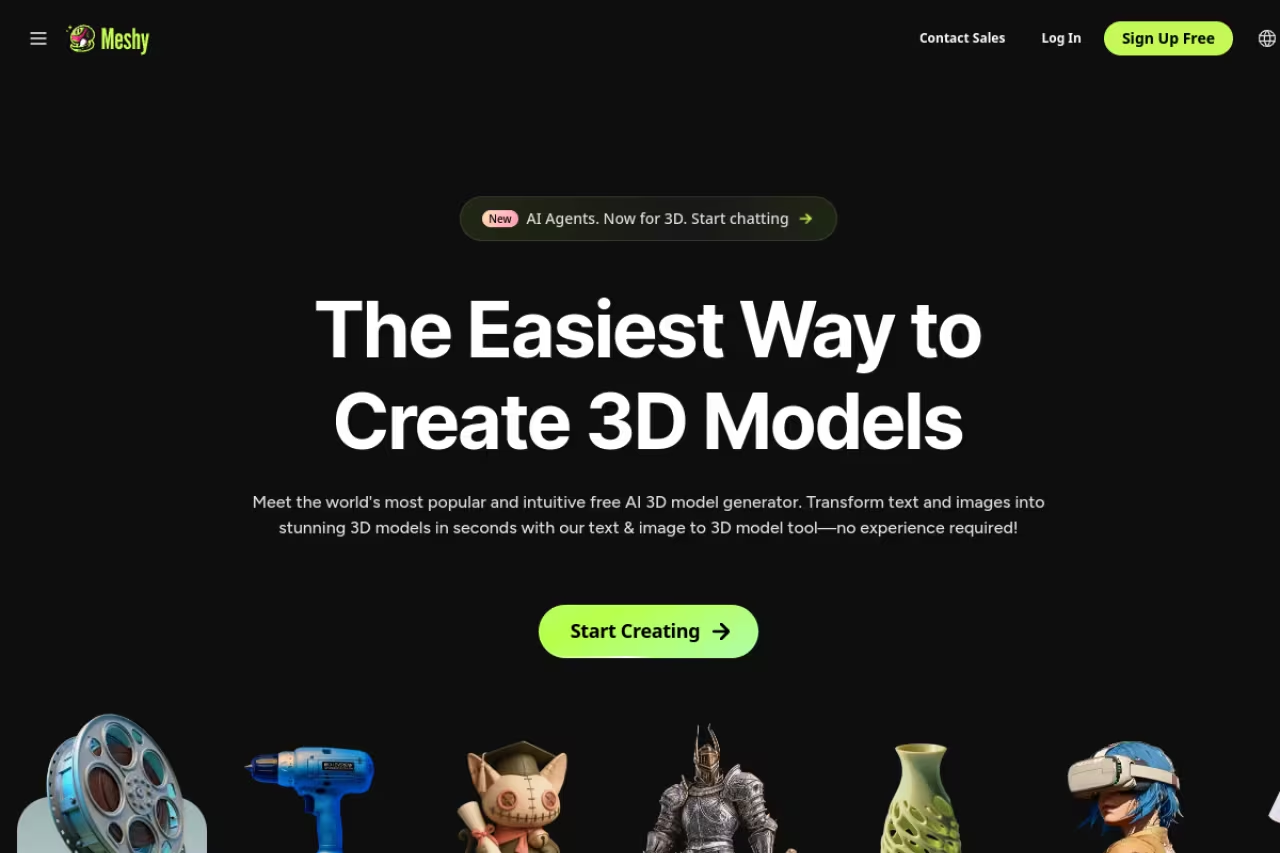
Meshy turns a text prompt or a single reference image into a textured 3D model, and the part that earns its place here is the rest of the pipeline: it auto-rigs humanoid and animal models and applies animations, then exports to FBX, GLB, OBJ, and USDZ. For an indie dev who needs fifty background props or a placeholder hero character, that compresses a 20-to-40-hour modeling job into minutes for the first pass.
The geometry won't beat a senior 3D artist, and you'll still retopologize anything that goes near a main character. But for props, environment filler, and rapid prototyping, the output drops into Unity or Unreal and just works.
Who it's best for: indie teams and prototypers who need a volume of usable 3D assets and don't have a modeling pipeline.
A fast route to usable props, environment filler and prototypes for indie teams without a modeling pipeline. Geometry won't beat a senior 3D artist, 100 free credits vanish at 20 per generation, and auto-rigging gets confused by anything stranger than humanoids and quadrupeds.
Pricing: the free plan gives you 100 credits a month (a full text-to-3D generation costs 20 credits, so that's five models), with commercial use allowed under CC BY 4.0 if you credit Meshy. Pro is $20/month for 1,000 credits, private ownership, and API access. Studio is $60/month for 4,000 credits and team features.
The catch: 100 free credits disappear fast at 20 credits per generation, and the free tier's CC BY attribution requirement isn't always practical for a shipped game. Auto-rigging is reliable for humanoids and quadrupeds but gets confused by anything stranger. For a broader look at the category, see our best AI 3D modeling tools roundup.
Rosebud AI: describe a game, get a game
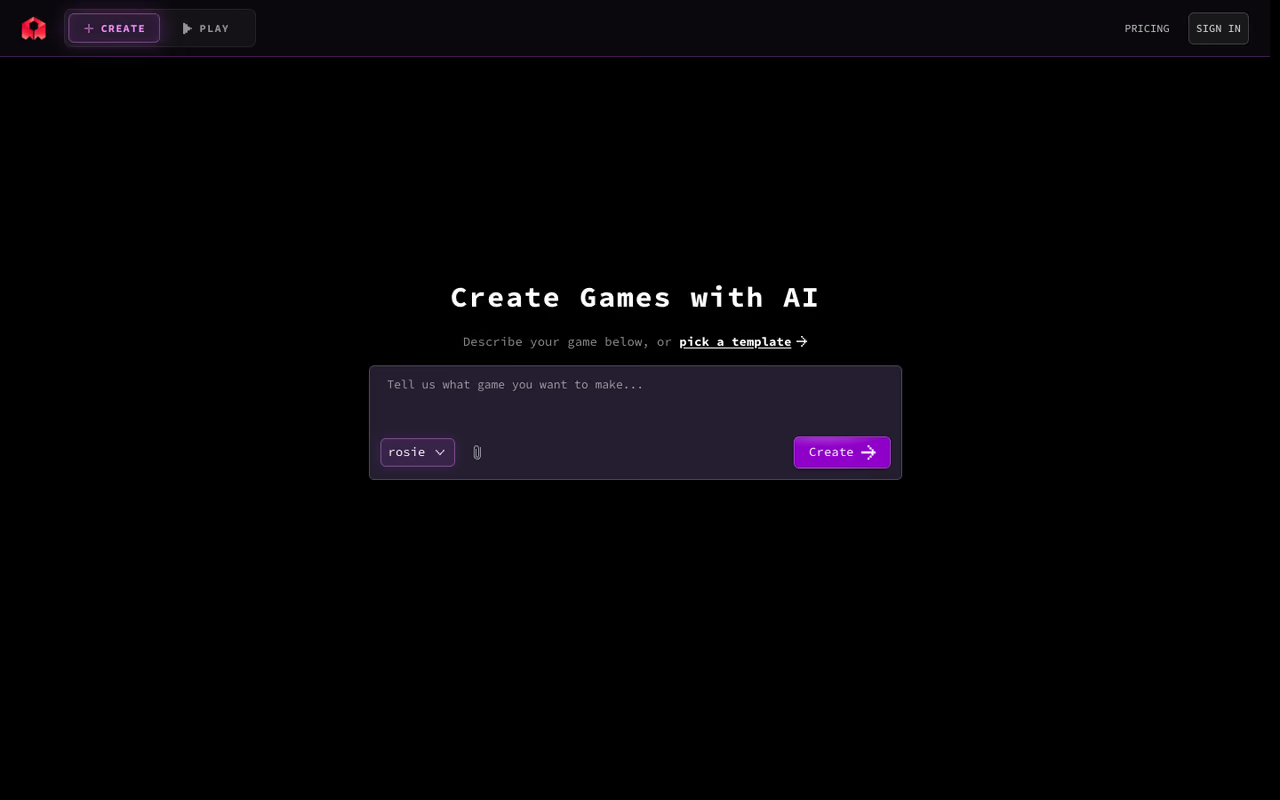
Rosebud AI is the one that made me sit up. You type a description ("a 2D platformer where you play a cat collecting fish, with double jump and moving platforms"), and it builds a playable, editable game in the browser. It handles both 2D and 3D, generates the sprites and logic, and you keep iterating by chatting with it. No engine install, no setup.
This isn't a toy demo generator. You can keep editing projects on the free plan, and the games run in the browser. For game jams, teaching, or testing a mechanic before you commit to building it properly, it's genuinely fast.
Who it's best for: non-coders, educators, and devs who want to validate an idea in an afternoon instead of a week.
Great for non-coders, educators and devs who want to validate an idea in an afternoon, since it builds a playable game from a description. Treat it as a prototyping tool, because complex systems fight you and you can't export to a full engine.
Pricing: the free plan includes 20 prompts per week, enough to prototype and keep editing. Commercial rights (selling the games you make, with 100% of profits yours) come with the paid 10x Dev or Pro plans.
The catch: the prompt-based approach hits a ceiling. Complex systems, performance tuning, and anything that needs precise control will fight you, and you can't export to a full engine to take over manually the way you can with hand-written code. Treat it as a prototyping and learning tool, not a shipping pipeline for an ambitious title. If you're curious how this fits the wider agent trend, our best AI agents guide covers the build-it-for-me category.
If you're assembling a stack like this and want one subscription that bundles the premium models these tools lean on, Dupple X is worth a look before you pay for five separate seats.
Scenario: 2D art that stays on brand
Scenario solves the consistency problem that kills most AI art in games. Generic image models give you a gorgeous knight in one render and a completely different art style in the next. Scenario lets you train custom models on your own existing art, so every sprite, item icon, and environment tile comes out matching the same look.
It now covers image, video, 3D, and audio with production-ready exports, but the trained-model feature is the reason studios use it over Midjourney for in-game art.
Who it's best for: teams with an established art style who need a high volume of on-brand 2D assets.
The pick for teams with an established art style who need many on-brand 2D assets, since you can train custom models on your own art. It is overkill for a handful of one-off images, and per-seat scaling adds up fast.
Pricing: there's a free tier for personal projects, with paid plans starting around $20/month and scaling up to roughly $200/month by usage and seats.
The catch: training good custom models takes a real corpus of art and some trial and error. It's overkill if you just need a handful of one-off concept images, and the per-seat scaling adds up fast for a growing team.
Tripo: when speed is the point
Tripo is Meshy's main rival for text- and image-to-3D, and its edge is iteration speed. When you're generating variations to find the right look for an asset, Tripo's turnaround lets you burn through ten attempts in the time a slower tool does three. It also offers part segmentation, skeleton export, multi-view generation, and a "smart low-poly" mode that's handy for game-ready meshes.
Who it's best for: artists who iterate heavily and want low-poly, game-ready output without a lot of cleanup.
Choose Tripo if you iterate heavily and want low-poly, game-ready meshes with minimal cleanup. The free tier is non-commercial only, and its auto-rigging is less complete than Meshy's for animated humanoid characters.
Pricing: the free Basic plan gives 300 credits a month, and Professional is $19.90/month for 3,000 credits plus commercial use and the advanced features. Advanced ($49.90) and Premium ($139.90) add more credits and concurrent tasks.
The catch: the free tier is explicitly for non-commercial evaluation, so you need the paid plan the moment you ship anything. Quality is close to Meshy but the auto-rigging story is less complete, so for animated humanoid characters Meshy still has the cleaner pipeline.
Unity AI: the assistant inside your engine
If you live in Unity, the most useful AI isn't a separate website. Unity AI launched in open beta in May 2026 and lives inside the editor with full project context. It replaces the old Unity Muse (which Unity deprecated) and switched to frontier models like Gemini instead of Unity's own first-party models. It can answer questions about your project, generate code, and help with assets without you tabbing out to a browser.
Who it's best for: Unity developers who want context-aware help that already knows their scene hierarchy and scripts.
A sensible pick if you already live in Unity, since it knows your scene hierarchy and scripts without leaving the editor. It is still beta, Unity-only, and a dedicated tool like Cursor gives you more control over complex code.
Pricing: Personal users get a 14-day trial with 1,000 credits, then $10/month for 1,000 credits. Pro, Enterprise, and Industry subscribers get Unity AI bundled into their existing seat pricing, which is a real improvement over Muse's old $30/month separate fee.
The catch: it's beta, and three-day test reviews have been blunt about rough edges. It's also Unity-only, so it does nothing for Godot or Unreal users. Frontier models inside the editor are convenient, but a dedicated tool like Cursor still gives you more control over complex code.
Ludo.ai: the part before you build anything
Ludo.ai sits at the front of the pipeline: research, ideation, and design. It searches across millions of existing games for market and trend analysis, runs guided brainstorming grounded in that data, and produces editable game design documents with libraries for mechanics, stories, and characters. It also bundles 2D/3D/audio asset generators and a playable prototype generator.
Who it's best for: solo devs and small studios who want to validate a concept against the market before spending months building it.
Useful for solo devs and small studios who want to validate a concept against market data before spending months building. There is no free plan, and the lower tiers share one credit pool, so the research is the real value over the asset generators.
Pricing: there's no free plan. Indie is $15/month billed annually (3,000 credits a year, one seat), Pro is $35/month with unlimited ideation and 12,000 asset credits, and Studio jumps to $300/month for teams.
The catch: the lack of any free tier makes it hard to try before you commit, and the lower plans share one credit pool across every feature, so heavy 3D or video generation drains it quickly. The market research is the real value; the asset generators are decent but not best-in-class.

Inworld AI: NPCs that remember you
Inworld AI is the runtime layer for intelligent characters. Instead of branching dialogue trees, you give a character a personality, goals, and knowledge, and it responds dynamically in real time, with memory of past interactions. NVIDIA has demoed it powering in-game NPCs, and it's built to drop into Unity and Unreal.
Who it's best for: studios building immersive worlds where NPC conversation is a core feature, not set dressing.
For studios where NPC conversation is a core feature, not set dressing, this replaces branching dialogue with characters that have memory. Pay-per-use costs scale with how much players talk and are hard to forecast, and latency and off-character replies remain.
Pricing: it's consumption-based. The agent runtime is free, and you pay for the underlying models: text-to-speech runs $5 to $10 per million characters, and language model access is billed at provider rates with no markup.
The catch: pay-per-use means costs scale directly with how much players talk to your characters, which is hard to forecast for a hit game. Latency and the occasional off-character response are still real, and integrating dynamic NPCs well takes design work beyond just plugging in the API.

ElevenLabs: the audio your game forgot it needed
Audio is the step indie devs skip until the last week. ElevenLabs covers two of the hard parts: text-to-speech for character voices (in 29+ languages) and a text-to-sound-effects generator for footsteps, ambient loops, UI clicks, and stings. You describe the sound, it makes it.
Who it's best for: small teams without a voice actor budget or a sound designer.
A practical fit for small teams without a voice actor or sound designer budget, covering character voices and generated sound effects. Free-tier audio can't ship commercially, and voices won't replace a great actor for a marquee title.
Pricing: the free plan gives 10,000 credits a month (around 20 minutes of audio) but bars commercial use and requires attribution. Starter is $5/month, Creator $22, Pro $99, scaling up from there.
The catch: free-tier audio can't ship in a commercial game, so you're on a paid plan the moment you go to market, and character counts get used up faster than you'd expect. AI voices are excellent for prototyping and indie work but still won't replace a great voice actor for a marquee title.
How to choose
Start with the job, not the tool. Figure out which gap is actually blocking you:
- Stuck on code? Get Cursor (or Unity AI if you're Unity-only). This is the highest-impact AI buy in game dev right now.
- Need 3D assets fast? Meshy for the full rig-and-animate pipeline, Tripo if raw iteration speed matters more than auto-rigging.
- Need consistent 2D art? Scenario, because nothing else keeps a project on-brand the way trained models do.
- Can't or won't code? Rosebud AI to go from prompt to playable, with the honest caveat that you'll outgrow it on anything complex.
- Still at the idea stage? Ludo.ai for market-grounded design before you commit.
- Building living NPCs or need audio? Inworld for characters, ElevenLabs for voice and SFX.
Most real stacks combine three or four of these. A typical indie setup looks like Cursor for code, Meshy or Tripo for 3D, ElevenLabs for audio, and your engine of choice. Try the free tiers before you pay for anything; almost every tool here has one, and you'll learn more in an hour of use than in any comparison table. If you want the premium models behind several of these without juggling separate subscriptions, Dupple X bundles them, and you can browse the wider field on our top tools page.
Frequently asked questions
What is the best AI tool for game development in 2026?
There isn't one, because game development is several jobs. For writing code, Cursor is the strongest pick. For 3D assets, Meshy leads on its full pipeline. For making a playable game with no code, Rosebud AI is the most impressive. Pick by the job that's blocking you, not by a single "best" label.
Can AI build a complete game by itself?
Not a complex one. Tools like Rosebud AI can generate complete simple games from a prompt, and they're great for prototypes, game jams, and learning. But anything with real depth, custom systems, performance tuning, or a distinctive feel still needs a human developer directing the AI and writing the hard parts.
Are AI-generated game assets free to use commercially?
It depends on the tool and tier. Meshy's free plan allows commercial use only with CC BY attribution, and ElevenLabs' free tier bars commercial use entirely. Tripo's free plan is non-commercial. As a rule, you need a paid plan to ship AI-generated assets in a game you sell. Always check the license on the specific tier.
Do I still need to know how to code to make a game with AI?
For simple games, no. Rosebud AI and Ludo.ai's playable generator let non-coders build and ship small projects. For anything ambitious, coding knowledge still matters, but AI lowers the bar enormously. A tool like Cursor lets a junior developer work at a level that used to require years of experience, which is a different thing from removing code altogether.
Which AI game tools have a free plan?
Most do. Cursor (Hobby), Meshy (100 credits/month), Tripo (300 credits/month), Rosebud AI (20 prompts/week), Scenario, and ElevenLabs (10,000 credits/month) all have free tiers. Ludo.ai is the notable exception, starting at $15/month with no free option. Inworld AI is pay-per-use with a free runtime.
Related guides
Some offers on this page may be paid placements or contain affiliate links.
Across our whole catalogue the median is $24 a month and 33% of tools advertise a free tier. Figures are the lowest recurring monthly price quoted in our own review of each tool, read on 2026-08-19. Full method and every category.
