
Best Diagram Tools in 2026: 8 Compared for Flowcharts, Architecture and Whiteboards

Key facts8 tools compared: Lucidchart, draw.io, Mermaid, Excalidraw, Eraser, Miro, FigJam, Whimsical
- 8 tools compared: Lucidchart, draw.io, Mermaid, Excalidraw, Eraser, Miro, FigJam, Whimsical
- Lucidchart (best for: All-purpose business diagrams): Free / $9 individual
- draw.io (best for: Free unlimited diagramming): Free forever
- Mermaid (best for: Diagrams-as-code in Git): Free (open source)
- Excalidraw (best for: Quick sketches and architecture): Free / $7 per editor
Every team eventually needs to draw a box and an arrow. The trouble is that "diagram tool" now covers everything from a free open-source editor to a $12-per-seat enterprise canvas to a Markdown library that lives in your Git repo. Pick the wrong one and you either overpay for features nobody touches or fight a free tool that caps you at three documents.
I compared each tool's documentation and sample output against the same four diagram types: a SaaS cloud architecture, a checkout flowchart, a database schema, and a team brainstorm. Some tools are built to handle all four well. Most are strong at one and weaker at the rest.
Short version for skimmers: if you want one tool that does almost everything and won't make you think about it, Lucidchart is my top pick. If you refuse to pay anything, draw.io is genuinely good and free forever. And if you live in a code editor, Mermaid keeps diagrams in version control where they belong. Here's the full breakdown.
Quick comparison
| Tool | Best for | Price | Standout |
|---|---|---|---|
| Lucidchart | All-purpose business diagrams | Free / $9 individual | Visio import, huge shape library |
| draw.io | Free unlimited diagramming | Free forever | No account, no limits, offline desktop |
| Mermaid | Diagrams-as-code in Git | Free (open source) | Renders natively in GitHub |
| Excalidraw | Quick sketches and architecture | Free / $7 per editor | Hand-drawn look, instant collaboration |
| Eraser | Engineering docs and AI diagrams | Free / $15 per editor | DiagramGPT from code and text |
| Miro | Workshops and big team boards | Free / $8 per member | Infinite canvas, deep integrations |
| FigJam | Product teams already in Figma | Free / $5 per editor | Lives next to your design files |
| Whimsical | Flowcharts plus wireframes plus docs | Free / $10 per editor | Four doc types in one workspace |

Lucidchart: the safe all-rounder
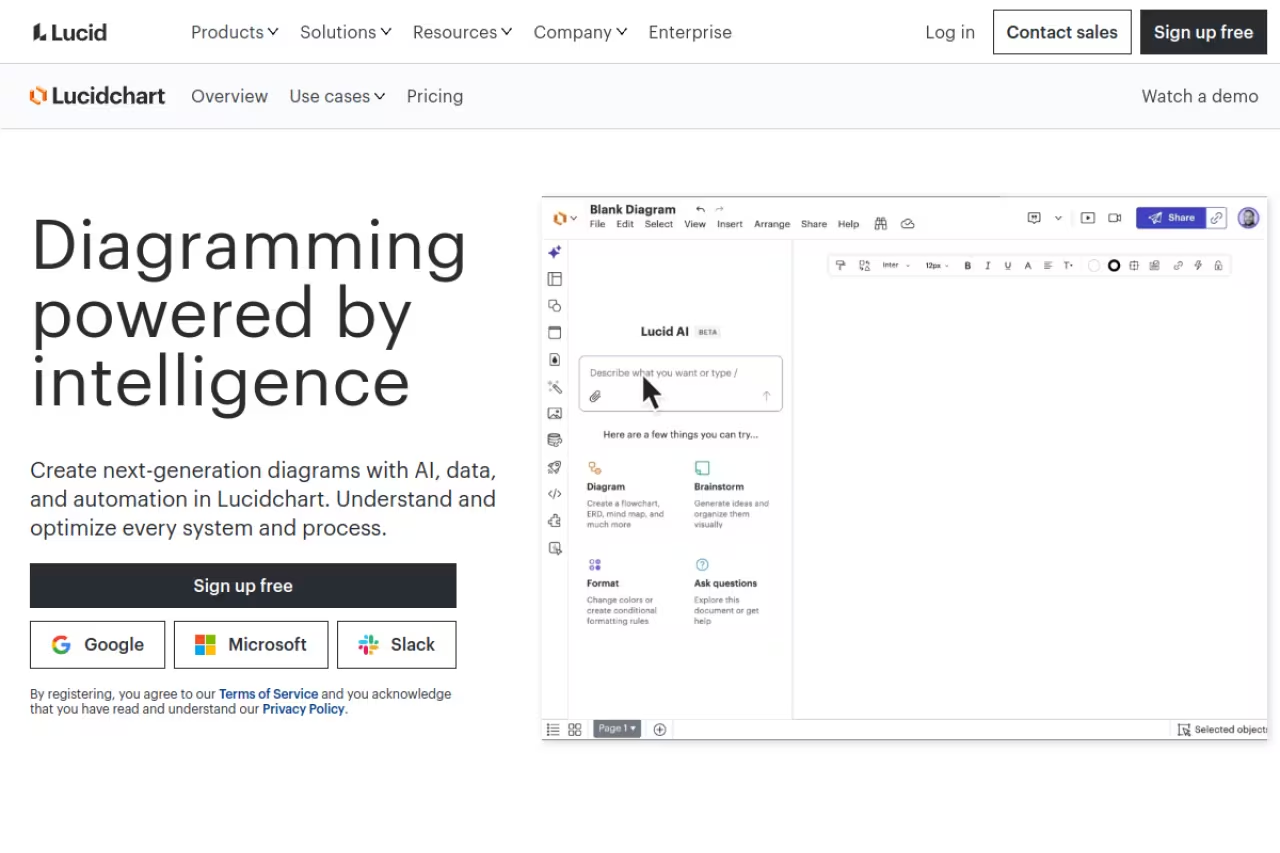
If someone handed me a blank slate and asked for "a diagram tool for the company," I'd pick Lucidchart and stop thinking about it. It does flowcharts, org charts, network diagrams, ERDs, BPMN, UML and mind maps, and it does all of them well. The shape libraries are enormous, the auto-layout actually works, and you can import existing Visio files without them falling apart.
Who it's best for: teams where non-engineers need to view, comment on and edit diagrams. A product manager and a sales lead can both open a Lucidchart link and understand it, which is more than I can say for a Mermaid file.
The safe all-rounder, and the one I'd pick for a company-wide diagram tool when non-engineers need to view, comment on and edit. Per-seat pricing adds up fast, and it is heavy for quick napkin sketches.
Pricing: the free plan gives you 3 editable documents with 60 shapes each, which is tight. The Individual plan is $9 per month, Team runs $10 per user per month with a 3-seat minimum, and Enterprise sits around $12.17 per user. Data linking, conditional formatting and Visio export are gated behind the paid tiers.
The catch: per-seat pricing adds up fast, and the most useful features (data overlays, advanced shapes) sit on higher plans. For a five-person team you're looking at $600 a year minimum. It's also a heavier app than something like Excalidraw, so a quick napkin sketch feels like overkill here.

draw.io: the free one that's actually good
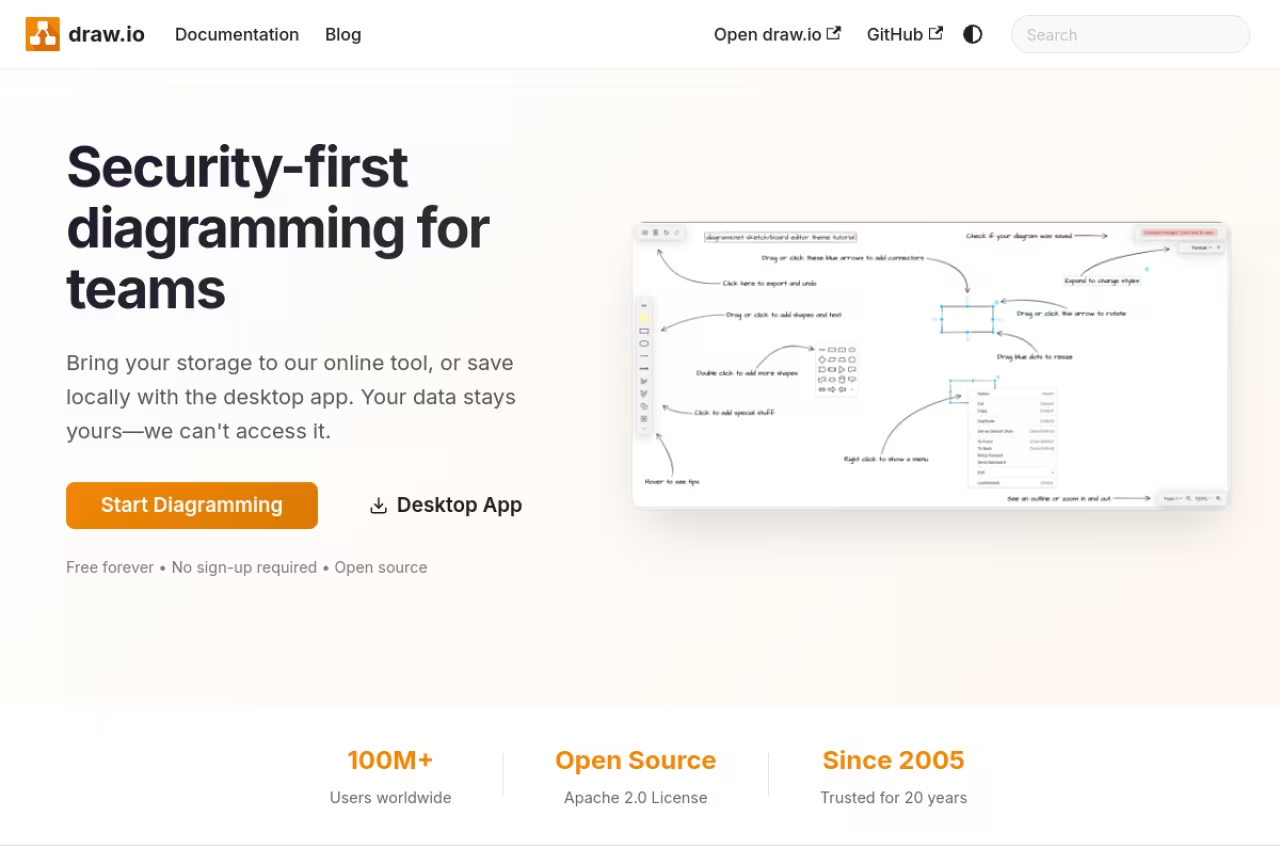
I keep waiting for draw.io (also known as diagrams.net) to hit a paywall, and it never does. The web app, the desktop app and the browser extensions are all free with no account, no document cap and no feature gates. It's open source under the Apache 2.0 license with over 61,000 GitHub stars, and it stores your files wherever you want: Google Drive, OneDrive, local disk, or a Git repo.
Who it's best for: anyone drawing architecture diagrams they'll edit over months and want under version control. The native XML format diffs cleanly, so you can review a diagram change in a pull request. Solo developers and security-conscious teams who want an offline desktop app also land here.
Free, open source and genuinely good, with no account, document cap or feature gates. Ideal for architecture diagrams under version control, though it looks like 2014 and real-time collaboration trails Lucidchart or Miro.
Pricing: free. The only money involved is the Confluence and Jira apps on the Atlassian Marketplace, and even those are free for up to 10 users.
The catch: it looks like 2014. The UI is functional but dated, real-time collaboration is clunkier than Lucidchart or Miro, and there's no slick AI generation built in. You trade polish for freedom. For a lot of engineers that's an easy trade, but if you need a diagram to impress a client, this isn't the one.

Mermaid: diagrams that live in your code

Mermaid is the answer to a question developers have been asking for a decade: why is my documentation in one place and my diagrams in another? You write a few lines of Markdown-style text, and Mermaid renders a flowchart, sequence diagram, ERD, Gantt chart or class diagram. Because it's text, it lives in your README and gets reviewed like any other code.
The killer feature is that GitHub renders Mermaid natively inside Markdown files. So does GitLab, Notion, Obsidian and most documentation generators. Visual Studio 2026 added built-in rendering too. Your diagram updates when your code updates, in the same commit.
Who it's best for: developers and technical writers who want diagrams as code. If "can I review this in a pull request" matters more to you than "does it look pretty," Mermaid wins.
Pick Mermaid if developers and technical writers want diagrams as code, reviewed in a pull request like anything else. Layout control is limited, and complex diagrams with 30-plus nodes get unwieldy.
Pricing: the open-source library is completely free. There's a hosted Mermaid Chart editor with a free tier and paid plans starting around $80 per user per year if you want a visual editor, AI generation and team features. You never need it to use Mermaid itself.
The catch: it's text, so layout control is limited. You describe relationships and Mermaid decides placement, which is great until the auto-layout puts two nodes on top of each other and you can't nudge them. Complex diagrams with 30-plus nodes get unwieldy. For polished, hand-tuned visuals you'll want a real canvas.
If you build software, this pairs naturally with the workflow in our guide to the best AI documentation generators.

Excalidraw: the fast sketch
Excalidraw has a hand-drawn, whiteboard-marker look that sounds gimmicky until you use it. The rough style signals "this is a draft, argue with me," which is exactly what you want in an early architecture discussion. It opens instantly, has zero learning curve, and you can share a live collaborative board with one link.
Who it's best for: quick sketches, system design interviews, and architecture diagrams you'll throw away or rebuild. Developers love it because it's frictionless, a good fit for a fast first pass before rebuilding the keeper in something more structured.
The fast sketch for system design interviews and architecture drafts you will throw away or rebuild. It is deliberately imprecise, so formal UML or pixel-aligned org charts will frustrate you.
Pricing: the core web app is free, open source, and stores nothing on a server unless you opt in. Excalidraw+ is $7 per editor per month and adds cloud workspaces, access controls and AI features like text-to-diagram.
The catch: it's deliberately not precise. There are no rigid grids, smart connectors or huge shape libraries. If you need a formal UML diagram or a pixel-aligned org chart, the casual style works against you. It's a sketchpad, not a CAD tool, and trying to force it into formal documentation is frustrating.

Eraser: built for engineering docs
Eraser is what happens when someone designs a diagram tool specifically for engineers documenting systems. It combines a docs editor with a canvas, and its DiagramGPT feature turns code snippets or plain-English descriptions into flowcharts, ERDs, cloud architecture and sequence diagrams. Paste a Terraform file or describe your stack, and it drafts the diagram.
Who it's best for: engineering teams keeping architecture docs in sync with code. Eraserbot can update diagrams from a Git repo, and you can embed output in Notion or Confluence or sync to GitHub.
Built for engineering teams keeping architecture docs in sync with code, with DiagramGPT drafting diagrams from Terraform or plain English. The AI diagram caps are real, and the free tier's 3-file limit is restrictive.
Pricing: the free plan covers 3 files, 3 AI diagrams and 7-day history. The Starter plan is $15 per editor per month billed annually (or $20 monthly) and unlocks unlimited files, 40 AI diagrams a month and API access. Business is $45 per editor with SSO and 250 AI diagrams.
The catch: those AI diagram caps are real. Forty generations a month sounds like plenty until you're iterating on a tricky architecture and burn through ten in an afternoon. The free tier's 3-file limit is also restrictive for anything beyond a trial. For a deeper look at AI-first options, see our roundup of the best AI diagram tools.

Miro: the workshop canvas
Miro isn't really a diagram tool, it's an infinite whiteboard that happens to diagram well. For brainstorms, retros, customer journey maps, sprint planning and any session where ten people need to drop sticky notes at once, nothing beats it. It has thousands of templates and integrates with basically every tool your team already uses.
Who it's best for: cross-functional teams running workshops, and anyone who wants diagrams plus the full collaboration surface in one place. It's the general-purpose pick most enterprise teams land on.
A workshop canvas more than a diagram tool, and the pick for cross-functional teams running brainstorms, retros and journey maps. It is overkill and messy for structured diagrams, and a poor fit for a solo user.
Pricing: the free plan gives you 3 editable boards. Paid starts at $8 per member per month billed annually for the Starter plan, with Business at $16. AI features and unlimited boards sit on paid tiers.
The catch: for straight, structured diagrams, Miro is overkill and the loose canvas can get messy. It shines for collaboration and gets weaker the more formal and precise your diagram needs to be. It's also priced for teams, so a solo user drawing the occasional flowchart is paying for a workshop platform they don't need.
If your goal is running better sessions, our guide to the best AI tools for productivity covers the surrounding workflow.
FigJam: for teams already in Figma
FigJam is Figma's whiteboard, and that's its whole pitch. If your design and product team already lives in Figma, FigJam sits right next to your design files, shares the same accounts, and lets you move from a brainstorm board to actual design without switching tools. It does flowcharts, diagrams, sticky-note sessions and basic mind maps.
Who it's best for: product and design teams already paying for Figma. The continuity is the value. You're not adding another login or another bill.
Worth it for product and design teams already paying for Figma, because there is no extra login and you move from brainstorm to design in one place. Billed separately from Figma Design, and unremarkable outside that ecosystem.
Pricing: the free Starter plan includes unlimited personal boards and 3 shared FigJam files. The paid FigJam tier is $5 per editor per month, which is cheap compared to most tools here.
The catch: FigJam and Figma Design are billed separately, so a full workflow means two subscriptions. And outside the Figma ecosystem, FigJam loses its main advantage. As a standalone diagram tool it's fine but unremarkable. The reason to use it is that you're already there.

Whimsical: flowcharts plus wireframes plus docs
Whimsical packs four things into one workspace: flowcharts, mind maps, wireframes and docs. That combination is genuinely useful. You can sketch a user flow, wireframe the screens, and write the spec without leaving the app or losing the thread. The interface is clean and fast, and the AI can generate a flowchart or mind map from a text prompt.
Who it's best for: product managers and small teams who plan features end to end. The wireframing is the differentiator. No other tool on this list does flowcharts and UI wireframes this well in the same place.
A good fit for product managers and small teams who want flowcharts, wireframes and docs in one clean workspace. The 3-board free limit and 100 lifetime AI actions run out fast, and it is weaker for formal technical diagrams.
Pricing: the free plan allows 3 boards and a one-time pool of 100 AI actions (lifetime, not monthly), with unlimited basic diagrams inside those boards. Pro is $10 per editor per month billed annually ($12 monthly), and Organization is $20 per user with SSO.
The catch: that 3-board free limit hits quickly, and the 100 lifetime AI actions run out fast if you lean on generation. It's also less suited to formal technical diagrams like detailed cloud architecture. Whimsical is a product-thinking tool, not an engineering-documentation tool.
How to choose
Don't ask "what's the best diagram tool." Ask "best for what," then match the tool to the job:
- You need one tool for a mixed team. Lucidchart. It handles every diagram type and non-technical people can use it.
- Budget is zero. draw.io for structured diagrams, Excalidraw for sketches, Mermaid if you're a developer. All three are free and excellent.
- You're a developer documenting systems. Mermaid for diagrams-as-code, Eraser if you want AI generation and a docs editor.
- You run workshops and brainstorms. Miro, or FigJam if you already pay for Figma.
- You plan product features end to end. Whimsical, for the flowchart-plus-wireframe combo.
One more filter: check the free-tier cap before you commit. Lucidchart's 3 documents, Whimsical's 3 boards and Eraser's 3 files all sound generous until your second real project. draw.io and Excalidraw have no such caps, which is why they're the default fallback for so many people.
Picking the right software is its own skill. If you want a faster way to evaluate options across categories, Dupple X and our top tools directory cut the research time down considerably.
Start your Dupple X trial and skip the comparison-tab spiral.
FAQ
What is the best free diagram tool in 2026?
draw.io is the strongest fully free option. It has no document limit, no account requirement, an offline desktop app, and it's open source. For quick sketches, Excalidraw's free tier is excellent, and developers should look at Mermaid, which is free open source and renders natively in GitHub. Lucidchart and Whimsical have free tiers too, but they cap you at 3 documents or boards.
Is Lucidchart or draw.io better?
It depends on your team. Lucidchart is more polished, has a bigger shape library and is easier for non-technical people to use, but it costs $9 and up per user. draw.io is completely free, version-control friendly and works offline, but its interface is dated and collaboration is clunkier. Engineers who want diagrams in pull requests pick draw.io. Mixed teams that need something approachable pick Lucidchart.
Can AI generate diagrams from text or code?
Yes. Several tools now turn plain English or code into editable diagrams. Eraser's DiagramGPT handles flowcharts, ERDs and cloud architecture from code snippets, Whimsical generates flowcharts and mind maps from prompts, and Excalidraw+ has a text-to-diagram feature. The output is a starting point, not a finished diagram, so expect to clean it up. Our best AI diagram tools guide covers these in depth.
Which diagram tool works best with GitHub and code repositories?
Mermaid is the clear winner. GitHub, GitLab, Notion and most documentation platforms render Mermaid diagrams natively from Markdown, so your diagram lives in the same file as your docs and updates in the same commit. draw.io is a close second because its XML format diffs cleanly in a pull request. Eraser also syncs diagrams from Git repos if you want AI generation alongside.
How much should a small team expect to pay for a diagram tool?
For a 5-person team, budget roughly $300 to $600 a year on paid plans. Lucidchart Team runs about $600 annually at $10 per user, Miro Starter is around $480 at $8 per member, and FigJam is the cheapest at $5 per editor. If budget is the constraint, draw.io, Excalidraw and Mermaid cost nothing and cover most needs for a technical team.
Related guides
Some offers on this page may be paid placements or contain affiliate links.
